7 Best Snapchat Anonymous Viewer Tools Tested and Ranked: See Our Top Picks
 By Stephen Hawks
The complete monitoring experience for your phone
Get XNSPY and start tracking calls, texts, multimedia, locations and more on any phone!
Get Started Now Live DemoWant to secretly view a public Snapchat profile? An anonymous Snapchat viewer can help you access publicly available profile details while keeping your own account disconnected.
However, finding a reliable tool is not always straightforward. Some services request unnecessary permissions, login credentials, or downloads, while others make exaggerated claims about accessing private profiles and hidden content.
For that reason, it is important to understand what each tool can realistically do before using it.
That’s why we tested these tools ourselves, so you can quickly see which ones are worth considering and which ones fall short.
Our Quick Verdict on the Top 7 Snapchat Anonymous Viewer Tools
- Snapchat anonymous viewer tools either show only public profile info (pics, bio, Spotlight) without a login, or require device installation to capture on‑screen activity via screenshots.
- Xnspy is a parental monitoring tool that screenshots Snapchat every few seconds and provides keyword alerts and remote blocking. But it requires installation on the target device and can delay syncing if there is no internet connection.
- iLoveSocials is a free browser‑based tool that shows public profiles without login, though its results can expire when Snapchat content changes.
- Snaplytics is a free viewer that displays detailed public fields like bios, badges, and Snapcodes, but its security checks can slow down searches.
- LoveTik is a free tool for viewing public profiles, Spotlight videos, and Highlights, though it may mistakenly show a profile picture as an active Story.
- TechniqueHow provides public profile searches with extra lookup options, offering limited free access and paid credits starting around $5.
- PeekPublic is a quick free lookup tool for basic public info like avatar and bio, but it shows fewer details than Snaplytics.
- uMobix is an Android‑only monitoring app that captures Snapchat screenshots but may miss brief activity and does not support Snapchat monitoring on iPhone.
After Testing 7 Anonymous Snapchat Viewer Apps, These Came Out on Top
| Apps | Ratings | Pricing | Best For | Drawback |
| Xnspy | 8.8/10 | Basic: $4.99/month; Premium: $7.49/month with annual billing | Broader parental oversight of Snapchat activity on an authorized device | Requires installation on the monitored device and has no free trial |
| iLoveSocials | 8.3/10 | Free | Viewing supported public Snapchat content without logging in | Limited to public content, and results may change when data expires |
| Snaplytics | 8/10 | Free | Viewing detailed Snapchat Public Profile fields | Security checks may delay results |
| LoveTik | 7.7/10 | Free | Viewing public profiles, Spotlight videos, and Highlights | May present a display picture as an active Story |
| TechniqueHow | 7.3/10 | Limited free access; paid options start at approximately $5 | Combining public profile searches with additional lookup tools | Some detailed searches require credits, and the site feels less focused |
| PeekPublic | 7/10 | Free | Conducting quick public Snapchat profile checks | Provides fewer profile details, and some account fields may not appear |
| uMobix | 6.8/10 | From $12.49/month with annual billing | Basic Snapchat screenshot monitoring on Android | May miss brief activity and does not offer Snapchat monitoring on iPhone |
What We Looked At When Testing Each Snapchat Anonymous Viewer Tool
Our test framework examined the public workflow of each browser tool and verified the claims against its current supporting pages. For monitoring applications, we bought and tested these apps to review their Snapchat-specific features.
Each product received a weighted editorial score based on the following criteria.
Anonymity & Privacy Protection – 30%
We checked whether a tool required a Snapchat login, account registration, payment details, software installation, or access to another device. This factor received the highest weight because users need to know what information a service collects and whether it limits results to public data.
Ease of Use – 20%
We assessed how simple it was to begin a search, configure the tool, and locate the available Snapchat information. We also checked whether the instructions, username fields, verification screens, and setup requirements were clear, since a viewer should not require unnecessary technical work.
Viewing Capabilities – 15%
We compared the Snapchat information each tool provides, including public profile details, profile pictures, Snapcodes, Spotlight content, and authorized device activity. This helped determine whether each product could complete its intended task rather than relying on broad marketing claims.
Compatibility – 15%
We checked whether each tool supported mobile and desktop browsers, Android devices, iPhones, and the operating-system versions listed by the provider.
To test this, we accessed browser-based viewers from different device types and compared monitoring-app features on both Android and iPhone devices.
Speed & Accuracy – 10%
We measured how quickly each tool produced a result and whether the returned information matched the corresponding Snapchat profile.
To test this, we timed searches from submission to results and compared available names, profile images, bios, and other details with the information shown on Snapchat.
Pricing & Overall Value – 10%
We compared free access, lookup limits, subscription terms, billing periods, and feature restrictions. We then considered whether the available Snapchat functions justified the cost for the type of user each tool targets.
Top 7 Anonymous Snapchat Viewer Tools: Our Detailed Test Results
Not every anonymous Snapchat viewer app delivers on its promises. Many are outright scams or security hazards waiting to happen. That’s exactly why we’ve vetted and ranked the top 7 tools that offer safe and truly anonymous Snapchat viewing.
1. Xnspy – Overall Best For Discreet Snapchat Viewing
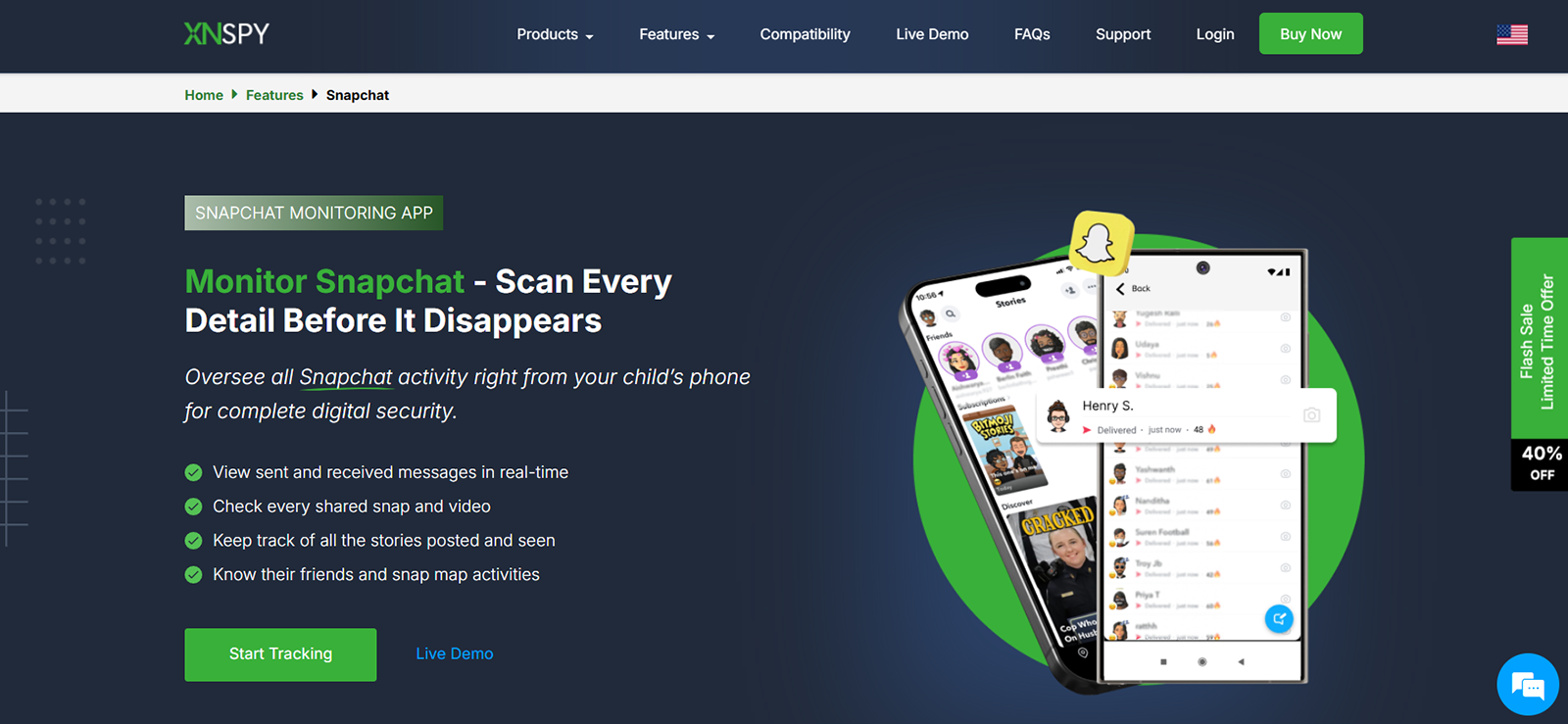
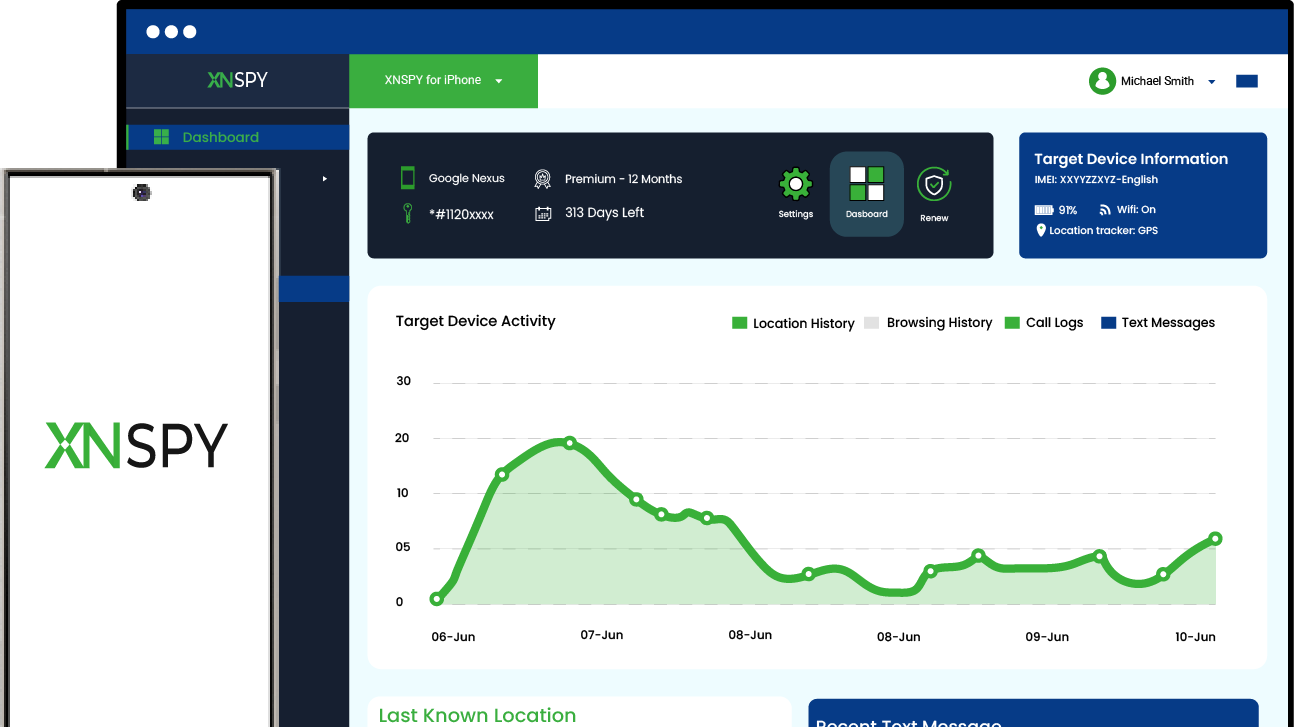
Based on our hands‑on testing, Xnspy came out as the best anonymous Snapchat viewer. Once installed on the target phone, it ran in the background, capturing Snapchat activity directly from the device rather than pulling data from Snapchat’s servers.
Xnspy took a screenshot every 5-10 seconds whenever Snapchat was open. That meant everything that appeared on screen, i.e., disappearing snaps, chat threads, replays, and even videos that auto‑played in the feed, got documented by the screen recorder.
Xnspy then automatically sorted these captures into an app‑specific timeline inside the web dashboard. Because the screenshots of Snapchat were taken at such short intervals, you could follow a conversation sequence almost step by step.
Beyond the visual timeline, Xnspy’s keylogger logged texts we typed within the Snapchat app. It also flagged specific interactions using Watchlist Words. For example, when we added “meet up” to the watchlist and used it in a Snapchat chat, Xnspy detected it immediately and sent an alert through the registered email.
Even though it’s not relevant here, another Xnspy feature that proved useful in our testing was remote app blocking. From the dashboard, we were able to temporarily disable Snapchat on the test device with a single tap.
The dashboard itself was clean and intuitive. Our UI/UX designer noted that while Xnspy monitored many platforms at once (Snapchat, Instagram, WhatsApp, and more), the Snapchat‑specific filters made it simple to zero in on just Snapchat activity.
On the downside, it did require physical access to the target device. Also, there were some delays in syncing when there was no internet connection.
Overall, our experience with Xnspy was smooth, and it earned a spot at the top of our list for one clear reason: the level of insight it offered into Snapchat went far beyond what a typical viewer could provide.
Xnspy Compatibility
Xnspy is compatible with Android 4 and later, as well as iOS 6 and above.
Xnspy Pricing
Xnspy offers two subscription tiers:
- Basic plan: $4.99/month (annual billing)
- Premium plan: $7.49/month (annual billing)
Xnspy Pros and Cons
| Pros | Cons |
| Captures Snapchat chats, snaps, and in-app videos through screenshots | Requires installation on a target device |
| Organizes Snapchat activity into a dedicated timeline | Syncing delays due to no internet connection |
| Detects selected words in Snapchat messages and typed captions | |
| Allows parents to block Snapchat remotely |
Should I Use Xnspy?
Xnspy is great for parents who need broader oversight of their child’s Snapchat activities.
However, it might be excessive for someone who only wants to inspect a public Snapchat profile anonymously.

Anonymously See What They’re Really Doing on Snapchat
Get the full picture with Xnspy’s advanced monitoring.
– Capture every snap, chat, and activity before it disappears
– Get real‑time alerts for risky keywords or contacts
– View all activity in a simple, organized timeline
– Remotely block Snapchat anytime, from anywhere
2. iLoveSocials – Best For Free Snapchat Viewing
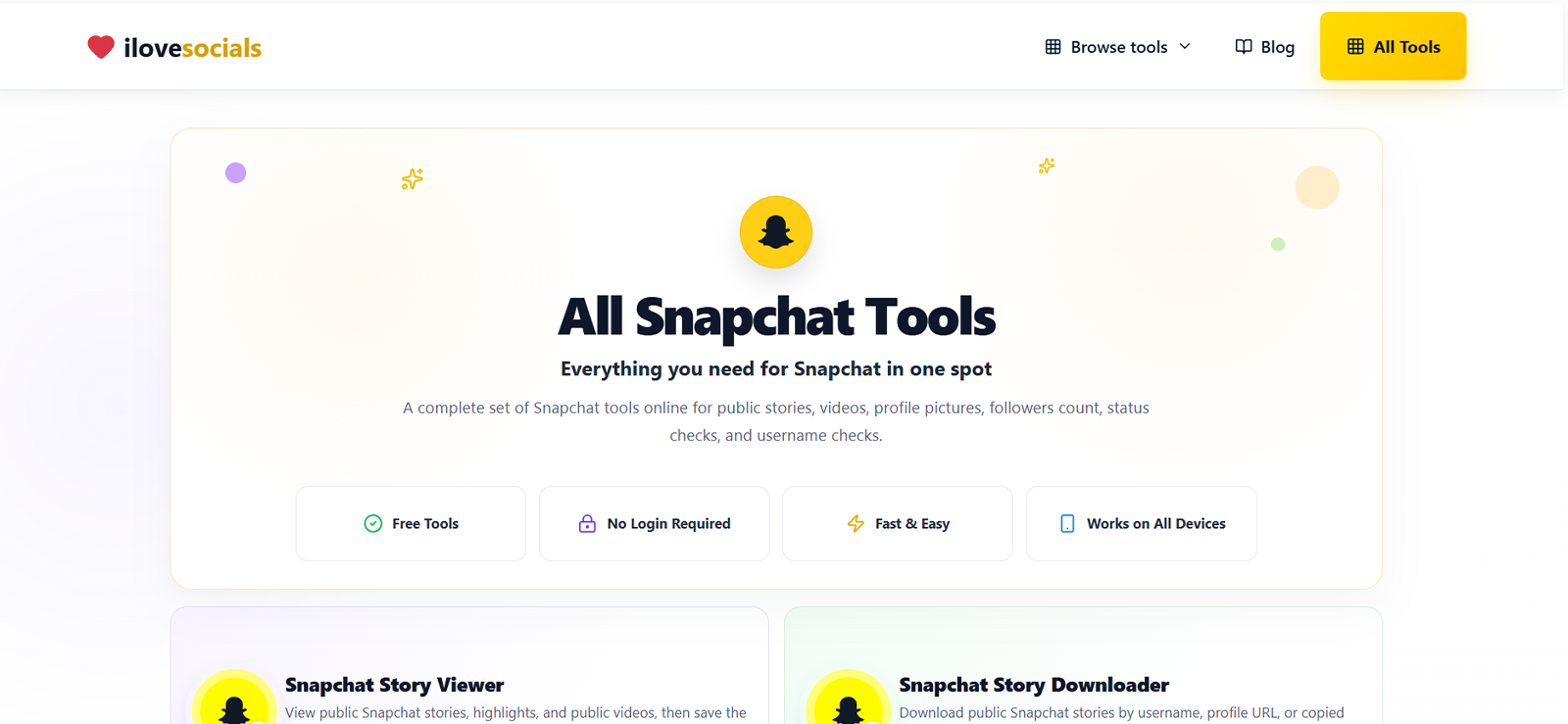
We found iLoveSocials easy to use because it separated its Snapchat tools by purpose. It allowed users to check a public profile picture, verify a username, view public content, or download supported videos without connecting a Snapchat account.
In our assessment, this anonymous Snapchat profile viewer worked best for quick public-profile checks since it did not require registration, installation, or Snapchat login details.
However, we believe that its main limitation was the type of content it could access. iLoveSocials only worked with information Snapchat had made public, so private profiles and restricted media would not appear.
iLoveSocials Compatibility
iLoveSocials is browser-based and accessible on any device (phones, tablets, and desktops) without installing an app or extension.
iLoveSocials Pricing
iLoveSocials Snapchat Profile Viewer is free to use, with no subscription plans.
iLoveSocials Pros and Cons
| Pros | Cons |
| Free browser-based access | Limited to public Snapchat content |
| No Snapchat login or installation required | Results will be unavailable when public data expires or changes |
Supports usernames and public profile links |
Should I Use iLoveSocials?
iLoveSocials is a solid first choice when you need to quickly check public Snapchat profile information without any cost or setup.
It’s ideal for verifying a username, viewing a public profile picture, or accessing public content from a browser without installing anything.
3. Snaplytics – Best For Accessing Detailed Snapchat Data
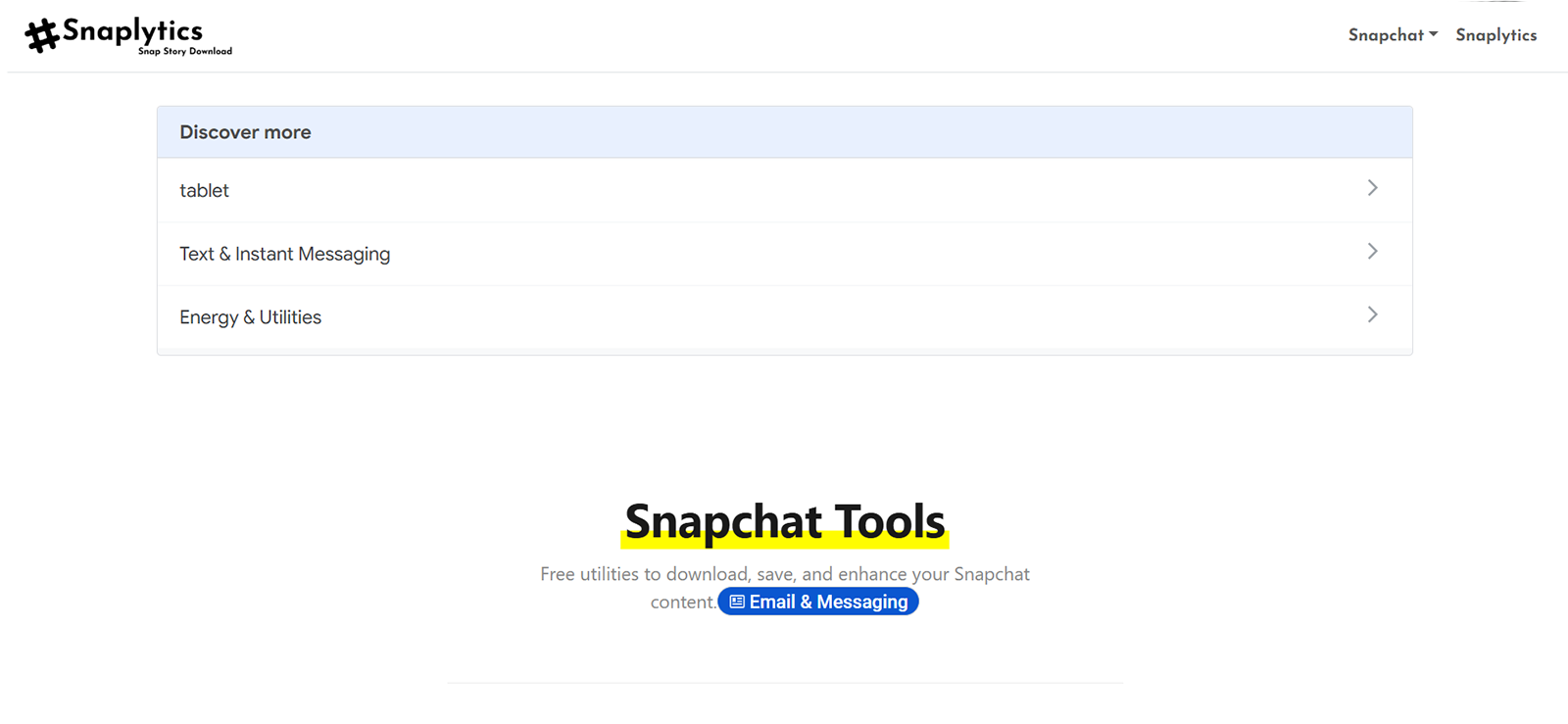
Snaplytics was not a simple Snapchat anonymous account viewer; it could also be used for checking detailed public profile information from a username or supported Snapchat link.
Overall, when we used it, it displayed profile pictures, bios, badges, subscriber counts, website links, and Snapcodes when those details were publicly available.
Its main advantage, therefore, was the profile-focused interface, which let us review public account information without signing in to Snapchat.
However, its security checks slowed down some of our searches, and private profiles remained inaccessible.
Snaplytics Compatibility
Snaplytics is browser-based and works across phones, tablets, and desktops.
Snaplytics Pricing
Snaplytics is free to use for public profile searches, with no advertised subscription fee.
Snaplytics Pros and Cons
| Pros | Cons |
| Displays detailed public profile fields, including bios, badges, and Snapcodes | Cannot access private Snapchat profiles |
| Accepts usernames and supported public profile links | Security checks slow down some searches |
Works without a Snapchat login or app installation |
Should I Use Snaplytics?
Snaplytics does not require a paid subscription for its profile viewer, so it’s a practical choice when you need to look up detailed public Snapchat information.
It works well for checking creator or business profiles because it displays more account fields than a simple picture viewer, without asking for a login or payment. Overall, if your needs are limited to public data, it’s worth trying.
4. Lovetik – Best For Public Highlights Viewing on Snapchat
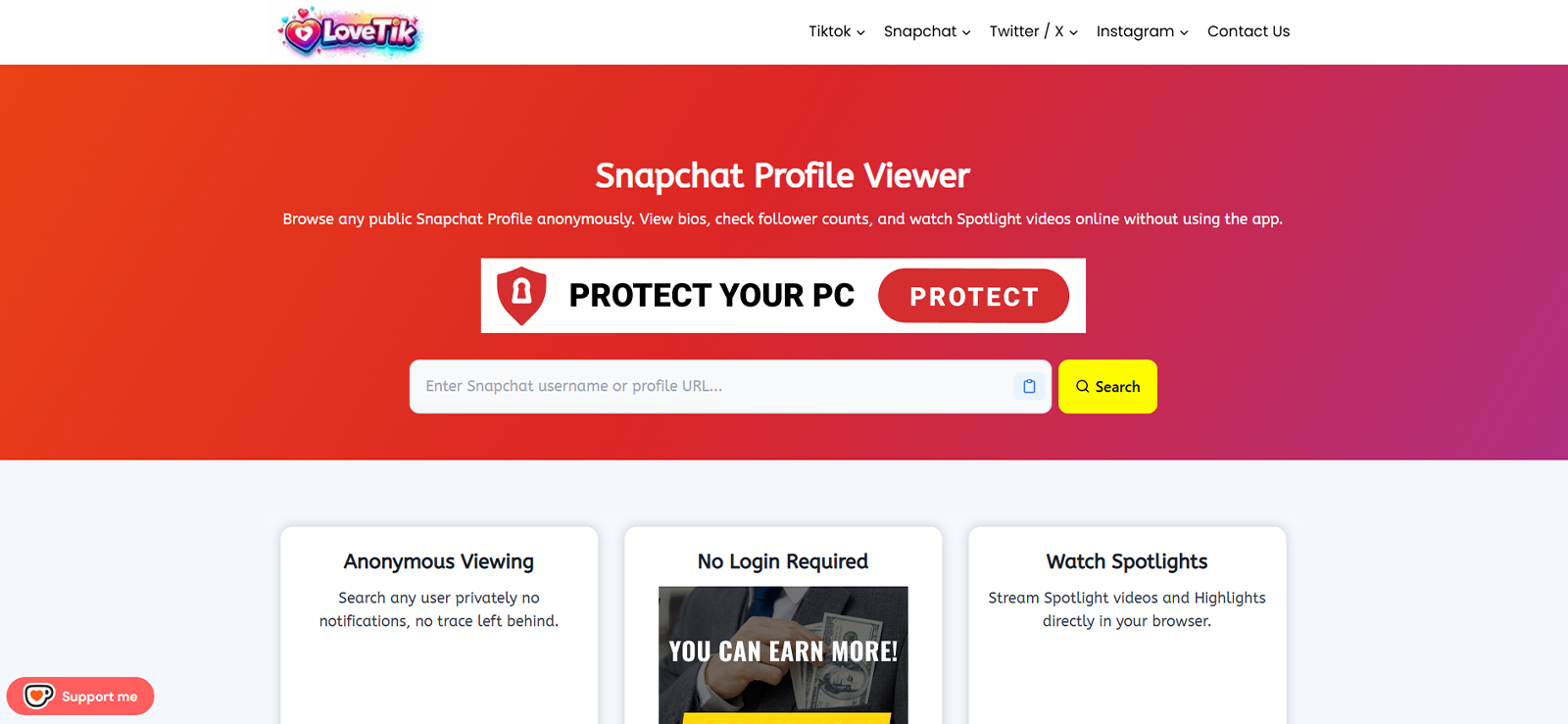
We found LoveTik.org useful for checking public Snapchat profiles without signing in. It could display profile images, bios, subscriber counts, Highlights, and Spotlight videos when that content was publicly available.
During our assessment, we noticed that LoveTik presented the account’s display picture as an active Story, which made it difficult for us to tell whether the profile had actually posted new content.
Regardless, its main strength was the combination of profile details and public video content. However, it could not access private profiles.
LoveTik Compatibility
LoveTik requires no app or extension. You can just open your browser on any device and use it.
LoveTik Pricing
LoveTik is free to use, with no advertised subscription or required verification payment.
LoveTik Pros and Cons
| Pros | Cons |
| Displays public profile details, Highlights, and Spotlight videos | Cannot access private Snapchat profiles |
| Works without a Snapchat login or app installation | Shows the profile picture as an active Story |
| Free to use across mobile and desktop browsers |
Should I Use LoveTik?
LoveTik is a decent choice for quickly checking public Snapchat videos, Highlights, and basic profile details from a browser.
However, the profile‑picture‑as‑Story quirk and its inability to view private content mean it works best as a casual lookup tool rather than a comprehensive solution.
5. TechniqueHow – Best For Additional Lookup
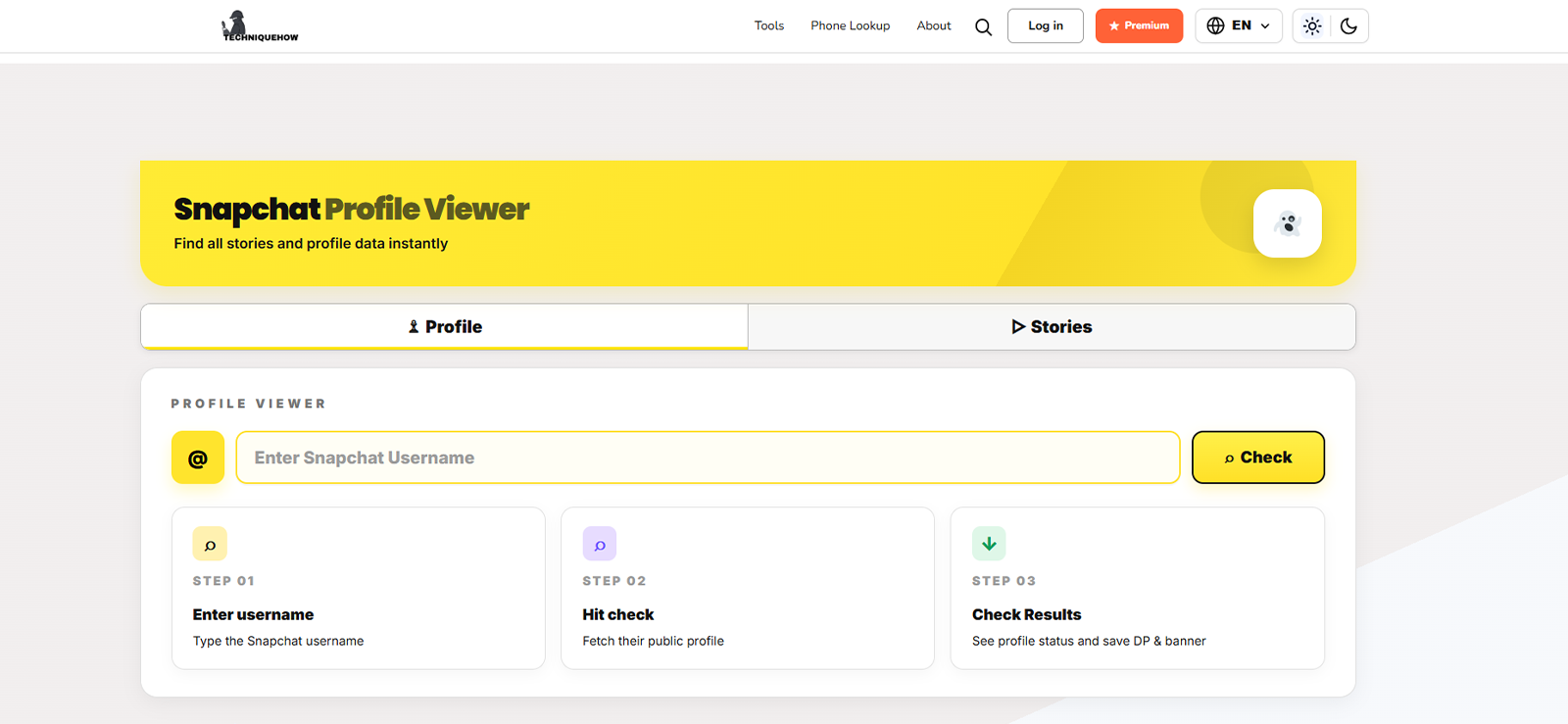
TechniqueHow provides a browser-based Snapchat Profile Viewer that searches public information linked to a username. During our testing, it displayed details such as a profile picture, display name, banner, public Stories, and Spotlight content when available.
We also found the separate profile and Story options useful because they let users choose the type of information they wanted to check. However, the wider range of people-search tools made the site feel less focused as a dedicated Snapchat viewer.
Also, please note that you should try the free lookup before paying for additional credits since any paid upgrade remained limited to publicly available information.
TechniqueHow Compatibility
TechniqueHow is browser-based and works on phones, tablets, laptops, and desktops.
TechniqueHow Pricing
TechniqueHow allows access to its lookup interface, but the broader service uses paid search credits and upgrade plans.
At the time of our review, its pages displayed:
- A one-time offer of approximately $5 for selected premium lookup access
- An entry plan starting at $5.50
- A 50-search allowance on certain packages
- Higher tiers for larger lookup volumes
TechniqueHow Pros and Cons
| Pros | Cons |
| Works through mobile and desktop browsers | Limited to publicly available Snapchat information |
| Separates profile and Story lookup options | Some detailed lookups may require paid credits |
| Can display profile pictures, banners, and Spotlight content |
Should I Buy TechniqueHow?
TechniqueHow is worth trying for a quick public profile search since the basic lookup is free.
If you find yourself using its broader people-search tools often, the paid credit packages might be more useful, but start with the free option to see if it meets your needs.
6. PeekPublic – Best For Basic Snapchat Profile Lookups
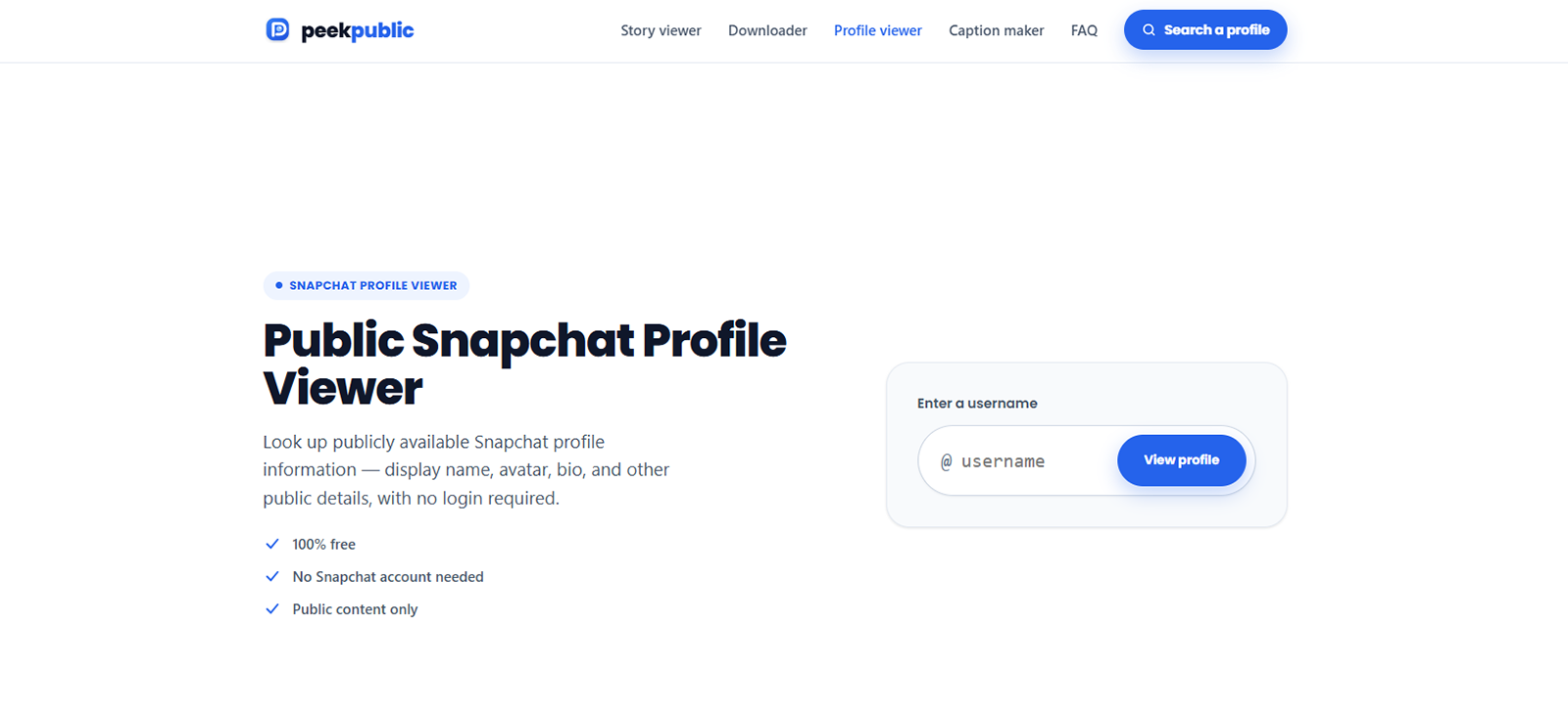
We found PeekPublic.com useful for fast profile lookups using a public Snapchat username. During our testing, it displayed basic details such as an avatar, display name, handle, biography, and selected public activity information.
Its simple interface worked well for quick identification, although there were fewer profile details than Snaplytics.
During our testing, some fields, including Snap Score, did not appear, which was caused because Snapchat did not make every account metric publicly available.
PeekPublic Compatibility
PeekPublic works in any browser on mobile or desktop, without an app or extension required.
PeekPublic Pricing
PeekPublic is free to use, with no account required for a basic lookup.
PeekPublic Pros and Cons
| Pros | Cons |
| Provides quick public Snapchat profile lookups | Displays fewer profile details |
| Works without a Snapchat login or app installation | Results are limited for accounts with little public information |
Free to use on mobile and desktop browsers |
Should I Buy PeekPublic?
PeekPublic works well when all you need is a name, avatar, or biography from a public account. Just keep in mind that the details it provides are fairly basic, so if you need more in-depth public profile data, other tools might serve you better.
7. uMobix – Best For Snapchat Viewing On Android
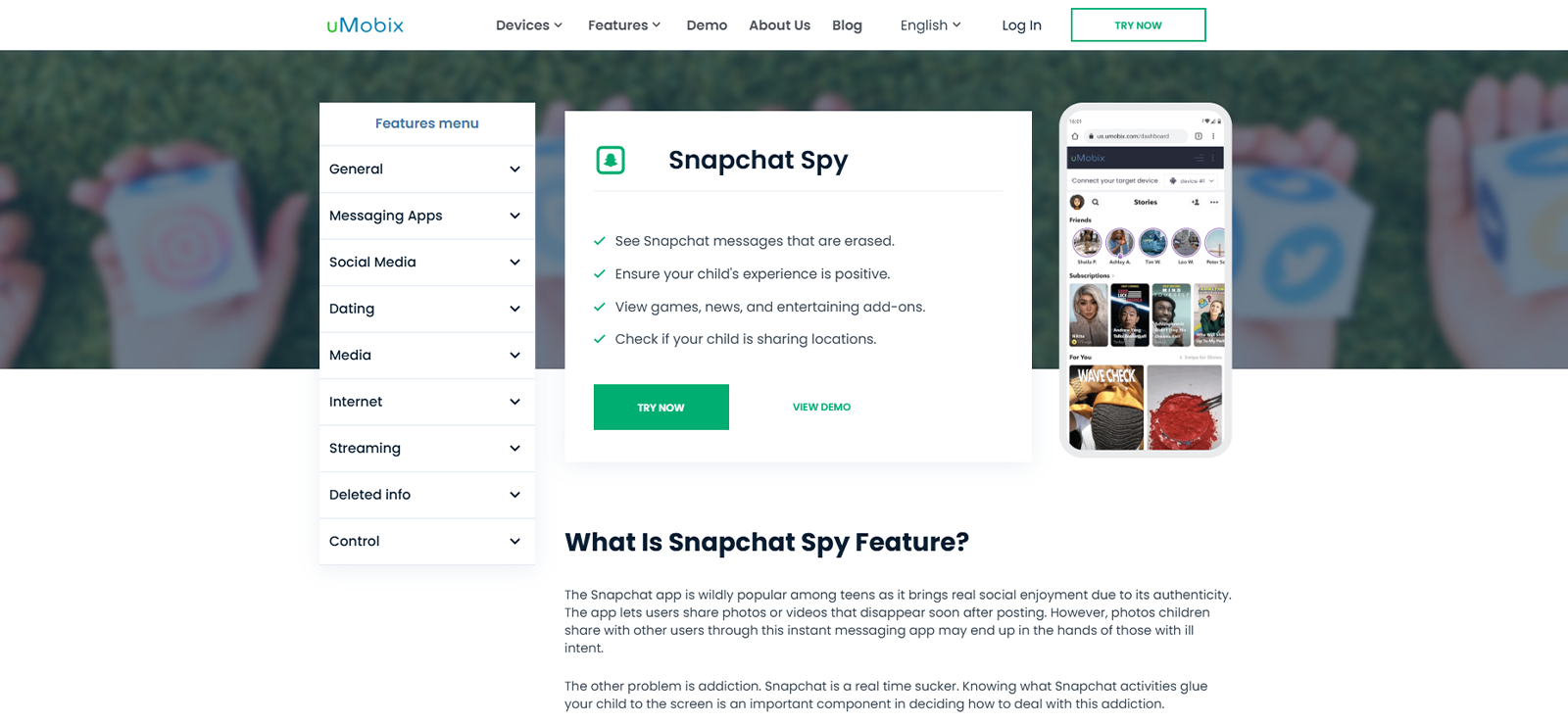
We found uMobix better suited to parental monitoring than public Snapchat profile searches. After installation on an authorized Android phone, it captured on-screen Snapchat activity and displayed the results through an online dashboard.
We believe its screenshot-based approach can help parents review messages and shared media, including content that later disappeared.
However, during our testing, it missed brief activity that appeared between captures, and its performance depended on device permissions, connectivity, and Snapchat updates.
uMobix also required physical access to the phone during setup, so it should only be used on the child’s device that the parent owns or is legally allowed to monitor.
uMobix Compatibility
uMobix is compatible with both Android and iOS devices. However, its Snapchat monitoring feature is only available on Android.
uMobix Pricing
uMobix has the following standard subscription rates:
- One month: $49.99
- Three months: $29.99 per month
- Twelve months: $12.49 per month
uMobix Pros and Cons
| Pros | Cons |
| Captures Snapchat activity through recurring screenshots | Misses brief activity between screenshot intervals |
| Displays monitored activity through a remote dashboard | Snapchat monitoring is limited to Android |
| Can retain evidence of messages or media that later disappear |
Should I Buy uMobix?
uMobix is a reasonable choice if you are a parent who needs Snapchat oversight on an Android device and you have the legal authority to install monitoring software. For that specific scenario, its screenshot-based approach can capture disappearing messages and media.
However, it is an overkill for simply checking a public Snapchat profile, and the subscription cost is hard to justify for information that is already freely available elsewhere.
FAQs
What should you look for in a Snapchat anonymous viewer?
Look for a Snapchat private account viewer that does not require your Snapchat login. You should be able to anonymously access publicly available content without asking for unnecessary personal information. Check whether the tool has clear privacy policies and avoids suspicious downloads or permissions. It should also be easy to use and transparent about its limitations, especially regarding private profiles, Stories, and other restricted content.
Can Snapchat anonymous viewer tools access private accounts?
No. Legitimate public-profile viewers cannot access private profiles, chats, Memories, passwords, or restricted account information. That is because Snapchat’s personal profiles are visible only to friends, while Public Profiles can be viewed by anyone on Snapchat.
Are anonymous Snapchat viewer apps safe and legal to use?
Browser-based viewers are safer when they do not request Snapchat credentials, unexpected downloads, or unnecessary permissions. Regardless, users should still review the provider’s privacy policy because these sites may process cookies, IP addresses, and browser information. On the other hand, the legality of viewing public information and monitoring a device depends on local laws and how the tool is used.
Do Snapchat anonymous viewers require account credentials?
Public-profile viewers, and even monitoring apps, generally do not require Snapchat login credentials. That is because while one accesses publicly available data for results, the other runs within the target phone, after obtaining the user’s content, which leads to them not requiring account credentials.
Which Snapchat anonymous viewer works best on Android and iPhone?
All of the free browser-based tools mentioned in this article work great for basic public-profile viewing on both Android and iPhone. However, if you need more detailed insights into the child’s Snapchat activity, tools like Xnspy and uMobix are recommended.
Leave a reply:
Your email address will not be published. Required fields are marked*

Stephen Hawks
Member since February 26, 2026
Stephen Hawks
Member since February 26, 2026
Stephen Hawks is a mobile app security and digital privacy analyst with over 12 years of experience evaluating mobile monitoring technologies, device tracking applications, smartphone data security risks, and more. He is particularly passionate about how monitoring apps function, what data they access, and how securely that data is stored.
Previously working as an IT forensics consultant, he specialized in analyzing app-level data exposure and digital evidence patterns on smartphones. Today, he focuses exclusively on mobile monitoring tools and tracking applications, with an emphasis on real-world performance and security vulnerabilities.
Moreover, he holds industry certifications including CompTIA Security+ and Certified Ethical Hacker (CEH).