7 Best Anonymous Facebook Story Viewer Tools That Actually Worked in Our Tests
 By Mike Everett
The complete monitoring experience for your phone
Get XNSPY and start tracking calls, texts, multimedia, locations and more on any phone!
Get Started Now Live DemoFacebook stories disappear in 24 hours, but the questions they raise for parents often linger much longer. What are kids posting? Who are they interacting with? And can stories be viewed discreetly without tipping anyone off?
That curiosity has fueled a surge in anonymous Facebook story viewer tools, though many turn out to be unsafe or simply ineffective. That is exactly why we put the most talked-about options through hands-on testing to find what actually works.
In this guide, we break down 7 Facebook story viewer anonymous sites and platforms that stood out for reliability and oversight.
TL;DR: Key Takeaways From This Article
- Anonymous Facebook story viewer tools mainly help parents access kids’ public Facebook stories without directly interacting with the account.
- Xnspy provides visibility into Facebook stories through periodic screen recordings, making it a more comprehensive monitoring solution than a traditional anonymous FB story viewer.
- BraveDown supports anonymous Facebook story viewing and downloading, though story navigation feels fragmented at times.
- Anon Story Viewer offers flexible anonymous access with good story quality, but it is less beginner-friendly and occasionally inconsistent.
- ClevGuard uses monitoring-based screenshots to show Facebook story activity and interactions. However, updates are delayed at times.
- FBTake provides lightweight browser-based anonymous story viewing, though results and story formatting are inconsistent.
- WebWatcher helps parents track Facebook activity across devices using screenshots, but some activity may be missed between captures.
- Hitube supports fast anonymous Facebook story viewing and works well on weak networks. Nonetheless, some story context is cropped for adjustment.
We Tested to Find the Top Facebook Anonymous Story Viewer Apps for Parents, and These 7 Worked Best
| Apps | Ratings | Pricing | Best For | Drawback |
| Xnspy | 9.3/10 | Basic: $4.99/monthPremium: $7.49/month | Overall, Facebook and device activity visibility | Requires device access |
| BraveDown | 8.8/10 | FreeSignature: $5/monthPremiere: $10/month | Viewing and downloading public Facebook stories | Segmented story navigation feels confusing |
| Anon Story Viewer | 8.5/10 | Free | Anonymous viewing with both online and offline-style access | Inconsistent sessions and not beginner-friendly |
| ClevGuard | 8.2/10 | Lite: $9.16/monthPremium: $11.66/monthFamily: $54.67/month | Monitoring-based visibility into story interactions | Delayed screenshots and no audio capture |
| FBTake | 7.9/10 | Free | Lightweight occasional Facebook story viewing | Inconsistent results and distorted story layout |
| WebWatcher | 7.4/10 | $59.95/3 months | Cross-device activity visibility for long-term monitoring | Screenshot limits and possible missed activity |
| Hitube | 7/10 | Free | Fast anonymous viewing on weak networks | Cropped story display and reduced clarity |
How We Tested and Ranked These 7 Facebook Story Anonymous Viewer Tools
Finding a reliable Facebook story viewer anonymous tool for monitoring kids’ public Facebook activity was not as straightforward as comparing feature lists. We all know that many tools promise anonymous story viewing, but in practice, some only work inconsistently while others provide little beyond basic public profile access.
To separate marketing claims from actual performance, we built our evaluation around hands-on testing and real-world use simulations. Our goal was not simply to identify tools with anonymous viewing features, but to determine which ones genuinely worked for parents who want discreet visibility into kids’ Facebook story activity while prioritizing reliability.
Our review team of 5 included 1 researcher, 2 software reviewers, and 2 product testers who evaluated each tool over multiple testing rounds.
Here are the factors that we took into consideration and their respective weightage:
We Verified Anonymity Through Repeated Testing – 35%
Anonymity was the most important ranking factor because it is the core purpose of any Facebook story viewer tool.
To test this, we created multiple Facebook accounts and ran repeated viewing sessions across different stories, devices, browsers, and time intervals to see whether anonymity held up over time.
Because anonymity defines the usefulness of these tools, it carried the highest weight in our scoring.
We Measured Access to Public Stories and Viewing Reliability – 20%
We tested whether each tool could actually locate public Facebook stories, how often stories loaded successfully, how quickly they appeared, and whether viewing broke during repeated attempts.
In this case, reliability mattered because a tool that works arbitrarily can be misleading for parents depending on it for oversight.
We Evaluated Privacy and Safety Protections – 15%
Because many anonymous viewers are web-based tools, privacy safeguards were a major part of our methodology.
We examined whether tools required unnecessary logins, requested excessive permissions, used intrusive ads, redirected users to suspicious pages, or exposed browsing activity through weak security practices.
This factor helped us separate safer options from tools that may compromise user data despite offering anonymous viewing.
We Tested Ease of Use for Parents and Non-Technical Users – 15%
Even an effective solution loses value if parents struggle to use it. Therefore, we assessed setup difficulty, navigation, learning curve, and whether users could access stories quickly without technical workarounds. Our testing emphasized practical usability for everyday parents rather than advanced users.
We Assessed Consistency Across Devices and Platform Changes – 10%
Social platforms change often, and tools that work one week may fail the next. In order to test resilience, we evaluated performance across mobile and desktop devices, different browsers, and repeated sessions over time. Overall, this factor helped identify tools built for ongoing reliability rather than temporary functionality.
We Compared Value Against Limitations – 5%
Not every tool with strong features offers good practical value. We weighed what each solution delivered against its limitations, including access restrictions, reliability tradeoffs, value for money, etc. This final factor helped refine rankings when tools performed similarly but offered very different overall value.
Do FB Anonymous Story Viewer Solutions Really Work and Are They Safe for Parental Oversight?
Anonymous Facebook story viewer tools are third-party tools that claim to let users view public Facebook stories without appearing in the viewer list. Most of these solutions work only with public content and do not provide access to private stories.
As for safety, they are mixed at best. Reputable tools may be relatively safe for basic public viewing, but many free anonymous viewers carry risks such as intrusive ads, phishing, data collection, or requests for Facebook credentials, which can create privacy and security concerns.
So, putting it straightforwardly, yes, some work in a limited sense, but not all claims are legitimate, and they are only safe if you use well-reputed tools.
The Top Anonymous Facebook Story Viewer App: 7 Tried and Tested Solutions
As is evident by now, not all tools are reliable, and the difference between useful results and security risks often comes down to the solution parents choose.
Now, while anonymous FB story viewer sites promise discreet access to public stories, here is the truth: their performance and consistency vary significantly. Because of this, tools must be selected carefully. Given below are our 7 picks that can facilitate anonymous story viewing for you.
1. Xnspy (Best for Overall Visibility)
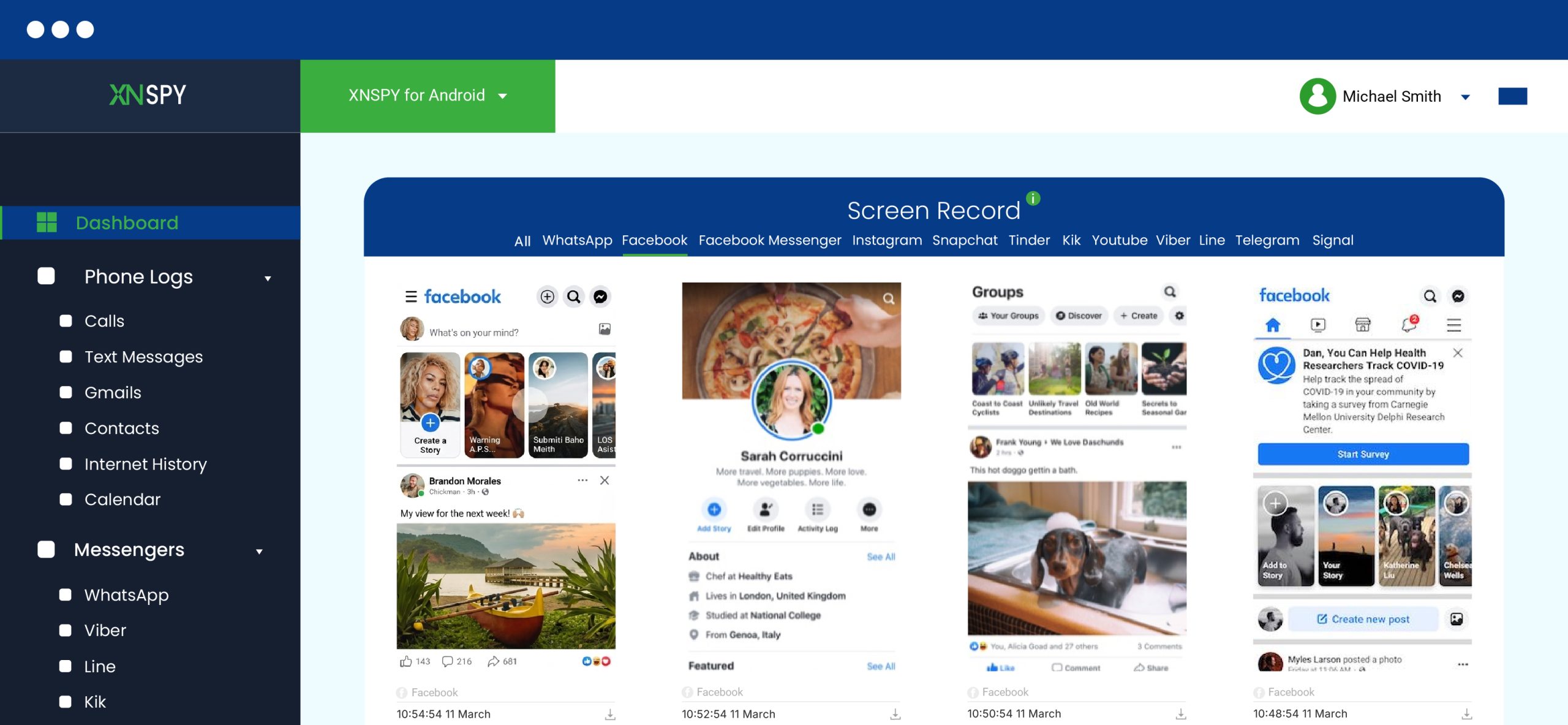
Based on our evaluation, while Xnspy is a potent Facebook anonymous story viewer, it functions more like a device monitoring system. Instead of capturing only Facebook stories anonymously, it operates on the system level and collects all the activity taking place on the kid’s phone.
Therefore, Xnspy only records Facebook stories through the phone, and subsequently, the child’s activity. Therefore, if the user has uploaded stories, rewatched them, or viewed someone else’s stories on their Facebook, all of that will be visible through the app’s screen recorder.
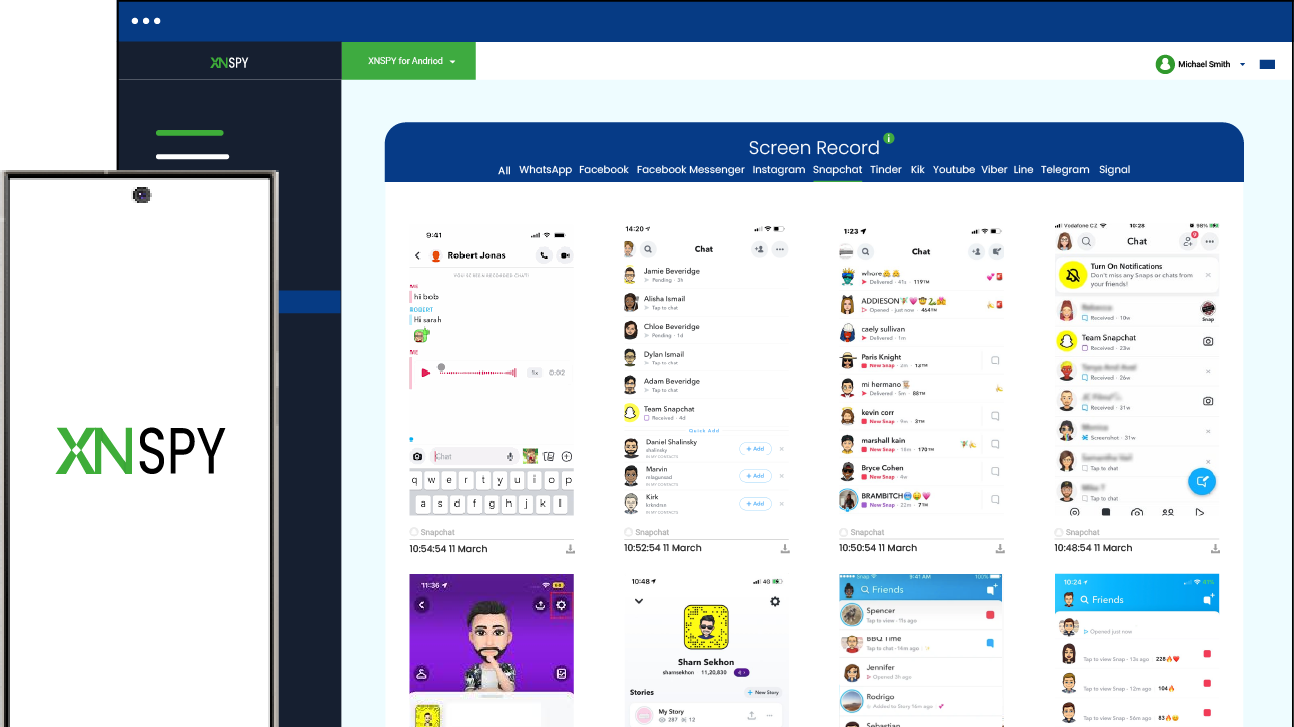
In our testing, we observed that the periodic screenshots taken by Xnspy every 5-10 seconds appear in a dashboard format, which differs from what parents expect a Facebook story viewer to look like.
Our UI/UX designer further pointed out that the layout is well-structured and organized, and is built to monitor multiple social media platforms, not just Facebook alone. Furthermore, the app-specific filters made it easier to find Facebook-specific activity and stories.
We also noticed that activity updates appeared with a short delay when the device had limited connectivity.
Xnspy Compatibility
Xnspy is compatible with both Android and iOS devices. To check whether it works on the target phone, Xnspy offers an online compatibility checker.
Xnspy Pricing
Xnspy has a Basic and Premium plan, both with varying price ranges.
- Basic: $4.99/month
- Premium: $7.49/month
Xnspy Pros & Cons
| Pros | Cons |
| – Covers multiple apps beyond Facebook – Organized dashboard view – Useful for overall phone monitoring – Works across Android & iOS | – Not a direct story viewer – Requires device access |
Should I Buy Xnspy?
We believe that Xnspy is a better fit for parents who want broader visibility into the Facebook activity of their kids, along with Story viewing. It is useful if your goal is to understand social media habits and overall digital activity in one place. However, for parents who are simply looking for anonymous story viewing, it may be overkill.

View More Than Just Their Facebook Stories
Get extensive visibility into their overall activity using Xnspy.
– View Facebook Stories activity in a more complete way
– Get a clearer look at their overall usage patterns
– Check activity details in one simple dashboard
– Block unwanted apps and receive alerts if needed
2. BraveDown (Best for Story Downloading and Viewing)
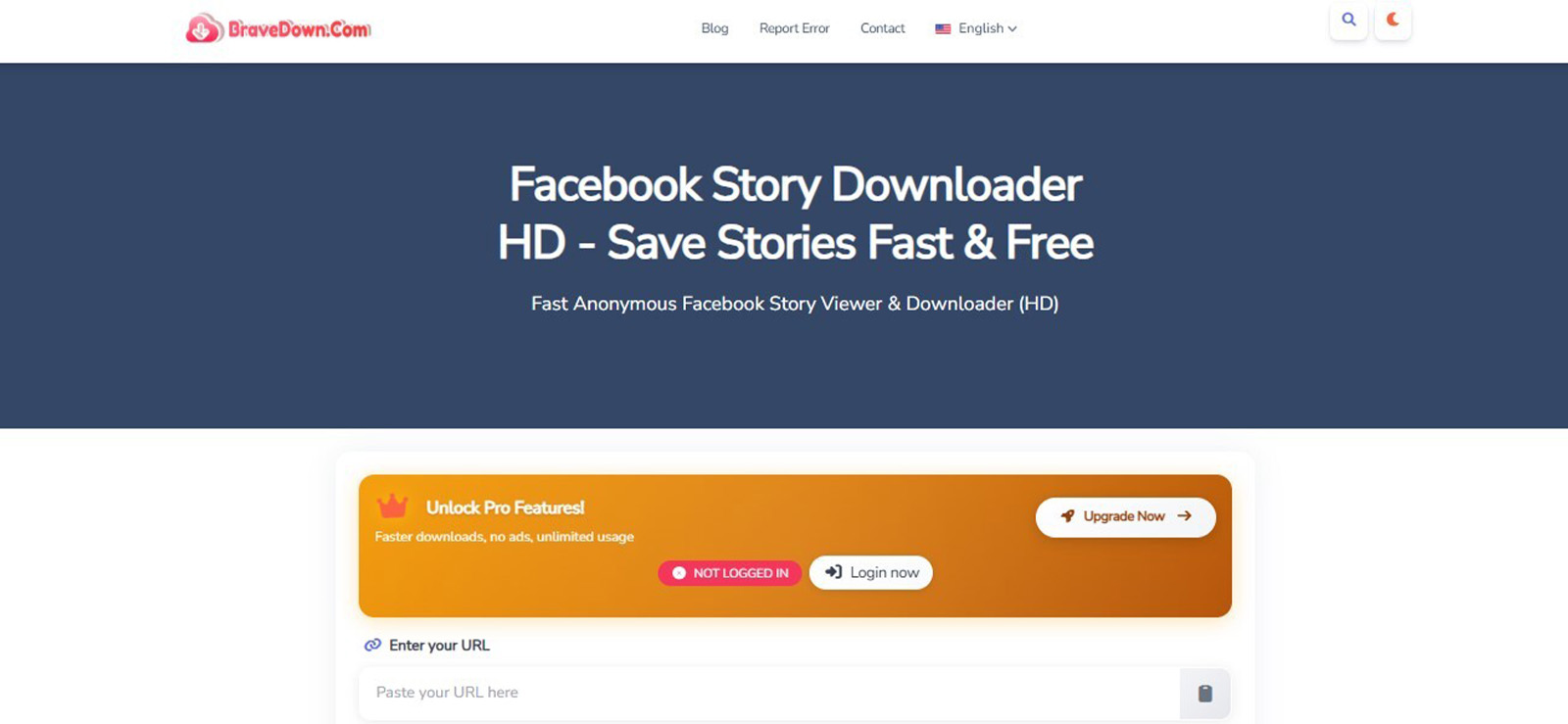
BraveDown is a web-based tool that allows users to view and sometimes download Facebook stories. From a parent’s perspective, though, it feels more like a media viewing tool than a monitoring system.
When we tested it, the interface felt modern and visually simple. However, our UX reviewer noticed that the flow is slightly fragmented. That is because stories do not always appear in one continuous feed. Instead, users need to click through different numbered sections to view all available stories.
This is where some users, primarily non-technical ones, will have to pause or will feel unsure whether the tool is working correctly.
Moreover, in our observations, video playback generally worked, and sound was available in most cases. However, quality was sometimes slightly reduced compared to the original Facebook story.
Overall, the BraveDown Facebook story viewer anonymous site works best as a basic viewing and downloading option, but it is not always smooth or consistent across sessions.
BraveDown Compatibility
BraveDown works directly in a browser on iPhone, Android, and desktop, without requiring any installation. For best results, users should stick to Chrome, Safari, and Firefox.
BraveDown Pricing
Apart from a free plan, BraveDown also has three paid subscriptions with varying functionalities:
- Signature – $5/month
- Premiere – $10/month
- Platinum – $20/month
BraveDown Pros & Cons
| Pros | Cons |
| – Easy to access via browser – Download option available – Works on mobile devices too | – Stories appear in segments – Slight quality reduction – Navigation is a little confusing |
Should I Buy BraveDown?
BraveDown suits parents who want a simple browser-based tool for occasionally checking or downloading their kids’ public Facebook stories without installing anything. However, it may be less appropriate for parents who want a highly straightforward tool that offers easier navigation and private story viewing, too.
3. Anon Story Viewer (Best for Offline Anonymous Viewing)
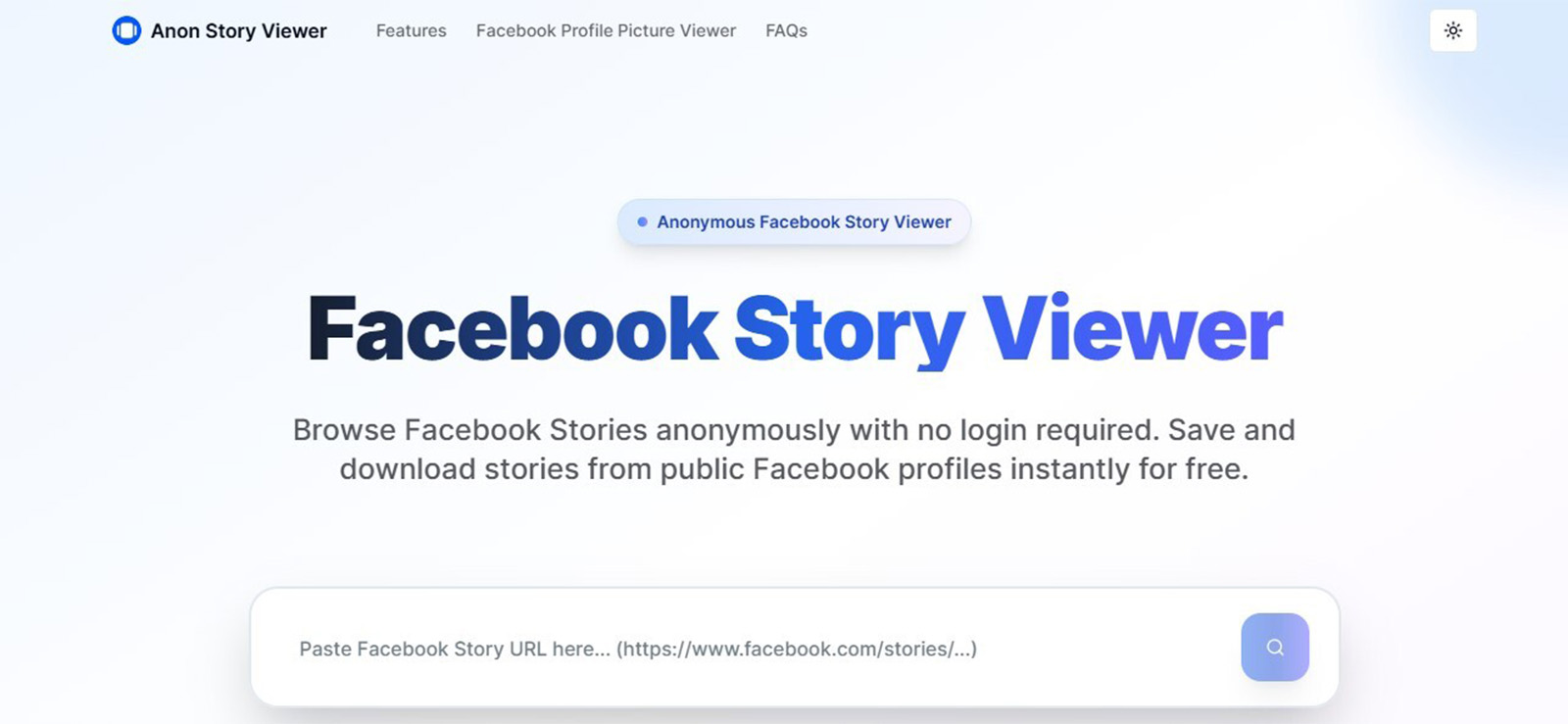
We found Anon Story Viewer to be one of the more flexible tools in this category because it allows Facebook stories to be accessed both with and without logging in.
In our testing, we observed that this anonymous FB story viewer works in two main ways.
The first is directly through story links. This works by logging into your account on a browser, going to their profile, clicking their profile picture, right-clicking on the “View Story” button, copying the link, and pasting it into the tool to load the stories.
The other is through manual extraction of story identifiers from page data. To be honest, this is more of a workaround for when someone does not want to log in. For this method, users have to find the story’s unique ID from the page source.
Once on the profile, go to “View Story,” right-click, and select “Inspect” from the menu. In the page source, look up “first_story.” Besides this, you will find a repeated ID. Upon copying it, creating a Facebook story URL (https://www.facebook.com/stories/[Unique ID]/), and searching it on the tool, stories are viewed anonymously.
This functionality, overall, makes it more powerful but also less beginner-friendly.
Moreover, our team noticed that small mistakes in navigation affect results monumentally. For example, if the correct action button is not used during search, the tool does not load properly, and the page has to be refreshed to proceed.
We also observed that once a session encounters an error, it continues repeating the same issue unless the page is restarted.
On the positive side, when it works correctly, the content quality is quite good. Stories generally retain their original appearance, including text, tags, and in many cases even music elements.
Anon Story Viewer Compatibility
Anon Story Viewer works on desktop browsers, and while it claims to perform on all devices, phones included, its requirement of an exact story link makes it a better fit for desktops.
Anon Story Viewer Pricing
Anon Story Viewer is free for all users and Facebook profiles.
Anon Story Viewer Pros & Cons
| Pros | Cons |
| – Good media quality when working – Retains story elements well – No login required | – Requires retrying multiple times – Not fully consistent – Likely confusing for beginners |
Should I Buy Anon Story Viewer?
Anon Story Viewer has the potential to work well for parents who prioritize better story quality and fuller story details, and who do not mind retrying a step if a session misbehaves. It may appeal to those willing to experiment a little to get results, too. However, this is definitely not for those looking for easier options.
4. ClevGuard (Best for Monitoring-Based Access)
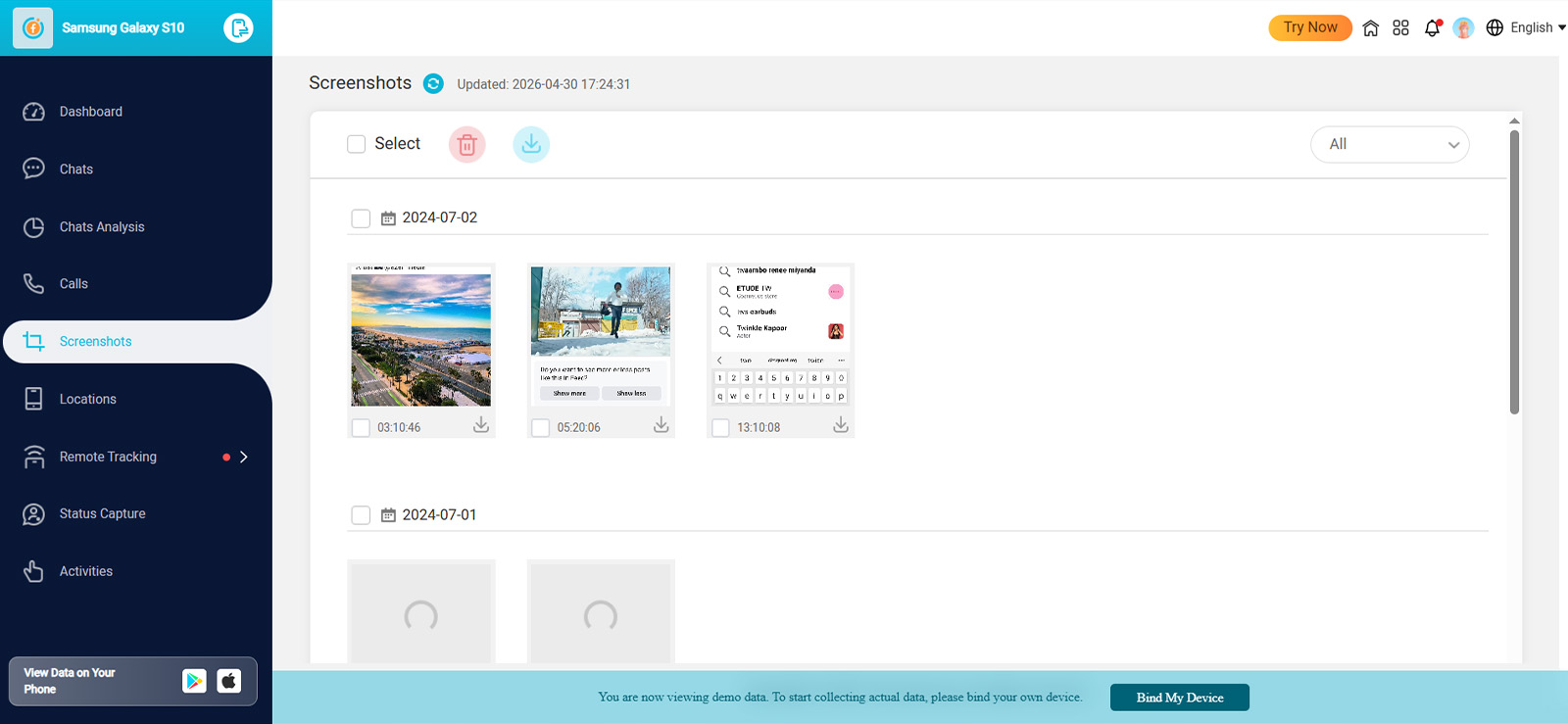
Like Xnspy, ClevGuard is also designed more as a parental monitoring tool. Therefore, it takes screenshots and tracks the device for story viewing rather than opening them directly.
The primary reason that this tool is still on the list is that it provided useful context. Through its screen recorder, we were able to see when a story was posted, what its contents were, who viewed it, and other interactions happening through it.
However, one important limitation is that it does not always capture everything in real time. Screenshots are uploaded every 30 minutes and can be delayed further if there are any background restrictions set in place, which sometimes leads to stories being missed entirely.
Our UI/UX reviewer further noted that the app was prone to glitches and did not really operate in stealth mode on the target phone. Anytime the screen recorder was used, the phone received a warning.
We also observed that audio is not included in captures, which means only visual activity is available.
ClevGuard Compatibility
ClevGuard’s KidsGuard Pro is compatible with Android versions 6.0-13 and iOS 9.0-16.0.
ClevGuard Pricing
ClevGuard offers three different subscription plans on a monthly, quarterly, and yearly basis. Each of the plan’s monthly rates, billed annually, is given below:
- Lite – $39.99/month$9.16/month
- Premium – $11.66/month
- Family – $54.67/month
Note that the screen recorder feature is only available in the Premium and Family plans.
ClevGuard Pros & Cons
| Pros | Cons |
| – Provides activity snapshots – Includes timestamps – Covers multiple apps | – Missed or delayed screenshots – No audio support |
Should I Buy ClevGuard?
ClevGuard is better suited for parents looking for monitoring-style oversight rather than direct anonymous story viewing. If understanding activity patterns matters more to you than viewing individual stories, then the app can work for you.

What Did We Find Out After Testing ClevGuard?
Our 15-day testing of the app told us everything parents needed to know.

5. FBTake (Best for Lightweight Story Viewing)
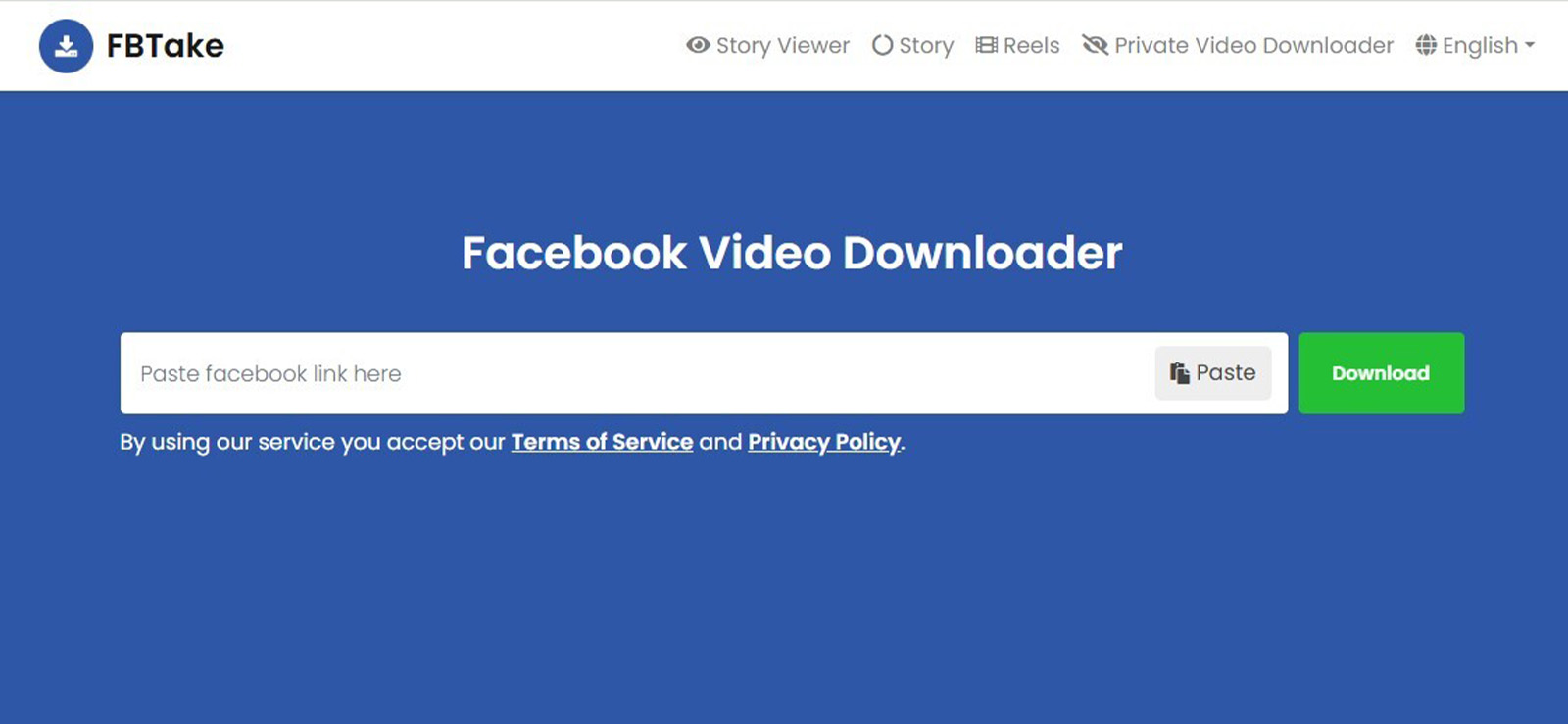
FBTake is a simple web tool designed for quick Facebook story viewing. Overall, from a usability perspective, it is simple, but also somewhat inconsistent.
During testing, we noticed that it often loads only partial results depending on the session. In some cases, stories appear correctly, while in others, only limited content is displayed.
For the provided results, we observed that the layout distorts vertical story formatting into horizontal display, which affects readability. Text and visuals also appear slightly unclear compared to the original Facebook version.
Not only that, but if the correct action is not followed, the tool does not respond properly and requires restarting the session.
On the positive side, this Facebook story anonymous viewer is lightweight and works without installation, which makes it easy for occasional usage.
FBTake Compatibility
FBTake is a browser-based tool that works on all Android devices, iPhones, and personal computers.
FBTake Pricing
Users can try out FBTake for free as many times as they want.
FBTake Pros & Cons
| Pros | Cons |
| – Easy to access – Fast when working – Only requires profile URL | – Inconsistent results – Occasionally loads incorrect content – Distorted layout |
Should I Buy FBTake?
As per our observation, we think FBTake is worth considering for parents who want a quick way to check their kids’ stories occasionally and do not care much about inconsistencies. While not dependable for monitoring and clear quality, the tool is web-based and easy to use.
6. WebWatcher (Best for Cross-Device Visibility)
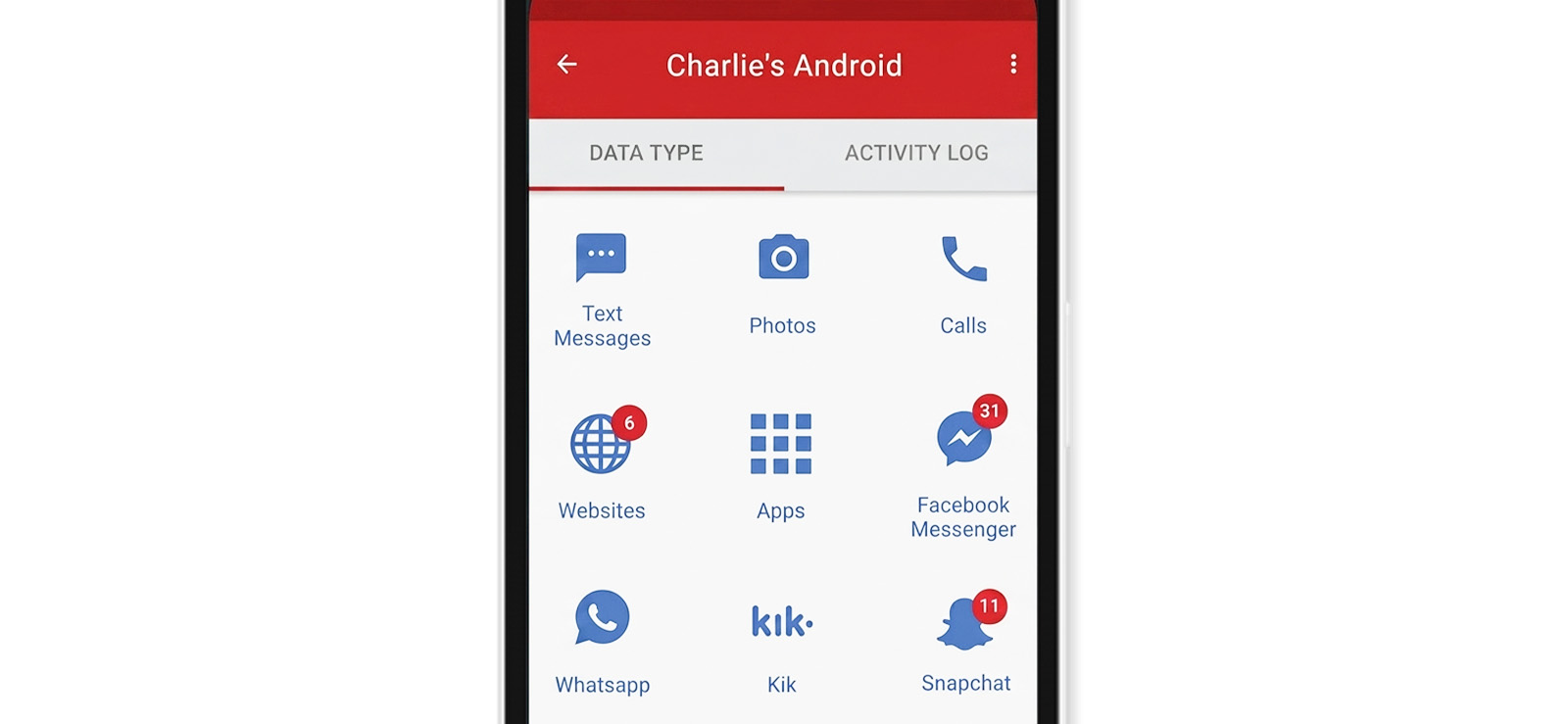
Unlike browser-based anonymous Facebook story viewers, WebWatcher approached visibility very differently. Since it captures device activity through recurring screenshots, parents see activity happening on Facebook.
One thing we liked is that this approach provides a broader context. Instead of seeing only one story, parents also get to observe the surrounding app behavior, like when Facebook was opened and what appeared on-screen during use.
From our testing, one of the most important things to understand is how WebWatcher’s screenshot system works. By default, screenshots are captured automatically when monitored programs are active. However, it is by no means continuous, and some activities appear and disappear between captures, leading to missing data.
We also observed a practical limitation parents should know upfront, i.e., subscription plans include a screenshot cap of 1,000 screenshots, with additional captures costing extra. For families monitoring activity over longer periods, that is worth factoring in.
Another thing we noticed is that WebWatcher performs best when apps are actively in use. Since captures happen when monitored programs are open, brief interactions are not always reflected the way parents expect.
Overall, WebWatcher stood out less as a tool for anonymous Facebook story viewing and more as a cross-device visibility tool for parents.
WebWatcher Compatibility
WebWatcher works on iPhone, Android, PC (Windows), and MacOS. For each, the following versions are compatible:
- iOS 8.0-14
- Android 4-11
- Windows 7-10
- MacOS 10.8-11
However, the screen recorder feature primarily discussed here is only available for Android phones.
WebWatcher Pricing
WebWatcher claims to be $19.98/month; however, it has only one plan for quarterly payment, i.e., $59.95/3 months.
WebWatcher Pros & Cons
| Pros | Cons |
| – Useful across devices and platforms – Helpful for spotting behavior patterns | – Activity between screenshots can be missed – Screenshots exceeding 1000 lead to additional cost |
Should I Buy WebWatcher?
WebWatcher is generally a stronger fit for parents who want ongoing cross-device visibility and long-term activity tracking. However, for long-term usage, the app, specifically its screen recorder, is not reliable.
A Detailed Look into WebWatcher’s Working
We tested WebWatcher for 30 days, and this is what we had to say about it.
7. Hitube (Best for Fast Anonymous Viewing)
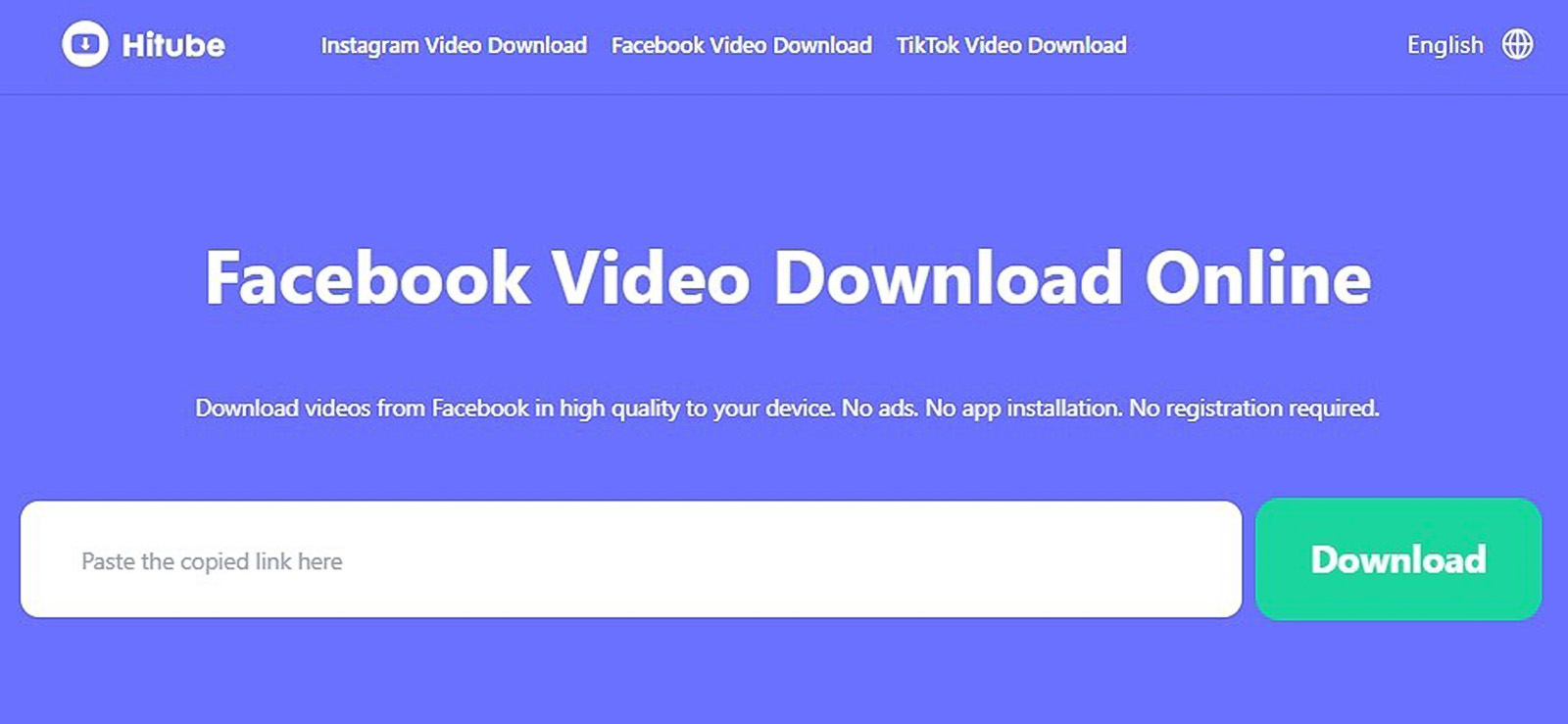
If we were to write only one line about Hitube, we would say it is designed for speed.
Users just need to add the profile link, and it loads Facebook stories quickly without requiring a login, which makes it appealing for users who prioritize convenience.
However, during testing, we noticed that this speed comes with trade-offs. Since stories are displayed in a fixed viewing window, parts of the original content are cropped for adjustments.
Therefore, while fast, it does not preserve the full context, letting users see stories but without all the associated details. We also observed that image and text clarity are reduced marginally, particularly for stories with detailed overlays.
On the positive side, though, this FB anonymous story viewer performs well on slower internet connections and loads quickly even when other tools struggle.
Hitube Compatibility
Hitube is web-based and works on both mobile and desktop. It also has an Android APK compatible with Android 5.0 and higher.
Hitube Pricing
Hitube is a free tool for both viewing and downloading Facebook stories anonymously.
Hitube Pros & Cons
| Pros | Cons |
| – Very fast loading – No login required – Works on weak networks | – Cropped content view – Reduced clarity – Limited context |
Should I Buy Hitube?
Coming purely from our experience, we believe Hitube can suit parents who want fast access to Facebook stories and care more about speed than full story context. However, for those who want complete story details and high-quality results, this might not be it.
FAQs
Does a Facebook anonymous viewer require a login or sign-up?
Most anonymous Facebook story viewer tools do not require a sign-up since they are browser-based, like Hitube, FBTake, and BraveDown. This makes them convenient for checking public Facebook stories without creating an account or linking personal credentials. However, some tools like Anon Story Viewer may require a Facebook login to extract story links. Lastly, monitoring-based tools like Xnspy, ClevGuard, and WebWatcher require installation and device access instead of login, since they operate at the system level rather than as direct viewers.
Do these tools support viewing older or expired Stories?
No, an anonymous Facebook story viewer app does not support viewing expired or older stories once they disappear from Facebook after the 24-hour window. Tools like Hitube, FBTake, and BraveDown only access stories that are currently active and publicly available. Once a story expires, it cannot be retrieved through these viewers. However, monitoring-based tools, particularly Xnspy, let users view past activity through their periodic screenshots.
Are these tools compatible with both mobile and desktop devices?
Yes, most anonymous Facebook story viewer tools are compatible with both mobile and desktop devices, but performance often varies. Browser-based tools generally work across Chrome, Safari, Firefox, and other modern browsers on phones, tablets, and computers. However, desktop usage often provides smoother navigation and better story formatting. On the other hand, since monitoring solutions are installed directly on Android or iOS devices, they are mobile-first rather than browser-dependent.
Can you download Facebook Stories using an anonymous Facebook viewer?
Yes, some anonymous Facebook story viewer tools support downloading, but only for public stories. For example, BraveDown is specifically designed to allow both viewing and downloading Facebook stories, although the quality may sometimes be slightly reduced. Other tools like Hitube and FBTake mainly focus on viewing, so download functionality may be limited or inconsistent depending on the session.
Do Facebook Story owners get notified when I use a viewer tool?
No, story owners are not notified when their public stories are viewed using a Facebook story viewer anonymous tool. These tools work by loading publicly available content without triggering the viewer list on Facebook. However, this only applies to public stories since private stories cannot be accessed or viewed through these tools at all.
Xnspy: Know Everything That They Won’t Tell You
Install Xnspy and get answers to all your worries today.
Leave a reply:
Your email address will not be published. Required fields are marked*
Mike Everett
Member since October 20, 2014
Mike Everett
Member since October 20, 2014
Mike Everett is a consumer technology journalist with expertise in hands-on testing and evaluation of iOS and Android monitoring applications. With over 11 years in the industry, he focuses on how mobile monitoring tools perform in real-world conditions, including accuracy, feature reliability, device compatibility, and practical usability for parents.
He conducts live-device testing of monitoring apps to assess how well their features function beyond marketing claims. His work primarily includes comparative reviews, feature breakdowns, and buyer-focused guides designed to help parents understand which tools actually deliver usable results in everyday scenarios.