Aura Parental Control App Review: Read This Before You Trust It With Your Kids
 By Stephen Hawks
The complete monitoring experience for your phone
Get XNSPY and start tracking calls, texts, multimedia, locations and more on any phone!
Get Started Now Live DemoParents need more than a simple screen time limit when managing a child’s digital life. They may also want to block inappropriate content and spot potential online risks before they become serious problems.
Aura brings these tools together in one parental control app. But it is not designed to give parents complete access to private messages or every action on a phone. Instead, it focuses on screen time management, content restrictions, activity patterns, digital wellbeing, and safety alerts.
That makes Aura a different option from traditional monitoring software. In this Aura parental control app review, we tested its features, setup, reliability, compatibility, interface, pricing, and customer feedback to determine whether it offers enough protection and visibility for families.
Our 60-Second Verdict on Aura Parental Monitoring App
| Category | Aura |
| Core Purpose | Parental controls focused on screen time, content restrictions, digital wellbeing, and online risk alerts. |
| Setup Time | Approximately 10 – 15 minutes per child device in testing. Basic installation was quick, but enabling VPN access and anti-removal settings added several extra steps. |
| Ease of Setup | Easy for basic controls, but moderate when configuring device permissions, VPN filtering, and anti-removal settings. |
| Compatibility | iOS/iPadOS 16+ and Android 12+ |
| Price | From $8.33/month on the dedicated Aura Parents annual offer; other Aura pricing pages currently list the Kids plan at $10/month annually |
| Free Trial | 14 days |
| Real-time Syncing | Near real-time for supported alerts and control changes, although results varied by device connection and permissions. |
| Best For | Good for everyday parental control |
| Main Limitation | Does not provide the same detailed phone activity as full monitoring apps |
How Did We Test The Aura Parental Control App for Our Review
Our review team tested Aura for two months using a range of supported devices, including an iPhone and an Android phone. The team included a UI/UX specialist, a software reviewer, a digital safety researcher, and a consumer technology journalist.
During testing, we assessed Aura’s parental control tools, setup process, device permissions, content filtering, screen time controls, activity reports, interface design, and pricing. We also compared our findings with Aura’s published information and the most recent customer feedback.
This hands-on testing helped us evaluate how Aura performs in everyday family use rather than relying only on the features listed on its website.
Feature Set – 35%
We assessed Aura’s feature set by checking whether it covers the main parental control needs: content filtering, website and app blocking, screen time limits, scheduled downtime, internet pausing, and usage reports.
We also considered whether Aura offers features beyond basic restrictions, such as Messaging Insights, calling patterns, in-app activities, etc. These additional tools were weighed for their usefulness in helping parents understand child behavior rather than simply limiting access.
Accuracy and Reliability – 30%
To evaluate accuracy and reliability, we checked how Aura’s controls operate after setup, including the permissions required for device-level restrictions and VPN-based filtering.
We also considered Aura’s instructions for preventing children from disabling or removing protections. This aspect was weighed according to how consistently the app can maintain its controls once the required permissions are enabled.
Setup, Interface & Cross-Platform Consistency – 20%
We assessed this area by reviewing how easily parents can install Aura, connect a child’s device, locate the main controls, and configure options such as Bedtime, Focus Time, Bonus Time, and Pause the Internet.
We also compared the setup and restriction process across Android and iOS. Since the two operating systems handle parental control permissions differently, we considered whether the experience remains consistent across supported devices.
Value for Money – 15%
Lastly, we evaluated Aura’s value by comparing its subscription cost with the number of children and devices included in the plan, as well as the range of parental control features available.
What Is Aura App: A Quick Overview
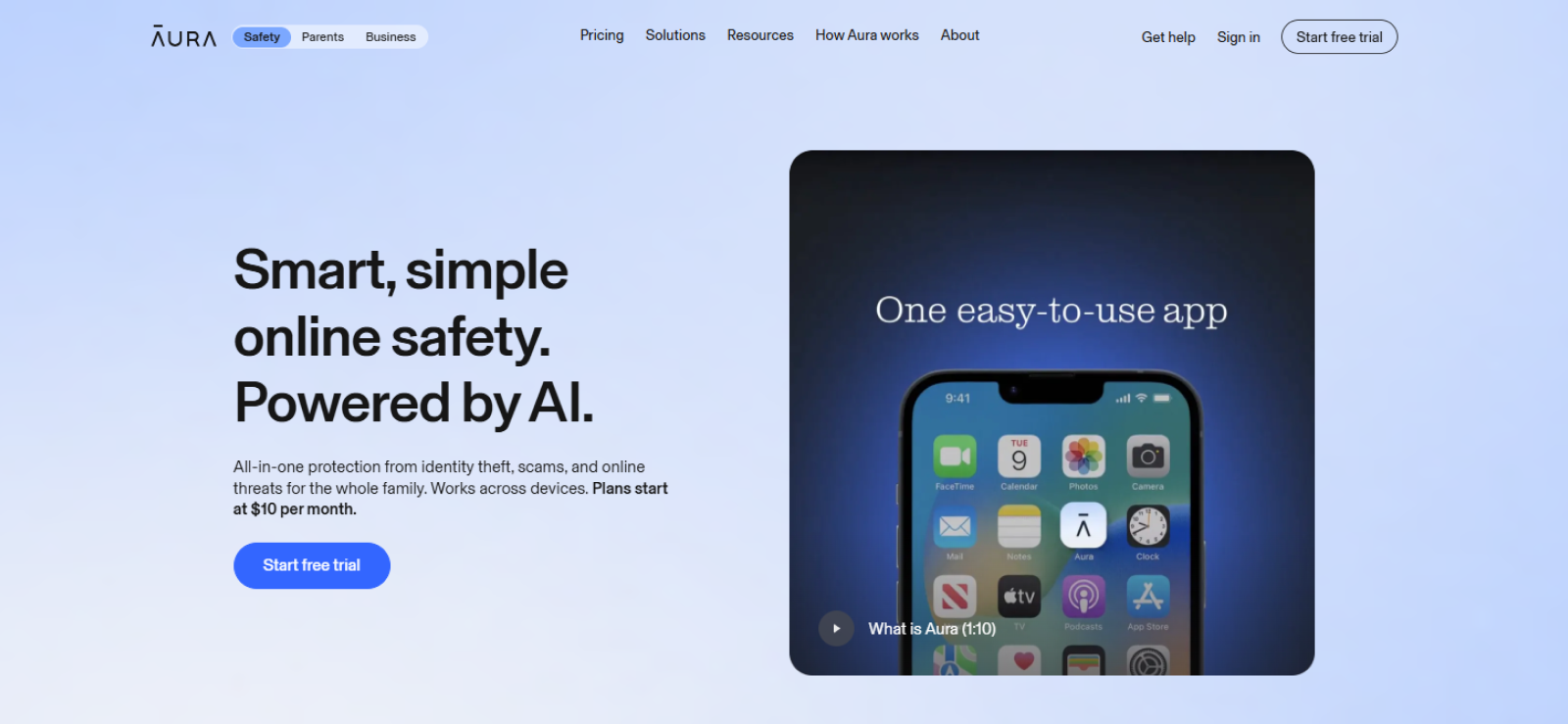
Aura is a digital safety service with parental controls designed to help parents manage how children use phones and tablets.
The Aura parental app can restrict apps and websites, set screen time schedules, pause internet access, and provide information about online activity.
Aura has also expanded into digital wellbeing. Parents can now receive information about social interactions, AI app activity, nighttime device use, and possible risk signals without routinely reading the child’s private messages.
How Does Aura App Work?
Aura works through child profiles linked to supported devices.
Parents first add their child and configure Aura on the device they want to manage. They can then create restrictions for apps, websites, screen time, bedtime, and focus periods.
Once configured, Aura also collects supported activity signals and presents them as reports, trends, messaging insights, and safety alerts.
Unlike detailed monitoring software, the service generally summarizes activity rather than giving parents unrestricted access to everything happening on the phone.
Aura App Installation
The Aura parental control app download is straightforward. Parents first create a child profile, connect the child’s device, grant the required permissions, and enable the filtering settings they want to use.
During our setup experience, the main work came after downloading the app. Aura may request VPN access for certain filtering functions, and parents also need to configure the available Android or iOS restrictions so the child cannot easily remove or disable the app.
The installation process itself was easy to follow, but it did require attention to permissions and device restrictions. The whole process took us about 45 minutes on Android, and 35 minutes on iPhone.
Aura Parental App Compatibility
Aura supports parental controls on modern Android and Apple mobile devices.
| Platform | Support |
| Android phones/tablets | Android 12+ |
| iPhone and iPads | iOS 16+ |
| Windows | Safe Gaming functionality for supported PC games |
| macOS | Not compatible |
During our two-month test, we used Aura across two child devices: one Android phone and one iPhone. The main parental controls were available across all three, but the setup experience was not completely identical.
Android required more attention to permissions and VPN settings, which is also why our installation took around 45 minutes compared with approximately 35 minutes on the iPhone.
The biggest compatibility limitation, however, is older hardware. Android 11 and below as well as iOS 15 and below are excluded, so Aura may not work for families handing down older phones to children.
Aura Parental Control App Interface
When it comes to the Aura parental control app interface, it is built around child profiles rather than large monitoring logs. From the main screen, we could move between screen time controls, content restrictions, activity information, and safety-related insights without having to search through multiple technical menus.
During our testing, the biggest advantage was how little explanation most controls required. Bedtime, Focus Time, Bonus Time, and Pause the Internet all describe their purpose clearly. That made routine changes easier when we were repeatedly switching restrictions during the test period.
We also tested the interface across Android and iPhone parent-device workflows. The layout remained familiar, although some device-specific settings naturally differed once we moved into operating-system permissions.
However, the interface became less impressive when we looked for deeper activity records. Aura does not give parents long lists of complete messages, screenshots, browser URLs, or call records.

Need More Than Just Activity Summaries?
Try Xnspy for complete access to deeper phone activity.
Aura Parental Control App Pricing
If you are searching for how much is Aura parental control app, its pricing is as follows:
- 14-Day Free Trial
- Kids Plan: $20/month when billed annually; $13/month when billed monthly (Unlimited kids & unlimited
devices)
- Family Plan: $80/month when billed annually; $50/month when billed monthly (5 adults, unlimited kids &
unlimited devices)
For this review, we opted for the Kids plan and bought it for 2 months at $13/month as it was billed monthly. Now that you know how much is Aura parental control app, let’s get into what it actually offers.
Aura Parental Control App Features
We tested the main Aura parental control app features over two months to see whether they were useful outside the initial setup. Our focus was not simply whether a feature existed, but how much control or information it actually gave us.
Content Filtering & Site Blocking
Aura allows parents to block individual websites, apps, and broader content categories. SafeSearch support can also restrict explicit results on the web.
During testing, we used the filtering controls on both Android and Apple devices. Adding or removing a restriction was simple from the parent side, and we could manage individual child profiles separately rather than applying one rule to every device.
We tested content filtering by attempting to access 10 websites across five categories, including adult content, gambling, violence, social media, and general entertainment. We repeated the tests on both Android and iPhone using Wi-Fi and mobile data.
Aura successfully blocked 33 of the 40 attempts. Five websites loaded briefly before the block appeared, while two lesser-known sites were not restricted until we manually added them to the block list.
We also ran 25 explicit searches with SafeSearch enabled. In 19 cases, explicit results were filtered immediately. However, six searches still displayed suggestive thumbnails, although opening the linked pages was blocked.
Moving forward, we found app blocking to be slightly more consistent. We tested restrictions on 10 apps and attempted to open each one five times. Aura prevented access in 48 of 50 attempts. The two failures occurred shortly after changing the restriction, which suggested that updated rules can take a little time to sync.
Screen Time Limits & Scheduling
Aura offers several screen time controls, including Bedtime, Focus Time, daily limits, Bonus Time, and Pause the Internet. Parents can apply different schedules to individual child profiles instead of using the same restriction across every device.
We tested the scheduling tools over 14 days on our Android phone and iPhone. During that period, we created 20 scheduled restrictions, including 8 Bedtime schedules, 6 Focus Time sessions, and 6 app-specific time limits.
Aura enforced 18 of the 20 schedules at the expected time. On Android, one Focus Time restriction started approximately three minutes late. On iPhone, one app limit remained available for almost two minutes after the daily allowance had expired.
Bedtime was the most consistent feature. We tested it 16 times across both devices, and internet access was restricted correctly in 15 cases. The only delay occurred on the Android phone, and the reason wasn’t obvious.
We also tested Pause the Internet 20 times. In 17 cases, internet access stopped within 10–20 seconds. Two attempts took around 35 seconds, while one Android test required us to refresh the child-device connection before the pause took effect.
Bonus Time was similarly straightforward. We added extra time on 10 occasions by using extensions ranging from 15 minutes to one hour. Nine extensions appeared on the target device within a minute. One iPhone update took approximately two minutes to reflect.
Online History & Usage Reports
Aura’s activity reports are designed to show parents how much time a child spends online and when that activity takes place.
To test the reporting accuracy, we recorded our activity manually for seven days on both Android and iPhone. Each day, we used a predefined group of eight apps and websites for different lengths of time and then compared our recorded usage with the information displayed in Aura.
Across 112 individual usage sessions, Aura accurately reflected 101 sessions. Seven sessions appeared in the reports but showed slightly different usage durations, while four short sessions lasting less than two minutes did not appear at all.
We also checked how quickly the recorded activity appeared in Aura. Of the 108 sessions that were successfully logged, 98 appeared within 5–15 minutes, while the remaining 10 took between 15 and 30 minutes to update.
Moreover, one key limitation we found was that Aura does not provide enough detail to recreate a full browsing session. Its reports focus more on overall usage patterns than on showing individual URLs with exact timestamps.
Messaging Insights
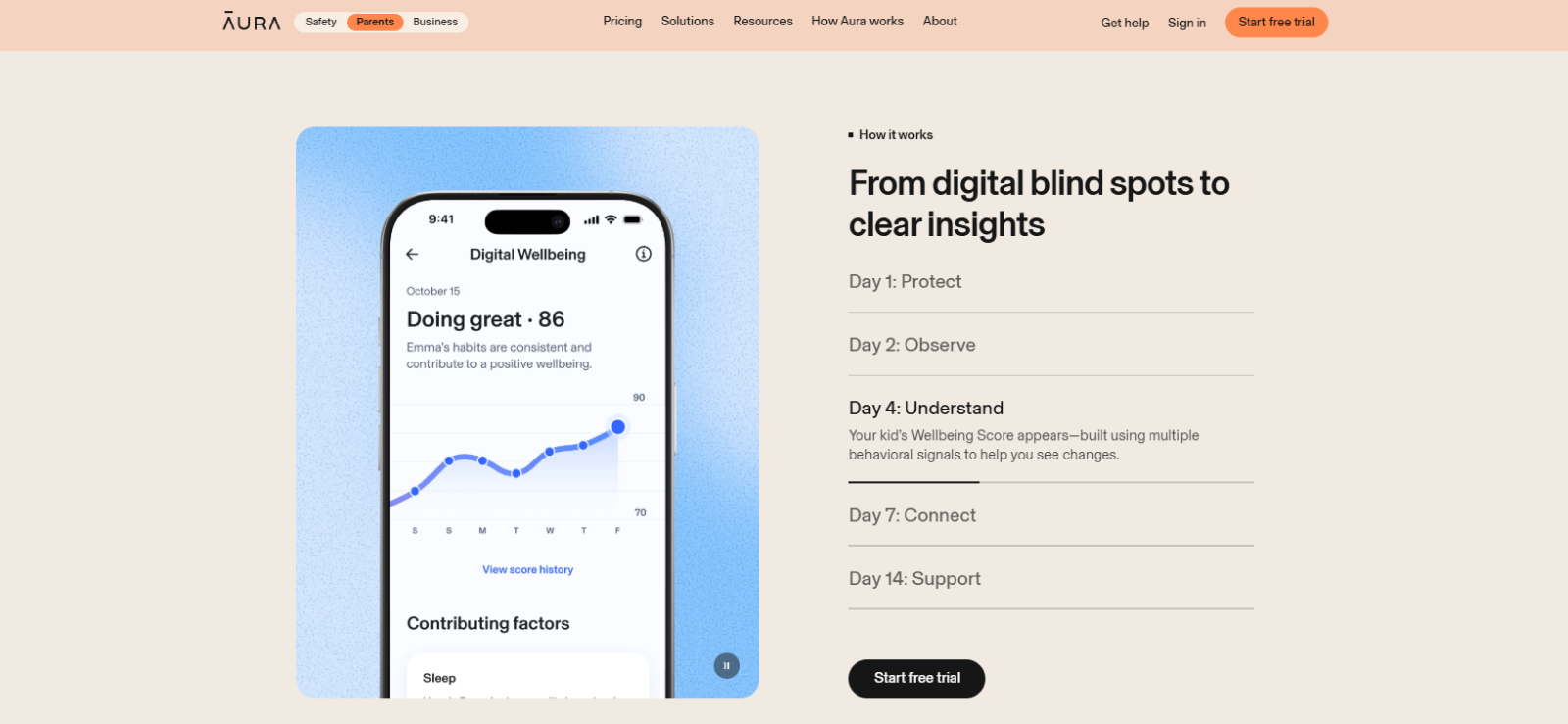
Aura’s Messaging Insights focuses on communication patterns rather than giving parents routine access to complete conversations. It can provide information about messaging volume, timing, tone, and potentially concerning changes in supported interactions.
We tested the feature over 10 days by creating controlled conversations with different levels of activity and tone. In total, we sent 180 test messages, including neutral conversations, deliberately negative exchanges, late-night messages, and unusually high-volume messaging sessions.
Aura correctly reflected increased messaging activity in 8 of the 10 high-volume tests. In two cases, the change was visible in the general activity information but was not emphasized strongly enough for us to consider it a clear messaging signal.
For timing, we sent 30 messages between midnight and 2 a.m. across three separate nights. Aura identified the unusual nighttime communication pattern on all three occasions.
However, tone detection was less consistent. We created 20 short conversations, with 10 written in a clearly neutral tone and 10 using deliberately negative or aggressive wording. Aura’s insights matched our intended tone in 16 of the 20 conversations. Three negative exchanges were presented without a strong warning, while one sarcastic conversation was interpreted more negatively than we expected.
The biggest limitation appeared whenever we wanted to understand why a particular interaction had been flagged. Because Aura normally provides insights rather than full transcripts, we could identify that something had changed without always seeing the precise sentences behind the change.
During our testing, this made Messaging Insights much better at answering “Should I pay attention to this conversation?” than “Exactly what was said?”
AI App Monitoring
Aura’s AI monitoring is designed to help parents understand when children use supported AI apps and whether those interactions show potentially concerning themes or patterns.
We tested the feature using four AI services over a period of eight days. Our test activity included homework-related questions, general entertainment prompts, emotional conversations, and deliberately risky or inappropriate discussion topics.
In total, we carried out 40 AI chat sessions. Aura identified AI-related activity in 35 of those sessions. Three short sessions were not reflected clearly, while two sessions on an AI feature embedded within a social app were not recorded at all.
For ordinary educational use, we ran 10 homework-related conversations. Aura recognized the AI activity but did not incorrectly flag any of those sessions as high risk.
We then created 12 conversations containing more sensitive themes, including loneliness, inappropriate relationship discussions, and prompts involving harmful behavior. Aura surfaced elevated concern or relevant insights in 9 of the 12 tests.
Three conversations were not highlighted as strongly as we expected, particularly when potentially concerning wording was indirect rather than explicit.
Moreover, the feature was less useful when we wanted full context. Similar to Messaging Insights, Aura showed broader themes and risk information rather than giving us complete conversation transcripts. So, overall, it worked better as an additional warning layer than as a detailed AI conversation recorder.
Digital Wellbeing Score
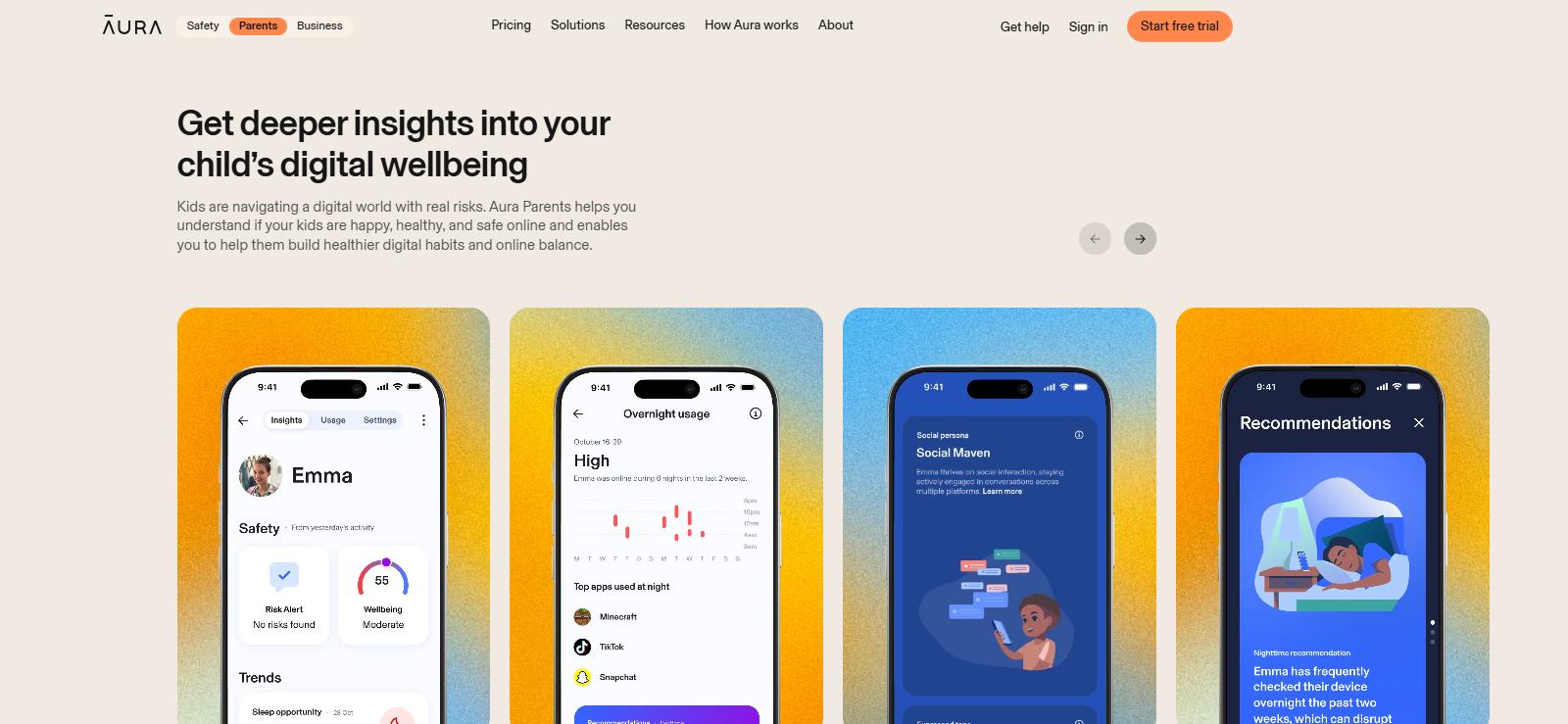
Aura’s Digital Wellbeing Score is designed to give parents a broader view of a child’s online habits rather than focusing on one app or activity. It considers behavioral signals such as when the device is being used, changes in online routines, social interaction patterns, and nighttime activity.
During our testing, the Wellbeing Score became available after four days of regular device use. We then tracked it for 10 more days while deliberately changing different usage patterns.
For the first three test days, we kept device activity relatively consistent at around two hours per day and avoided late-night use. The score remained largely stable, changing by only three points during that period.
We then increased daily screen time to approximately four hours for three consecutive days and used the test device for around 45 minutes after midnight each night. Within two days, the Wellbeing Score dropped by nine points, and Aura highlighted changes in both overall usage and nighttime activity.
To test whether the score responded in the opposite direction, we reduced screen time back to around two hours per day and stopped using the device after 10 p.m. Over the following four days, the score recovered by six points.
One limitation we noticed was that the score itself does not always explain exactly which individual activity caused a change. Aura provides supporting trends and insights, but parents may still need to review usage information to understand what is driving the score.
Aura Pros and Cons
After using Aura across three devices for two months, its strengths were concentrated around routine controls and simplified risk awareness. Its weaknesses became more apparent whenever we needed detailed phone activity.
Aura Pros
- Content filtering is flexible enough to manage individual websites, apps, and child profiles separately.
- Bedtime, Focus Time, Pause the Internet, and Bonus Time provide a well-rounded set of screen time controls.
- Support for Android 12+ and iOS 16+ covers most newer family devices.
- Unlimited child profiles and device coverage make the Aura parental control app cost affordable.
- Digital Wellbeing Scores make it easier to identify broader changes in device habits over time.
- Safe Gaming extends protection to communication across 200+ supported PC games and gaming platforms.
- A 14-day free trial gives families enough time to evaluate compatibility and core controls before subscribing.
Aura Cons
- Detailed browser URLs and timestamps are not included in the monitored data.
- Messaging Insights does not provide routine access to complete conversations.
- The simplified Aura parental control app dashboard provides less investigative detail than a full monitoring application.
- Windows receives Safe Gaming support rather than the full mobile parental control experience.
- Not compatible with macOS at all.
- Offline activities may remain available when an internet-based restriction is used.
- Occasional data syncing delays.
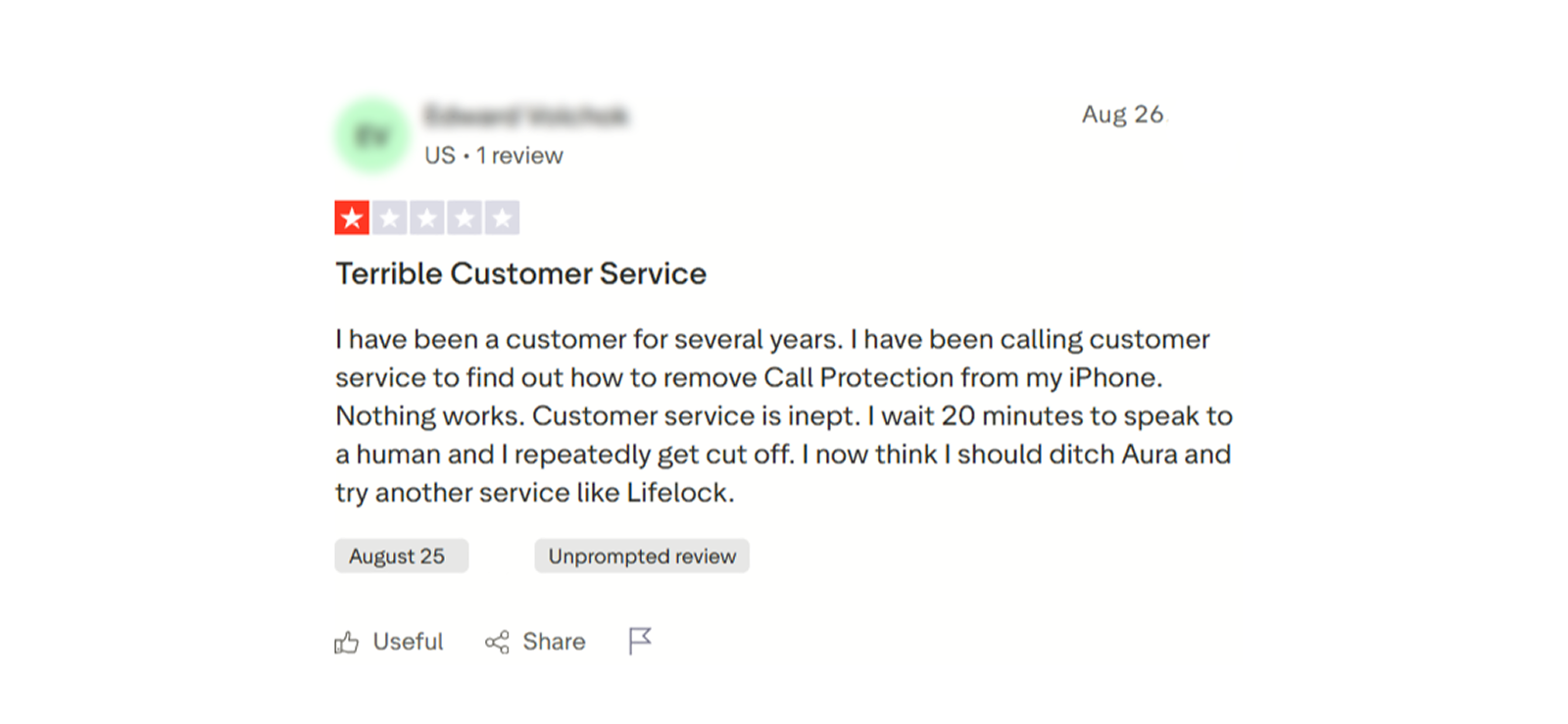
Aura Parental Control App Reviews By Real Customers
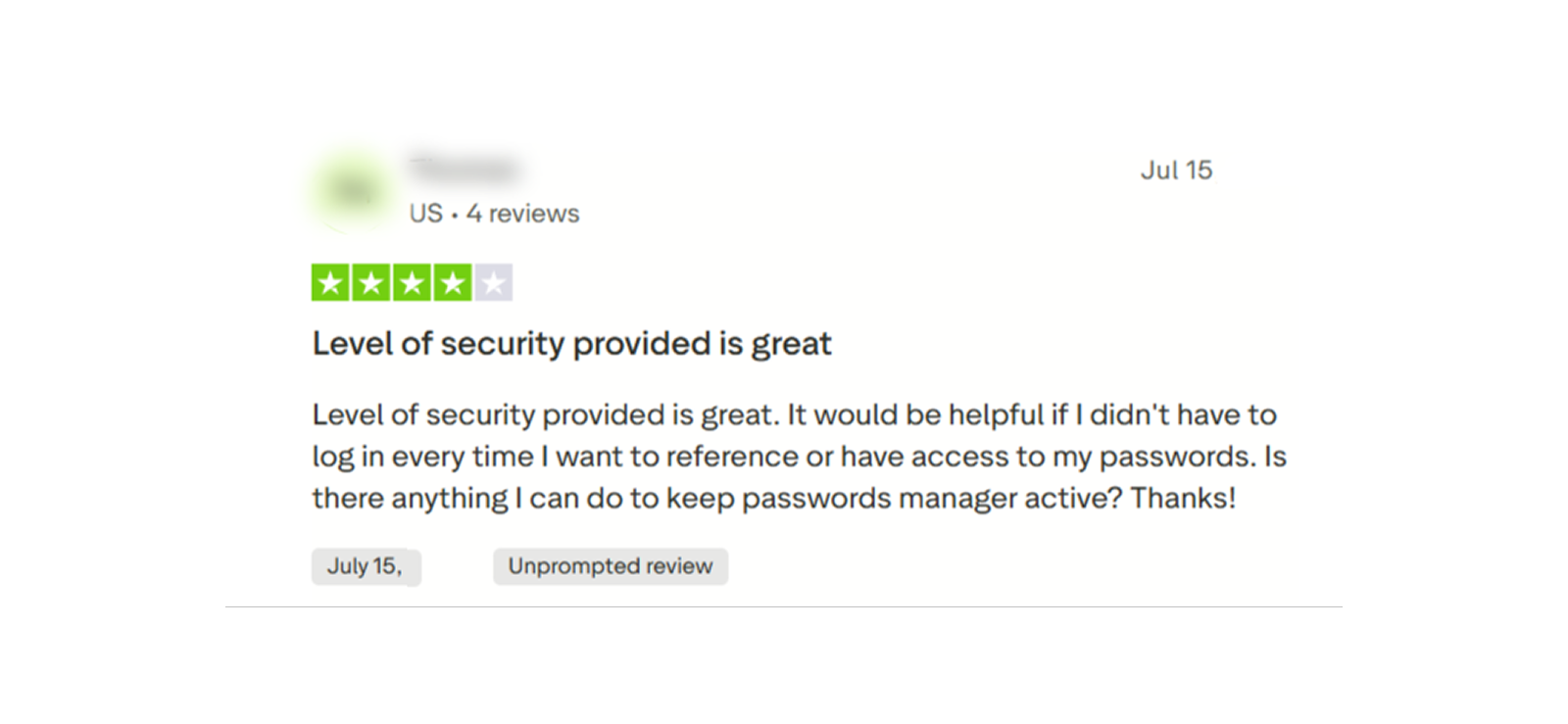
We gathered some Aura parental control app reviews by other customers as well
Should You Stick With Aura or Try an Alternative?
After two months of use, we found Aura most useful when we treated it as a parental control and digital wellbeing tool rather than a detailed phone monitoring app.
Screen time rules, content restrictions, quick internet pauses, AI insights, and broader risk information were the areas we returned to most often.
The limitations became clearer when we deliberately looked for more detail.
Aura could show us that usage or communication behavior had changed, but it was not designed to show every message, browser URL, screenshot, or phone event behind that change.
That creates a fairly simple decision.
If your main goal is managing when and how a child uses the internet, Aura covers the essentials well. But if you need to investigate what happened on one particular phone in considerably more detail, you may find Xnspy more detailed.
What is Xnspy? A Quick Overview
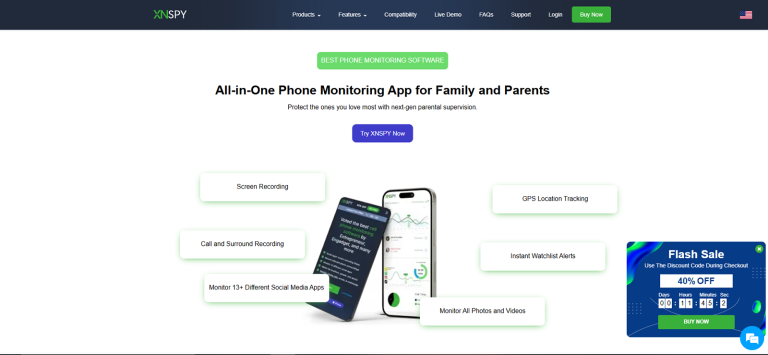
Xnspy is designed around detailed phone monitoring rather than primarily around digital wellbeing. Its browser-based dashboard organizes supported information such as messages, browser activity, installed apps, locations, screen activity, and device usage into separate sections.
Aura parental control app, by contrast, usually tells parents what patterns or risks deserve attention. Xnspy, on the other hand, is more focused on showing the underlying activity itself.
This means Xnspy requires more time to review, but it can also provide substantially more context.
How Does Xnspy Work?
Xnspy links an authorized Android or iOS device with a web-based control panel.
After the software is correctly configured, supported phone activity synchronizes with the online dashboard. Parents can then review individual monitoring categories without repeatedly accessing the child’s phone.
When we compared this workflow with Aura, the difference was mainly in the amount of information presented.
Aura concentrated activity into summaries and insights. Xnspy separated information into detailed records. While that meant more dashboard navigation, it also reduced the number of unanswered questions when we wanted specific phone data.
Xnspy Installation
Xnspy requires physical access to the monitored device during initial installation.
When we installed the app on our test devices, it took us 30 minutes to get it running on Android, while for iPhone, it took a total of 35 minutes.
The bigger difference was what happened after installation. Aura required more attention to parental control permissions, VPN access, and anti-removal settings, while Xnspy relied mainly on device-level permissions to enable its monitoring features.
Xnspy Compatibility
When it came to compatibility, Xnspy had a clear edge over Aura because it supported a much wider range of operating system versions:
- iOS: Compatible with iOS 6+
- Android: Compatible with Android 4+
This gave Xnspy a noticeable advantage on older devices.
Xnspy Interface
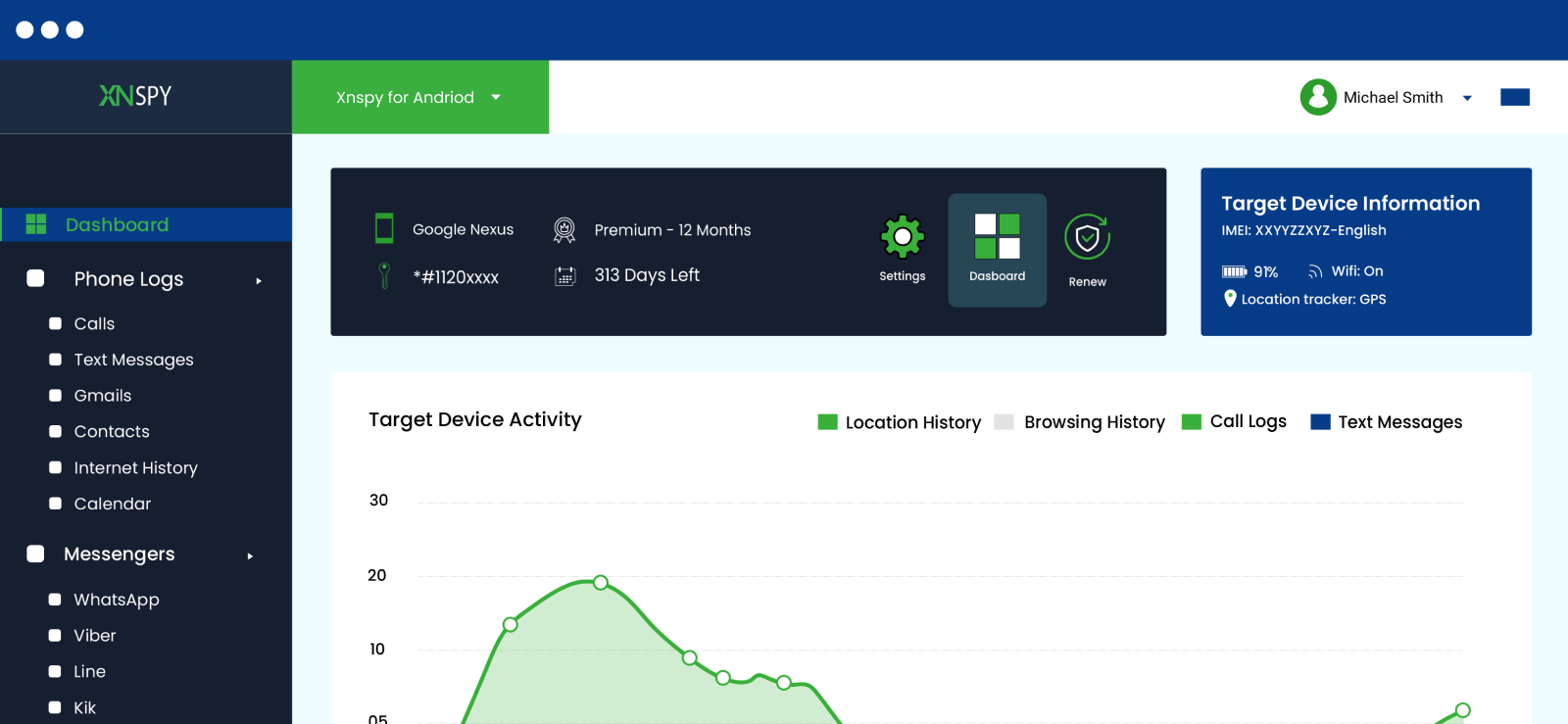
Moving from Aura to Xnspy changed how much time we needed to spend inside the dashboard.
Xnspy separates phone activity into categories such as calls, messages, locations, apps, internet activity, multimedia, alerts, and remote controls.
That made individual records easier to locate, but there was simply more information to review.
With Aura, we could usually open a child profile and understand the main situation from a relatively small number of summaries.
That is not necessarily a weakness. It reflects what each product is designed to do.
During comparison, we preferred Aura’s interface for a quick daily check. Xnspy was more useful when we were looking for a specific piece of information.
Xnspy: When You Need More Than Aura Can Offer
Get Xnspy if your priority is visibility rather than just restriction-setting.
– Detailed SMS monitoring
– Browser history with URLs and timestamps
– Screen recording across supported apps
– Installed app tracking and remote controls
Xnspy Pricing
Xnspy offers Basic and Premium subscriptions with monthly, quarterly, and annual billing.
- Basic Plan: $4.99/month when billed annually
- Premium Plan: $7.49/month when billed annually
While the prices are relatively affordable, you need to remember that Xnspy subscriptions generally cover one monitored device only.
Key Features That Xnspy Has to Offer
When we moved from Aura to Xnspy’s feature set, the main difference was depth. Xnspy generally gave us complete logs as well as summaries, while Aura focused on summaries and controls.
Screen Recording
Xnspy’s screen recording feature captures visual activity every 5 seconds across device use, which can give parents more context than a basic app usage report.
We tested screen recording across eight apps, including messaging, social media, and general communication platforms. On each app, we performed 3 controlled activity sessions.
Xnspy captured the screen activity in all 24 sessions. However, in 2 sessions, a couple of screenshots appeared after a noticeable delay due to unstable internet connectivity.
Moreover, even though Xnspy organized the captured screenshots into their relevant app sections, we noticed that longer usage sessions produced a considerable amount of data to sift through.
That said, this ensured that the app works as intended. It gave a deeper context and screen-by-screen navigation for a complete understanding of phone usage.
Verdict: Xnspy offered much deeper activity context, while Aura took a more schedule-enforcement approach.
Internet History
Xnspy’s internet history provides more detailed browsing records than Aura’s usage reports. It can show visited URLs, timestamps, bookmarks, and other supported browser activity.
We tested the feature by visiting 50 websites across news, social media, shopping, entertainment, education, and several less common domains. We completed the test on both Wi-Fi and mobile data, as well as in normal browsing and incognito mode.
Xnspy recorded 46 of the 50 website visits. Three missing records came from very short visits lasting under 10 seconds, while one page opened inside another app’s embedded browser and did not appear in the same way as a normal browser visit.
We then revisited 10 websites multiple times to see whether repeated activity was reflected correctly. Xnspy recorded the repeat visits in all 10 cases.
Timestamp accuracy was also reasonably close. Throughout the testing data, most of the logged URLs came with accurate timestamps. Only four differed by 2-4 minutes.
We also added 10 bookmarks, and nine appeared correctly in the dashboard. Other than this, the analysis report within this feature gave us a quick rundown of the frequency of visits to a site along with links.
Verdict: Xnspy was more detailed than Aura for browsing activity, especially for URLs, timestamps, and visit frequency. However, if you need site blocking, Aura might be it for you.
Screen Time
Xnspy’s screen time monitoring shows how much the device and individual applications are used. It also provides a quick overview of the most frequently opened apps and the apps where the most time was spent by duration. We tested it alongside manual timing records to see how closely the reported usage matched our actual activity.
Over seven days, we recorded 70 app usage sessions ranging from two minutes to approximately one hour.
Xnspy recorded the app activity in 68 of the 70 sessions. The only missed launches occurred when we opened an app and closed it before it had completely loaded.
For sessions lasting more than 10 minutes, the reported duration was generally close to our manual records. Of 40 longer sessions, 35 were within approximately two minutes of our manual timing. Three differed by between two and five minutes, while two had larger discrepancies.
Verdict: Xnspy tracked app usage well, but Aura offered better tools for actually controlling screen time.
Text Monitoring & Keyword Alerts
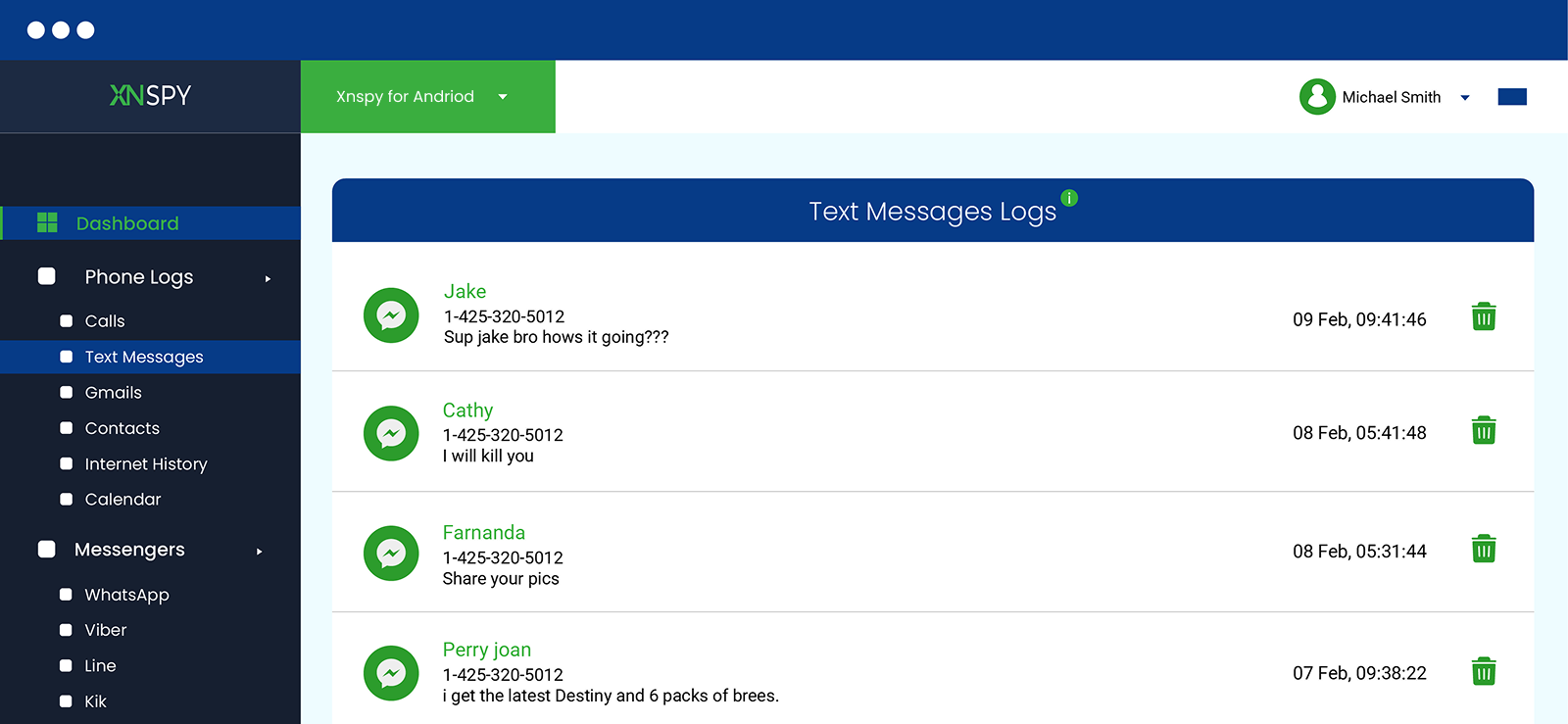
Xnspy provides direct access to supported incoming and outgoing SMS, along with keyword alerts that can notify parents when predefined terms appear.
To test message monitoring, we sent 100 SMS messages between our test devices. These included short texts, longer messages, emojis, links, and repeated conversations with multiple contacts.
Xnspy captured 98 of the 100 messages in real-time. Two messages appeared after a delay of more than 20 minutes. Moreover, the contact information was correct for all the messages, while timestamps differed by 2-7 minutes for 7 of them.
We then created a watchlist containing 10 keywords and sent each keyword within our texts. Xnspy generated the expected alerts for all 10 keywords, and it particularly impressed us that the alert was not case-sensitive. However, a slight spelling change or inserting an emoji within a word allowed it to pass the check without an alert.
Verdict: Xnspy provided far more message detail than Aura, although keyword alerts could be bypassed with slight text changes.
Installed Apps
Xnspy’s Installed Apps section shows the applications present on the monitored device and can help parents identify new or unfamiliar software.
We tested the feature by installing 20 apps over several days, including social media, games, browsers, utility apps, and educational tools.
Xnspy detected all the installations, including the hidden apps. 17 of them appeared in the dashboard within 3 minutes, two took between 7 and 10 minutes, and one required us to refresh the dashboard several times before appearing.
We also compared version information on 10 apps and found that the dashboard matched the installed versions. However, the app icons on the dashboard were not loading completely. We had to reload the dashboard several times for them to appear.
Verdict: Xnspy reliably detected installed and hidden apps, while Aura did not offer a comparable installed-app inventory feature.
Remote Controls
Xnspy provides several remote commands, including supported device locking, screenshots, app blocking, and data wiping.
We focused our testing on the non-destructive controls.
We issued 15 remote lock commands under different network conditions. The device locked successfully in 14 cases. Ten commands were completed within 30 seconds, while four took longer than 50 seconds.
We also tested remote screenshots 20 times. Xnspy returned usable screenshots but stored them under ‘Photos’, which took us a lot of time to figure out.
App blocking was tested across 10 applications; 8 of them got instantly blocked, while two opened for brief periods before prompting that the application has been blocked on the target device.
Verdict: Both apps offered broad remote controls, but Aura had better scheduling and blocking options.
Xnspy Pros and Cons
After comparing Xnspy with Aura, we found the following to be Xnspy’s benefits and limitations.
Xnspy Pros
- Browser history provides considerably more detail than Aura’s usage summaries.
- SMS and social media text monitoring can provide exact conversation context on supported devices.
- Screen recording covers activity across device use.
- Keyword watchlists reduce the need to manually search every supported communication.
- Installed-app monitoring gives a clearer device inventory.
- Screen time records help identify which individual apps consume the most time.
- Both Android and iOS support currently cover a much wider version range than Aura.
- Remote commands provide more device-level control.
Xnspy Cons
- One subscription generally covers one device.
- The dashboard requires more review time than Aura’s summary-based interface.
- No free trial available.
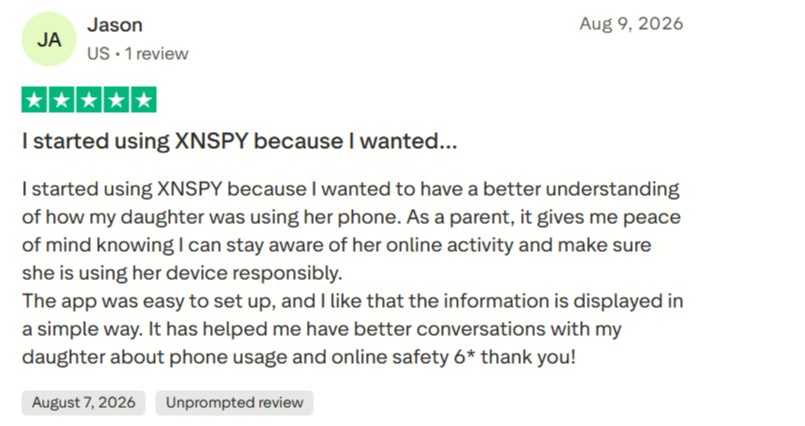
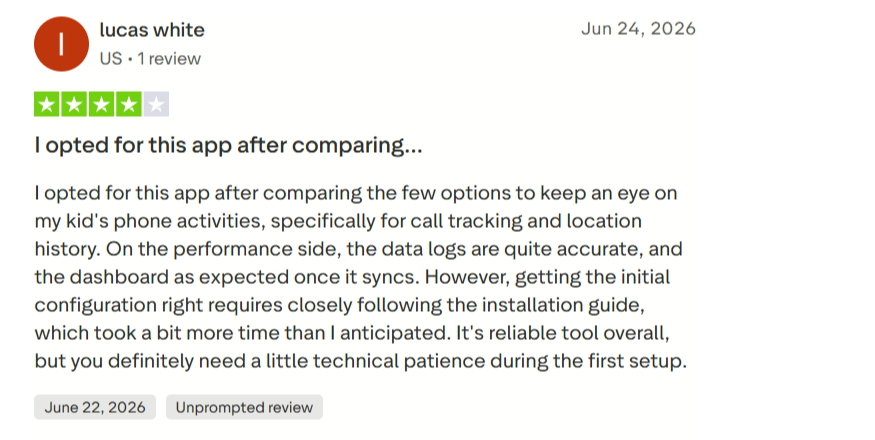
Xnspy Customer Reviews By Real Customers
Here’s what the customers have to say about Xnspy:
Aura vs. Xnspy: The Side-By-Side Comparison
| Features | Aura | Xnspy |
| Content Filtering & App Blocking | ⭐⭐⭐⭐ Offers website, category, SafeSearch, and app blocking, though some restrictions were delayed or required manual blocking. | ⭐⭐⭐ Supports app blocking, but focuses more on monitoring activity than filtering web content. |
| Screen Time | ⭐⭐⭐⭐⭐ Provides stronger schedule enforcement through Bedtime, Focus Time, Bonus Time, app limits, and Pause the Internet. | ⭐⭐⭐⭐ Offers detailed app-usage duration and frequency, but fewer schedule-focused controls. |
| Internet Activity | ⭐⭐⭐ Shows broader usage patterns but does not provide complete URLs and timestamps. | ⭐⭐⭐⭐⭐ Provides detailed URLs, timestamps, bookmarks, repeated visits, and browsing analysis. |
| Message Monitoring | ⭐⭐⭐⭐ Highlights message volume, timing, tone, and concerning patterns without routinely showing full conversations. | ⭐⭐⭐⭐⭐ Provides complete supported SMS records along with contact details, timestamps, and keyword alerts. |
| Screen & App Activity | ⭐⭐⭐ Provides app usage summaries but no comparable screen-recording or installed-app inventory feature. | ⭐⭐⭐⭐⭐ Provides screen captures, detailed app usage, and visibility into installed and hidden apps. |
| Remote Controls | ⭐⭐⭐⭐⭐ Offers simpler everyday controls such as internet pausing, scheduling, and app restrictions. | ⭐⭐⭐⭐ Provides broader controls such as device locking, screenshots, and app blocking, though some actions were slower to apply. |
| AI & Digital Wellbeing | ⭐⭐⭐⭐⭐ Provides AI activity monitoring, Messaging Insights, and a Digital Wellbeing Score for broader behavioral changes. | ⭐⭐⭐⭐ Provides deeper raw activity logs and a keylogger feature to see prompts sent to AI Apps. |
| Device Coverage & Value | ⭐⭐⭐⭐⭐ Covers unlimited children and devices under one parental-control subscription. | ⭐⭐⭐⭐ Annual plans are cheaper for one phone, but each subscription covers only one monitored device. |
Conclusion
After two months of testing Aura on an Android as well as an iPhone, we found that it performs best as a parental control system rather than a complete monitoring solution.
Its strongest features were screen time scheduling, content restrictions, quick internet controls, and summarized online-risk information. We also found the Aura parental control app dashboard easy enough to use regularly rather than only during initial setup.
However, there were limits as well.
While the Aura parental control app download didn’t take us much time, the installation part was a bit different. Android installation took 45 minutes, compared with 35 minutes on iPhone, and the controls depend on permissions remaining correctly configured. Aura also could not provide the detailed messages, browser records, screenshots, or app activity available from a deeper monitoring product.
That is where Xnspy has the advantage. It requires more attention and provides considerably more data, but that detail can be useful when a parent has a legitimate reason to understand what is happening on one specific device.
FAQs
Does Aura notify the child when they’re being monitored?
Aura does not send a conventional monitoring notification to the child. However, it is not a fully hidden monitoring app either. Aura must be installed on the child’s device, and settings such as its VPN may remain visible. Parents can also configure iOS or Android restrictions to prevent the app from being removed.
Can one Aura subscription monitor more than one child or device?
Yes. Aura’s Kids and Family parental-control plans cover unlimited children and unlimited devices. This makes it especially suitable for families managing several phones or tablets, since additional child devices do not require separate parental-control subscriptions. So, if you’re wondering about Aura parental control app cost, this can be a very important point for you.
Does using Aura affect the target phone’s battery life or performance?
Aura runs in the background and may use VPN-based filtering, so some resource usage is expected. Moreover, battery impact can also vary depending on the device, network activity, and enabled permissions.
Does Aura offer a free trial or money-back guarantee?
Yes. Aura currently provides a 14-day free trial. It gives parents time to test compatibility, filtering, screen time controls, and notifications. Annual subscriptions also include a 60-day money-back guarantee, subject to Aura’s applicable terms.
How does Aura ensure data safety?
Aura uses encryption for sensitive data both in transit and at rest. It also follows security standards including ISO 27001 certification and SOC 2 Type II audits. Its parental controls generally emphasize summarized insights rather than routinely exposing complete private conversations, which also limits how much raw child activity appears in the parent dashboard.
More Features. More Visibility. One Powerful App
Get detailed visibility into supported phone activity from one dashboard with Xnspy

Leave a reply:
Your email address will not be published. Required fields are marked*
Stephen Hawks
Member since February 26, 2026
Stephen Hawks
Member since February 26, 2026
Stephen Hawks is a mobile app security and digital privacy analyst with over 12 years of experience evaluating mobile monitoring technologies, device tracking applications, smartphone data security risks, and more. He is particularly passionate about how monitoring apps function, what data they access, and how securely that data is stored.
Previously working as an IT forensics consultant, he specialized in analyzing app-level data exposure and digital evidence patterns on smartphones. Today, he focuses exclusively on mobile monitoring tools and tracking applications, with an emphasis on real-world performance and security vulnerabilities.
Moreover, he holds industry certifications including CompTIA Security+ and Certified Ethical Hacker (CEH).