Kidgy App Review: Beyond the Claims, Here’s What Our Tests Found

The complete monitoring experience for your phone
Get XNSPY and start tracking calls, texts, multimedia, locations and more on any phone!
Get Started Now Live DemoWhen a child leaves school and their location remains stuck on the map, the tracking app has missed its purpose.
That is the practical question behind this Kidgy review: can Kidgy tell you where your child is when you actually need to know?
Kidgy promises GPS tracking, safety-zone notifications, location history, and a handful of parental tools.
To find out how well these features work in practice, we tested Kidgy on Android and iPhone, checking everything from location accuracy to its everyday parental control features.
Our initial takeaway from this review is that Kidgy makes more sense as a basic locator than as a complete parental control solution.
To understand how we reached this conclusion, read our in-depth review.
Our 60-Second Verdict on the Kidgy Parental Control App
| Category | Our Assessment |
| Core Purpose | Family location tracking with basic parental control features |
| Compatibility | Android and iOS; considerably fewer monitoring features on iPhone |
| Setup Time | 18 minutes on Android; 22 minutes on iPhone |
| Ease of Setup | Straightforward account pairing, but location permissions and battery settings require additional configuration |
| Kidgy Pricing | Starts at $9.99/month, $23.99/quarter, or $77/year for one device |
| Free Plan | Free plan includes location tracking, daily scheduler, and panic button |
| Real-Time Syncing | Inconsistent location updates, with occasional outdated positions and delayed notifications |
| Best For | Parents needing basic location checks, safety-zone alerts, and daily task reminders |
| Biggest Limitation | Unreliable GPS updates and geofencing alerts, alongside limited advanced parental controls |
How We Evaluated Kidgy Parental App for This Review
Our evaluation follows the routine we would use at home: pair the phones, carry one on a short route, cross saved-place boundaries, change permissions, and check what the parent actually sees.
The factors given below were taken into consideration for a comprehensive review.
Monitoring Accuracy – 35%
For this review, we covered twelve known stops, stationary-phone checks, and repeated entry and exit movements through saved zones. We also measured location accuracy and update delays.
Feature Performance and Reliability – 30%
We assessed whether each action actually produced the promised outcome. This included checking installed apps, changing restrictions where supported, assigning tasks, triggering the panic button, and seeing whether notifications continue after the child’s phone screen is locked.
Setup and Ease of Use – 20%
We considered how many permissions and menu changes were needed before the Kidgy interface became useful. We also checked whether parents could identify stale data.
Value for Money – 15%
Lastly, we compared the cost with what the app consistently delivered and considered renewals, premium activation, and refunds.
What is the Kidgy App? A Quick Overview
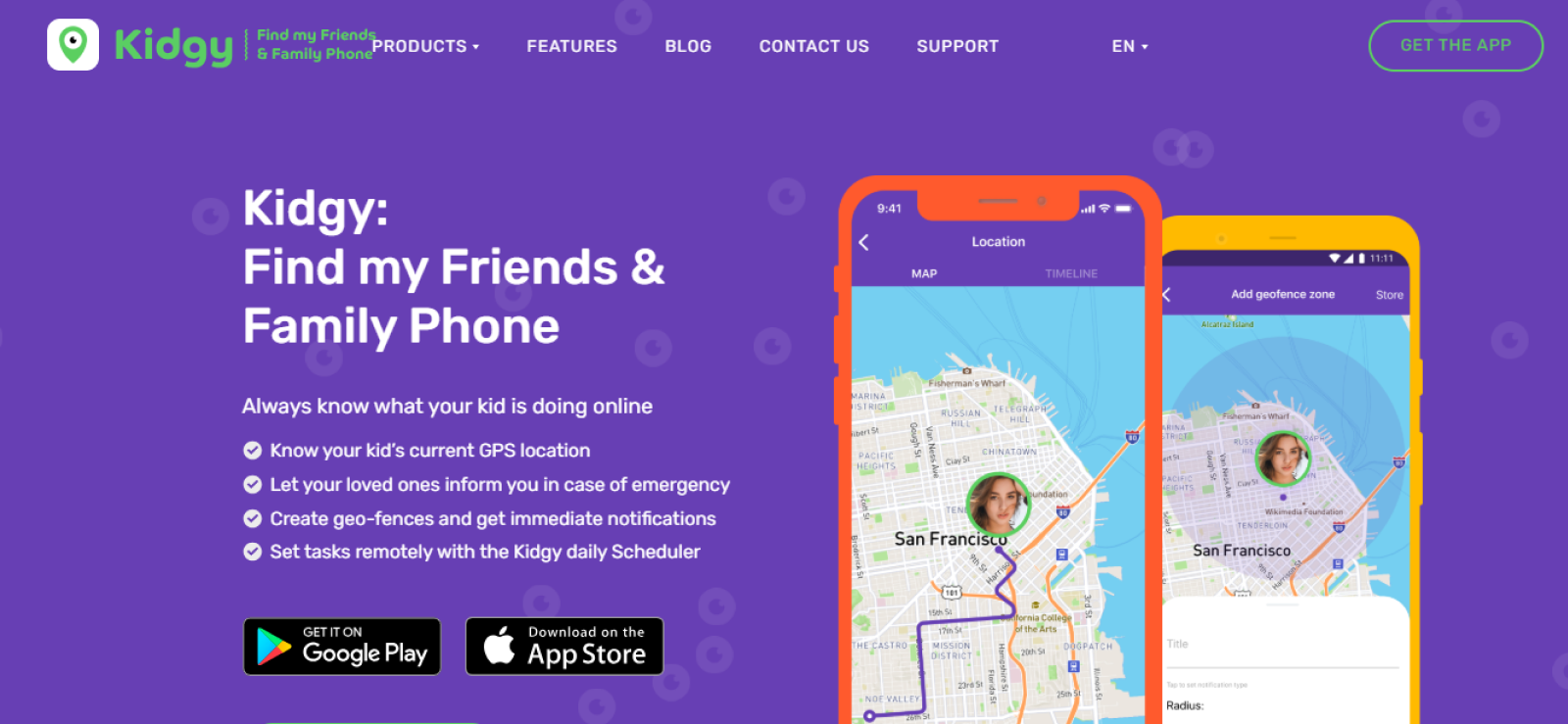
Kidgy is a parental control app designed to help parents keep track of their children’s whereabouts and manage certain aspects of their phone usage.
Although marketed as a parental control solution, it primarily functions as a family location tracker with a few additional supervision tools.
The app offers GPS tracking, location history, geofencing, and emergency alerts, alongside daily task scheduling, contact monitoring, installed-app visibility, and website restrictions.
How Does Kidgy Work?
Kidgy relies on two linked profiles. Its results depend on the location permissions on the child’s phone, background activity, battery settings, and internet connection.
Kidgy Installation
We installed Kidgy on a Samsung Galaxy S24 and an iPhone 15, created separate parent and child profiles, and paired the devices.
The setup took approximately 18 minutes on Android and 22 minutes on iPhone, with most of the time spent configuring location permissions, background activity settings, and checking feature availability.
On Android, we also had to review battery optimization settings to prevent the system from restricting Kidgy’s background operation.
Overall, the account pairing was straightforward, but getting both devices properly configured took considerably longer than the initial installation.
Kidgy Compatibility
Kidgy is available for Android and iOS, although its features vary between the two platforms.
On Android, we could access GPS tracking, location history, geofencing, installed-app information, contacts, daily tasks, and emergency alerts. However, more advanced controls, including message monitoring and app blocking, were either unavailable or did not function as expected.
The iPhone version was considerably more limited. While location tracking, geofencing, task scheduling, and emergency alerts were accessible, we could not retrieve installed-app details or contact information.
Overall, Kidgy offered broader functionality on Android, with iOS primarily supporting its basic location and family safety features.
Kidgy Interface
At first glance, the interface was fairly straightforward, with a location map on the home screen and separate menus for monitoring features. However, accessing detailed information required navigating through several screens.
Moreover, the new windows took time to load.
We also noticed that switching between the scheduler, contacts, and location history occasionally required returning to the main screen.
Overall, while the Kidgy dashboard displayed basic information clearly, it lacked a consolidated activity overview, making it necessary to check different sections individually.
Kidgy Pricing
Kidgy offers a free plan and three paid subscription options, with pricing based on the number of devices you want to monitor.
- Free Plan: Includes location tracking, Scheduler, and Panic Button for one child’s device.
- Monthly Plan: Starts at $9.99 for one device, $14.99 for two devices, and goes up to $54.99 for ten devices.
- Quarterly Plan: Starts at $23.99 for one device, $35.99 for two devices, and goes up to $129.99 for ten devices.
- Annual Plan: Starts at $77 for one device, $116 for two devices, and goes up to $399.99 for ten devices.
For our assessment, we used the $9.99 monthly single-device plan since the free version offers only three basic features. Moreover, while its pricing becomes more economical with longer subscriptions, the cost increases considerably when monitoring multiple children.
Kidgy Features: How Well Do They Work?
The Kidgy parental control app promises more than simple location sharing, including geofencing, app monitoring, website restrictions, and emergency alerts. However, we wanted to see how these features would hold up during everyday use.
GPS Tracking
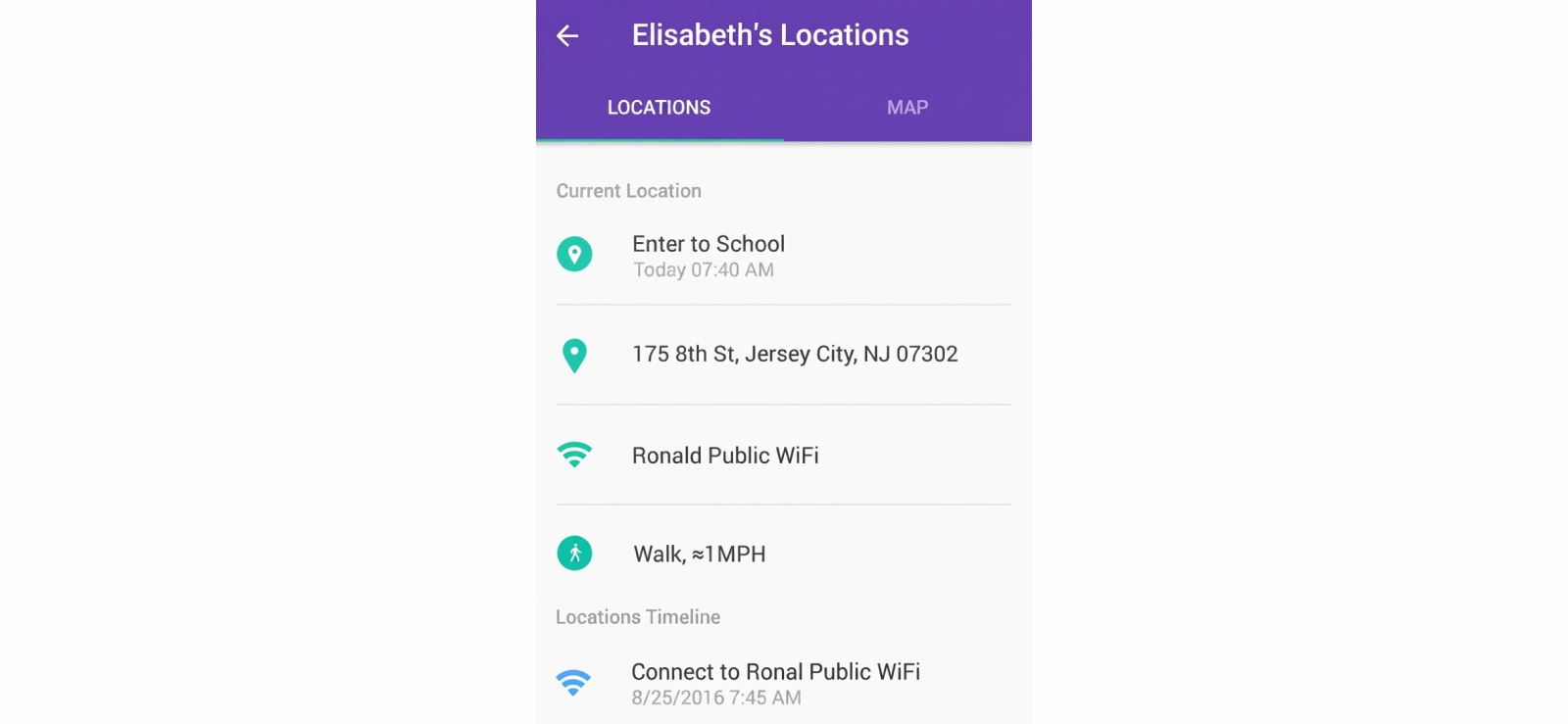
Kidgy’s GPS tracker allows parents to view their child’s current position and previous movements. Since location accuracy is its main selling point, we focused on how quickly the dashboard reflected actual movements.
We conducted 12 location checks across three familiar areas, including a residential street, a nearby store, and a school route. Nine locations appeared correctly, while two continued displaying previous positions for 6 and 11 minutes. The remaining check placed the monitored phone approximately 700 meters from its actual position.
Interestingly, refreshing the Kidgy dashboard and switching from Wi-Fi to mobile data did not immediately correct the misplaced location.
We also noticed that the location history did not always update at the same pace as the live map, making it difficult to establish the exact sequence of movements.
Overall, Kidgy’s GPS tracker was useful for general location awareness, but its inconsistent updates made it less dependable when we needed to know the child’s exact whereabouts at a particular moment.
Geofencing Alerts
Kidgy lets parents create virtual boundaries around familiar places and receive notifications when their child enters or leaves them.
To determine its usability, we created three geofences around a home, school, and nearby park, then crossed their boundaries 14 times while keeping the monitored phone locked.
Of the 14 expected alerts, nine arrived within three minutes, three were delayed by 14 and 23 minutes, and the remaining two never appeared.
We also repeated several crossings with battery optimization disabled, which helped narrow down possible background tracking interruptions.
Another inconvenience was managing existing safety zones since the interface offered limited flexibility for adjusting geofences and notification behavior.
App Monitoring and Blocking
Kidgy advertises installed-app monitoring and application restrictions, so we tested whether parents could identify newly installed apps and limit access to them.
We installed three applications on the Android test phone: a game, a browser, and a messaging app. All three appeared in the installed-app list after synchronization, allowing us to identify what had been added without accessing the child’s device again.
However, things became less straightforward when we attempted to restrict their use. While Kidgy’s website promotes app blocking, we could not get comprehensive app restrictions to work consistently through the available Android controls.
On the monitored iPhone, installed-app visibility and blocking options were even more limited.
Website Filtering
Kidgy’s documented web filtering support specifically covers Chrome, Firefox, Yandex, and Opera on Android devices.
To see whether those restrictions extended to other browsers, we configured a website restriction and attempted to access the same test page through Chrome, Firefox, Opera, and Samsung Internet.
The restriction worked in the first three browsers, but the website remained accessible through Samsung Internet.
On iPhone, we also could not establish the same level of filtering through Safari, revealing another gap between the advertised functionality and practical browser coverage.
Furthermore, Kidgy’s controls appeared more dependent on individual website restrictions than broader content analysis.
As a result, we found the internet filtering feature useful for restricting specific websites on supported browsers, but considerably less effective as a comprehensive online safety tool.
Call, SMS, and Contact Monitoring
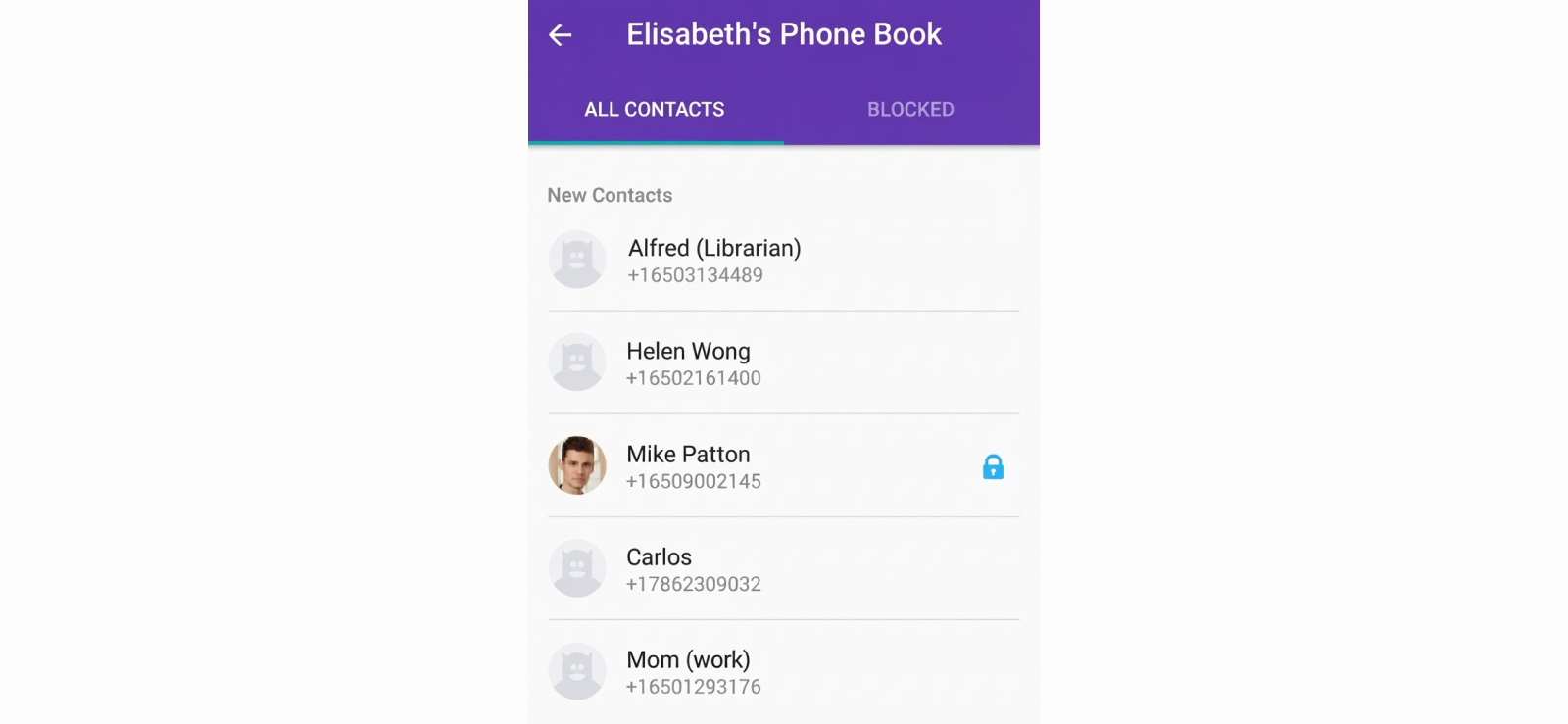
To check Kidgy’s contact synchronization, we added five new contacts to our Android device. All five appeared on the parent dashboard after synchronization, complete with their saved names and numbers.
We then made two test calls and exchanged six SMS messages to determine whether Kidgy displayed communication activity beyond the contact directory.
Although contact information was available, we were unable to access the corresponding call details or message contents.
The iPhone experience was again more restrictive since we could not retrieve comparable communication records from the monitored iPhone.
Daily Scheduler and Panic Button
Unlike its broader monitoring claims, Kidgy’s daily scheduler is a relatively simple feature. It allows parents to assign tasks remotely and receive updates when children mark them complete.
For testing, we created five tasks and then marked them complete from the child’s phone.
Four status updates reached the parent dashboard within two minutes, while the fifth took approximately seven minutes to appear.
Next, we tested the panic button three times to see how quickly emergency notifications appeared.
While two alerts reached the parent phone within a minute, the third took approximately four minutes. The alert also provided location information, although one position required an additional refresh before appearing correctly.

Frustrated With Kidgy’s Inconsistent Updates?
Get more dependable location tracking and timely geofencing alerts with Xnspy.
Kidgy Pros and Cons
After completing our Kidgy app review, here are the main advantages and limitations we came across.
Kidgy Pros
- Straightforward interface with an easily accessible location map.
- GPS tracking and location history for monitoring children’s whereabouts.
- Geofencing allows parents to create multiple safety zones.
- The installed app and contact information are accessible on supported Android devices.
- The daily scheduler makes assigning and tracking children’s tasks convenient.
- The free plan includes basic location tracking, scheduler, and panic button for one device.
Kidgy Cons
- GPS tracking occasionally displays inaccurate positions and outdated locations.
- Geofencing alerts can arrive considerably late or fail to appear altogether.
- Background restrictions and battery optimization can interfere with location updates.
- App blocking and screen-time restrictions lack comprehensive functionality.
- Website filtering is limited to specific browsers, leaving gaps in content restrictions.
- Call, SMS, and social media monitoring are limited or unavailable on certain devices.
- iOS offers significantly fewer monitoring capabilities than Android.
Kidgy Reviews: What Do Real Customers Have to Say?
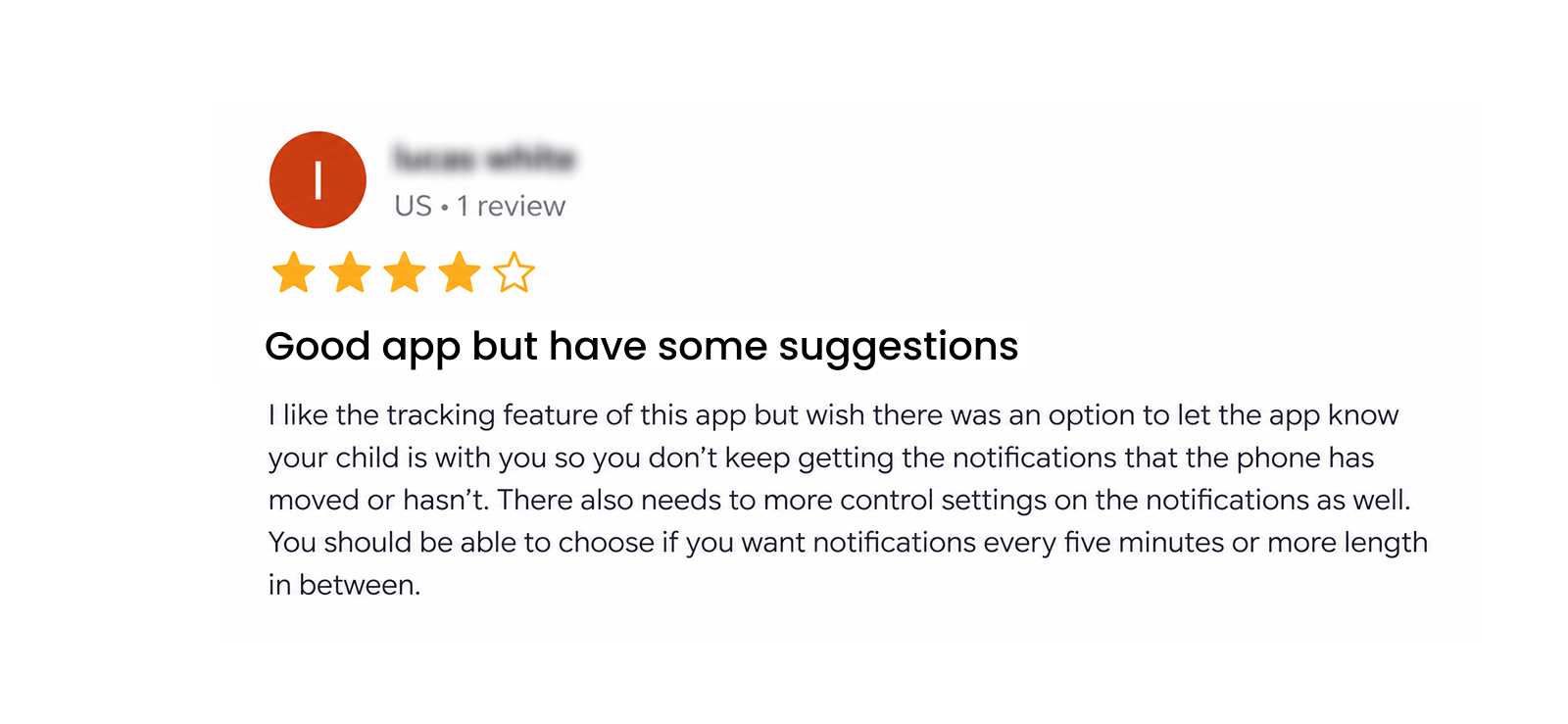
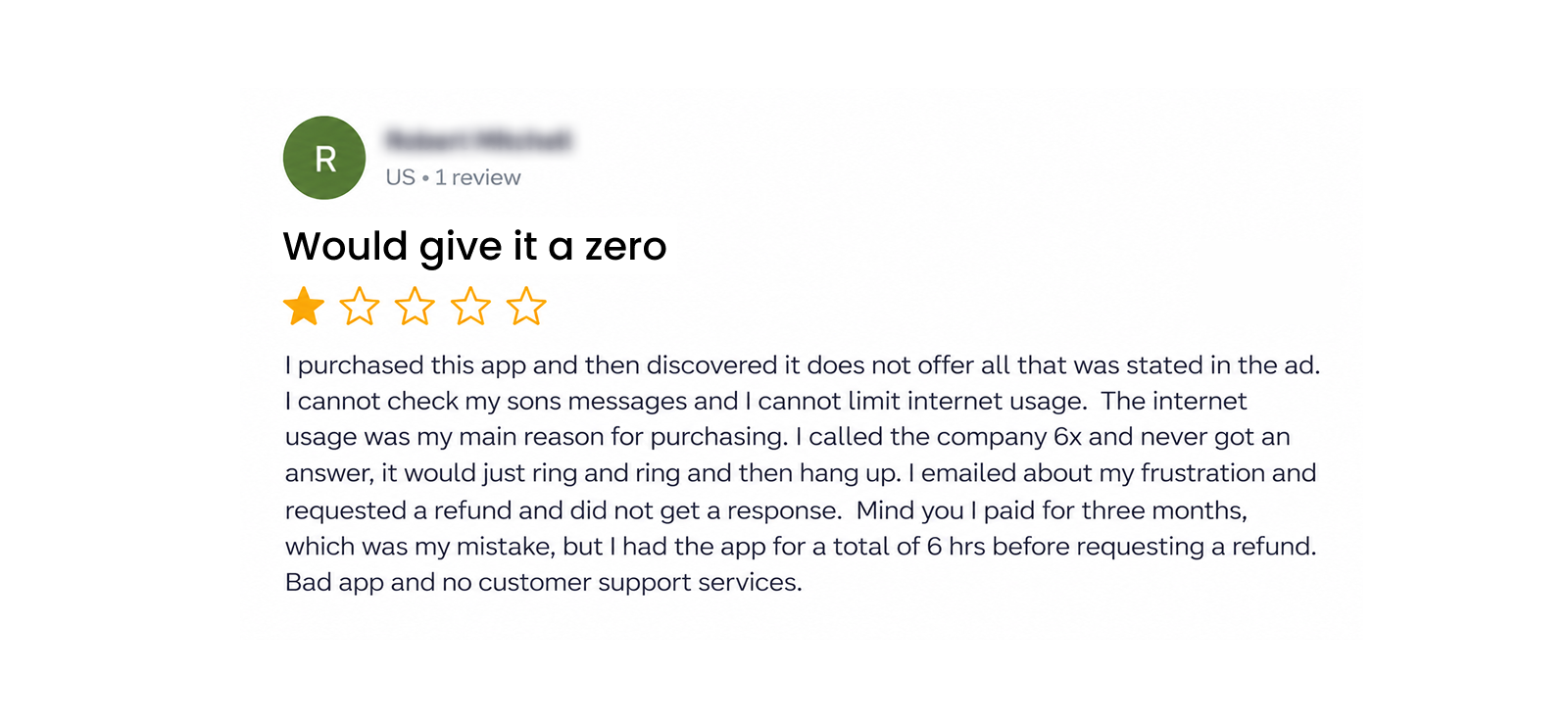
To see whether our experience matched that of other parents, we looked into Kidgy’s reviews and found mixed feedback.
Should You Stick With Kidgy or Try an Alternative?
After testing Kidgy, we would consider it for families wanting occasional location checks, provided their own phones receive consistent updates.
However, the concerns become harder to overlook when a parent needs timely geofence notifications or broader phone-activity visibility.
This is where Xnspy can be considered as an alternative. With more extensive monitoring features and detailed activity logs, it offers a different approach to parental monitoring.
But does it actually perform better in everyday use? We evaluated its features and performance to find out, too.
What Is Xnspy? A Quick Overview
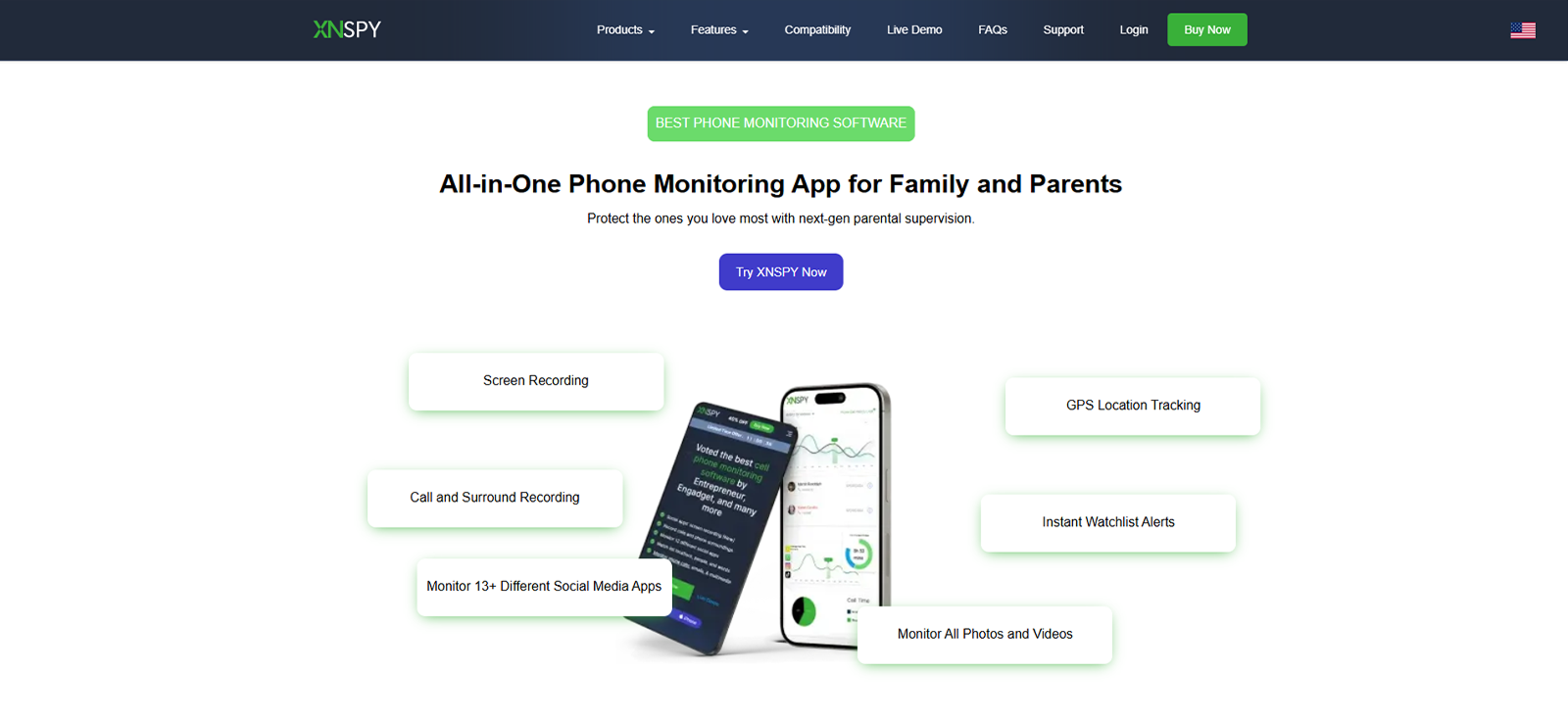
Xnspy is a phone monitoring application designed to help parents keep track of their children’s digital activities through a web-based dashboard.
Available for Android and iOS devices, it offers GPS location tracking, geofencing, call and SMS monitoring, browsing history, app activity tracking, and social media monitoring.
It also includes remote controls such as app blocking, device locking, and screen recording.
Unlike basic family locator apps, Xnspy focuses on providing detailed insights into phone usage and communication activities.
How Does Xnspy Work?
Xnspy works by collecting supported activities from a monitored phone and transferring the recorded information to a web-based dashboard.
For our 12-day evaluation, we used a Samsung Galaxy S24 running Android 15 and an iPhone 15 running iOS 17.0.3, assessing the installation process, compatibility, synchronization, and overall dashboard usability.
Xnspy Installation
We started by installing Xnspy on both devices and connecting them to our monitoring account.
The Android installation took approximately 9 minutes, including permission configuration, while the iPhone setup was completed in just 7 minutes.
Once configured, the first monitoring records appeared on the dashboard within 45 seconds. We then generated additional activities, including calls, messages, and location changes, and found that new records consistently synchronized within a minute.
Compared with Kidgy’s 18-22-minute installation process, Xnspy was considerably quicker to set up despite offering more extensive monitoring capabilities.
Xnspy Compatibility
Xnspy supports Android 4.x through Android 16 and iOS up to 17.0.3, although monitoring capabilities vary between operating systems.
On our Samsung Galaxy S24 running Android 15, we could access call and SMS records, browsing history, GPS tracking, installed-app information, and supported social media monitoring.
Additional features, including screen recording and remote controls, were also available through our Android configuration.
The iPhone 15 running iOS 17.0.3 offered a more restricted set of device controls.
Xnspy Interface
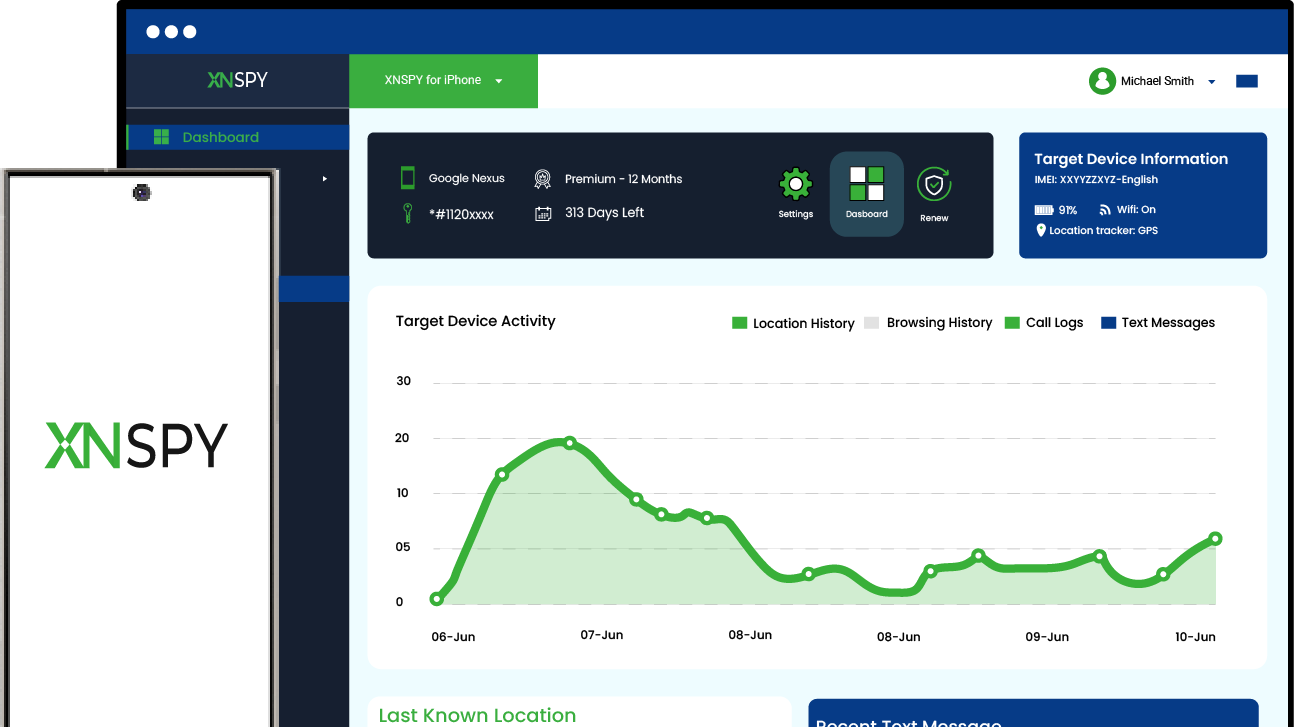
We found Xnspy’s dashboard considerably more organized than Kidgy’s, with dedicated sections for calls, messages, browsing history, locations, applications, and remote controls.
To assess navigation, we performed 20 dashboard interactions, switching between monitoring categories and opening individual records.
Eighteen sections loaded within two seconds, while the remaining two took approximately three seconds.
Most activity records were also accessible within one or two clicks from the main menu.
We particularly appreciated how newly synchronized calls, messages, and browsing records appeared under their respective categories without requiring repeated refreshes.
Unlike Kidgy, where loading delays and additional navigation steps occasionally interrupted our checks, Xnspy made accessing detailed monitoring information noticeably easier.
Xnspy Pricing
Xnspy offers two subscription plans, Basic and Premium, with monthly, quarterly, and annual billing options. Its pricing is as follows:
- Basic Monthly Plan: $29.99/month.
- Basic Quarterly Plan: $41.99 for three months, equivalent to $13.99/month.
- Basic Annual Plan: $59.99/year, equivalent to $4.99/month.
- Premium Monthly Plan: $35.99/month.
- Premium Quarterly Plan: $59.99 for three months, equivalent to $19.99/month.
- Premium Annual Plan: $89.99/year, equivalent to $7.49/month.
The Basic plan covers essential monitoring features, including calls, SMS, contacts, browsing history, and GPS tracking.
Meanwhile, Premium includes more advanced features such as social media monitoring, keylogging, screen recording, and remote controls on supported devices.
For our test, we selected the Premium monthly plan at $35.99 to evaluate Xnspy’s complete monitoring capabilities.
Compared with Kidgy, Xnspy’s Premium plan costs more, but has broader monitoring capabilities.
Key Features That Xnspy Has to Offer
After evaluating Xnspy’s installation, compatibility, and interface, we moved on to its monitoring features to see how they compared with Kidgy.
GPS Location and Geofencing
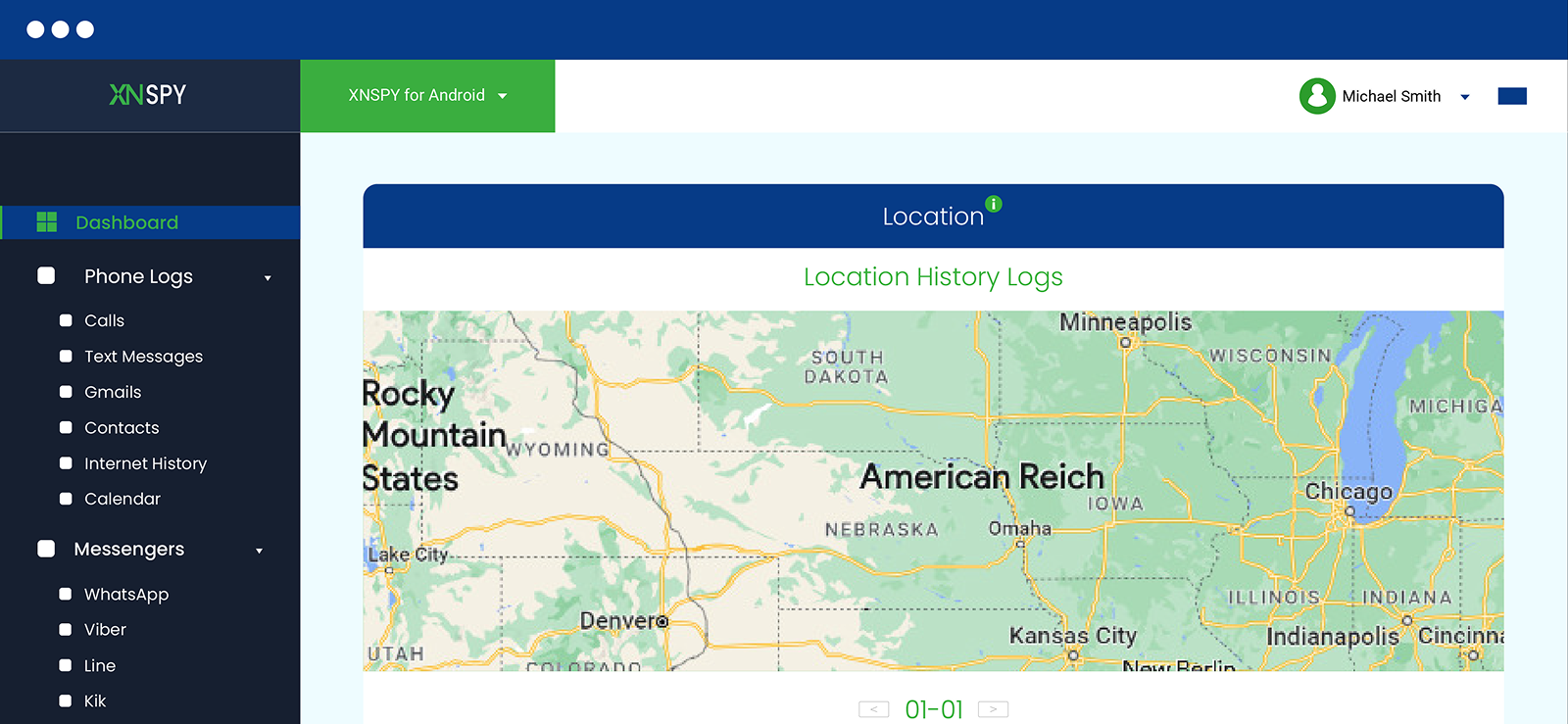
Xnspy’s GPS tracker provides current locations, addresses, timestamps, and movement history on an interactive map.
Its geofencing feature also allows parents to establish safety zones and receive entry and exit notifications.
To test location accuracy in different environments, we used our monitored phone during a 7-kilometer drive, inside a multi-story parking complex, and around a busy downtown office building.
Of the 15 location checks we performed, 13 placed the device within 20-35 meters of its actual position. The remaining two showed deviations of approximately 65 and 90 meters, mainly around the parking structure where GPS reception was weaker.
Moreover, we could retrace the journey through chronological entries, complete with addresses and timestamps. Even when the device was temporarily indoors, the dashboard retained its last reported position instead of displaying unexplained movements.
For geofencing, we created three zones with radii between 150 and 500 meters around the office building, parking complex, and transit terminal. All nine entry and exit events were recorded correctly, with no false departures during a 30-minute stationary check.
Compared with Kidgy’s misplaced locations and missed geofencing alerts, Xnspy demonstrated better dependability.
Verdict: Xnspy wins because it maintained accuracy across varied environments and handled geofencing more consistently than Kidgy.
Want to Know More Than Just Where They Are?
Use Xnspy for a closer look at their phone activity and online habits.
– Check communication records and contact details
– Review chats, shared media, and messages
– See visited websites and app usage
– Manage app restrictions and device controls
Call and SMS Monitoring
Xnspy allows parents to monitor incoming, outgoing, and missed calls, displaying contact names, phone numbers, timestamps, call duration, and direction. Its SMS monitoring provides access to conversations, including message contents, sender details, and timestamps.
During testing, we generated 12 calls and exchanged 10 SMS messages on our Android device. All 12 call records appeared correctly, and we could distinguish missed calls from answered conversations without difficulty.
Similarly, all 10 SMS messages synchronized to the dashboard, with their contents and corresponding contact details displayed in the appropriate conversation records.
Moreover, the dashboard separated calls and messages, making it easier to examine specific communication activities.
Verdict: Xnspy wins for its complete call and SMS records, whereas Kidgy offered significantly less visibility.
Internet History
The Internet History feature provides detailed records of visited websites, including page titles, URLs, timestamps, saved bookmarks, and browsing analysis.
To evaluate its accuracy, we visited 12 websites across Chrome and Firefox. We also saved three bookmarks and revisited four websites to check whether repeated visits were recorded separately.
All 12 websites appeared with their correct URLs and timestamps, while the three bookmarks were listed separately.
We also noticed that repeat visits were recorded individually, allowing us to follow the browsing sequence.
Additionally, the browsing analysis made it easier to identify frequently accessed pages without manually examining every entry.
However, Xnspy focuses on monitoring browsing activity rather than restricting websites. In contrast, Kidgy offers website blocking on supported browsers.
Verdict: It’s a tie. Xnspy provides more detailed browsing information, while Kidgy offers website blocking.
Screen Recording and App Activity
Xnspy provides installed-app information, usage duration, launch frequency, and screen recordings through automatic and on-demand screenshots.
To evaluate these features, we installed five applications and used them in different ways. We opened a game six times for 24 minutes, used a browser for 11 minutes, and spent nine minutes on a messaging app.
Xnspy recorded all five applications and identified the game as the most frequently used. Its usage reports also matched our manually recorded timings.
Next, we requested ten screenshots, nine of which were captured on the first attempt. The timestamped automatic screenshots also provided additional context about on-screen activity.
Verdict: Xnspy wins since its app usage statistics and screen-recording capabilities provide considerably deeper monitoring insights than Kidgy.
Instant Message Monitoring
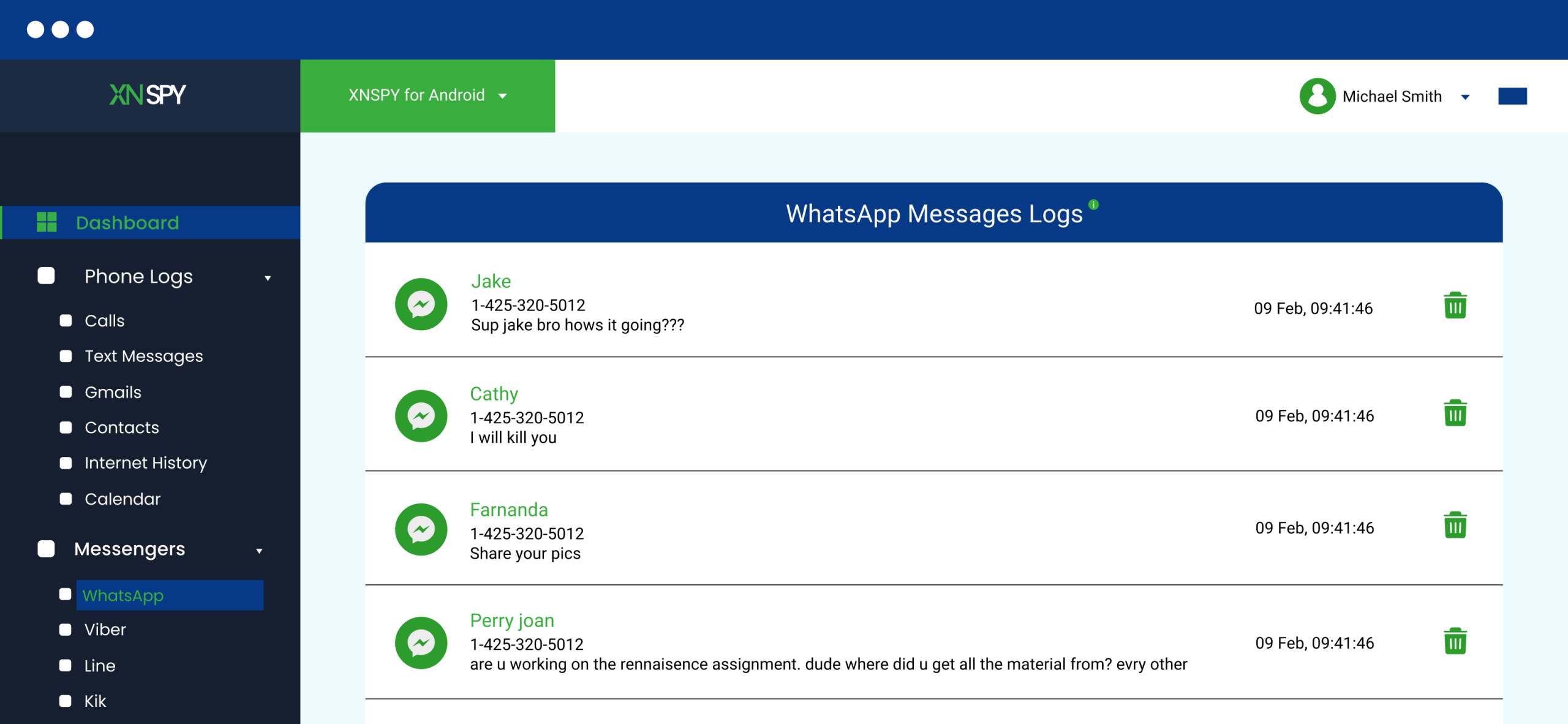
Xnspy supports monitoring across multiple messaging platforms, including WhatsApp, Facebook Messenger, Instagram, Snapchat, Telegram, iMessage, etc.
When testing, we exchanged 30 messages across WhatsApp, Messenger, Telegram, Instagram, and Snapchat, including group conversations, individual chats, and shared images.
Of these, 28 messages appeared within 30 seconds, while the remaining two synchronized within a minute.
Moreover, the dashboard offered both list and chat views, allowing us to examine individual messages chronologically or follow complete conversations with their respective contacts.
We also deleted four messages after they had been captured, and all four remained accessible in the dashboard with their original content and timestamps.
Unlike Kidgy, which provided no comparable conversation monitoring, Xnspy offered broader coverage across social platforms.
Verdict: Xnspy wins for its detailed messaging records across multiple platforms, which Kidgy lacks.
Remote Controls
Xnspy offers remote controls such as phone locking, app blocking, live screenshots, surround recording, and data wiping. These commands can be executed through the web dashboard without physically accessing the monitored phone.
To evaluate the controls, we performed ten actions, including blocking and unblocking applications and remotely locking the phone.
Nine commands executed successfully on the first attempt, generally within 15-40 seconds.
One app-blocking command required a second attempt, after which the restriction worked correctly.
We also attempted to reopen two blocked applications and found that access remained restricted until we removed the blocks through the dashboard.
Similarly, the remote lock prevented access to the phone until the configured password was entered.
Although Xnspy also offers remote data wiping, we excluded it from testing because the command permanently erases device information.
Overall, compared with Kidgy, Xnspy offered more functional control over device access and installed applications.
Verdict: Xnspy wins. Its remote device commands offer more comprehensive and responsive control than Kidgy’s basic parental management features.
Xnspy Pros and Cons
Based on our testing, here are the main advantages and limitations we identified.
Xnspy Pros
- Installation takes 9 minutes on Android and 7 minutes on iPhone.
- Fast synchronization, with monitoring records updating within a minute.
- Accurate GPS tracking provides detailed movement history and consistent geofencing alerts.
- Comprehensive call and SMS records consist of message contents, contact details, and timestamps.
- Detailed browsing history includes URLs, bookmarks, repeat visits, and browsing analysis.
- App usage statistics, launch frequency, and automatic screen recordings provide insights into the overall phone activity.
- Social media monitoring offers list and chat views and access to previously captured deleted messages.
- Responsive remote commands allow app blocking, phone locking, surround recording, etc.
Xnspy Cons
- GPS accuracy decreases around enclosed areas, with deviations of up to 90 meters.
- iPhone monitoring offers fewer features than Android.
- Internet History focuses on monitoring rather than actively blocking websites.
- Premium subscriptions cost more than Kidgy’s basic plans.
- One subscription covers one device only.
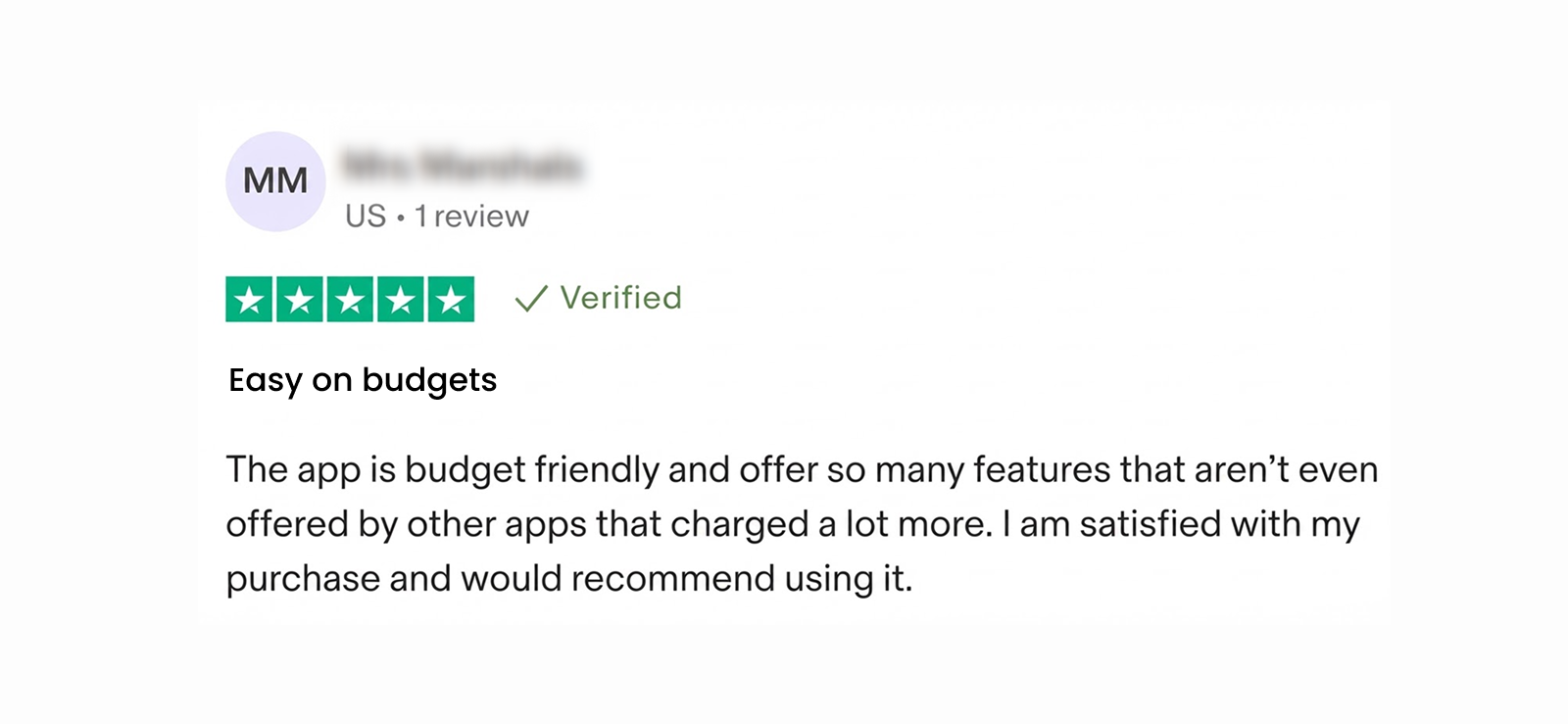
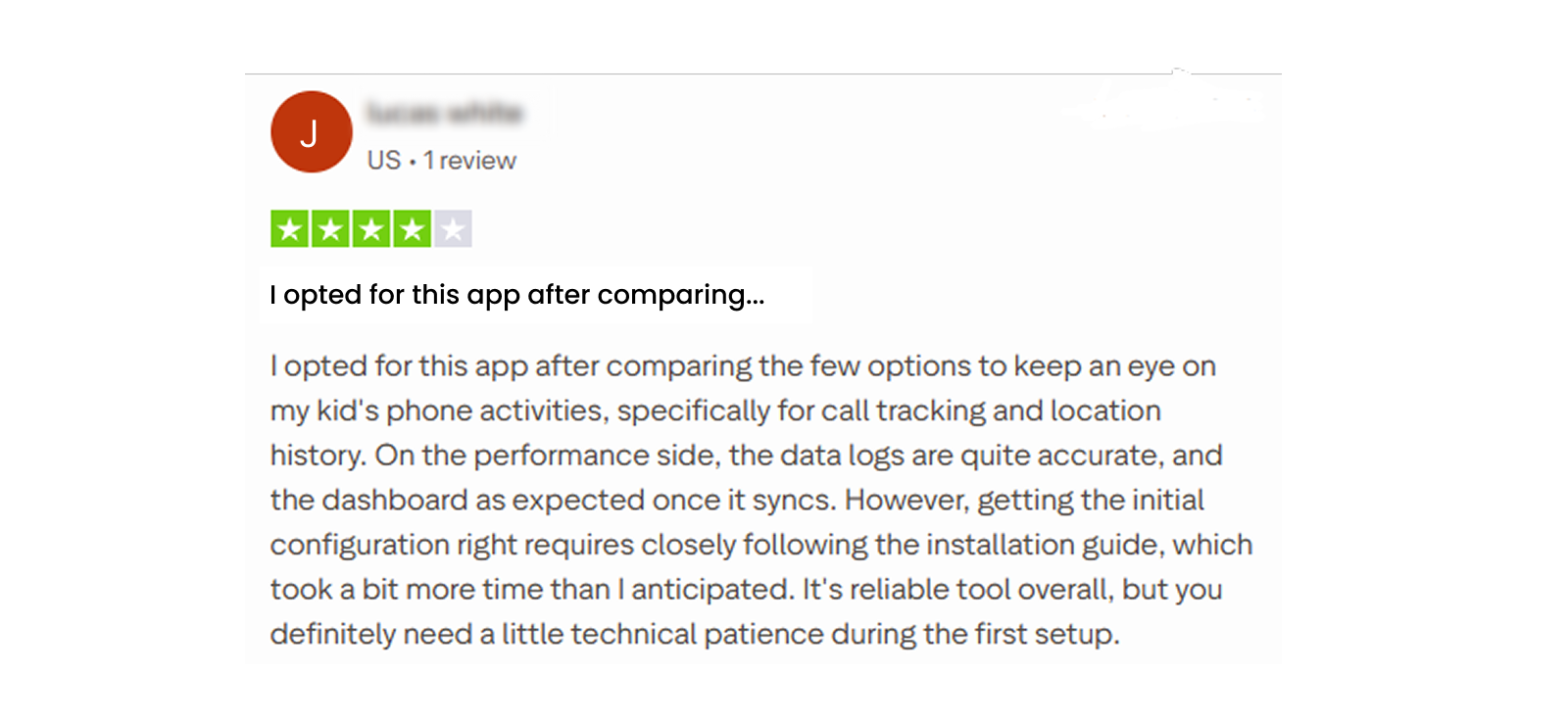
Xnspy Customer Reviews: What Others Have to Say?
Here’s a look at how customers have rated their overall experience with Xnspy and its monitoring features.
Kidgy vs. Xnspy: The Side-by-Side Comparison
| Features | Kidgy | Xnspy |
| Location Tracking | ⭐⭐⭐⭐ Provides live locations and movement history, but location updates can be inaccurate or delayed. | ⭐⭐⭐⭐⭐ Offers accurate GPS tracking, detailed location history, addresses, and timestamps. |
| Geofencing | ⭐⭐⭐⭐ Allows multiple safety zones, although entry and exit notifications can be inconsistent. | ⭐⭐⭐⭐⭐ Supports customizable geofences with dependable entry and exit alerts. |
| Call and SMS Monitoring | ⭐⭐⭐ Provides contact information on supported devices but lacks comprehensive call and SMS monitoring. | ⭐⭐⭐⭐⭐ Displays call logs, durations, contact details, SMS conversations, and timestamps. |
| Internet Activity | ⭐⭐⭐⭐ Blocks selected websites on supported browsers but provides limited browsing insights. | ⭐⭐⭐⭐ Provides browsing history, visited URLs, bookmarks, and activity analysis but lacks website blocking. |
| App Monitoring | ⭐⭐⭐ Displays installed applications but offers limited usage statistics and app restrictions. | ⭐⭐⭐⭐ Provides app usage duration, launch frequency, installed-app details, and screen recordings. |
| Social Media Monitoring | ⭐⭐ Lacks comprehensive access to social media conversations and messaging activity. | ⭐⭐⭐⭐⭐ Supports multiple messaging platforms, detailed chat records, list and chat views, and previously captured deleted messages. |
| Remote Controls | ⭐⭐⭐ Offers basic task scheduling and limited application management capabilities. | ⭐⭐⭐⭐ Provides app blocking, remote locking, screenshots, surround recording, and device management commands. |
| Interface and Dashboard | ⭐⭐⭐⭐ Offers a straightforward map-focused layout but requires additional navigation to access monitoring details. | ⭐⭐⭐⭐⭐ Features an organized dashboard with dedicated activity sections, detailed records, and accessible monitoring controls. |
| Pricing and Value | ⭐⭐⭐⭐ Includes a free plan, flexible subscription periods, and multi-device packages, but offers fewer advanced controls. | ⭐⭐⭐⭐ Offers Basic and Premium plans with extensive monitoring capabilities, although each subscription covers one device. |
Conclusion
So, is Kidgy actually worth paying for? It depends on what you expect from a parental control app.
If your main concern is occasionally checking your child’s location, setting up safety zones, or assigning daily tasks, Kidgy covers those basics.
However, its inconsistent location updates and delayed geofencing alerts make it harder to recommend for parents who need dependable, real-time tracking.
For them, Xnspy is a better fit. It provides more detailed activity records and broader monitoring controls, although its higher price is worth considering.
FAQs
Is Kidgy safe and secure to use?
Kidgy’s terms mention MD5 password hashing, an outdated security method, and acknowledge that complete data protection cannot be guaranteed. Although this does not automatically make Kidgy unsafe, it raises concerns about account security. Therefore, parents should use strong, unique passwords and review the app’s permissions before installing it.
Does Kidgy share children’s location data with third parties?
Kidgy does not sell, rent, or trade children’s personal information, including tracked location data. However, information may be disclosed for legal or security reasons. Additionally, its policy permits third-party providers, including Google and Apple, to process personal data for service-related purposes.
Does Kidgy work without Wi-Fi or mobile internet?
Kidgy requires an internet connection to transmit location updates and notifications to the parent’s device. Although GPS can determine a phone’s location offline, Kidgy cannot display new tracking information until connectivity returns. Meanwhile, parents may only see the child’s last recorded location.
Does Kidgy offer live customer support for technical issues?
Kidgy advertises 24/7 customer support through phone and email. However, several Kidgy reviews highlight unanswered calls, delayed email responses, and unresolved technical or billing issues. Some customers report waiting days for assistance or receiving no response at all, raising concerns about the reliability of its support services.
Can children see when their parents check their location on Kidgy?
Kidgy requires the child’s consent during setup. However, once the app is installed, parents can check their child’s location and movement history remotely without triggering a visible notification or indicator on the monitored phone.
You Can’t Be Everywhere at Once. So Get Xnspy
Stay in the know about your child’s location and digital activity
Leave a reply:
Your email address will not be published. Required fields are marked*

Tiffany Ross
Member since October 8, 2025
Tiffany Ross
Member since October 8, 2025
Tiffany Ross is a child digital safety educator and family technology researcher, with an M.Ed. in Learning Technologies, University of Texas at Austin. After graduating in 2016, she has continued to work in the industry for 9 years. During this time, she has focused on practical digital parenting strategies and responsible use of monitoring apps. Moreover, her work includes abuse prevention, healthy screen habits, social media safety, and other key concerns. Over the years, Tiffany has also contributed to more than 200 research-informed guides and family safety resources covering online risks, screen time management, and digital wellbeing practices for modern households.