How to Track Someone’s Phone Without Them Knowing: 6 Proven Methods
 By Mike Everett
The complete monitoring experience for your phone
Get XNSPY and start tracking calls, texts, multimedia, locations and more on any phone!
Get Started Now Live DemoEver wondered if there is a way to keep tabs on your kid’s phone without them catching on? It might sound tricky, but with the right methods, it is easier than you think. In this guide, we will show you how to track a phone without them knowing in 6 different ways.
All You Need to Know in 60 Seconds
- Smartphones play a major role in kids’ lives, exposing them to risks like cyberbullying, online predators, identity theft, and inappropriate content.
- Parents may track a child’s phone to monitor activity, ensure safety, and stay informed about how the device is being used.
- Dedicated monitoring tools like Xnspy provide GPS tracking, activity logs, remote controls, and real‑time updates.
- Built‑in parental controls, such as Google Family Link and Apple Family Sharing, offer basic supervision features.
- Account dashboards like Google My Activity and iCloud provide limited insights into searches, browsing, and synced data.
Why Is It Important to Know How to Track Someone’s Phone
Smartphones take up a large part of a child’s daily routine. From messaging friends to browsing the internet and using social media, kids spend more time on their devices than with their family.
Now, being honest, phones are not all that bad because they help them stay connected and entertained. However, parents must remember that they can also expose teens to risks such as cyberbullying, online predators, identity theft, and inappropriate content.
This is why many parents choose to keep track of their child’s phone activity. By having access to certain insights, parents can stay informed about how their kids are using their phones and whether they are facing any potential risks online.
How to Track a Phone Without Them Knowing: 6 Best Ways
A lot of people ask us, “Can you track someone’s phone without touching it? And if so, how?” The simple answer is, yes, you can. Here are the 6 ways for how to track a cell phone without them knowing.
1. Install XNSPY
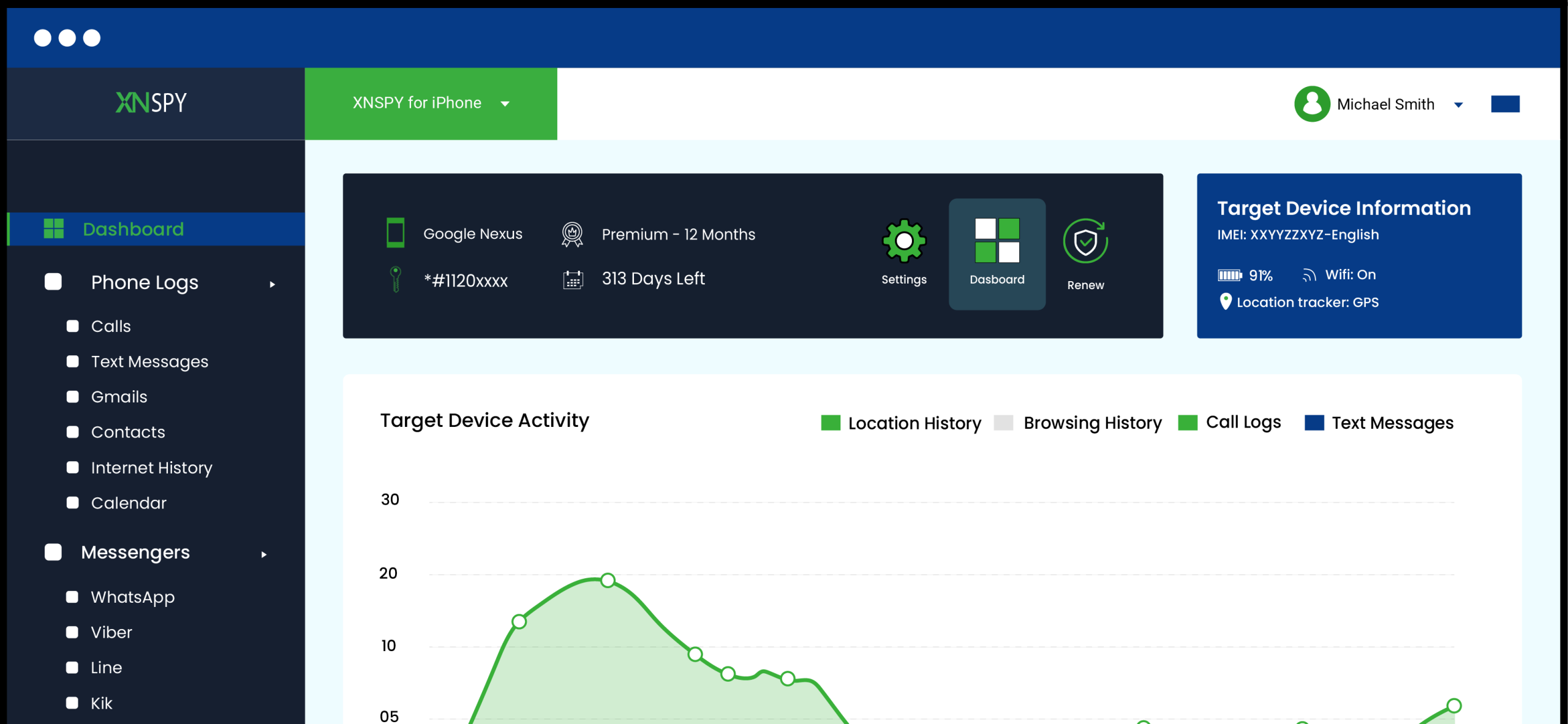
If you are looking for how to track someone’s phone without them knowing, XNSPY is your best bet. It is an innovative app that offers advanced tracking tools and features. Most importantly, the app functions in stealth mode, which is necessary to not only track your child’s phone but also to prevent them from uninstalling it.
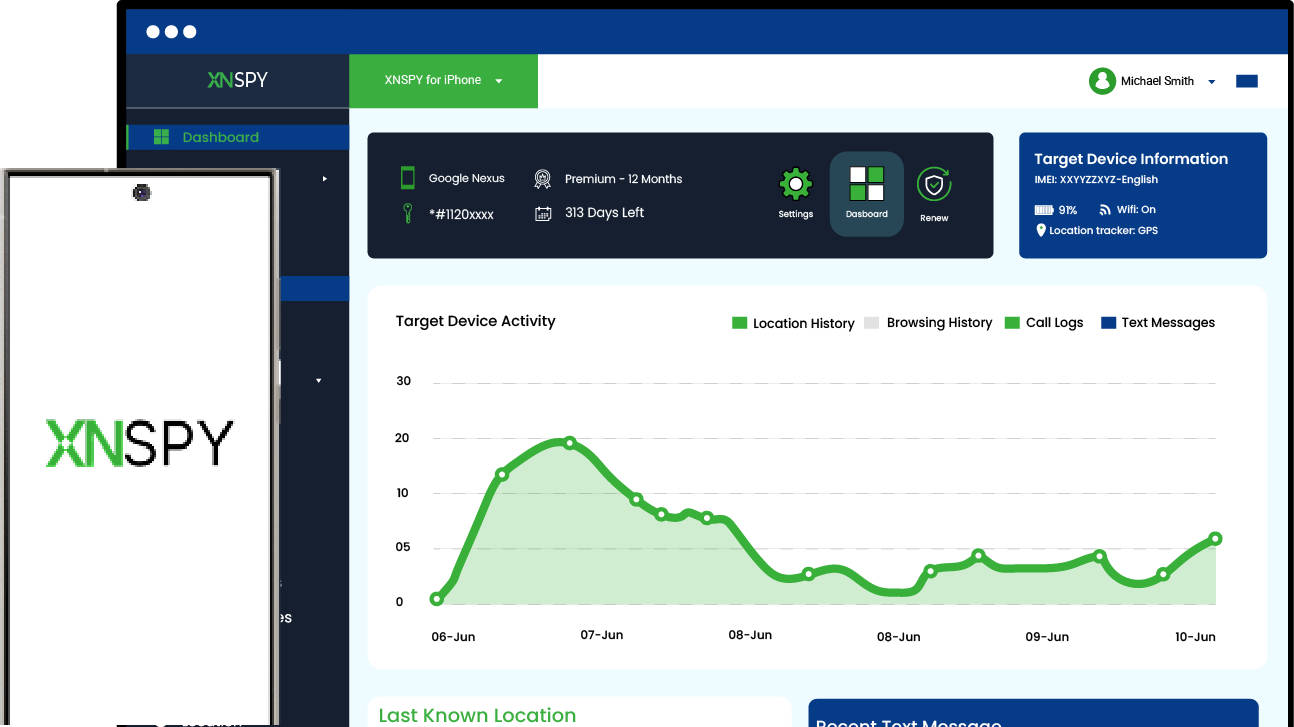
XNSPY is compatible with both Android and iPhones. Once installed, the app collects all the phone and app data while running in the background and uploads the information to its servers. You have credentials to log into your user account, track the phone, and view the recorded data.
With XNSPY, you have remote access to social media activity, messages, calls, whereabouts, multimedia, and web browsing history of the target phone.
Here is how it works:
- Make a user account and subscribe to XNSPY.
- Access the target phone and download the file.
- Install and grant permissions to the app.
- Log in to the dashboard and use the available activity logs to track the phone.

Track Someone’s Phone, No Matter the Distance
With XNSPY, track the right way—ethically and securely
2. Try Out Google Family Link (Android)
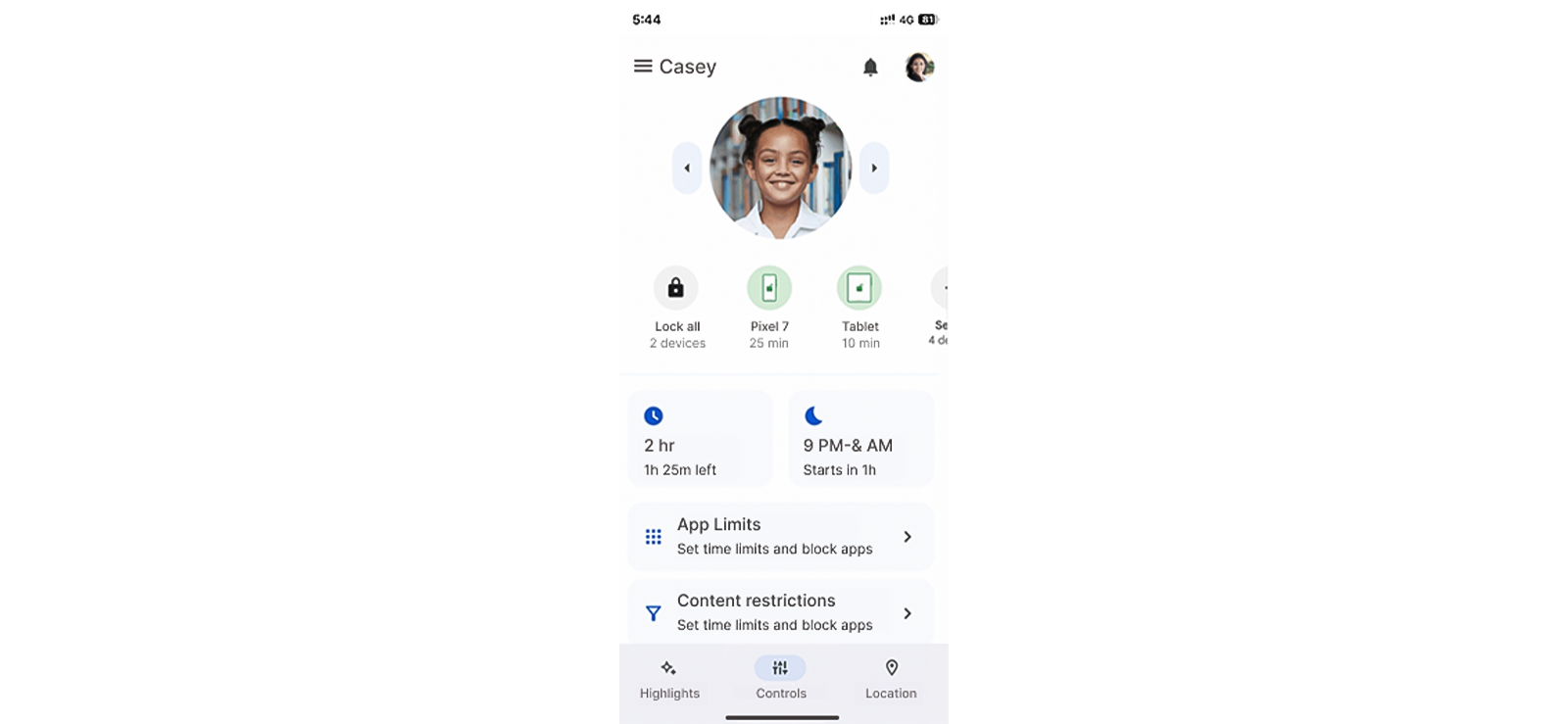
Google Family Link is a native Android app made for parents to supervise their child’s Android device. However, now it runs on iOS 11 or later, too, albeit with limited functionality.
After linking the child’s Google account to the parent’s account, parents can see their device’s location, review screen time, monitor app activity, and remotely lock the phone.
Let’s see how to track someone’s phone without the other person knowing with Google Family Link.
- Open the Google Family Link app.
- Sign in to the Google account linked to the kid’s device.
- Open their profile to track their location, screen time, app activity, and more.
For this method to work, you must obtain proper consent from the concerned individual to track them using Google Family Link. Moreover, the target phone must be switched on and connected to a network.
3. Use Apple Family Sharing (iPhone)
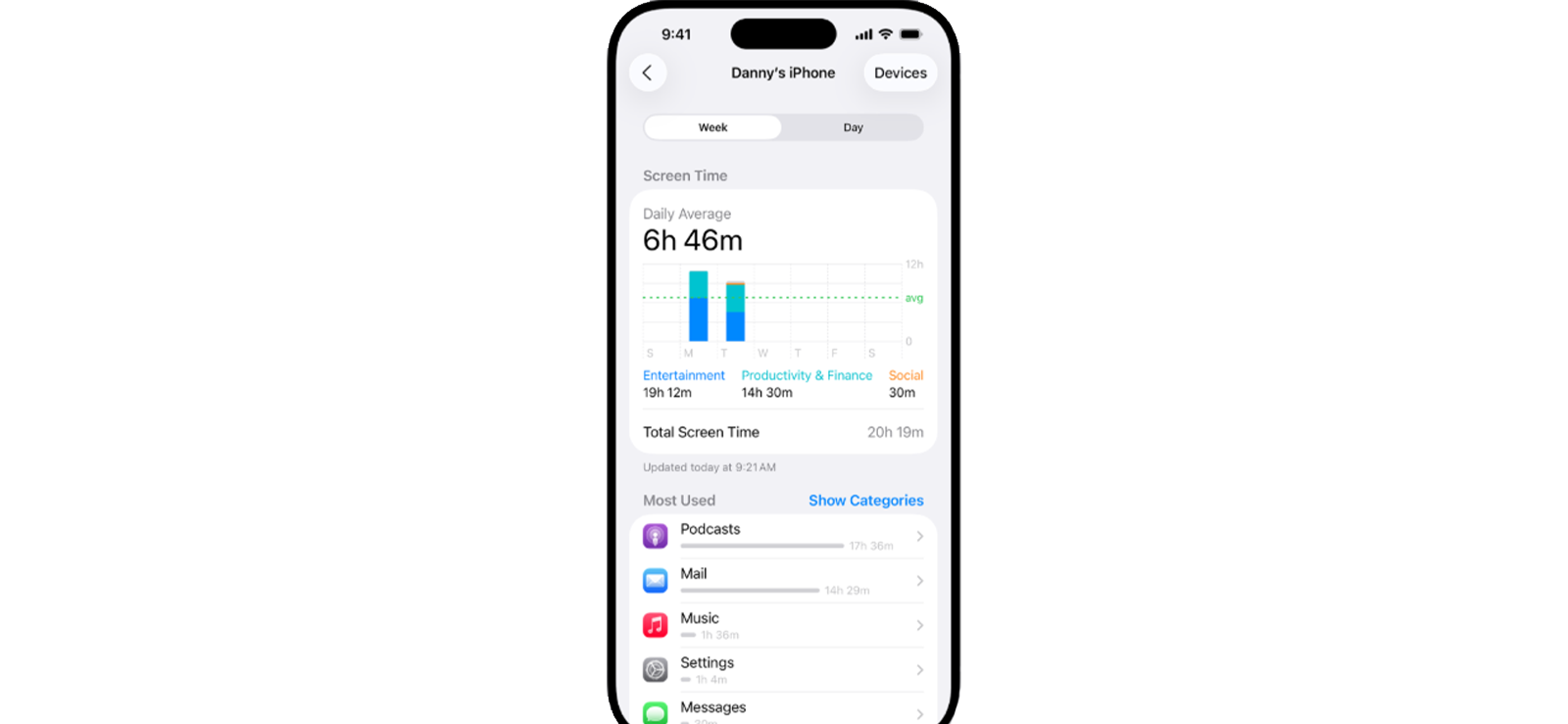
If you are looking for an effective way for how to track someone’s phone discreetly who is an iPhone user, Apple Family Sharing is a great option. Using the app, family members can share apps and subscriptions across multiple devices. Not only that, but it also allows parents to manage their kids’ devices through built-in parental control features like Apple Screen Time.
When Screen Time is enabled for a child, the parent can get insights into how the iPhone is being used. Some of the logs available for parents to view include daily and weekly screen time reports for various apps and categories. Moreover, controls like setting app limits, scheduling downtime, and applying content restrictions are also offered.
Here is what to do:
- Open Apple Family Sharing and confirm that the person has accepted the family group invitation.
- Enable Screen Time for your kids to view their app usage reports, set app limits, schedule downtime, and apply content restrictions.
Keep in mind that the iPhone must be powered on and connected to the internet for activity updates to appear on the parent’s dashboard. Also, these features only work for devices that are linked to an Apple ID within the Family Sharing group.

Did You Know?
You can access any phone and remotely control it to perform different actions

4. Deploy Microsoft Phone Link App
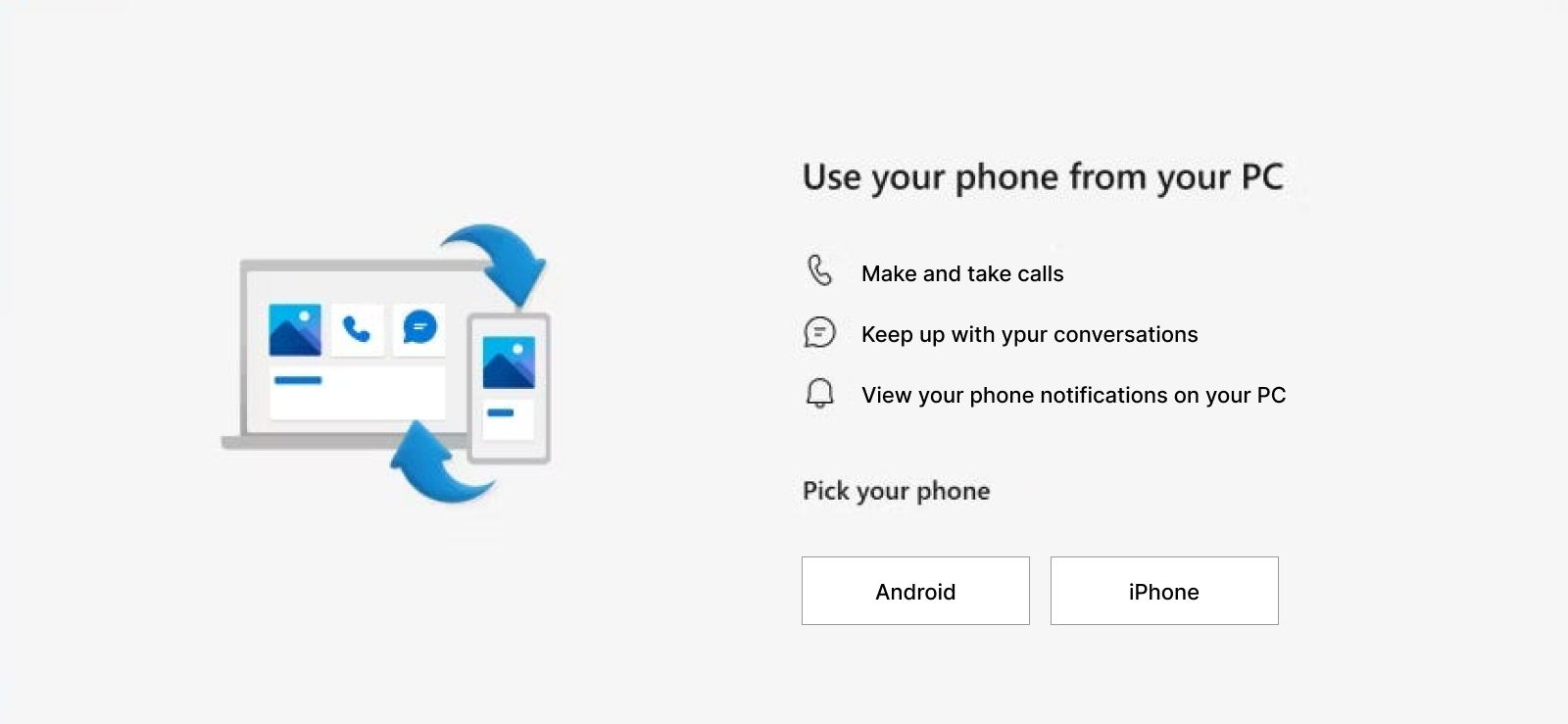
Another way to track a cell phone without permission is by using the Phone Link app, available on Windows 10 or 11. This app, formerly known as “Your Phone,” allows you to connect your smartphone to a PC and view selected phone content directly from your computer.
Overall, the app works best with Android devices, where it can mirror notifications, messages, photos, and even allow you to make or receive calls from the PC. Nonetheless, it also supports iPhones, even though the functionality is a bit limited.
But how can you track a phone without them knowing, using this method? See the steps below:
- Install and open the Phone Link app on your Windows computer.
- Ensure that the same app is installed on the other person’s phone.
- Link both devices to the same Microsoft account or pair the iPhone via Bluetooth.
- Grant the required permissions to track the phone, sync notifications, messages, calls, and photos to your computer.
Keep in mind that Phone Link does not offer the level of control provided by a dedicated monitoring app. Furthermore, for this method to work, both devices must be paired with Bluetooth.
5. Check Google Account Activity (Android)
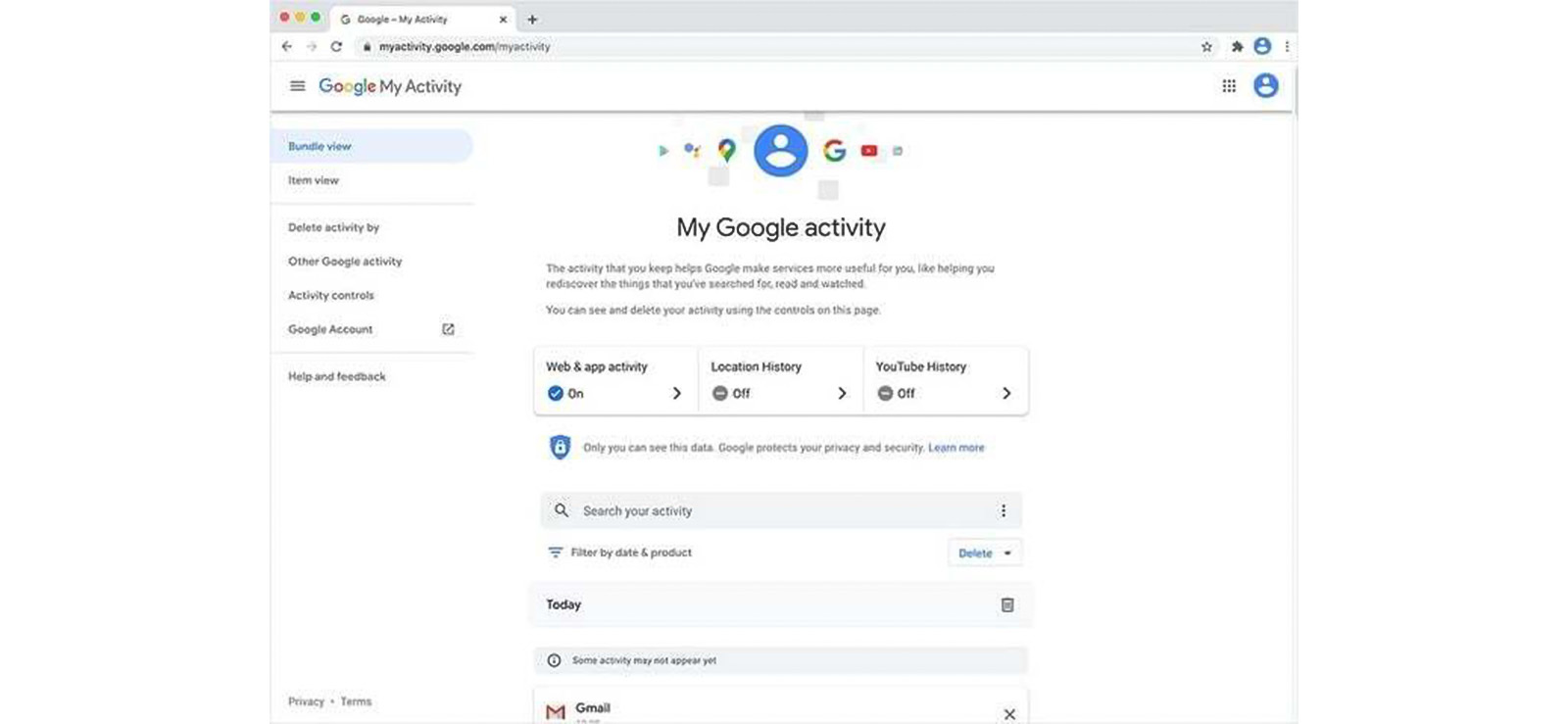
If your child uses an Android phone, you can review certain account‑based activity through Google My Activity.
Through My Activity, you can view things such as Google searches, YouTube watch history, interactions with Google apps, and some Android app activity.
If the user is signed into Chrome and browser sync is enabled, the dashboard may also display websites visited through the Chrome browser.
Here is how you can use their Google account activity to track their phone:
- Open a browser and sign in to your child’s Google account.
- Go to Google Account settings and select Data & Privacy.
- Under History settings, click My Activity.
- Review the activity timeline to see account‑related activity.
But remember that this method only shows activity associated with the Google account. Additionally, if Web & App Activity or other history settings are turned off, certain actions may not appear in the activity log.
6. See iCloud Activity (iPhone)
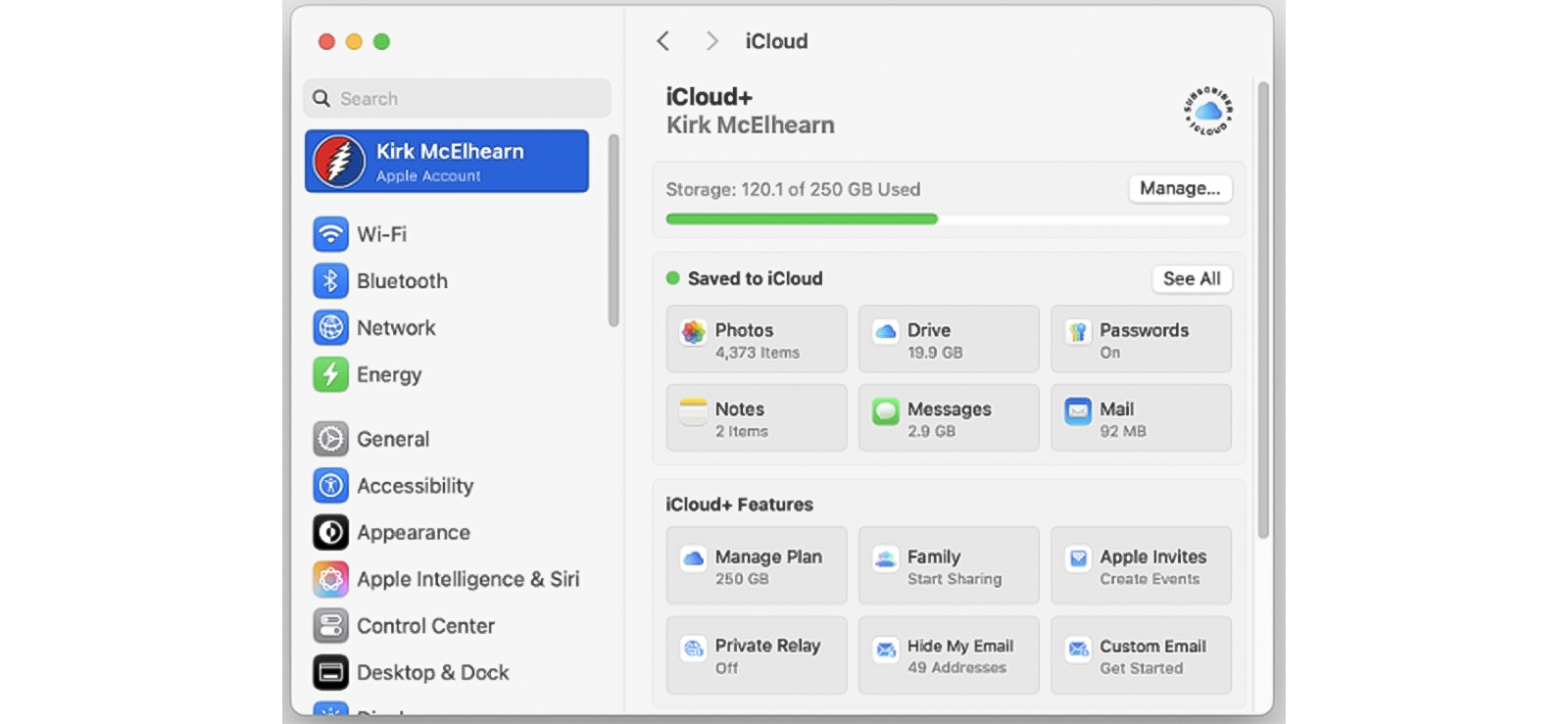
For kids with an iPhone, their iCloud accounts can provide parents with some insights using synced content. Since many core features on iPhone are automatically synced to iCloud, you can access the target user’s Apple ID to get a general sense of how the device is being used.
The collected logs include photos, videos, contacts, calendars, notes, files on iCloud Drive, Safari bookmarks, open tabs, and messages.
So, how do you track a phone without the person knowing, using iCloud activity? Let’s find out.
- Open a browser and go to the iCloud website.
- Sign in using your child’s Apple ID and password.
- Open sections such as Photos, Contacts, Notes, iCloud Drive, and Safari.
- Review recently added or updated items to see what content has been uploaded.
- For both Safari logs and messages, make sure data syncing is enabled.
Note that only the data synced with iCloud can be viewed with this method. Moreover, if syncing is off for a specific feature, nothing from that activity will appear on iCloud. Not only that, but a large amount of data, like calls, location, third-party app activity, etc., cannot be tracked.
FAQs
How to track someone without them knowing legally?
In most cases, to track someone’s phone, you must have the person’s proper consent. Moreover, since laws regarding digital monitoring vary widely between regions, it is important to review local regulations to ensure legality. However, an exception to this is parents. They are generally allowed to monitor their minor children’s devices for safety purposes. In such cases, dedicated monitoring solutions like Xnspy can be used to supervise phone activity and location.
How to track someone’s phone without them knowing for free?
If you are looking for how to track someone’s phone for free, it is possible if you have consent and use the right tools. In your search, you will come across many that advertise to give remote access and phone tracking features. However, most are unreliable, contain malware, and compromise privacy. You can instead use apps like Google Family Sharing or Apple Family Sharing to track someone’s phone for free.
Can someone track my phone without me knowing?
Yes, with the methods discussed above, someone can track your phone without you knowing. Also, tracking can occur through your Google account or Apple ID. Therefore, to protect yourself, set strong passwords, enable two-factor authentication, and regularly check for suspicious apps. If you suspect tracking, you can even reset the phone and run a security scan.
How do you track someone’s iPhone without installing software?
If you are looking for ways for how can I track someone’s phone without installing software, then the phone activity synced on their Google or iCloud account is your best bet. But remember, they come with limitations. Google and iCloud activity logs are not detailed and can also skip important details if syncing is disabled.
Plus, they don’t offer advanced tracking options like monitoring app activity or messages. That’s where XNSPY stands out. You only need one-time access to install the software, and from there, it works seamlessly in the background, giving you detailed insights.
How to secretly track a phone if it is turned off?
It is not possible to track a phone if it is turned off. Tracking on all the phones relies on the device being connected to a network or at least functioning. However, if the phone is on but not connected to the internet, XNSPY can still track it. Thanks to its advanced features, XNSPY works discreetly in the background, gathering data even without an active internet connection. Then, once the connection is restored, it uploads the data to its dashboard.
What is the best tracker for a child’s phone?
To determine what is the best tracker for your child’s phone, you have to reflect on your specific needs and the level of monitoring you want. For example, if your child is under 13 and you only need basic supervision, Google Family Link can be a good option. On the other hand, for iPhone users who prefer free built‑in controls, Apple Screen Time offers app usage reports, content restrictions, etc. However, if you want more detailed monitoring along with control features, Xnspy provides comprehensive insights into phone activity along with several remote commands.
Track Phones Better with XNSPY
XNSPY helps you to stay one step ahead.
4 Comments
Leave a reply:
Your email address will not be published. Required fields are marked*


Russel Crowe
January 22, 2025 at 8:32 amThanks.
Madison
January 30, 2025 at 1:13 pmI have tried Google family link already but it did not work for my family because my kids are older than 13 :) Stupid policies.
Scout
March 10, 2025 at 10:26 amNeed xnspy
George
March 17, 2025 at 11:05 amis pone link app hidden?