7 Best Twitter Anonymous Viewer Tools: Real Usage Testing Results
 By Mike Everett
The complete monitoring experience for your phone
Get XNSPY and start tracking calls, texts, multimedia, locations and more on any phone!
Get Started Now Live DemoTwitter (X) has always been a place where people express things they would never say out loud at dinner: an inside joke, a passing comment, a concerning exchange.
None of that used to require an account to find. You could simply open a browser, search for a username, and read everything publicly posted.
However, that changed in 2023 when X (Twitter) introduced a mandatory login wall. Now, anyone trying to view a public profile gets a ‘Sign-Up’ prompt within a couple of page loads. For families who want to check what their kids are sharing online, the login wall is a problem.
However, anonymous Twitter (X) viewers specifically exist to solve it. So, we tested 7 Twitter (X) anonymous viewers on multiple devices to determine which ones hold up and which should be avoided.
TL;DR — Key Takeaways From This Article
- Since 2023, Twitter (X) has blocked anonymous browsing, which makes viewer tools necessary for families who want to check their kids’ public activity without an account.
- Xnspy is the most comprehensive solution as it gives parents visibility into DMs, deleted content, keyword activity, and screen recordings.
- Snaplytics is the strongest free anonymous Twitter (X) viewer for structured profile browsing, but it is not suitable for casual scrolling.
- TweetGrok is the fastest free anonymous (X) account checker available, but it lacks keyword search.
- ClevGuard monitors Twitter activity through a keylogger and automated screenshots, though iOS support is limited.
- Twillot is a GDPR-compliant Twitter (X) viewer. However, it has a 15-minute content cache delay, which prevents it from loading the most recent Tweets.
- FlexiSPY offers keystroke-level Twitter monitoring from its entry-level plan, but iOS requires jailbreaking.
- Twitter Web Viewer is an anonymous Twitter viewer with a built-in video downloader, though it occasionally loads profiles incompletely.
These 7 Online Anonymous Twitter Viewer Tools Performed Best During Our Testing
| Apps | Rating | Pricing | Best For | Drawback |
| Xnspy | 9.4/10 | – Basic: $4.99 monthly.- Premium: $7.49 monthly. | Multi-layered monitoring with screen record, keylogger, and keyword alerts. | Requires one-time physical setup on the child’s phone. |
| Snaplytics | 8.8/10 | Free | Structured browser-based viewing. | Not ideal for casual scrolling. |
| TweetGrok | 8.4/10 | Free | Speedy profile checks. | No keyword or topic search. |
| ClevGuard — KidsGuard Pro | 8.0/10 | – Lite: $9.16 monthly.- Premium: $11.66 monthly.- Family: $245.99 monthly. | Family-wide monitoring. | iOS features are limited. Some modules cost extra. |
| Twillot | 7.8/10 | Free | Privacy-conscious parents. | A 15-minute content cache delay. |
| FlexiSPY | 7.5/10 | – Lite: $49.95 monthly.- Premium: $14.90 monthly.- Extreme: $34.90 monthly. | Screenshot-based monitoring. | iOS requires jailbreaking. Overly-expensive. |
| Twitter Web Viewer | 7.2/10 | Free | Batch download media files. | Occasional loading issues. |
Can You Actually Browse Twitter Without Logging In?
Yes, you can browse Twitter without logging in, but not the way it used to be.
Before 2023, any parent could open a browser, enter a username in the search bar, and read everything their child had posted publicly.
Twitter (X) ended that when it forced a login wall to increase registrations. Now, after viewing just a few pages without signing in, X (Twitter) replaces the content with a ‘Sign-Up’ prompt.
A Twitter anonymous viewer retrieves publicly available content through its own servers, so X (Twitter) registers traffic from the tool instead of your device.
The 4 tools in this guide are completely browser-based and require no installation whatsoever. The remaining 3 are device-level monitoring applications for parents who need visibility into DMs, search history, and content that never makes it into a public Tweet.
How We Rated These 7 Anonymous Twitter Profile Viewer Tools?

Finding a reliable online anonymous Twitter viewer for parental oversight is harder than it looks. Our team of 4 (2 product reviewers, 1 UX analyst, and 1 privacy researcher) thoroughly tested each tool for varying periods on a Samsung Galaxy series, an iPhone, and various desktop browsers.
We tested each browser-based tool over multiple days at different connection speeds and times of day to assess consistency. The monitoring apps were installed on test devices to track Twitter activity for 2 weeks.
Our team ran every tool listed here in real-world conditions: we used actual Twitter (X) accounts, monitored real usage patterns across Android and iOS devices, and repeated each session multiple times to confirm consistency. No tool was included based on reputation or paid placement. Tools that failed our privacy checks were excluded before they ever appeared in this list.
Over a dozen tools claim to offer anonymous viewing of Twitter (X) content. Before shortlisting these seven, we screened more than twenty options. Tools were excluded for requesting Twitter (X) login credentials, redirecting users to phishing-adjacent pages, or failing to load profiles consistently across two or more testing sessions. The seven tools in our guide cleared every one of those filters.
Non-Detectability — 35%
Twitter (X) does not notify account owners when someone views their profile. So we actually tested whether each tool left any other traces, such as suspicious referral signals, third-party cookies, or data that could expose the parent’s device. A tool scored well only if our privacy researcher confirmed zero digital footprint across all sessions.
Viewing Reliability — 25%
We repeated the same profile and Tweet searches over multiple days, during peak hours, tracking load times, failed sessions, and whether images and engagement metrics rendered in full every time.
Ease of Use — 20%
Our UX analyst broke down every step needed to access a profile or Tweet, counted clicks, noted blockers, and evaluated how clearly each interface communicated what was happening. For monitoring apps, the full setup process from installation to dashboard access was also considered.
Security Concerns — 15%
Multiple tools found in early research were excluded at this stage. We checked for login credential requests, tracking cookies, intrusive ads, and suspicious redirects. Our privacy researcher ran an analysis on every shortlisted tool before inclusion.
Several tools we evaluated during early research were excluded entirely at this stage because they requested credentials or redirected to pages flagged by browser security scanners.
Value Against Limitations — 5%
We weighed actual delivery against stated claims. Tools that delivered strong core performance but buried key limitations like iOS jailbreak, mandatory module purchases, or annual billing commitments were ranked lower than the tools that were upfront about what they offered.
The 7 Best Anonymous Twitter Viewer Tools
1. Xnspy — Best for Comprehensive Monitoring
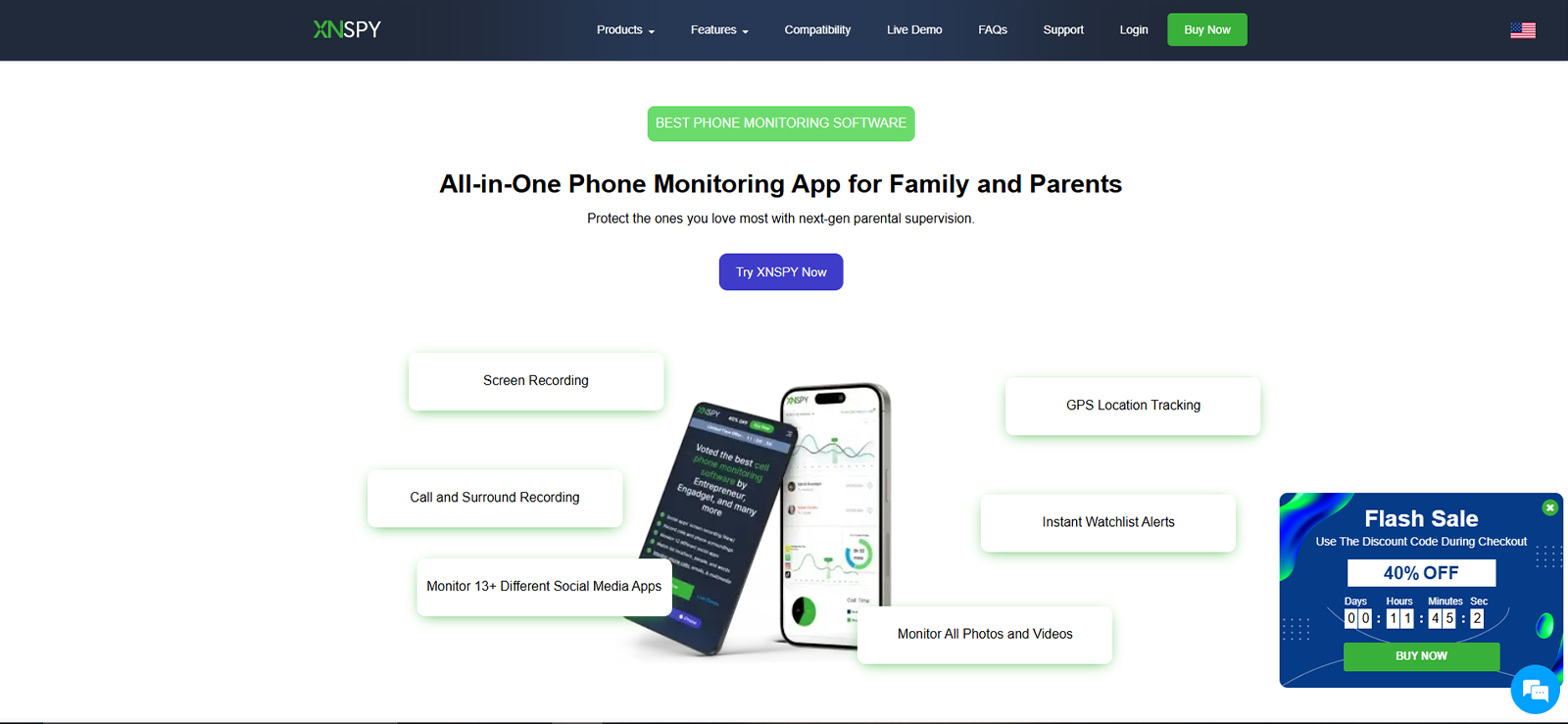
Xnspy is a parental monitoring app that you can install once on your child’s device to remotely access detailed activity logs in real-time while it runs silently in the background.
When it comes to viewing X anonymously, one feature that stood out the most to us is Screen Recording. Xnspy records screenshots of the monitored device every 5 seconds, so if your teenager is browsing Twitter, it will capture their entire activity.
These screenshots are organized under a dedicated Twitter (X) tab in the dashboard. Our UX analyst noted this as a smart design choice since parents can go directly to the Twitter (X) activity without having to scroll through hundreds of screenshots.
Our screen activity was successfully captured in all 8 testing sessions, although we experienced a slight 20-second sync delay due to poor connectivity.
There are additional Xnspy features you can use to go beyond basic monitoring.
One such feature is the Keylogger, which records every keystroke typed on X, such as search queries, DMs, replies, and Tweet drafts. There is also a Watchlist feature that sends an email notification to parents whenever a flagged word/phrase appears on the monitored device. Lastly, the Internet History feature logs all URLs visited on the monitored phone — even the ones clicked in Tweets.
Xnspy Compatibility
Xnspy is compatible with any smartphone running Android 4.0+ or iOS 6+. The dashboard can be accessed in any web browser, such as Chromium, Safari, Vivaldi, etc.
Xnspy Pricing
Xnspy offers 2 subscription plans with monthly, quarterly, and annual billing options.
- Basic Plan: $4.99 per month if billed annually.
- Premium Plan: $7.49 per month if billed annually.
Xnspy Pros and Cons
| Pros of Xnspy | Cons of Xnspy |
| It captures DMs, deleted Tweets, and drafts through periodic screenshots. | You need a one-time physical access to the child’s smartphone for installation. |
| The Keylogger records all keystrokes typed on Twitter, like DMs, search queries, and replies. | Screenshot-based monitoring may experience slight sync delays during unstable connectivity. |
| It offers multiple billing options with no forced commitments. | Support is ticket-based and chat only. That means longer wait times if you need urgent help with any issue. |
| It captures X (Twitter) activity in a browser, even when using Incognito Mode. The URLs clicked in the Tweets are also recorded. |
Should I Buy Xnspy?
Xnspy is worth considering if you need visibility into your kid’s DMs, drafted Tweets, search queries, and replies. However, do note that you will need a brief, one-time physical access to your child’s phone for installation.
2. Snaplytics — Best Free Anonymous Twitter Account Checker
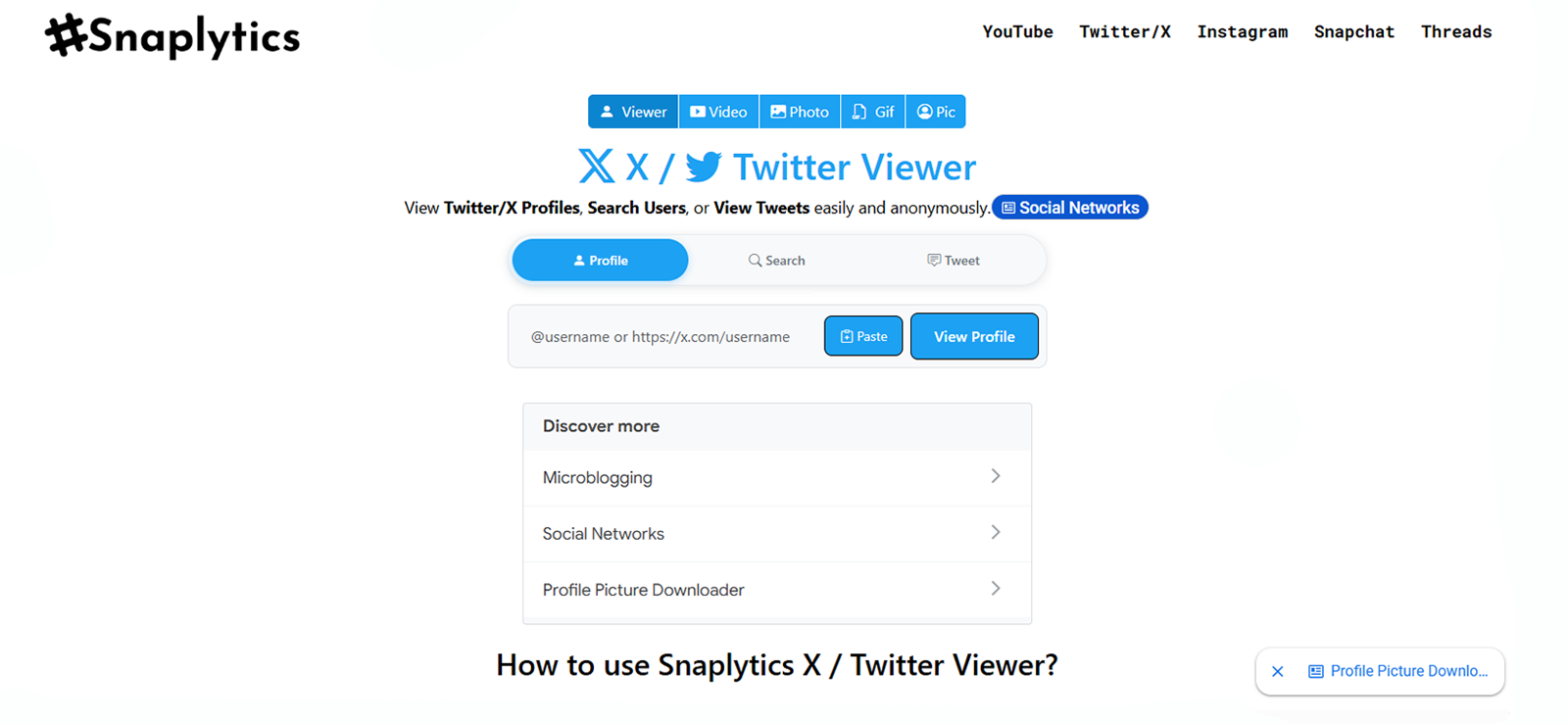
Snaplytics is a free anonymous Twitter viewer that lets you view public X content without logging in.
Of all the browser-based tools we tested, it felt the most organized and also offered full anonymity. Snaplytics has a total of 3 viewing modes:
- Profile Viewer: This feature loads bio, stats, Tweets, and Retweets in an organized manner.
- Search: It is further divided into 2 categories, i.e., Tweets and People. You can search for them using hashtags, usernames, bio, keywords, etc.
- Tweet Viewer: This one pulls up individual Tweets with complete engagement data, such as Retweets, replies, likes, and quotes. If a Tweet has attached media, it can also be downloaded.
Our UX analyst noted that Snaplytics is the closest any free browser-based tool comes to replicating the actual Twitter (X) experience without an account.
We had 10 testing sessions across different browsers (Brave, Safari, Chromium), and no viewing signal was detected on the account side.
For a parent who only knows part of their teen’s screen name, the ‘People’ search function is very useful. You can simply type part of a username to get a list of matching public accounts.
It is important to note that Snaplytics is not intended for casual scrolling — it is geared more toward deliberate viewing. Moreover, accessing historical Tweets entirely depends on what Twitter’s public API returns. Moreover, it cannot access private accounts. It can only show you public profiles and their associated Tweets.
Snaplytics Compatibility
Snaplytics is compatible with any browser on Android, iPhone, and desktop. No installation, registration, or login credentials are required.
Snaplytics Pricing
Snaplytics is completely free. There are no paid plans for any functionality.
Snaplytics Pros and Cons
| Pros of Snaplytics | Cons of Snaplytics |
| It has 3 separate modes for different functionalities. | It is not suited for casual feed-scrolling. |
| It does not need any login credentials. | Accessing older Tweets depends on what Twitter’s public API returns. |
| The tool offers complete anonymity. No signals are sent to the account owner. | |
| Completely free. |
Should I Buy Snaplytics?
Snaplytics is the most structured free browser-based option and works well when you know at least part of your teenager’s username. However, it is not built for casual scrolling, and access to older Tweets depends on Twitter’s API. If those do not sound like deal-breakers, it is a reliable, no-cost choice.
3. TweetGrok — The Best Free Anonymous Twitter Viewer for Quick Checks
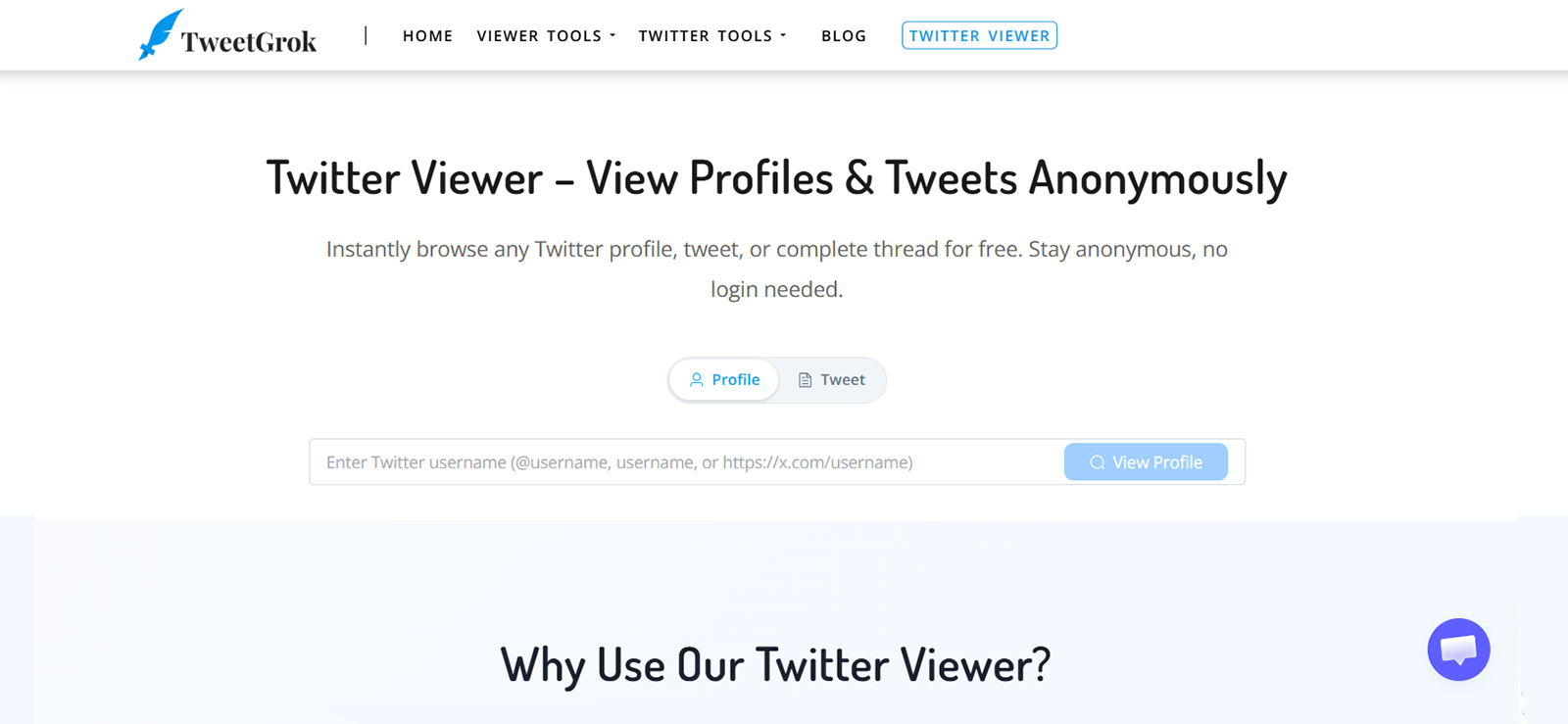
Of all the tools we tested, TweetGrok loaded public profiles the fastest, with no distractions.
You simply enter a username, and within five seconds, a full profile appears with recent Tweets and inline engagement metrics. Across 12 sessions tested over five days, TweetGrok loaded profiles in under five seconds every single time on Chromium, Firefox, and Vivaldi.
Our privacy researcher noted that TweetGrok did not track or collect data.
TweetGrok is also completely ad-free. Most free Twitter (X) viewers we evaluated before shortlisting were cluttered with pop-ups that either interrupted sessions or redirected to suspicious pages.
Parents can see metrics like replies, likes, bookmarks, engagement, and Retweets under every Tweet. For instance, if a teen’s Tweet has attracted hundreds of Retweets from unfamiliar accounts, a parent will immediately know.
For instance, if your teenager posted something that went unexpectedly viral among accounts you do not recognize, TweetGrok will display that information immediately.
Do note that TweetGrok can only display public profiles. It cannot retrieve data from private Twitter (X) accounts. Also, there are no media downloads, no topic search, and no individual Tweet viewing.
TweetGrok Compatibility
TweetGrok works in any web browser on Android, iPhone, and desktop, without installation.
TweetGrok Pricing
TweetGrok is entirely free.
TweetGrok Pros and Cons
| Pros of TweetGrok | Cons of TweetGrok |
| Ad-free. There are no pop-ups or redirects. | TweetGrok needs the exact username. There is no keyword or topic search. |
| The fastest browser-based tool we tested. TweetGrok consistently loads profiles in under 5 seconds. | Limited to basic profile and Tweet viewing. |
| There is no tracking or data collection. | No media download capability. |
| It clearly displays inline engagement metrics under every Tweet. |
Should I Buy TweetGrok?
TweetGrok is worth trying if speed and a clean interface are your priorities. It loads profiles fast, and the engagement metrics under each Tweet give parents a quick read on who is interacting with their child’s Tweets. However, it does not support partial username searches, does not offer a media download option, and does not allow viewing individual Tweets.
4. ClevGuard
ClevGuard KidsGuard Pro offers Twitter monitoring through multiple features. The Keylogger captures every search query, DM draft, and Tweet typed. It also has a Capture Screenshot feature that lets parents capture whatever is on screen — it can also be automated to take screenshots every 15 seconds.
These screenshots are organized by app in a web-based dashboard, so Twitter activity is easy to review.
On Android, no rooting is required. iOS, on the other hand, is more limited because it relies on iCloud-based monitoring, and several features are unavailable on iPhone.
For Android parents, the 15-second screenshots can skip brief interactions, a quick DM opened and closed, and a search query typed and deleted.
Platform-specific monitoring features are not always bundled into the subscription. Several of them require purchasing separate ClevGuard modules at an additional cost.
ClevGuard Compatibility
ClevGuard is compatible with Android 4.0+ and iOS 9.0 through 16.0. The online dashboard is accessible in any browser, such as Safari, Google Chrome, and Firefox.
ClevGuard Pricing
ClevGuard offers 3 subscription plans, which are detailed below.
- Lite Plan: $9.16 per month if billed annually.
- Premium Plan: $11.66 per month if billed annually.
- Family Plan: $245.99 per month if billed annually. For a total of five devices.
ClevGuard Pros and Cons
| Pros of ClevGuard | Cons of ClevGuard |
| The Keylogger captures deleted and unsent X (Twitter) content. | iOS monitoring is significantly limited. |
| It takes screenshots of the monitored device every 15 seconds while an app (e.g., Twitter) is running. | Some features require users to pay an additional fee on top of a paid subscription. |
| Email-only support with a slow response time. | |
| A 15-second screenshot interval can easily cause alarming moments to be missed. |
Should I Buy ClevGuard?
ClevGuard is meant for Android parents who want keystroke-level Twitter monitoring without rooting their child’s device. 15-second automated screenshots and the Keylogger can give you a fairly complete picture of what is being typed and posted.
However, iOS support is notably limited, and some monitoring features require purchasing additional modules beyond the base subscription. We recommend confirming which features are included in the plan you are considering.

What Came Out of Our ClevGuard Testing
We ran ClevGuard through typical monitoring scenarios to evaluate its performance.

5. Twillot — Best for Privacy-Conscious Parents
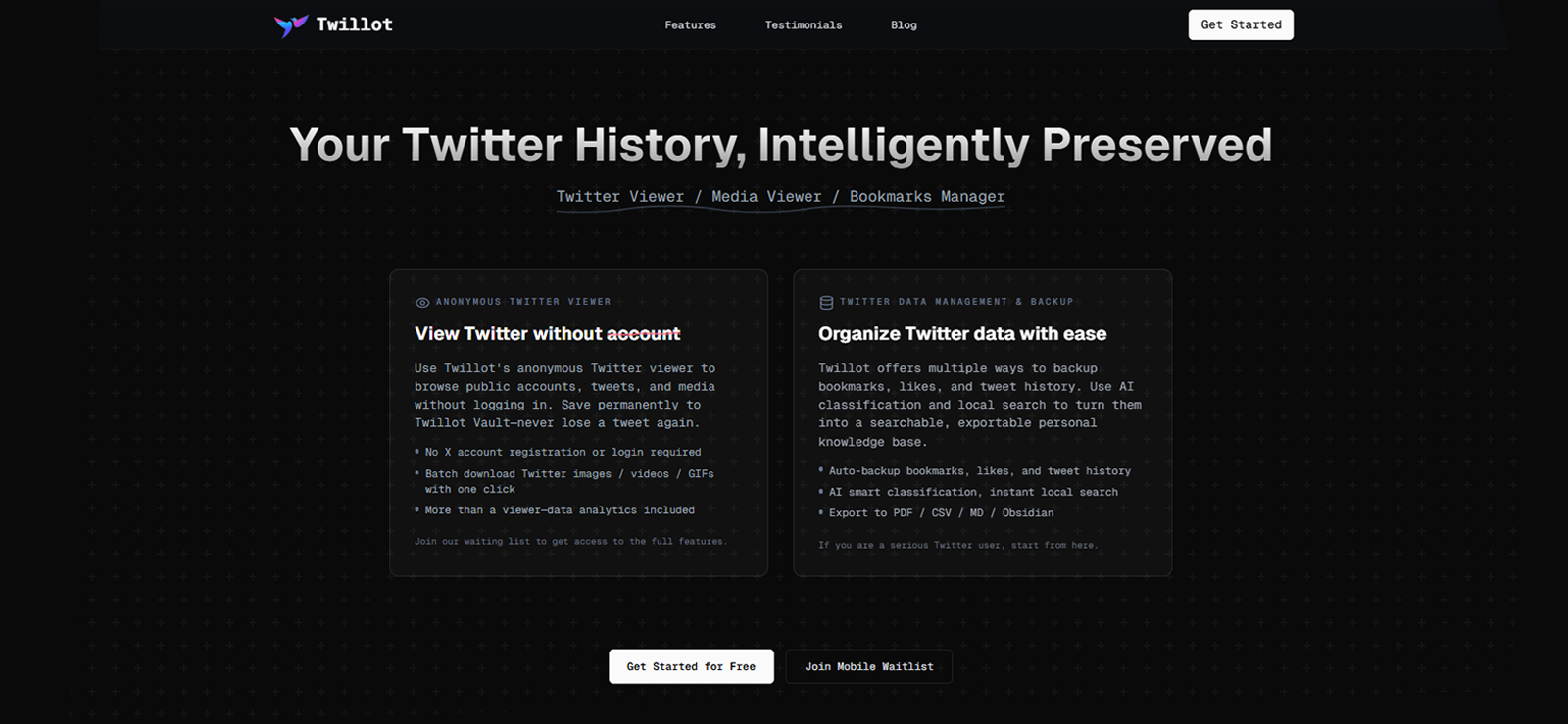
Twillot is the most secure browser-based anonymous Twitter account checker we tested. It follows GDPR-compliant data practices, captures no user browsing data, and uses rate limiting to keep it running when other free viewers start experiencing issues.
Twillot renders long threads in a clean format that parents can actually follow. It was also the most consistent performer in testing: zero failed loads across the weeks of testing.
For parents monitoring ongoing activity over several weeks, that consistency means a whole lot. A tool that works 9 times out of 10 means that one check returns nothing, which is exactly the session that might have mattered.
Two caveats are worth flagging before you commit. It has a 15-minute content cache, which means very recent Tweets do not appear immediately. Moreover, the paid extension has an annual commitment that is not prominently displayed on the billing page.
As with all browser-based viewers, Twillot cannot retrieve content from private Twitter (X) accounts.
Twillot Compatibility
Twillot runs in any browser across Android, iOS, and desktop.
Twillot Pricing
Twillot offers both free and paid plans. The free version includes basic features, such as a media gallery and ad blocking, while the paid plan unlocks batch downloads and PDF/Markdown exports.
Twillot Pros and Cons
| Pros of Twillot | Cons of Twillot |
| It is GDPR-compliant. No user browsing data is collected or stored. | Some advanced features, such as batch downloads and PDF/Markdown exports, are locked behind a paywall. |
| Availability of a dark mode. | Twillot has a 15-minute content cache cycle. It means very recent Tweets may not appear immediately. |
| The annual commitment to a paid extension is not clearly defined. |
Should I Buy Twillot?
Twillot is a good choice for privacy-conscious parents. It is the only browser-based tool on this list that is GDPR-compliant, collects no browsing data, and never failed to load during our testing. The thread rendering is also noticeably cleaner than other free tools.
The two things to weigh before using are the 15-minute content cache, which means very recent Tweets will not appear immediately, and the annual billing commitment on the paid plan, which is not prominently displayed during checkout.
6. FlexiSPY

FlexiSPY covers Twitter through its Keylogger and Screenshots. The Keylogger is available on the Lite plan and captures every character typed across all apps, including Twitter DM drafts, search queries, and Tweet text. It also has an App Screenshots feature, which takes periodic captures of whatever is on screen during active app use.
iOS requires jailbreaking for full feature access. FlexiSPY pricing is also the steepest on this list. Customer support is chat- and ticket-only, which can cause delays if you ever run into an issue.
A parent monitoring their child’s Twitter (X) use with FlexiSPY will see keystrokes logged as raw character strings. That can make it hard to make sense of the exchanges without the surrounding conversation.
FlexiSPY Compatibility
FlexiSPY is compatible with Android 5.0+ and iOS 4+. iPhones need to be jailbroken for full functionality.
FlexiSPY Pricing
FlexiSPY offers 3 different plans:
- Lite: $49.95 per month.
- Premium: $14.90 per month if billed annually.
- Extreme: $34.90 per month if billed annually.
Note that the ‘Lite’ plan is billed month-to-month with no annual option, which is why its per-month cost is higher than the ‘Premium’ and ‘Extreme’ tiers despite offering fewer features.
FlexiSPY Pros and Cons
| Pros of FlexiSPY | Cons of FlexiSPY |
| Keylogger captures all Twitter (X) keystrokes. | The recorded keystrokes appear as fragmented text rather than complete conversations. |
| Screenshots capture X (Twitter) activity, such as DMs, replies, Retweets, and likes. | iOS requires jailbreaking for full feature access. |
| The most expensive tool in the list. The ‘Extreme’ plan costs $34.90 per month when billed annually. |
Should I Buy FlexiSPY?
For most parents, the ‘Lite’ plan at $49.95 per month provides basic monitoring through the Keylogger. However, keep in mind that the Keylogger data is returned as raw character strings, which can make conversations harder to follow without additional context.
A Closer Look at Our FlexiSPY Test Results
We tested FlexiSPY across different use cases to see how it performs.
7. Twitter Web Viewer
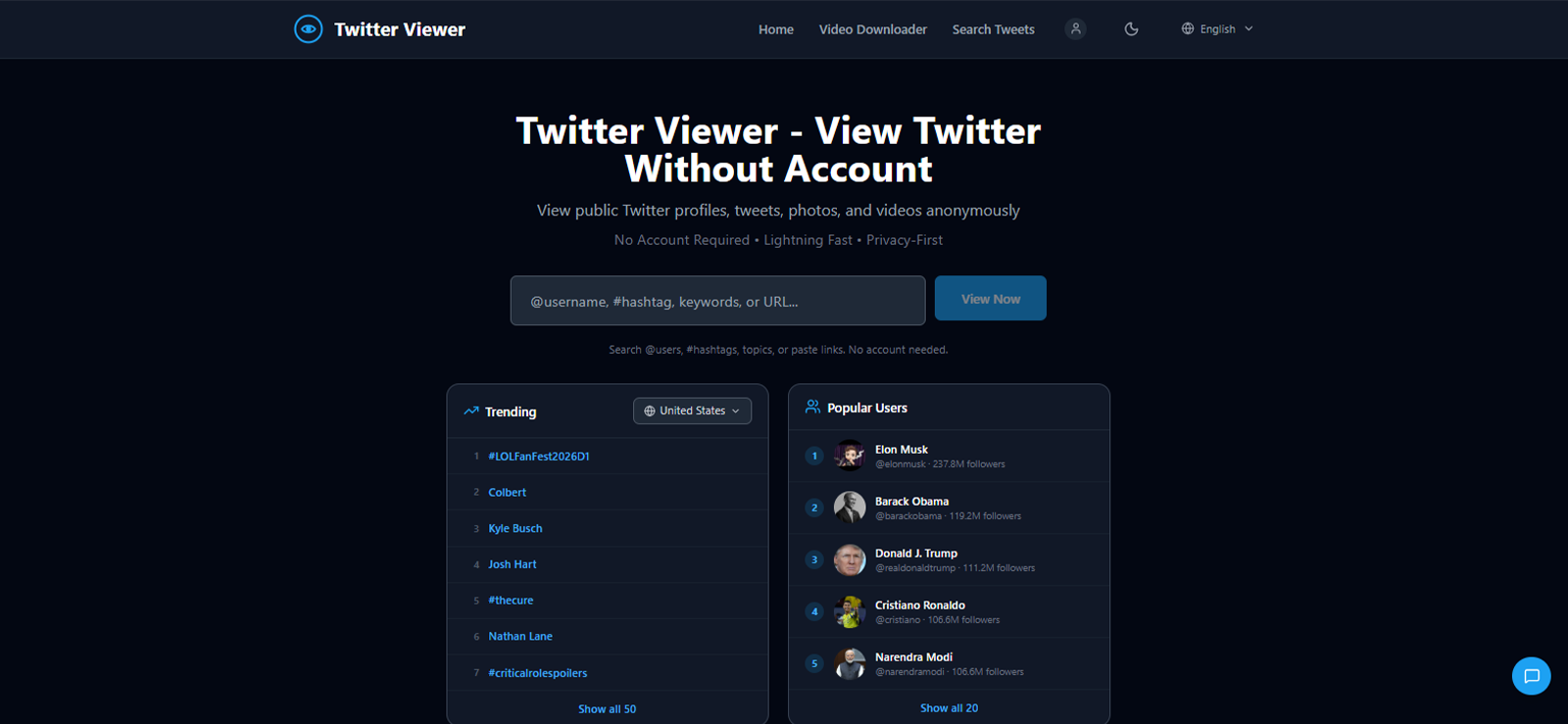
Twitter Web Viewer packs 3 tools into one ad-free tool, i.e., a profile viewer, a Tweet viewer, and a video downloader. It does not require a login or any personal information. You simply enter a username, and it returns the full public profile, alongside Tweets, engagement counts, and embedded media.
The video downloader is the standout feature. Public videos can be downloaded directly in MP4 format with a single click, which is especially useful when a parent needs to save a post before it disappears.
That matters in situations where a child deletes a post after realizing it has attracted the wrong kind of attention. If a parent has already downloaded the video, the content is saved regardless of what happens to the original.
The trade-off is that discovery is completely absent. Parents must already know the exact username before anything loads, since keyword search, hashtag browsing, and trending content are not available. During testing, certain profiles loaded incompletely on the first attempt and required a page refresh.
Lastly, private X (Twitter) accounts are not accessible. Twitter Web Viewer requires a public profile to return any results.
Twitter Web Viewer Compatibility
This anonymous Twitter profile viewer is fully browser-based. It works on Android, iPhone, and desktop with no installation.
Twitter Web Viewer Pricing
Twitter Web Viewer is completely free. You can pay $3.88 per month to remove ads and access features, such as batch downloads, unlimited bookmarks, and priority support.
Twitter Web Viewer Pros and Cons
| Pros of Twitter Web Viewer | Cons of Twitter Web Viewer |
| It lets you view profiles, Tweets, and even download media anonymously. | The free version is not ad-free. You will need to pay $3.88 per month to go ad-free and access features like batch downloads, infinite scroll, and priority support. |
| Displays trending hashtags based on your country. | Occasionally loads incomplete profiles. |
| Requires the exact username. There is no keyword, hashtag, or partial-name search available. |
Should I Buy Twitter Web Viewer?
Parents who occasionally need to check a public profile and want the option to download videos before they are deleted, the Twitter Web Viewer is a good choice.
On the downside, the free version runs ads that interrupt the experience, certain profiles load incompletely, and there is no keyword or partial-username search.
FAQs
Why does Twitter (X) ask me to log in when I try to read a Tweet?
After 2023, X (Twitter) restricted anonymous browsing to increase account registrations. After a couple of page loads without an account, Twitter displays a ‘Sign-Up’ prompt. Online Twitter (X) viewers work around this by pulling up public content through their own servers, which means the login wall never reaches you.
Is it legal to use these Twitter (X) profile viewer tools?
Yes, it is legal to use online Twitter (X) profile checker tools because public content is intentionally made visible by the account owner. It does not matter whether you are seeing it via an anonymous online X (Twitter) viewer or a search engine. These apps access only publicly available data and cannot bypass privacy settings.
Will the Twitter account owner know if I viewed their profile anonymously?
No, Twitter (X) does not send profile view notifications. We confirmed this by monitoring test accounts across 10-12 separate viewing sessions using every browser-based tool in this list — no signal appeared in any session.
Do online anonymous X (Twitter) viewers work on mobile devices?
All 4 browser-based tools in this guide, i.e., Snaplytics, TweetGrok, Twillot, and TwitterWebViewer, work in any mobile browser on Android and iOS without installation. Parents can check a teen’s public account directly from their own phone. The monitoring apps, such as Xnspy, FlexiSPY, and ClevGuard, require installation on the child’s device.
Can I use Nitter to view Twitter (X) profiles anonymously?
No, you can no longer use Nitter to view Twitter (X) profiles anonymously because it went offline in mid-2024. As of May 2026, Nitter is no longer a reliable option for families. The apps in this list were extensively tested and confirmed to work. These are currently the best alternatives to Nitter.
Leave a reply:
Your email address will not be published. Required fields are marked*

Mike Everett
Member since October 20, 2014
Mike Everett
Member since October 20, 2014
Mike Everett is a consumer technology journalist with expertise in hands-on testing and evaluation of iOS and Android monitoring applications. With over 11 years in the industry, he focuses on how mobile monitoring tools perform in real-world conditions, including accuracy, feature reliability, device compatibility, and practical usability for parents.
He conducts live-device testing of monitoring apps to assess how well their features function beyond marketing claims. His work primarily includes comparative reviews, feature breakdowns, and buyer-focused guides designed to help parents understand which tools actually deliver usable results in everyday scenarios.