7 Best Screen Recording Apps to Monitor Kids’ Digital Activity (Android & iOS)
 By Jenny Nicole
The complete monitoring experience for your phone
Get XNSPY and start tracking calls, texts, multimedia, locations and more on any phone!
Get Started Now Live DemoToday’s parents know their children spend a huge part of their lives on their phones. Even in families built on trust, curiosity and constant internet access decide what kids do online. Giving children their own devices has become a normal part of daily life in a fast-moving digital world.
The problem occurs when parents give their children phones and forget to monitor usage closely, not just to keep children safe, but to teach them responsibility. Most parents ask their children or check their phones once a week to ensure safety. However, it is not enough.
You have to monitor activities as they are happening, and remote screen recording is the best way. But which one? To help parents, we tested a few of the best screen recording apps for Android and iOS over a few weeks, so they don’t have to do much research. If you are a parent looking for an answer, keep reading.
Key Highlights From Our Review of Best Screen Recorder Apps
– Screen recording apps help parents monitor kids’ real phone activity instead of relying only on alerts.
– Our month‑long testing across Android and iPhone ranked 7 apps for screen recording using weighted evaluation criteria.
– Automated screen capture received the highest weight because it provides consistent monitoring without constant manual checks.
– Social media visibility ranked second since most teen activity happens inside messaging and social apps.
– Xnspy ranked highest due to reliable screenshots, real‑time dashboard updates, and broad monitoring features.
– Android users benefit from screen recorders like FamiSafe, FlexiSPY, and AirDroid, offering various monitoring capabilities.
– iPhone screen recording apps include iKeyMonitor, LivingRoom, and Eyezy with different screenshot and visibility features.
Why Parents Should Invest in the Best Screen Recorders
According to a survey by Pew Research Center, 58% to 61% of parents say they have checked their teens’ internet searches and social media usage. Although this practice is necessary, this data doesn’t provide the complete information. This is where screen recording apps for parents help.
Clear Visibility Into Digital Activity
When children know their phones can be checked at any time, they keep their browsing history clean. Also, they delete chats on social media and keep a few apps hidden that a non-technical parent can’t see.
In such cases, screen recording apps for parents come in handy. These apps allow them to see how children are using their phones, if they are trying to hide anything, or if they are using their phones responsibly.
Protection From Online Risks
It’s not hidden from anyone that the internet has a nasty side that can actually affect children in a negative way. Exposure to harmful content, cyberbullying, or communication with strangers are a few of the examples. Screen recording tools help parents identify unusual behavior or risky interactions early.
Support for Healthy Digital Habits
Children aged 8-18 spend an average of 7.5 hours per day on screens, according to the Centers for Disease Control and Prevention. Screen monitoring tools can help parents understand the reasons for excessive screen time and help children address the root cause.
Better Context Than Basic Monitoring Tools
Many parental control apps only provide alerts or activity summaries. Screen recording features add an extra layer of context by showing exactly what appeared on the device screen. This makes it easier for parents to interpret alerts and understand situations accurately.
We Tested the Best Screen Recorder Apps for a Month and These 7 Performed Best
| App | Rating | Price |
| Xnspy | 9.7/10 | Starting from: $4.99/month |
| FamiSafe | 9.2/10 | Starting from: $9.99 |
| FlexiSpy | 8.8/10 | Starting from: $49/month |
| AirDroid | 8.4/10 | Starting from: $9.99 |
| iKeyMonitor | 8.0/10 | Family Free: $0 |
| LivingRoom | 7.5/10 | Starting from: $15/month |
| Eyezy | 7.1/10 | Starting from: $9.99/month |
Here’s How We Tested to Find the Best Apps for Screen Recording
To identify the most reliable screen recording apps for parental monitoring, we tested each tool for a month across multiple Android and iOS devices. Based on this testing period, we ranked apps using the following five criteria.
Automated Screen Capture – 30%
Automation is the core purpose of screen recording apps—it lets parents monitor activity without constantly checking their child’s phone. We tested each app’s ability to automatically capture screen activity, including screenshots and full recordings, without requiring constant manual input.
Apps that consistently recorded activity at regular intervals scored higher. We gave it 30% weightage because of its importance in giving parents an accurate and ongoing view of phone usage with minimal effort.
Social Media Visibility – 25%
Children spend much of their screen time on messaging and social media apps. For this reason, we gave 25% weightage to how effectively an app could capture activity across these platforms.
During testing, apps that displayed clear activity from popular messaging and social platforms consistently performed better. This ensured parents could get a full picture of their child’s digital interactions, not just generic screen use.
Comprehensive Monitoring – 20%
Screen recording alone doesn’t cover every parenting need. We tested whether apps offered additional monitoring tools, such as message tracking, activity summaries, or app usage reports.
Apps that combined automated screen capture with broader monitoring capabilities received higher scores. The 20% weightage we gave this attribute shows the value of flexibility that lets parents choose between full oversight or selective monitoring.
Smart Options for Screen Recording – 15%
Some apps provide advanced recording features, such as scheduled capture, triggered screenshots, or live screen viewing. During testing, we checked the reliability and practicality of these options in daily use.
Apps with smart, dependable features scored higher. We gave this attribute 15% weightage, acknowledging that these options can help parents spot issues early without overwhelming them.
Ease of Use – 10%
Finally, we assessed installation simplicity, dashboard design, and overall usability. Apps that were intuitive for parents, required minimal setup, and offered clear access to recorded content scored higher.
Even the most feature-rich app receives only 10% of the total score here, because an app that is hard to navigate loses effectiveness in real-world use.
7 Best Screen Recording Software for Parents – Tested & Rated Separately for Android & iPhone
We tested the 7 best screen recorders for monitoring teens on Android and iPhone and rated them separately, so you know what is reliable.
Overall Best Screen Recorder Apps for Android and iOS
Here’s our top pick of the best app for screen recording that works exceptionally well on both iPhones and Android.
1. Xnspy
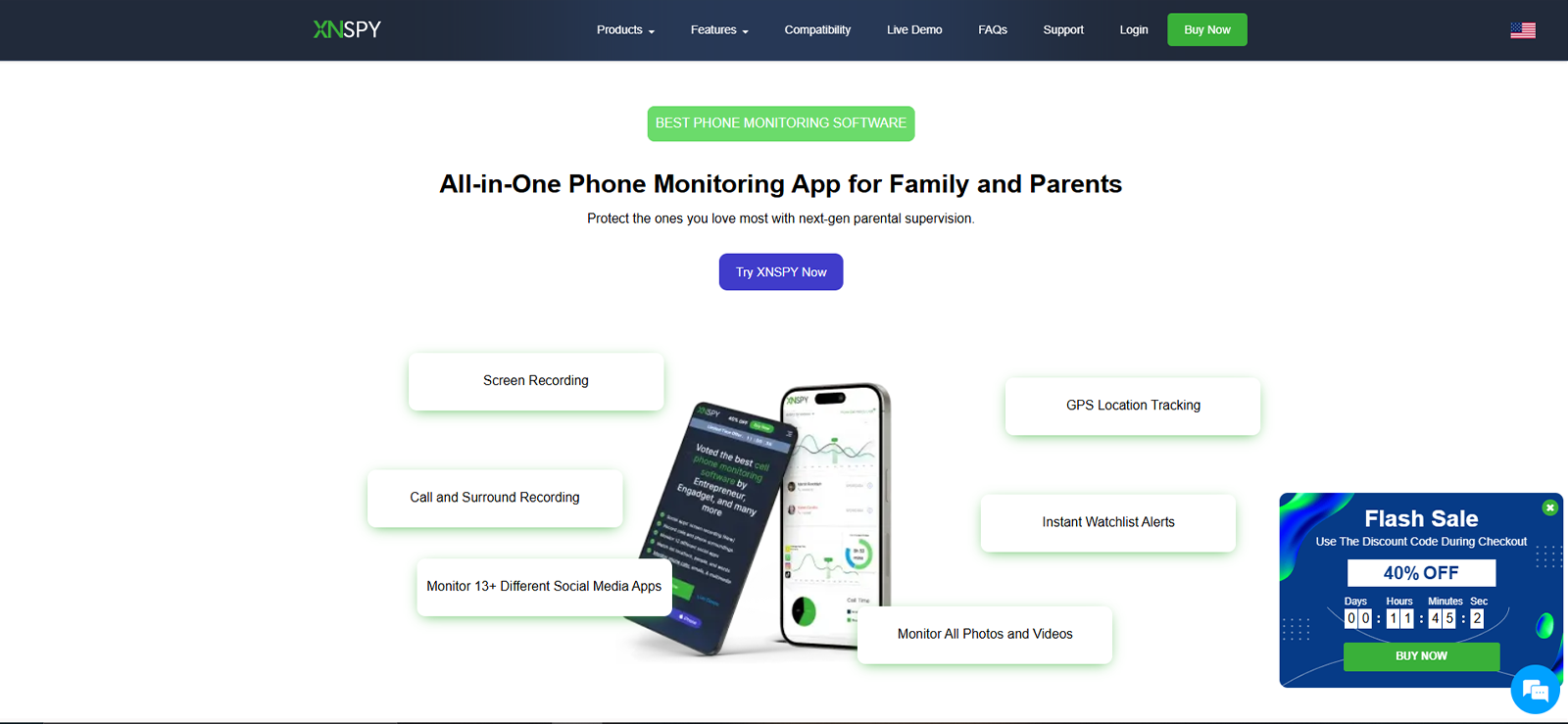
Xnspy is at the top of our list of best screen recorders for parents because it offers thorough visibility without any manual efforts. The primary focus of the Xnspy parental monitoring app is to protect children from potential online dangers without requiring parents to make excessive manual adjustments.
This is why, after a one-time installation on the target device, parents only need to open the dashboard whenever they want to check activity. Xnspy’s web-based dashboard updates in real time, and it stores the information, so parents can review their child’s activity later – even if the child deletes messages or the chats disappear.
Xnspy offers comprehensive monitoring. It ensures that parents receive all essential information about their child’s digital activities. Xnspy includes call and message logging, browsing history tracking, social media tracking, and parents can even track their real-time location without missing any data.
Xnspy Features
For screen recording of the target device, it has the following features;
Screen Recording
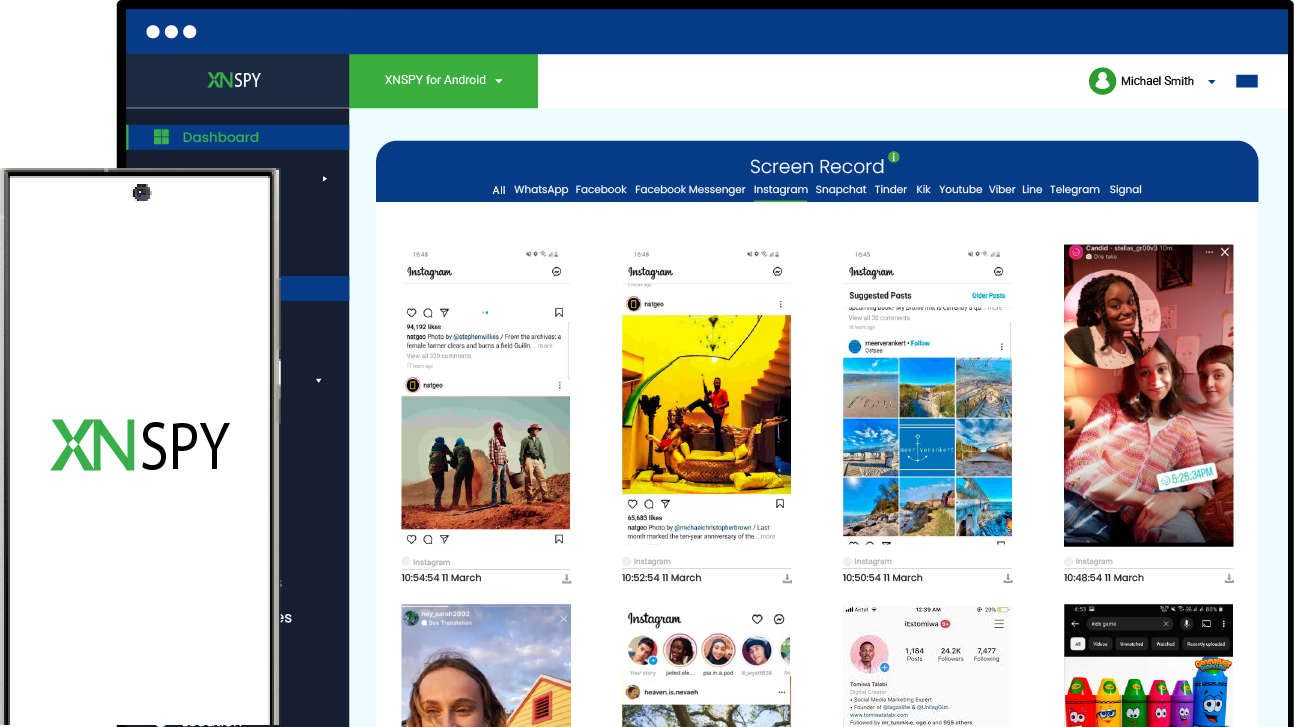
Xnspy’s screen recording feature captures periodic screenshots of the popular social media apps children use most these days. It includes Facebook, Instagram, Snapchat, Tinder, YouTube, and more. Parents can see everything from the stories they post to the content they consume.
Moreover, it is particularly helpful in case children keep deleting chat messages or hidden texts. During our tests, Xnspy captured screenshots of all the apps. We deleted many things, even posts and friends; however, all was captured in the screenshots.
Live Screenshots
In addition to automatic screenshots, Xnspy also has an ambient screenshot feature. If you want to know what your child is doing on their browser or ensure that the games they are playing are safe for them, you can use this feature. During our tests, we took multiple screenshots, and the feature worked well.
Chat Monitoring
If parents don’t want to see every little detail of phone usage, Xnspy also offers a feature that lets them see only the conversations happening on communication channels and social media apps. This feature also helps parents understand if their child is using their phone responsibly and not sharing any personal information with friends or strangers.
Xnspy Compatibility
Xnspy is compatible with both Android and iPhone, which makes it one of the best screen recorder apps for parents. It supports Android versions 4 and above and iOS versions 6 and above.
Xnspy Pricing
- Basic Plan: $4.99/month (billed annually)
- Premium Plan: $7.49/month (billed annually)
Xnspy Pros and Cons
| Pros | Cons |
| – Xnspy offers both automatic and manual screen recording options. It covers all the activities. – Xnspy offers a stealth mode, so children cannot uninstall or bypass the app. – The dashboard is very user-friendly. It allows you to add multiple devices, so parents can monitor all children through a single channel. – 24/7 customer service is available. | – Some features require a higher plan. – Installation is required on the target device |
Why Should Parents Buy Xnspy?
Xnspy’s screen recording feature is easy to use. Parents can easily understand what their children are doing online and protect them from any dangers they may encounter while using the internet.

Xnspy: Record Your Child’s Screen Activity Effortlessly
Stay informed and protect your children online with the best screen recording app.
– Capture live screens and periodic screenshots
– Track social media, messages, and browsing history
– Receive alerts for risky or suspicious activity
– Access all data from a secure, easy-to-use dashboard
Best Screen Recording Apps for Android
Next, we will look at 3 of the best screen recorders available exclusively for Android devices.
2. FamiSafe
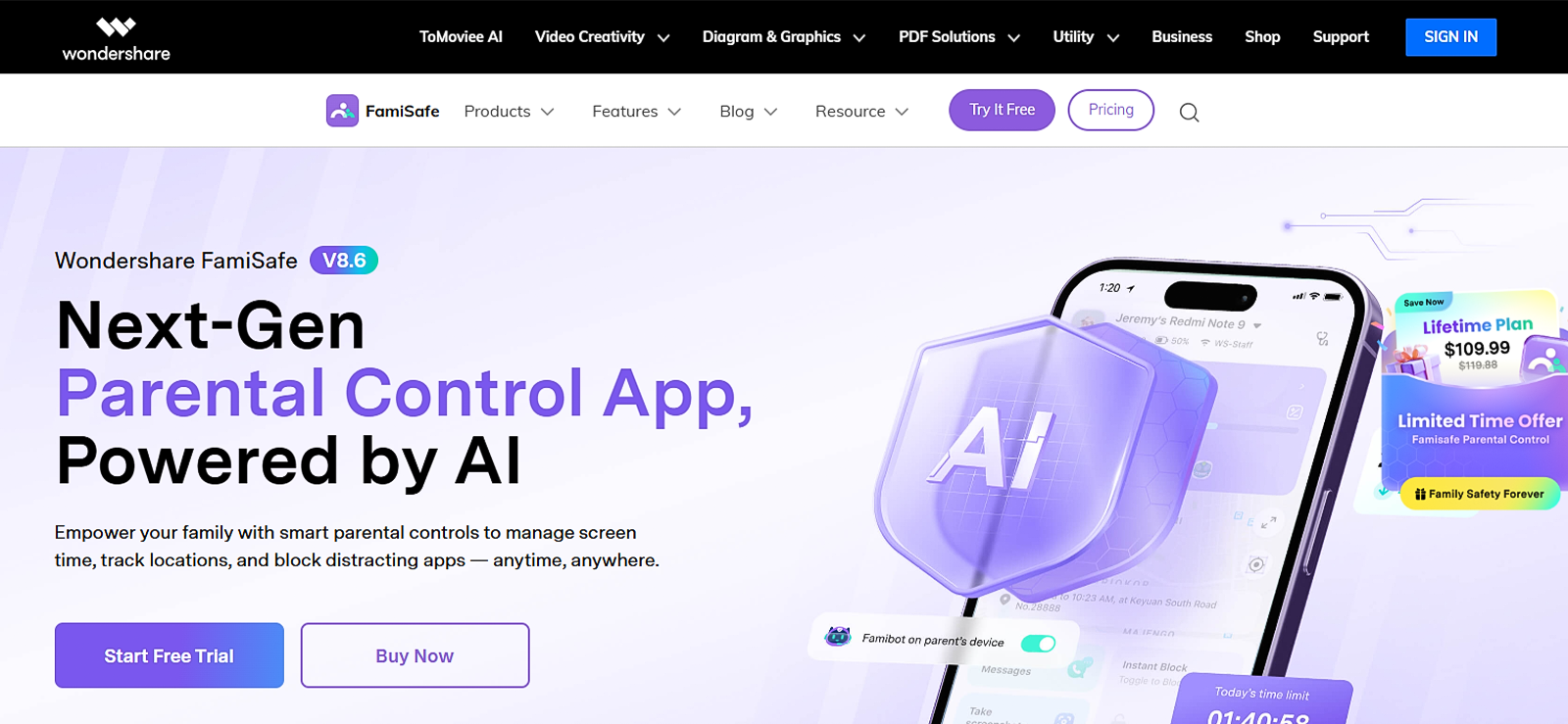
If you want an Android-specific app, FamiSafe is the second on our list. This app helps parents manage screen time and block inappropriate content without needing to check the phone manually every day.
Additionally, FamiSafe focuses on digital safety by providing automatic alerts so parents do not have to watch the screen constantly; the app notifies them if it detects a potential risk, such as cyberbullying or adult content.
FamiSafe Features
For monitoring the target device’s screen and activity, FamiSafe includes these tools:
Screen Viewer
FamiSafe allows parents to manually take screenshots of their children’s activities to see what they have been doing. It also has the option for parents to set intervals from 2 minutes to 30 minutes. This helps with automatic screenshot issues. Parents can change the option manually.
Detection of Suspicious Photos
In addition to screenshots, FamiSafe scans the phone’s gallery and screen captures for explicit or suspicious images. If the AI detects something inappropriate, it sends an instant alert to the parent. This helps prevent the sharing of harmful media. During testing, we found this feature to be very useful and to work well.
FamiSafe Compatibility
FamiSafe is compatible with both Android and iOS. However, the screen viewer feature works only on Android. It supports Android version 5.0 and above, and supports version 11.0 and above.
FamiSafe Pricing
FamiSafe offers many plans, like for children, for school, and one specifically for geo-fencing. For our test, we chose the FamiSafe for children option. The price for that is given below.
- Monthly Plan: $9.99/month
- Quarterly Plan: $19.99/quarter
- Annual Plan: $59.99/year
FamiSafe Pros and Cons
| Pros | Cons |
| – FamiSafe offers multiple plans for parents’ convenience. – The website and dashboard interfaces have been modernized and updated. – The app uses AI to detect harmful pictures. | – The app icon is visible on the child’s device. – Manual customization can be difficult for some parents. |
Why Should Parents Buy FamiSafe?
FamiSafe is one of the best screen recorder apps for Android because of the visibility ot offers for Android phones. Though it requires manual customization, it can still be helpful to parents. Other monitoring features also work well on the app.
3. FlexiSpy
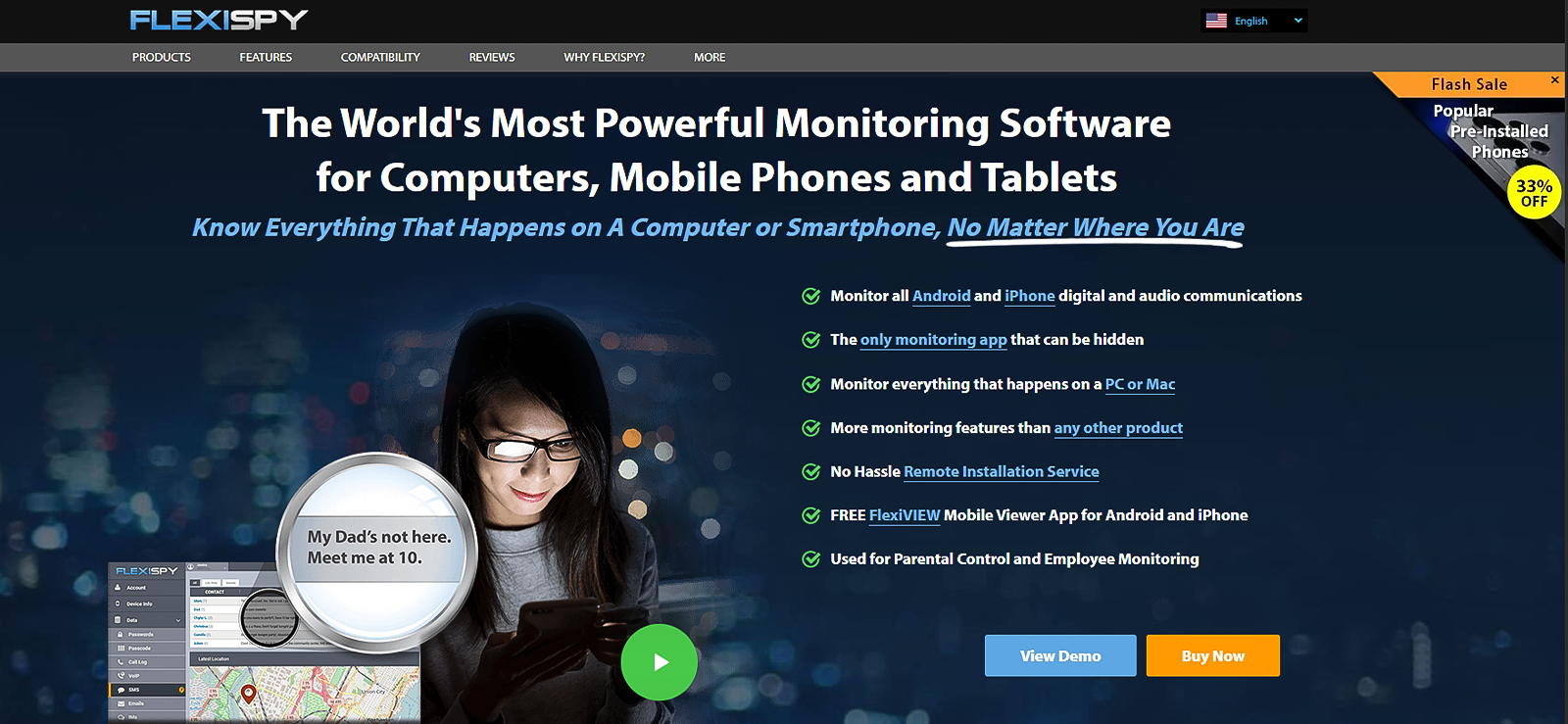
FlexiSpy is a monitoring tool for parents who need deep technical insights and control over their child’s device. It offers several monitoring features, such as call and message logs, occasions, keylogger, alerts, and more, to ensure children use their phones responsibly.
Overall, the app is useful and convenient, but the dashboard may seem cluttered, and the color palette can be heavy. Once installed, FlexiSpy runs in the background and sends data to a secure online portal that parents can access from any web browser.
FlexiSpy Features
For screen recording, FlexiSpy offers the following features.
App Screenshots
FlexiSpy offers periodic screenshots of the apps the target individual is using. It provides screenshots along with the time they were last updated. We tested this feature thoroughly, and it worked well, with only a few exceptions. FlexiSpy also takes screenshots of Chrome, which makes it more feasible for Android.
App Activity
FlexiSpy tracks all the activities of various apps. It shows when a particular app was launched and how much time the child has spent on the activity. In case parents want information about phone usage, they can use this feature to get the required clarity.
FlexiSpy Compatibility
FlexiSpy supports both iOS and Android devices. However, for screen recording in particular, only Android devices can be tracked. Overall, it supports versions 4.0 through 14.
FlexiSpy Pricing
- Lite Plan: $49.00/month
- Premium Plan: $79.00/month
- Extreme Plan: $119.00/month
FlexiSpy Pros and Cons
| Pros | Cons |
| – FlexiSpy offers several features, including remote camera and remote video tracking options. – The app is completely undetectable once installed. – Parents can purchase their phone with builtin FlexiSpy. | – The interface may seem cluttered. – Doesn’t include the ambient screenshot option. – It is significantly more expensive than standard parental control apps. |
Why Should Parents Buy FlexiSpy?
FlexiSpy is one of the best apps for screen recording for parents who need more than just a screen recorder. Although the feature works well, we included it in the best screen recorder apps for Android; however, its main focus is on location tracking. Overall, it can be good for monitoring children’s online and offline activities.

Quick Heads Up
If you are considering FlexiSPY, read our test results before making a decision.

4. AirDroid
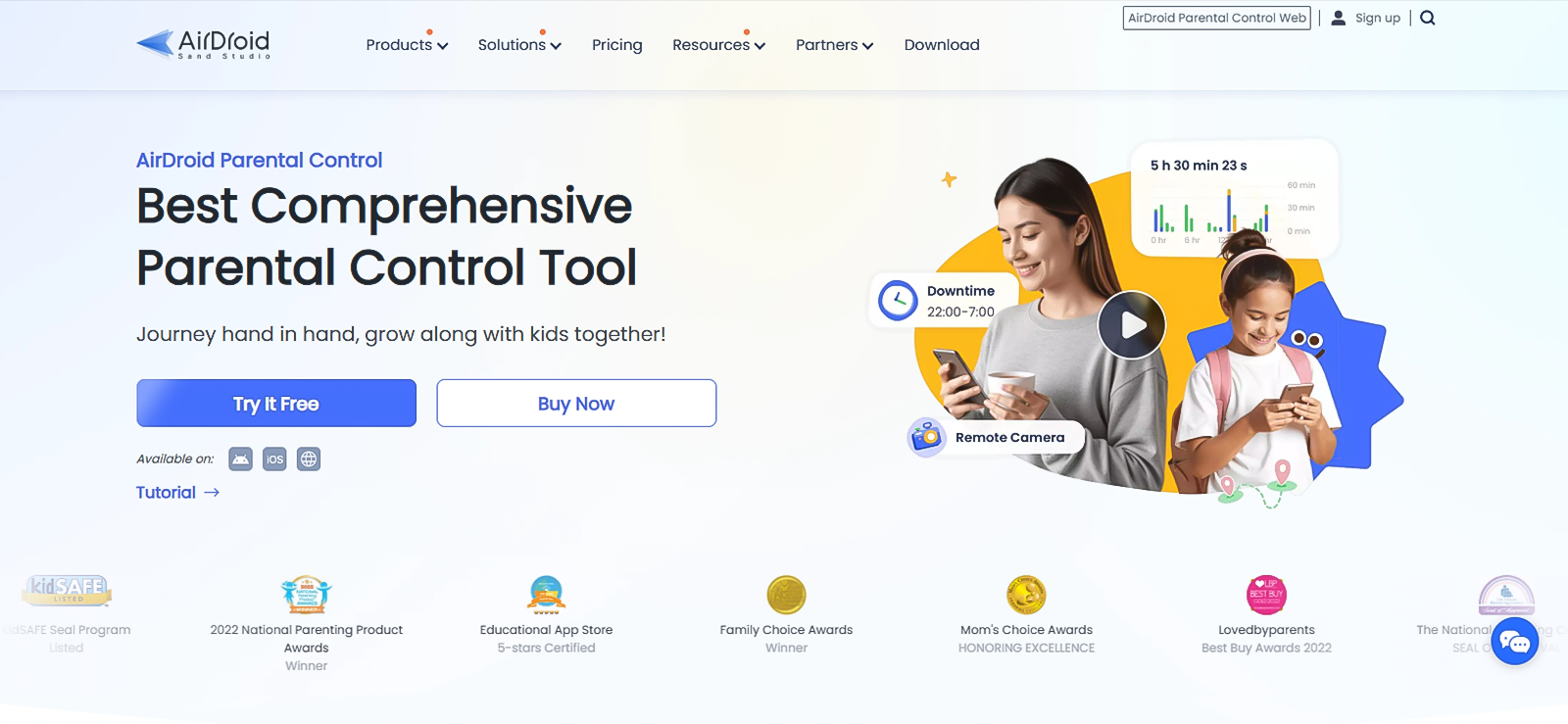
AirDroid Parental Control is a comprehensive tool that helps parents monitor their child’s digital environment in real time. It focuses on children’s ages and suggests age-appropriate solutions. The main features of the app are more related to location tracking.
However, it offers live screen mirroring, which is not a common feature in most monitoring apps. Other highlighted feature includes inappropriate image detection, website restrictions, and activity reports, etc.
AirDroid Features
AirDroid offers features for live monitoring and proactive content safety:
Live Screen Mirroring
The live screen mirroring feature allows parents to cast the child’s device screen to their phone in real time. It is used to see exactly which apps are being used and what content is being viewed. This is particularly effective for verifying if a child is staying on task during study hours or accessing restricted social media platforms.
Social Content Detection
AirDroid monitors activity across 14+ major social media platforms, including WhatsApp, TikTok, Instagram, and YouTube. It scans for specific keywords related to cyberbullying, adult content, or violence. When a match is found, the app sends an instant alert to the parent with details of the message or post.
AirDroid Compatibility
AirDroid supports a wide range of devices, though some remote monitoring features are specific to Android. For Android, it supports version 7.0 and above, and for iOS, it supports version 13.0 and above. However, features such as screen mirroring and audio are limited on iOS.
AirDroid Pricing
- Monthly Plan: $9.99/month
- Quarterly Plan: $19.99/quarter
- Annual Plan: $59.99/year
AirDroid Pros and Cons
| Pros | Cons |
| – AirDroid provides a lag-free view of the child’s active screen. – The app’s interface is user-friendly. – AirDroid allows parents to test all premium features before subscribing. | – There is no automatic screen recording option, and manual mirroring may take time and be excessive effort. – The “AirDroid Kids” app is visible on the child’s phone, which may lead to manual deletion attempts. |
Why Should Parents Buy AirDroid?
AirDroid is the best screen recording software because it offers a practical solution for parents who prioritize live interaction and keyword-based safety. Although it took time, the app worked fine during our tests and showed all the necessary information.
Best Screen Recording Apps for iPhone
Based on our testing, these 3 screen recording apps for iPhone stood out as the top choices.
5. iKeyMonitor
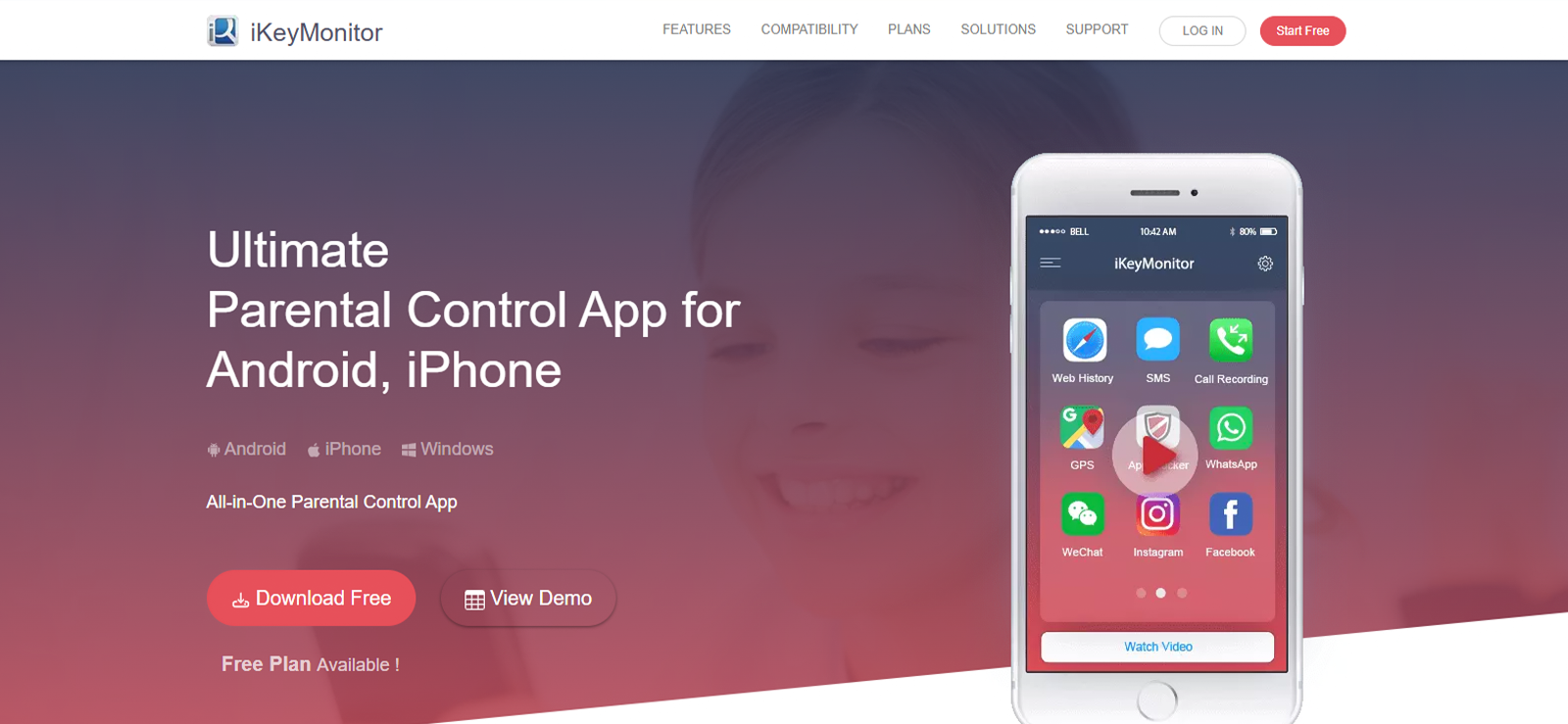
iKeyMonitor is a parental control and monitoring application that helps parents supervise their children’s smartphone activity to ensure safer online behavior.
It offers several monitoring features, such as social media monitoring, GPS location tracking, geofencing, call and SMS tracking, browsing history monitoring, screen time control, etc to provide a detailed overview of device usage. Once installed on the target device, it collects activity data and sends it to a cloud-based dashboard where parents can review it remotely.
iKeyMonitor Features
For screen recording, it offers the following features;
Live Screen Streaming
iKeyMonitor allows parents to view the target device’s screen in real time. It essentially mirrors the child’s phone onto the parent’s dashboard. They can see exactly what the child is doing at any given moment. This is particularly helpful for monitoring live video chats or disappearing content on apps. Parents can even track the entire deleted chat.
Action-triggered Snapshots
The app can capture screenshots at intervals or when specific actions occur, such as typing certain keywords or opening particular apps. Similarly, when a child touches or opens their phone, it takes a screenshot. It is called the “Touch-Action” snapshots. This ensures that every message, post, or photo is captured as it happens
iKeyMonitor Compatibility
iKeyMonitor supports both iOS and Android devices. However, it works more appropriately on iOS devices. It supports Android 4.0 and above, and for iOS, it supports all iPhone and iPad versions.
iKeyMonitor Pricing
- Family Free Plan: $0.00
- Full Plan (Mobile): $59.99/month.
- Annual Full Plan: $16.66/month (Billed annually at $199.92).
iKeyMonitor Pros and Cons
| Pros | Cons |
| – iKeyMonitor offers a lifetime free plan for basic tracking needs. – The app offers several features for overall monitoring. – The app’s stealth mode works well. | – The interface may feel outdated. – The monthly full plan is more expensive than many competitors. |
Why Should I Buy iKeyMonitor?
iKeyMonitor is one of the best screen recording apps for iPhone for parents who want a visual “slideshow” of their child’s day. While other apps rely on text alerts, iKeyMonitor’s touch-action snapshots and live streaming provide undeniable proof of what is happening on the screen. It is a highly functional tool for parents who need 100% visibility into deleted chats and hidden app usage.
Can’t Find What You Need?
Switch over to Xnspy and get the most extensive range of features.
6. LivingRoom
Next on our list of the best screen recorder apps for iPhone, we have LivingRoom, which is specifically designed for iPhones and iPads. It lets parents see what their children are doing on their devices through screen monitoring and automated content protection.
As the app’s focus is on screen recording, the features are built around it. All the screenshots are saved on the dashboard, where parents can monitor them at their convenience.
LivingRoom Features
The following are the most highlighted features of the app.
Screenshot
One of the core features of the LivingRoom app is full-screen monitoring. The app records the device screen while it is being used and periodically saves screenshots of the activity. Because it captures the entire screen, it can show activity across social media apps, messaging platforms, browsers, and games.
Automatic Nudity Detection
LivingRoom offers an automatic nudity detection system. We tested this feature extensively, and it worked most of the time, which was promising for the iPhone. In this feature, if explicit images are detected, the system immediately shields the screen to stop the child from viewing the content.
LivingRoom Compatibility
LivingRoom is optimized for the Apple ecosystem. It supports iPhone version 17.0 or later.
LivingRoom Pricing
Family Plan: $15.00/month
LivingRoom Pros and Cons
| Pros | Cons |
| – Since it records the full screen, it monitors every app, including those with “incognito” modes. – The interface is modernized and easy to use. – If the screen recorder is not connected to the internet, access is automatically restricted. | – LivingRoom is currently available only on iPhone and iPad; no Android support. – The child is always aware that they are being recorded because of the iOS recording indicator. |
Why Should Parents Buy LivingRoom?
LivingRoom is a good screen recording app for parents who want a “fail-safe” monitoring system for iPhones. Its unique approach of linking internet access to screen recording ensures that no activity goes unrecorded.
7. Eyezy
Eyezy is a monitoring solution that provides parents with a comprehensive overview of their child’s digital life. It tracks social media activities, calls, messages, location, and web activity. Parents would need to install the app once on the target device. After installation, Eyezy works quietly in the background, sending data to a private dashboard that parents can access from any device.
Eyezy Features
Eyezy is included in the list of the best screen recorder apps for iPhone for the following features
Screen Recorder
This feature allows parents to see exactly what is happening on their child’s screen. It captures periodic screenshots of activity in popular apps such as WhatsApp, Snapchat, Instagram, and Facebook. While testing, this feature worked fine. We were able to see the screenshots of social media profiles 90% at the time.
Social Spotlight
This feature is specifically for social media apps. Parents can read private text conversations and view shared media on over a dozen platforms, including Tinder, Kik, and Telegram. It ensures that parents know exactly who their children are talking to and what they are discussing.
Eyezy Compatibility
Eyezy is compatible with both Android and iPhone. On Android, it supports version 4.0 and above; on iPhone, it supports all versions.
Eyezy Pricing
- 1-Month Plan: $47.99/month
- 3-Month Plan: $27.99/month (billed quarterly)
- 12-Month Plan: $9.99/month (billed annually)
Eyezy Pros and Cons
| Pros | Cons |
| – The app runs in stealth mode. – It includes features that track conversations with AI platforms. – It offers several features for protecting children from physical dangers. | – The interface may feel cluttered and require manual settings. – Free trial is not available. |
Why Should Parents Buy Eyezy?
When it comes to good screen recording apps for parents, Eyezy offers deep insights into social media interactions and web searches. Moreover, the remote viewing options can be helpful.
Conclusion
Screen recording a child’s device can be uncomfortable for many parents, but it is one of the most reliable ways to understand what is actually happening on their screens. Alerts, summaries, and activity logs often miss important context, while screen recordings provide clear visual proof of interactions, content, and behavior.
At the same time, many apps claim to offer screen recording but fail to deliver consistent results. That is why we tested multiple tools before compiling this list. While each app mentioned works well, parents should always review local laws, use monitoring responsibly, and ensure that any tracking is done ethically and in the best interest of their children’s safety.
FAQs
Is it legal for parents to use screen recording apps to monitor their teens’ phones?
In most regions, parents are legally allowed to monitor devices they own or those belonging to their minor children. However, laws can vary by country or state. It is always recommended to check local regulations and inform children about monitoring to maintain transparency and trust.
Can parents use remote screen recorders on both Android and iPhone?
Some best screen recording apps support both Android and iOS devices. For example, Xnspy tracks activities on iPhone and Android devices, but screen recording capabilities may differ across apps. It is best to check compatibility and feature availability before choosing an app.
Can my child detect screen recording apps on their phone?
This depends on the app and the device. Some monitoring apps operate in stealth mode and run quietly in the background, while others show a visible icon or notification. On iPhones in particular, system indicators may reveal that screen recording is active. Usually, stealth mode is used to ensure that parents get accurate data and that children are not hiding anything.
Are screen recording apps safe to use on kid’s phone?
Reputable apps use encrypted dashboards and secure servers to store monitoring data. However, parents should always choose trusted providers, read privacy policies, and avoid unknown or unofficial apps. Also, try not to go for free screen recording apps.
Can screen recording apps help reduce excessive screen time among children?
Yes, they can indirectly help manage screen habits. By reviewing recorded activity, parents can identify how long children spend on games, social media, or other apps and the reasons for this extensive time. This information helps families identify issues, set healthier boundaries, and encourage balanced device use.
Leave a reply:
Your email address will not be published. Required fields are marked*

Jenny Nicole
Member since October 23, 2014
Jenny Nicole
Member since October 23, 2014
Jenny Nicole is a teen psychology and digital behavior specialist with an MSc Developmental Psychology & Psychopathology from King's College London, graduated 2017. Her work revolves around how adolescents communicate and make decisions in digital environments, particularly on social media and messaging platforms. Over the past 5 years, she has written extensively on teen smartphone behavior, online peer dynamics, the psychological impact of social media, and the need for oversight. Her work has helped parents and educators interpret not just what teens are doing online, but why they are doing it. Overall, she has not only authored over a hundred guides breaking down child psychology for parents but also regularly spoken at family safety and internet governance conferences across the UK and US.