FamiGuard Review: Our Test Results, Performance, and Verdict
 By Stephen Hawks
The complete monitoring experience for your phone
Get XNSPY and start tracking calls, texts, multimedia, locations and more on any phone!
Get Started Now Live DemoThere is rarely a calm reason a parent starts looking into a parental control and monitoring app.
It may begin with an unexpected notification or a conversation that suddenly disappears, which leaves them unsure about what is happening on their child’s device.
That uncertainty is exactly what apps like FamiGuard claim to address. So our team put FamiGuard under the microscope to see how much visibility it actually provides.
We wanted to answer all the important questions in this review: Does it actually work where it counts, or is it just another app with a long list of features and inconsistent real-world performance?
FamiGuard Pro markets itself as a one-stop parental control solution with support for Android, iOS, and iCloud, covering everything from call logs to live screen recording. But listing features isn’t testing features. So instead of repeating the product page, we spent over a month installing, using, poking, and stress-testing the app across two devices under realistic, everyday conditions.
Here’s what we found.
FamiGuard at a Glance
| Category | FamiGuard Specification |
| Core Purpose | Parental control and phone monitoring for children and families |
| Compatibility | Android (6.0+), iOS (all versions – limited features) |
| Setup Time | ~20–30 minutes for full configuration |
| Installation Complexity | Moderate on Android; iCloud method is credential-based; iOS direct install requires physical access |
| Free Trial | No (demo available) |
| Pricing | 1-Month: $39.99/month · 3-Month: $19.99/month · 1-Year: $9.16/month |
| Real-Time Syncing | Near real-time on Android; variable on iOS |
| Best For | Parents who need deep monitoring, call recording, and social media tracking |
| Not Ideal For | iOS-only households expecting full feature parity |
How We Tested FamiGuard for This Review
To ensure this review reflects real-world use rather than marketing copy, our team of 4 reviewers conducted a structured evaluation over more than 30 days across two devices.
We tested FamiGuard on one Android device and one iOS device. For iOS, we specifically chose to install the app directly on the device rather than using the iCloud credential method.
We wanted to see how the actual FamiGuard app performs when installed directly on an iPhone
Most features were run through between 5 and 15 test cycles, depending on complexity, and tested under different network conditions, such as strong Wi-Fi and weak-signal environments.
Monitoring Accuracy & Coverage – 30%
We tested how accurately the app captures and surfaces activity data. This included checking call logs across 20 outgoing and incoming calls, verifying message capture across SMS and social media apps, and running location updates across 14 movement sessions over 5 days.
Feature Performance Under Real Conditions – 25%
Core features were assessed through repeated execution cycles with GPS tracking over 7 days of movement, geofencing alerts across 5 configured zones, screen recording capture and sync, and keylogger output across 3 input-heavy sessions per day.
Real-Time Responsiveness & Syncing – 20%
Sync speed was evaluated by measuring how quickly data reached the FamiGuard dashboard after occurring on the device. Web visits and location updates were tracked across 60+ sync observations over the testing period.
Ease of Use – 15%
The full FamiGuard app download and setup process was done on both Android and iOS, from account creation to the first data appearing in the dashboard. Total setup time on Android averaged 22 minutes, and iOS direct installation took closer to 28 minutes due to additional permission prompts.
Cross-Device & Platform Behavior – 10%
Each key feature was tested on both platforms independently to evaluate whether behavior was consistent or if the experience differed significantly between Android and iOS.
What Is FamiGuard? A Quick Overview
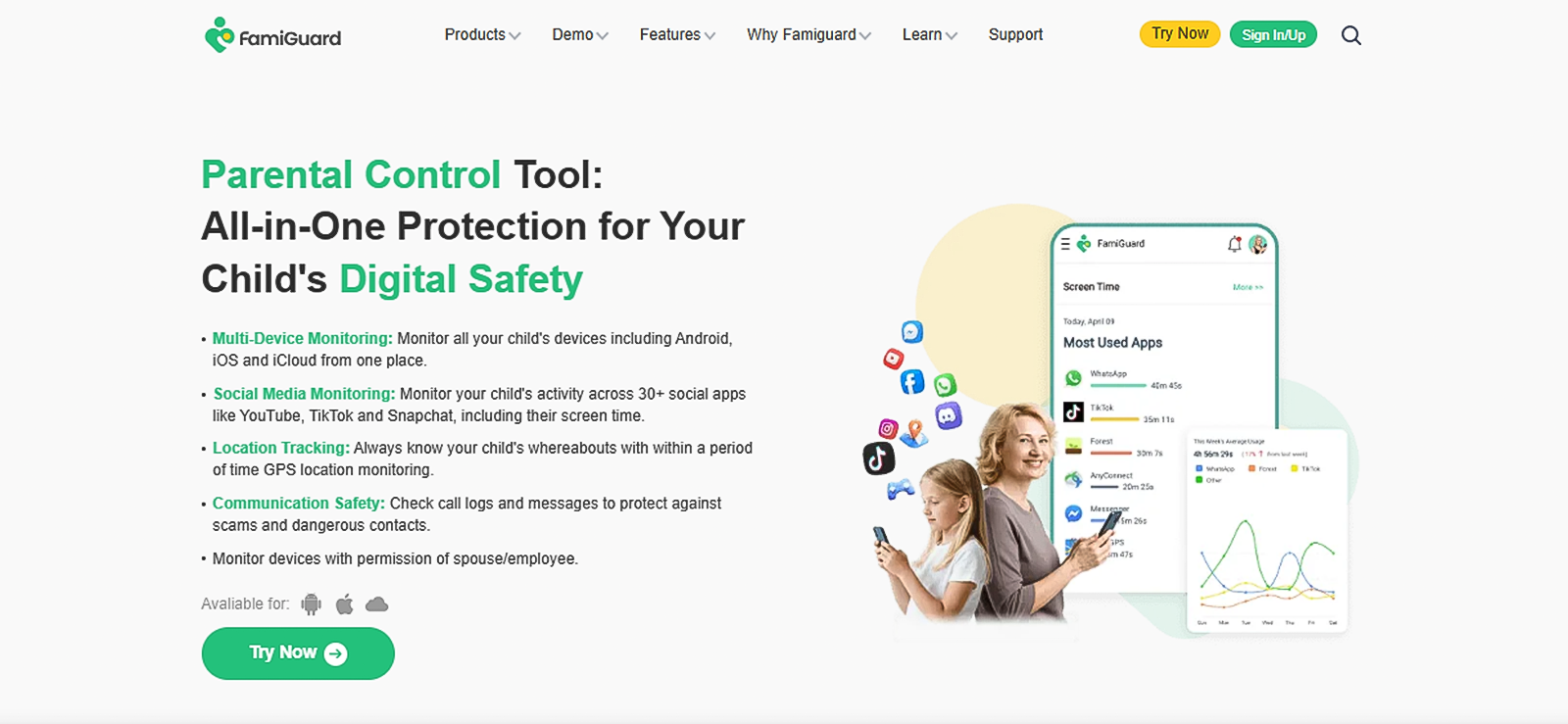
FamiGuard is a parental control and monitoring app developed by iMyFone, a company with a wider portfolio of mobile utility software. The app is designed to give parents visibility into their children’s digital lives by covering calls, messages, location, social media, and screen activity.
What stood out immediately during our initial setup was that FamiGuard occupies a space between a traditional parental control tool and a more surveillance-oriented monitoring solution. It does both, but its deeper value lies in the monitoring depth: call recording and live screen recording capabilities that more basic parental apps simply don’t offer.
It’s also worth noting that FamiGuard’s feature set is not identical across platforms. Android gets the fullest experience, while iOS, via direct app installation, offers a decent feature set, but some capabilities, particularly call recording and certain social media reads, are more limited than on Android.
How Does the FamiGuard App Work?
From our testing, we discovered that FamiGuard operates on a background data collection model. Once installed on the child’s device, the app runs silently in the background, collects activity data, and syncs it to the parent’s web-based dashboard.
The cycle we observed consistently across the testing period was: FamiGuard collects data on the target device → encrypts and uploads it to FamiGuard’s servers → the parent accesses it via the online dashboard from any browser. The dashboard doesn’t require a native app on the parents’ side, which we found convenient.
On Android, the app runs with elevated system permissions, which allow it to capture keystrokes, record calls, and take periodic screenshots. On iOS (direct install), it relies on available system APIs, which means it can monitor a meaningful range of activities but not quite at the same depth as Android.
FamiGuard Installation
FamiGuard app download on Android took us approximately 22 minutes from start to finish. The process begins on FamiGuard’s website: create an account, purchase a plan, then follow the setup guide to enable installation from unknown sources and grant a series of device permissions.
The number of permissions required during setup is significant, though: accessibility access, notification access, usage data access, device administrator rights, and more. First-time users should expect a few minutes navigating Android’s permission settings. Once done, the app runs invisibly in the background.
For iOS, we deliberately bypassed the iCloud credential method. We wanted to evaluate the direct iOS app installation experience. This gave us a clearer picture of how FamiGuard performs when installed natively on an iPhone. iOS Setup took around 28 minutes, with the extra time coming from navigating iOS trust settings and granting the necessary permissions.
On the other hand, the iCloud method requires only the Apple ID credentials and no physical device access, but it delivers a narrower feature set.
Also, searches for FamiGuard Pro mod APK circulate online, but we don’t recommend or have tested any modified or cracked version of the app.
FamiGuard Compatibility
FamiGuard supports a notably broad range of devices and operating systems. Based on what we observed during testing and confirmed on the official website:
- Android: Android 6.0 and above
- iOS: All iOS versions and all iPhone models via direct app installation (limited features)
- iCloud: No device version limitation, works through iCloud credential access
- Computers (FamiGuard Monisen): A separate product that supports Windows-based computer monitoring
For this review, we tested on an Android and an iPhone, both of which fall comfortably within the supported range.
FamiGuard Interface
The FamiGuard dashboard is browser-based and accessible from any device with an internet connection. The left-side navigation panel looks well-organized; it groups features into categories like Phone Files, Location, Social Apps, Remote Control, and App Activity, which sounds logical until you actually start using it.
Our team spent the first session browsing more than monitoring. The Keylogger, for example, is buried inside “Phone Files,” not alongside other monitoring tools where a parent would naturally look for it.
We tested the dashboard in Chrome, Firefox, and Safari. It loaded without issues in all three. The social apps section did benefit from having individual app sub-tabs rather than a flat message dump, which made switching between WhatsApp and Instagram logs reasonably fast.
But the navigation friction kept coming up during our testing sessions. The interface works; it just asks more of the user than it should.
FamiGuard Pricing
FamiGuard offers three subscription tiers, all covering one device per plan:
- 1-Month Plan: $39.99/month
- 3-Month Plan: $19.99/month (billed as ~$59.97 total)
- 1-Year Plan: $9.16/month (billed as $109.99 annually)
For our testing, we purchased two separate FamiGuard Pro subscriptions, each on the 1-month plan at $39.99.
FamiGuard Parental Control Features
FamiGuard’s feature list reads impressively on paper: call recording, keylogging, live screen recording, GPS tracking, and 30+ social media platforms all in one app.
So, our team went into testing to see whether the actual FamiGuard reviews hold up to that claim. Here’s the full picture.
Call Logs & Call Recording
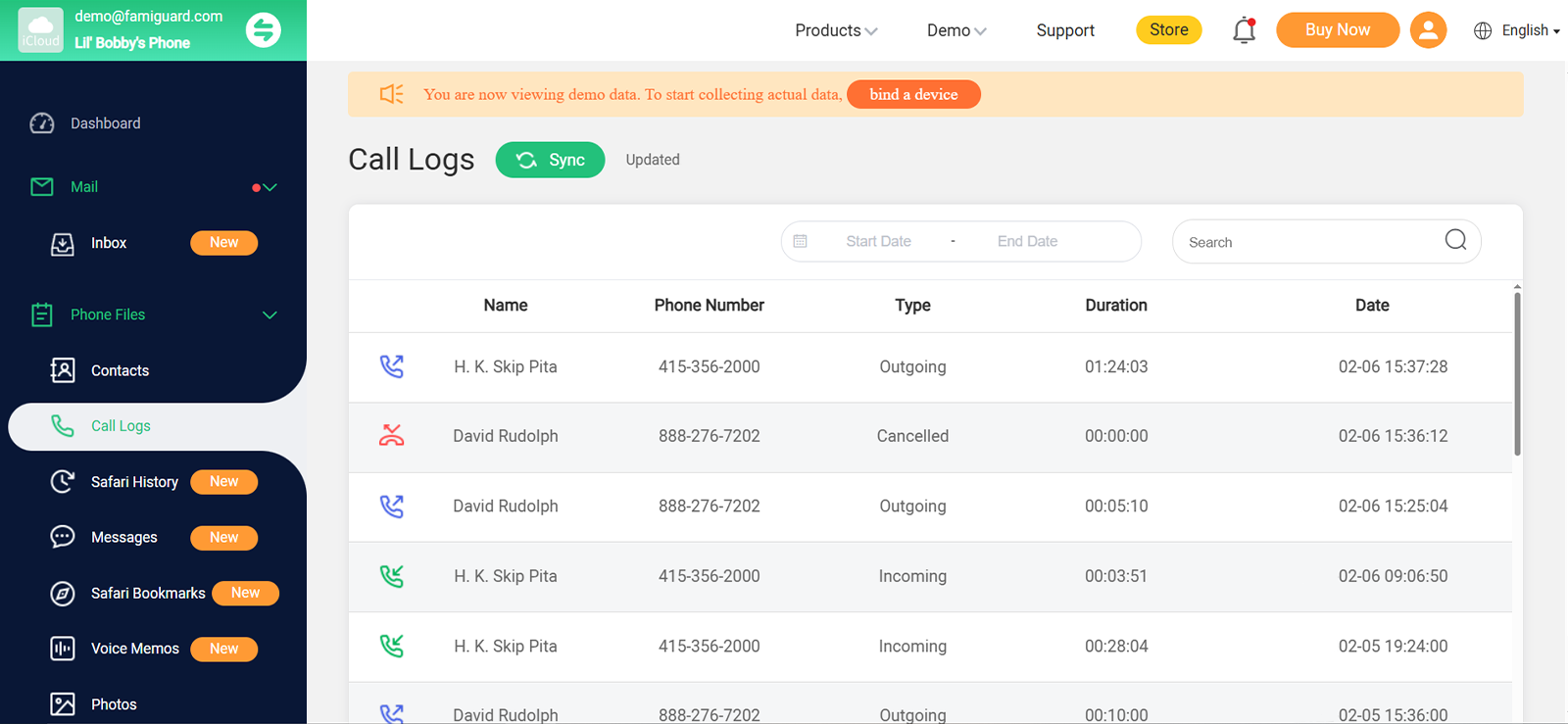
Our team ran call monitoring tests across 20 calls total, 10 outgoing, 10 incoming, over a 5-day window on the Android test device. Call logs, such as the contact name or number, timestamp, and duration, were available for 17 of those 20 calls.
Three logs were missing entirely; two eventually logged after a delay of 14 and 22 minutes, respectively, while one never synced at all despite the device having a stable connection throughout.
We retested the same scenario the following day, and the log appeared within 6 minutes, which told us syncing behavior was inconsistent rather than broken.
Call recording, which is one of the headline features for this FamiGuard parental control app, was tested across 15 separate calls on Android. It worked in 11 of those 15 attempts. In the 4 cases where recording failed, the recording triggered but produced completely empty audio files.
We were disappointed by this, particularly because call recording is a premium feature being charged for at the monthly plan rate. The team concluded that when it works, the audio quality is adequate, and voices are clear, though calls made in noisier environments had background interference that made the recording harder to follow.
On iOS, call recording is simply unavailable through the direct installation method.

Monitoring Shouldn’t Be a Guessing Game
Switch to Xnspy for a reliable picture of your child’s digital life.
Message Monitoring
For SMS monitoring on Android, our team sent and received 25 test messages across multiple contacts over 3 days. Of those 25, 22 synced up on the dashboard with full message content, contact names, and timestamps.
The other three messages were delayed by 11 and 17 minutes during the active testing window, and we concluded that this was due to a data retention issue on FamiGuard’s servers.
Now, for iOS, the picture was noticeably lower than on Android. Out of 25 test messages, only 19 succeeded, and the delay pattern was more erratic: some appeared within 3 minutes, while others took close to 25 minutes during active monitoring sessions.
GPS Location and Location History
GPS tracking was tested across 14 movement sessions over 5 days, covering outdoor urban areas, a suburban neighborhood, an indoor shopping mall, and one basement-level environment.
On Android, live location updates were successful in 11 of those 14 sessions. One failure occurred in a basement with no GPS signal, which was expected. In another session, the location took more than 20 minutes to update despite a stable mobile data connection. The third session showed a position approximately 400 meters away from the actual location.
Our team found the last result concerning because location precision matters in child-safety use cases. But the location history map view is genuinely one of FamiGuard’s stronger elements. Movement paths are plotted chronologically with timestamps, and the visual trail of a device’s movement over a day was clear.
Now for geofencing, we configured 5 zones, and out of 5 zone triggers, only 3 generated alerts within a reasonable window.
The other two attempts failed to register consistently even after the device crossed the same boundary more than once. This suggested that FamiGuard’s geofencing can become unreliable when detecting repeated entries and exits.
Social Media Monitoring
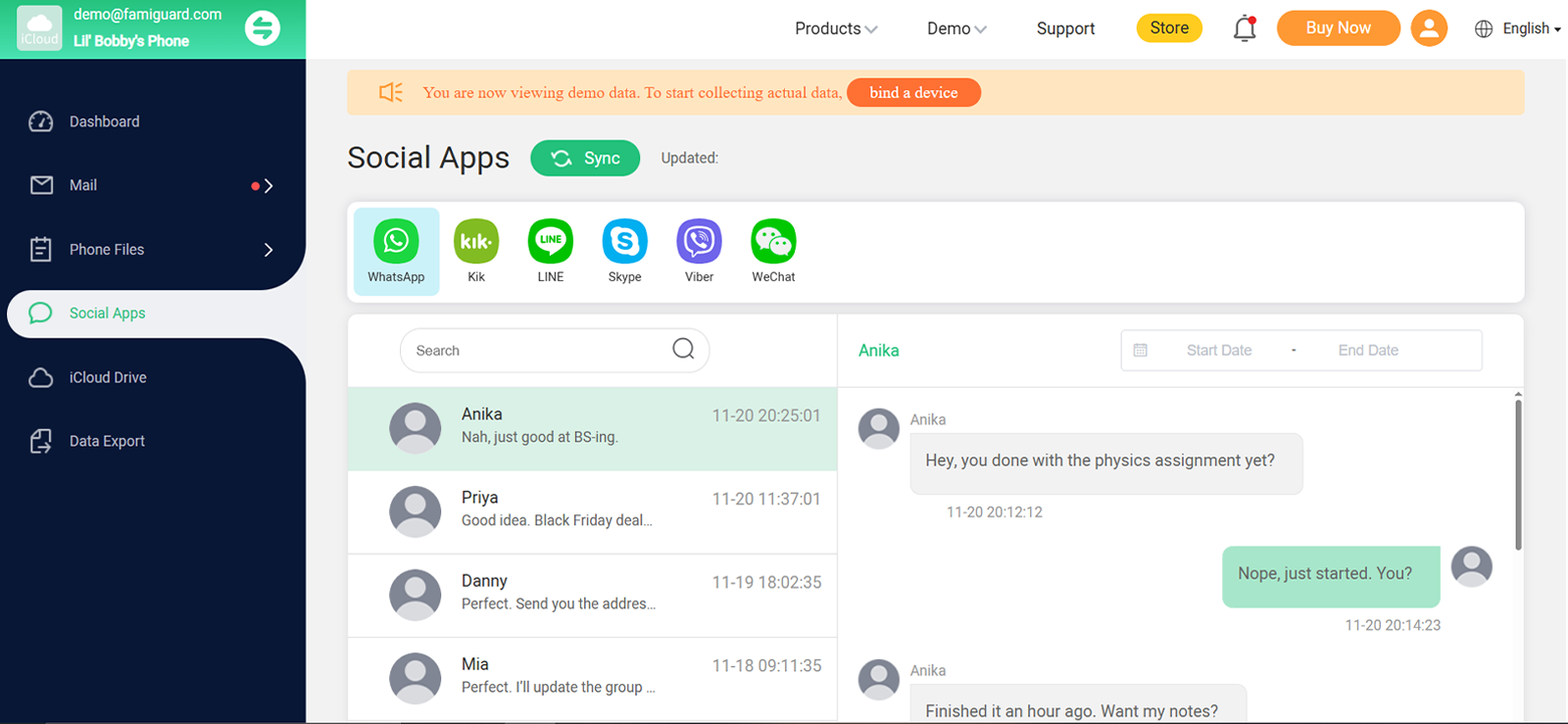
FamiGuard claims to cover 30+ social media and messaging apps, but our team noticed only 16 apps were available on the FamiGuard demo, which means the claim didn’t quite land.
The results were uneven across platforms in ways that reveal a gap between marketing and reality. We sent and received 25 test messages each on WhatsApp and Facebook Messenger on Android.
WhatsApp delivered 22 of 25 in the dashboard; the 3 missing messages all occurred during a window when the target device had briefly switched from Wi-Fi to mobile data, suggesting the app’s sync trigger is sensitive to network transitions rather than purely dependent on connection availability.
Facebook Messenger showed 21 of 25, and the pattern there was different: the 4 missing entries were from a period of normal, stable connectivity with no network changes, which our team couldn’t attribute to anything specific, and FamiGuard’s support documentation doesn’t address.
With that, Instagram direct messages were trickier: out of 20 test DMs we sent and received, only 13 appeared, and 4 of those arrived with delays exceeding 15 minutes.
Our team noticed that the missing Instagram DMs were almost entirely from conversations where both parties were actively typing in quick succession. The app struggles to capture rapid back-and-forth exchanges because the notification-read interval isn’t fast enough to catch every message.
In our tests, TikTok monitoring logged app usage time and general activity, but did not capture in-app messages.
Also, the iOS case was different; the social media picture was significantly thinner. WhatsApp was partially functional, and Instagram and Snapchat monitoring barely registered. Our team expected a reduction in iOS coverage, but the gap was wider than the website’s general compatibility claims implied.
Live Screen Recording
Screen recording is arguably the most compelling feature in FamiGuard’s lineup, and on Android, it was one of the more reliable features we tested, with some important caveats.
The app captures periodic screenshots of the device’s screen and uploads them to the dashboard under the Live Recording section. During our 8 screen recording test sessions on Android, 7 captures were logged onto the dashboard without issues.
In one of the remaining sessions, our team noticed a gap of approximately 18 minutes in the screenshot timeline. The device was actively in use during that window, but no captures appeared for that stretch.
We also ran an offline stress test: we disconnected the device from the internet for 20 minutes while continuing to use it normally. When connectivity was restored, captures from the offline window did upload, though with a batch delay of about 3–4 minutes.
However, on iOS via direct installation, periodic screenshot capture was not available. This is one of the feature gaps where the difference between Android and iOS is most stark and most impactful for parents who specifically want this kind of visibility.
Keylogger
FamiGuard’s keylogger is designed to record every keystroke entered on the target device, organized by app and timestamp. This means parents can see search queries, typed messages, notes, and even passwords.
So, our team tested this across 15 sessions over 5 days on Android, running inputs across search engines, WhatsApp, and note-taking apps.
The results were mixed in a way we didn’t expect. Keystrokes were consistently captured across 12 sessions. However, over 3 sessions, we noticed significant gaps in the logs: two occurred after rapid app switching, and our team noticed that FamiGuard did not always maintain continuous capture during transitions. The third keystroke synced after the device was locked and reopened mid-session, with logging resuming only after typing had already continued.
And for iOS, the keylogger is simply not available. FamiGuard does not offer this feature on iPhone at all. If keylogging is a priority and the target device is an iPhone, this app will not help.
One practical friction our team flagged is that there’s no built-in search or filter within the keylogger section itself. To set up keyword-based alerts, you have to navigate to a separate “Track Keywords” section, which is a disconnect that makes the feature less intuitive than it should be.
FamiGuard Pros and Cons
After putting FamiGuard through practical testing, we identified several useful strengths alongside a number of limitations that may affect its value for everyday monitoring.
FamiGuard Pros
- Deep monitoring feature set on Android, call recording, keylogging, screen capture, and social media monitoring all in one app.
- Location tracking was mostly accurate, and the movement history map is useful.
- Screen recording continued to capture data during internet disconnections and was batch-uploaded on reconnect.
- Dashboard layout is clean and intuitive for most users.
- Wi-Fi logger adds a supplementary location layer.
- 30-day money-back guarantee reduces purchase risk.
FamiGuard Cons
- iOS feature depth is significantly narrower than Android, with no call recording and no screen capture via direct install.
- The FamiGuard cost is only reasonable on the annual plan, but the per-device model means expenses add up quickly for families monitoring more than one device.
- Social media monitoring capture rates were inconsistent during our tests.
- No free trial; the demo dashboard shows the interface but not live data from your own test device.
- Geofencing alert delays of 2–8 minutes reduce the real-time usefulness of the feature.
- Keylogger output lacks built-in filtering, which can make reviewing large volumes of data time-consuming.
- The FamiGuard login portal is web-only; there’s no dedicated parent monitoring app.
FamiGuard Reviews by Real Customers
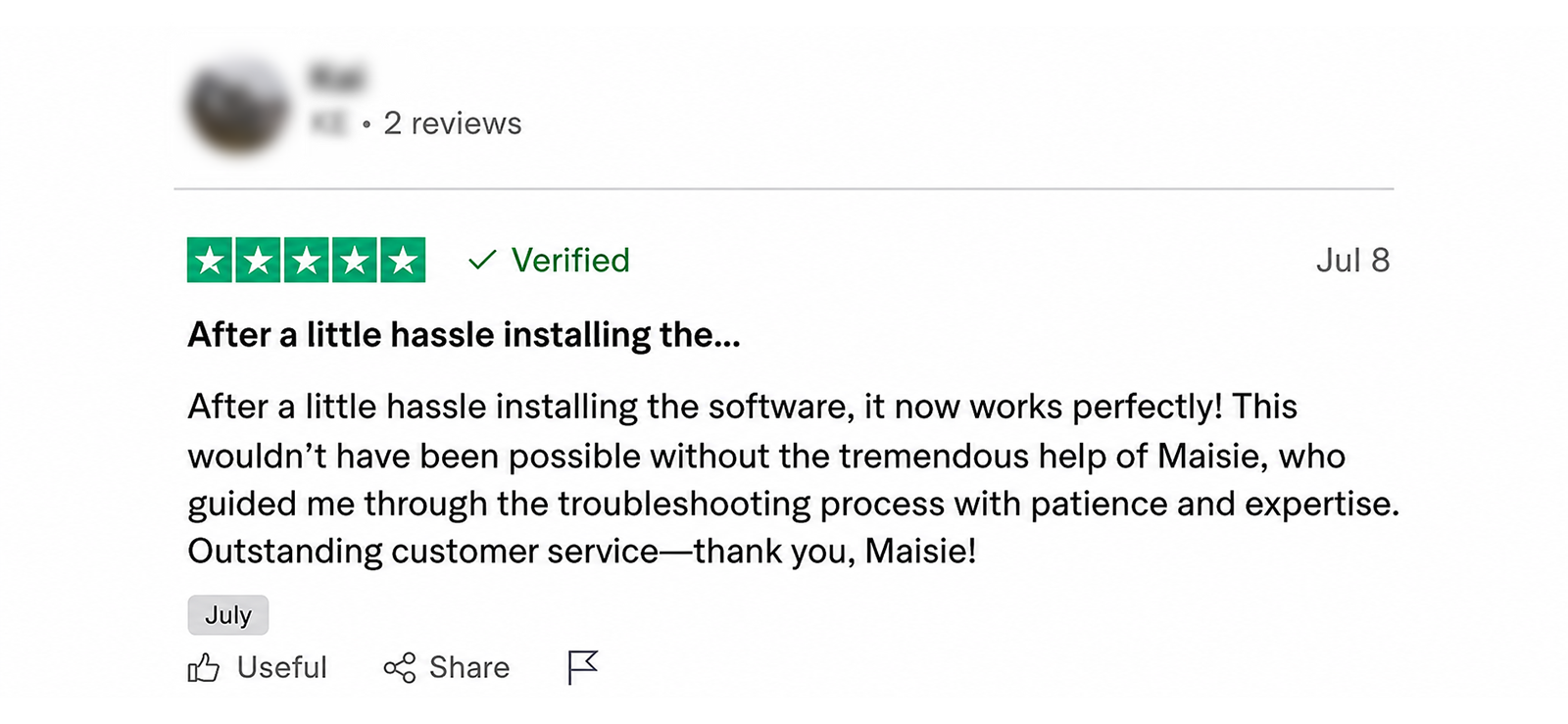
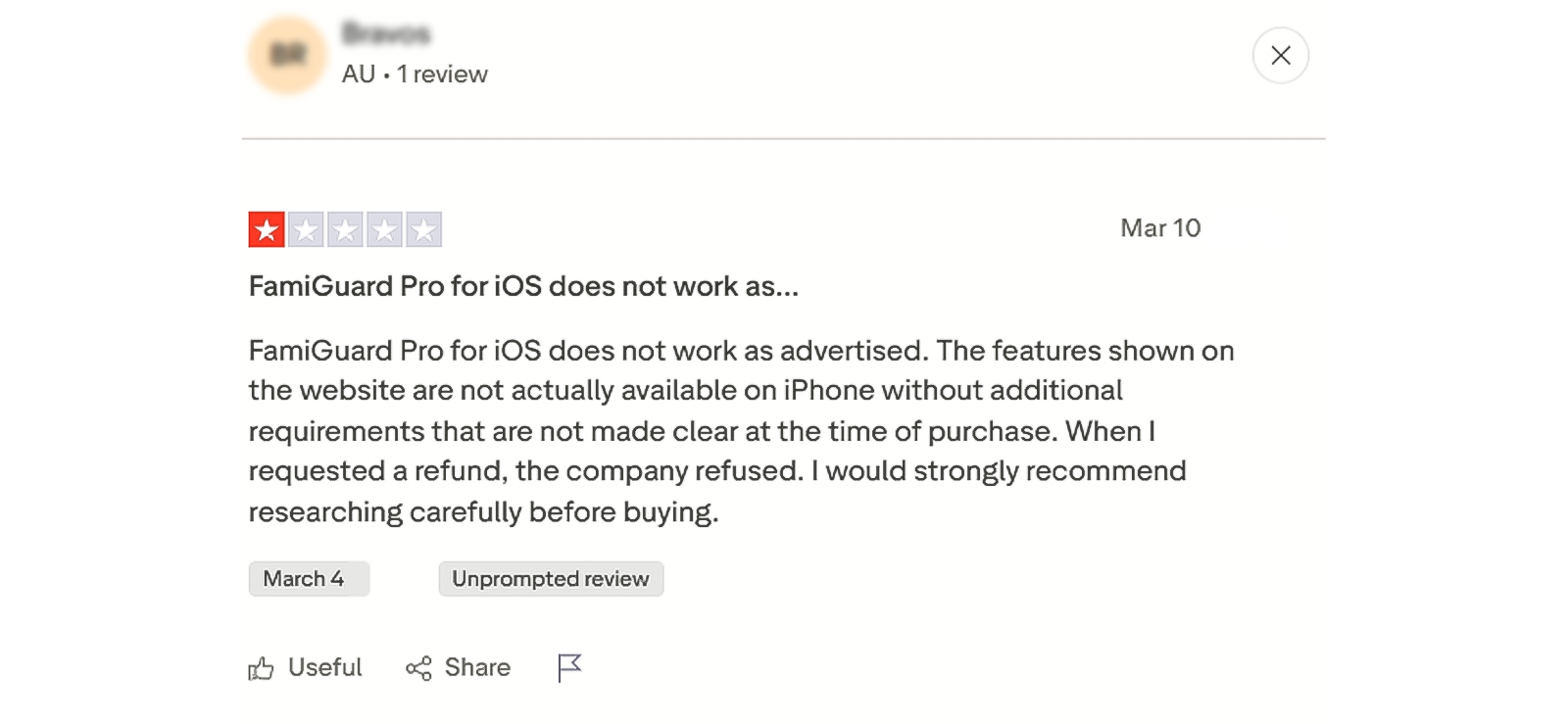
Does FamiGuard Deliver Enough in Real-World Use, or Is It Time to Consider a More Capable Alternative?
This question, Is FamiGuard legit, comes up frequently, and based on our testing, it is, largely, on Android. The core features work. Call recording, location tracking, screen recording, and message monitoring all functioned in the range.
But the credibility gap appears in two areas. First, iOS performance falls short of what’s advertised on the features page. Second, the per-device subscription model and absence of a free trial mean you are committing real money based on a demo rather than live testing.
For families with Android devices and children who are at least partly tech-unaware, FamiGuard’s parental control capabilities are meaningful. But for parents who need more consistent cross-platform performance and deeper monitoring without iOS limitations, an alternative is worth evaluating.
So we decided to test another tool to give users a clear view of what FamiGuard lacks and what other apps offer. That alternative is Xnspy.
What is Xnspy? A Quick Overview
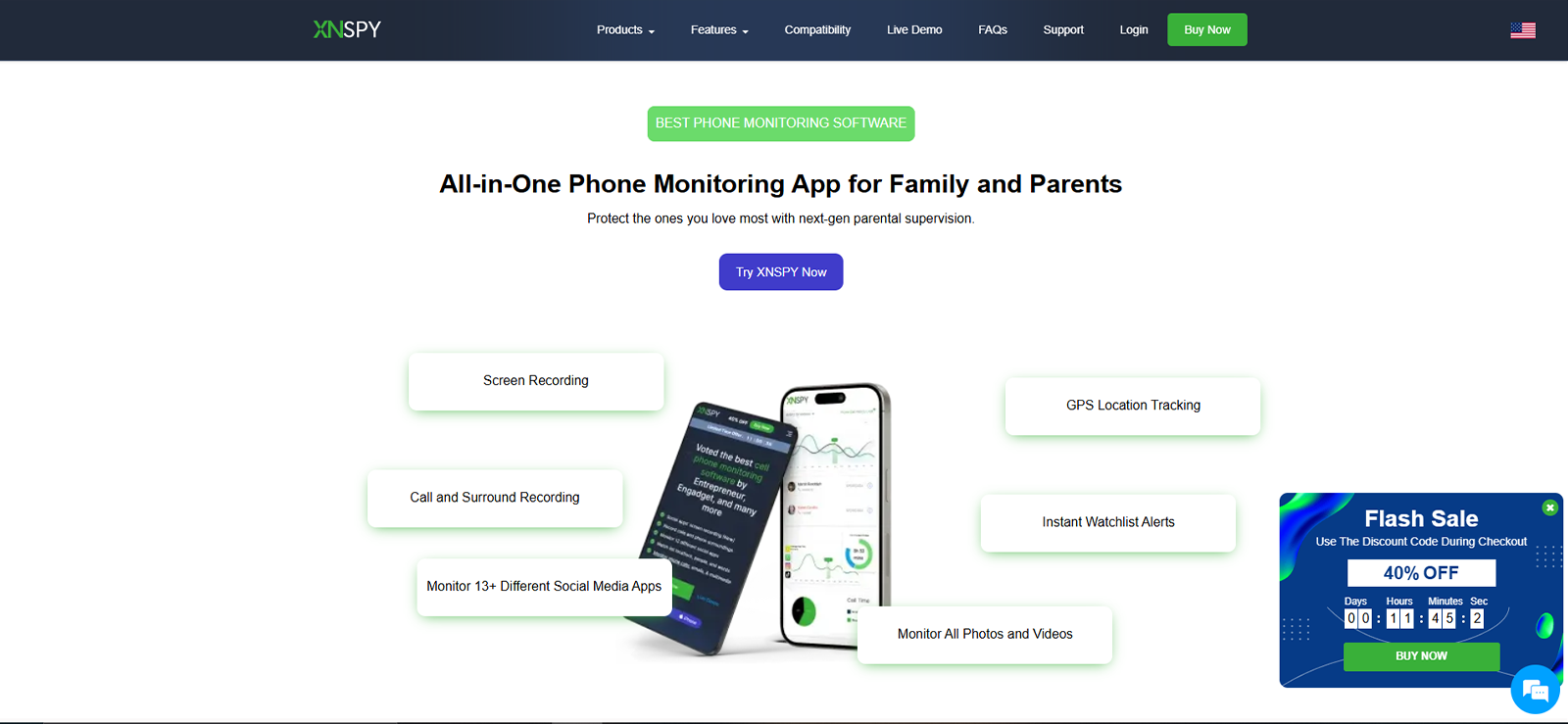
Xnspy is a parental control and monitoring solution built around deep device visibility. Rather than a rule-enforcement tool, it focuses on delivering detailed and organized records of device activity, calls, messages, apps, location, internet history, and screen recordings through a browser-accessible dashboard.
What stood out in our initial setup was that Xnspy collects data comprehensively and presents it in an organized format. It’s designed for parents who want to know what happened on a device, not just to block content categories.
How Does Xnspy Work?
Xnspy installs directly on the target device and runs as a background process. Once installed and linked to a parent account, it automatically syncs activity data, calls, messages, location updates, app usage, social media content, and screenshots to a centralized online dashboard.
We installed Xnspy on both our Android test device and an iPhone. The app required a one-time installation, after which data collection and syncing began automatically, with no further action required on the target device.
Xnspy Installation
Installation on both platforms was completed within 10 minutes each, noticeably faster than FamiGuard’s setup. The process starts on Xnspy’s website after purchase: you are directed to a step-by-step guide that opens automatically after login, with platform-specific instructions and annotated screenshots for each permission screen.
This covered accessing the device, downloading the APK, granting accessibility and device admin permissions, and completing the account link. The step-by-step guide on Xnspy’s website is well-organized, and in our experience, the permission setup on Android required fewer steps than FamiGuard’s installation.
Xnspy Compatibility
We tested Xnspy on:
- Android smartphone (Samsung Galaxy)
- iOS device (iPhone)
Both platforms worked without any issues. Notably, all of Xnspy’s features were functionally consistent across Android and iOS in our testing. This is a meaningful advantage over FamiGuard, where iOS support felt substantially reduced.
Xnspy’s dashboard was tested in Chrome, Firefox, and Safari, and it performed well with no display issues across all three browsers. One thing that our team found was that Xnspy is smartphone- and tablet-focused only. It does not support monitoring of Windows or macOS computers.
Xnspy Interface
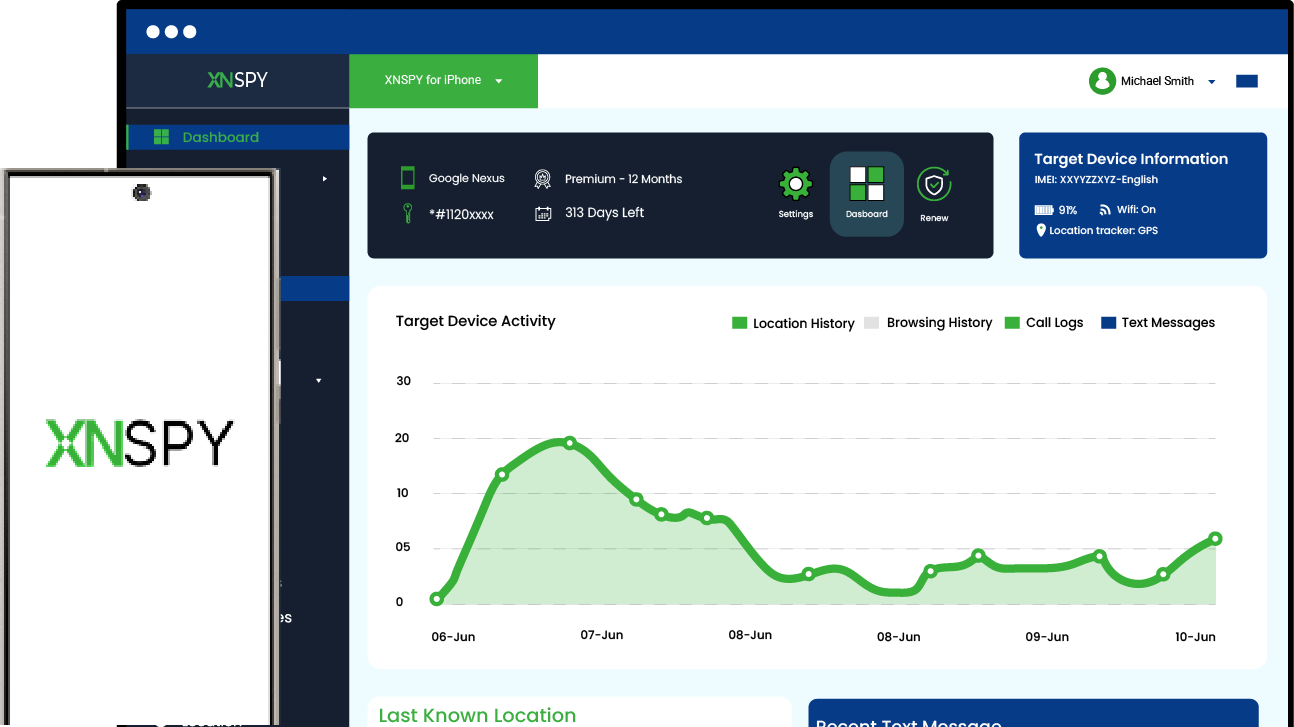
The Xnspy dashboard structure is organized around a left-side navigation panel with clearly labeled sections: Calls, Messages, Social Media, Locations, Internet History, App Activities, Multimedia, Keylogger, Screen Recorder, and Remote Controls.
In our UX evaluation, this layout worked well. Moving between sections was direct, and the dashboard surfaced summary data clearly. However, we noticed that Watchlist Alerts are tucked under Settings instead of next to the other monitoring tools, so they are easy to miss the first time you look for them. That said, once located, setting up keyword and contact alerts was straightforward.
Xnspy Pricing
Xnspy uses a subscription-based pricing model with two plans and three billing cycles:
- Basic Plan: $4.99/month (billed annually at $59.99) or $13.99/month (quarterly) or $29.99/month
- Premium Plan: $7.49/month (billed annually at $89.99) or $19.99/month (quarterly) or $35.99/month
Unlike FamiGuard, Xnspy’s pricing doesn’t increase at renewal; the rate you pay remains consistent. However, similar to FamiGuard, each subscription covers a single device. For our testing, we purchased two 1-month Premium plans, one for Android and one for iOS.
Key Monitoring Features You Get with Xnspy
Our team tested each feature on both Android and iOS under the same conditions we used for FamiGuard. Here’s what the testing showed.
Screen Recording
Xnspy’s screen recording feature captures screenshots of the target device at regular 5-second intervals and uploads them to the dashboard. Unlike FamiGuard’s screen recording, which delivered captures every 15–30 seconds in our tests, Xnspy’s cadence was notably tighter.
During our 8-screen recording test sessions, all 8 produced consistent screenshot streams without notable gaps. We also ran the same offline test we used for FamiGuard, disconnecting the target device for 20 minutes. Xnspy continued capturing during the offline window and bulk-uploaded once connectivity was restored, with no missing frames.
Screenshots are organized by app name in the dashboard, making it much faster to review activity on specific platforms.
Final Verdict: Xnspy’s 5-second capture interval and consistent organization give it a clear edge in screen-monitoring depth over FamiGuard.
Keylogger
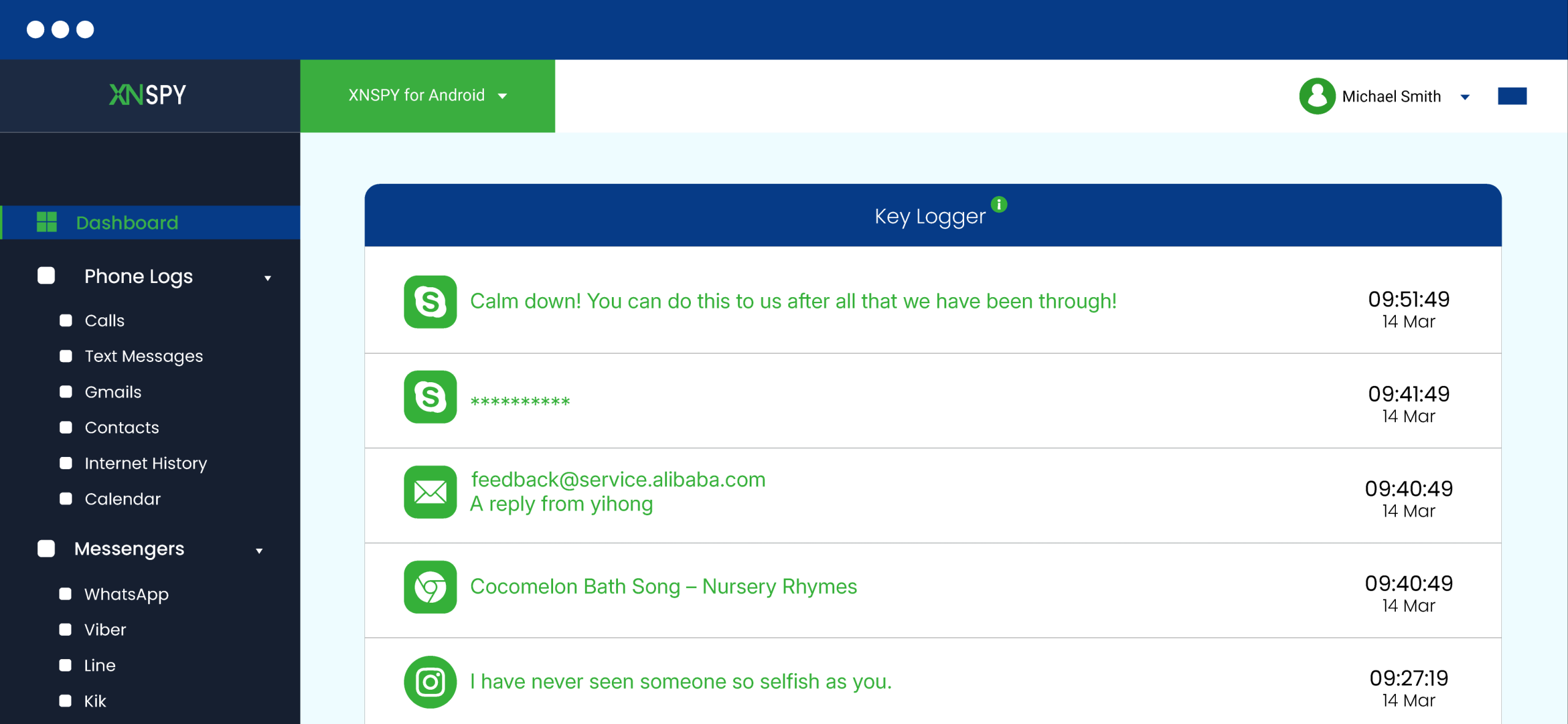
Xnspy’s keylogger records every keystroke from the target device, labeled by the app they originated in. Our team ran 15 keylogger sessions over 5 days, testing inputs across WhatsApp, Instagram, the native browser, Google Search, and the default Notes app on both Android and iOS. Keystrokes were captured reliably across 14 of the 15 sessions.
The one partial session occurred mid-use on WhatsApp; the first half of a conversation thread was logged correctly, but after the device briefly lost signal and reconnected, the subsequent keystrokes from that session didn’t appear. Everything from the following session onward was back to normal.
Additionally, Xnspy’s keyword alert system is integrated directly into the keylogger pipeline, where parents can set specific words and receive email notifications when they appear in any app. We tested 5 keyword triggers over 3 days; all 5 generated alerts, with an average notification delay of under 2 minutes.
Final Verdict: The keylogger performed consistently across every app we tested, and the integrated keyword alert system adds practical utility that FamiGuard’s separate tracking tool doesn’t fully replicate.
Call monitoring & Recording
Call monitoring was tested across 20 calls on Android and 18 calls on iOS. Call logs, which included contact name, number, timestamp, and duration, appeared in the dashboard for 19 of 20 Android calls and 17 of 18 iOS calls. The missed entries occurred during periods of weak connectivity and synced later once the signal was restored.
Call recording on Android worked in 14 of 15 test attempts. Audio quality was clear enough to understand the conversation content in most recordings. The one failed recording attempt produced an empty file with no audio, which we noted as an anomaly across otherwise consistent results.
Now, for iOS, call logs were captured with nearly the same reliability as on Android. 17 of 18 calls appeared in the dashboard with full contact details, timestamps, and duration. The one missed log synced approximately 8 minutes later once the device regained a stable connection.
Final Verdict: Call log accuracy is strong on both platforms. Android call recording is reliable, though the iOS limitation is a shared constraint across all monitoring apps in this category, not unique to Xnspy.
Text Message Monitoring
SMS monitoring was tested across 30 messages (sent and received) per platform. On Android, 29 of 30 messages appeared in the dashboard with full content and timestamps. On iOS, 28 of 30 appeared, with the two missing messages being iMessages sent during a brief period where the device had no data connection.
Our testing also revealed that messages are presented as full conversation threads, which was one of the more practically useful aspects of Xnspy’s approach. This context was meaningfully more useful than seeing messages in a flat list.
Final Verdict: Xnspy’s conversational thread display and higher capture rate compared to FamiGuard make it more useful for parents whose children primarily communicate through social messaging apps.
Location Tracking and Geo-Fencing
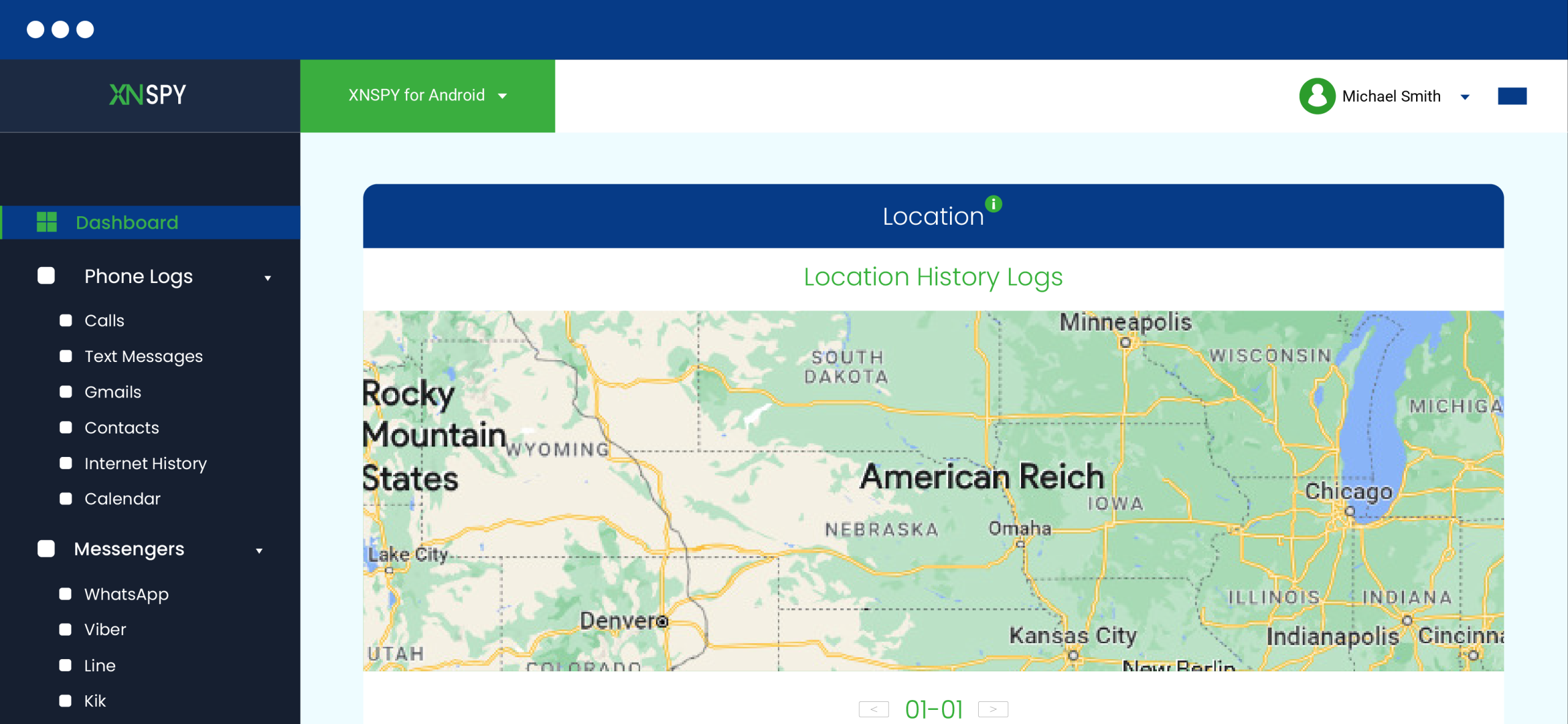
Location tracking was tested over 7 days across 17 movement sessions in outdoor urban environments, suburban areas, and one indoor mall environment.
Xnspy logged location updates in 16 of 17 sessions in near-real time. The one missed update coincided with a complete loss of mobile data connectivity on the target device. Upon reconnection, the location change synced within 90 seconds.
Then, for geo-fencing, we configured 6 zones with varying radii. We set check-in alerts on 3 and exit alerts on the other 3. All 6 generated the correct alert type. Alert delivery averaged 20–40 seconds, substantially faster than FamiGuard’s 2–8 minute range in our tests. In no case did an alert take longer than 60 seconds to arrive.
Final Verdict: Xnspy’s geo-fencing alert speed is significantly faster than FamiGuard’s in our comparative testing.
Social Media Chats Tracking
We sent and received 25 test messages each on WhatsApp and Facebook Messenger on Android. WhatsApp showed 23 of 25 in the dashboard; the 2 missing messages both occurred during a brief network transition when we switched to mobile data, suggesting this is a sync behavior tied to connection switching rather than an app-specific issue.
Facebook Messenger showed 22 of 25; the 3 missing entries had no identifiable cause and didn’t follow any pattern across our test sessions.
Instagram was where we saw a meaningful improvement over FamiGuard. Out of 20 test DMs, 17 appeared in the dashboard. The 3 that didn’t were from a high-frequency back-and-forth exchange, the same rapid-thread scenario that caused gaps in FamiGuard, but Xnspy captured more of that conversation than FamiGuard.
Our team noticed that on iOS, coverage was noticeably closer to Android than it was with FamiGuard. WhatsApp showed 22 of 25 messages, nearly matching the Android result.
Now, Instagram DMs were more consistent than on FamiGuard’s iOS installation, with 14 of 20 appearing, though the same rapid-exchange gap behavior applied here as well.
Final Verdict: Xnspy’s social media monitoring is more consistent than FamiGuard’s in our testing. The gaps that do exist are largely tied to platform-level constraints rather than app-level failures.
Still Finding Gaps in Your Child’s Activity? Xnspy Fills Them
FamiGuard left blind spots in our testing. Xnspy didn’t.
– Geo-fencing alerts delivered in under 60 seconds
– Screen captures every 5 seconds, organized by app
– Conversational thread view for messages
– Keylogger with built-in keyword alerts
Xnspy Pros and Cons
After testing Xnspy, we found a capable set of monitoring tools, along with a few limitations that are worth considering before choosing a plan.
Xnspy Pros
- Strong feature consistency across both Android and iOS; the iOS experience is meaningfully closer to Android’s than on FamiGuard.
- Near-real-time location updates with geo-fencing alerts arriving in under 60 seconds.
- Screen recording at 5-second intervals gives more visibility than FamiGuard’s 15–30-second cadence.
- Conversational thread view for messages provides context, not just isolated records.
- Integrated keyword alerts tied directly to keylogger output.
- Remote controls all functioned reliably in testing.
- Pricing remains consistent at renewal, with no first-year discount that spikes on renewal.
- Flexible billing: monthly, quarterly, or annual options available.
Xnspy Cons
- Each subscription covers one device only.
- No free trial; demo shows the interface but not live data.
- Website blocking and content filtering are not available. Xnspy is a monitoring tool, not a restriction tool.
- Screen time limit enforcement is absent; the app tracks usage but cannot cap it.
- Customer support is ticket- and chat-based only; no phone support.
Xnspy Reviews By Real Customers
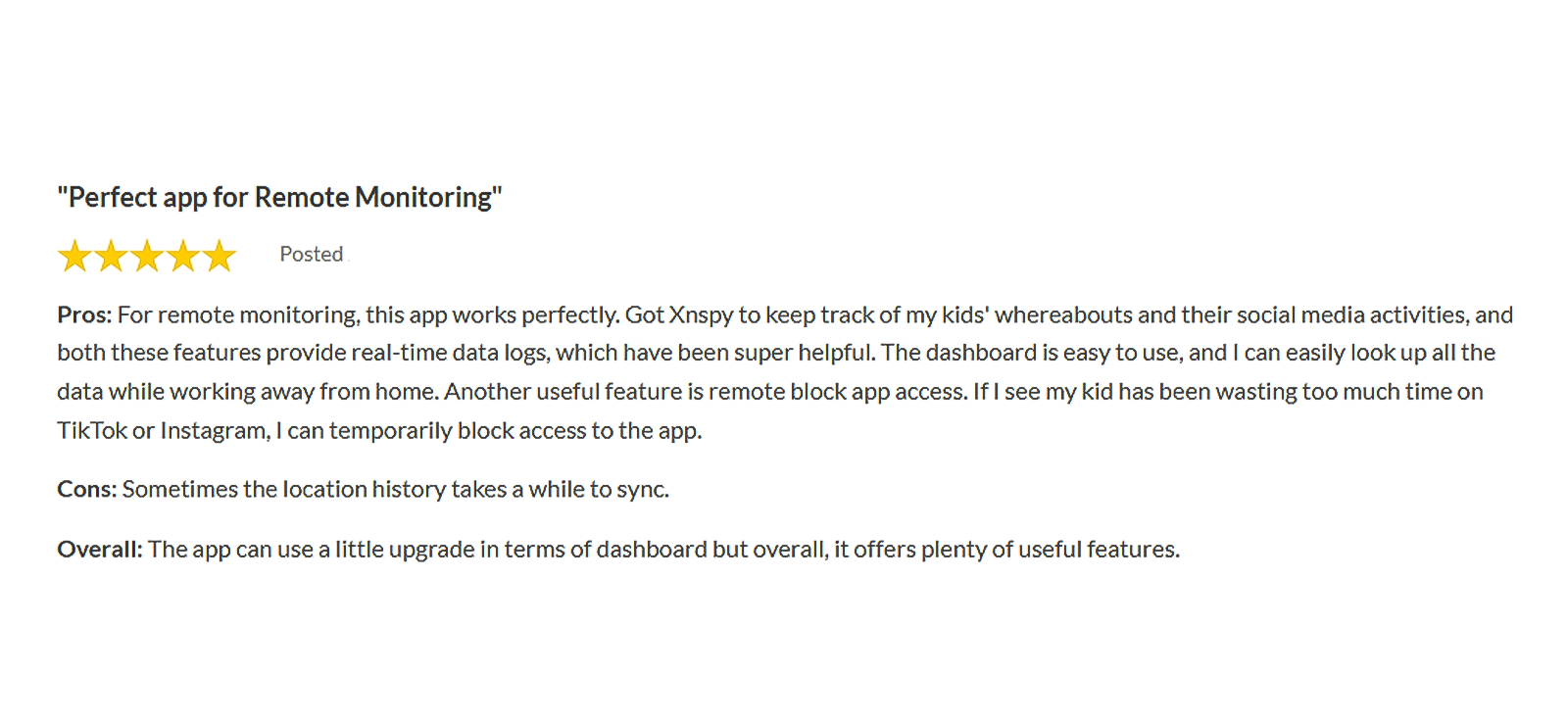
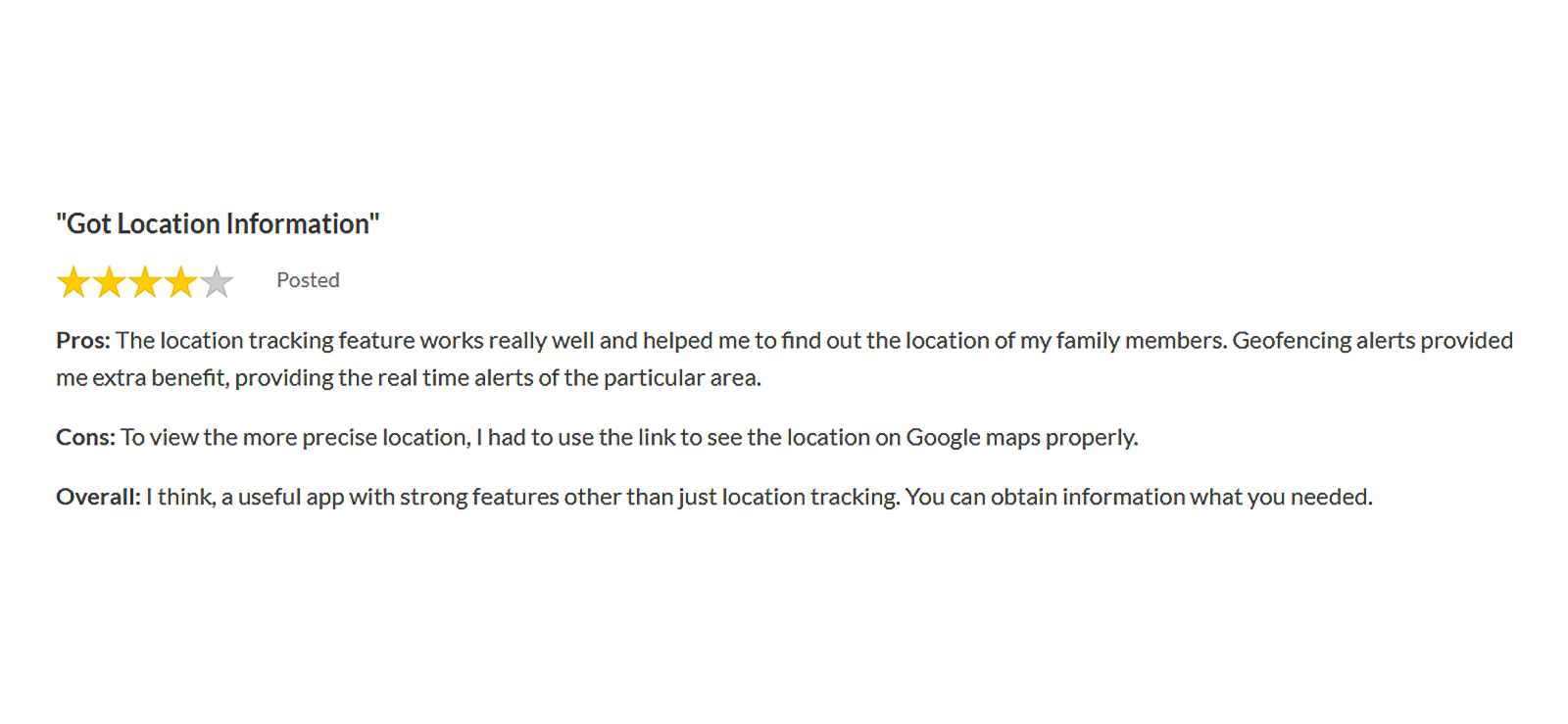
FamiGuard vs. Xnspy: A Side-By-Side Comparison
| Feature | FamiGuard | Xnspy |
| Location Tracking | ⭐⭐⭐⭐ Updates with accuracy, but occasional delays. | ⭐⭐⭐⭐⭐ Near real-time updates with consistently higher precision. |
| Geo-fencing | ⭐⭐⭐ Works, but alerts were delayed. | ⭐⭐⭐⭐⭐ Sends entry/exit alerts quickly and consistently. |
| SMS & Message Monitoring | ⭐⭐⭐⭐ Reliable on Android, noticeably weaker on iOS. | ⭐⭐⭐⭐⭐ Consistent across both platforms with a full conversational thread view. |
| Social Media Monitoring | ⭐⭐⭐ Variable across apps. | ⭐⭐⭐⭐ More consistent across apps and stronger iOS coverage. |
| Screen Recording | ⭐⭐⭐⭐ Reliable on Android; not available on iOS. | ⭐⭐⭐⭐⭐ Available on both platforms with a tighter capture interval. |
| Keylogger | ⭐⭐⭐⭐ Reliable on Android; not available on iOS. | ⭐⭐⭐⭐⭐ Reliable on both platforms, with integrated keyword alerts. |
| Website Blocking | ⭐⭐⭐⭐⭐ Available with category and URL-level controls. | ⭐ Not available. |
| App Blocking | ⭐⭐⭐⭐⭐ Available with scheduling options. | ⭐⭐⭐⭐ Available through the dashboard. |
| Screen Time Limits | ⭐⭐⭐⭐ Allows parents to set and enforce limits. | ⭐⭐⭐ Tracks usage in detail, but doesn’t allow setting limits. |
| Remote Controls | ⭐⭐⭐⭐ Includes lock and screenshot commands. | ⭐⭐⭐⭐⭐ Includes lock, wipe, ambient recording, and screenshot commands. |
| iOS Feature Parity | ⭐ Not ideal for an iOS-heavy household | ⭐⭐⭐⭐ Much closer to the Android experience. |
Conclusion
After testing both apps under the same conditions, the answer to “Is FamiGuard legit?” is clear. FamiGuard offers a broader parental control package, especially on Android, with call recording, keylogging, screen recording, website blocking, and screen time controls. However, its iOS performance is more limited, social media capture is less consistent, and geofencing alerts are slower.
Xnspy delivered more reliable monitoring across both Android and iOS. Its faster screen recording, stronger social media captures, quicker geofencing alerts, and better message organization gave it an edge in overall monitoring quality. It also provides better feature consistency on iOS.
The main trade-off is enforcement. Xnspy is the stronger choice for monitoring, visibility, and cross-platform reliability, while FamiGuard is better suited to parents who also need website blocking, screen time limits, and content controls.
FAQs
Is FamiGuard safe to use for monitoring my child’s phone?
FamiGuard is a legitimate parental monitoring app developed by iMyFone. The app uses encrypted data transmission. Parents using it to monitor their minor children’s devices are within legal and ethical norms in most jurisdictions, provided the child is informed or consent is established per local law.
What is the FamiGuard cost for monitoring multiple kids’ devices?
Each FamiGuard subscription covers one device. To monitor two children’s phones, you’d need two subscriptions. The most affordable option is the annual plan at $9.16/month per device, so two devices would cost approximately $219.98/year in total. This per-device model is a known limitation for larger families.
Does the FamiGuard work on iPhones?
Yes. The FamiGuard can be installed directly on an iPhone or accessed via iCloud credentials without any physical device access. However, the iOS feature set is more limited than Android; call recording and periodic screen capture are not available through the direct iOS installation method.
Is FamiGuard Pro mod APK safe to use?
No, modified or cracked APK versions don’t connect to FamiGuard’s official servers, so the dashboard and syncing won’t work even if the app installs. These files are also a common vector for malware. The official subscription is the only way to use FamiGuard safely.
What is the FamiGuard login process for parents after setup?
After initial setup, the login process is straightforward. Parents visit the FamiGuard website, sign in to their account using their registered email and password, and access the dashboard from any browser. No native parent-side app is required. The dashboard is accessible on mobile browsers as well, though the experience is optimized for desktop.
Leave a reply:
Your email address will not be published. Required fields are marked*

Stephen Hawks
Member since February 26, 2026
Stephen Hawks
Member since February 26, 2026
Stephen Hawks is a mobile app security and digital privacy analyst with over 12 years of experience evaluating mobile monitoring technologies, device tracking applications, smartphone data security risks, and more. He is particularly passionate about how monitoring apps function, what data they access, and how securely that data is stored.
Previously working as an IT forensics consultant, he specialized in analyzing app-level data exposure and digital evidence patterns on smartphones. Today, he focuses exclusively on mobile monitoring tools and tracking applications, with an emphasis on real-world performance and security vulnerabilities.
Moreover, he holds industry certifications including CompTIA Security+ and Certified Ethical Hacker (CEH).