6 Best Internet Filters for Families: Top Picks Parents Trust [iPhone & Android]
 By Mike Everett
The complete monitoring experience for your phone
Get XNSPY and start tracking calls, texts, multimedia, locations and more on any phone!
Get Started Now Live DemoWith every passing second, the internet is becoming more unpredictable, unregulated, and chaotic. You don’t know what will go viral the next second, and you can’t fathom what will be normalized to the point that children start following.
This is why most parents constantly worry about what their children are watching and doing on their phones. There are built-in internet filters and parental controls on the internet and for many social media apps, but they don’t suffice because children usually bypass them.
That is why many parents use specialized family internet filters to protect their children online. But the question is which one is actually worth buying. To help you with this, we tested several options to find the best internet filters for families that can protect children and also help regulate their phone usage. Let’s know more!
All the Essentials in a Single Snapshot
– Specialized internet filters protect children online and manage screen time effectively on devices.
– Xnspy: Overall Best. Tracks browsing, social media, and app usage while helping block unsafe content stealthily.
– Bark: Uses AI to scan social media and alert parents about potential online risks.
– Google Family Link: Free tool for managing screen time, app downloads, and web access.
– Kaspersky Safe Kids: Affordable app that blocks harmful sites and monitors YouTube and apps.
– Net Nanny: Real-time AI filtering of web content with flexible screen time management.
– Norton Family: Comprehensive supervision of web activity, search terms, and device usage across multiple children.
Why Parents Need Content Filtering Software?
Many parents believe that kids should have complete liberty to do whatever they want without any supervision; however, this belief has more negative consequences than one might think. The following are the reasons why you need internet filters.
The Internet is Not For Children
While growing up, too much information about anything can overwhelm children. So imagine they have unlimited access to world data and listen to every other person’s opinion. What would they pick, and what would their mind leave? Here, good content-filtering software excludes data that their young mind is not ready to process, thereby protecting their mind from overwork.
Exposure to Inappropriate Content
According to recent studies, 54% of children globally have experienced online sexual harms. When there are no filters, a child can easily stumble on inappropriate graphics or words that create curiosity, making them want to know more.
Whether it is adult content, drugs, violence, or hate speech, everything intrigues them. A strong filtering solution helps block harmful websites and restrict unsafe searches before they reach your child’s screen.
Social Media Platforms Are Not Fully Child-Proof
Mostly, teenagers are more prominent on social media platforms, so these apps design their internet filters to give children an edge. For example, children can refuse to link their accounts to their parents, leaving parents with no information about their online activities. A reliable internet filter app can fix that for you.
Protecting Mental and Emotional Well-Being
Studies have shown that overuse of the internet can result in increased anxiety, fear, or confusion. It usually happens because of overconsumption and age-inappropriate content.
Content blocker apps enable parents to create a safer online environment while maintaining open communication.
Teaching Responsible Digital Habits
Parents can also use the filtering app to teach children responsible phone use. You can use screen time filters to discipline them and create a routine that helps them be productive. Moreover, you help them choose appropriate content for their studies.
After Hands-On Testing for 45 Days, These 6 Website Blocker Apps for Families Are Our Top Picks
| App | Rating | Price |
| Xnspy | 9.7/10 | Basic: $4.99/moPremium: $7.49/mo |
| Bark | 9.2/10 | Bark Jr: $5/moBark Premium: $14/moBark Phone: From $29/mo |
| Google Family Link | 8.8/10 | Free |
| Kaspersky Safe Kids | 8.4/10 | Free Plan AvailablePremium: $15–$23/year |
| Net Nanny | 8/10 | 1 Desktop: $39.99/year5 Devices: $54.99/year20 Devices: $89.99/year |
| Norton Family | 7.5/10 | Standalone: $49.99/yearNorton 360 Deluxe: $49.99 (first year)Norton 360 Advanced: $124.99/year |
Our Testing Process: How We Selected These 6 Best Content Filtering Software for iOS and Android
Our testing process was 45 days long and was based on an extensive feature-by-feature testing. We chose the following six key criteria and assigned weighted percentages based on their relative importance and usage.
Browsing Patterns Visibility – 20%
We tested how clearly each app displayed browsing history, timestamps, and visited domains. This section accounts for 20% because children mostly access adult content directly in their browsers. We checked whether deleted history could still be accessed and whether activity reports were easy to read. Apps that provided organized, detailed dashboards scored higher.
Social Media Visibility – 20%
Since much of kids’ online time is spent on social platforms, we examined how well each app showed activity across messaging and social media apps. Especially, how much content you can view and block on these platforms. This aspect accounts for 20%. We favored tools that provided meaningful alerts instead of overwhelming raw data.
Problem Detection – 15%
We evaluated whether the apps could detect red flags such as explicit searches, risky keywords, or concerning interactions. This area was given 15% weightage during our tests as it offers convenience and allows parents to detect issues on time.
Automatic Blocking of Adult Content – 15%
A reliable content filter usually blocks inappropriate data automatically. Usually, it cannot be done for every image or video, so we gave it 15% confidence.
Website and App Blocking – 15%
We tested each filter against adult content, gambling, violence, and anonymous chat sites. We based the apps’ 15% score on it, as it is an essential feature of the best internet filtering software.
Ease of Use – 15%
The 15% score is based on ease of use, because most apps with internet filtering features are difficult to use due to manual settings and category selection. Apps that were intuitive and stress-free to manage were ranked higher.
Top 6 Reliable Content Blocker Apps for Ultimate Family Safety
The following are the best web filter software programs to protect your children from harmful content online.
1. Xnspy
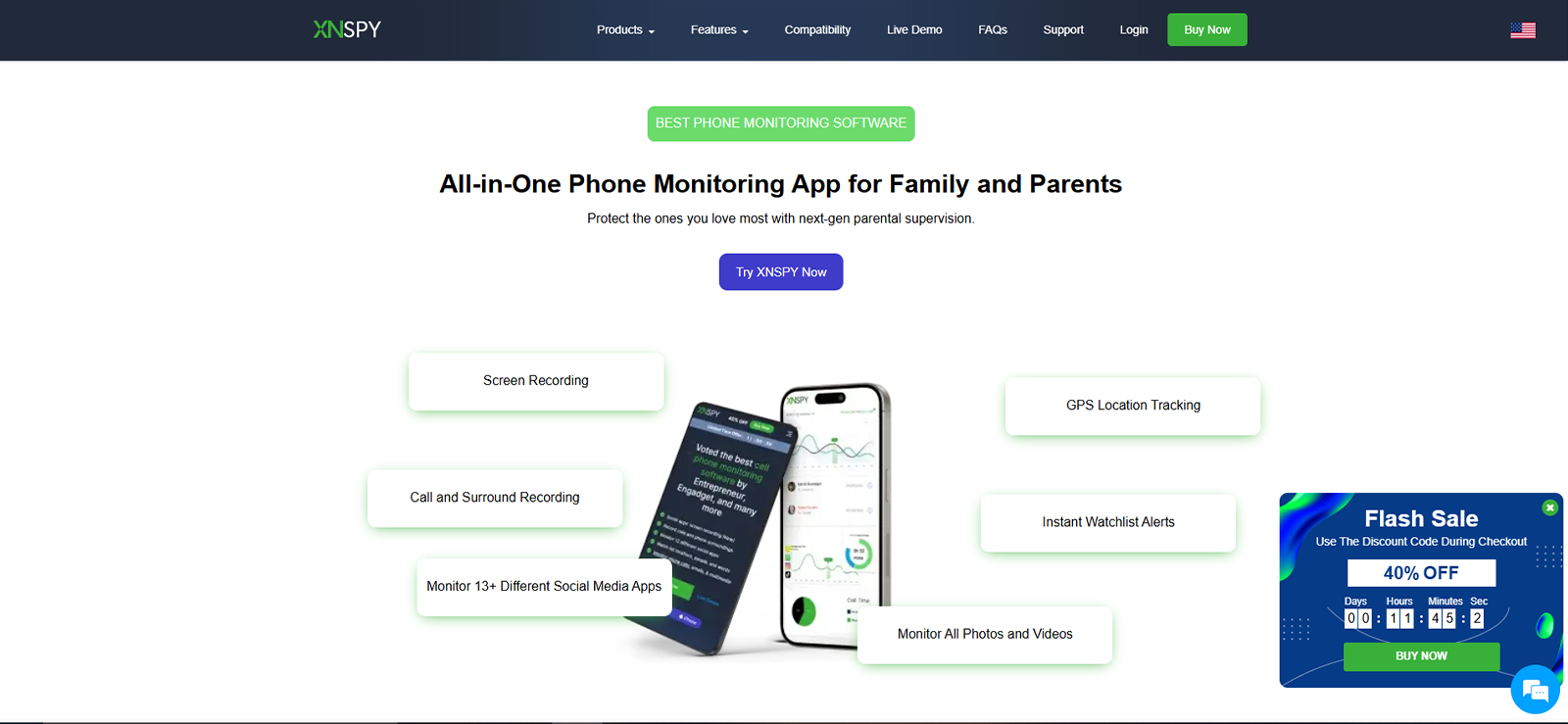
The first app on our list is Xnspy. The biggest reason for the ranking is that it offers the best internet filters for families on both Android and iPhone. From showing which websites they are accessing to tracking social media activity, Xnspy tracks everything to help you understand what kind of filters your child needs.
To use Xnspy, you have to install the app once on the target device. The installation process is straightforward and takes only a few minutes. Since it operates in stealth mode, children can’t uninstall it, which means parents will get the most authentic data.
During our testing, we used each feature on the dashboard. All the data was easily accessible and was much easier to navigate comparatively. Also, the remote control features worked smoothly.
Xnspy Features
Xnspy offers the following Internet filters.
Screen Time
Xnspy also shows screen time data that helps parents understand their child’s phone usage habits. They can see where their child spends the most time and create a routine that works best for them.
Browsing History
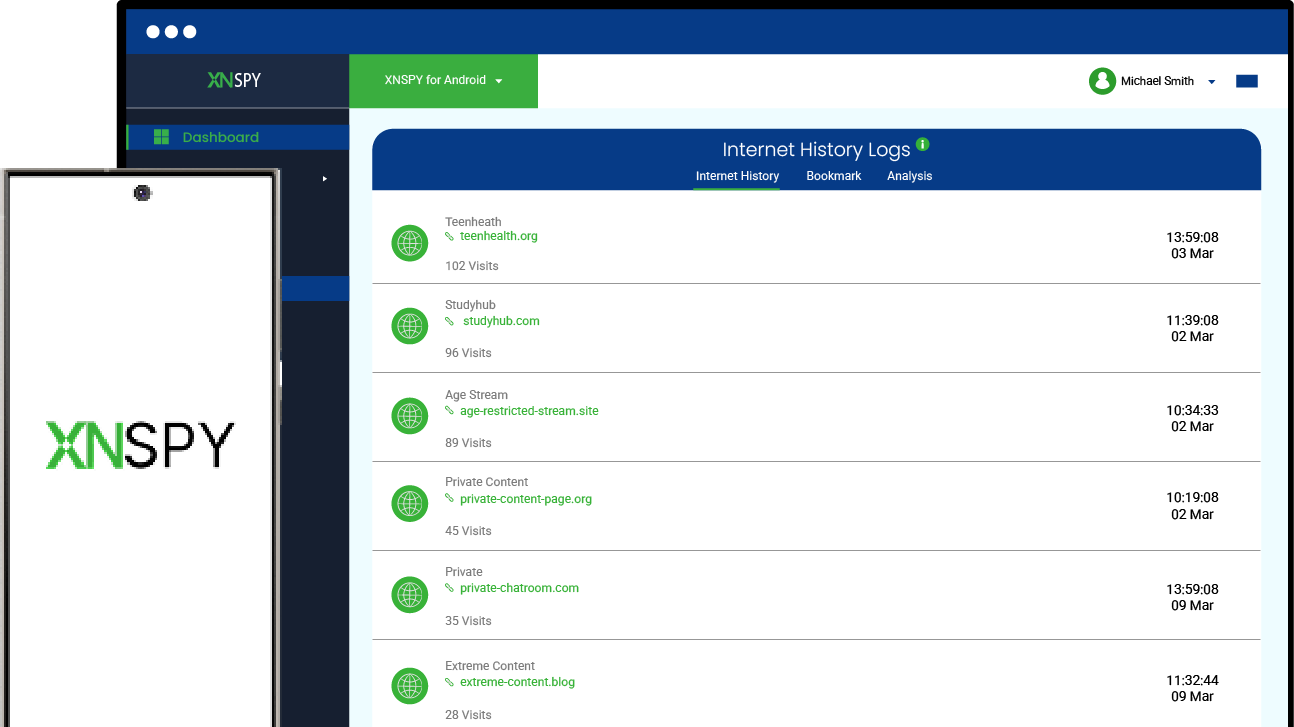
Xnspy provides full access to browsing history, including visited websites and timestamps. We tested this feature thoroughly and opened multiple websites on the target device. The app even showed private and deleted browsing records, which can be more helpful for actually seeing what children are doing than applying filters and hoping it works.
This Xnspy feature provides reports showing website visit frequency and duration. Parents can view the top-visited websites and bookmarks to ensure responsible web use.
App Blocking
Xnspy also allows parents to block specific apps that they consider unsafe or distracting. They can see all social media activity through the screen recorder feature. It includes the content they share in posts, stories, and messages.
Moreover, they can see the media received in messages even if they view them once. If parents think any app is inappropriate, they can block that app remotely through the secure web-based dashboard. Whether it is social media, gaming platforms, or chat apps, Xnspy offers efficient, selective restriction for all apps.
YouTube Monitoring
Along with the social media apps, Xnspy tracks YouTube searches and watched videos. Parents can see which videos they watched, when they watched them, and how long. If they are using YouTube to watch inappropriate videos and wasting time, they can block the app or lock their phone to prevent access.
Keylogger and Keyword
The built-in keylogger of Xnspy records typed text. It enables parents to detect concerning keywords. Custom keyword alerts notify parents when flagged terms appear. The immediate notification actually helped us take timely action during our tests.
Xnspy Compatibility
Xnspy is compatible with both Android and iOS devices. It supports Android versions 4 and above and iOS versions 6 and above. Xnspy lets you add as many devices as you want to the dashboard, and you can track them all from a single platform.
Xnspy Pricing
- Basic Plan: $4.99/month (billed annually)
- Premium Plan: $7.49/month (billed annually)
Xnspy Pros and Cons
| Pros | Cons |
| – Xnspy offers several internet filters that can help protect children from adult content and manage screen time more efficiently. – The installation process and dashboard navigation are much easier. – Parents can block any app with just one click. – The customer service is available 24/7. – Stealth mode helps gather accurate data and prevents uninstallation. | – Built-in filters that block categories are not available. – No free trial. |
Why Should I Buy Xnspy?
Xnspy focuses a great deal on showing parents what children are actually doing online, thus giving a complete picture of their activities. Parents who actually want to know what their children are doing and how it affects them prefer Xnspy. It is well-suited for parents concerned about hidden risks, secret apps, or private conversations.

Xnspy: Keep the Internet Clean for Your Kids
Get quick clarity on every move your kids make on the internet.
– See total screen time and top apps
– View app activity and browsing patterns
– Set phone lock schedules easily
– Restrict apps without limiting essentials
2. Bark
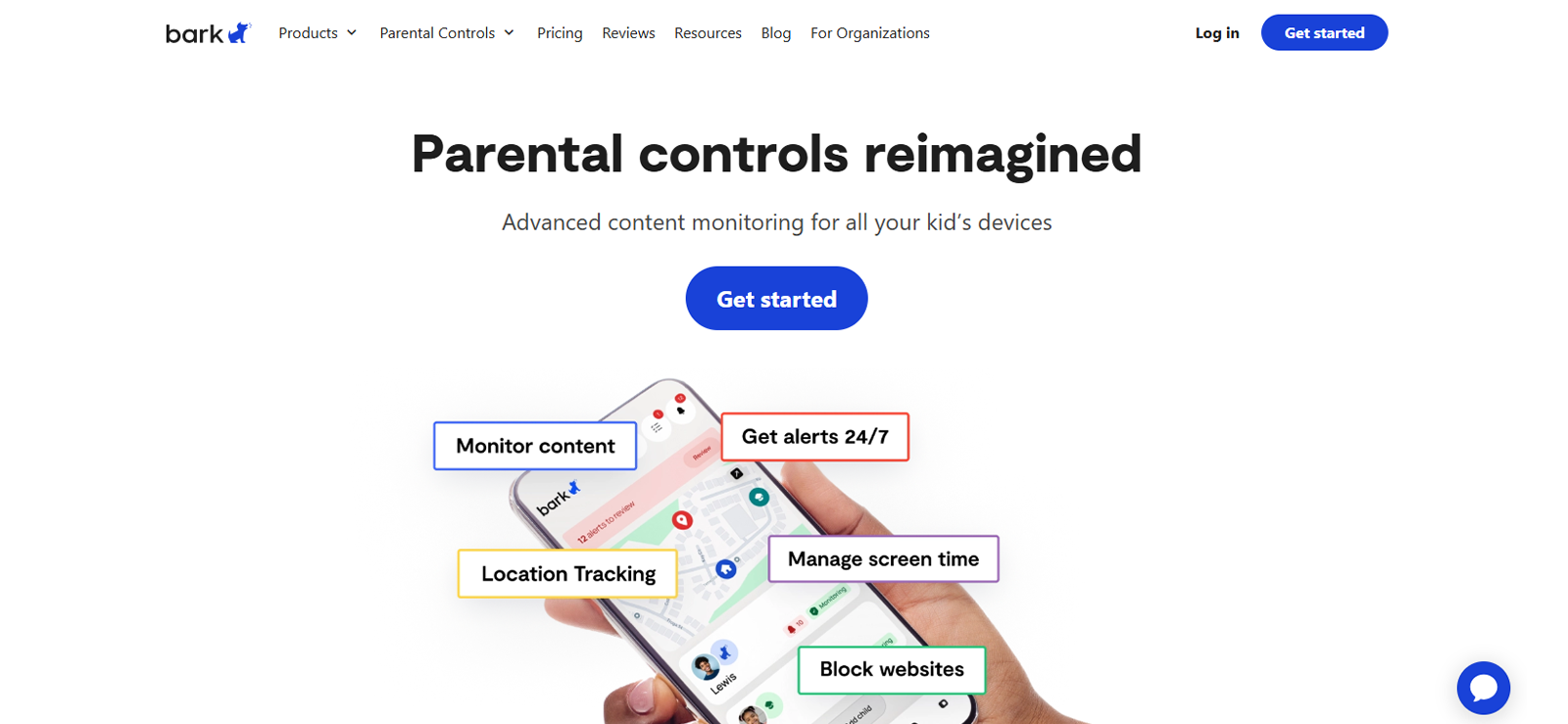
Bark is a parental monitoring app that focuses more on using categories to filter harmful content on the internet. It doesn’t show what messages your child is sending and what they are watching on social media feeds, but it uses AI-powered monitoring to scan for potential risks, offers the best internet content filters for children, and alerts parents when something is actually wrong. You have to install the app on your child’s phone and the parent app on the parent’s phone.
Bark Features
The following are the most highlighted features of Bark.
Screen Time & App Management
Bark allows parents to create custom schedules for different parts of the day. For example, parents can set School, Bedtime, and Free Time routines. They can customize the access for different settings. Moreover, it offers a “Pause the Internet” button on the parent dashboard that actually works, stopping all online activity.
AI-Powered Content Monitoring
Bark’s standout feature is its AI, which monitors social media platforms. Unlike simple trackers, Bark’s AI understands context. During our tests, it didn’t just flag the word “dead”; it also sent an immediate alert about the suggestive content.
Category Blocking
The app allows parents to manually block every single bad site. They can block entire content categories, such as “Adult Content,” “Gambling,” or “Social Media.” We tested this by trying to access various restricted sites, and Bark successfully redirected the browser to a “Blocked” page most of the time.
Bark Compatibility
Bark is compatible with iOS and Android devices, as well as Windows, macOS, and Chromebook systems. For iOS, it is compatible with version 16 and above, and for Android, it is compatible with version 8 and above.
Bark Pricing
- Bark Jr: $5/month (Best for screen time and location only).
- Bark Premium: $14/month (Includes full AI monitoring of 30+ apps).
- Bark Phone: Starting at $29/month (Includes a dedicated device with built-in Bark software).
Bark Pros and Cons
| Pros | Cons |
| – Bark offers AI powered app and website filtering. – The app’s interface is user-friendly and interactive. – It covers 30 social media apps and flags problematic content across them. | – Setting up iOS devices can be time-consuming because it requires a computer for the initial sync. – It does not provide a full “live” view of every message; you only see what the AI flags, so there is a fair chance you may not know how much the filters have worked. |
Why Should I Buy Bark?
Bark is the best fit for parents who want to protect their kids without invading their privacy. It can help parents with issues like cyberbullying, online predators, or mental health red flags on social media. It’s perfect for families with older children and teens, where maintaining trust is just as important as digital safety.
3. Google Family Link
Google Family Link is a free parental control tool that helps parents set digital ground rules. It integrates directly with a child’s Google account and helps parents remotely oversee app downloads, screen time, and device security. It allows parents to lock their child’s device instantly or approve new app requests on their own phone.
Google Family Link Features
Google Family Link offers the following internet filters for kids.
Screen Time and App Limits
Family Link provides comprehensive tools to manage how long a child stays on their device. Parents can set a Daily Limit that specifies the number of hours the device can be used before it automatically locks for the day. For our tests, we set timers on individual applications, and they worked well.
Bedtime and Scheduled Downtime
To encourage healthy sleep habits, parents can configure a Bedtime schedule. Once the designated hour arrives, the device locks and stays inaccessible until the following morning. During our review, we found the Bonus Time and Lock Now functions very helpful; they allow parents to instantly grant extra minutes or shut down the device immediately.
Web Filtering in Google Chrome
Family Link allows parents to manage how their children browse the web. They can choose to allow all sites or block specific mature sites. Additionally, they can create a list of websites that children access.
Google Family Link Compatibility
Google Family Link is highly compatible with Android and ChromeOS. It supports Android devices running version 7.0 and above. On iOS, parents can use iPhones to manage children, but child monitoring is very limited and only covers Google apps.
Google Family Link Pricing
Google Family Link is completely free to use with a Google account.
Google Family Link Pros and Cons
| Pros | Cons |
| – Google Family Link is 100% free with no hidden subscription fees. – It offers many options where parents can manually adjust management settings. – The app offers very easy-to-set daily screen time limits and bedtimes. | – Google Family Link doesn’t offer monitoring for social media messages or deleted texts. – In many counties, children over 13 can choose to opt out of supervision. – It has very limited monitoring for iOS. |
Why Should I Buy Google Family Link?
Google Family Link is free and offers a few of the best family internet filters. It is best for parents who want to encourage healthy habits and manage app downloads rather than those who need to read private chats or track complex social media activity.
4. Kaspersky Safe Kids
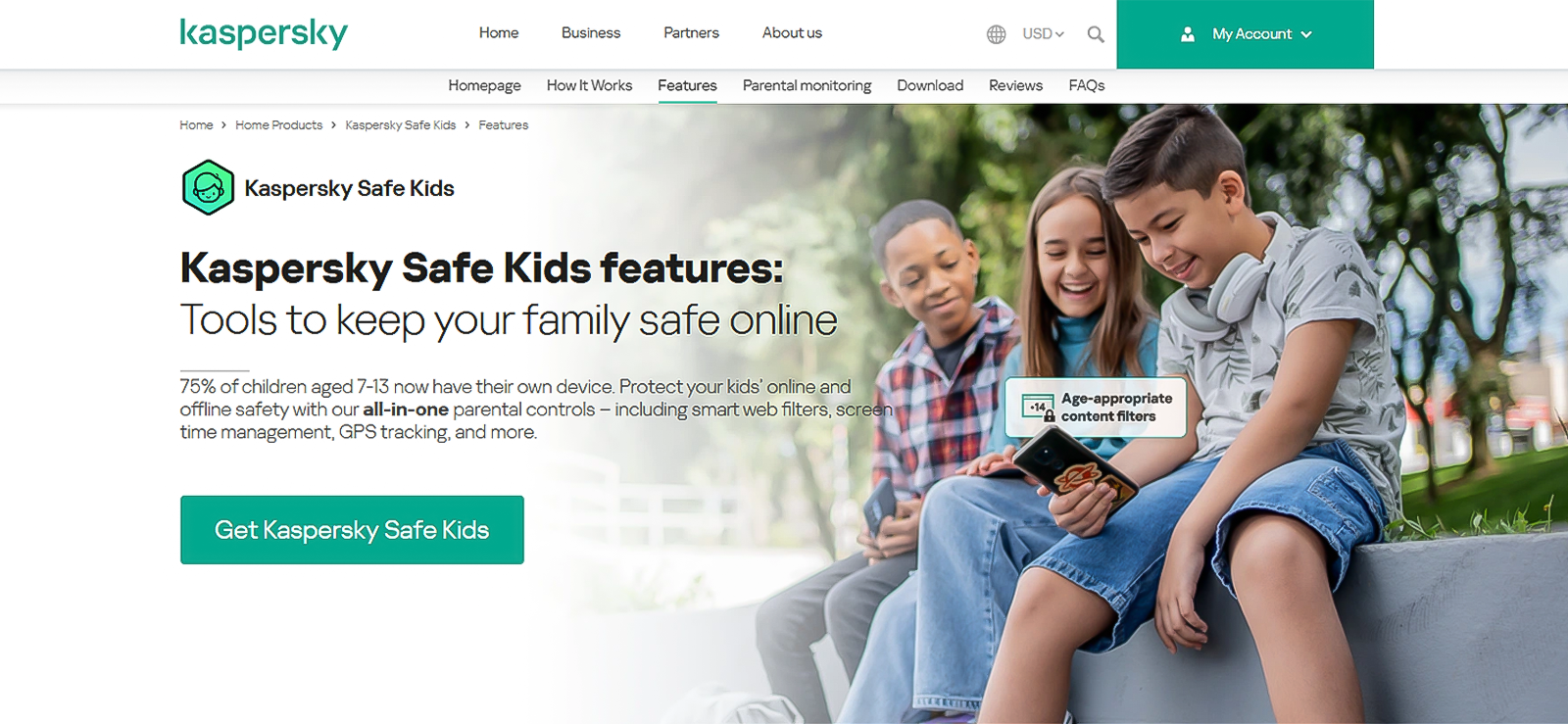
Next on our list of child internet filters is Kaspersky Safe Kids that offers much deeper oversight. It allows parents to supervise online activity and set internet filters that limit screen time and protect kids from inappropriate content.
For the app to work, parents have to install it once on the target device and download it to their phone to receive updates. During our testing, we used all the internet filters, and they worked well. The expert advice it offers also seemed supportive.
Kaspersky Safe Kids Features
Kaspersky Safe Kids offers the following safety features.
Screen Time and Schedule Management
Kaspersky Safe Kids provides tools for controlling how long a child stays on their device. Parents can choose between receiving only statistics, showing a warning when time is up, or completely blocking the device. This internet filter allows parents to choose from strict control for younger children and a more trust-based approach for teenagers.
Advanced Web Filtering
Kaspersky Safe Kids allows parents to block specific website categories, such as Video Games, Alcohol, or Adult Content. In our tests, we selected the Warning mode for certain categories; instead of blocking the site entirely, it showed a message saying the site wasn’t recommended, which was one of its best web filters.
YouTube Search & Watch Monitoring
This feature tracks what a child is looking for on YouTube. It shows what they type into the YouTube search bar and alerts the parents if they search for restricted topics. Moreover, it shows the history of videos watched and searches conducted in both the YouTube app and browsers.
Kaspersky Safe Kids Compatibility
Kaspersky Safe Kids works on Android version 4.4 and above. For iOS, a limited version is available.
Kaspersky Safe Kids Pricing
Kaspersky Safe Kids offers a free app with basic web filtering and app management. The
premium Plan is roughly $15–$23/year, which includes GPS tracking, YouTube history, and real-time alerts.
Kaspersky Safe Kids Pros and Cons
| Pros | Cons |
| – Kaspersky Safe Kids is very affordable. – A free version is also available for parents. – The app supports unlimited devices. – It includes psychological tips for parents built into the app. | – The iOS version is quite restricted due to Apple’s privacy rules. – The location tracking does not show a detailed route history; it only shows the current location |
Why Should I Buy Kaspersky Safe Kids?
Kaspersky Saf Kids is a good option for parents on a budget. It is particularly strong for families with multiple devices, including PCs and Macs. If you want to monitor YouTube habits and block inappropriate web categories, it has the best internet content filters.

Don’t Get Kaspersky Safe Kids Yet
If you are looking to buy Kaspersky Safe Kids, wait until you read our review.

5. Net Nanny
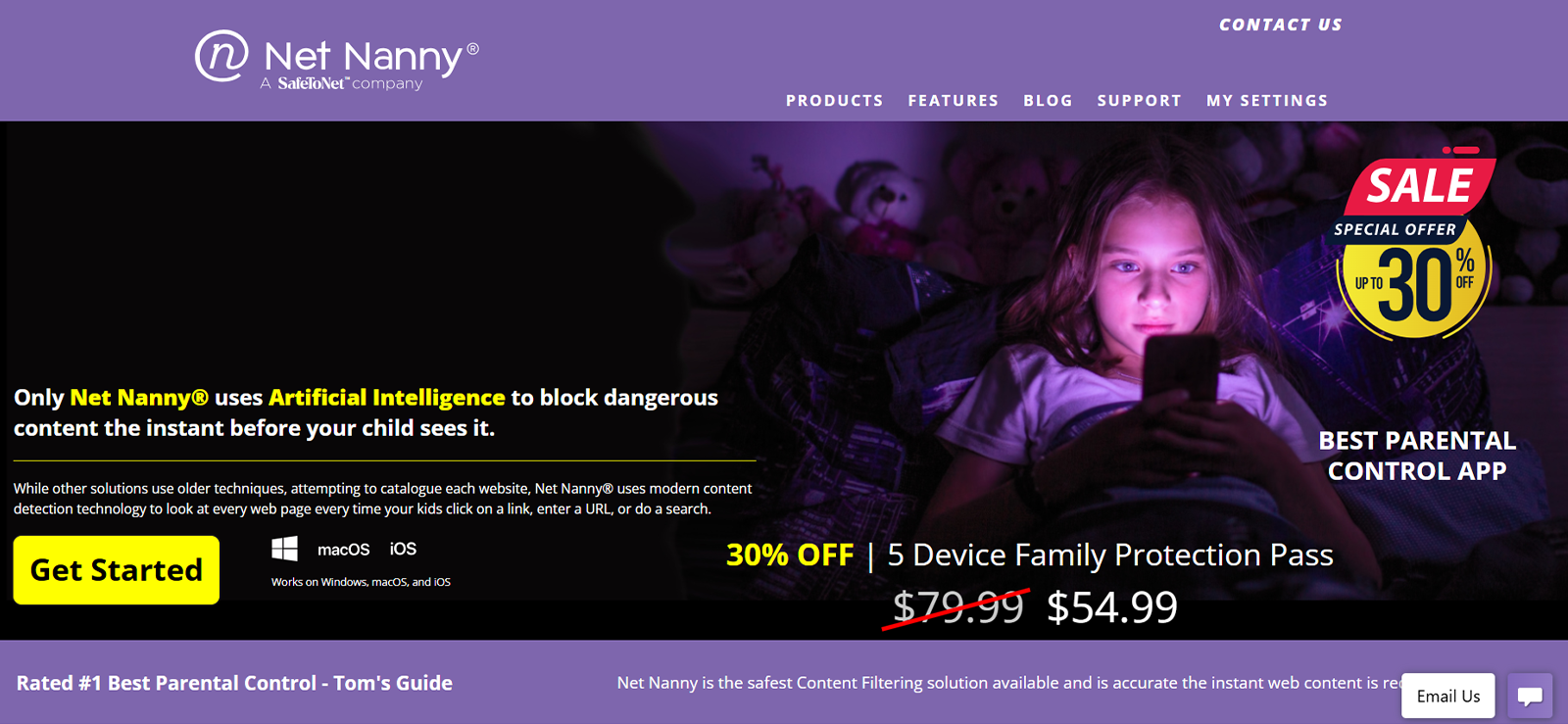
Net Nanny is a parental control app that offers real-time internet safety and web filtering. It scans the actual content of a page as it loads and removes the harmful content. It requires the kids’ app and the parent app on the respective devices. Once active, the app works in the background to filter content across browsers. In case the use is out of hands parents can shut down internet access instantly with one tap on the parent dashboard.
Net Nanny Features
Net Nanny offers several child internet filters.
Screen Time Scheduling and Allowances
Net Nanny provides a flexible Screen Time Scheduler that allows parents to map out exactly when a child can access the internet throughout the week. Parents can set a daily time allowance that serves as a countdown of total usage minutes, or create specific curfews for time blocks.
AI Web Filtering
Net Nanny offers real-time AI filtering. It analyzes the context of words on a page. During our tests, we tried searching for content that used double-meaning words; the app was smart enough to allow educational health articles while immediately blocking inappropriate content. It also hashed the problematic words.
App Management & Blocking
Net Nanny allows parents to view all the apps installed on their child’s device and block those they find inappropriate. They can also manage access to social media, gaming, and messaging apps directly from your phone.
Net Nanny Compatibility
Net Nanny supports iOS 11 and above, and Android; it works on versions 5.0 and above.
Net Nanny Pricing
- 1 Desktop: $39.99/year
- 5 Device Family Pass: $54.99/year
- 20 Device Family Pass: $89.99/year
Net Nanny Pros and Cons
| Pros | Cons |
| – Net Nanny offers real-time AI filtering, which is excellent at catching inappropriate content in context. – It includes a unique profanity-masking feature to help ensure safer browsing. – The dashboard is user-friendly. | – Net Nanny does not offer a monthly billing option; you have to pay for a full year upfront. – Comparatively, it is expensive. – Does not support monitoring for specific social media messages or calls. |
Why Should I Buy Net Nanny?
Net Nanny is a good choice for parents whose primary concern is the content their children see online and on YouTube. It is perfect for families with younger children or those who want simple internet filters for kids without access to private conversations.
Looking for a Different Option? Try Xnspy
Parents across the globe trust Xnspy for features no other app provides.
6. Norton Family

Norton Family is a parental control solution that helps parents supervise their children’s online activities and create healthy digital habits. It operates through a child app installed on the monitored device and a parent app or web portal. The software provides insights into web browsing, search terms, and device usage, allowing parents to set “House Rules that sync across all of a child’s devices.
Norton Family Features
The best web filters of Norton Family include;
Focus Mode
The School Time feature is a specialized focus mode that allows parents to manage their child’s remote learning environment. Instead of shutting off the internet entirely, they can authorize specific educational websites required for schoolwork while blocking distracting sites and social media during set school hours.
Screen Time Management
Norton Family also includes a screen-time management feature that helps parents set filters on how long their children use their devices each day. Parents can set daily screen time limits and create schedules for when devices can or cannot be used, such as bedtime or study hours.
Web Supervision
Norton Family filters the web using over 45 predefined categories, ranging from adult content to entertainment. Parents can choose to block sites entirely, receive an alert when a site is visited, or set a warning that allows the child to proceed after seeing a notification. Children can also send a request for access.
Norton Family Compatibility
Norton Family supports Android versions 8.0 and above and iOS15.0 or later.
Norton Family Pricing
- Norton Family (Standalone): $49.99/year
- Norton 360 Deluxe (Includes Family): $49.99 for the first year
- Norton 360 Advanced: $124.99/year
Norton Family Pros and Cons
| Pros | Cons |
| – Supports an unlimited number of devices on a single subscription, making it ideal for large families. – Includes detailed location tracking with geofencing and a 30-day location history. – Offers a 30-day free trial and a generous 60-day money-back guarantee on annual plans. | – No app blocking on iOS; supervision is limited primarily to web filtering on Apple mobile devices. – Does not monitor private social media messages, DMs, or texts. – Tech-savvy children can sometimes bypass filters by using unsupported “incognito” browsers or removing browser extensions on Windows. |
Why Should I Buy Norton Family?
Norton Family is the best content filtering software for families with multiple children and numerous devices who want a comprehensive, high-level overview of web and search activity. It is particularly effective for parents who want to balance protection and communication.
Conclusion
Every family approaches digital safety differently, and there is no single internet filter that works perfectly for everyone. Some parents prefer strict website blocking, while others value deeper insights into online behavior. The more appropriate approach is to do your research and choose the best web filter software based on your requirements.
Take time to understand your child’s needs, compare features carefully, and evaluate how each solution fits your parenting style. Doing proper research first ensures you select an internet filter that supports both safety and healthy digital growth for your family.
Usually, such tools are helpful when combined with communication and active guidance, not used as a replacement for parenting conversations.
FAQs
What is the best internet filtering software that gives parents the most visibility into their child’s online activity?
Parents who want detailed insights into browsing behavior, app usage, and online interactions often prefer Xnspy. Instead of relying only on category blocking, it shows browsing history, screen time, and keyword alerts, helping parents understand how their child actually uses the internet and where risks may appear.
Are free internet filters good enough for family safety?
Free tools like Google Family Link can help set screen time limits, approve app downloads, and enable SafeSearch. However, they usually lack advanced monitoring, real-time alerts, and deeper filtering options. Families often start with free tools and later move to more advanced solutions as children begin using social media or messaging apps more actively.
What is the difference between child monitoring apps and internet filters for kids?
Internet filters for teens primarily restrict access to specific sites or categories, such as adult content or gambling. Whereas monitoring apps go further by showing activity patterns, searches, and app usage. For example, Xnspy helps parents identify behavioral trends and hidden risks, while traditional filters mainly prevent access to known harmful websites.
Can teenagers bypass website blocker apps?
Tech-savvy teens sometimes try to bypass blocker apps using VPNs, private browsers, or alternate apps. Premium filtering tools reduce this risk through stronger controls, alerts, and activity tracking. No solution is completely foolproof, which is why combining technology with clear family rules and communication remains important.
Leave a reply:
Your email address will not be published. Required fields are marked*
Mike Everett
Member since October 20, 2014
Mike Everett
Member since October 20, 2014
Mike Everett is a consumer technology journalist with expertise in hands-on testing and evaluation of iOS and Android monitoring applications. With over 11 years in the industry, he focuses on how mobile monitoring tools perform in real-world conditions, including accuracy, feature reliability, device compatibility, and practical usability for parents.
He conducts live-device testing of monitoring apps to assess how well their features function beyond marketing claims. His work primarily includes comparative reviews, feature breakdowns, and buyer-focused guides designed to help parents understand which tools actually deliver usable results in everyday scenarios.