MobileSpy.io Review 2026: Pros, Cons, and Real User Experience
 By Jenny Nicole
The complete monitoring experience for your phone
Get XNSPY and start tracking calls, texts, multimedia, locations and more on any phone!
Get Started Now Live DemoWhen discussing monitoring apps, several types are available. All of them operate on the same principles and offer somewhat similar features. However, the target audience may differ, and the significant difference is how they perform once purchased.
Most monitoring apps offer free trials, but individuals complain that they don’t work after purchasing the app. Some of the apps don’t even offer a free trial. One such app is MobileSpy.io, and it has the same issue – unless you purchase it, you cannot make a decision.
To help you navigate this dilemma, we have tested the app for over a month. In this article, we will provide you with experience-based data so you don’t have to go through trial and error.
MobileSpy.io Overview
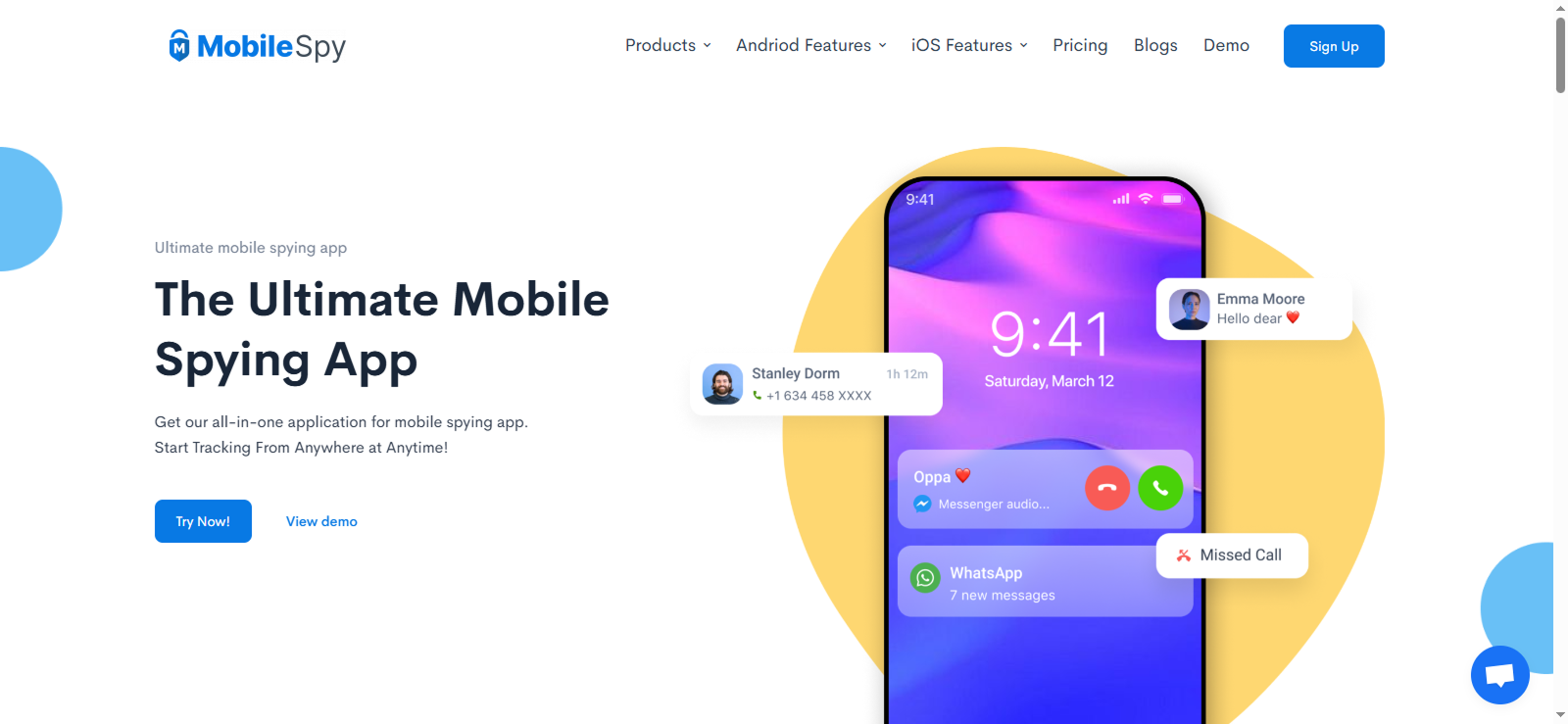
MobileSpy is primarily a tracking app that also offers parental monitoring features. It mainly focuses on providing complete surveillance at all times. It has the basic calls, messages, and location tracking, along with a few remote control features that help you view the activities of the target device.
MobileSpy.io is a relatively new app and doesn’t have as much recognition as some of the other software. The most highlighted features of the app are its remote monitoring tools; however, the question is whether they work or not.
To provide you with a complete and unbiased review, we purchased the app and used every feature multiple times. We purchased the premium package for two months, which cost us a significant amount. Here is its complete cost breakdown.
Our Experts Also Reviewed These Monitoring Apps

📖  SpyHuman Review: The Complete Breakdown
🦺  Kaspersky Safe Kids Review: Is It Worth Using for Your Child’s Safety?
⚡  SpyX Review: The Hidden Truth About How It Really Works
📸  FlashGet Kids Review: A Reliable Parental Control App or Just Hype
MobileSpy.io Cost
MobileSpy offers three subscription tiers: Basic, Standard, and Premium, which are differentiated by the features the app offers. You can get each plan on a monthly and yearly basis.
- The Basic plan covers core calls, SMS, and SIM details. The monthly price for the basic plan is $ 9.99/ month, and if you get the yearly subscription, it will cost you $ 4.999/ month.
- The Standard plan adds contacts, multimedia, Wi-Fi networks, and app activity. The monthly plan costs $14.99/ month, and the yearly plan subscription is $6.67/ month.
- The Premium plan includes location/geofencing, browser history, keylogging, and social media monitoring. The monthly cost for this plan is $19.99/ month, and the yearly plan is $8.33/ month.
While the plan seems flexible, it is a bit pricey, especially considering the features it offers. Moreover, the MobileSpy free trial is not available. If you want complete monitoring, the premium plan is the best option for you.
MobileSpy.io APK Download, Compatibility, & Ease of Use
Once we purchased the app, we were to download the app on the target device. MobileSpy offers its own APK for Android installations, which can be downloaded directly from its website. You can not download it from the Play Store. The app is compatible with both Android and iOS; however, for iOS, you ned the credentials of the device you want to track.
MobileSpy.io is compatible with Android 4.0 and above, and it supports all iOS versions. However, the access is limited, and if the data is not being backed up, you may napot be able to view the required information.
Checking compatibility on the website is difficult otherwise. MobileSpy.io has 24/7 customer support, and you can inquire about the particular mobile version, but they don’t always reply on time. During our testing, the replies were delayed, and our installation process was also delayed.
Once purchased, we used the website for MobileSpy APK Download. The installation process took almost 40 minutes. It took longer than anticipated, as the average time is typically 15 to 20 minutes. Once installed, the app went into stealth mode, and we began receiving data pieces after a few hours.
Like most apps, you don’t have to install the monitoring app on your device; you can access the dashboard directly through it. The app’s interface is reasonably clean and well-organized. Usually, you can find the required information directly, but the home dashboard could use some work. After setting up the app, we texted each feature, and here is how our experience went.
How Does MobileSpy.io Work: A Detailed Look At Its Features
Calls and SMS
MobileSpy’s call feature performed well during our initial testing stages; however, it later failed to track all calls. Initially, it accurately recorded all missed, incoming, and outgoing calls, along with the contact name, duration, and timestamp. However, after a week, it began to miss multiple calls made from the target device.
Apart from that, the feature that we missed the most was the call recording feature. Another issue was that there was no systematic way to view which contacts require special attention. You can see the frequency of interactions on the same number, but you can’t determine who contacted whom, which can be confusing, especially if you are monitoring your child.
SMS tracking was better than call recording. Just a few messages were not visible on the dashboard. Also, if the messages were deleted within 5 minutes, the app was unable to capture them. Overall, it’s a decent feature for basic monitoring, but MobileSpy.io could definitely improve stability and ensure that recorded audio files are more accessible and consistent in quality.
Location and Geofencing
The location tracking feature was fairly accurate most of the time, but we noticed significant lags when the target device was in motion. The MobileSpy interface displayed the location on a map with timestamps, which was helpful.
However, there was no real-time update, as it sometimes took up to 30 minutes for the dashboard to refresh. One thing we liked was that you can see their movement patterns on the map. You can check where they have been at a glance, but because of the delays, a few places were missed.
We also like the geofencing feature display. It displays the map and the time when they left or arrived at the geofenced position. Although the primary purpose of this feature is to receive alerts, allowing one to avoid continuous screen monitoring, it still provides a summary that can be helpful.
When it comes to notifications, they weren’t immediate, which limits their usefulness in real-time monitoring. Setting up geofencing was not as easy, and it can be confusing to determine the radius and select the exact location.
Applications

The MobileSpy Applications feature is straightforward and basic. It shows all the apps installed on the target phone, along with their installation time and date, and the space they occupy on the cell phone. Apart from that, the feature didn’t display any information.
This feature can help identify any problematic apps on the device, such as dating apps or adult gaming apps. During this MobileSpy.io review, we installed various apps on the target device and deleted them at different times to check how long it takes for the app to capture.
It missed many apps; usually, this feature takes more than a day to update. If someone has deleted the app after use, you may not be able to check.

Still Searching for Features MobileSpy Doesn’t Deliver? Switch to Xnspy
Xnspy gives you the monitoring depth and speed that MobileSpy.io doesn’t.
– Social media monitoring for 13+ apps
– Detailed call logs with timestamps and durations
– Real-time GPS tracking with location history
– Screen recording and app activity tracking
App Timeline
The App Timeline feature was interesting but a bit underwhelming. It shows the time someone has spent on each app and shows when it was last used, but other than that, no information is displayed. Here, the frequency of app visits or the top apps in use can offer more clarity.
Moreover, as MobileSpy.io was unable to track installed apps in real-time, it didn’t capture the new apps or the time spent on them. The time spent on the logged apps was not always accurate, and you may not know when the app was updated.
Within this feature, there is also a blocking option available. We blocked a few apps, but the feature doesn’t block the apps immediately, which diminishes the purpose of the feature.
App Activity
The App Activity feature is similar to the App timeline and applications tools in the app. This feature also displays the overall screen time. Additionally, this feature allows you to sort the apps based on screen time, so you can get an idea of the most used apps by the time spent on them, which can be helpful; however, we experienced a sudden delay.
For example, you can use the app to check your children’s screen time. The screen time at 2 pm is 1 hour, and after an hour, it spiked up to 4 hours. It can be irritating, as our first thought is that the app data is not reliable.
Key logger
The Keylogger feature performed reasonably well, capturing most keystrokes typed on the target device, including messages, searches, social apps, and login attempts. However, it didn’t always capture text entered in certain secure apps or browsers, as well as newer social media apps and those that have been recently installed.
Another issue we had was that it didn’t show the timestamps. You can view all logs for a specific date, but you won’t be able to see the time unless you hover over the message. It is an unnecessary hassle. Overall, the feature is not bad, as it gives you some idea of what is happening on the app.
Browser History
MobileSpy’s browser history tracking worked better than the other features of the app. It captured URLs, website titles, and visit timestamps for Chrome and other browsers as well. One thing that stood out was that it also captures the text that was used for searching.
However, it didn’t detect history from private or incognito tabs, which is a notable limitation. When it comes to monitoring someone, private browsing holds significant importance, especially when it comes to monitoring children.
It does sometimes capture links, which can give you an idea; however, it misses most of the time. Other than that, there is no way to find the most visited websites, links, or any information about the bookmarks.
Remote Control
The Remote Control tools were among the most intriguing aspects of MobileSpy.io, but also the most inconsistent. The app allows you to remotely take screenshots, capture images through the camera, record video, and more.
In practice, these functions worked only sporadically. For instance, the screenshot and camera capture features sometimes failed to execute and would send a blank screen. The voice recording was also very inconsistent, especially when the internet was down.
Alerts
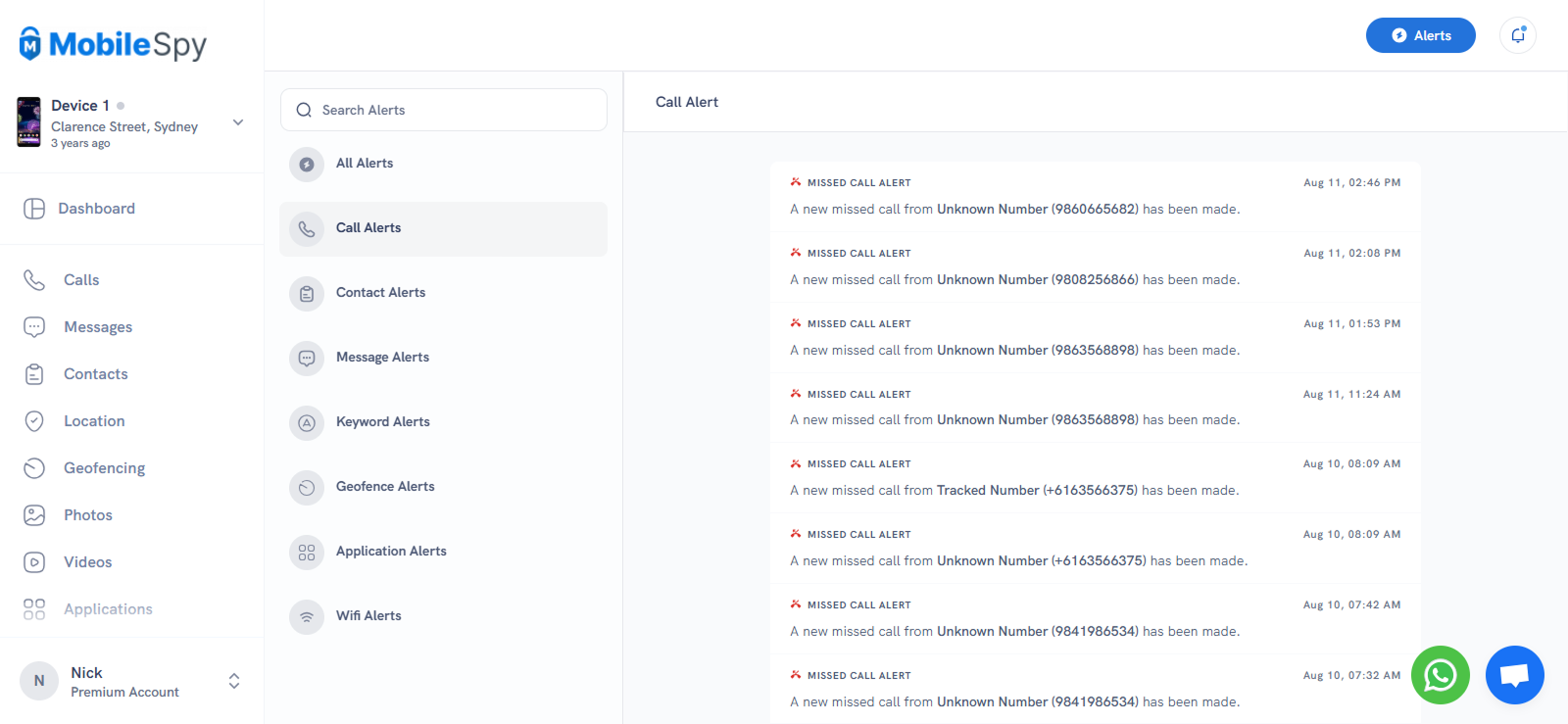
MobileSpy.io provides a range of alerts to keep you informed about key activities taking place on the target device. You’ll receive notifications when a new app is installed, a new contact is saved, or when the device connects to a new Wi-Fi network. These alerts provide an instant overview of key activities without requiring manual review of every log.
We really liked the feature; even with the delayed update, it can be helpful. However, the limitation is that the MobileSpy app doesn’t send push or email notifications; you have to log in to the dashboard to view them. Still, it’s a helpful feature for keeping tabs on frequent changes or unusual activity.
MobileSpy.io Pros and Cons
Here are some pros and cons to understand the usage completely.
MobileSpy.io Pros
- MobileSpy.io covers a wide range of categories, including calls, SMS, location, apps, browser activity, keylogging, and more.
- 24/7 available customer service.
- The remote control features allow pictures and videos to be taken from the camera.
- The alert feature is pervasive.
MobileSpy.io Cons
- MobileSpy free trial is not available.
- Too many similar features.
- Some of the features are missing, like social media monitoring, screenshots, and the call recording feature. The app focuses on providing information about the activities and leaves the protection elements altogether.
- There are hidden charges that show during payments.
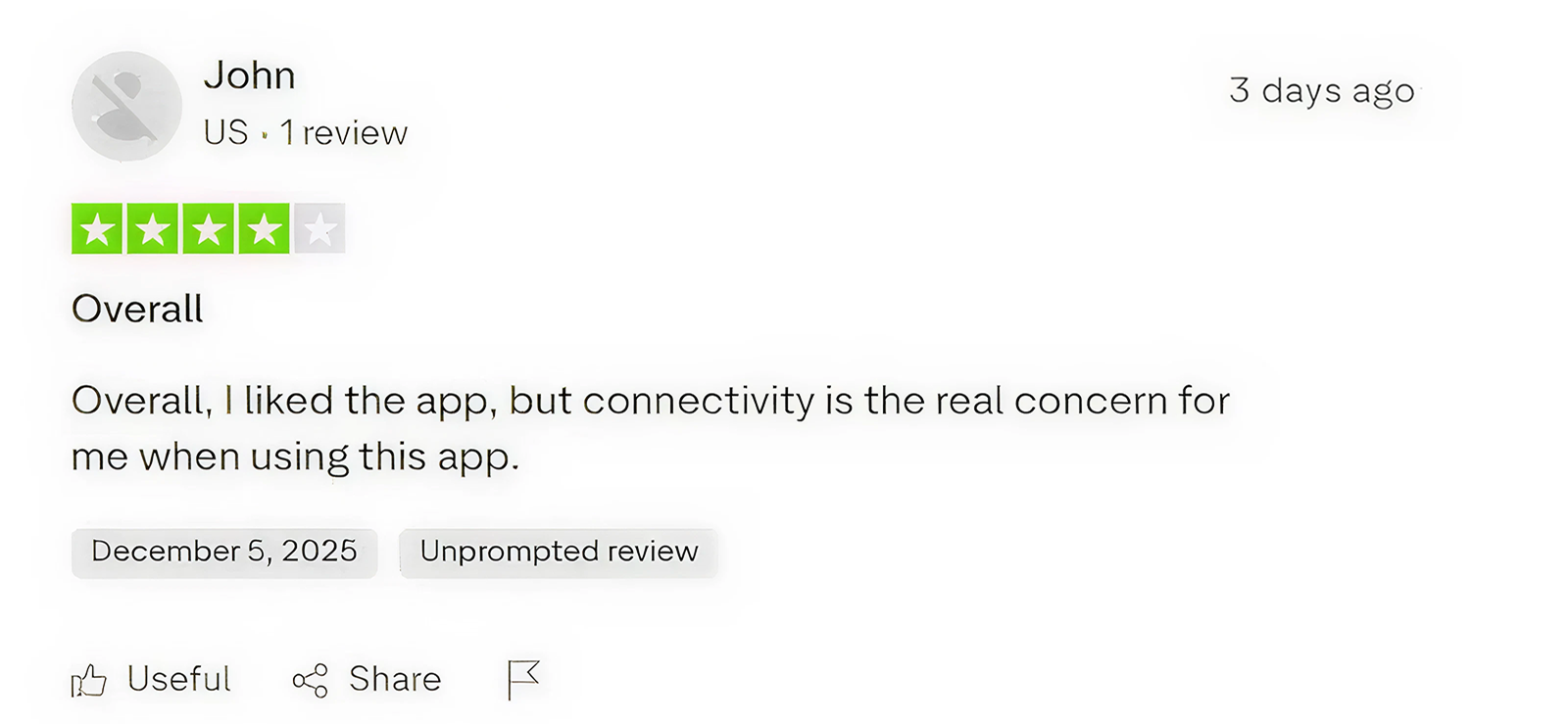
MobileSpy.io Customer Reviews
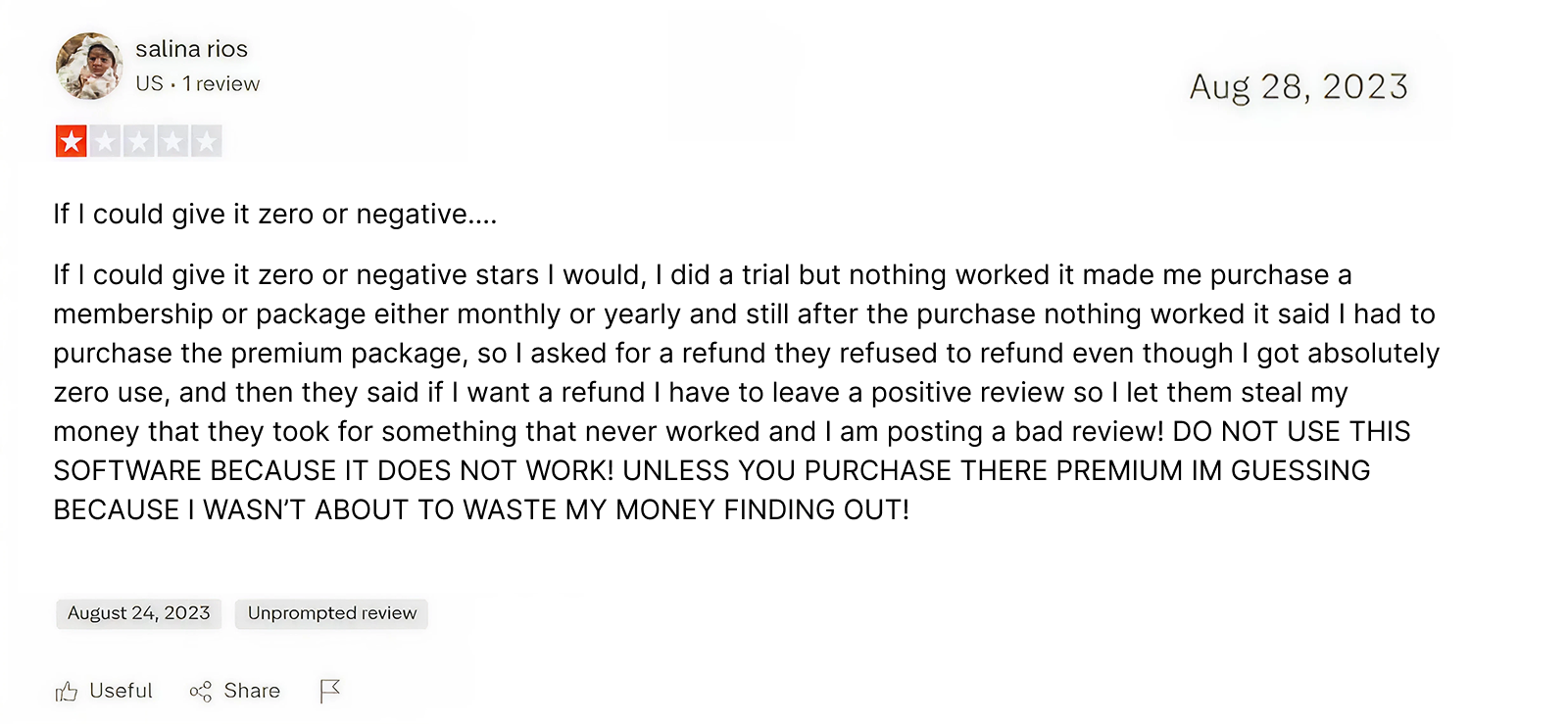
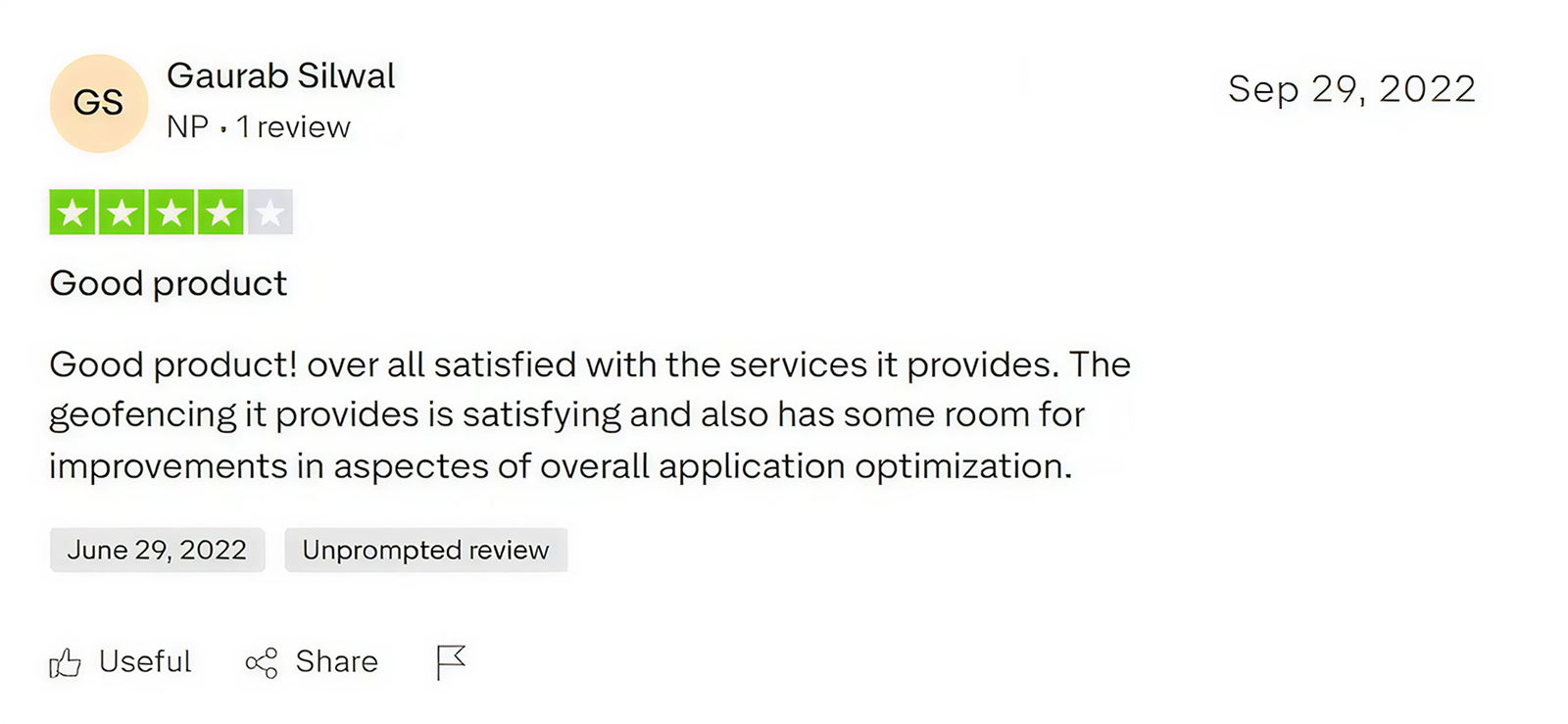
Can MobileSpy.io Do the job, or Is There a More Reliable Monitoring App Out There?
While MobileSpy.io offers a variety of monitoring tools and provides a comprehensive overview of activities, there are some areas where the app lacks. Whether it’s inconsistency, delayed updates, or missing features like social media monitoring, the app cannot be recommended for serious parental or employee monitoring needs, as per our findings and most MobileSpy reviews.
If you are looking for a dependable, real-time monitoring app that delivers consistent data without delays or app crashes, Xnspy stands out as a far better choice. It’s been around for years, is trusted by thousands of users globally, and offers a smoother, faster, and more reliable experience compared to MobileSpy.io. We tested the app simultaneously, and here is what we found.
Xnspy Overview
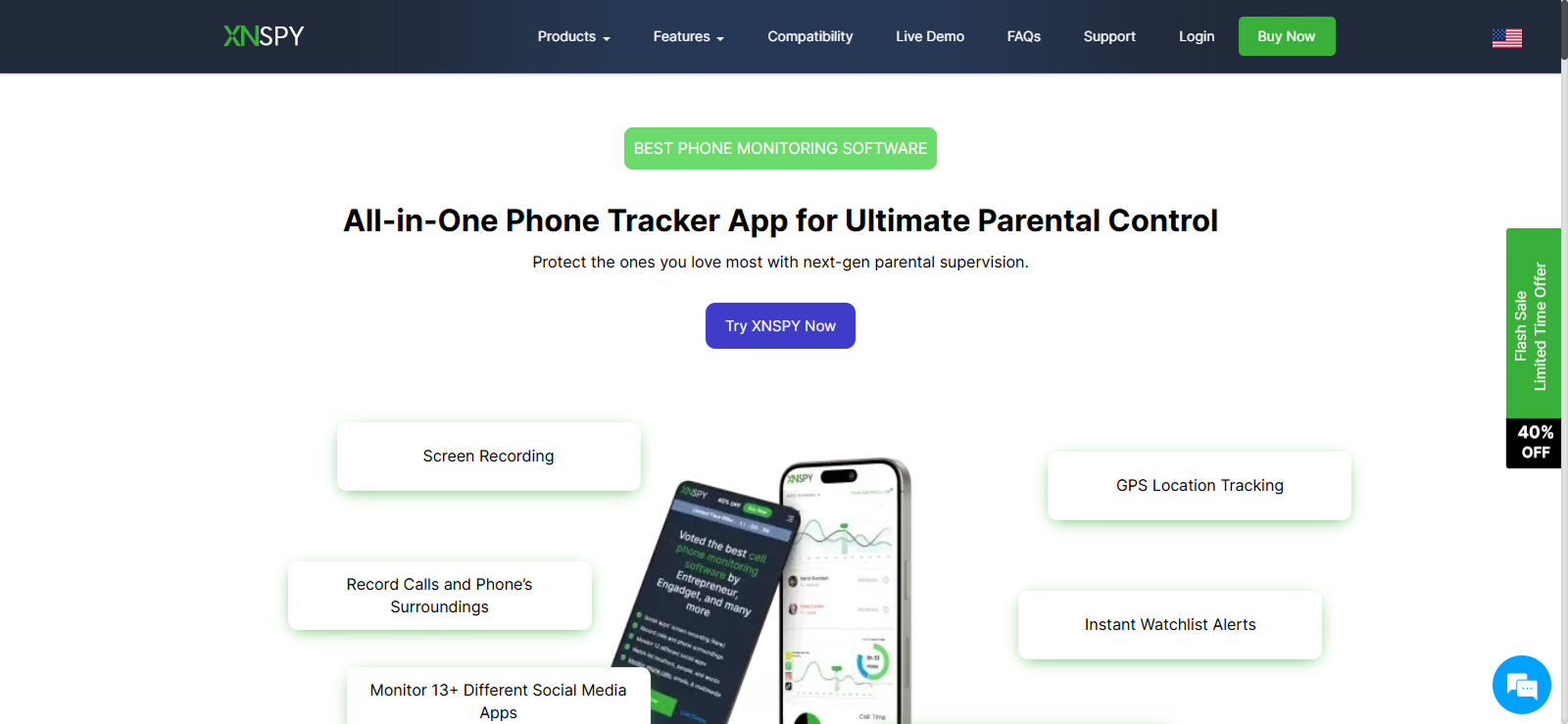
Xnspy is a veteran monitoring app that has continually updated its features as customer requirements have evolved over the years. Due to extensive features and customization options, it can be used for monitoring children, employees, and your loved ones without any issue.
Xnspy offers real-time monitoring with high data accuracy, ensuring a faster data update rate. This allows you to receive important information at the required time. It covers calls, texts, GPS locations, app usage, social media, multimedia, and even ambient recording to ensure protection and security.
Xnspy is compatible with both Android and iOS. You can check the phone model’s compatibility directly on the website. Otherwise, Xnspy works on Android 4 and above, and for iOS, you can install it on iOS 6 and above.
The installation process is much easier. Choose the plan that suits your requirements and install the app once on the target device. The data will start updating on the dashboard within a few hours. Once installed, Xnspy hides itself, and the target individual will be unable to uninstall it.
Xnspy features a user-friendly dashboard with all information readily available, so you don’t have to struggle to find it. We tested the app for two months and then purchased the quarterly premium plan, and here is what we experienced.
Xnspy Cost
Xnspy offers two flexible subscription plans: Basic and Premium. Both plans are available on a monthly, quarterly, and yearly basis. You can choose the one that suits you the most.
- The Basic plan starts at $4.99/month when billed annually
- The Premium plan costs $7.49/month when billed annually.
Xnspy Features
Here is how the features compare to the MobileSpy.io app.
Calls and SMS
Xnspy’s call and SMS tracking provides detailed insights into how the target user utilizes call and messaging features. As the app focuses on protection, it not only displays call logs but also provides reports that indicate which calls and contacts are potentially harmful.
In these reports, Xnspy displays the top callers based on both the frequency and duration of calls. By reviewing these reports, you can identify which contacts require further exploration. You can also add such contacts to watch lists, which means that whenever they attempt to contact the target individual, you will receive an email alert, allowing you to take the necessary measures.
Additionally, Xnspy provides call recording. You can download these recordings or listen to them directly from the dashboard. It further clarifies which callers are not helpful. You can find out if your loved ones are being scammed or bullied.
SMS tracking includes deleted messages, contact details, and conversation threads. Xnspy backs up messages in real-time, which ensures no gaps, even if the user deletes them immediately.
Final Verdict: Xnspy outperforms MobileSpy.io with its flawless call tracking, deleted message recovery, call reports, and built-in call recording feature. This feature alone makes Xnspy the ideal choice for both parental and employee monitoring.
Location & Geofencing
Xnspy’s real-time location tracking is fast and accurate. It is updated every few minutes with exact GPS coordinates. All the locations are saved with exact timestamps and address details. You can directly check the location on the map and understand where they have been during a specific time period.
One feature that stands out in Xnspy is that the app continues to track location even when the internet connection is weak or unavailable. It tracks, records, and updates it on the dashboard.
Xnspy’s geofencing feature allows you to create multiple zones and sends instant alerts when the target enters or leaves a location. You can set each location seamlessly by providing the address or choosing it on the map. Moreover, you can choose the radius of the safe zones, making the information much more reliable.
Final Verdict: While MobileSpy.io often lags and misses updates, Xnspy delivers instant and reliable GPS tracking with customizable geofences, ensuring accurate real-time awareness of your loved ones’ whereabouts.
Installed Apps
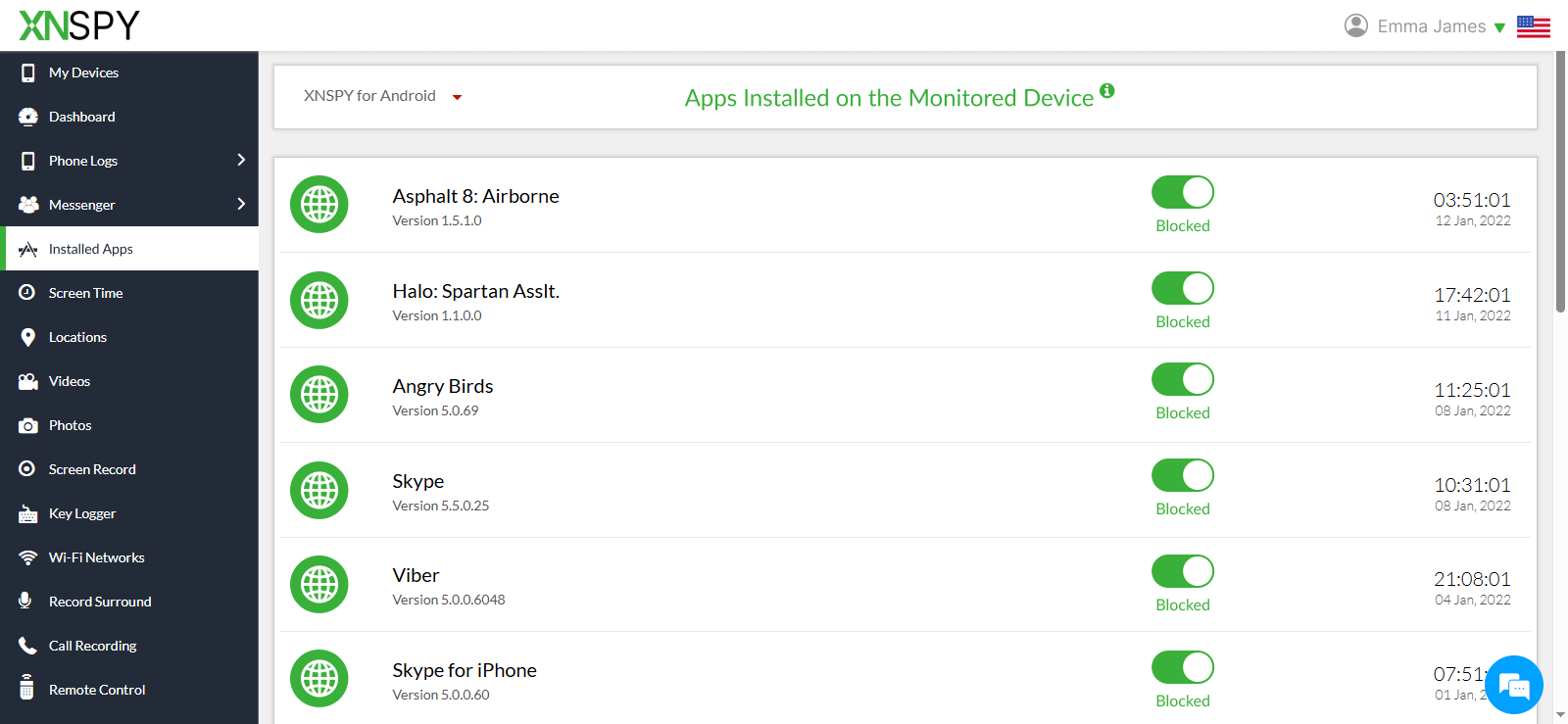
Xnspy provides a detailed view of all installed apps, including installation dates, usage frequency, and version details. The app list updates in real-time, so even if the target person installs any app for a few minutes, Xnspy will capture it and show it in the list.
You can also view the deleted apps, which give a clear insight into what they have been doing. If you feel that a particular app is not suitable, you can instantly disable this feature without any delay. This feature is particularly helpful when monitoring your children, ensuring they adhere to their screen time limits and stay safe from inappropriate apps.
Final Verdict: Xnspy’s instant updates and real-time app blocking capabilities make it a better option than MobileSpy’s app tracking feature.
Screen Time
Xnspy’s screen time tracking provides a comprehensive breakdown of the target person’s daily, weekly, and monthly usage of each app. You can view how many times they have visited an app and how much time they have spent on each of them.
If you believe an app is being used more than necessary, you can further monitor its activities using the screenshot and keylogger feature. This provides a more comprehensive monitoring, allowing you to take immediate action in the event of a problematic situation.
Final Verdict: For parents concerned about digital well-being, Xnspy offers accurate, real-time screen time analytics with control options that MobileSpy doesn’t offer. Additionally, displaying the app list in three features without any purpose can be irritating, as the same information is repeated.
Keylogger
Xnspy’s keylogger records every keystroke typed on the target device, including passwords, search queries, messages, and notes. It tags each entry with an app name and timestamp, making it easier to follow context.
The updating time of the keylogs is much faster than that of MobileSpy, and you can even view the half-written text. Also, you can view the deleted messages and search queries. The interface of this feature is much easier to understand, and you get the idea without needing to delve too deeply into it.
Final Verdict: Xnspy’s keylogging accuracy and time-stamped logs make it far more dependable than MobileSpy’s.
Internet History
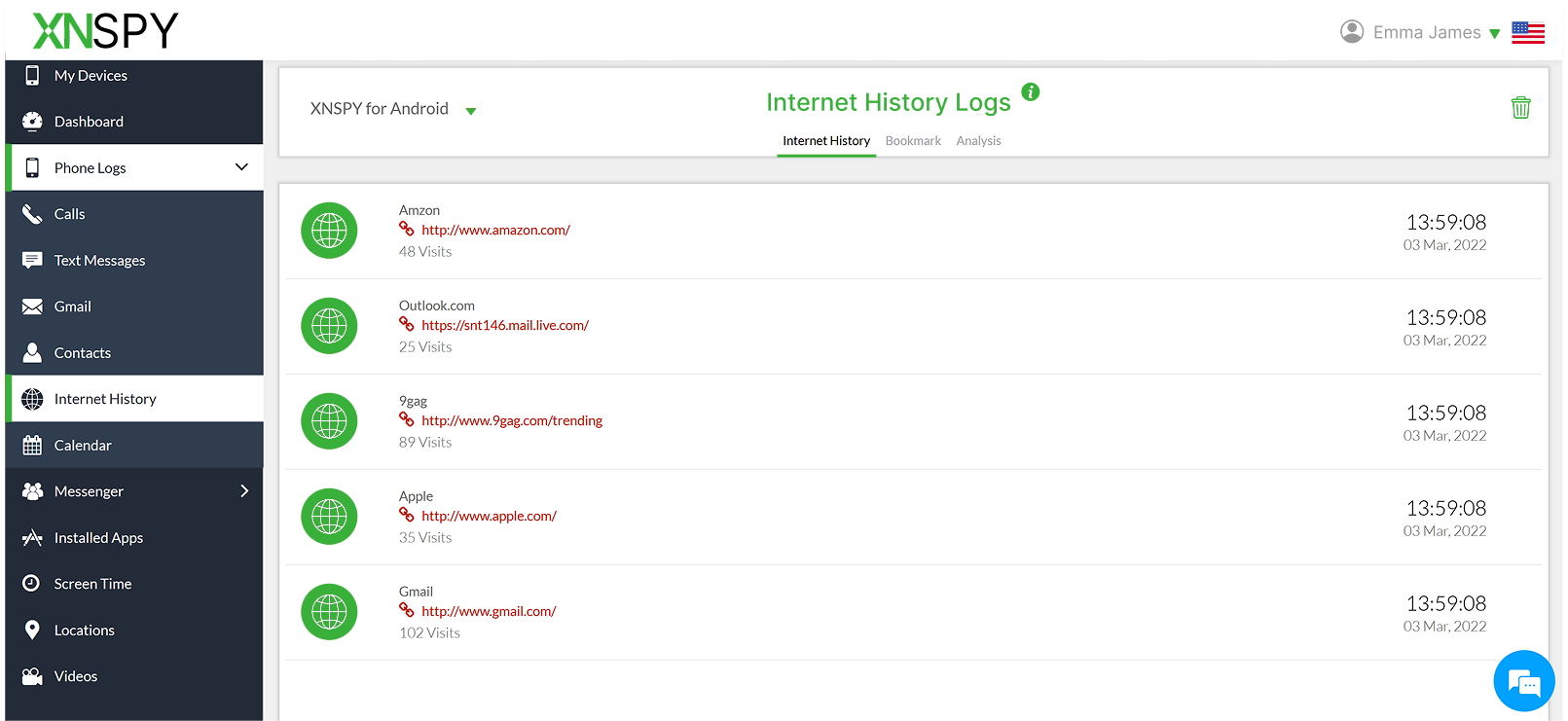
Xnspy’s internet monitoring goes beyond just browser URLs. It tracks search queries, visited websites, and shows the search queries of incognito mode as well. You can view all bookmarks, including those that have been removed. Xnspy allows you to download all the lists, making it easy to check the changes.
In the analysis section, you can see the most frequently visited domains. You can even adjust the frequency of visits. With the top go-to links, you can easily identify behavioral trends or potential risks without going through the extended lists of URLs.
This feature is more consistent and insightful than MobileSpy’s browser tracker, which misses private sessions and lacks frequency data.
Final Verdict: With accuracy, incognito detection, and better insights, Xnspy outperforms MobileSpy in monitoring online activity.
Take Charge With Xnspy’s Powerful Features
See the full picture with detailed monitoring and consistent updates.
Remote Control
Xnspy’s remote control suite works seamlessly. You can take live screenshots, record ambient sound, remotely lock the device, or wipe data if it is lost. These features are carefully selected to provide comprehensive protection.
For example, with ambient screenshots, you can view what they have been doing on apps, and in case there is something they should not be doing, you can remotely block the app.
Similarly, the surround recording feature is handy for parents, letting you record ambient sounds through the target phone’s microphone, ensuring children are safe and engaging in healthy activities. The captured files are stored securely in your dashboard.
The wipe phone is helpful if the phone gets stolen. These actions execute within seconds without any delay, even with a weak internet connection.
Final Verdict: Xnspy’s remote control tools are highly reliable, fast, and diverse, whereas MobileSpy’s are slow and often fail to function. Xnspy is the clear winner here.
Alerts
Xnspy offers a more systematic Alerts feature that keeps you informed about important activities on the target device. You can set alerts for specific geofenced areas, so you’re notified instantly when the person enters or leaves a designated zone.
It also allows keyword alerts for specific words used in messages or searches, ensuring you never miss red flags. Additionally, you’ll receive alerts when a watchlist contacts try to contact. It means that when it is necessary, or when the SIM card is changed. It helps detect suspicious behavior or unauthorized use.
Final Verdict: The MobileSpy app has a sound alert system. You get alerts for every activity; however, it can be irritating for some. It’s better to receive fewer alerts, such as when actually monitoring requires respecting privacy.
Xnspy Pros and Cons
Here are a few pros and cons of Xnspy to clarify any doubts.
Xnspy Pros
- Xnspy offers a more systematic approach to monitoring, with extensive features such as call recording and ambient recording.
- Xnspy’s screenshot features offer social media monitoring, a significant factor in parental monitoring.
- The remote control features are more thoughtful and provide more context about usage.
- Affordable pricing and transparent plans.
- 24/7 customer service is available.
- User-friendly dashboard and stable customer support.
Xnspy Cons
- No free trial.
- Requires one-time physical access for Android installation.
Xnspy Reviews By Real Users
Xnspy vs. MobileSpy: A Quick Feature-by-Feature Comparison
| Feature | Xnspy | MobileSpy |
| Call Tracking | Tracks all incoming/outgoing calls, provides top caller reports, and includes call recording for detailed insights. ⭐⭐⭐⭐⭐ | Tracks basic call logs but misses several calls and lacks call recording. ⭐⭐ |
| SMS Tracking | Captures all texts, including deleted messages, with contact and timestamp details. ⭐⭐⭐⭐ | Captures most texts but misses deleted messages and some threads. ⭐⭐⭐ |
| Location Tracking | Real-time GPS tracking with accurate timestamps and movement history; updates even offline. ⭐⭐⭐⭐⭐ | Laggy updates, sometimes delayed by up to 30 minutes. ⭐⭐ |
| Geofencing Alerts | Allows multiple geofences with instant alerts when zones are entered or exited. ⭐⭐⭐⭐ | Alerts appear but with noticeable delays; difficult setup. ⭐⭐⭐ |
| Installed Apps | Displays installed and deleted apps with real-time updates and usage stats. ⭐⭐⭐⭐ | Shows installed apps only, with slow refresh (up to a day delay). ⭐⭐ |
| App Usage / Screen Time | Tracks daily, weekly, monthly screen time with real-time updates and parental controls. ⭐⭐⭐⭐ | Displays inconsistent screen time data with delays. ⭐⭐ |
| Keylogger | Records all keystrokes, including in secure apps, with timestamps and app names. ⭐⭐⭐⭐⭐ | Captures most keystrokes but no timestamps and skips secure apps. ⭐⭐⭐ |
| Browser History | Tracks all URLs, incognito history, bookmarks, and search queries. ⭐⭐⭐⭐ | Misses private browsing and lacks frequency or bookmarks data. ⭐⭐ |
| Remote Control Tools | Highly responsive; allows screenshots, ambient recording, remote lock & wipe. ⭐⭐⭐⭐⭐ | Offers remote screenshots and recordings but often fails or lags. ⭐⭐ |
| Alerts & Notifications | Customizable alerts for keywords, contacts, geofences, and SIM changes; timely email notifications. ⭐⭐⭐⭐ | Alerts for app installs, Wi-Fi, and contacts, but require manual dashboard login. ⭐⭐⭐ |
| Social Media Monitoring | Includes screenshot capture & chat tracking for major social apps. ⭐⭐⭐⭐ | No dedicated social media monitoring. ⭐⭐ |
| Ease of Installation | Quick setup (10–15 mins) with a clear installation guide and compatibility checker. ⭐⭐⭐⭐ | Lengthy installation (up to 40 mins); customer support replies slowly. ⭐⭐ |
| Dashboard & Interface | Intuitive, organized dashboard with detailed activity charts. ⭐⭐⭐⭐ | Functional but cluttered dashboard; needs better layout. ⭐⭐⭐ |
| Reliability & Speed | Real-time data sync; minimal crashes or lag. ⭐⭐⭐⭐⭐ | Frequent delays and inconsistent updates. ⭐⭐ |
| Pricing & Value | Starts at $4.99/month (basic); affordable and feature-rich. ⭐⭐⭐⭐ | Starts at $9.99/month; pricey for limited tools. ⭐⭐ |
| Customer Support | 24/7 chat and email support, generally responsive. ⭐⭐⭐⭐ | Claims 24/7 support, but slow replies during testing. ⭐⭐⭐ |
| Overall Performance | Reliable, fast, and accurate; suitable for both parents and employers. ⭐⭐⭐⭐ | Basic app with limited consistency; not ideal for professional use. ⭐⭐ |
Final Verdict
MobileSpy.io is a decent tracking app that can also be used for basic parental monitoring. It offers essential features like call and SMS tracking, location tracking with geofencing, keylogging, browser history tracking, and remote control tools.
The alerts for new app installations, contacts, and Wi-Fi connections provide a helpful overview of phone activity, which makes it useful for monitoring your child’s digital behavior. However, as per our MobileSpy review, it still lacks key functions, such as social media monitoring, real-time updates, and consistent remote access, which limit its overall effectiveness.
If you’re looking for more advanced and targeted monitoring, Xnspy is a better alternative. It offers a cleaner interface, faster data syncing, and broader coverage, including social media and ambient monitoring. Ultimately, choose the app that best fits your needs.
If you want an overview of activities, consider the MobileSpy app. However, if you want complete insights, Xnspy is a more suitable choice. These apps are helpful, but be sure to use them ethically and responsibly, ensuring that privacy and trust remain intact while maintaining safety.
Your Child’s Digital Safety Matters – Don’t Risk It
Xnspy offers extensive features that protect your child from digital harm, no matter what.

3 Comments
Leave a reply:
Your email address will not be published. Required fields are marked*

Ruby Rails
December 18, 2025 at 2:47 pmIf I could get mobilespy for free, I still would not buy this app. This is how bad of an experience I had with it.
Carlos
January 23, 2026 at 2:22 pmI am having problems accessing mobilespy website, is anyone else encountering that problem?
Jacob
January 28, 2026 at 1:28 pmHi, I want to know more about Mobilespy's price plans. Thanks.