Verizon Family Review: Our Experience After Testing It Out
 By Mike Everett
The complete monitoring experience for your phone
Get XNSPY and start tracking calls, texts, multimedia, locations and more on any phone!
Get Started Now Live DemoParents, while mostly wary of their kids’ phone use, do not always opt for safety tools until something makes them pause. It can be their child’s late-night phone use or even a simple need to know whether phone rules are being followed.
That is why solutions like Verizon Family are becoming more popular. The app claims to address multiple parental concerns through location sharing, Safe Walk, screen time controls, content filters, call and text activity, and driving insights.
But a question persists: Does Verizon Family actually help parents in daily life, or does it only work on paper? To help you get all these answers in one place, we tested the app across Android and iPhone to see how well it works.
A Quick Overview of Verizon Family Parental Control & Monitoring App
| Category | Verizon Family Specification |
| Core Purpose | Carrier-linked family safety tool for parental controls and basic activity visibility |
| Compatibility | Android, iOS, Android tablets, iPads, and supported Gizmo Watch setups |
| Setup Time | Around 10-15 minutes for basic setup and around 25-35 minutes for full Verizon Family Plus setup |
| Installation Complexity | Moderate (parent app and Companion app setup required) |
| Free Trial | Yes – 30-day Verizon Family Plus trial for eligible users |
| Pricing | – Standard Verizon Family is free for a qualifying Verizon monthly mobile account – Verizon Family Plus is $14.99/month on legacy plans or $10/month with myPlan |
| Real-Time Syncing | Partial (delays can happen in a weak signal or after permission changes) |
| Best For | Verizon families who want location alerts, screen time controls, basic activity reports, and teen driving tools |
| Not Ideal For | Prepaid users, business accounts, mixed-carrier families, or parents who need deep phone visibility |
How We Tested the Verizon Smart Family App for This Review
Verizon Family testing took us one full month, with a three-person review team that included a family-safety editor, a mobile OS tester, and a UI/UX reviewer. The goal was not just to check whether the features existed, but to see how they worked when used by a real parent in normal family situations.
Monitoring Accuracy – 35%
We paid close attention to what Verizon Family could show clearly and what it could not show at all. Moreover, we focused on the level of detail included in each captured activity. For parents, this matters because a family safety app is only useful if the information is realistic and comprehensive.
Feature Performance Under Real Conditions – 30%
For authentic testing and results, we tested Verizon Family in real-world family situations rather than only under perfect conditions. Therefore, we took into account how the app’s functionality was affected by weak internet, low signal, background app refresh issues, permission changes, child device restrictions, etc.
Ease of Use – 20%
A parental monitoring app should not feel confusing at all. Parents should be able to open it and understand what is happening without having to dig through too many menus. For this part, we tested installation, dashboard layout, alerts, profile switching, and the ease of finding important settings.
Cross-Device Behavior – 15%
We also tested Android and iPhone separately because parental control apps often work differently across platforms. By doing so, we were able to judge Verizon Family more fairly since a parent’s experience can change depending on the child’s phone.
What Is Verizon Family App?

Verizon Family is Verizon’s family safety and parental controls service for eligible Verizon mobile accounts, formerly known as Verizon Smart Family.
Overall, the app helps parents see where family members are, set location alerts, use Safe Walk, check basic Verizon network call and text activity, and view driving insights.
In simple terms, while not a deep-monitoring app that shows everything happening on a child’s phone, it supports basic controls and routine family safety measures.
How Does Verizon Family Work?
From our hands-on testing for this Verizon Family review, we found that the app works through a connected parent-and-child setup rather than a single standalone dashboard. While parents use the Verizon Family app, the child’s device needs the Verizon Family Companion app.
Verizon Family Installation
While installing Verizon Family was not difficult, it still took more of our attention than a basic app download. During our testing, the parent app installed quickly on both Android and iPhone.
But the real setup effort started after that, when we had to install the Verizon Family Companion app and grant necessary permissions.
For a basic location-only setup, we were able to get the app running in around 10-15 minutes. However, once we switched to Verizon Family Plus and enabled screen time, content filters, internet pause, and activity tracking, the process took about 25-35 minutes.
Verizon Family Compatibility
Verizon Family is not a universal parental control app. It is mainly built for Verizon families.
According to Verizon, full enrollment requires a standard monthly Verizon mobile account with 10 or fewer lines; however, prepaid and business accounts are not eligible. Overall, Verizon lists support for Android phones and tablets running Android 8.1 or newer, along with iPhones and iPads running iOS/iPadOS 16.0 or newer.
In our experience, Verizon Family worked on both Android and iPhone. However, Android was more stable, and iPhone required more permission checks.
Verizon Family Interface
The Verizon Family dashboard is fairly easy to understand, with access to all insights and controls in one place.
We liked that the app did not bury everything too deeply and that the main dashboard gave parents a quick look at what was happening. However, the interface can feel crowded once you add more family members, saved places, alerts, screen time rules, and driving tools.
We also noticed a few moments where the dashboard felt less stable than expected. At times, the app pushed us back to the same screen instead of moving cleanly between sections, though that did not happen every time.
Verizon Family Pricing
Verizon Family has two main usage levels, i.e., the standard Verizon Family service and Verizon Family Plus.
The standard version is included at no extra cost with a qualifying Verizon monthly mobile account. However, the free version is limited. If you want more controls and features, then it is better to opt for the Plus plan.
But note that Verizon Family Plus pricing depends on your Verizon plan. For legacy mobile plans, Verizon lists it at $14.99 per month. However, if you are using myPlan, Verizon Family Plus is available for $ 10 per month.
There is also a 30-day Verizon Family Plus trial available for eligible users.
Verizon Family Key Features
During testing, Verizon Family performed best in location sharing, Safe Walk, internet pause, and basic rule-setting. Nonetheless, it was weaker in detailed activity monitoring. We have dwelled on our findings extensively below.
Geofencing Alerts
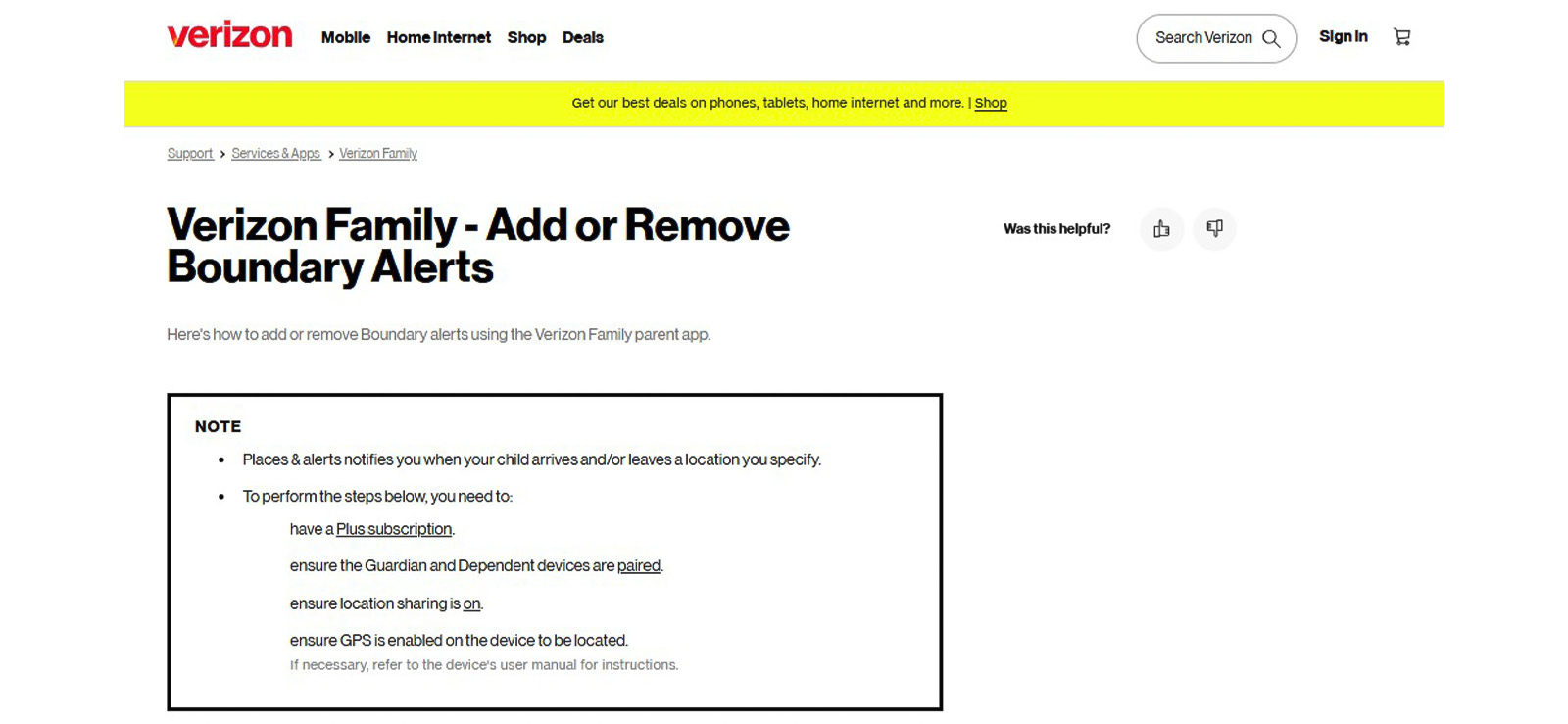
During testing, we created alerts for home, school, a grocery store, and a local park. Then we ran 10 arrival tests and 10 departure tests across Android and iPhone. Of the 20 planned checks, 18 alerts worked correctly.
The 2 missed alerts happened on the test iPhone. In both cases, the child’s device had background access issues, so the alert did not come through until the app was opened again.
We also received 1 false alert during regular use outside those 20 planned checks. In the alert, the app reported that the child had left home, but the phone was still at home.
Not only that, but Android alerts were usually faster and came through within about 30 seconds of entering or leaving a saved place. iPhone alerts, though usable, took a couple of minutes to appear.

Get What Verizon Doesn’t Offer
Receive more than just partial visibility using Xnspy’s detailed monitoring features.
Location History
Location sharing was one of the more dependable parts of the Verizon Family Locator app during our testing. When we performed 15 live location checks across different places, 14 showed the correct location within a reasonable time.
The only failed check happened when the child’s device lost signal in a basement. In that case, the map stopped updating until the phone reconnected, which is expected but still important for parents to know.
Safe Walk and SOS
Safe Walk is designed for moments when a child is walking alone and wants a parent to follow their route.
Given its significance, we tested 5 Safe Walk sessions across Android and iPhone. In all 5 sessions, the location remained visible during the walk, which made the feature feel more useful than a standard location check.
We also triggered 3 SOS alerts later, and all 3 sent the child’s phone location to the marked contacts. But the alert on the iPhone was slightly delayed by 45 seconds.
Parental Controls
Verizon Family’s parental controls are mostly available through Verizon Family Plus. These include screen time schedules, content filters, internet pause, and restricted usage settings.
During testing, the strongest control was the internet pause. We used it 8 times, and it worked every time. It was the easiest tool to understand, too, because the result was clear, i.e., once we paused the internet, the child’s device lost access until we turned it back on.
Screen time was also useful, but it needed more checking than we expected. We tested 12 scheduled cutoffs, and 11 worked correctly.
The one failure occurred after a device update, when the rule appeared active on the parent dashboard but did not behave as expected on the child device.
Content filtering and app blocking were more mixed. Website and supported category blocking worked in all 10 attempts we tested, but the control did not feel as flexible as parents may expect.
Call and Text Activity
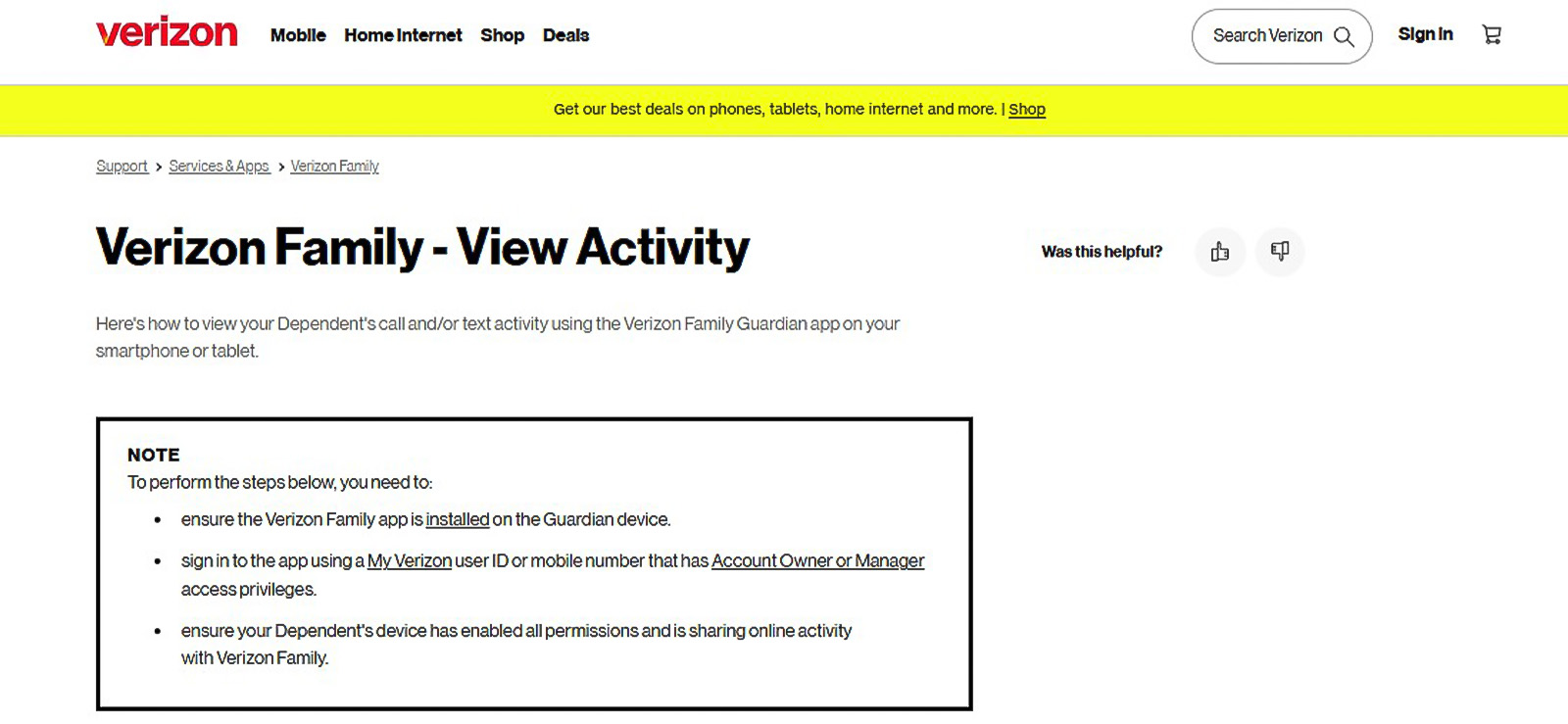
Verizon Family’s call and text activity feature is useful, but parents need to understand exactly what it shows. It does not let you read conversations; instead, it only shows basic activity details, such as who contacted the child line and when the activity happened.
During testing, we checked 15 call and text activity records. Of those, 14 had the correct contact or number and the right time details. One record did not appear during our initial check, but it showed up later after the dashboard had more time to update.
Moreover, it did not fully cover RCS and app-based conversations.
Web and App Activity
Verizon Family Plus lets parents see basic web and app activity, but it does not show everything a child does within an app or on a website. During testing, we used it to check whether visited websites and opened apps appeared on the parent dashboard.
We ran 10 browsing and app activity checks, and in all 10 cases, the activity eventually appeared, but the timing was not always consistent. Some entries showed up within a few minutes, while others took longer.
What stood out most was the level of detail. For websites, Verizon Family showed us that browsing activity occurred, but it did not provide the full context. Likewise, for app activity, we could see usage patterns, but not what happened inside apps.
We also noticed one issue parents should keep in mind, i.e., activity records can sometimes look more serious than they are. In one check, the app showed phone activity during a restricted period, but after reviewing the device, it looked more like background app activity than active child use.
Driving Insights and Roadside Assistance
Verizon Family Plus is useful for families with teen drivers because it combines driving reports with Roadside Assistance.
We tested Driving Insights during 5 supervised drives. In the results, route and speed details were available for all 5 trips. However, the reports were not perfect since one rapid acceleration event was missed, and one rough stop on gravel was marked as harsh braking.
Roadside Assistance adds value for the same group of parents. It can help with towing, flat tires, jump starts, fuel delivery, and lockouts. We simulated a request, and the flow was easy to follow. Still, Verizon limits this service to eligible events, so parents should check what is covered before depending on it.
Verizon Family Pros and Cons
After a better understanding of what is Verizon Family App and testing it across its core features, here are the main advantages and limitations we found.
Verizon Family Pros
- The Verizon Family Locator app is dependable for routine check-ins when the child’s device has a stable signal.
- Geofencing alerts work well for common places like home, school, stores, and parks.
- Verizon Family Plus combines location, activity, screen time, filtering, and driving tools in one place.
- Call, text, web, and app activity help parents see basic communication patterns and usage habits.
- Driving Insights can help parents discuss speed, routes, braking, and safer driving behavior with teens.
- The app is convenient for families already using Verizon lines and billing.
Verizon Family Cons
- Prepaid users, business accounts, and many mixed-carrier families get limited or no access.
- iPhone setup and performance require more permission checks than Android.
- The app does not show the actual content of text messages, and other app chats are not monitored.
- App blocking is limited because Verizon relies heavily on supported categories.
- Some restrictions may need to be rechecked after updates and permission changes.
- The dashboard can feel crowded once several profiles, alerts, rules, and driving tools are added.
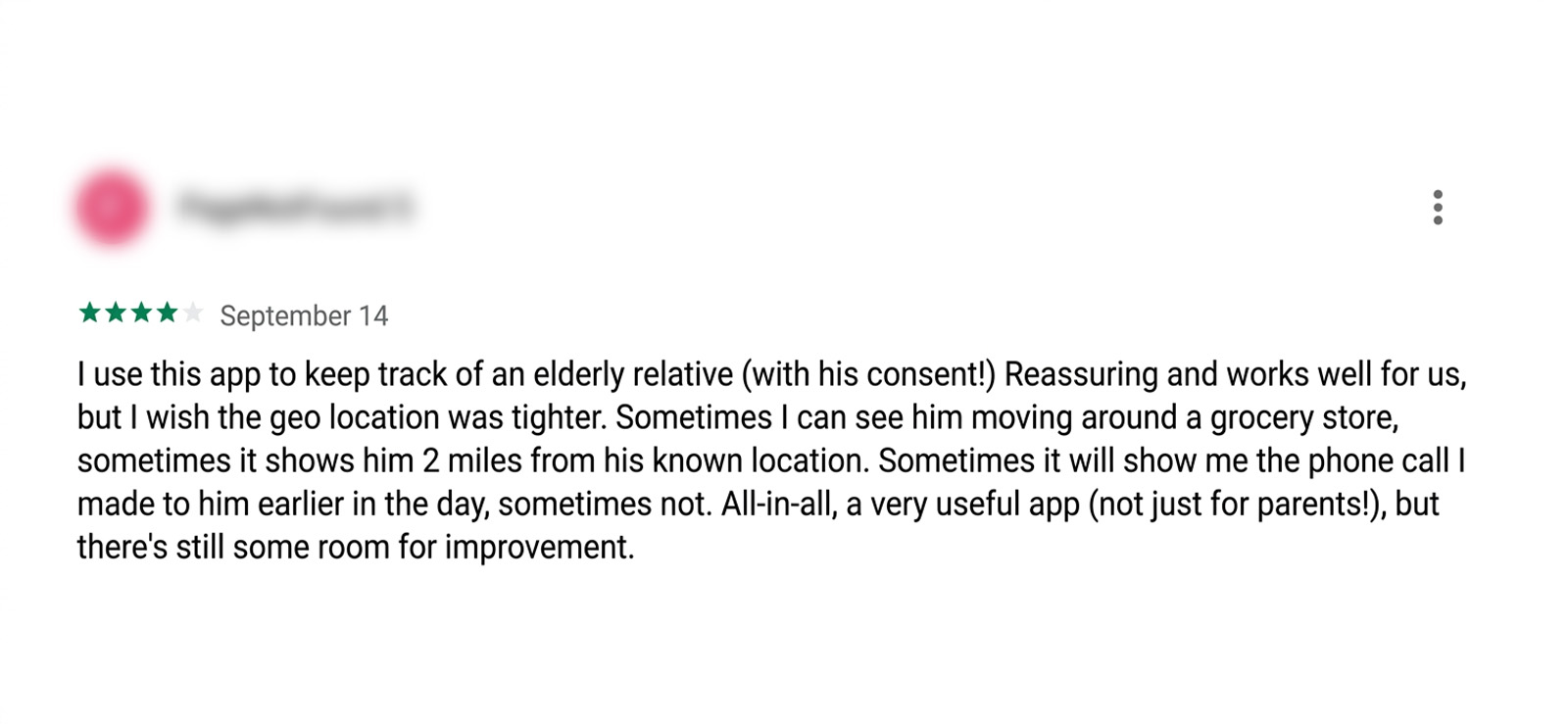
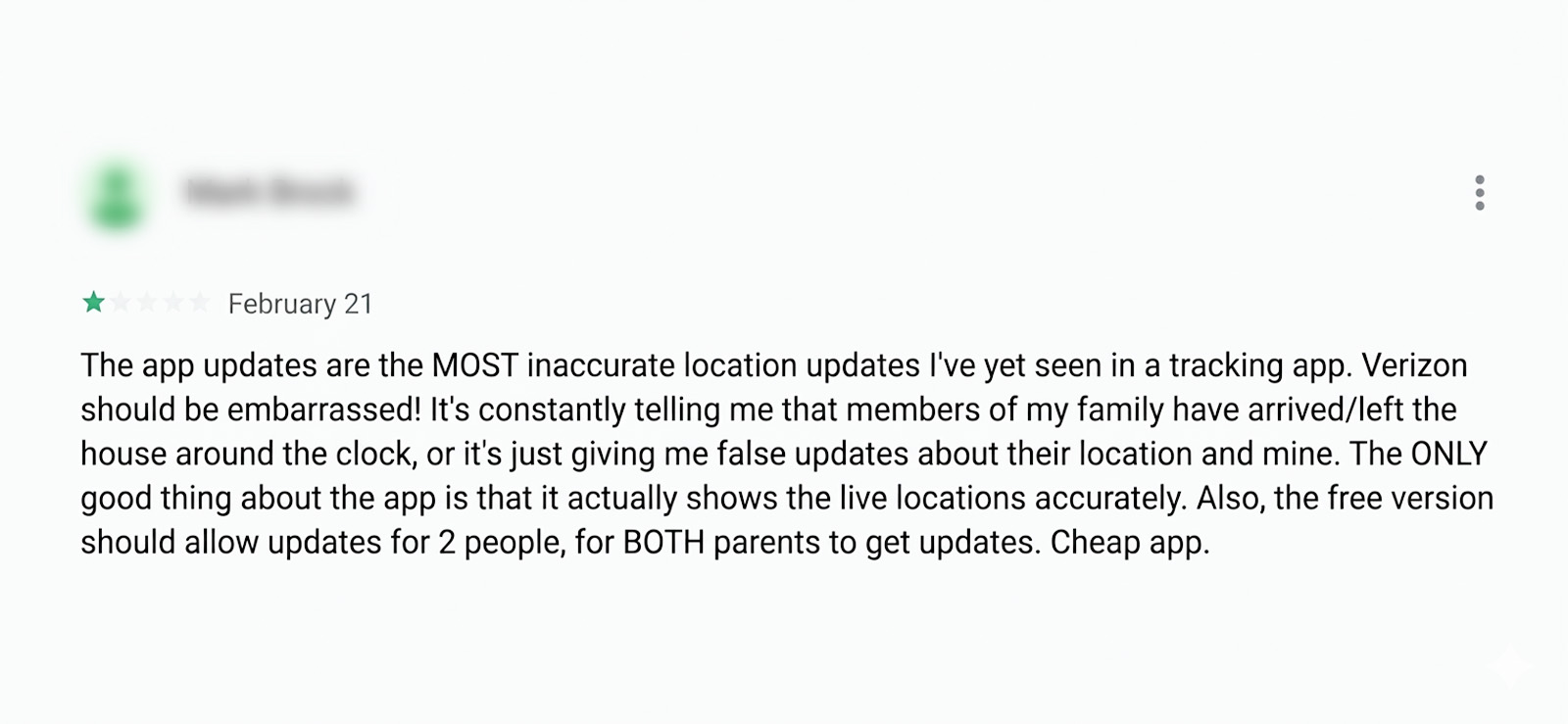
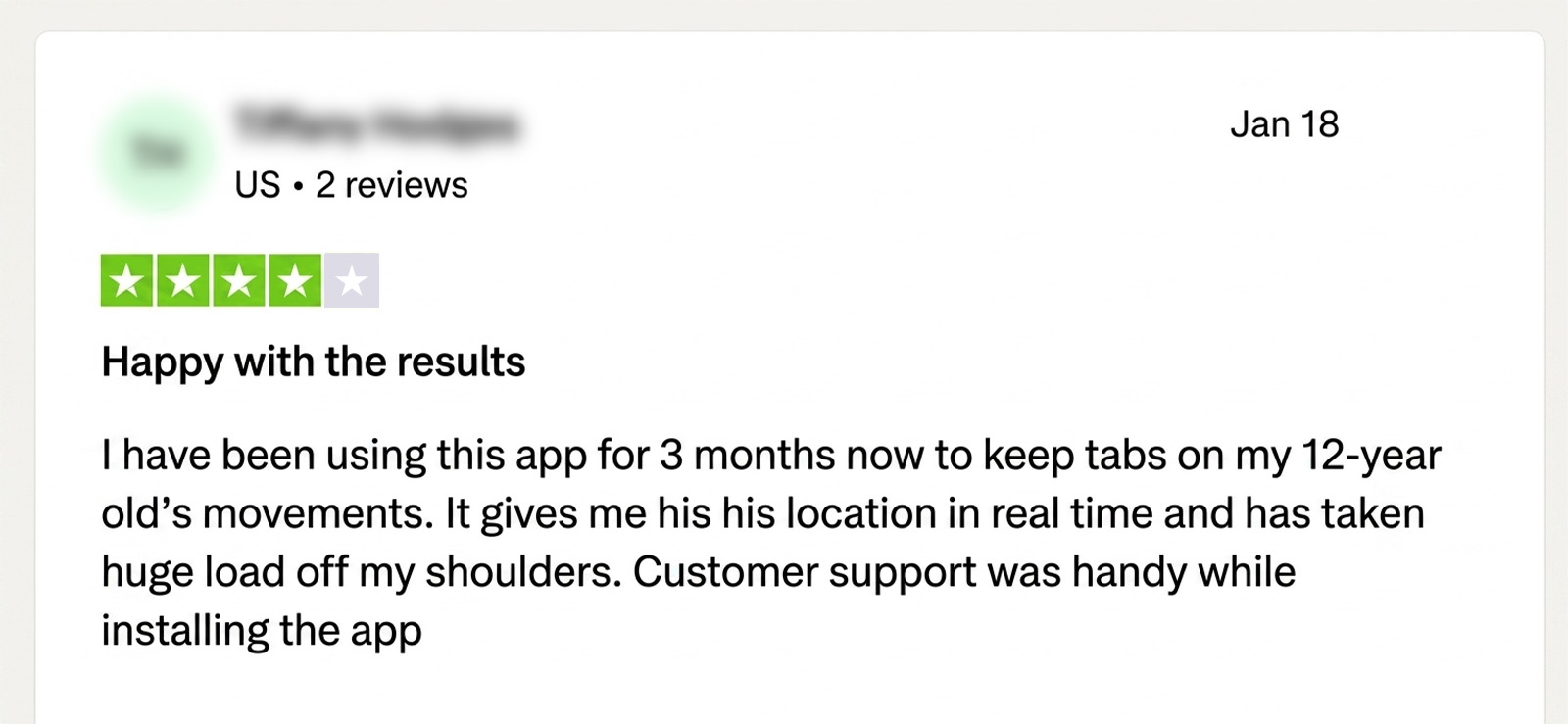
Verizon Family App Reviews by Real Customers
Is Verizon Family Parental Monitoring App Still the Right Choice or Are There Better Tools?
After a month of hands-on testing, we now have a clear picture of where Verizon Family shines and where it falls short.
While it makes the most sense for parents who are already using Verizon and mainly want routine safety tools, the app becomes less suitable when they need deeper visibility.
So, if the concern is not just “where is my child?” but “what is actually happening on the phone?”, Verizon Family may feel too limited.
That is where the Xnspy child monitoring app can be considered as an alternative. Unlike Verizon Family, Xnspy is built more around detailed phone visibility for parents.
What Is Xnspy? A Quick Overview
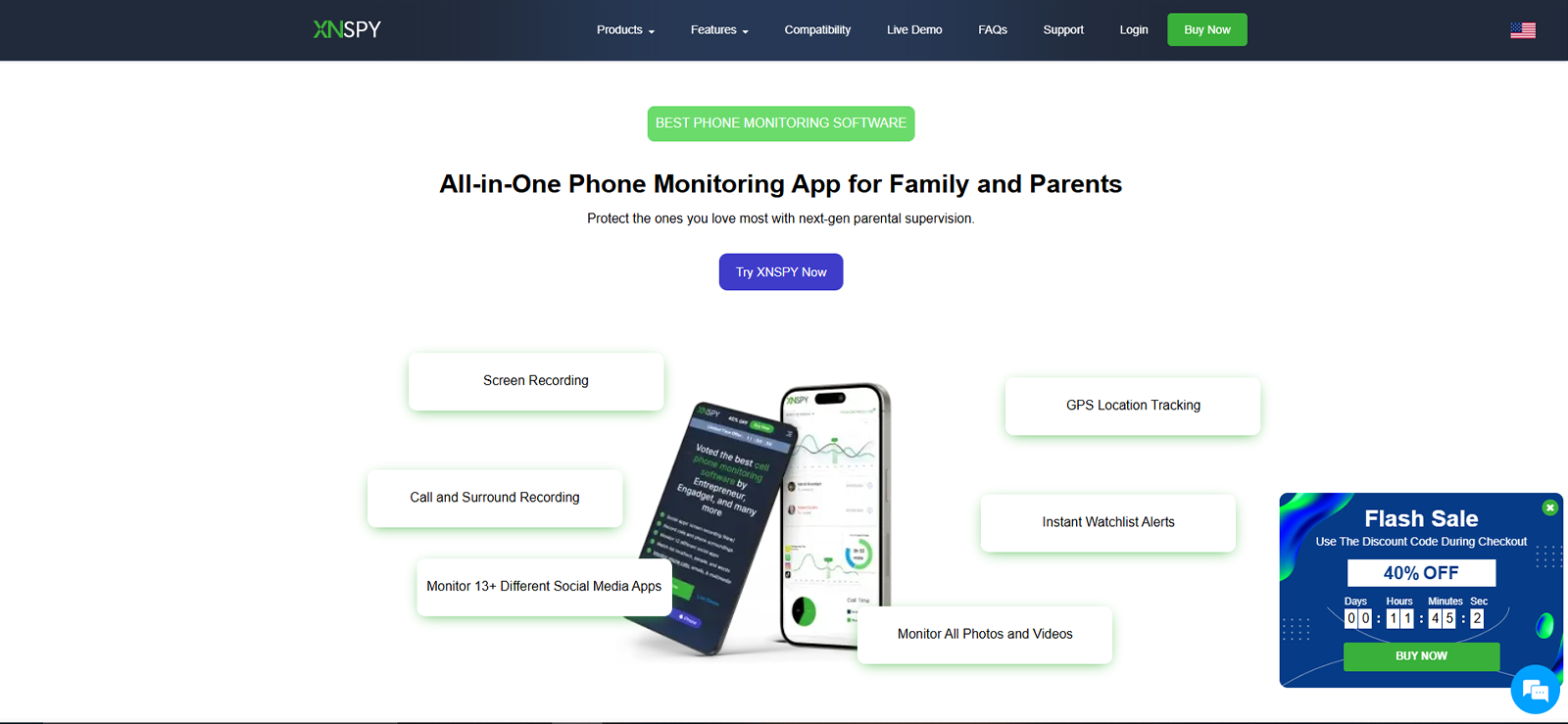
Xnspy is a phone monitoring solution designed to help parents stay informed about their child’s device activity. It provides access to a range of information, including location history, geofencing alerts, calls, messages, installed apps, browsing history, screen activity, and supported messaging activity.
During testing, we found that Xnspy focused on providing parents with detailed visibility into how a device is used through a browser-based dashboard. Therefore, for families looking for a monitoring tool with a broad set of tracking features, the app offers proper visibility into kids’ digital activity.
How Does Xnspy Work?
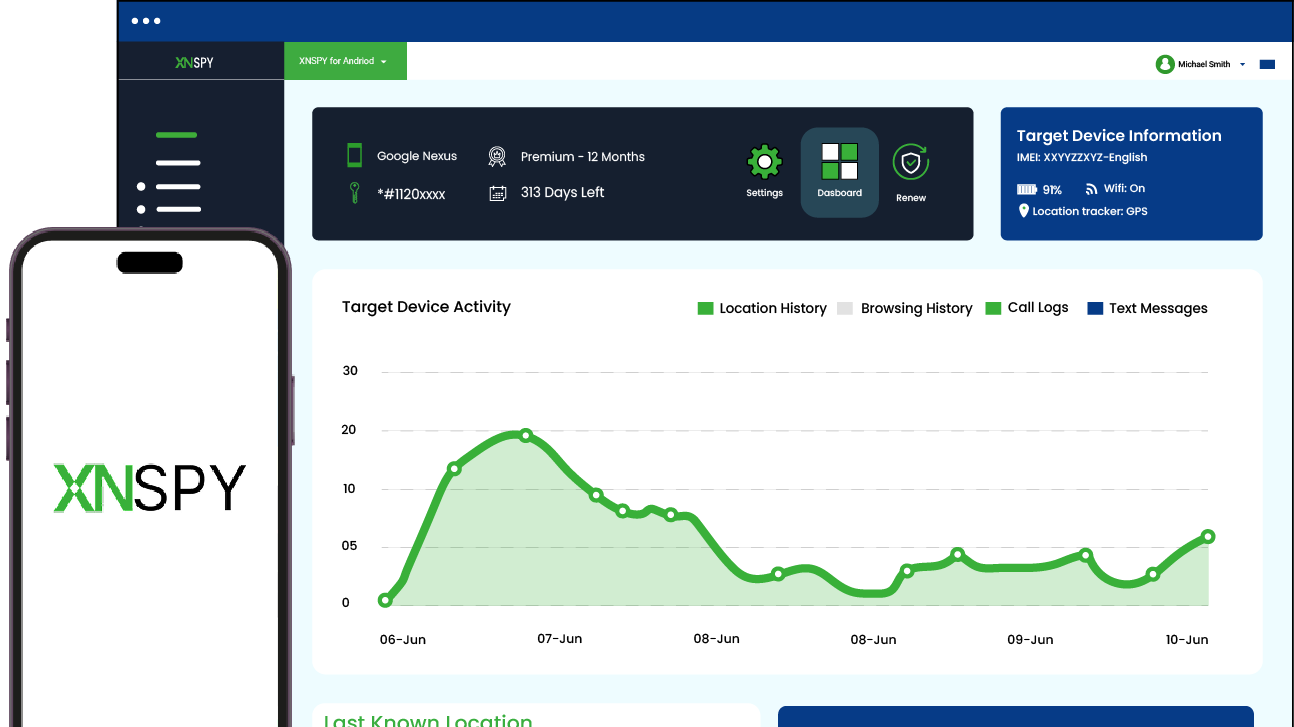
Based on our testing, Xnspy operated via a browser-based dashboard that collected supported activity from the child’s device after setup. Once the device was linked to the parent account, data began syncing across dashboard sections.
Unlike Verizon Family, Xnspy does not require a carrier plan, which makes it more flexible for families using different networks. However, it still needs authorized setup on the child device, and some features depend on the phone type, operating system, internet connection, and account settings.
Xnspy Installation
Installing Xnspy was more direct than setting up Verizon Family’s parent-and-companion app system, but it still required careful attention. We tested it on the same Android and iPhone devices used in the Verizon Family review, so the comparison stayed fair.
On both Android and iPhone, setup required physical access to the device. Once installed and configured, activity started appearing on the dashboard after the device had internet access.
Overall, the initial setup took around 10-15 minutes in our test, with most of the time spent granting permissions and checking whether the dashboard had started receiving data.
In our experience, Xnspy installation was manageable, but not something parents should rush. It is best treated as a setup that needs one careful pass, followed by a dashboard check to confirm which data categories are syncing properly.
Xnspy Compatibility
Xnspy supports Android smartphones and tablets, along with iPhones and iPads. Officially, Xnspy lists Android support from Android 4.x up to Android 16, and iOS support up to iOS 17.0.3.
During our testing, it worked on both the Android and iPhone test devices, but the experience was not identical across platforms. That is because Android offered a slightly broader feature set in our tests compared to the iPhone.
Moreover, one limitation we noted is that Xnspy is built for phones and tablets, not Windows or macOS monitoring.
Xnspy Interface
The Xnspy dashboard is browser-based, and during testing, we found it easier to scan than Verizon Family once data started syncing. The left-side menu clearly separates major sections, including calls, messages, locations, apps, internet activity, multimedia, and remote controls.
However, the dashboard was not perfect, as some sections were harder to understand due to the higher volume of data, such as message-related logs. Our UI/UX reviewer also noticed that some settings, such as alerts and watchlists, were not as immediately visible as core sections like calls or location.
Xnspy Pricing
Xnspy offers Basic and Premium plans with monthly, quarterly, and annual billing options. For annual billing, the Basic plan is listed at $4.99 per month, while the Premium plan is listed at $7.49 per month.
It is also worth noting that each Xnspy subscription covers only one device. Therefore, Verizon Family can be more cost-effective for families already managing multiple Verizon lines, while Xnspy makes more sense when deeper monitoring is needed for one specific phone.
For testing, we used the Premium plan because it gave access to the wider feature set.
Key Features That Xnspy Has to Offer
We will now break down all major features offered by Xnspy that are closely related to the ones in Verizon Family.
Location Tracking and Geofencing
We checked Xnspy’s location updates over several movement cycles, both indoors and on short trips around town. Out of 17 location checks, 16 appeared correctly on the dashboard.
The one failed check happened when the child’s device lost internet access completely. Once the connection returned, the location update appeared on the dashboard within about 2 minutes. Compared to Verizon Family, this felt more consistent in our test because Verizon had one failed live location check and more delays around certain alerts.
We also tested Xnspy’s geofencing by adding 6 saved places. These included a mix of check-in and exit alerts, with different radius settings. All 6 alerts came through, usually within 20-40 seconds.
That said, Xnspy does not offer the same Safe Walk-style experience as Verizon Family. Nonetheless, it can still tell parents where the phone has been and whether it entered or left a saved area.
Final Verdict: Xnspy performed better than Verizon Family for location history and geofencing accuracy in our tests. However, Verizon Family still has the advantage for Safe Walk and SOS-style check-ins.
Call and SMS Logs
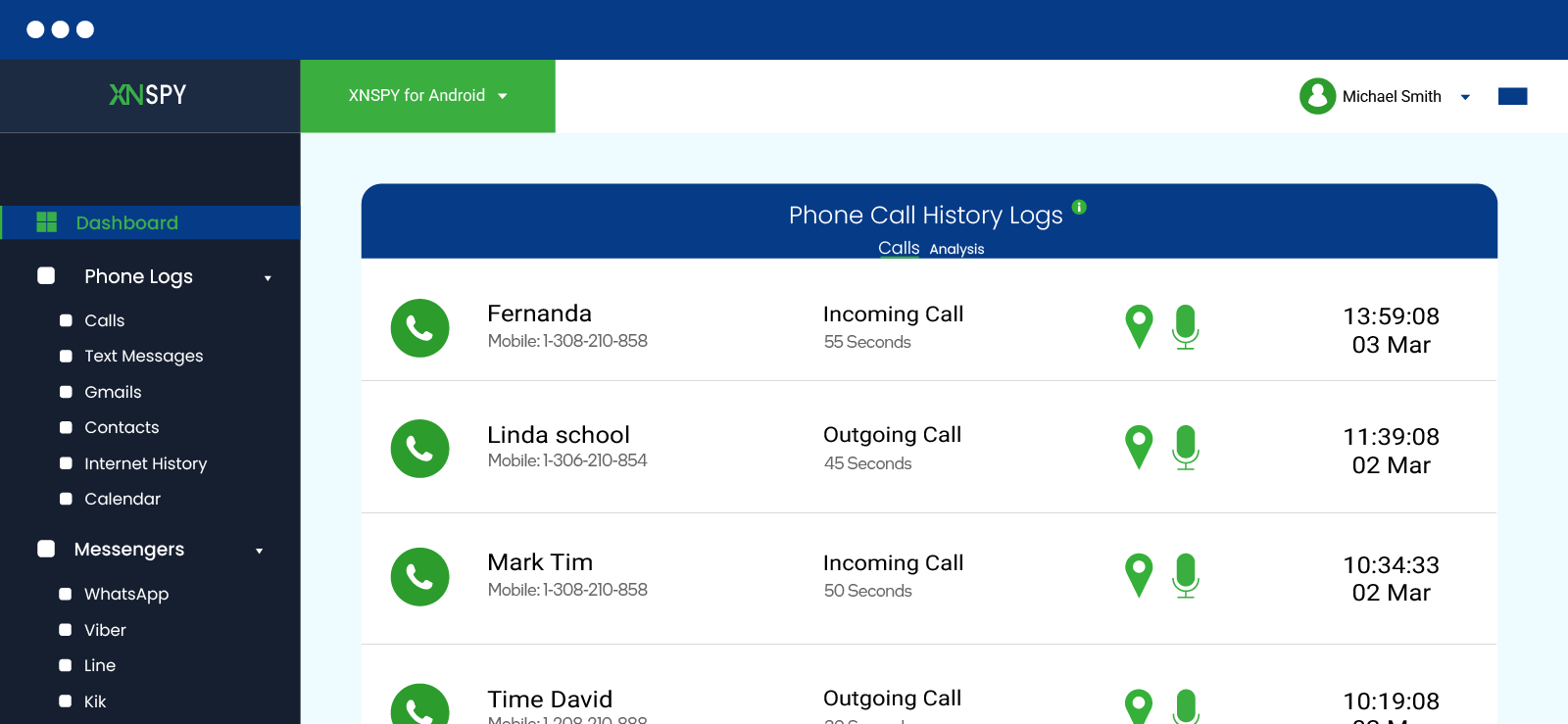
During testing, SMS records included contact details, message type, timestamps, and message content, making it easier to understand the context of a conversation rather than just seeing that communication happened.
Call activity was also more detailed, as Xnspy logged incoming, outgoing, and missed calls, along with call durations, timestamps, contact information, and recordings.
Syncing was generally quick in our tests, with most records appearing within 10-30 seconds. However, in low-connectivity moments, some entries took longer.
Final Verdict: Xnspy gives parents deeper visibility into SIM-based communication activity than Verizon Family.
Use Xnspy to Go Beyond Basic Insights
Gain broader visibility into usage patterns and day-to-day digital activity.
– Detailed location tracking and geo-fencing
– Monitor SMS, calls, and instant messages
– Get app usage insights via screen records
– Remotely lock apps and phone
Instant Message Monitoring
Beyond standard calls and texts, Xnspy also offers instant message monitoring for more than 13 supported social media platforms.
We tested supported messaging activity across several platforms and received messages in both list view and chat threads, along with timestamps and user details. Moreover, some messages remained visible when they were captured before deletion, but Xnspy should not be treated as a tool that can recover every deleted message after the fact.
Final Verdict: Xnspy offers substantially broader messaging visibility than Verizon Family through support for more than 13 platforms.
App Activity
Xnspy’s app activity tools gave us more detail than Verizon Family’s general web and app reports. Instead of only showing broad activity, the dashboard helped us see installed apps, app launches, app usage duration, and screen records.
During testing, app usage logs were useful for understanding how often certain apps were opened and how long they stayed active.
Screen records were also available on Xnspy, with screens being captured every 7-10 seconds and organized on the dashboard under app-related sections.
However, there was still a limitation. In a few quick-open tests, when an app was opened and closed before fully loading, the launch did not always appear as a meaningful activity record.
Final Verdict: Xnspy provides more detailed app and screen activity than Verizon Family, with screen recordings and usage logs.
Internet History
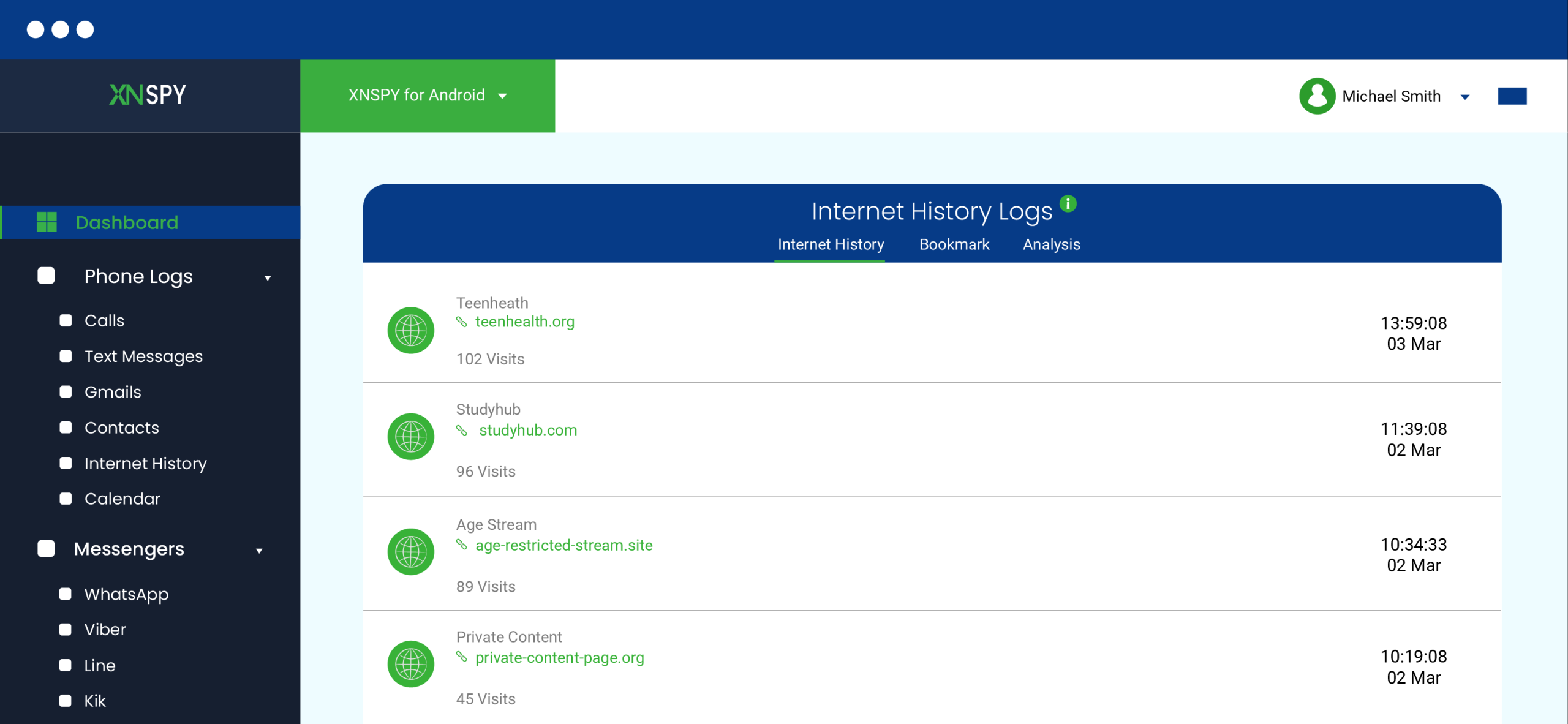
While Verizon Family helped show that browsing activity happened, Xnspy gave us a clearer list of visited URLs, timestamps, bookmarks, and visit patterns.
We tested 20 browsing attempts, including normal browsing and private/incognito browsing, out of which Xnspy recorded 19. Most entries appeared within 15-35 seconds, though one entry was delayed and appeared after the phone reconnected to the internet.
The dashboard also made browsing patterns easier to understand because it highlighted repeated visits and saved browsing details in separate sections, too.
However, Xnspy’s internet history feature is mainly for monitoring and does not offer the same website/category blocking model that Verizon Family Plus provides.
Final Verdict: Xnspy wins for offering more detailed internet history, while Verizon Family takes the lead for better basic web filtering and content restrictions.
Remote Commands
Xnspy includes remote commands such as locking the device, wiping data, taking screenshots, recording surroundings, and blocking apps.
During testing, the results were mixed. The remote lock worked in 9 out of 10 attempts, usually within 10-30 seconds. Remote screenshots worked in all 5 attempts, but the saved screenshots did not appear where we first expected them. We had to look in media-related sections rather than the screen recording area, which made the feature less intuitive.
We also tested app blocking across 15 attempts. Out of those, 11 blocks worked correctly. In the remaining 4 attempts, the app opened briefly for 5-15 seconds before the restriction applied, or it required another dashboard refresh before the block behaved as expected.
The bigger issue was that some remote commands were more sensitive and less everyday-friendly than Verizon Family’s controls. For example, wiping data is not something most parents will use casually, and surround recording raises some privacy considerations.
Final Verdict: Verizon Family wins in remote commands because its controls are simpler and more practical for everyday parenting.
Xnspy Pros and Cons
After testing Xnspy across its major monitoring features, below are the main strengths and limitations we found.
Xnspy Pros
- The dashboard is easier to scan because major sections like calls, messages, locations, apps, and internet activity are clearly separated.
- Xnspy includes location tracking and geofencing tools to help parents stay informed about a child’s whereabouts.
- Call and SMS logs provide more context by showing message content, timestamps, contact details, and call records where supported.
- Instant message monitoring covers more than 13 supported platforms.
- App activity logs help parents understand app launches, usage duration, installed apps, and screen activity in more detail.
- Screen records add useful context by showing what was happening on the device.
- Internet history gives a clear view of visited URLs, timestamps, bookmarks, and browsing patterns.
- Xnspy offers monthly, quarterly, and annual billing options for more flexibility.
Xnspy Cons
- Each Xnspy subscription covers one device only.
- Xnspy is built for phones and tablets, not Windows or macOS monitoring.
- Internet history is strong for monitoring, but it does not have website/category blocking.
- App blocking worked in most tests, but a few apps briefly opened before the restriction applied.
- Remote commands are broad, but some are less practical for everyday parenting.
Xnspy Customer Reviews By Real Customers
Verizon Family vs. Xnspy: A Clear Side-by-Side Comparison
| Features | Verizon Family | Xnspy |
| Location Tracking | ⭐⭐⭐⭐ Works well for routine family check-ins, but location updates can slow down in weak-signal areas. | ⭐⭐⭐⭐⭐ Provides more consistent location history with quicker dashboard updates once the device is connected. |
| Geofencing Alerts | ⭐⭐⭐⭐ Useful for school, home, store, and park alerts, though occasional missed or false alerts can occur. | ⭐⭐⭐⭐⭐ Sends saved-place alerts more consistently, with entry and exit updates appearing quickly. |
| Call and Text Activity | ⭐⭐⭐ Shows basic call and text activity, but does not show the actual message content. | ⭐⭐⭐⭐⭐ Shows more call and SMS details, including message content, timestamps, contact details, and call records where supported. |
| Instant Message Monitoring | ⭐⭐ Does not monitor app-based chats in detail. | ⭐⭐⭐⭐⭐ Covers more than 13 supported messaging and social platforms. |
| Remote Commands | ⭐⭐⭐⭐⭐ Offers simpler everyday controls like internet pause and screen time rules. | ⭐⭐⭐⭐ Includes broader remote actions, but some commands are less practical for everyday parenting. |
| Pricing Flexibility | ⭐⭐⭐⭐ Can be cost-effective for Verizon families because it connects to existing lines and billing. | ⭐⭐⭐⭐ Offers monthly, quarterly, and annual billing options, but each subscription covers only one device. |
Conclusion
Verizon Family and Xnspy serve two different parenting needs, which became clear by the end of our testing.
As per Verizon Family app reviews, it is a better fit for households already tied to Verizon that need simple safety tools under one carrier-linked service.
Xnspy, on the other hand, is more suitable when surface-level reports are not enough. However, it is not the best option for every task, particularly when parents just need simple remote rules.
So, the better choice depends more on the parents’ goal than their offerings.
FAQs
Is Verizon Family the same as the Verizon Smart Family app?
Yes, Verizon Family is the updated version of the Verizon Smart Family app. Verizon reworked the older service into Verizon Family and added newer family safety features like Safe Walk with SOS.
Who can manage children in the Verizon Family app?
Verizon Family uses different roles, including Guardian, Member, and Child. A Guardian has the most control and can manage family members. Members, on the other hand, have limited access based on permissions, while Child accounts primarily use safety features.
What happens after the Verizon Family Plus free trial ends?
After the 30-day Verizon Family Plus trial ends, Verizon moves eligible users to the paid Plus subscription unless the trial is canceled before it ends. The charge depends on the user’s Verizon plan.
What happens if I cancel Verizon Family Plus?
If you cancel Verizon Family Plus, the account moves back to the free Verizon Family version. Then, premium tools like advanced controls, filters, multiple alerts, and monitoring features stop working.
Does Verizon Family work with a Gizmo Watch?
Yes, Verizon Family can work with the Gizmo Watch service, making it useful for parents who want location and safety features for younger children using a smartwatch. However, exact features can depend on the watch model and service setup.
Xnspy: Designed for Smarter Phone Monitoring
Simplify child monitoring with intuitive tools and clear insights.
Leave a reply:
Your email address will not be published. Required fields are marked*

Mike Everett
Member since October 20, 2014
Mike Everett
Member since October 20, 2014
Mike Everett is a consumer technology journalist with expertise in hands-on testing and evaluation of iOS and Android monitoring applications. With over 11 years in the industry, he focuses on how mobile monitoring tools perform in real-world conditions, including accuracy, feature reliability, device compatibility, and practical usability for parents.
He conducts live-device testing of monitoring apps to assess how well their features function beyond marketing claims. His work primarily includes comparative reviews, feature breakdowns, and buyer-focused guides designed to help parents understand which tools actually deliver usable results in everyday scenarios.