5 Best Apps like Bark: Our Testing Revealed These Winners
 By Stephen Hawks
The complete monitoring experience for your phone
Get XNSPY and start tracking calls, texts, multimedia, locations and more on any phone!
Get Started Now Live DemoKids don’t just go online anymore; they practically live there. Between TikTok duets and Discord servers, most parents feel like they are always one step behind. Bark built its entire reputation on closing that gap by scanning texts and social apps for warning signs and pinging parents when something looks off.
But Bark isn’t built the same way every family needs it to be, and plenty of parents end up wanting a different mix of pricing, platform support, or hands-on control.
We spent time testing five well-reviewed tools that consistently show up when parents compare their options, looking closely at pricing, platform support, and the specific features that matter for families raising kids, tweens, and teens. Here’s what we found.
Key Points From This Bark Alternatives Guide
- Bark is an AI-driven monitoring app that scans texts, email, YouTube, and social apps, but it mainly alerts parents after issues appear rather than blocking them in real time.
- Parents often look for alternatives to Bark when they need real-time blocking, fuller iOS support, more detailed app-by-app controls, or a price point that better fits their budget.
- Xnspy offers deep device-level visibility combining a screen recorder, browsing history, keyword alerts, geo-fencing, and remote lock-and-wipe on both Android and iOS.
- Norton Family gives access to screen time, web, and video supervision in one affordable plan, though app supervision doesn’t extend to iOS.
- Qustodio delivers web filtering, YouTube monitoring, and reporting across platforms, but several of its deeper features are Android-only.
- Canopy stands out for its AI-driven image filtering and sexting alerts, though it lacks some of the broader monitoring tools other apps include.
- Net Nanny delivers real-time web filters, especially for households built around Mac and Windows computers.
What is Bark?
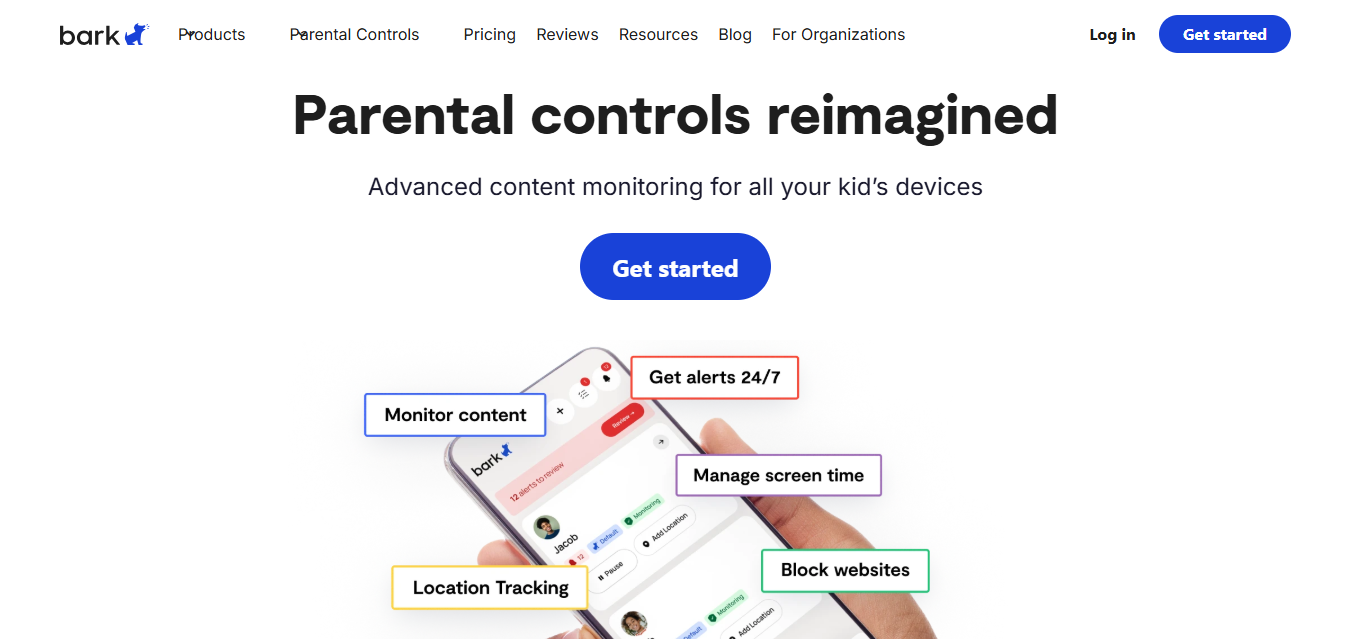
Bark is a content-monitoring app that scans a child’s texts, emails, YouTube activity, and around 30 social media and messaging platforms for signs of cyberbullying, predatory contact, self-harm language, and other red flags.
Instead of giving parents access to everything their kid types, Bark uses AI to flag only the conversations and content that seem genuinely concerning, then sends an alert so parents can step in and talk it through.
Bark also includes standard parental control tools like screen time scheduling, website and app filtering, and location tracking, and it can be extended with Bark’s own hardware, including the Bark Phone, Bark Watch, and the Bark Home Wi-Fi filter.
Bark Key Features
- Content monitoring: Scans texts, email, YouTube, and 30 apps for cyberbullying, predatory behavior, self-harm signals, and explicit content.
- Screen time management: Lets parents build schedules and pause internet access during school hours or bedtime.
- Web and app filtering: Blocks specific sites or entire content categories, like gambling or adult content.
- Location tracking: Provides real-time GPS, geofencing alerts, and on-demand check-ins.
- Optional hardware: Bark Phone, Bark Watch, Bark Sync, and Bark Home extend monitoring to devices and networks outside the core app.
Bark Compatibility
Bark’s parent and child apps run on both Android and iOS. For deeper monitoring on iPhones and iPads, Bark recommends the Bark Sync, a smart charger that scans the device each time it’s plugged in, since Apple’s restrictions limit how much the standalone app can see on its own.
Bark Pricing
Bark offers two subscription tiers:
- Bark Jr: $5/month or $49/year
- Bark Premium: $14/month or $99/year
Bark’s hardware, including the Bark Phone, Bark Watch, and Bark Home, is priced separately and typically requires an active Bark subscription.

Want to Know More About Bark?
We tested the Bark app to see how well it actually performs.

Is Bark Enough for Modern Digital Parenting, or Is It Time to Explore Other Options?
Bark’s biggest strength, its AI-driven alert system, is also its biggest limitation. Bark tells you about a problem after your child has already seen or said something concerning, rather than stopping it before it happens.
Bark also doesn’t block YouTube directly. Its iOS monitoring depends heavily on Wi-Fi connectivity and the separate Bark Sync accessory. In addition, parents can’t set granular app-by-app time limits or manage contact lists through the base app.
None of this makes Bark a bad product. But for parents who want real-time content blocking, more hands-on control for younger kids, or simply a different balance of price and features, it’s worth seeing what alternatives to Bark are out there before committing. That’s exactly what we set out to test.
How We Tested and Chose the 5 Best Bark Alternatives For Parental Monitoring
Comparing parental control apps by spec sheet alone doesn’t tell you much. Two apps can promise “screen time management” and “web filtering,” yet one works flawlessly across platforms while the other buries the same setting three menus deep or simply doesn’t function on iOS at all.
To get past the marketing claims, our review team installed each app on Android and iOS devices, set up both parent and child profiles, and used every core feature the way a parent actually would over several days of testing.
Testing was conducted on an Android phone, an iPhone, and a macOS laptop, since Net Nanny’s core experience lives on desktop rather than mobile.
We evaluated each app against five weighted factors:
Feature Depth and Real-world Usefulness (35%)
Does the app’s monitoring, filtering, and control features actually work as advertised, or do they fall short once you dig in?
Platform Parity Between Android and iOS (20%)
Many apps quietly strip out features on iPhone due to Apple’s restrictions. We flagged every gap we found.
Ease of Setup and Daily Use (20%)
We timed installation, tested how intuitive the parent dashboard was, and noted anything that required extra troubleshooting.
Pricing Transparency and Value (15%)
We compared what each plan actually includes against its monthly cost, not just the advertised starting price.
Tamper Resistance and Support (10%)
We checked how difficult each app was for a tech-savvy teen to disable, along with the quality of available customer support.
After Testing Bark App Alternatives, These 5 Tools Delivered the Strongest Parental Controls
| Apps | Ratings | Pricing | Best For | Drawback |
| Xnspy | 9.2/10 | Basic: $4.99/month Premium: $7.49/month | Deep device monitoring and remote lock/wipe control | Requires installing the app directly on the child’s device |
| Norton Family | 8.8/10 | Deluxe: $49.00/year (for first year) then $124.99/yearPremium: $59.99/year (for first year) then $149.99/year | Screen time and app supervision | App Supervision isn’t available on iOS |
| Qustodio | 8.5/10 | Basic: $59.95/year Complete: $104.95/year | Web filtering, YouTube monitoring, and reporting | Social media and message monitoring are Android-only |
| Canopy | 8.2/10 | Individual Plan: $8.33/month (billed annually), monitors up to 3 devices. Family Plan: $9.99/month (billed annually), monitors up to 10 devices. | AI filtering of explicit images and sexting prevention | No built-in screen time limits on some plans and no social media monitoring |
| Net Nanny | 8/10 | 1 Desktop: $39.99/year 5 Device Family Pass: $54.99/year 20 Device Family Pass: $89.99/year | AI web filtering on Mac and Windows | Android support is currently unavailable |
Top 5 Apps Similar to Bark: Reviewed and Tested Options for Digital Parenting
Every app on this list takes a slightly different approach to keeping kids safe online; some lean into deep monitoring, others focus on blocking harmful content before it loads. Below is what we found after testing each one, feature by feature.
1.Xnspy
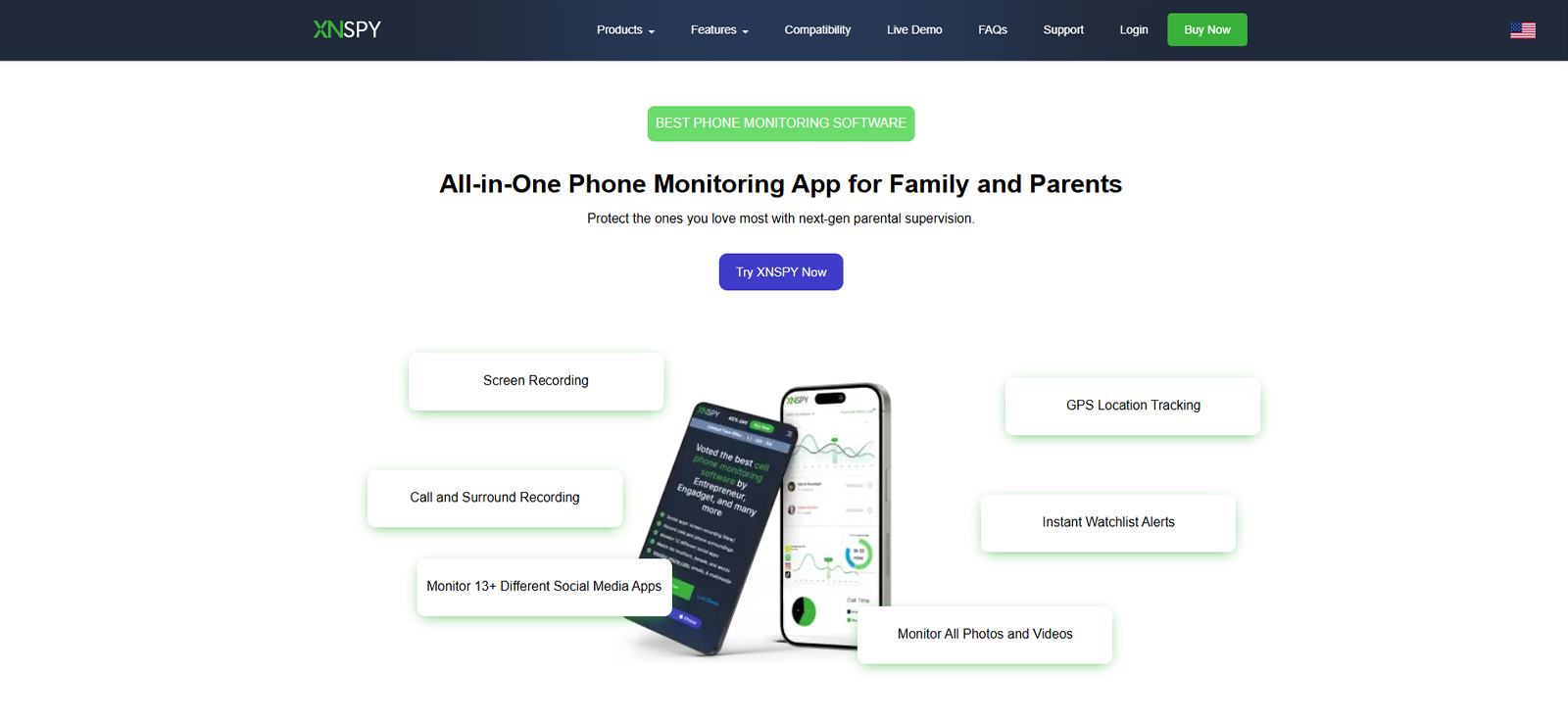
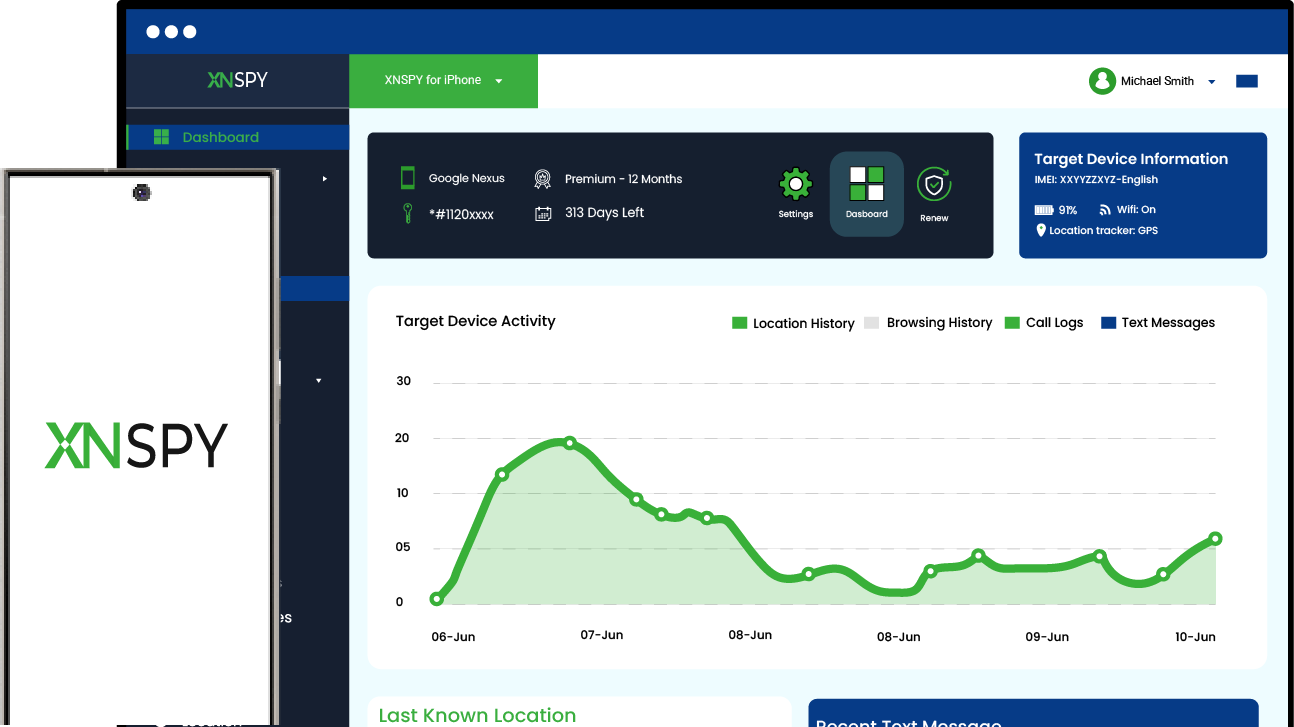
Xnspy is a phone monitoring app built for parents who want more than alerts; it gives a fuller picture of what’s actually happening on a child’s device. Rather than relying solely on flagged keywords, Xnspy operates at the device level so parents can see patterns over time rather than piecing together isolated alerts.
We tested Xnspy on both Android and iOS using its Premium package for a week, setting up profiles on each platform.
We began by testing the screen recorder feature. It captures periodic screenshots every 5 to 10 seconds and organizes them into a scrollable dashboard, making it easy to reconstruct what happened on the device rather than relying on a single flagged alert.
So, across the activity we logged over 7 days, 18 in 20 screenshots were captured without any problem. The two that did not appear immediately were delivered after a short delay, which seemed to happen when the test device had weak connectivity.
Our software reviewer then tested the keylogger, watchlist words, and watchlist contacts. Of the 120 keystroke entries recorded during testing, all were logged correctly with accurate timestamps.
Keyword alerts were also triggered within seconds when flagged terms appeared in supported apps. Similarly, watchlisted contacts were easy to track, helping us review risky interactions without manually checking every log.
The screen time tools also worked as expected. They showed daily app usage with the time and app name listed clearly. App blocking was equally reliable, restricting access to individual apps the moment we toggled them off. Out of 15 app block attempts during testing, all 15 were applied instantly.
In addition to that, we also tested the remote lock feature. To test it, we first added the test device’s phone password inside the Xnspy dashboard, since the command could not be completed without it.
Our reviewer then ran 10 lock attempts across the testing period: 8 locked the device in under a minute, 1 took slightly longer because the phone was on weak Wi-Fi, and 1 did not go through until the device reconnected to the internet. In successful attempts, the phone returned to the lock screen and required the saved password to regain access.
Finally, the wipe command also cleared data as expected in our test. However, we would treat it strictly as a last-resort option because the action is irreversible once completed.

Xnspy: Parenting the Digital Way
Stay a step ahead, wherever your child’s devices take them.
– Works across Android and iOS
– Simple setup, no tech expertise needed
– Round-the-clock monitoring, right from your phone
– Cancel anytime, no long-term lock-in
Xnspy Compatibility
Xnspy works on both Android and iOS devices. Xnspy provides an online compatibility checker so parents can confirm support before purchasing.
Xnspy Pricing
Xnspy uses a two-tier subscription model, billed monthly, quarterly, or annually:
- Basic: $59.99/year (equivalent to $4.99/month)
- Premium: $89.99/year (equivalent to $7.49/month)
Xnspy Pros & Cons
| Pros | Cons |
| Deep device-level visibility beyond app-based alerts | No free trial available |
| Screen recorder and browsing history in one dashboard | Requires app installation on the child’s device |
| Remote lock and wipe for lost or misused phones | Some alerts and logs may sync slower on weak connections |
| Competitive long-term pricing for the feature set |
Should I Buy Xnspy?
Xnspy is a strong Bark alternative for parents who want a complete view of their child’s phone activity rather than isolated alerts, particularly if screen recording, browsing history, and remote device control matter to your family. If you are looking for a lighter-touch tool that only sends occasional notifications, this may be more monitoring than you need.
2. Norton Family
Norton Family is a cloud-based parental control app from NortonLifeLock, built around web supervision, screen time management, and location tracking. We tested Norton Family on Android and iOS over a week using the Norton Premium Family plan, which unlocks the app’s full feature set across devices.
We tested the screen time limits by setting daily allowances and fixed usage schedules for the child profile. Out of 7 test days, the restrictions worked on 5 days, with the app limiting access once the scheduled time or daily allowance was reached. On the remaining 2 days, the device stayed usable for a few extra minutes due to delayed syncing before the restrictions were applied.
We also reviewed its age-based customization, which includes four preset profiles that gradually loosen restrictions as a child gets older. The presets worked well once applied, but they were not easy to find at first. Our reviewer had to go through several menus before finding where to activate them, which may be unclear to first-time users.
Other than that, App supervision showed every app installed on our Android test device along with usage time, and blocking a flagged app took effect almost instantly.
On iOS, though, app supervision simply wasn’t available. Web supervision blocked 7 out of 10 sites we tried from its restricted categories during testing, with only a couple of borderline sites slipping through unblocked.
When we used Instant Lock to freeze the test device, it responded within seconds and clearly displayed the 4-digit override PIN on the parent dashboard, a useful touch for handling emergencies without unlocking the whole profile.
Norton Family Compatibility
Norton Family works on Windows, Android, and iOS. It does not support macOS.
Norton Family Pricing
Norton Family has two annual plans:
- Deluxe Plan: $49.99 for the first year with a promotional discount, then renews at $124.99/year. Covers up to 5 devices.
- Premium Plan: $59.99 for the first year with a promotional discount, then renews at $149.99/year. Covers up to 10 devices.
Both plans are billed yearly, and we did not find a monthly subscription option during testing.
Norton Family Pros & Cons
| Pros | Cons |
| Affordable annual pricing for up to 10 devices | App Supervision isn’t available on iOS |
| Covers screen time, web, video, and location supervision in one plan | Age-based screen time settings aren’t easy to find |
| Bundled value for existing Norton 360 subscribers | Doesn’t monitor social media conversations or text messages |
Should I Buy Norton Family?
As a Bark alternative, Norton Family is worth considering. It offers an affordable solution that covers screen time, web filtering, and location tracking, especially for Android-heavy households or families already using Norton 360. If your child’s activity mostly happens on an iPhone or you need social media monitoring, the gaps are worth weighing first.
3. Qustodio Parental Control
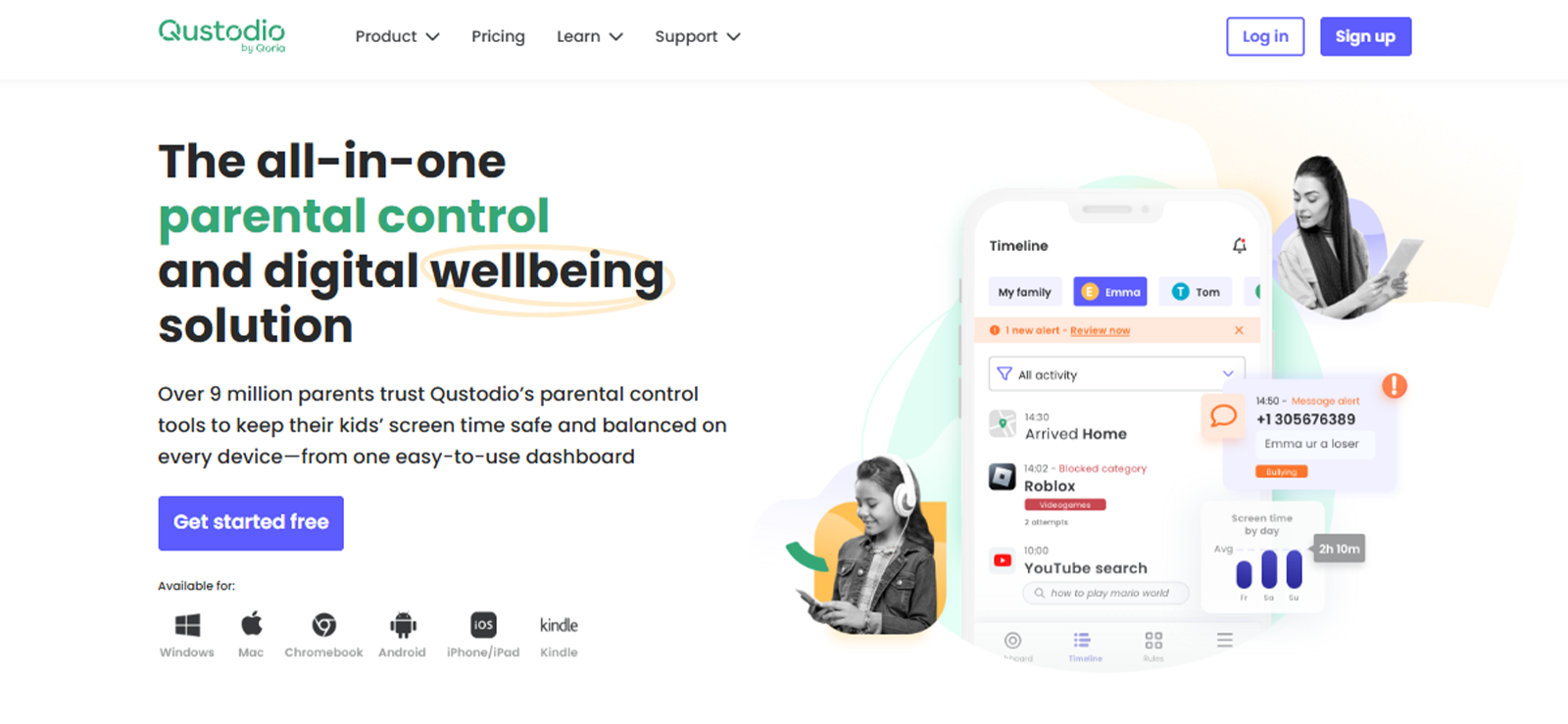
Qustodio is a parental control app built around web filtering, screen time management, and activity reporting.
We tested Qustodio on Android and iOS using the Complete package; while Qustodio’s full feature set is available on Android, several of its more advanced tools are limited on iOS.
In our testing, Qustodio’s web filters held up well. We tried bypassing them with a VPN across 10 sessions, and the filter caught and blocked the workaround every time. It also held up to its claim to sort sites into dozens of categories, from gambling to adult content.
Daily time limits were simple to configure on both platforms, though app-specific time limits only applied cleanly on our Android test device; on iOS, per-app limits weren’t available.
During testing, App blocking worked immediately once we restricted an app in the dashboard. Also, pausing internet access froze connectivity on the test device within a couple of seconds every time we tried it, one of the more reliable quick-pause tools we tested.
The one major tradeoff we kept running into was that the social media monitoring, call logs, and the panic button only worked on our Android device. None of them were available when we repeated the same tests on iOS. This not only limited our testing to Android but also suggested that the app might not be suitable for iOS-heavy households.
Qustodio Compatibility
Qustodio works across Android, iOS, Windows, macOS, and Kindle. But core features such as social media monitoring, calls and messages, and the panic button are Android-only.
Qustodio Pricing
- Free: covers 1 device with basic web filtering and daily time limits
- Basic: $59.95/year ($4.99/month), covering up to 5 devices
- Complete: $109.95/year ($9.16/month), covering unlimited devices, with YouTube monitoring, social media alerts, and priority support added
Qustodio Pros & Cons
| Pros | Cons |
| Strong, VPN-resistant web filtering | Social media and message monitoring only work on Android |
| Unlimited devices on the Complete plan | No live chat or phone support included |
| Clear activity timeline and reporting | iOS feature set is noticeably thinner than Android’s |
Should I Buy Qustodio?
If you are looking for a Bark app substitute, Qustodio is a solid pick for families who want everyday parental controls and web filtering without a steep learning curve. If your teen’s social life happens mostly on an iPhone, you’ll want to go in knowing several of Qustodio’s deeper monitoring tools won’t apply.
4. Canopy
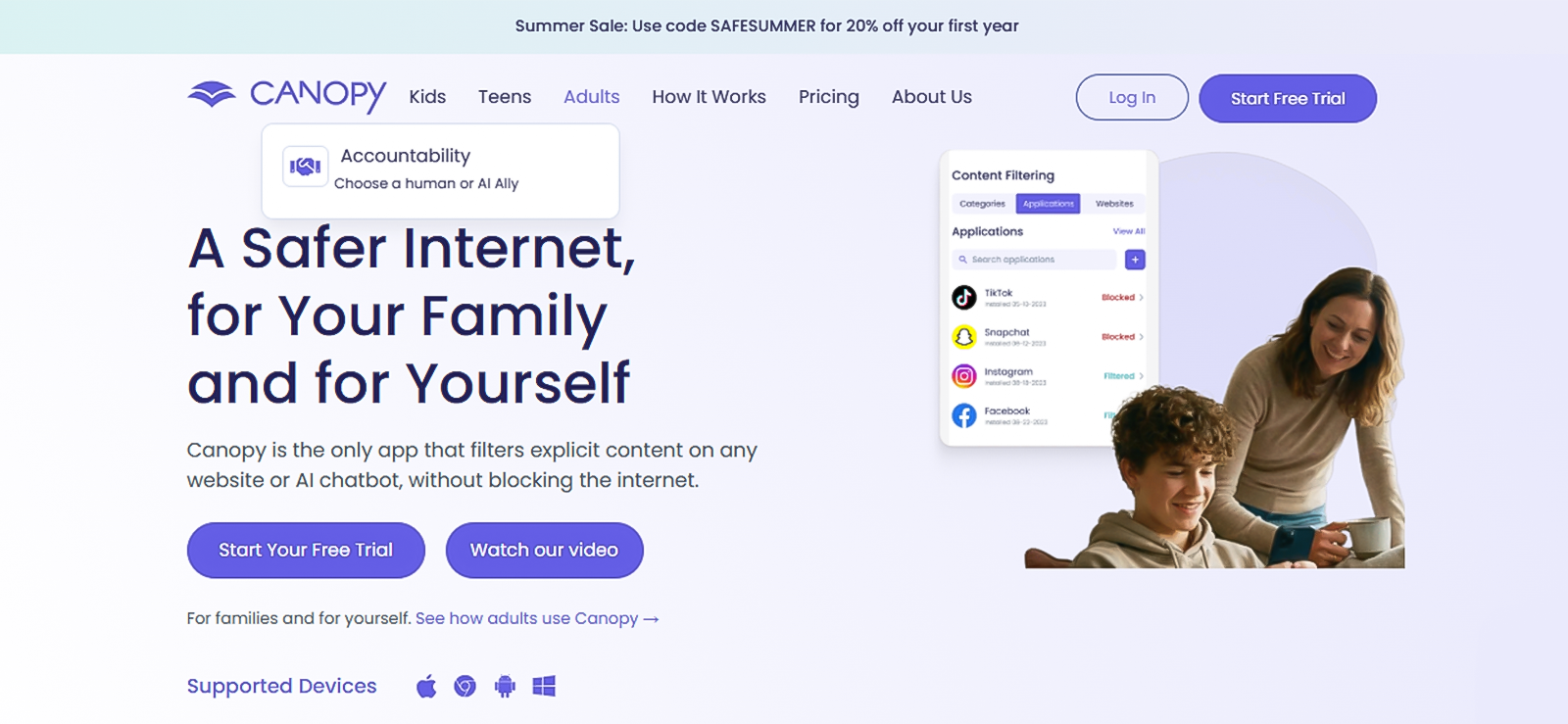
Many teenagers encounter explicit content online unintentionally, often through misleading links or algorithm-driven recommendations rather than deliberate searches. To encounter this, Canopy takes a different approach from most tools on this list. Instead of only alerting parents after something concerning happens, it uses AI to scan images and video and filters out explicit content before it ever reaches the screen.
Canopy was tested on Android and iOS using the Individual plan, and installation took about 3 minutes on each device, making it one of the faster setups in our testing.
We ran Canopy’s AI filter against 20 test pages that we deliberately mixed with both safe and explicit content, and it correctly blocked 18 of them in real time.
The two it missed were both AI-generated images on a site we hadn’t seen before, which lines up with Canopy’s own published accuracy claim of catching content correctly around 99.8% of the time- close, but not the flawless “it blocks everything” pitch some marketing pages imply.
We also noticed a lag of 8 to 10 seconds between a page loading and the filter actually kicking in, long enough that a fast scroll could show an image before it got blurred.
Screen time management was the weaker half of the app in our testing. We could set downtime windows without issue, but there’s no way to set a limit on one specific app, like capping TikTok at 30 minutes while leaving everything else open, so if per-app limits matter to you, this isn’t the tool for it. Location alerts were more consistent: across 5 test runs of leaving and re-entering a geofenced area, the notification landed within about a minute every time.
Sexting alerts were the feature we were most curious to test, and also the one that impressed us most. We sent three flagged test images from the monitored device; Canopy blocked all three before they left the phone and pushed a parent notification within seconds each time.
The one major drawback we noticed during testing was that Canopy doesn’t cover core monitoring features, which matters for in-depth monitoring such as call logs, text messages, or social media conversations. It worked well for filtering out content, and that’s it.
Canopy Compatibility
Canopy works on Android, iOS, Windows, macOS, and Chromebook.
Canopy Pricing
- Individual: $8.33/month, Protects up to 3 devices, Billed annually
- Family: $9.99/month, Protects up to 10 devices, Billed annually
Canopy Pros & Cons
| Pros | Cons |
| Real-time AI filtering of explicit content, including inside social apps | No social media conversation or call monitoring |
| Sexting alerts flag risky images before they’re sent | Some plans lack robust screen time customization |
| Fast, simple setup across devices | Pricier than several competitors for a similar device count |
| Anti-tamper alerts if a child tries to remove the app |
Should I Buy Canopy?
Canopy is worth it if explicit content and sexting prevention are your primary concerns; its real-time image filtering is genuinely more proactive than most competitors. But if you are looking for social media monitoring or call and text tracking, you’ll likely need to pair it with another tool.
Before You Swipe Your Card for Canopy
Weeks of testing. One honest audit of Canopy.
5. Net Nanny
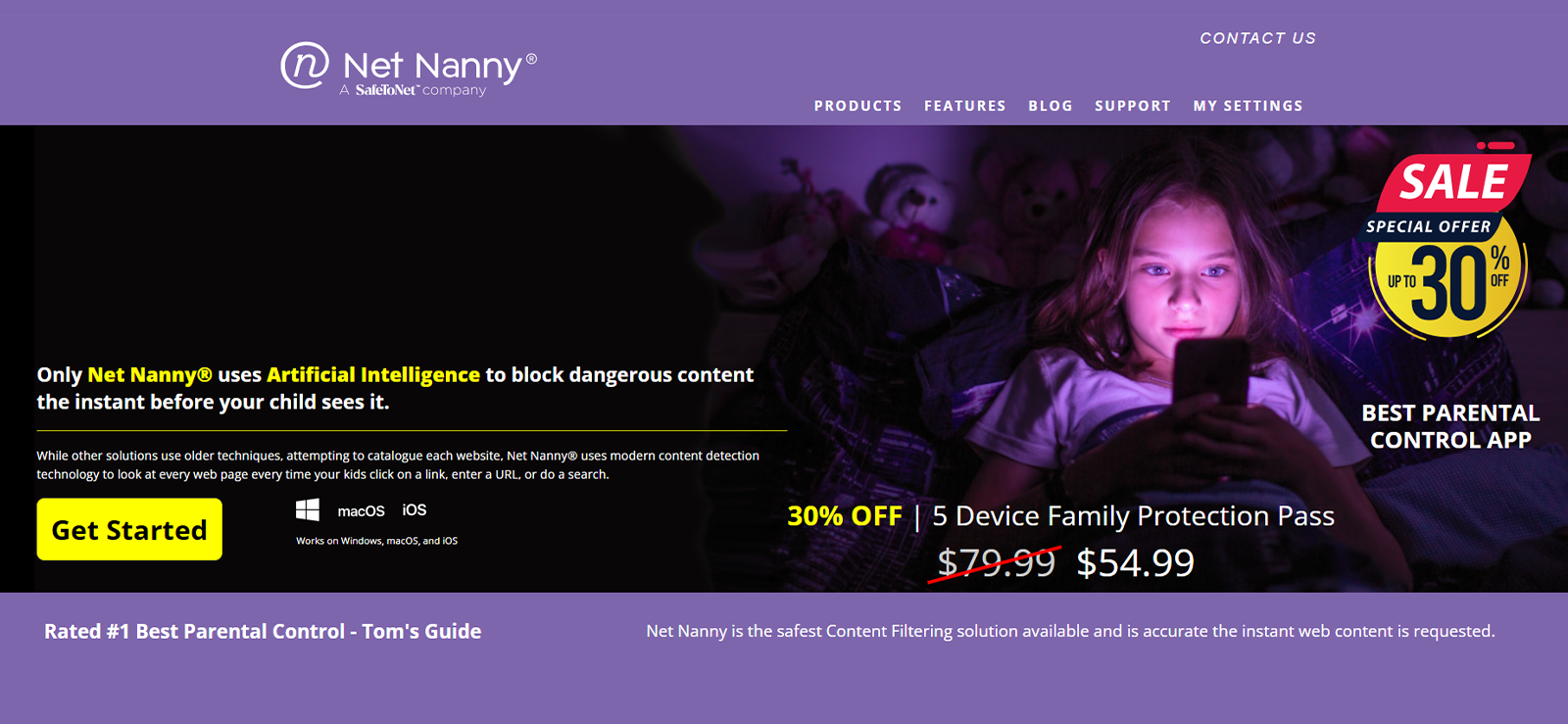
Net Nanny delivers real-time web filtering that analyzes page content as it loads, rather than relying purely on a static blocklist.
We tested Net Nanny on macOS using the Individual plan, running it for about a week alongside our other test devices. Worth noticing that the app doesn’t currently work on Android devices.
During testing, Screen time scheduling and allowances took a bit of trial and error; the bedtime block worked immediately, but the reward-time extension setting was buried under a submenu we almost missed on the first pass. Once set up, though, it held firm across every test session.
The AI web filtering was the strongest part of the experience as we ran it against 15 test searches spanning 14 flagged categories, from nudity to gambling, and it correctly filtered 13 of them, including one search that used a medical term in a non-sexual context, which it let through correctly instead of blocking on keyword alone.
The two misses were both slang terms it didn’t seem to recognize yet, and pages took roughly 1 to 2 seconds to get scanned and filtered, noticeable but not disruptive in normal browsing.
App management and blocking gave us visibility into every installed app on the test Mac, and restricting one took effect immediately, with no delay in the three attempts we made.
Pornography blocking caught explicit thumbnails buried inside otherwise safe-looking pages in 4 out of 5 of our test cases, a gap of one we didn’t see in some of the other filters we tested. The website blocker held up across incognito and private browsing modes every time we tried it, five separate attempts, five blocks, closing off one of the more common ways kids get around content filters.
The limitation that showed up repeatedly, and the one we’d flag hardest, is that none of this extends to Android. We couldn’t run a single test on an Android device because the platform simply isn’t supported, which rules Net Nanny out entirely for mixed-device households.
Net Nanny Compatibility
Net Nanny supports Windows and macOS computers, along with iOS devices. It does not currently support Android.
Net Nanny Pricing
Net Nanny’s pricing is based on device count:
- 1 Desktop: $49.99/year
- Family Protection Pass (up to 20 devices): higher tiered pricing, with meaningful savings over buying individual licenses
Net Nanny Pros & Cons
| Pros | Cons |
| Fast, context-aware AI web filtering | No Android support at all |
| Works across incognito and private browsing modes | Can’t set time limits for individual apps |
| Family Protection Pass offers strong value for larger households | Interface feels dated compared to newer apps |
| Profanity masking and YouTube monitoring included |
Should I Buy Net Nanny?
Net Nanny is a good choice as a Bark substitute. It is ideal for households built around Mac and Windows computers where web filtering is the top priority, particularly for younger children who need a strong content net. Android families should look elsewhere, since Net Nanny simply doesn’t support that platform.
FAQs
What should I look for when comparing apps like Bark?
Focus on how each app actually works, not just its feature list. Some tools send alerts after something happens, while others block content in real time. Also check platform parity, since many apps quietly limit iOS features, along with pricing per device and how tamper-resistant the app is for older kids and teens.
Is there a free alternative to Bark?
Qustodio offers the most usable free tier, covering one device with basic web filtering, daily time limits, and activity reports. It’s a reasonable starting point for testing the concept, but most families outgrow the free tier quickly once more than one device or child needs monitoring.
Do apps similar to Bark work well on iPhone?
It depends on the app. Apple’s restrictions limit how deeply third-party apps can monitor iOS, so features like call logs, message content, and social media monitoring are often reduced or unavailable. Apps similar to Bark that rely on device-level monitoring, like Xnspy, tend to offer broader iOS visibility than browser-based filtering tools.
Which alternatives to Bark are best for younger kids?
For younger children, Net Nanny and Canopy tend to work well since both emphasize proactive content blocking over after-the-fact alerts. Norton Family is another solid option among these, thanks to its straightforward screen time scheduling and web supervision tools designed for less tech-savvy users.
Are Bark app alternatives harder for teens to bypass?
It varies by app and by how tech-savvy the teen is. Tools that run as system-level services, like Qustodio and Xnspy, tend to be harder to disable than browser extensions alone. No parental control app is completely bypass-proof, so most alternatives work best alongside ongoing conversations about online safety.
Ready for Parental Monitoring That Actually Keeps Up?
Join thousands of parents who trust Xnspy to stay a step ahead.
Leave a reply:
Your email address will not be published. Required fields are marked*

Stephen Hawks
Member since February 26, 2026
Stephen Hawks
Member since February 26, 2026
Stephen Hawks is a mobile app security and digital privacy analyst with over 12 years of experience evaluating mobile monitoring technologies, device tracking applications, smartphone data security risks, and more. He is particularly passionate about how monitoring apps function, what data they access, and how securely that data is stored.
Previously working as an IT forensics consultant, he specialized in analyzing app-level data exposure and digital evidence patterns on smartphones. Today, he focuses exclusively on mobile monitoring tools and tracking applications, with an emphasis on real-world performance and security vulnerabilities.
Moreover, he holds industry certifications including CompTIA Security+ and Certified Ethical Hacker (CEH).