6 Best Apps That Track Location In Real Time [Android & iOS]
 By Mike Everett
The complete monitoring experience for your phone
Get XNSPY and start tracking calls, texts, multimedia, locations and more on any phone!
Get Started Now Live DemoSometimes you just want to know where someone is without calling or texting constantly. Or maybe you have misplaced your phone and wish you could track it instantly. That is exactly what real-time location tracking apps do.
With these apps, you can see exactly where someone is at any moment – whether it is your kids on their way home, a friend running late to meet up, or even your own misplaced device. We have tested a bunch of options and picked 6 of the best location-tracking apps for Android and iOS that make tracking simple and reliable.
Why Do You Need an App for Phone Location Tracking?
Life is unpredictable, and sometimes it feels impossible to keep track of everything and everyone around you. That’s where location monitoring apps become more than just a convenience; they become a lifeline.
Whether it’s keeping an eye on a busy schedule, checking in during a day out, or finding a misplaced device, these apps provide real-time updates that make coordinating and staying connected easy.
The best part is that they do it without being intrusive, letting everyone go about their day while still knowing help or guidance is just a tap away. They are all about safety, convenience, and staying connected in a way that fits naturally into daily life.
30 Days of Testing, 6 Best Apps That Track Location Remotely — Here’s Our Ranking
| Top Apps for Location Tracking | Rating | Price |
| Xnspy | 9.8/10 | – Basic: $4.99/month – Premium: $7.49/month |
| Life360 | 9.2/10 | – Gold: $12.49/month – Platinum: $20.83/month |
| FamiGuard | 8.8/10 | – 1 Month Plan: $39.99 – 3-Month Plan: $19.99/Month – 1-Year Plan: $9.16/Month |
| AirDroid | 8.3/10 | – Monthly: $9.99 – Quarterly: $6.66 – Yearly: $5.00 |
| MSafely | 7.8/10 | – 1 Month: $49.98 – 3 Months: $28.32/Month – 12 Months: $11.66/Month |
| uMobix | 7.1/10 | – Annual: $12.49/month – Monthly: $29.99/month |
How Our Testing Process Determined the Best Location Tracking Apps?
Effective location tracking isn’t just about seeing a dot on a map; it’s deeper. To determine which solutions genuinely stand out, we assessed each app against four core criteria that matter most in real-world use, from how quickly data updates to how accurately it pinpoints positions, how useful its alerts are, and whether the price reflects the value delivered.
Real-Time Update – 35%
A strong location tracker must keep pace with movement. We weighted real-time updating as the most critical parameter, assigning 35% of the total score to how quickly each app refreshes location data.
Accuracy – 30%
Being fast means nothing if the information isn’t correct. We dedicated 30% of our evaluation to accuracy, how precisely each app displays locations on the map, manages positioning in urban and rural areas, and avoids large deviations or incorrect coordinates. Apps that consistently delivered precise, trustworthy location points ranked well in this category.
Alerts – 20%
Tracking is most effective when it’s actionable. We allocated 20% of the total score to alert functionality, including geofencing, entry/exit notifications, speed alerts, and contextual triggers. The more customizable and reliable the alert system, the easier it is for users to stay informed without constantly checking the dashboard.
Price – 15%
Cost should reflect performance, which is why we reserved 15% of the overall ranking to evaluate whether each app delivers practical value for what it charges. This includes subscription pricing, feature availability at each price tier, and whether premium features justify their cost.
Our 6 Best Location Tracking Apps for Android and iOS Users
Here is our detailed take on the 6 most trusted apps for tracking location accurately, and that too in real-time.
1. Xnspy

Xnspy is one of the most widely known apps to track people’s location remotely. With its real-time updates and precise data collection capabilities, this app ensured accurate location updates throughout our testing phase. Moreover, we found the interface to be quite user-friendly, and it was very easy to install as well. Leaving little to no impact on the targeted phone, this app helped in preserving the device’s real experience as well.
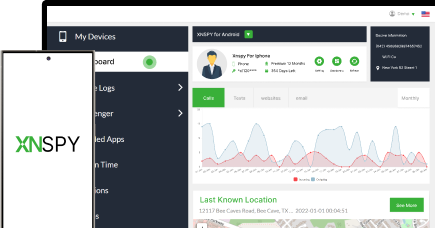
Xnspy constantly works in the background to provide parents with the real-time location of the device. Other than the current location, we were also able to see the complete location history with timestamps, address, and a map view option. Xnspy also allows parents to set up geo-fencing alerts. Whenever your child leaves or enters that designated area, the app sends an instant email alert.
Other Xnspy Features
- Call Logs and Recordings: Xnspy logs every single incoming, outgoing, or missed call from the target device. Parents can also record all the incoming and outgoing calls.
- Surround Recording: Parents can trigger this command remotely from their dashboard, and Xnspy starts recording the surroundings of the targeted cell phone.
- Text Message Monitoring: Xnspy also monitors the text messages that are sent from and received by the targeted device. It also tracks social media chats from every famous platform.
- Instant Alerts: With Xnspy, parents also get instant email alerts against predefined contacts, keywords, and locations as well.
- Screen Recording: Xnspy also captures periodic snapshots of the targeted device’s screen.
Xnspy Compatibility
Xnspy supports both iOS and Android devices. All the features are functional for both of these operating systems. Once installed, this parental monitoring app runs quietly in the background and collects information across all device activities.
Xnspy Pricing
Basic Plan: $59.99/year
Premium Plan: $89.99/year
Xnspy Pros and Cons
| Pros | Cons |
| – Real-time GPS tracking with accurate updates – Instant alerts when someone enters or leaves set areas – Detailed location history with timestamps – Stealth mode tracking without detection – Custom geofences for multiple safe or restricted zones | – No free trial available – Although customer support is available 24/7, there is no option for on-call support |
Should I Buy Xnspy?
Definitely yes. If you are a parent and want accurate and always-on location tracking, Xnspy does it like no other. You can monitor real-time movements, get notified about unusual routes, and view complete travel details right from your dashboard. Its geo-fencing feature adds another layer of control – you will know exactly when someone arrives or leaves a location you have set.

Xnspy: Get Most Accurate Location Tracking
Stay informed with Xnspy’s advanced GPS tracking solution.
2. Life360

Life360 is a family safety and location-sharing app designed to help families stay connected and informed about each other’s whereabouts. The app allows parents to create “Circles” of family members and share real-time locations, driving habits, and receive alerts for arrivals and departures at designated places. Using it can be a bit tricky at first, but as per our testing, once you get the hang of it, you won’t have any problems operating it.
Life360’s core functionality revolves around real-time location tracking. During testing, we were able to see the live locations of our Circle members on a map. Moreover, we also received timely notifications when someone arrived or left a specified location via the geo-fencing feature.
Other than this, the app also allows parents to view their child’s complete location history as well. The app updates locations approximately every 2–3 minutes for timely information and peace of mind.
Other Life360 Features
- Data Breach Alerts: If the email, password, or other sensitive data is detected in a breach, Life360 sends an immediate alert so you can take action.
- Roadside Assistance: The roadside assistance feature provides help in emergencies such as vehicle breakdowns, flat tires, or dead batteries.
- Emergency Dispatch: Life360’s emergency dispatch feature lets the teen request immediate help from emergency services by sharing their real-time location.
- Medical Assistance: Whether it’s first aid instructions, connecting with medical professionals, or locating nearby hospitals, this feature ensures your child receives timely help.
Life360 Compatability
Life360 is compatible with most smartphones, including both Android and iOS devices. Parents can download the app from the Google Play Store or Apple App Store and set up their Circle to start sharing locations and utilizing the safety features.
Life360 Pricing
Gold: 149.88/year
Platinum: $249.96/year
Life360 Pros and Cons
| Pros | Cons |
| – Geo-fencing alerts for set locations like home or school. – Allows viewing of past movements and travel patterns.- Works across phones and tablets. – Easy setup and intuitive navigation for all users. | – Continuous location tracking can drain battery life. – Very pricey. |
Should I Buy Life360?
If you’re looking for a comprehensive family safety solution that offers real-time location tracking, emergency assistance, and driving insights, Life360 can come in handy. However, it’s important to consider the potential impact on battery life and ensure that all family members are comfortable with the level of location sharing.
3. FamiGuard
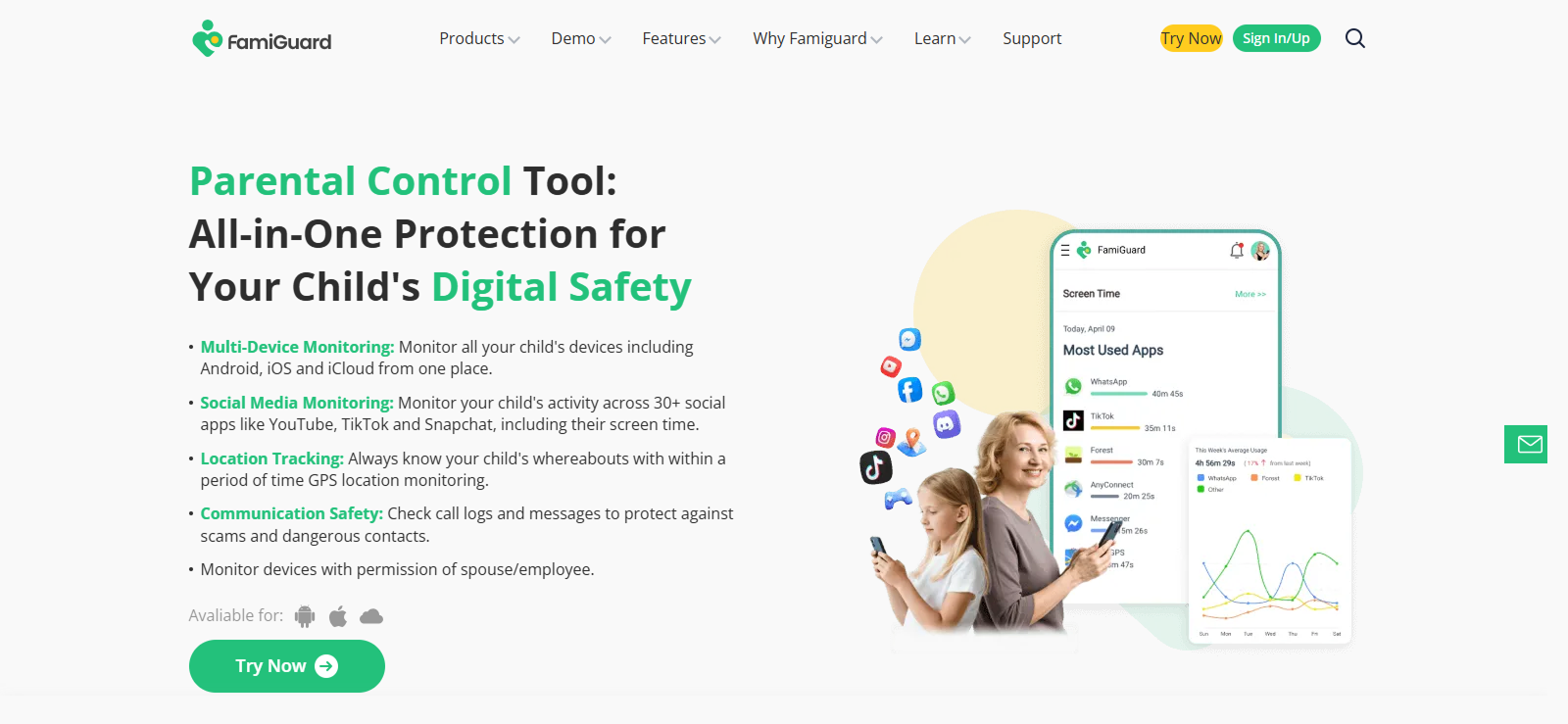
Next on our list of top apps for tracking location is FamiGuard. It is a parental control and monitoring app designed to help parents keep track of their children’s smartphone activities and location. It provides real-time location tracking, app usage monitoring, and detailed insights into calls, messages, and browsing habits. Available on both Android and iOS, the app aims to balance safety with ease of use.
FamiGuard’s location tracking allows parents to see the real-time whereabouts of their children on a map. It provides location history, geofencing alerts when a child enters or leaves designated areas, and precise GPS tracking. In our testing, this feature offered timely updates and notifications. We think it is ideal for helping parents ensure their child’s safety without constant checking.
Other FamiGuard Features
- Call Logs: FamiGuard gives parents access to incoming, outgoing, and missed calls, with timestamps and contact details. It even retrieves deleted call logs.
- Messages: The app allows parents to view sent and received text messages, including details of contacts and timestamps.
- Browser History: FamiGuard records browsing activity in detail to show parents which websites were visited and when.
- Screen Time: Parents can track daily screen usage and app activity to see exactly how much time is spent on each app.
FamiGuard Compatibility
FamiGuard works across Android and iOS devices, including iPhones via iCloud. It supports a wide range of smartphone models, so parents can monitor multiple types of devices seamlessly.
FamiGuard Pricing
1 Month Plan: $39.99
3-Month Plan: $19.99/Month
1-Year Plan: $9.16/Month or $115.2/Year
FamiGuard Pros and Cons
| Pros | Cons |
| – Tracks calls, messages, browsing history, and screen time for a full view of device activity. – Compatible with Android and iOS. – Sends notifications for suspicious activity or location updates. – Simple setup and easy navigation for all users. | – Each plan only covers one device, requiring multiple subscriptions for multiple devices. – Some devices or OS versions may face occasional glitches. |
Should I Buy FamiGuard?
FamiGuard is a solid choice for parents who want comprehensive monitoring and real-time location tracking in one app. Its cross-platform support and extensive feature set make it versatile and effective. However, consider the device-specific subscriptions and potential compatibility issues before purchasing to ensure it fits your family’s needs.
4. AirDroid
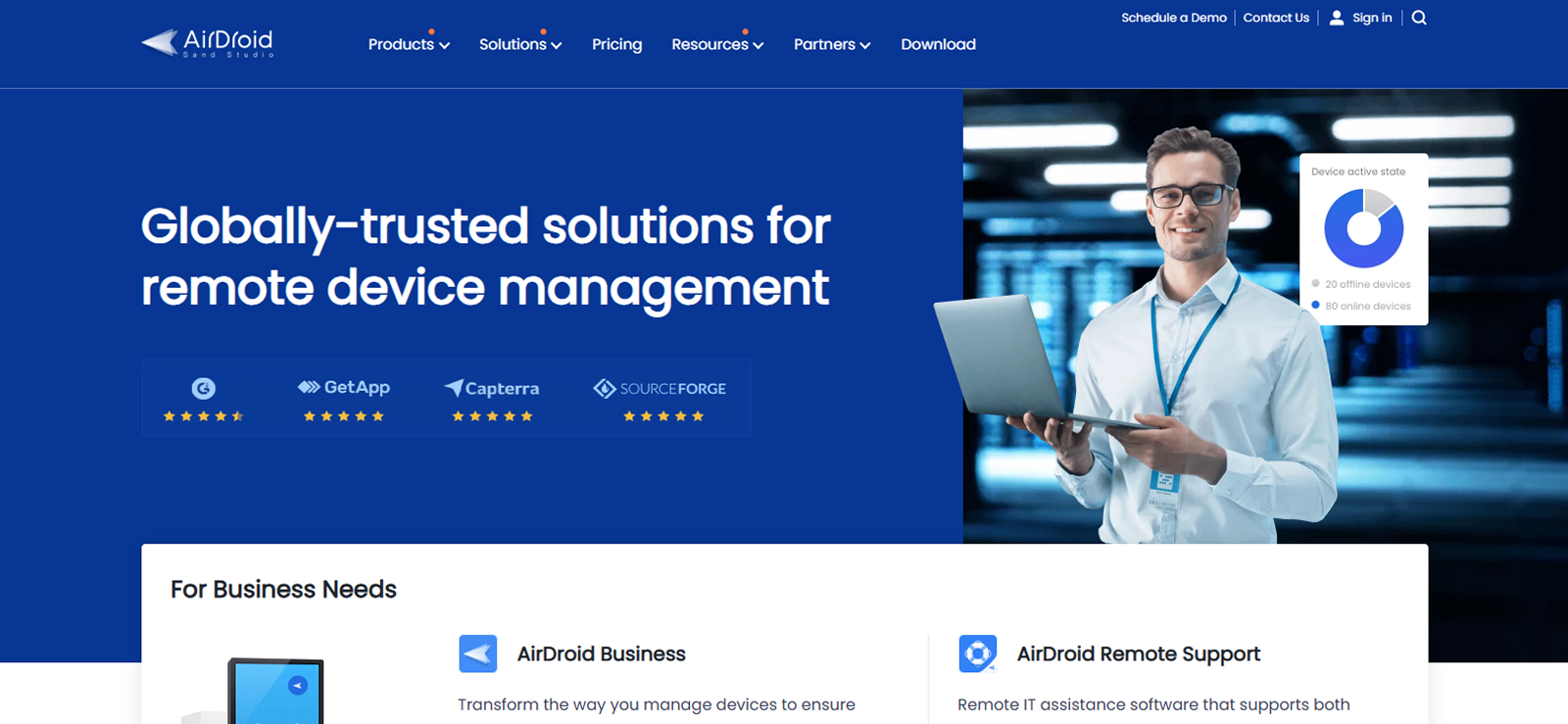
AirDroid is a multifaceted app that not only helps with device management and remote support but also offers a robust parental control suite. It lets guardians monitor usage, block or filter apps/websites, mirror screens, and set limits, all aimed at creating a safer digital environment without being overly invasive.
AirDroid’s location tracking provides real-time GPS tracking of the child’s device, the ability to see the route history, and geofencing (alerts when entering or leaving specified areas). During the testing period, these features worked smoothly across supported devices and helped us keep track of the target phones without needing constant check-ins.
Other AirDroid Features
- App Blocker: Parents can block specific apps or categories with ease. If a child tries to install an unwanted app or access a blocked one, AirDroid sends instant alerts.
- Web Safe Search: The app restricts access to inappropriate websites. There are whitelist/blacklist options, category filters, and a browser designed to enforce safe searches.
- Screen Time: Parents can set usage schedules, limits for apps, or shut off access entirely at certain times.
- Screen Mirroring: AirDroid lets guardians mirror the child’s device screen in real time and quickly spot content consumption issues or distractions.
AirDroid Compatability
AirDroid Parental Control supports Android 4.4 and later, and iOS 11 and later. One subscription allows binding multiple child devices (up to 10) under a single guardian account.
AirDroid Pricing
Monthly plan: $9.99
Quarterly Plan: $6.66 per month
Yearly Plan: $5.00 per month or $60 per year
AirDroid Pros and Cons
| Pros | Cons |
| – Granular control over web content and apps – Allows scheduling downtime so usage is limited at certain times – Supports screen mirroring and notification sync. | – Some features (especially for iOS) are more limited or require extra setup. – Real-time mirroring/monitoring can lag or be less responsive depending on network quality. – Relatively costly. – Kids may find workarounds (permission revokes, uninstalling). |
Should I Buy AirDroid?
If you want a well-rounded parental control tool with strong app blocking, web filtering, and real-time location tracking, we think AirDroid is a solid choice. It offers good flexibility and value, especially with the yearly plan.

We Tested It for You
We used AirDroid for a month to see if it is worth the hype.

5. Msafely

Among the top apps for location tracking, Msafely is another option that we picked because it works quite well when it comes to precise location updates. It is designed for Android and iOS, and also tracks messaging, calls, social apps, location, and media. It supports both installation-based and cloud-based pairing (Google or iCloud).
Msafely provides real-time GPS location updates, historical location tracking, and geofencing as well. While testing it, we were able to set safe zones and get alerts when the device entered or left those zones. Updates are pulled via cloud sync or via device install, depending on the platform and setup.
Other MSafely Features
- Installed Apps: Msafely shows a full list of apps installed on the target device and also tracks usage of those apps.
- Browser History: The app retrieves websites visited, including attempts in private or incognito modes.
- Multimedia Access: Msafely allows viewing photos and videos stored on the device, including those received or shared in messaging or social media apps.
- Keylogger: A built-in keylogger records keystrokes typed on the target device.
MSafely Compatibility
Msafely supports both Android and iOS devices. In testing, we noticed that on Android, features work via APK install or cloud-sync (Google account). On iOS, many features work via iCloud credentials. Some advanced features may be restricted by the OS version.
MSafely Pricing
Annual Plan: $139.92/year
3-Month Plan: $119.97/quarter
MSafely Pros and Cons
| Pros | Cons |
| – No-install, cloud-based setup options. – Covers many social media apps, including recovery of deleted messages. – Keylogging captures keystrokes, which can pick up texts/searches that might otherwise be hidden. – Easy-to-use dashboard and relatively quick setup. | – Requires access to the child’s iCloud or Google account credentials for the no-install methods. – Features may be limited by OS restrictions. No free trial. |
Should I Buy MSafely?
If you, as a parent, are looking for very strong, discreet monitoring that captures nearly everything, from keystrokes to social media messages, Msafely is a powerful option. It shines when you need depth and stealth. But if your priority is just occasional check-ins, location tracking, or simpler monitoring, we think that the cost might outweigh the benefits.
6. uMobix
uMobix is a powerful phone monitoring and parental control app that combines real-time location tracking with deep access to device activity, such as social media, messaging, media, and app usage.
uMobix provides live GPS location updates and route history to show where the device has been. It supports map-based tracking but does not include geofencing. However, we did notice occasional data sync delays as well as inaccuracies, especially over longer intervals.
Other uMobix Features
- Chat Monitoring: uMobix offers chat monitoring of numerous social and messaging apps like WhatsApp, Instagram, Facebook Messenger, Snapchat, and more.
- Calls: It logs incoming, outgoing, and missed calls with contact details, timestamps, and durations.
- Address Book: Parents can view the contact list stored in the device, including names, numbers, and changes made.
- Photos and Videos: Parents can browse photos, videos, file metadata (names, timestamps), and playback video content.
uMobix Compatibility
uMobix supports both Android and iOS systems. On Android, it offers more full-featured functionality (chat monitoring, keylogging, etc.). On iOS, many features rely on iCloud backup or credentials, and some capabilities are restricted by Apple’s permissions.
uMobix Pricing
Annual Plan: $149.99/year
Monthly Plan: $29.99/month
uMobix Pros and Cons
| Pros | Cons |
| – Strong social media and chat monitoring across many platforms. – Multimedia access to view photos and videos stored on the device. – Ability to see contact lists, call logs, including deleted entries. | – Lacks geofencing capability, so you won’t get alerts when the device enters or leaves defined zones. – Does not offer screen time limits or controls in many cases. – Premium cost is relatively high (especially for short-term plans) – uMobix doesn’t proactively flag risky content or behavior; you must review logs yourself. |
Should I Buy uMobix?
If you want deep access into device activity: social media, chats, media files, and contact insights, we believe uMobix can deliver powerful capabilities, especially for Android. However, its lack of geofencing, absence of screen time control, and limitations on iOS make it best suited for users who need surveillance more than guidance.
Frequently Asked Questions
1. Are location tracking apps safe to use?
Most location monitoring apps are safe if downloaded from trusted sources like Google Play or the App Store. However, safety also depends on how you use them. Always read privacy policies, review permission requests, and avoid sharing tracking access with unverified users. Reputable apps encrypt data and offer strong security measures, but you should still enable device passwords and use two-factor authentication for added protection.
2. Can location tracker apps work without an internet connection?
Yes, partially. Many apps to track people’s location use GPS, which works offline to record coordinates. However, you’ll need an internet connection (Wi-Fi or mobile data) to transmit that data to your dashboard or to receive real-time updates. If the connection drops, most apps store location data locally and sync it once the device reconnects. Features like live tracking, alerts, or remote actions generally require an active connection to function smoothly.
3. Do apps that track location affect phone performance or battery life?
They can, depending on how they’re configured. Continuous GPS tracking and background data syncing can drain the battery faster and slightly impact performance. Most modern apps now use smart intervals or low-power modes to minimize this. To balance accuracy and efficiency, you can adjust update frequency, disable unneeded features, and ensure power-saving settings don’t restrict background access, which could interrupt tracking altogether.
4. How do I choose the right location tracking app for my needs?
Start by deciding what you want most: real-time tracking, geofencing, emergency alerts, or communication monitoring. Then, compare apps for compatibility, transparency, ease of setup, and customer support. Free apps cover basic tracking, while paid versions add more control and security. Look for one that matches your technical comfort level, works seamlessly on your device, and provides the right balance between features, privacy, and cost.
3 Comments
Leave a reply:
Your email address will not be published. Required fields are marked*

Jacky Tat
November 10, 2025 at 2:44 pmThank you, while yhis helped me alot, I still only need a location tracking app, not the added features in these, can you give suggestions for that?
Kenny Rogers
November 11, 2025 at 2:49 pmI tried MSafely and what a shitty app, I do not care who comes after me but God forbid, this is useless
Stephen Hawks
November 12, 2025 at 2:41 pmHaving used both uMobix and Spyier, I think Spyier should be ranked above uMobix since I had a fairly better experience with one.