7 Best TikTok Monitoring Apps for Parents: Tested and Verified Results

The complete monitoring experience for your phone
Get XNSPY and start tracking calls, texts, multimedia, locations and more on any phone!
Get Started Now Live DemoTikTok is one of the most-used apps among kids and teens today, yet its algorithm raises real safety concerns for families.
While TikTok does offer built-in controls like Family Pairing, these can be easily circumvented by a tech-savvy child. That’s why a growing number of monitoring apps now offer far deeper visibility into what children are actually doing on the platform.
Whether you want to view watch history, monitor direct messages, set strict time limits, or receive keyword alerts, these TikTok monitoring tools go far beyond what TikTok itself provides.
This guide covers the 7 best apps to monitor kids on TikTok. Each app has been verified as fully operational and capable of TikTok monitoring at the time of testing.
Key Takeaways From This Article
- Most TikTok monitoring apps work well on Android but fail on iOS due to Apple’s restrictions.
- Xnspy offers deep TikTok monitoring with screen recorder, keylogger, and keyword alerts, making it the most comprehensive solution.
- FamiGuard captures DMs and watch history and exports data as PDF or CSV, though notification delays and poor iOS are drawbacks.
- FamiSafe works on Windows, Mac, and Chromebook with AI alerts, but iOS monitoring is weak, and stealth is nonexistent.
- MoniMaster tracks TikTok watch history and usage reliably, but manual navigation is required, and there is no free trial.
- AirDroid sends instant keyword alerts for risky TikTok content, but iOS is not supported, and features stop working.
- FamilyTime delivers basic Android monitoring at a low price, but iOS performance is poor, and there are no alerts.
- Spapp Monitoring logs TikTok DMs on older Android devices, but lacks watch history, has UI freezes, and has no iOS version.
We Tested the Top TikTok Tracking Apps for Parents and These 7 Stood Out
| Apps | Rating | Pricing (billed annually) | Best For | Drawback |
| Xnspy | 9.0/10 | Premium: $89.99/year ($7.49/mo) | Deep monitoring with screen recorder, keylogger, and keyword alerts | Requires device access and occasionally a stable internet |
| FamiGuard | 8.5/10 | 1-Year Plan: $109.92/year ($9.16/mo) | Exporting TikTok data as PDF or CSV | Notification delays, poor iOS, no multi-device plan |
| FamiSafe | 7.5/10 | Yearly Plan: $59.99/year ($4.99/mo) | Cross-platform control (Windows, Mac, Chromebook) | Poor iOS, tedious dashboard, no stealth |
| MoniMaster | 7/10 | 1-Year Plan: $109.92/year ($9.16/mo) | Tracking watch history and usage duration on Android | Manual navigation required, slow support, no free trial |
| AirDroid | 7/10 | Yearly Plan: $35.99/year ($3.00/mo) | Keyword alerts and screen casting on Android | No iOS, features stop working, finicky setup |
| FamilyTime | 6.5/10 | MyFamily: $28.92/year ($2.41/mo) | Budget Android monitoring with time limits | Poor iOS performance, no alert system, weak stealth |
| Spapp Monitoring | 6/10 | Basic: ~$120/year ($10/mo) | Low-cost DM logging on older Android devices | No watch history, UI freezes, risky installation, no iOS |
Our Process for Testing and Ranking These Parental Control Apps for TikTok
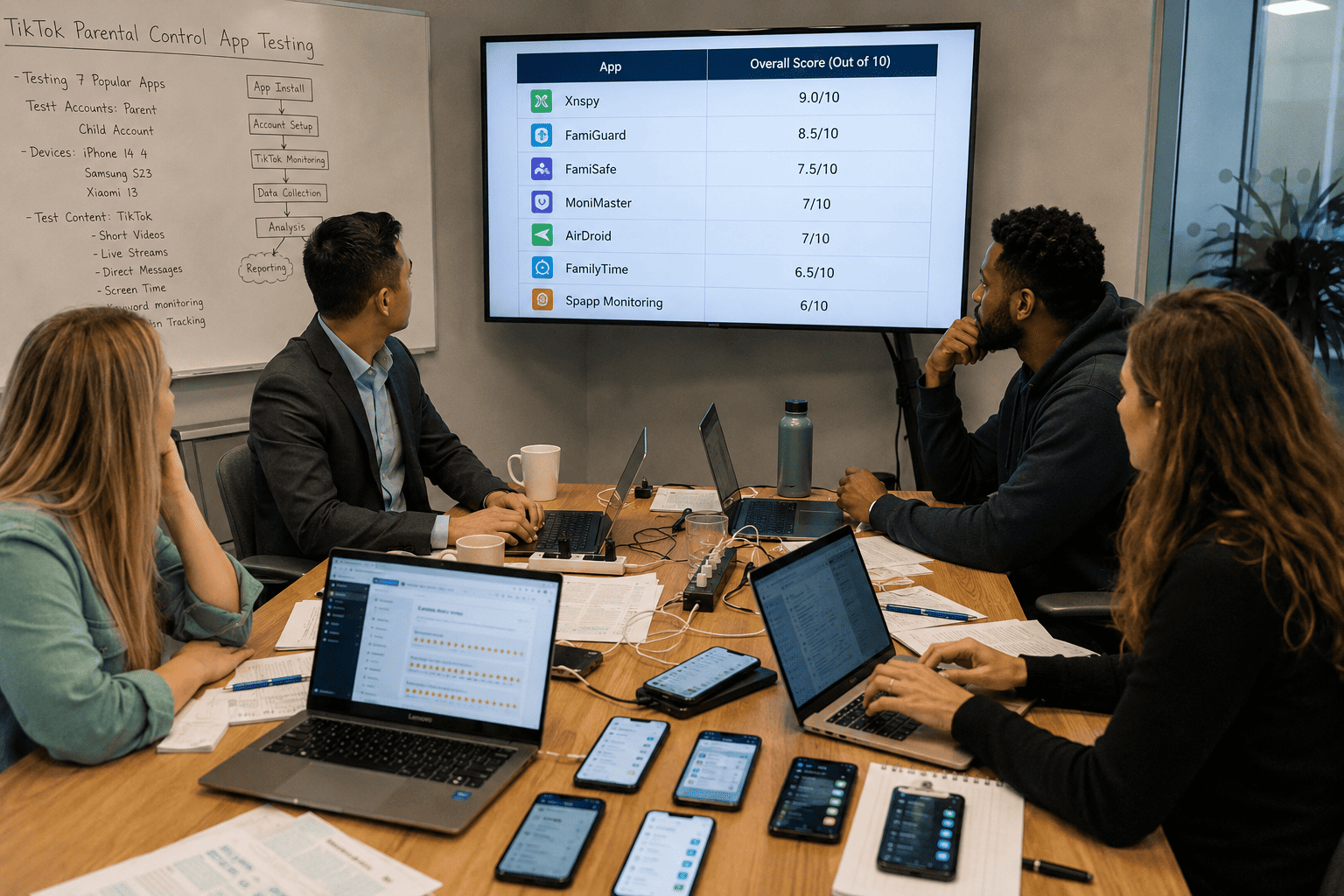
Most TikTok monitoring apps falsely highlight capabilities that work inconsistently in real-world conditions, which is why our evaluation was built entirely around hands-on testing rather than marketing claims.
Our review team, made up of a mobile app QA engineer, a cybersecurity analyst, and a parent who has tested over 20 parental monitoring solutions, evaluated each app across multiple testing rounds on Android and iOS devices with active TikTok accounts.
Here are the factors we took into consideration and their respective weightage:
We Measured TikTok-Specific Capture Depth — 40%
TikTok monitoring depth was the most important ranking factor for us because it is the core purpose of each app in this category.
To test this, we observed what each app actually captured during live TikTok use. This included watch history, direct messages, search queries, comments, and keystrokes. We also tested whether captures continued accurately across multiple sessions and after TikTok updates.
We Evaluated Reliability Across Android and iOS — 25%
Many apps in this category perform well on Android but deliver a noticeably reduced experience on iOS due to Apple’s platform restrictions. We tested every app on both device types and recorded where features were unavailable, degraded, or absent entirely on iOS.
We Assessed Ease of Setup and Dashboard Usability — 20%
Even an effective monitoring solution loses real-world value if parents struggle to navigate it. We assessed installation time, how quickly TikTok data appeared in the dashboard after setup, and how clearly activity was presented.
Our testing emphasized usability for non-technical parents rather than experienced users, since that is the audience these apps are built for.
We Reviewed Stealth Operation and Privacy Protections — 10%
Each app was checked after installation to confirm it did not appear in the child’s app drawer, home screen, or recently used apps. We also reviewed how data is stored and transmitted, and whether the app exposed itself through battery usage warnings or permission notifications on the child’s device.
This factor helped separate genuinely discreet tools from those that can be detected or disabled by an observant child.
We Compared Value Against Limitations — 5%
Not every app with strong features offers good practical value. We weighed what each solution delivered against its limitations, including access restrictions, iOS feature gaps, pricing structure, and refund policies.
This final factor helped refine rankings when apps performed similarly but offered very different overall value to families.
The Unique Risks of TikTok and the Limitations of Its Built-In Parental Controls
TikTok is not like other social media platforms. Its recommendation engine is built to surface content based on watch behavior, which means kids can encounter mature or algorithmically amplified content within seconds of opening the app.
To counter such risks, TikTok’s built-in Family Pairing feature lets parents link their account to their child’s and adjust a range of settings like screen time limits, DM restrictions, content filters, and search visibility.
However, Family Pairing requires the child to remain logged in to the same account and paired to stay active. Therefore, a child who creates a secondary account, logs out, or accesses TikTok through a browser can bypass Family Pairing entirely.
That’s where you can use these monitoring apps to keep kids safe on TikTok. They work at the device level rather than the account level, which makes them significantly harder to circumvent. They capture TikTok activity regardless of which account is logged in. Some can even log keystrokes, screenshot content, and send real-time alerts when specific words appear.
7 Best Apps to Monitor Kids on TikTok
For each app, we have evaluated TikTok capture depth, reliability across Android and iOS, usability for non-technical parents, stealth operation, and overall value. Below you will find the pricing, compatibility, pros and cons, and a final “Should I Buy?” verdict for every entry.
1. Xnspy
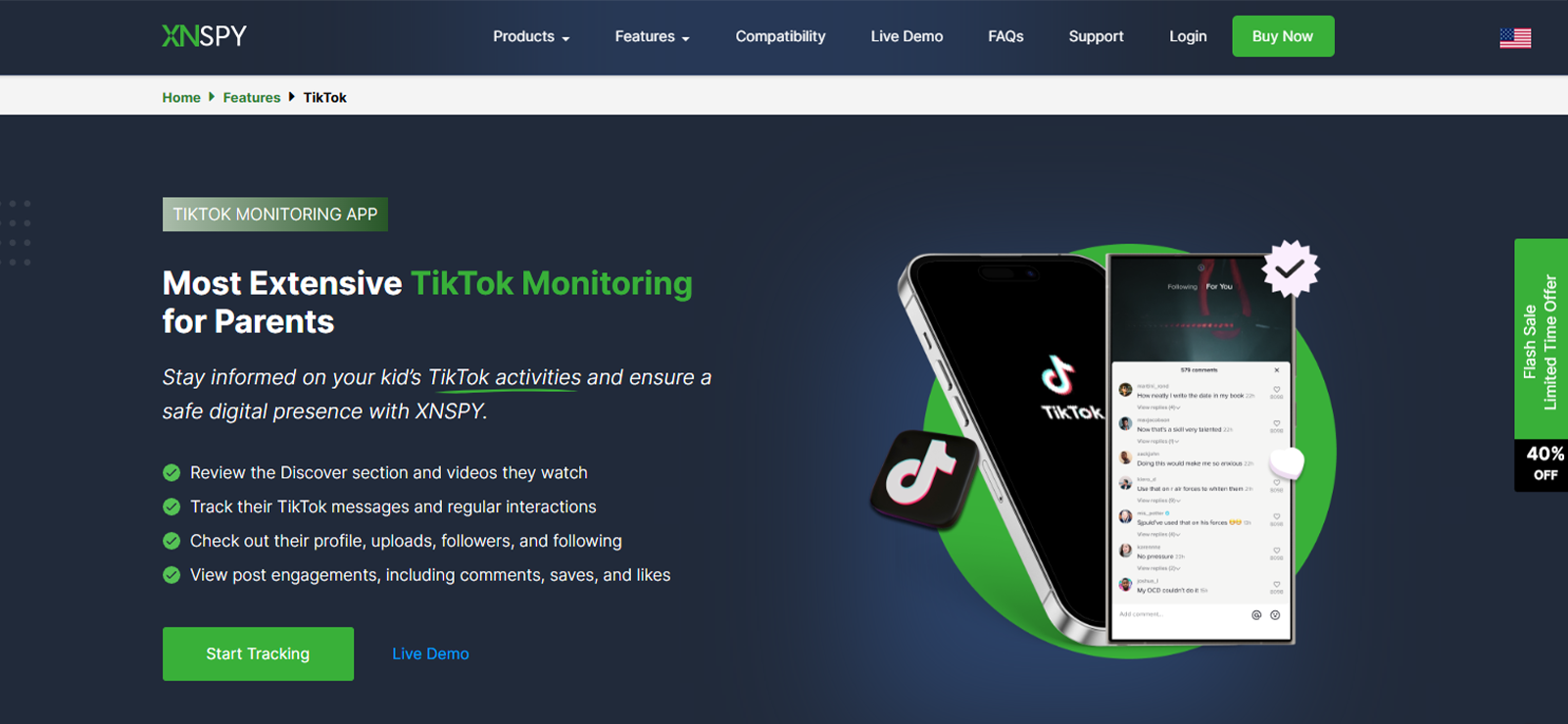
After we installed Xnspy on the test device, TikTok activity began appearing in the dashboard after a short while.
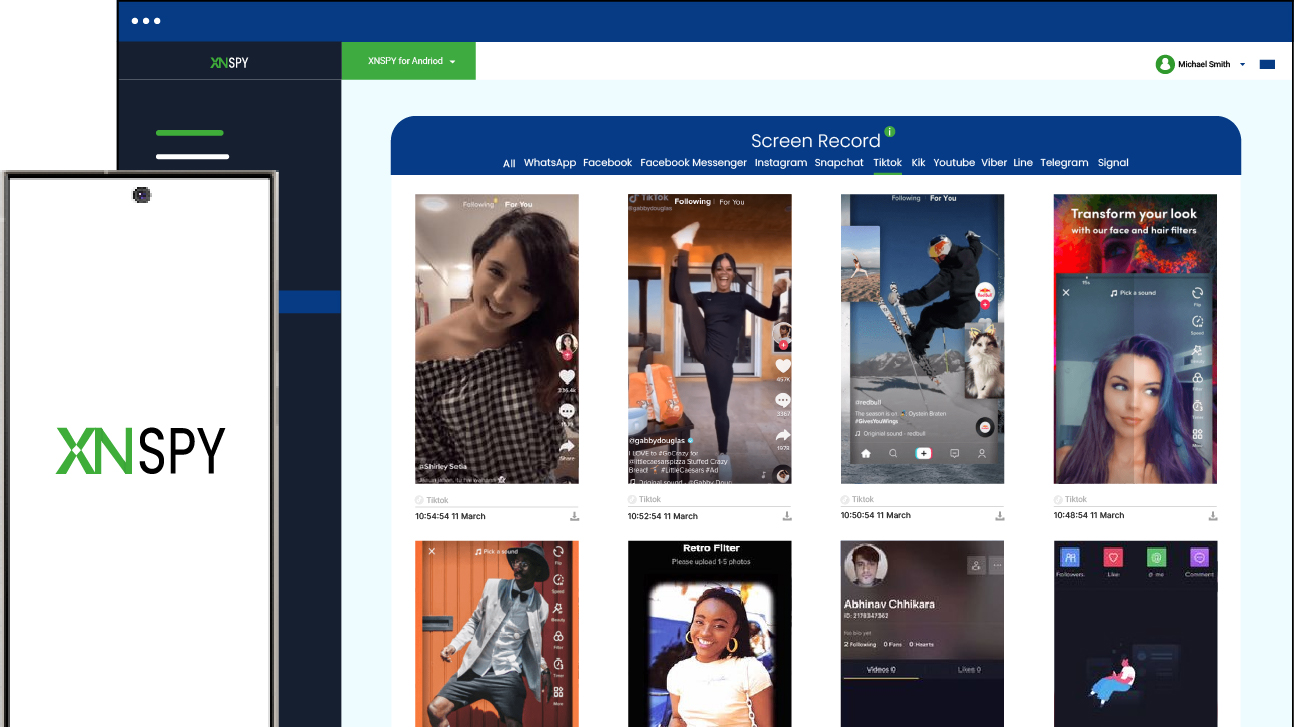
The first thing we evaluated was TikTok capture depth, and this is where Xnspy stood out most. The screen recording feature periodically captured screenshots of the target device’s screen and uploaded them to the dashboard, giving us a clear view of exactly what TikTok content was on screen at any given moment.
On top of that, the keylogger logged every keystroke typed in TikTok’s search bar, DM fields, and comment box. Combined with keyword alerts, we were able to set specific phrases, names, or slang terms on Xnspy and receive instant notifications the moment those terms were typed on the device. Moreover, we even had the option to block the entire app.
Reliability was the next thing we looked at, and the results were decent. Xnspy populated data steadily on both Android and iPhone throughout testing, and alerts arrived without any drastic delays. However, we occasionally observed noticeable capture delays when the target device experienced an unstable internet connection.
Beyond the data itself, we also paid close attention to how easy the experience was for a non-technical parent. Xnspy installation took under 10 minutes, and once inside the dashboard, we could easily access TikTok data by navigating towards the “Screen Record” section, where screenshots were stored within app subcategories.
Finally, we verified stealth operation. After installation, no icon appeared in the app drawer, home screen, or recently used apps, and Xnspy didn’t trigger any permission notifications or surface in battery usage warnings on the target device.
Xnspy Compatibility
Xnspy’s TikTok monitoring feature works on Android (versions 4 and above) and iOS (versions 6 and above).
Xnspy Pricing
Xnspy offers two plans, i.e., Basic and Premium, across monthly, quarterly, and annual billing cycles.
- Basic Edition: $29.99/month | $41.99/quarter | $59.99/year ($4.99/mo)
- Premium Edition: $35.99/month | $59.99/quarter | $89.99/year ($7.49/mo)
Xnspy Pros and Cons
| Pros | Cons |
| – Deep TikTok monitoring for DMs, viewed content, and keystrokes – Keyword alerts sent instantly – Entirely blocks the app | – Requires access to the target device – Occasional syncing delays when the internet is not stable |
Should I Buy Xnspy?
Xnspy is one of the best apps to watch your child’s TikTok activity. It will tell you exactly what TikTok content is being watched, searched, and discussed by your child.
However, before installation, make sure you have access to the target device.

Xnspy: Powerful TikTok Monitoring for Modern Parents
Review TikTok interactions with complete and timely visibility.
– Track TikTok posts, follows, and interactions
– See messaging activity and connected contacts
– Monitor watch history, searches, and liked videos
– Receive instant alerts on keywords and names
2. FamiGuard
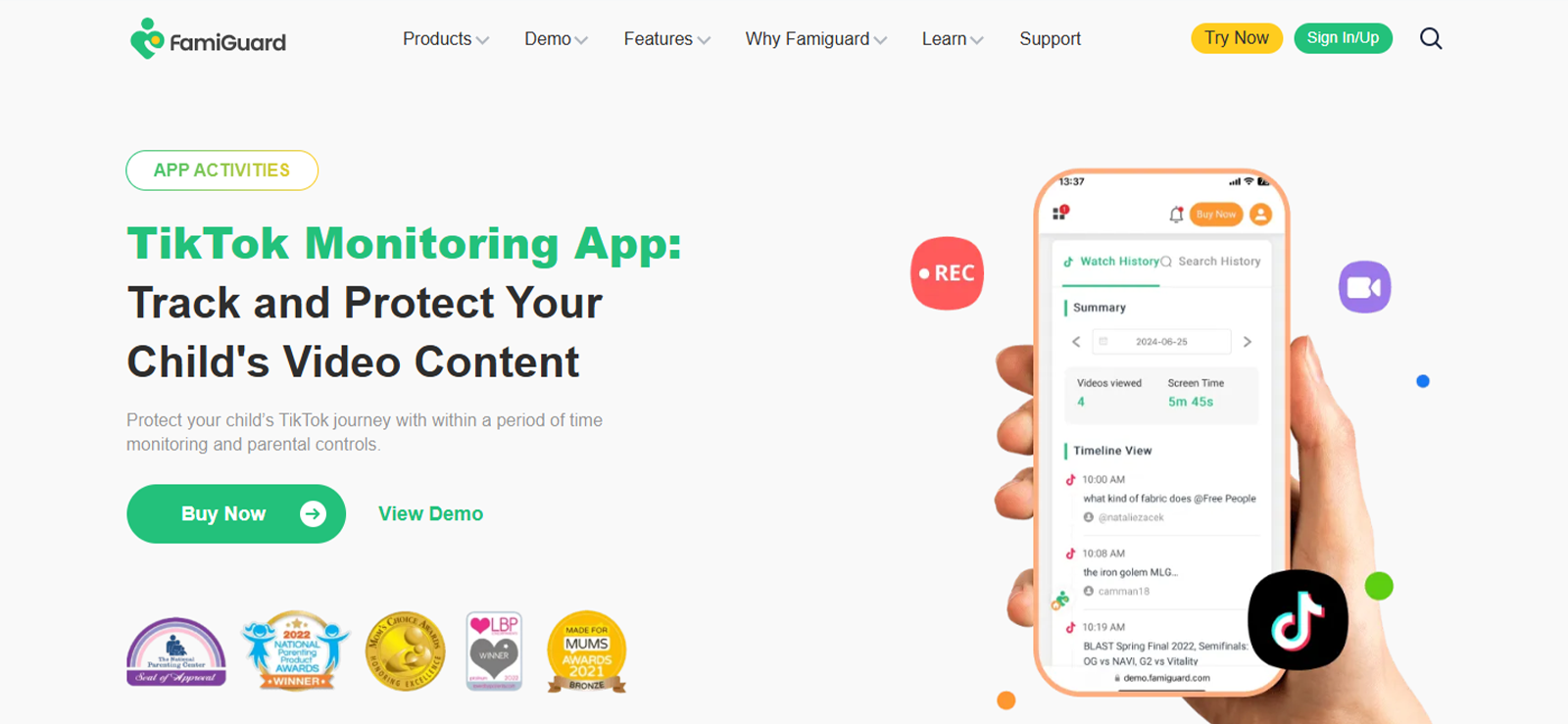
FamiGuard can monitor over 40 social media apps, including TikTok.
As far as its TikTok capture depth is concerned, it was strong. FamiGuard Pro captured TikTok watch history (including videos and creator names), direct messages, search queries, and automatically triggered screenshots based on screen activity.
But what set it apart from other apps on this list for us was its export capability. We were able to download monitored TikTok data, including chats, search history, and usage timelines as PDF or CSV files, making it easy to document activity and review patterns over time.
Reliability, however, had some gaps. For starters, we noticed notification delays during testing as captures and alerts arrived later than expected, rather than in real time.
As for iOS performance, the app was not able to fully monitor TikTok activity. On Apple devices, we were essentially stuck with a VPN profile that only delivers web filters and basic screen-time caps, leaving key features like social media monitoring and DM capture completely absent.
From a usability standpoint, the dashboard was straightforward to navigate, and setup took us under 10 minutes. That said, there were also no multi-device plans available, so parents monitoring more than one child’s device need to purchase separate subscriptions.
Moving forward, its stealth operation held throughout our testing since no icon was visible on the home screen or app drawer. For an added layer of discretion, FamiGuard also offered an option to hide or rename the app icon.
FamigGuard Compatibility
FamiGuard’s TikTok monitoring features are compatible with both Android and iOS devices.
FamiGuard Pricing
FamiGuard Pro offers monthly, quarterly, and annual billing. Specific pricing varies by plan tier:
- 1-Month Plan: $39.99 / month
- 3-Month Plan: $19.99 / month (billed quarterly)
- 1-Year Plan: $9.16/month (billed annually at $109.92)
FamiGuard Pros and Cons
| Pros | Cons |
| – TikTok DMs, video logs, and search history all captured – Export TikTok data as PDF or CSV – Auto-screenshots triggered by TikTok screen activity | – Notification delays – iOS performance is poor – No multi-device plan |
Should I Buy FamiGuard?
FamiGuard is a capable TikTok monitoring tool, and the data export feature is genuinely useful for parents who want documented records of activity.
However, notification delays mean alerts don’t always arrive in real time, which may frustrate those needing immediate updates.
Additionally, iOS users should look elsewhere, as the app only delivers basic web filters on Apple devices with no social media monitoring.
3. FamiSafe
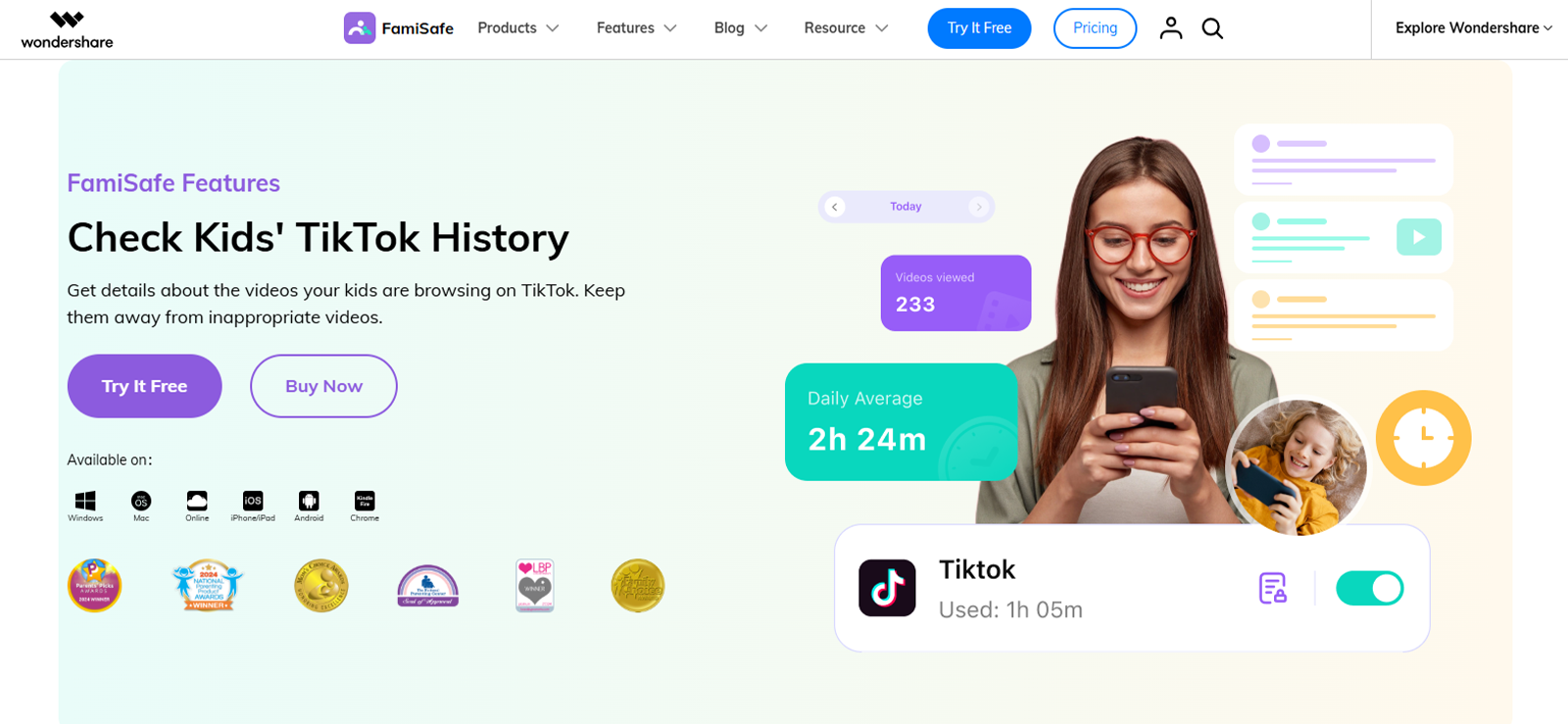
FamiSafe stood out among TikTok safety apps for families as the only option that extends controls to Windows, Mac, and Chromebook, alongside mobile.
With regards to the app’s TikTok capture depth, its AI Semantic Analysis feature scanned TikTok 24/7 for harmful content, bullying signals, predator-related language, and explicit material. Alerts came through to us when flagged content appeared in TikTok activity, and the viewing history log gave a clear picture of what the target device had been watching.
Additionally, the screen capture feature added useful context, though we found that it occasionally failed to trigger.
When it came to reliability, we observed a clear split between Android and iOS. On Android, core features held up consistently throughout testing. On iOS, however, TikTok monitoring features performed poorly. Social media monitoring effectiveness was limited, and the web filter only applied to Safari, meaning content accessed through other browsers went unfiltered.
Turning to usability, we encountered one persistent frustration. The dashboard home screen showed only live location and total usage time at a glance. To understand what the TikTok app on the target device was actually doing, we had to scroll through a separate daily alert log item by item, clicking into each entry individually.
On the stealth front, FamiSafe did not attempt to hide itself. The app operated visibly on the target device by design, reflecting the company’s emphasis on transparency rather than covert monitoring.
FamiSafe Compatibility
FamiSafe is compatible with major operating systems, including Android, iOS, Windows, and macOS.
FamiSafe Pricing
FamiSafe’s For Family pricing plans are based on subscription length and number of devices.
- Monthly Plan: $9.99 / month, covers up to 5 devices
- Quarterly Plan: $6.66 / month ($19.99 billed quarterly), covers up to 8 devices
- Yearly Plan: $4.99 / month ($59.99 billed annually), covers up to 10 devices
FamiSafe Pros and Cons
| Pros | Cons |
| – Extends monitoring to Windows, Mac, and Chromebook, alongside mobile – AI Semantic Analysis scans TikTok 24/7 for harmful content, bullying, predator language, and explicit material – Sends alerts when flagged content appears in TikTok activity – Viewing the history log shows what the target device has been watching – Screen capture adds useful context on Android | – iOS TikTok monitoring performs poorly with limited social media monitoring – Understanding device activity requires scrolling through a separate daily alert log item by item – No stealth operation; app runs visibly on the target device by design |
Should I Buy FamiSafe?
FamiSafe is a strong cross-platform choice for parents who need controls on Windows, Mac, and Chromebook in addition to mobile. Its AI alerts for harmful TikTok content work well, and the viewing history log provides useful visibility.
However, iOS users should be cautious. TikTok monitoring performs poorly on Apple devices.
Overall, this app is good for Android families who want AI-powered content alerts and cross-platform control, but don’t need covert monitoring. We don’t recommend it for iOS users or parents seeking stealth operation.

What Stood Out After Testing FamiSafe
We tested the app in detail and here’s exactly what parents should expect.

4. MoniMaster
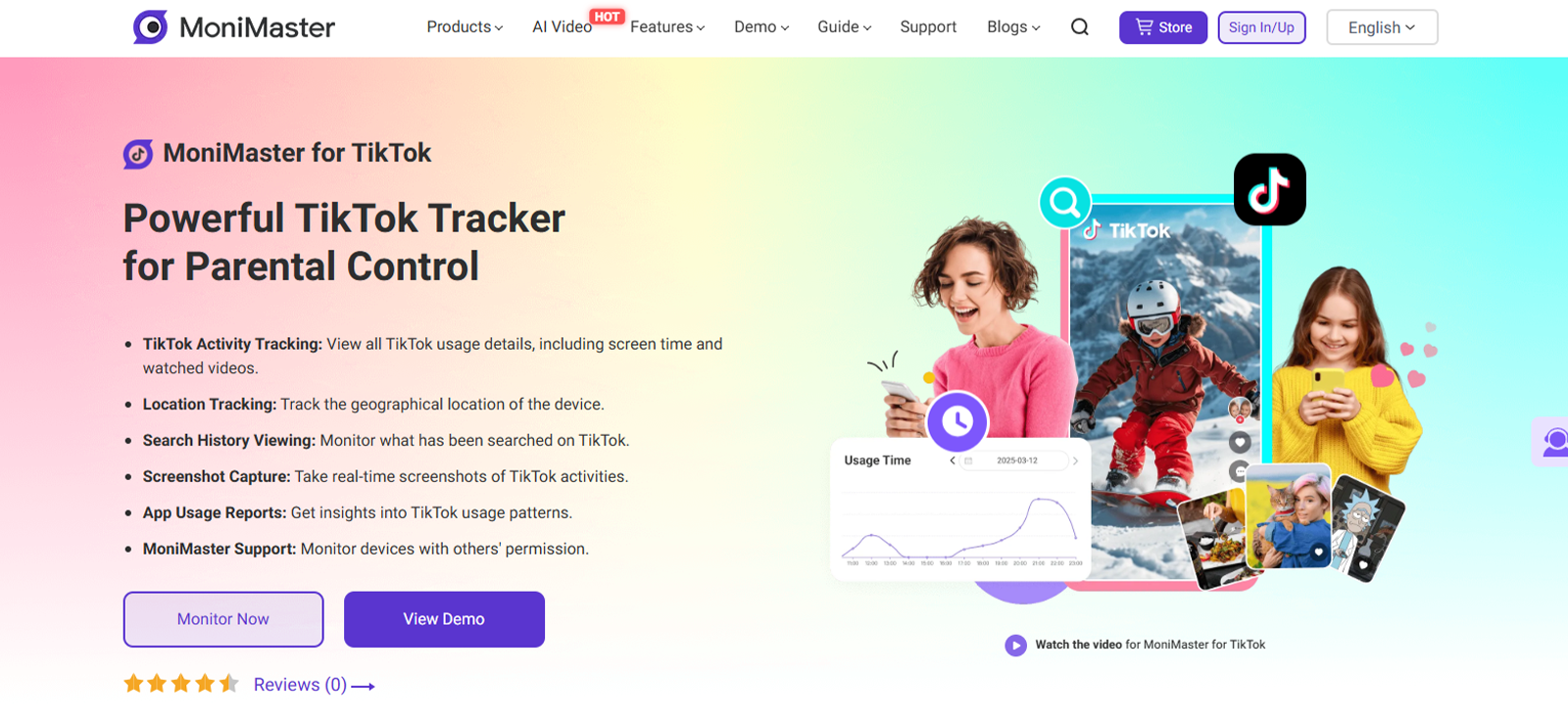
MoniMaster is a monitoring tool that provides detailed insights into a target device’s TikTok activities.
As far as the app’s TikTok monitoring is concerned, MoniMaster performed adequately during testing. It captured TikTok watch history, logged in-app search queries, and delivered automatic screenshots. It also tracked TikTok usage duration, giving a clear daily picture of time spent on the platform.
When it came to reliability, however, we observed a clear split between Android and iOS. On Android, data was populated consistently throughout testing. On iOS, by contrast, TikTok-specific features like DM monitoring and screenshot capture did not consistently work as described.
Usability was another friction point from the start. While the app captured data automatically, we found that accessing that data required far more manual navigation than expected. Rather than surfacing insights on their own, we had to click into multiple separate sections to piece together TikTok activity.
Compounding this issue, the official website offered limited guidance. When we contacted support before setup, the chatbot was unhelpful, and reaching a live agent took considerably longer than anticipated. Adding to the frustration, there was no free trial, meaning parents had to commit financially before confirming the app worked on their specific device.
On a more positive note, the stealth operation held up throughout testing as the app ran without any visible icon on the target device.
MoniMaster Compatibility
MoniMaster’s TikTok monitoring is available for both Android and iOS devices.
MoniMaster Pricing
MoniMaster offers monthly, quarterly, and annual subscriptions.
- 1-Month Plan: $39.99
- 1-Quarter Plan: $19.99 per month (billed quarterly)
- 1-Year Plan: $9.16 per month (billed annually)
MoniMaster Pros and Cons
| Pros | Cons |
| – Captures TikTok watch history, search queries, and auto-screenshots – Tracks daily TikTok usage duration – Data populates consistently on Android – No visible icon on the target device | – iOS features like DM monitoring and screenshots often fail – Captured data requires manual navigation to access – Unhelpful chatbot and slow live agent support – No free trial |
Should I Buy MoniMaster?
MoniMaster captures solid TikTok data on Android only, including watch history, search queries, and screenshots.
However, accessing that data requires manual navigation through multiple sections rather than an at-a-glance dashboard. To make matters worse, support is slow, and there is no free trial to test compatibility upfront. Also, iOS users should be aware that key features often fail entirely on Apple devices.
Overall, this app is best suited for patient, tech-comfortable Android users, not for iOS families or parents seeking an easy setup.
5. AirDroid Parental Control
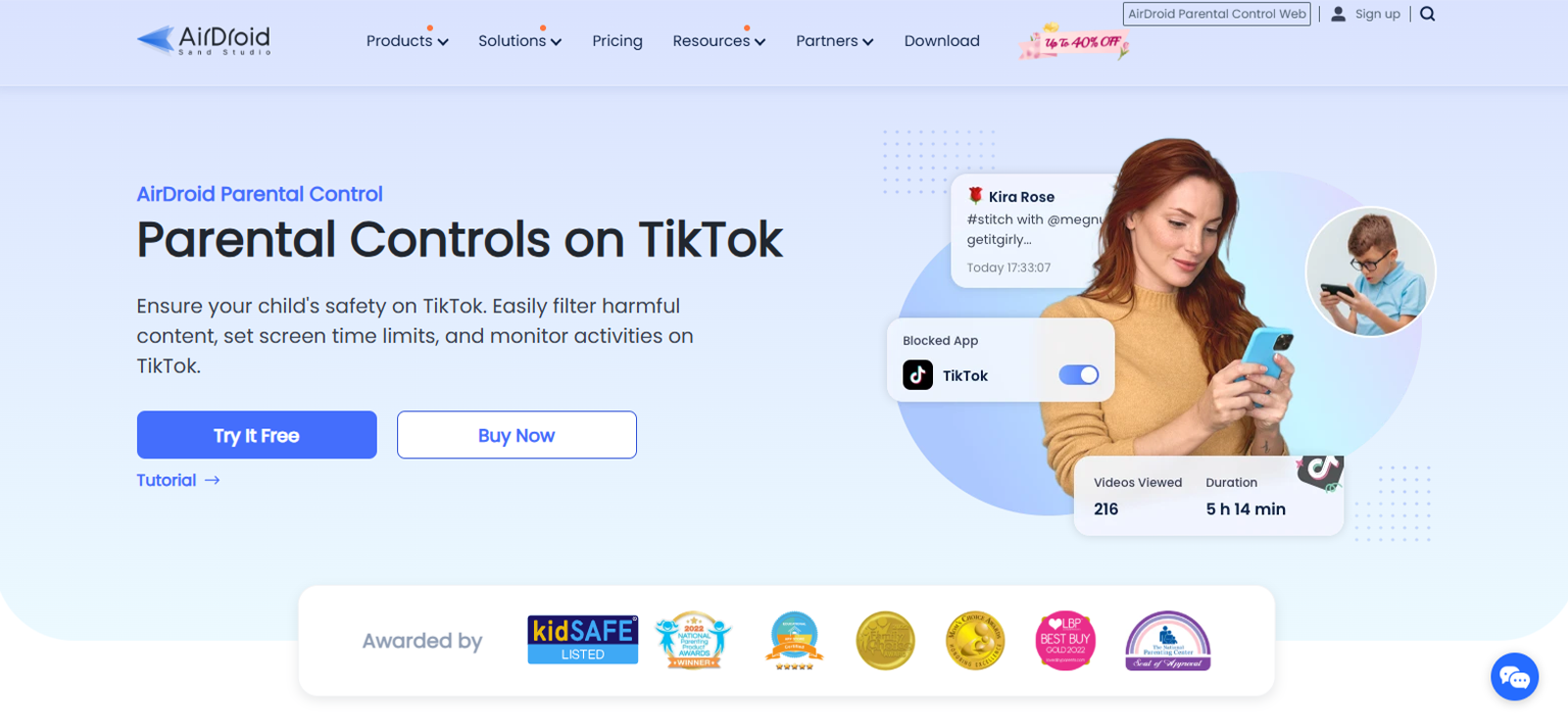
For TikTok capture depth, AirDroid parental control takes a different approach from most apps on this list. Rather than logging full watch history or DMs, it monitors TikTok for keywords related to explicit content, cyberbullying, and other risks.
We set a custom keyword list, and the app sent instant alerts whenever those terms appeared in TikTok chats, searches, or notifications.
Beyond keyword alerts, the screen viewer was also available as a separate feature. Using it, we were able to cast the target device’s screen in real time and take manual screenshots to check in when an alert came through.
That said, reliability was where our experience became inconsistent. On Android, features generally worked as described during initial testing. However, we did notice that some features stopped working after a while. On iOS, the situation was far worse as TikTok monitoring was not available at all.
Moreover, the usability issues started at setup. Connecting the devices requires granting multiple system-level permissions sequentially, and if any step is missed, the connection fails without a clear error message pointing to what went wrong.
However, once past setup, the dashboard itself was clean, but we found a minor annoyance. The time display used military time with no option to switch to a 12-hour clock.
On a more positive note, the stealth operation was solid on Android. After installation, AirDroid parental control did not surface in the app drawer or recently used apps on the target device.
AirDroid Parental Control Compatibility
AirDroid’s TikTok monitoring feature is only available on Android.
AirDroid Parental Control Pricing
AirDroid parental control has a single plan with three billing periods.
- Monthly Plan: $9.99 / month, covers 2 devices
- Quarterly Plan: $6.66 / month (billed $19.99 every 3 months), covers 10 devices
- Yearly Plan: $3.00 / month (billed $35.99 per year), covers 10 devices
AirDroid Parental Control Pros and Cons
| Pros | Cons |
| – Monitors TikTok for keywords related to explicit content, cyberbullying, and other risks – Sends instant alerts when custom keywords appear in TikTok chats, searches, or notifications – Screen viewer allows real-time screen casting or manual screenshots – Stealth operation is solid on Android with no icon in the app drawer or recently used apps | – Does not log full TikTok watch history or DMs – Some features stopped working after a while on Android – TikTok monitoring is not available on iOS at all – Setup requires granting multiple permissions sequentially, with no clear error message if a step is missed – Time display uses military time with no option to switch to 12-hour clock |
Should I Buy AirDroid Parental Control?
AirDroid works well for parents who want keyword-based alerts rather than full TikTok message logging. The instant alerts and screen viewer are useful, and stealth mode is solid on Android.
However, setup is finicky with vague error messages, and some features stop working over time. Not only that, but iOS users get no TikTok monitoring at all.
All in all, the app is best for Android families who want real-time keyword alerts and don’t need complete DM or watch history logging.
Understanding How AirDroid Parental Control Works in Detail
We tested AirDroid and here’s our honest take on it.
6. FamilyTime
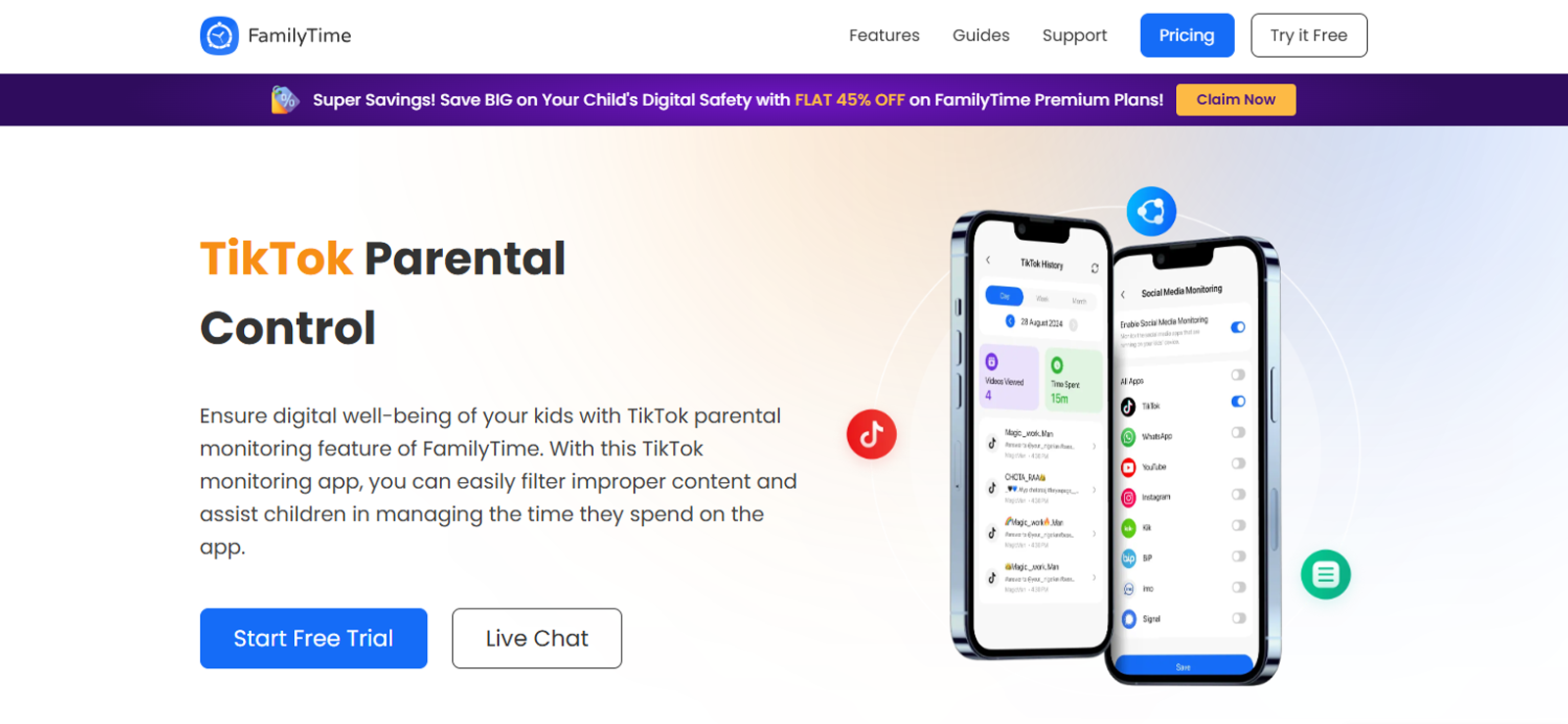
When we first visited the FamilyTime website, we were immediately greeted by intrusive live chat pop-ups that had to be closed repeatedly.
On the TikTok capture depth front, FamilyTime delivered the basics on Android. We were able to view the target device’s TikTok video history, including accounts visited, comment history, and total time spent on the app. However, as there was no alert system, the app did not flag or notify when something concerning appeared on the test devices.
Not only that, but we also had to scroll through the full message history manually to find anything relevant, which was time-consuming and easy to miss.
Reliability across sessions was adequate on Android. On iOS, however, reliability was a different story. TikTok watch history, comment logging, and chat message capture either did not work at all or delivered incomplete data due to Apple’s platform restrictions, making the app largely ineffective for iPhone-using families.
From a usability standpoint, setup was straightforward, and the dashboard was easy to navigate. The issue, however, was what the dashboard surfaced. Social media monitoring loaded only the most recent five to six chat rooms, meaning messages from less active contacts could easily be buried and missed.
Stealth operation was not a strength here. On the device, FamilyTime’s presence was noticeable when restrictions were active, which means an observant child would know that the app is installed.
FamilyTime Compatibility
FamilyTime’s TikTok monitoring is compatible with both Android & iOS devices.
FamilyTime Pricing
FamilyTime offers various plans according to the number of devices:
- Free Trial: $0, test core features before committing
- MyFamily: $2.41/month (billed annually $28.92), covers 1 child
- MyFamily3: $4.08/month (billed annually $48.96), covers up to 3 children
- MyFamily5: $ 5.75/month (billed annually $69.00), covers up to 5 children
FamilyTime Pros and Cons
| Pros | Cons |
| – Allows parents to read TikTok chat messages, view TikTok watch history, and enforce time limits on the app – Compatible with both Android and iOS devices – Free trial available to test core features before committing | – Poor website experience – No smart filtering or alert system for TikTok activity – Poor iOS performance – Ineffective stealth operation |
Should I Buy FamilyTime?
FamilyTime delivers on its core TikTok monitoring features as described, but only on Android devices. Also, the lack of smart filtering makes it time-consuming to identify actual risks.
If you have the patience to manually review all messages and can overlook the poor website experience, the free trial is worth testing.
7. Spapp Monitoring
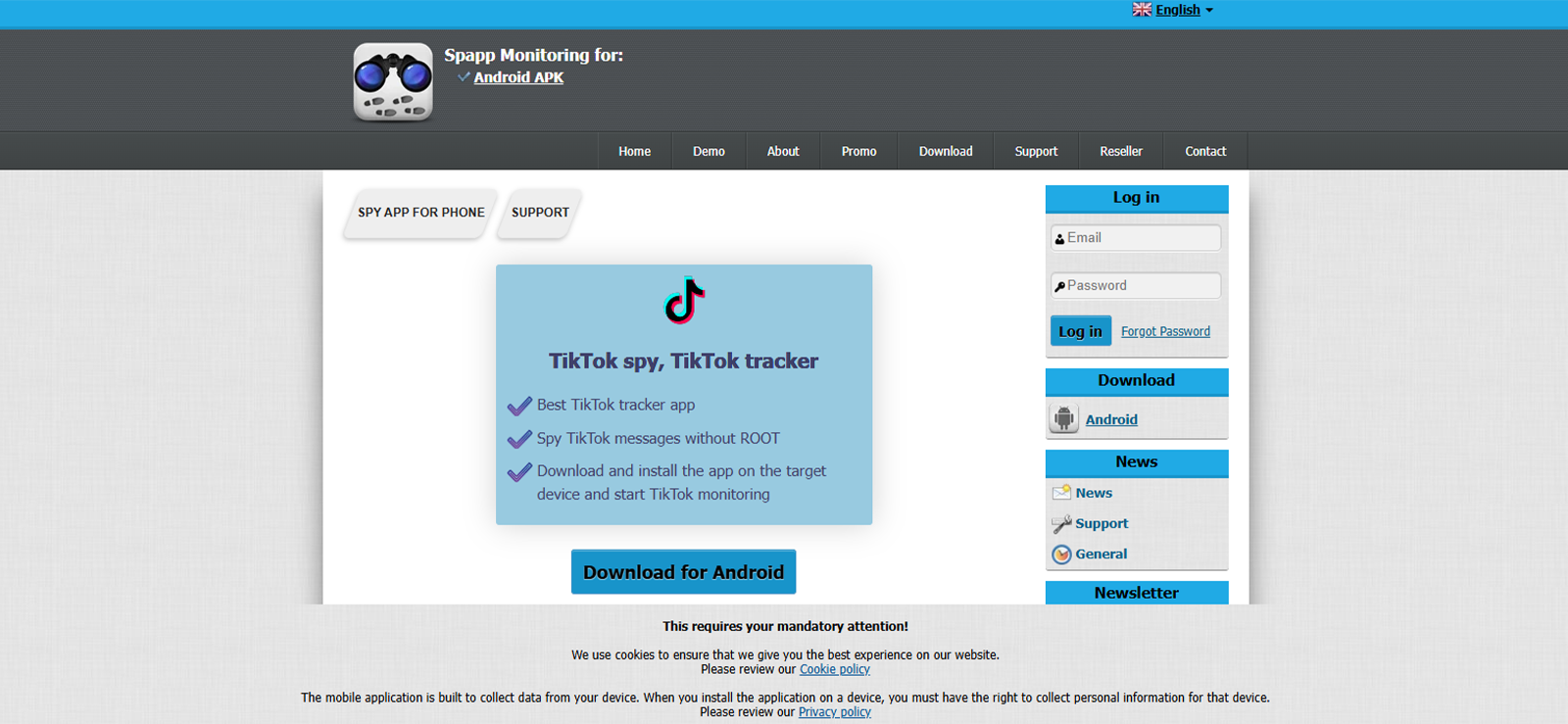
Spapp Monitoring delivered only basic TikTok monitoring. We successfully logged TikTok direct messages during testing, but that was where TikTok-specific visibility ended. There was no watch history logging, screenshot capture, or keyword alerting tied to TikTok activity. Therefore, we believe that the parents who need to know what their child is watching, rather than just who they are messaging, will find this coverage too limited.
Moving to reliability, the app worked adequately on Android, but it did not have an iOS version at all. For Android, nonetheless, we noticed that syncing to the remote device was slow, and filtering through older logs caused the UI to freeze for minutes at a time.
The experience fell apart most noticeably when it came to usability. Installation required disabling Play Protect and manually enabling individual app permissions, a process we found risky and clumsy, especially for non-technical parents. The installation guide itself was blocks of text with no infographics or visual steps, making setup genuinely difficult.
Upon logging into the dashboard, our first impression was that it felt very outdated and not user-friendly. There are no categories or subcategories to organize data, and features were scattered arbitrarily. Some appeared on the default page while others were buried under “phone data.” As for the design, it was very unresponsive.
On a more positive note, the stealth operation functioned as expected on supported Android versions, i.e., no icon appeared on the home screen or app drawer after installation.
Spapp Monitoring Compatibility
Spapp Monitoring is compatible with Android 4.1 and above.
Spapp Monitoring Pricing
Spapp Monitoring price plan starts at $10/month, which is a basic plan. If users need call recordings, then a $20/month plan is needed.
Spapp Monitoring Pros and Cons
| Pros | Cons |
| – Successfully logs TikTok direct messages – Works adequately on Android – Stealth operation with no icon on home screen or app drawer | – No TikTok watch history, screenshot capture, or keyword alerting – Filtering older logs causes the UI to freeze for minutes – No iOS version at all – Installation is risky and clumsy for non-technical parents – Dashboard is outdated, not user-friendly, with no categories or subcategories – Design is very unresponsive |
Should I Buy Spapp Monitoring?
Spapp Monitoring logs TikTok direct messages but offers little else. There’s no watch history, screenshots, or keyword alerts. To add to the issues, its syncing is slow, the UI freezes, and there is no iOS version.
We can only recommend this app to parents who want basic, low-cost TikTok monitoring.
FAQs
Can I block TikTok without my child knowing?
Yes, apps like Xnspy and FamiGuard Pro can block TikTok on your child’s phone without them knowing. These apps operate in stealth mode and leave no visible icon on the device, which makes blocking TikTok easier and completely undetectable.
What is the best free parental control for TikTok?
Use TikTok’s Family Pairing (free, built into the app) combined with Google Family Link on Android or Apple Screen Time on iOS. Together, these let you block TikTok, cap daily usage, and restrict DMs at no cost. However, none of them show you what your child is actually watching. For that, a paid child TikTok monitoring software is required.
Does TikTok Family Pairing work if my child uses a browser?
Partly. Family Pairing restrictions do carry over to TikTok’s browser version, but only when your child is logged into the paired account. If they access TikTok without logging in or use a different account, the restrictions do not apply. This is where dedicated monitoring apps like Xnspy, FamiGuard Pro, and AirDroid offer an advantage. Unlike Family Pairing, these apps work at the device level rather than the account level. They can monitor the app’s activity regardless of the account in use and block TikTok access entirely.
Can a 12-year-old use TikTok safely?
No, a 12-year-old should not use TikTok without supervision. TikTok’s minimum age is 13, but age is self-reported and easy to bypass. At 12, the safest approach is to block the app entirely and revisit access at 13 with monitoring in place from the start.
What parental controls work on TikTok for iPhone?
Start with Apple Screen Time, which is free and built into iOS. Use App Limits to cap daily TikTok time, or enable Content & Privacy Restrictions to block the app entirely. Just be sure to set a separate Screen Time passcode so your child cannot override the restrictions. That said, while Apple’s native tools are useful for limiting access, a lot of TikTok screen time apps for parents go further by monitoring actual content and viewing history on the iPhone.
Leave a reply:
Your email address will not be published. Required fields are marked*
Tiffany Ross
Member since October 8, 2025
Tiffany Ross
Member since October 8, 2025
Tiffany Ross is a child digital safety educator and family technology researcher, with an M.Ed. in Learning Technologies, University of Texas at Austin. After graduating in 2016, she has continued to work in the industry for 9 years. During this time, she has focused on practical digital parenting strategies and responsible use of monitoring apps. Moreover, her work includes abuse prevention, healthy screen habits, social media safety, and other key concerns. Over the years, Tiffany has also contributed to more than 200 research-informed guides and family safety resources covering online risks, screen time management, and digital wellbeing practices for modern households.