Canopy Parental Control App Review: A Complete Feature Audit and Performance Review
 By Mike Everett
The complete monitoring experience for your phone
Get XNSPY and start tracking calls, texts, multimedia, locations and more on any phone!
Get Started Now Live DemoWhen it comes to keeping kids safe online, every parent eventually faces the same question: Which parental control app actually works? With dozens of options promising smarter monitoring and “complete digital protection,” it is easy to feel confused.
One such app that is getting traction lately is the Canopy parental control app. It is promoted as an AI-powered solution, and while that sounds promising on the surface, we needed to find out if it actually works the same way once it’s set up on a device.
So instead of relying on marketing claims or feature lists, our team decided to take a more practical approach. We tested the Canopy app for an entire month and went through all possible scenarios. Here are our findings in detail so you can see where it performs well and where it feels less consistent in real-world conditions.
A Quick One-Minute Look at Our Findings on the Canopy App
- Canopy focuses mainly on AI-based content filtering and screen-time control, making it better suited for parents who want to block inappropriate content rather than monitor full device activity.
- In our testing, Canopy’s screen-time scheduling worked consistently, with all downtime restrictions activating correctly across repeated attempts.
- However, Canopy showed limitations in both content filtering and location tracking.
- While Canopy is stronger in implementing flexible screen time routines, Xnspy is more effective for detailed monitoring and oversight of device activity.
- Xnspy delivered broader monitoring coverage, including browsing history logs, message tracking, watchlist alerts, and screen activity visibility across multiple test sessions.
How Did We Test the Canopy Parental Monitoring and Control App for this Review?
Unlike many other Canopy app reviews available out there, we wanted this to be a different and more real take on the application. To make sure this review is based on real usage rather than marketing claims, our team of 3 expert reviewers conducted a structured hands-on evaluation of Canopy.
We installed it on multiple test devices and used it in real-world conditions for a month, simulating typical daily usage patterns such as browsing, app switching, location movement, and screen-time activity. Each feature was tested multiple times under different network strengths to ensure consistency and reliability.
We divided our testing into key evaluation areas, with each category weighted based on its importance in everyday parental monitoring use.
Monitoring Accuracy & Coverage – 30%
This was the most critical part of our testing. We focused on how effectively Canopy detects and responds to online activity, especially image-based filtering. To evaluate this, we repeatedly accessed different types of websites and image-heavy pages across multiple sessions, typically repeating each scenario 5 to 10 times to check consistency in detection and response.
Feature Performance Under Real Conditions – 25%
We tested how reliably core features function in real-world situations rather than ideal conditions. This included app blocking, screen-time scheduling, and geo-fencing behavior. Each function was triggered multiple times, usually 4 to 7 attempts per feature, under both stable and weaker internet conditions, to observe failures or inconsistencies in execution.
Ease of Use – 20%
Our team of expert user experience analysts evaluated the full setup process from installation to active monitoring. This included device pairing, permission setup, and dashboard flow. We repeated the installation process on both an iPhone and a Samsung Galaxy phone (Android) to ensure the experience remained consistent.
Cross-Device & Platform Behavior – 15%
Since parental control apps are often used across different systems, we tested Canopy on both Android and iOS devices. We repeated key feature actions on each platform to assess whether functionality and performance remained consistent across operating systems.
Value for Money – 10%
We also discovered how much the Canopy app costs to evaluate whether the app justifies its pricing based on the features and performance delivered during testing. This involved assessing how much practical monitoring value users get compared to the overall cost of the subscription.
What Is Canopy App: A Quick Overview
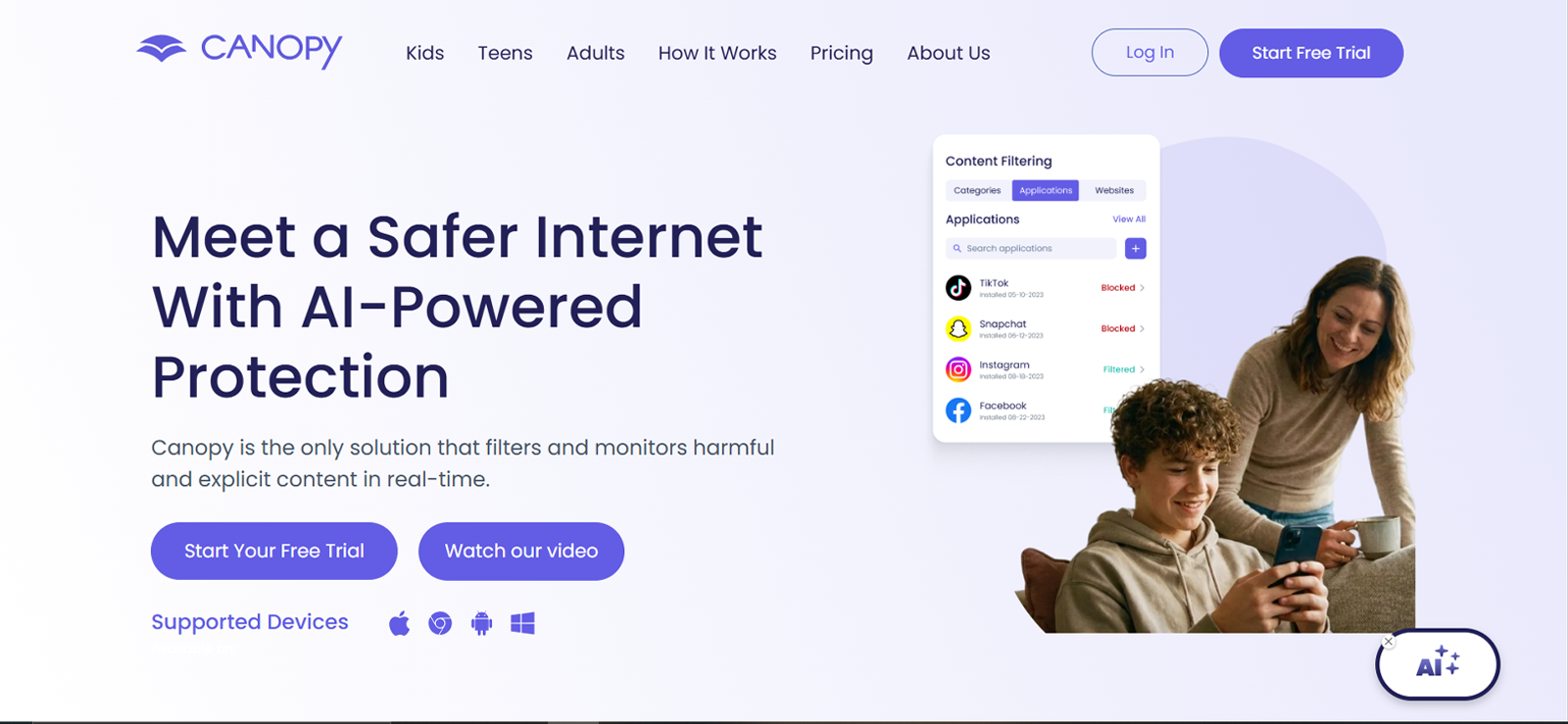
Canopy is a parental control app that uses AI to detect inappropriate usage of your child’s device and filter the content accordingly. It helps you in keeping your child safe in the boundary-less world online. To truly know what it’s worth, we bought its subscription and tried it ourselves. Here’s all we found out.
How Does Canopy App Work?
During our testing, we installed the app on two devices: an iPhone and a Samsung Galaxy phone, and experienced it wholly, from its functionality to the kind of interface it offers.
Canopy’s Installation
Canopy’s installation took us no more than 3 minutes, to be exact. This is because the app is available on both the App Store and the Play Store. However, we met the real struggle after the installation, when we had to configure the app’s settings.
To cut it short, in our experience, the process is long and tiresome, which is why it took us more than an hour to fully set the app on the target device.
Canopy’s Compatibility
What particularly impressed us while we tested this app was its compatibility with 3 major operating systems: iOS, Android, and Windows. When we further explored this aspect, it came to our attention that the app can function on iOS 12 or later, Android 5.0 or later, and the latest version of Windows.
Canopy’s Interface
Once we got done with the installation and the tiring setup process, it was time to see the face of the app. And truly, it’d be an understatement if I were to say that the first glance of the app dashboard left my team just impressed.
We found the app’s interface to be very interactive and clean. Overall, it did not take us much time to get familiar with the Canopy parental control app Android interface, as it was both simple enough for us to learn and easy on the eyes.
Canopy Parental Control App Pricing
Now comes the biggest concern: how much is Canopy app for? Well, the app comes with two different subscription packages:
- Individual Plan: Costs $7.99/month (billed annually) and monitors up to 3 devices.
- Family Plan: Costs $9.99/month (billed annually) and monitors up to 10 devices.
One point that disappointed us was that the app doesn’t offer different billing options like monthly or quarterly. For this review, we chose the individual plan and installed the app on two devices: an iPhone and an Android device.
Key Features That Canopy Has to Offer
To bring a clearer picture to you, our team of 3 experts tested the app across several different features that it offers.
AI Filter
One of the core features we were curious about while testing Canopy was its AI filtering system. During our testing, we intentionally opened several types of websites that contained potentially inappropriate images to see how the app would react.
In 9 of our attempts, only 2 were successful, where the images reeked of inappropriateness. Moreover, these two successful attempts also did not take place in real-time. It took the app about 1.5 minutes to analyze and blur the images.
Other than this, to further test the app’s real-time filtering claims, we loaded a page and immediately turned off the target device’s Wi-Fi. It hindered Canopy’s functioning entirely and did not filter any of the images.
Screen Time Management
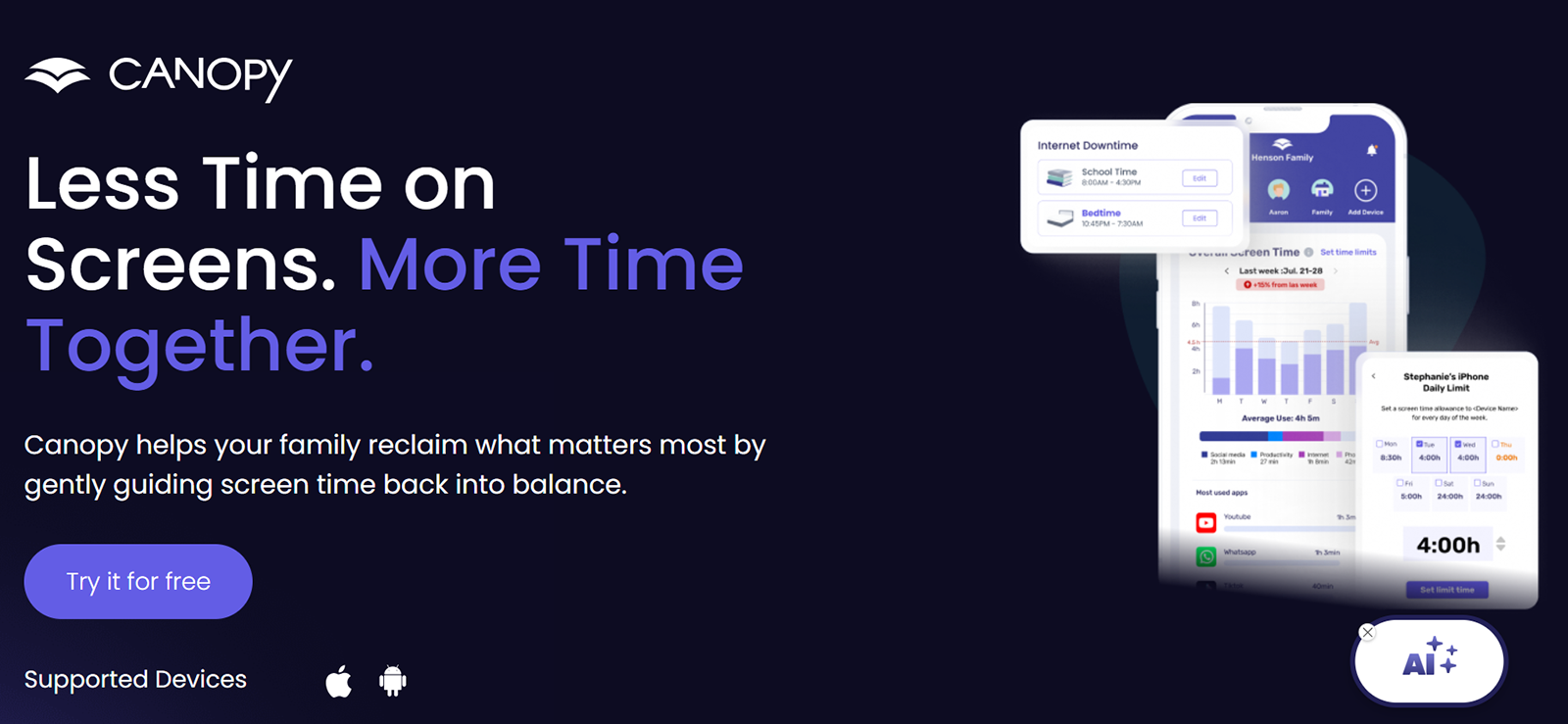
Contrary to our disappointment with the AI filtering feature, the screen time management one really impressed the whole team. One thing we found to be different about this feature was that it only works on iOS and Android. The app allowed us to see the app usage pattern of the target device. Once done, we could then create customized screen time routines.
To test this out, we added the device’s downtime after 12 am until the morning. After 12, when I tried using the target device, it displayed a pop-up indicating that device usage is blocked at the moment. However, to take it a step further, I turned the Wi-Fi off, and the device started working, even if only for offline activities.
Location Alerts
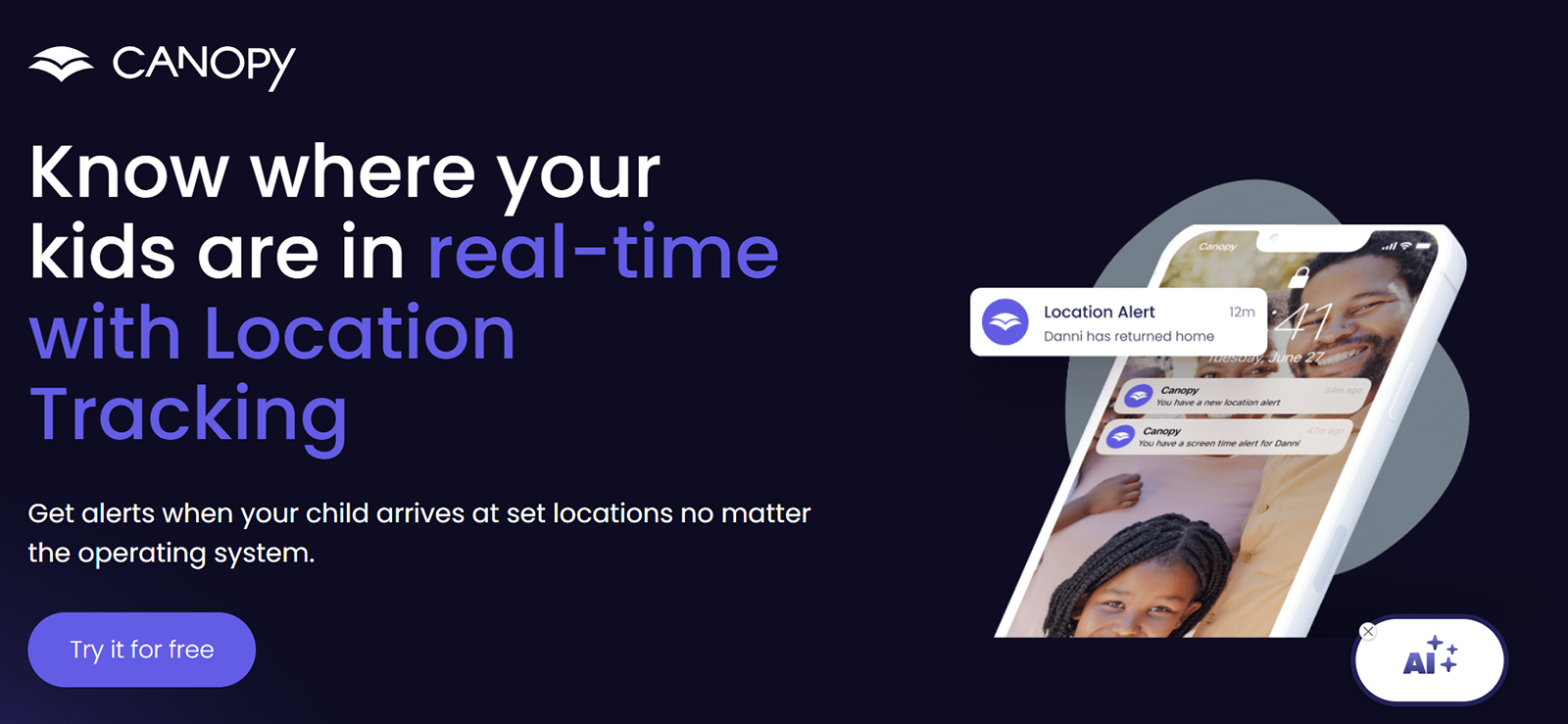
When testing the location tracking aspect of this app, we focused on the time it took for the app to respond to a geo-fence violation or the accuracy of the pin location.
When truly put to the test, we sent the target device to 7 different locations and checked whether it showed the right location and whether it updated the change in the location in real-time or not. The two main issues we encountered here were that the Canopy parental control app took anywhere from 5 minutes to half an hour to register a change in the location.
Other than this, from among those 7 instances, 4 were correctly pinned; however, 3 were slightly off. But we noticed a consistent pattern where the app missed the location by only a few streets.
Moreover, to know whether geo-fencing worked perfectly or not, we added a total of 10 locations as safe zones. We then repeatedly took the target device in and out of those locations. The app did not send any alert when leaving the locations.
However, it did send alerts when the target device would arrive in those safe zones, but the alerts were not sent in real-time. It took the app a stable internet and 10-15 mins to send the alert. It also missed the alert entirely 6 times while testing.
App Blocking
Within the content filtering feature, we also noticed a list of apps. While it was not the friendliest way for us to get introduced to a new feature, finding it still raised our hopes high for the app. The app showed us every installed application along with its installation date and an option to remotely block them.
To test this out, we tried to block several apps under varying conditions. For starters, we executed the command while having stable Wi-Fi and also when the internet connection wasn’t too strong. Out of the 5 tries to block apps, 4 were successful with stable internet. However, with the other condition, 5 out of 5 commands failed to execute.

If Basic Controls Aren’t Enough, You Need Xnspy
Xnspy gives you deeper monitoring when simple filtering falls short.
Sexting Alerts
Now comes the most hyped up feature, sexting alert. We went straight to the texting apps within the target device to test out this feature. To know if it actually works or not, we sent a lot of texts to see how it identifies our words and sends alerts to the dashboard. However, it did not work at all.
Little did we know, contrary to how it is marketed, the app’s AI does not detect text at all. Rather, it only identifies inappropriate images. So, to test this, we used such images at random points within textual conversations. Out of the 8 tries we made to do so, the app only responded to 3. All the detected images were too obvious, i.e., neither cropped nor low in resolution.
Removal Prevention
Canopy also talks about this feature, designed to prevent the app from being removed from the target device. Since this is an important safeguard in most parental control tools, we wanted to see how difficult it actually is to uninstall the app once it’s installed.
To test this, we first tried removing the app directly from the target device through the normal uninstall process. When we attempted to delete it, the system prompted for additional permissions before allowing the removal every time.
Canopy Pros and Cons
Now that you know how does Canopy app work, it’s time to look at the pros and cons of the app.
Canopy Pros
- The dashboard was intuitive and clean. After the long setup, understanding the interface and finding controls took us only a few minutes.
- The screen time schedules worked reliably. The device immediately showed a usage-blocked pop-up when it hit the downtime we had set.
- App blocking worked properly, provided the internet remains stable.
- Supports multiple operating systems. The app worked across iOS, Android, and Windows during our testing.
- The installation process was quick. Installing the app on our test devices took roughly three minutes.
Canopy Cons
- The setup process is lengthy. Configuring permissions and settings took our team over an hour.
- AI filtering is inconsistent. It detected only 2 out of 9 inappropriate image attempts during our testing.
- Filtering is not real-time. Even when it worked, the images were blurred about 1.5 minutes later.
- Turning off Wi-Fi completely disabled the filtering feature.
- Location tracking is delayed. Location updates took anywhere from 5 to 30 minutes in our tests.
- Geo-fencing alerts are unreliable. The app missed several alerts and often sent them 10–15 minutes late.
- Remote app blocking failed on a weak internet connection. None of the blocking commands worked when the connection was unstable.
- “Sexting alerts” only detect images. The feature didn’t detect explicit text and flagged just 3 out of 8 image attempts.
Canopy App Reviews By Real Customers
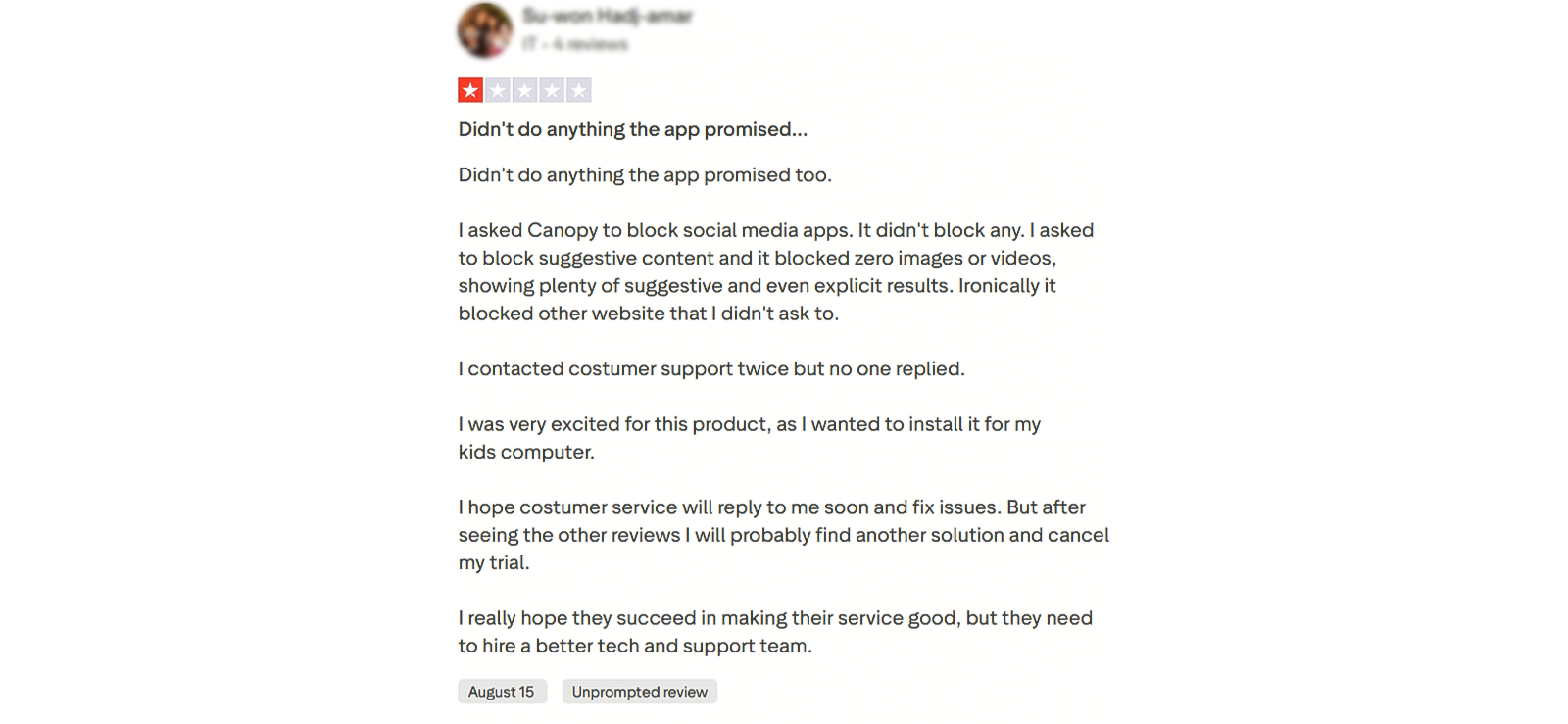
Here are Canopy parental control app reviews from their customer base:
After These Concerns, Is Canopy Still Worth It or Should You Consider Other Options?
Now that we’ve seen what is Canopy app and where it struggles, it’s worth exploring alternatives that might fit different needs. While Canopy did a decent job with screen time and app blocking, features like AI filtering, location alerts, and sexting detection showed some gaps during our testing.
That’s where Xnspy comes into the picture, another parental control app that approaches monitoring a bit differently and could be what you’re looking for.
What is Xnspy? A Quick Overview
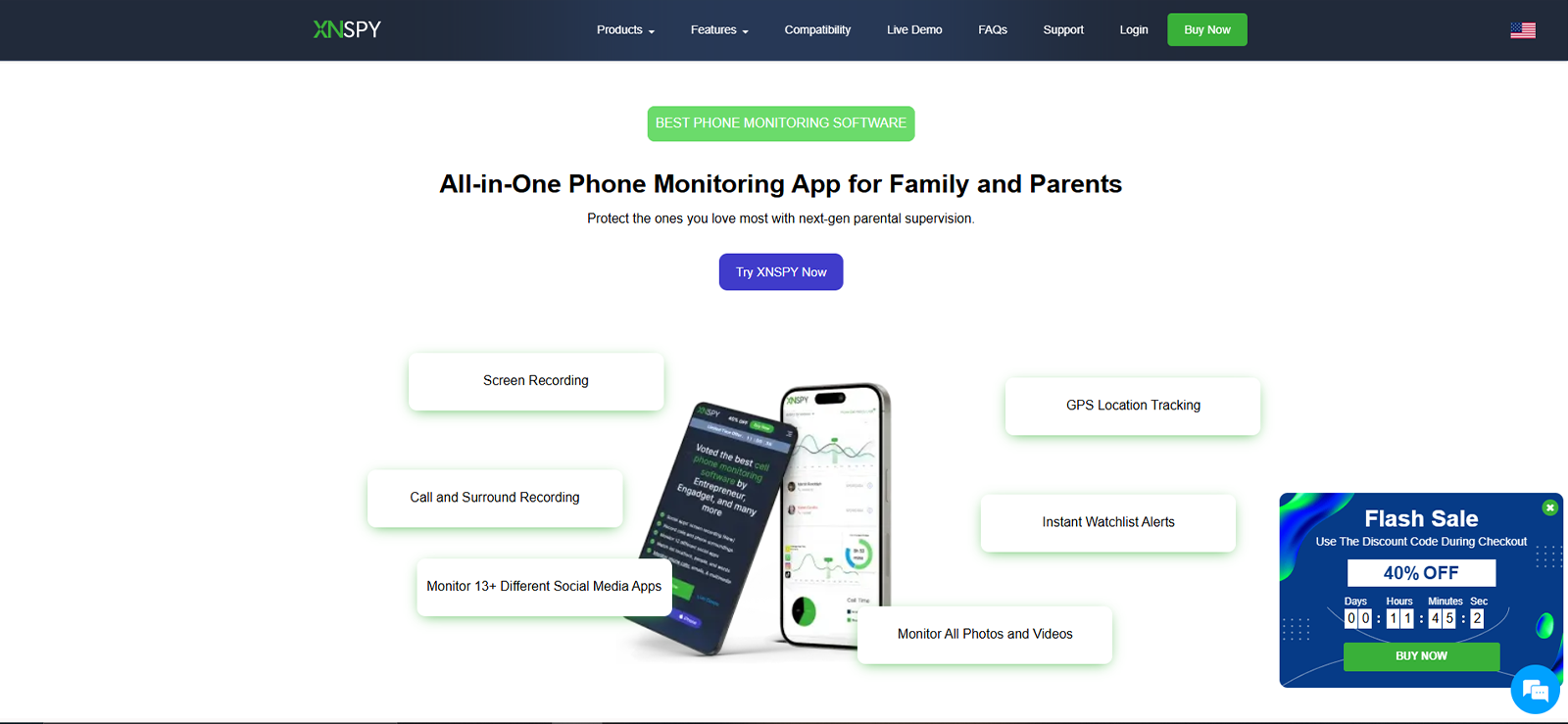
After testing Canopy, we wanted to see what other options are out there, and Xnspy immediately caught our attention. It’s a parental monitoring app that promises features like location tracking, app monitoring, and content filtering across iOS and Android devices.
While Xnspy is part of our own ecosystem, we approached this with a neutral and test-driven mindset. We applied the same evaluation process we used for Canopy, without adjusting criteria or expectations.
To keep the comparison fair, we installed it on the same devices as used for Canopy: an iPhone and a Samsung Galaxy series phone. This allowed us to observe how it performs under identical conditions and usage patterns.
How Does Xnspy Work?
Before we dove into the features, we had to pick a plan since Xnspy requires a subscription to unlock most functions. Our team of 3 experts in this field decided to go for the premium plan and completed the setup ourselves, so everything we describe below comes directly from our own testing.
Xnspy Installation
Installing Xnspy was fairly straightforward. On both our iPhone and Samsung Galaxy, the download took about 5 minutes each. And even after the installation, setting up all the permissions for tracking and monitoring messages was quite easy, as it was part of the installation guide and only took us 3-4 minutes.
Xnspy Compatibility
We tested Xnspy on iOS 16 and above and Android 14 and above, and it ran smoothly on both. But in reality, it can monitor Android devices up to version 16 and iOS devices up to version 17.
Syncing with the parent dashboard was quick, and we didn’t notice any lag while switching between features. From our experience, it handles different operating systems well, which is helpful if your family uses a mix of devices.
Xnspy Interface
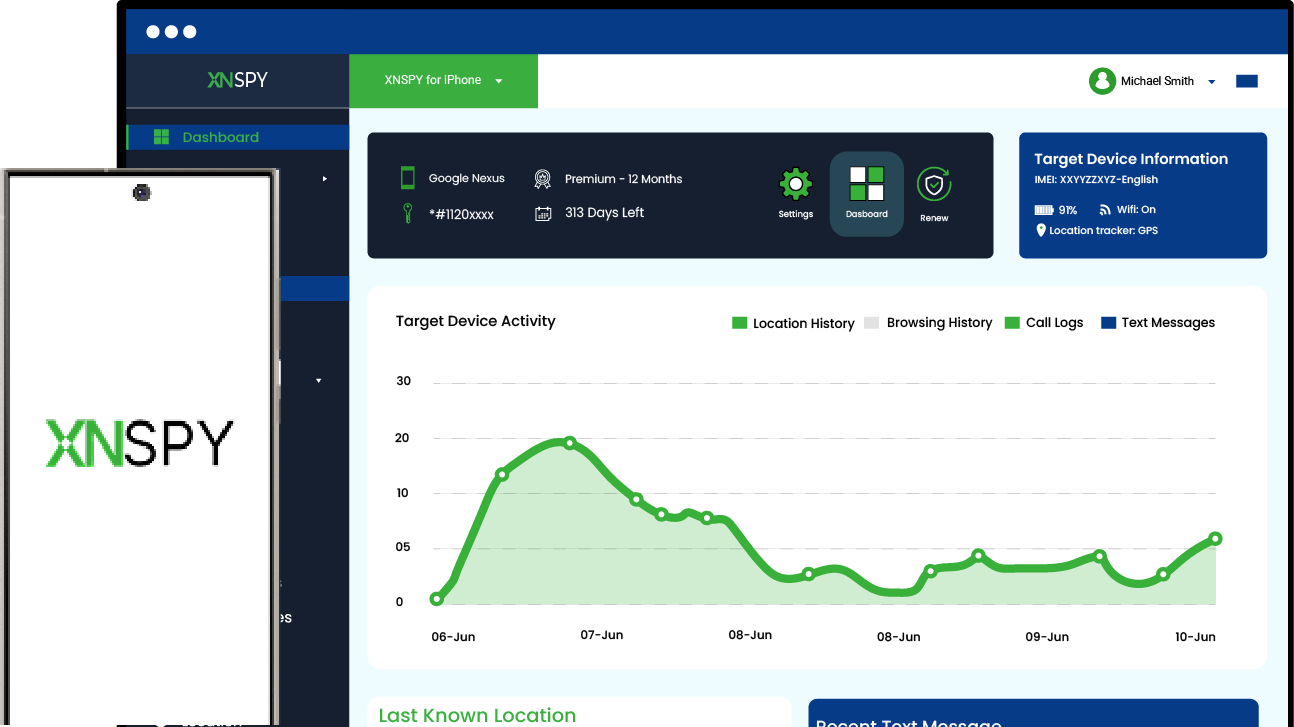
Once everything was set up, we explored the dashboard. It was clean and easy to work with, with the device status, recent alerts, and app usage all visible on the main screen. Compared to the Canopy parental control app Android interface, we found it a bit easier to locate specific features without digging through menus. During our time with it, the interface felt intuitive, even when we were testing new functions for the first time.
Xnspy: Consistent Monitoring That Keeps You in Control
Built to give you consistent awareness without added complexity.
– Tracks location with steady, real-time updates
– Monitors apps and activity without gaps
– Runs quietly in the background with minimal disruption
– Keeps logs organized and easy to review
Xnspy Pricing
After reviewing Canopy parental control app pricing, one of our major concerns was to know how much Xnspy actually costs. We found out that the app comes with two main subscription packages:
- Basic Plan: $4.99/month (billed annually)
- Premium Plan: $7.49/month (billed annually)
One thing we liked right away was that, unlike Canopy, Xnspy offers more billing flexibility. You can choose to pay monthly, quarterly, or annually, depending on what works best for you. For this review, we went with the Premium Plan and installed it on both an iPhone and an Android device to see how the features performed across platforms.
Key Features That Xnspy Has to Offer
To understand how Xnspy performs in practical scenarios, our team tested the app thoroughly, the same way we had previously tested Canopy. During the testing phase, our experts compared Xnspy’s features with our analysis of Canopy, and here’s what we found out.
Location and Geo-Fencing
One of the first features we evaluated was location tracking since it plays a critical role in parental monitoring.
To test this feature, we took the monitored device to 8 different locations across the city and checked how accurately the dashboard displayed the pin location. In 7 out of the 8 instances, the location matched the exact street where the device was located. In the remaining case, the pin appeared slightly off by roughly one street.
While doing so, we also focused on the speed of location updates. We measured how long it took for the dashboard to reflect the new position. In 6 out of 8 of those attempts, the update appeared in real-time. The only two times it took more than a minute to update were when the internet connection was inconsistent.
For geo-fencing, we created 6 geofenced areas, 3 of which were set to trigger an alert upon entrance, and 3 were set to trigger the alert when the target device leaves that area. entrance The system successfully generated alerts for all those, with alerts arriving within 2-3 minutes.
Final Verdict: Xnspy responded faster and generated geo-fencing alerts more consistently during our tests.
Screen Recording
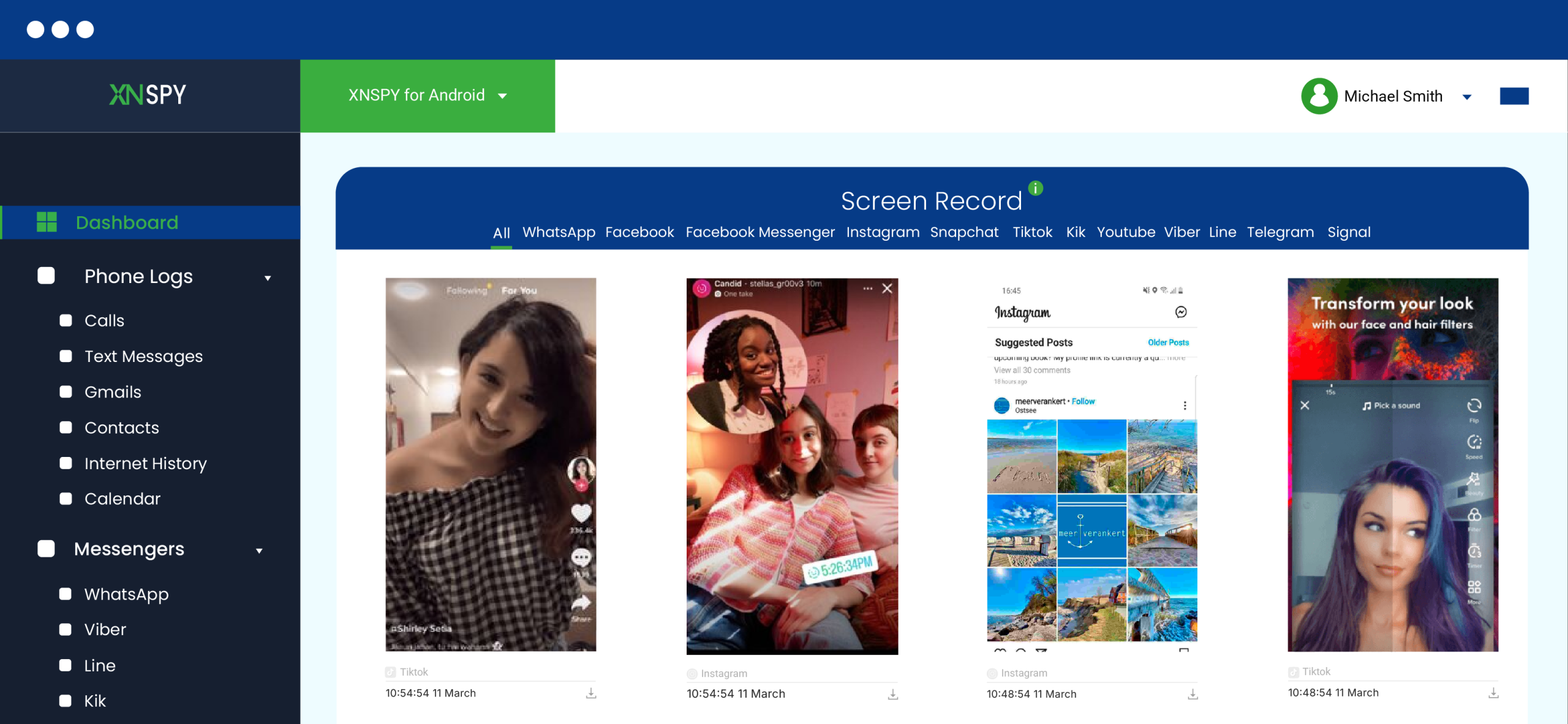
Next, we wanted to see how effectively Xnspy captures screen activity on the monitored device.
To test this feature, we used the device normally for about 45 minutes, switching between 5 different apps, including a messaging app, a browser, and two social media platforms. During this period, Xnspy captured several screenshots and uploaded them to the dashboard.
Across 6 separate testing sessions, the app successfully recorded screen activity in every one of them, allowing us to review what appeared on the device screen. However, in 1 session, the screenshots were delayed and only appeared on the dashboard after the device reconnected to a stable internet connection.
Since Canopy does not offer a built-in screen recording feature, we were unable to perform a similar side-by-side test for this functionality.
Final Verdict: Because Xnspy provides visual screen activity monitoring while the Canopy app lacks a comparable feature, Xnspy is the clear winner here.
Internet History
Our team then evaluated how effectively Xnspy records browsing activity.
To test this feature, we visited 15 different websites across three separate browsing sessions on the monitored device. These included news sites, streaming platforms, and even social media platforms.
After completing the browsing sessions, we checked the dashboard to see how many of those URLs were logged. Xnspy recorded all the visited websites, along with timestamps showing when they were accessed.
The data took about one and a half minutes to upload to Xnspy’s dashboard, and the app also showed a report indicating the frequency of visits on each site, which we found helpful for a quick glance.
Final Verdict: The Canopy parental control app focuses more on filtering images rather than maintaining a detailed browsing history log. Xnspy offered a clearer and more detailed browsing activity log during testing.
Screen Time
Screen time monitoring was another feature we wanted to test closely.
To evaluate this feature on Xnspy, we monitored device usage across 3 separate days and analyzed the activity reports shown on the dashboard. The app successfully recorded device usage patterns and allowed us to view which apps were most frequently launched and which were used for the most time.
However, when we wanted to enforce strict screen-time restrictions, the controls were not there at all. The app allowed us to block apps remotely, but did not allow us to schedule downtime or flexible routines at all.
Final Verdict: While Xnspy allows parents to monitor device activity, Canopy provided stronger and more reliable controls for enforcing screen-time limits.
Text Monitoring
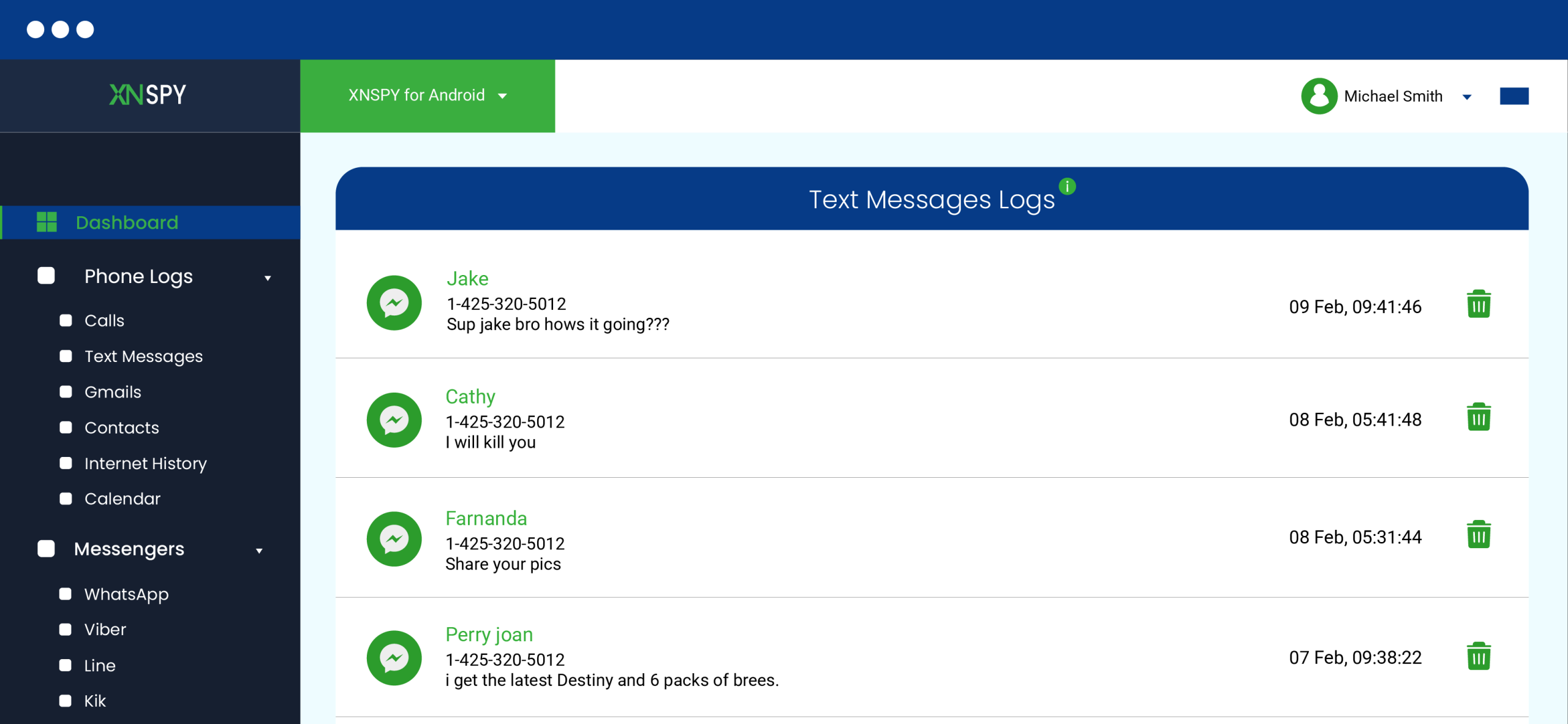
We also tested how effectively Xnspy monitors text messages, and to do so, we exchanged 20 messages between the monitored device and another phone using the default messaging app as well as different social media platforms. These messages included normal conversation, short phrases, and a few multimedia messages.
After sending the messages, we checked the dashboard to see how many of them were logged. Xnspy successfully recorded all the messages, displaying both the message content in a conversational thread along with the contact details.
We also tried exchanging texts on the target device by turning the Wi-Fi off. To our surprise, Xnspy kept recording the chats in the background while maintaining discretion and uploaded them on the dashboard as soon as the internet got reconnected.
Final Verdict: Canopy lacked the ability to monitor text conversations, whereas Xnspy provided significantly more detailed insights, which makes it the clear winner.
Keyword Alerts
To test this feature, we added 5 keywords to the watchlist and then used those words during messaging and browsing sessions in a variety of ways.
Across 7 attempts, the system generated alerts in 6 cases when the watchlisted words appeared in monitored activity, even when we typed them using a mix of uppercase and lowercase letters. The alerts appeared on the dashboard within 1 to 3 minutes.
In 1 instance, the keyword was used in a message, but the alert did not trigger because we had split the word by space in the middle.
Final Verdict: Xnspy’s watchlist alerts proved useful for flagging specific keywords during testing.
Remote Controls
Using Xnspy, we executed all the remote commands from the dashboard 3 times each while the device was connected to a stable internet connection, except for the ‘Wipe phone’ command, for obvious reasons. All commands executed successfully without any delay or lag.
We then repeated the test under weaker connectivity conditions. In this scenario, most commands executed successfully, while 2 attempts failed due to connectivity issues, one of them being ‘app blocking’ and the other one being ‘remote screenshot’.
Final Verdict: While both apps rely on internet connectivity for remote commands, Xnspy wins this by offering more remote control features than just app blocking.
Xnspy Pros and Cons
Here are some prominent pros and cons of the Xnspy app:
Xnspy Pros
- The location tracking was relatively fast and accurate.
- The screen recording feature provided clear visibility into device activity. The app successfully captured screen activity to give us a timeline of what appeared on the device screen.
- Internet browsing history was recorded consistently, as it logged all the sites visited and provided an analysis report as well.
- The app was also able to record texts and even send timely alerts against predefined keywords.
- Remote commands worked consistently with a stable internet. Unlike many other apps, we found 5 remote control features, including wipe phone.
- The dashboard layout was simple to get used to, and most controls were accessible within a few clicks after logging in.
Xnspy Cons
- The app does not offer a free trial.
- The customer support, although available 24/7, is only chat/ticket-based.
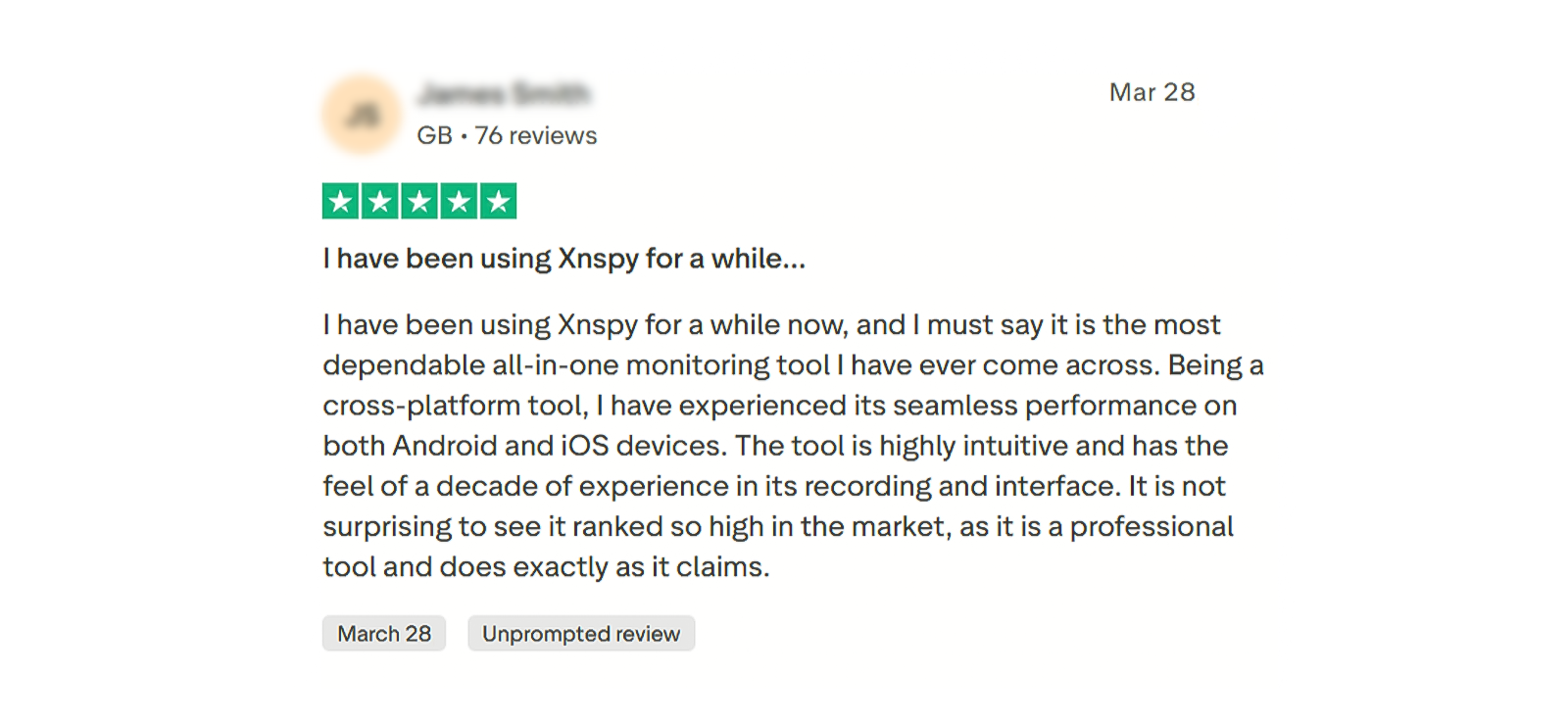
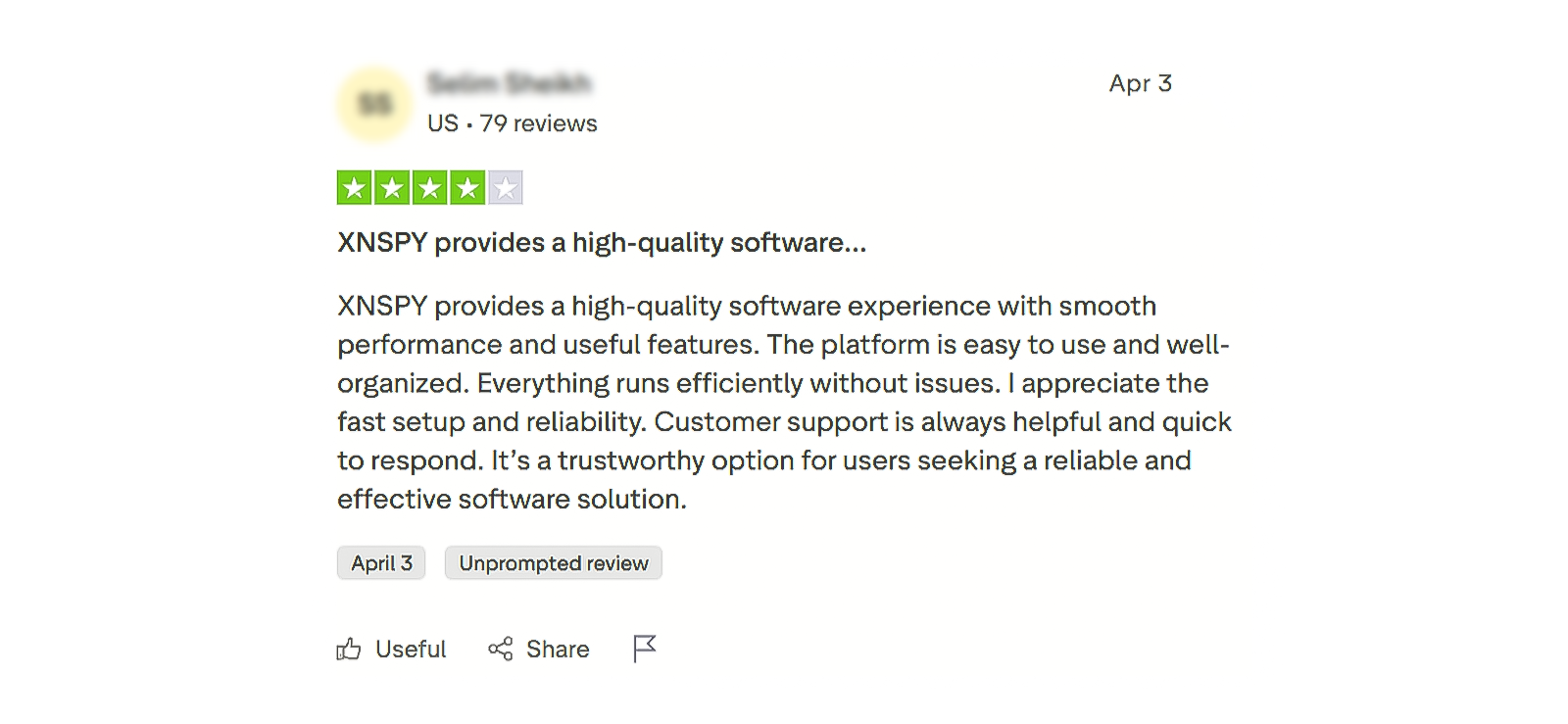
Xnspy Customer Reviews By Real Customers
Similar to the Canopy parental control app reviews, we also bring you transparent customer reviews for Xnspy.
Canopy vs. Xnspy: The Verdict After Full Evaluation
| Features | Canopy | Xnspy |
| Location Tracking | ⭐⭐⭐⭐ Inconsistent uploading speed as well as accuracy. | ⭐⭐⭐⭐⭐ Updates location in real-time and with precision. |
| Geo-fencing | ⭐⭐⭐⭐ Occasionally sends delayed alerts. | ⭐⭐⭐⭐⭐ Real-time alerts. |
| Internet History | ⭐⭐ Does not provide details of visited sites. | ⭐⭐⭐⭐⭐ Provides URLs and the frequency of visited sites. |
| Screen Recording | ⭐ Not available. | ⭐⭐⭐⭐⭐ Captures periodic screenshots of device activities. |
| Content Filtering | ⭐⭐⭐ Uses AI to detect and filter inappropriate content; however, the execution is inconsistent. | ⭐ Not available. |
| Screen Time | ⭐⭐⭐⭐⭐ Allows you to set screen time limits. | ⭐⭐⭐⭐ Shows a complete breakdown of the used apps’ duration, but doesn’t allow you to create screen time routines. |
| App Blocking | ⭐⭐⭐⭐ Occasional lags in the execution of the command. | ⭐⭐⭐⭐⭐ Consistently blocks the app remotely. |
| Lock Phone | ⭐ Not available. | ⭐⭐⭐⭐⭐ Allows you to lock the phone remotely. |
| Wipe Phone | ⭐ Not available. | ⭐⭐⭐⭐⭐ Offers an option to wipe all content of the target device. |
| Surround Record | ⭐ Not available. | ⭐⭐⭐⭐⭐ Remote surround recording feature available. |
| Watchlist Alerts | ⭐ Not available. | ⭐⭐⭐⭐⭐ Sends email alerts against predefined areas, contacts, and even words. |
| Text Monitoring | ⭐ Not available. | ⭐⭐⭐⭐⭐ Logs all messages in a conversational thread layout. |
| Call Recording | ⭐ Not available. | ⭐⭐⭐⭐⭐ Allows you to record and download call recordings remotely. |
Conclusion
After testing both Xnspy and Canopy across multiple monitoring features, the difference mainly comes down to their core approach. Xnspy focuses on deep device monitoring, while Canopy is built more around content filtering and screen-time control.
In our tests, Xnspy consistently delivered more detailed insights, including browsing history logs, message monitoring, watchlist alerts, and screen recording, most of which worked reliably across multiple attempts. Overall, Xnspy performed better in 5 out of 7 tested categories, making it the more comprehensive monitoring tool in terms of visibility and data depth.
Canopy, however, still showed strength in screen-time management, where its downtime scheduling worked consistently and blocked usage as intended in all test attempts. While its AI-based filtering is its main selling point, it was less effective in delivering detailed activity insights compared to Xnspy.
Leave a reply:
Your email address will not be published. Required fields are marked*

Mike Everett
Member since October 20, 2014
Mike Everett
Member since October 20, 2014
Mike Everett is a consumer technology journalist with expertise in hands-on testing and evaluation of iOS and Android monitoring applications. With over 11 years in the industry, he focuses on how mobile monitoring tools perform in real-world conditions, including accuracy, feature reliability, device compatibility, and practical usability for parents.
He conducts live-device testing of monitoring apps to assess how well their features function beyond marketing claims. His work primarily includes comparative reviews, feature breakdowns, and buyer-focused guides designed to help parents understand which tools actually deliver usable results in everyday scenarios.