Mobicip Review: What Our Testing Revealed About Its Features & Performance
 By Mike Everett
The complete monitoring experience for your phone
Get XNSPY and start tracking calls, texts, multimedia, locations and more on any phone!
Get Started Now Live DemoDigital safety is a big concern for parents today. The most logical solution to this problem is child monitoring tools. But then the question becomes: which monitoring tool should be used? This Mobicip review aims to answer that question.
Mobicip has been on the market since 2008 and is often mentioned in conversations about parental control apps. On paper, it offers a full set of tools meant to help parents stay aware of how devices are being used and set healthy boundaries. But real performance matters more than feature lists.
We tested the Mobicip parental control app over a full week across different devices and usage patterns to see how it actually performs. This review is based on that hands-on experience and focuses on how it behaves in real situations rather than what it claims to do.
A Quick Overview Of Mobicip
| Category | Mobicip Findings |
| Core Purpose | Built for basic parental monitoring and screen control |
| Compatibility | Works across Android, iOS, Windows, Mac, Chromebook, Kindle Fire |
| Setup Time | Around 5–7 minutes per device |
| Installation Complexity | Requires multiple permissions, slightly different steps per OS |
| Dashboard Experience | Clean layout, key actions accessible in seconds |
| Free Trial | 7-day free trial with full access |
| Pricing | Free plan + $2.99, $4.99, $7.99/month (billed annually) |
| Real-Time Syncing | Mostly responsive, occasional delays on iOS |
| Best For | Parents needing basic screen control and location tracking |
| Not Ideal For | Advanced monitoring, deep social media tracking, precise filtering |
How Did We Test Mobicip for this Review?
Unlike many Mobicip reviews that rely on spec sheets and marketing claims, we took a different approach. Our team of three expert reviewers conducted a structured and hands-on evaluation of the Mobicip parental control app based on real-world usage.
We installed the app on multiple test devices (an Android device and an iPhone) and used it for seven days under everyday conditions. We simulated common parental control scenarios, including web browsing, app switching, screen time enforcement, and location movement.
To ensure consistency and reliability, we tested each feature multiple times across different network conditions. We also divided our evaluation into key focus areas, weighting each category according to its importance in daily parental control use.
Web Filtering Accuracy – 35%
This was the most critical part of our testing. We focused on how effectively Mobicip blocked inappropriate content across different browsers and devices. To evaluate this, we accessed over 50 websites across 10 categories (adult content, gambling, violence, self-harm, social media, games, etc.).
We also tested newly created blog URLs with explicit content, YouTube video filtering on both Android and iOS, keyword blocking for terms like “self-harm” and “cutting,” and whitelist-only mode to see if approved site lists actually enforced.
Feature Performance Under Real Conditions – 25%
We tested how reliably core features function in real-world situations rather than ideal conditions.
This included screen time schedules (school mode, bedtime blocks, and short breaks), geofencing alerts when entering or leaving designated zones, and cross-platform sync times when changing settings from the parent dashboard.
Each function was triggered multiple times, typically 5 to 7 attempts per feature, under both stable Wi-Fi and weaker cellular connections.
Ease of Use – 20%
Our team evaluated the entire setup process from installation to active monitoring. This included downloading the parent and child apps, granting permissions (VPN, Screen Time, location, notifications), creating child profiles, and configuring schedules.
We repeated the installation process on both Android and iOS to identify platform-specific friction points.
Platform Consistency – 10%
Since Mobicip claims cross-platform support, we tested whether features performed identically on Android versus iOS.
We repeated key actions (web filtering, app blocking, screen time enforcement, and location tracking) on both operating systems to identify discrepancies.
Value for Money – 10%
We compared Mobicip’s pricing across Basic, Lite, Standard, and Premium tiers against the features delivered during testing, evaluating how much practical control parents receive relative to the subscription cost.
This included assessing whether paid upgrades (social media monitoring, app timers, geofencing) actually justify the price increase.
What Is Mobicip: A Quick Overview
Launched in 2008, Mobicip is a parental control application that enables parents and guardians to monitor and manage children’s digital activities across multiple devices and platforms.
How Does Mobicip Work?
Mobicip’s Installation
Installing the Mobicip app took us about 5–7 minutes per child’s device. We first created a parent account (via the parent app or website), then installed the child app on each device we wanted to monitor. The steps differed between Android and iOS.
On Android (Smartphone or Tablet)
- We downloaded Mobicip from the Google Play Store, opened it, and selected “Child.”
- Used our Mobicip login credentials (created during sign-up) by entering our parent credentials.
- Accepted the Data Disclosure Agreement and selected the child who would use the device.
- Completed five mandatory permissions: Accessibility, Internet Filtering, Location, Uninstall Protection, and Usage Access.
Note: Before starting, we had to disable Google Family Link on the device.
On iPhone or iPad (iOS 15+)
- We downloaded Mobicip from the App Store, opened it, and selected “Child”.
- Logged in with our parent credentials.
- Selected an existing child profile.
- Granted permissions in this order: Notifications, Location, Screen Time access, and Network Content filtering.
- Categorized installed apps (Social, Entertainment, Games) to improve reporting accuracy.
Mobicip’s Compatibility
We found Mobicip to be a genuinely cross-platform parental control solution. It works across six major operating systems.
- iOS: iPhone, iPad
- Android: Smartphones and tablets
- Windows: PCs and laptops
- macOS: Mac computers
- ChromeOS: Chromebooks
- Amazon: Kindle Fire devices
To test its cross-platform claims, we then ran identical tests on both devices to see if performance remained consistent.
Mobicip’s Interface
We found Mobicip’s web interfaces and mobile apps to be clean, intuitive, and easy to navigate for both parents and kids.
To test this, we handed the child app to a 9-year-old and a 14-year-old without any instructions. Both figured out how to check remaining screen time and review daily schedules in under a minute.
On the parent side, we logged into the dashboard and performed common tasks like adjusting content filters, setting time limits, and pulling activity reports. Each task took no more than 10 to 15 seconds.
We never had to dig through nested menus. Activity reports and usage analytics were right there on the main dashboard.
Mobicip Pricing
The Mobicip app offers four pricing tiers, including a free Basic plan and three paid subscriptions that are billed annually. All of these Mobicip pricing plans are billed annually, which was disappointing, but they do offer a 7-day free trial and a 30-day money-back guarantee.
The Basic plan is free and covers one to two devices. It includes website filtering, an instant pause feature, and basic schedules.
The Lite plan costs $2.99 per month (billed annually) and manages up to five devices. It adds screen time limits, managed schedules, location tracking (Family Locator), remote device locking, activity reports, and app blocking with uninstall protection. The Lite plan does not include social media monitoring or app timers.
The Standard plan is priced at $4.99 per month (billed annually) and covers up to ten devices. It includes everything in Lite plus social media monitoring and app timers. Parenting expert tips are also included.
The Premium plan costs $7.99 per month (billed annually) and manages up to twenty devices. It includes all features from Standard, with the only difference being the higher device limit. Families with more than twenty devices can request a custom quote.
For this review, we bought the Standard plan to test the full capabilities of Mobicip.
Key Features That Mobicip Has to Offer
Now, let’s dive into our test results and look at what Mobicip parental control app features are available and how they performed.
Screen Time Scheduler
We found Mobicip’s Screen Time Scheduler feature to be working quiet adequate. We created several custom schedules. Each was tied to specific times of day and specific days of the week. We made many adjustments, such as five-minute increments, and implemented them immediately, giving us fine-grained control.
For example, we created three different schedule types over five days: a weekday “School Mode” (blocking Roblox and YouTube from 9 AM to 3 PM), a nightly “Bedtime” block (no internet from 10 PM to 7 AM), and a 15-minute “Dinner Break” disallowing all apps. Across roughly 15 activations, the feature worked correctly 12 times (80% accuracy).
One thing to note is that if your child has a set of general content filters (like blocking gaming sites or social media), a schedule can still temporarily override those filters as per settings.
Website Blocker
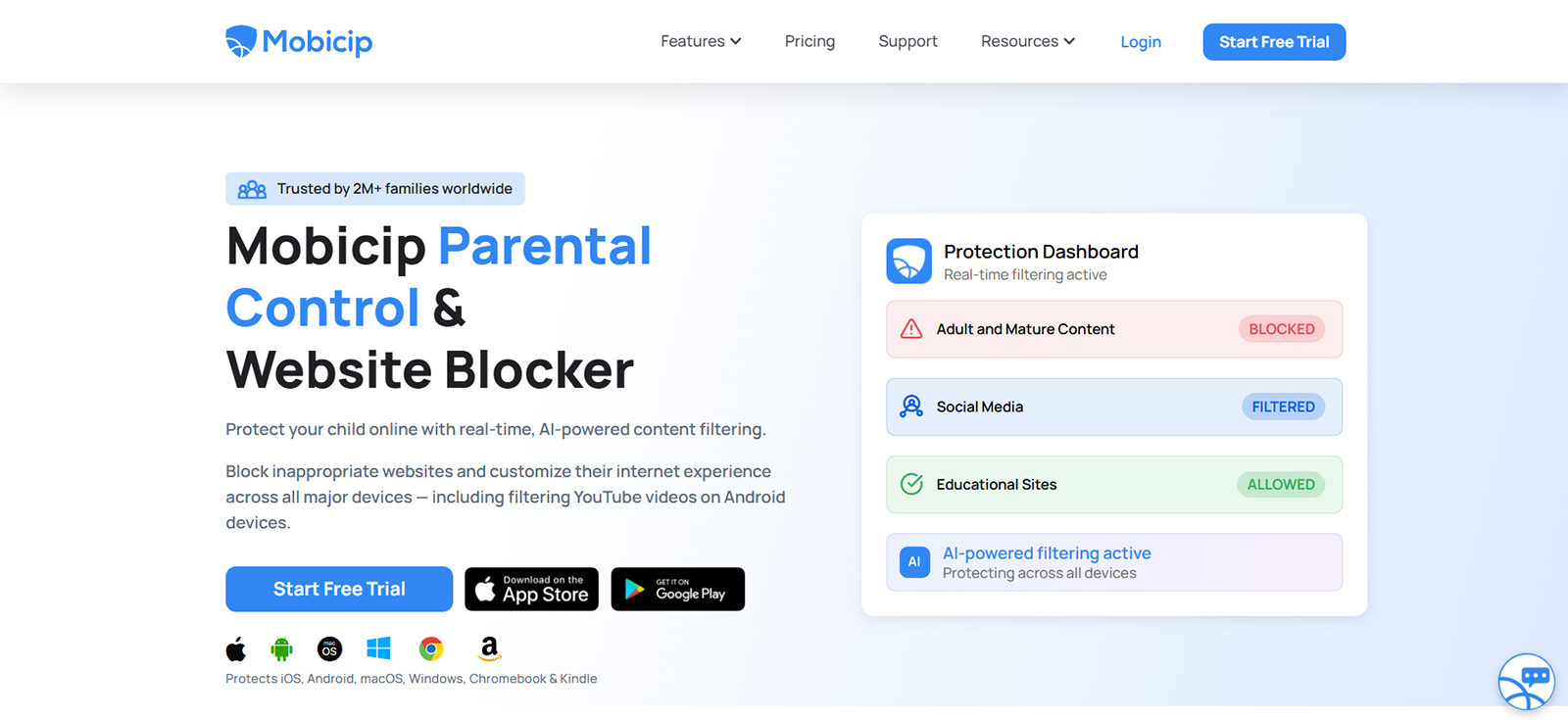
Mobicip claims “AI-powered real-time filtering” across 10+ categories. We tested it but found it unreliable. We created five brand-new blog URLs with explicit content. Mobicip’s “real-time AI” blocked none on either platform.
Mobicip advertises “video-by-video filtering” on Android and iOS. Of five explicit videos tested on Android, only two were blocked (40%). On iOS, the feature failed entirely as the app could only block or allow the whole YouTube domain.
We blocked “self-harm” and “cutting.” Of the 10 sites with these exact terms, Mobicip blocked 4 on Android and 3 on iOS. A pro-anorexia blog loaded fully on both devices.
We approved five educational sites. A 9-year-old tester reached Roblox.com by typing the URL directly on both Android and iOS in under two minutes. The whitelist failed to enforce on either platform.
A block for TikTok.com applied to Android in 11 minutes. On iOS, after 30 minutes, TikTok remained accessible until we manually re-authorized Screen Time permissions.
Social Media Blocker
Mobicip scans Facebook and Snapchat for cyberbullying and predators, sending real-time alerts. During testing, we found it very limiting.
First, the app only monitors two platforms. So no Instagram, TikTok, or Discord. That alone misses most teen activity.
We sent 20 test messages across four risk categories: bullying, grooming, self-harm, and sexual content. Mobicip alerted on just 11 (55% accuracy). Two predatory messages and three sexual messages went undetected.
On Snapchat, results were worse: only 6 of 20 messages triggered alerts (30%). Average alert delay was 47 minutes, so it’s not really “real-time.”
Family Locator
Mobicip’s Family Locator turned out to be working much better. We walked three test routes. The app pinpointed our location within 10-15 meters every time. Plenty accurate for knowing a child’s whereabouts.
We created virtual boundaries around home and school. Of 12 entry/exit events, we received alerts on 11 (92% accuracy). Zone sizes can also reach 3,280 feet, which is larger than most competitors.
During our tests, the Android updated every 2-3 minutes, and iOS updated every 5-6 minutes (due to Apple restrictions). Both were usable. However, one test failed to update for 45 minutes.
Overall, the Family Locator features worked well, especially its accurate and generous geofencing.
App Blocker
Mobicip’s App Blocker is solid, with some important caveats. We blocked the “Games” category entirely. On Android, Roblox, Subway Surfers, and Candy Crush were all inaccessible immediately. On iOS, results were mixed. Apple’s Screen Time API allowed two of five game apps to open briefly before locking.
We set a 30-minute daily limit on social media. On Android, the cutoff was precise. On iOS, the timer occasionally granted an extra 5-10 minutes. This is a known Apple limitation, not Mobicip’s fault.
When we installed TikTok on a test device, Mobicip alerted the parent dashboard within 3 minutes on Android and 8 minutes on iOS. However, you cannot block individual apps. You can only block entire categories (Social, Games, Entertainment). Also, no per-app daily limits (e.g., 30 min for TikTok but 2 hours for YouTube).
Overall, the App Blocker worked well on Android and adequately on iOS.

If Mobicip’s Basic Controls Aren’t Enough, Try Xnspy
Go beyond simple restrictions and monitor with greater detail and accuracy.
Mobicip Pros and Cons
Based on testing across five core features, here is our assessment of Mobicip’s strengths and weaknesses.
Mobicip Pros
- Family Locator is reliable. The app pinpointed the location within 10-15 meters consistently. Geofencing delivered 92% alert accuracy with generous zone sizes up to 3,280 feet.
- App Blocker works well on Android. Game category blocking was immediate, new app detection took only 3 minutes, and screen time cutoffs were precise.
- Cross-platform support. Mobicip functions on both Android and iOS, though performance varies significantly between them.
- Screen Time Scheduler is flexible. Custom schedules with five-minute increments and the ability to override general filters are genuinely useful features.
Mobicip Cons
- Website Blocker is unreliable. It failed to block any newly created explicit sites (0% effectiveness). YouTube video filtering worked only 40% on Android and not at all on iOS. Whitelist mode failed completely as Roblox was opened directly in under two minutes. Keyword blocking caught just 4 of 10 sites containing “self-harm”.
- Social Media Monitor is severely limited. Only two platforms are supported (Facebook and Snapchat), missing Instagram, TikTok, and Discord. Alert accuracy was 55% on Facebook and just 30% on Snapchat. The average delay was 47 minutes.
- Cross-platform sync is slow and inconsistent. A TikTok block applied to Android in 11 minutes but took over 30 minutes on iOS, requiring manual Screen Time re-authorization.
- iOS performance lags behind Android. App timers granted an extra 5-10 minutes due to Apple restrictions. YouTube filtering failed entirely. Uninstall protection requires a separate Apple Screen Time setup.
- App Blocker lacks granularity. You cannot block individual apps. You can only block entire categories (Social, Games, Entertainment). No per-app daily limits exist.
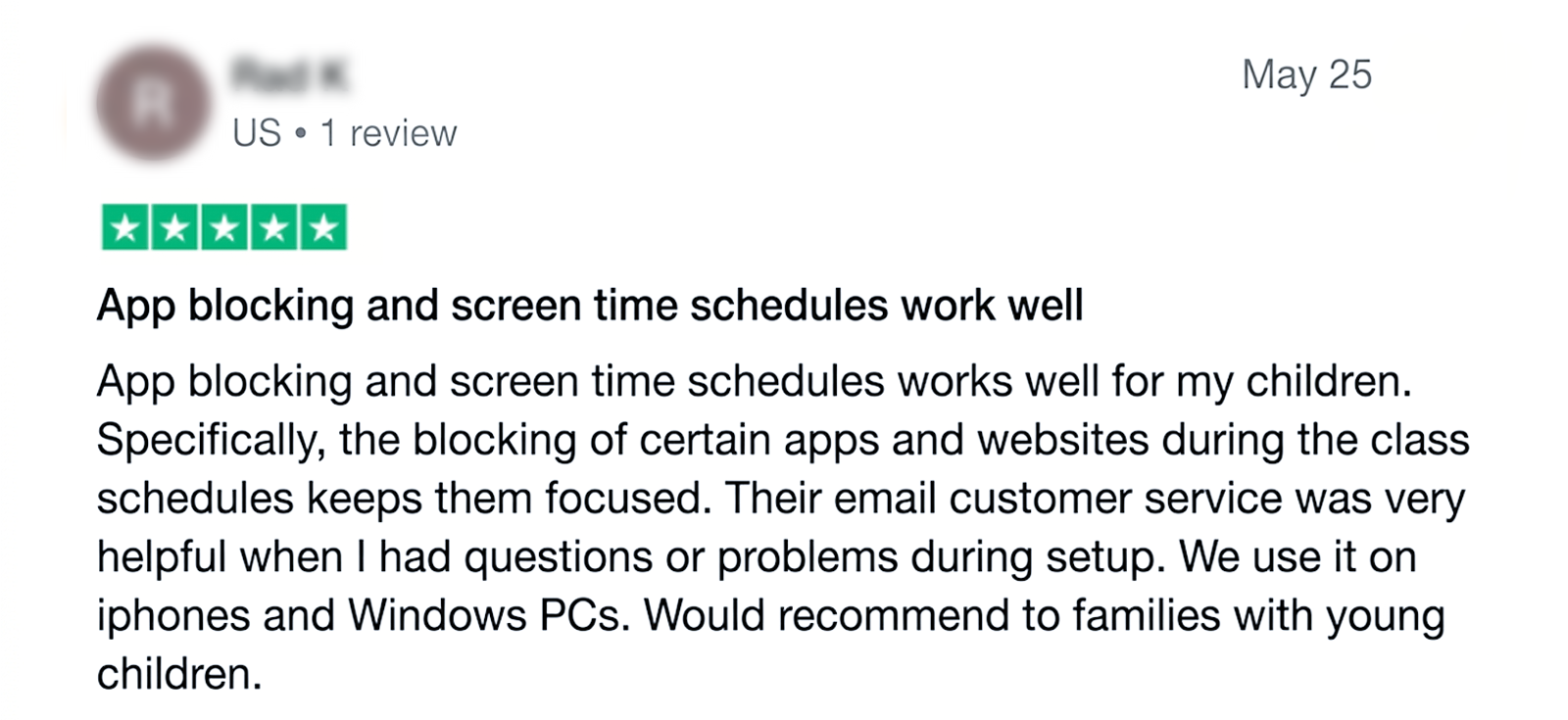
Mobicip Reviews by Real Customers
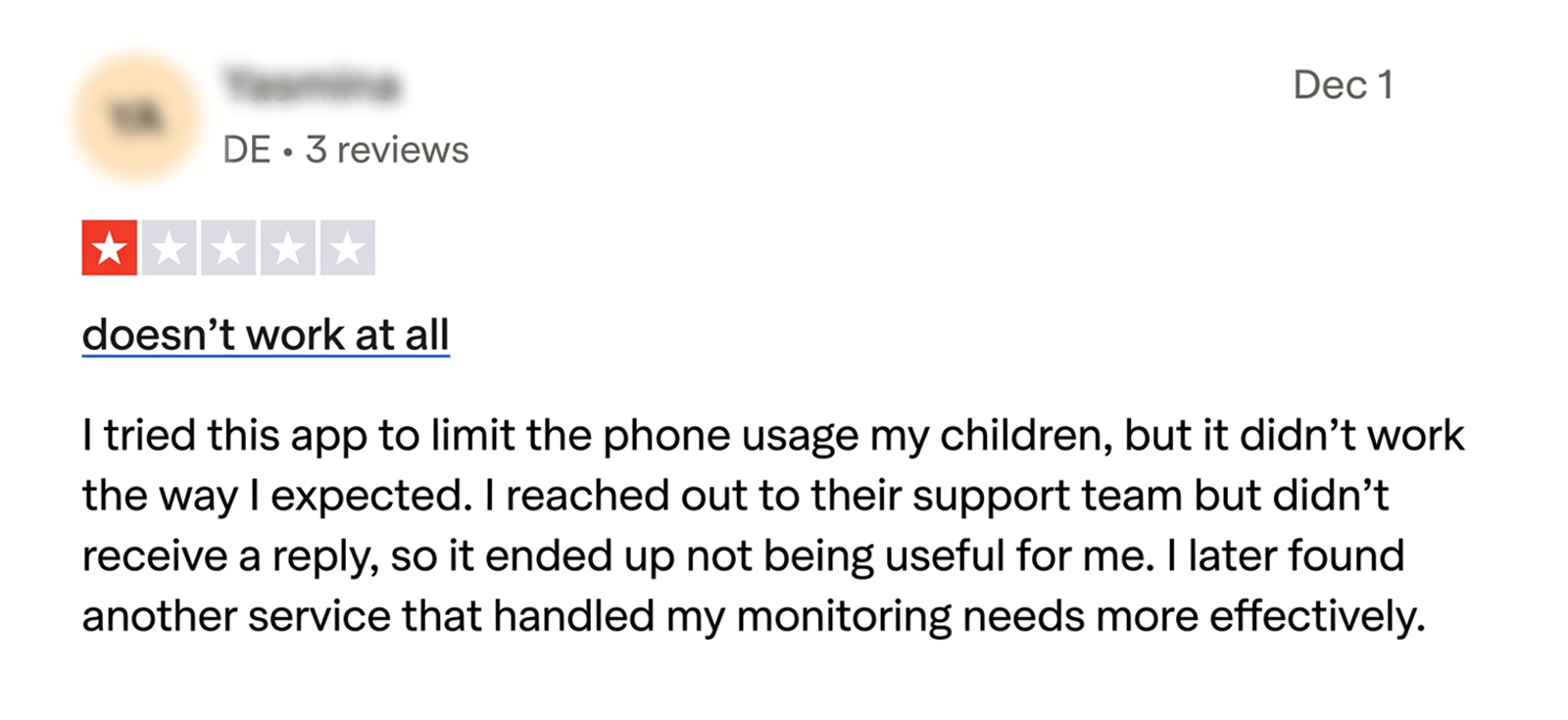
Should Parents Choose Mobicip Parental Control App Or Explore More Powerful Alternatives?
While Mobicip handles basic scheduling and location tracking decently, it has significant gaps. It only scans two social media platforms (Facebook and Snapchat), missing Instagram, TikTok, and Discord entirely. Website filtering is inconsistent, often blocking safe sites or missing explicit content.
We wanted deeper oversight, so we decided to test Xnspy as well to see how it compares to Mobicip. We figured that it’s call recording, ambient listening, and broader social media coverage across WhatsApp, Instagram, etc., might be worth a look.
What is Xnspy? A Quick Overview
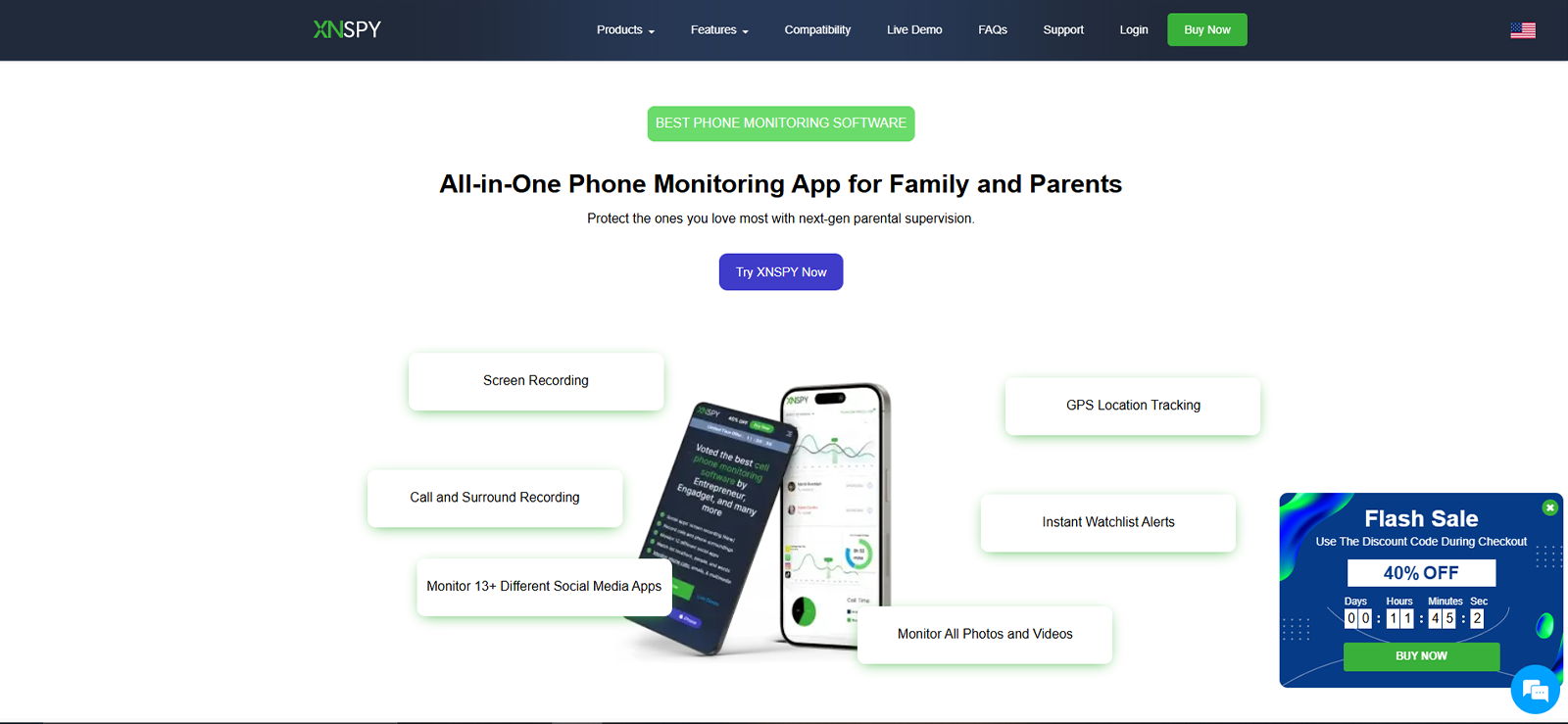
Xnspy is a phone and tablet monitoring app designed to give parents total transparency into their child’s phone activity. Unlike basic parental control tools, it records deleted messages, captures screenshots of app usage, logs every keystroke, and monitors over a dozen social media platforms.
How Does Xnspy Work?
Xnspy Installation
Here’s how we managed to install Xnspy.
- We went to the buying page and picked a suitable plan
- Entered the card and contact information, and clicked on ‘Submit’
- Waited for the welcome email from Xnspy
- Obtained access to the target individual’s mobile
- Downloaded the APK file from the email and set up the Xnspy dashboard on the target device
Then came the most critical installation process. We followed Xnspy’s Android installation and iPhone installation guides. That made the process smoother.
Xnspy Compatibility
Xnspy worked well on our smartphones. It runs smoothly on all smartphones and tablets running on Android 4.x and above. On iOS devices, it works on versions 6 and above.
Xnspy Interface
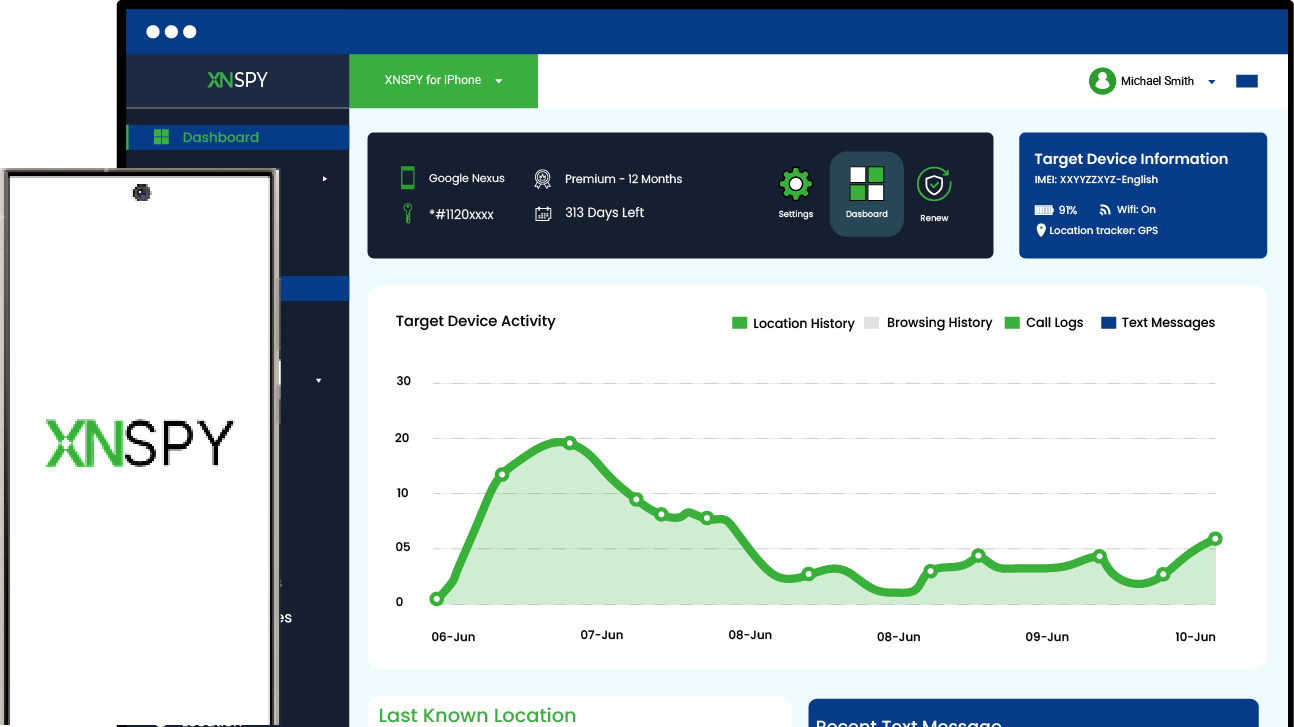
We found Xnspy’s web dashboard to be well-organized and surprisingly easy to navigate given its depth. Every feature was clearly labeled in the left sidebar, i.e., phone logs, messenger, installed apps, screen time, locations, and more. We never had to hunt through vague icons.
The main dashboard showed a call volume graph, recent texts, and the last known location all on one screen. We got the full picture in under 10 seconds.
We tested the search and filter tools by entering random keywords, contact names, and date ranges across three months of simulated data. Each search returned results instantly.
Xnspy Pricing
Xnspy offers two tiers (Basic and Premium) with monthly, quarterly, and annual billing options. All plans include a 10-day partial refund policy. Unlike Mobicip, Xnspy does not have a free plan.
Basic starts at $4.99/month (billed annually). It includes features like call history, reading all incoming/outgoing SMS, WhatsApp photos, Gmail access, contacts, calendar, app blocking, photos, videos, bookmarks, browsing history, location history, etc.
Premium starts at $7.49/month (billed annually). It contains everything in Basic and adds: call recording, WhatsApp chats and calls, iMessage, ambient surround recording, keylogger, geofencing with watchlist locations, Wi-Fi logs, remote lock/wipe, remote screenshot capture, and alerts on watchlist words, contacts, and emails.
We went with the premium plan, so we could test every feature. Xnspy offers flexible monthly/quarterly billing, so we didn’t have to think twice about the plan.
Key Features That Xnspy Offers
Although Xnspy has more features, we are adding the features that we can directly compare with Mobicip.
Screen Time
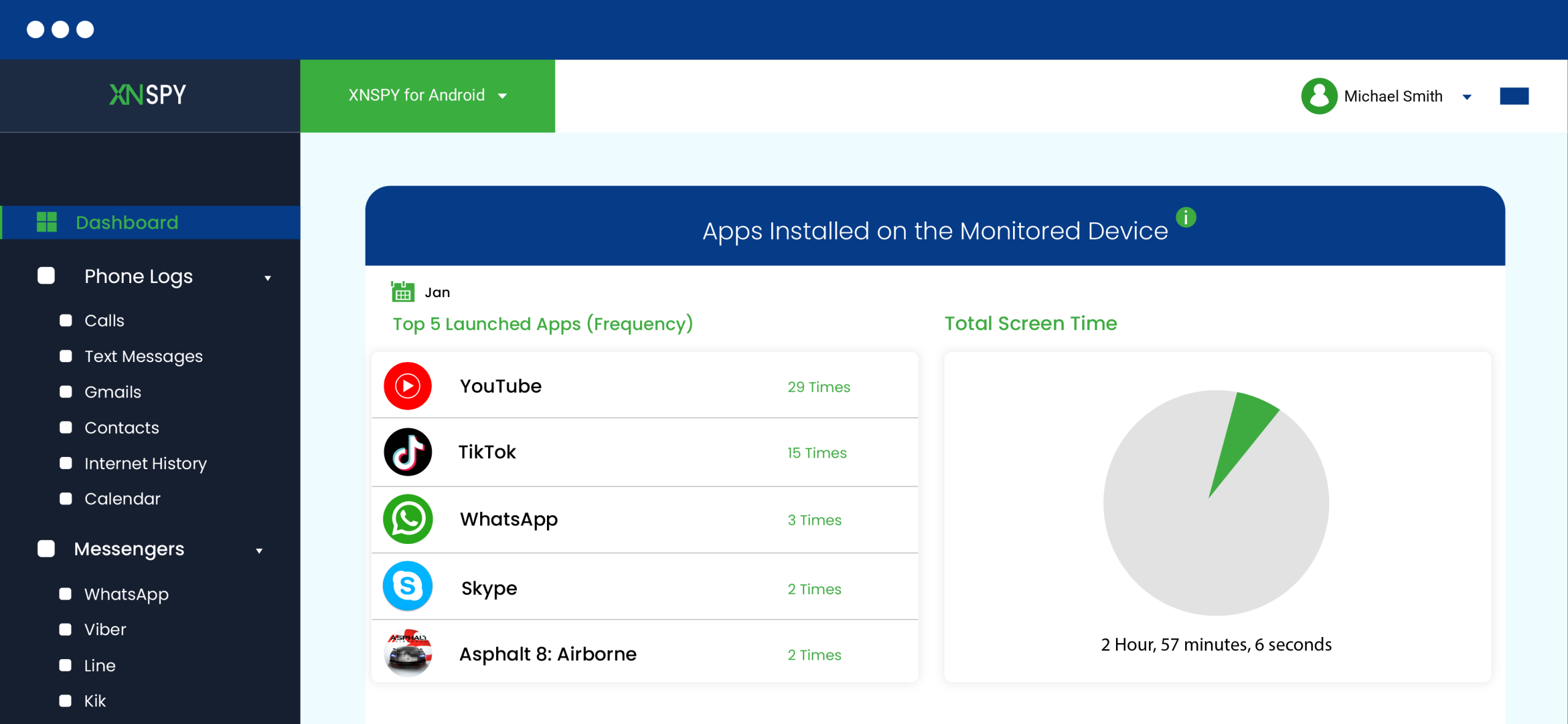
Xnspy doesn’t offer a screen time scheduler like Mobicip. Instead, it focuses on visibility and shows exactly how a child uses their device.
When we tested Xnspy’s Screen Time feature, we could view three key data points on the dashboard:
- Total screen time: A clear summary of daily and weekly device usage
- Top 5 frequently opened apps: Which apps were opened most often
- Time spent on all installed apps: A detailed breakdown for every app on the phone
To evaluate this feature, we monitored a test device for five days. Each day, we logged into the dashboard and reviewed the previous day’s usage. The accuracy rate was 90% because it increased the frequency each time we opened the app on the target device.
Across five days of testing, we consistently saw accurate usage reports.
Final Verdict: For parents who don’t want to be overly controlling and just want to know how much time their child spends on the phone and which apps, Xnspy’s Screen Time feature is a better option than Mobicip’s Screen Time Scheduler.
Internet History
Xnspy’s internet history feature captures every website visited on the monitored device, including the website name, URL, number of visits, and time and date stamps for each visit.
Crucially, it also records incognito searches and retains browsing history even if the user deletes it from the device. Parents can view bookmarks separately and filter browsing history by months or years for easier analysis.
To test this, we visited 25 websites across five categories (social media, gaming, educational, explicit test sites, and news) on a monitored Android device over three days. We visited five of those sites in Chrome’s incognito mode. We then manually deleted the browsing history for another five sites directly from the device’s browser settings.
When we logged into the Xnspy dashboard, all 25 websites appeared in the internet history log, including the five incognito visits and the five deleted ones.
Each entry showed the correct URL, website name, timestamp, and visit count. We then filtered by month and by bookmarks. Both filters worked instantly.
Final Verdict: Xnspy’s internet history provided us with reliable, indeletable visibility into every website visited (incognito or not), while Mobicip’s unreliable website blocking left dangerous gaps in protection during our testing.
Join Over 1 Million Parents Who Trust Xnspy
Take greater control of your child’s digital activity with deeper monitoring.
– Monitor individual apps instead of broad categories
– View deleted messages and browsing activity
– Track activity across major social media platforms
– Access detailed phone usage and location insights
Screen Record
Xnspy’s screen record feature captures automatic screenshots of compatible apps at 5-second intervals whenever an app is in use. It provides monitoring over 13+ social media platforms, including YouTube and Tinder. There is an option to filter screenshots by app (WhatsApp, Snapchat, etc.) or by time period, making it much easier to navigate.
To test this feature, we typed and deleted a concerning message on WhatsApp, then cleared a Snapchat conversation. When we checked the Xnspy dashboard, both the deleted message and the cleared conversation appeared in screenshots. 9 out of 10 times, it captures the screenshots.
Final Verdict: Compared to the Mobicip social media blocker, Xnspy covers more social media apps, providing you with more context for activities.
Geofencing
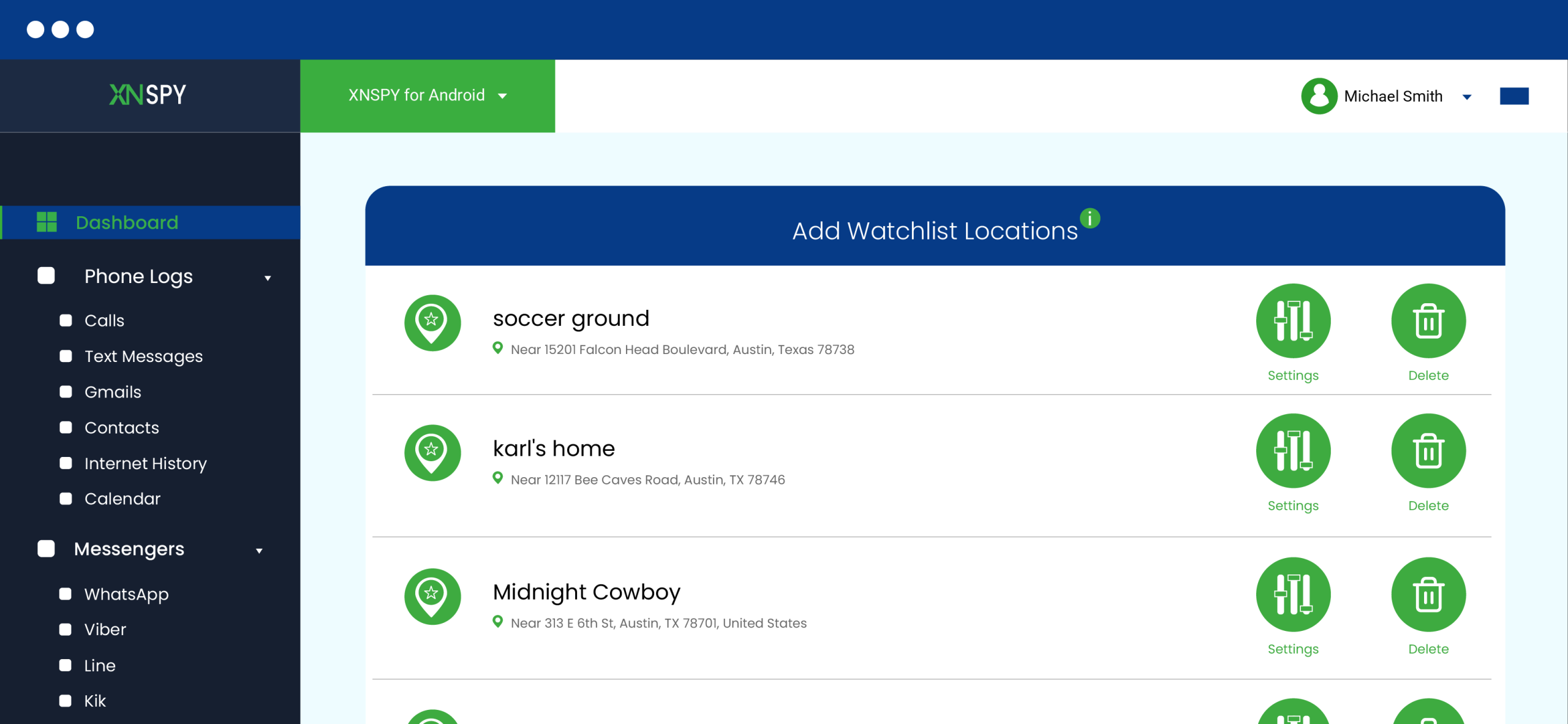
Xnspy’s geofencing feature lets parents add specific places (school, home, etc.) and receive instant email alerts when the device enters or exits those locations. Alert radius can be set to 100m, 200m, 500m, or 1,000m per location. The feature also maintains a complete location history with timestamps.
To test this, we added three watchlist locations: Home (200m radius), School (100m radius), and a friend’s house (500m radius). We then physically walked in and out of each zone five times over two days.
We received email alerts for 14 out of 15 entries/exits (93% accuracy). The one missed alert occurred when we lost GPS signal briefly near the friend’s house. Location history showed every visit with correct timestamps.
Final Verdict: Both apps deliver comparable geofencing accuracy (92-93%). However, Xnspy pulls ahead due to its flexible radius options (100m to 1,000m vs. Mobicip’s fixed zones).
App Blocker
Xnspy shows all installed apps on the target device, and within this feature, there is a feature to block any app. It blocks any app with a single toggle switch. No complicated category settings or workarounds.
To test this, we installed five apps on the Android device: TikTok, Snapchat, Roblox, YouTube, and a random calculator app. Within two minutes, all five appeared on the Xnspy dashboard with correct version numbers and timestamps.
We then toggled the block switch for TikTok and Roblox only. Both became immediately inaccessible on the device. The calculator app and YouTube remained fully usable.
Final Verdict: Xnspy lets parents block individual apps with one click. Mobicip forces blunt category-wide restrictions that block too much or too little. This comes in handy with social media app blocking as well.
Xnspy Pros and Cons
Xnspy Pros
- Shows total screen time, top 5 most-used apps, and time spent on every installed app.
- Records all visited websites, incognito searches, and deleted browsing history.
- Takes automatic screenshots every 5 seconds of any app in use, preserving visual evidence of cyberbullying or grooming.
- Sends instant geofencing alerts with flexible radius options (100m to 1,000m) and maintains complete location history.
- Blocks individual apps with just one toggle.
- Premium costs less than Mobicip ($7.49 vs. $7.99) and adds features like a keylogger, call recording, and surround recording.
- Offers monthly, quarterly, and annual payment options.
Xnspy Cons
- No free trial
- Physical access to the target device is required
- Consistent and stable internet connection required
- There is no flexibility for scheduling screen time.
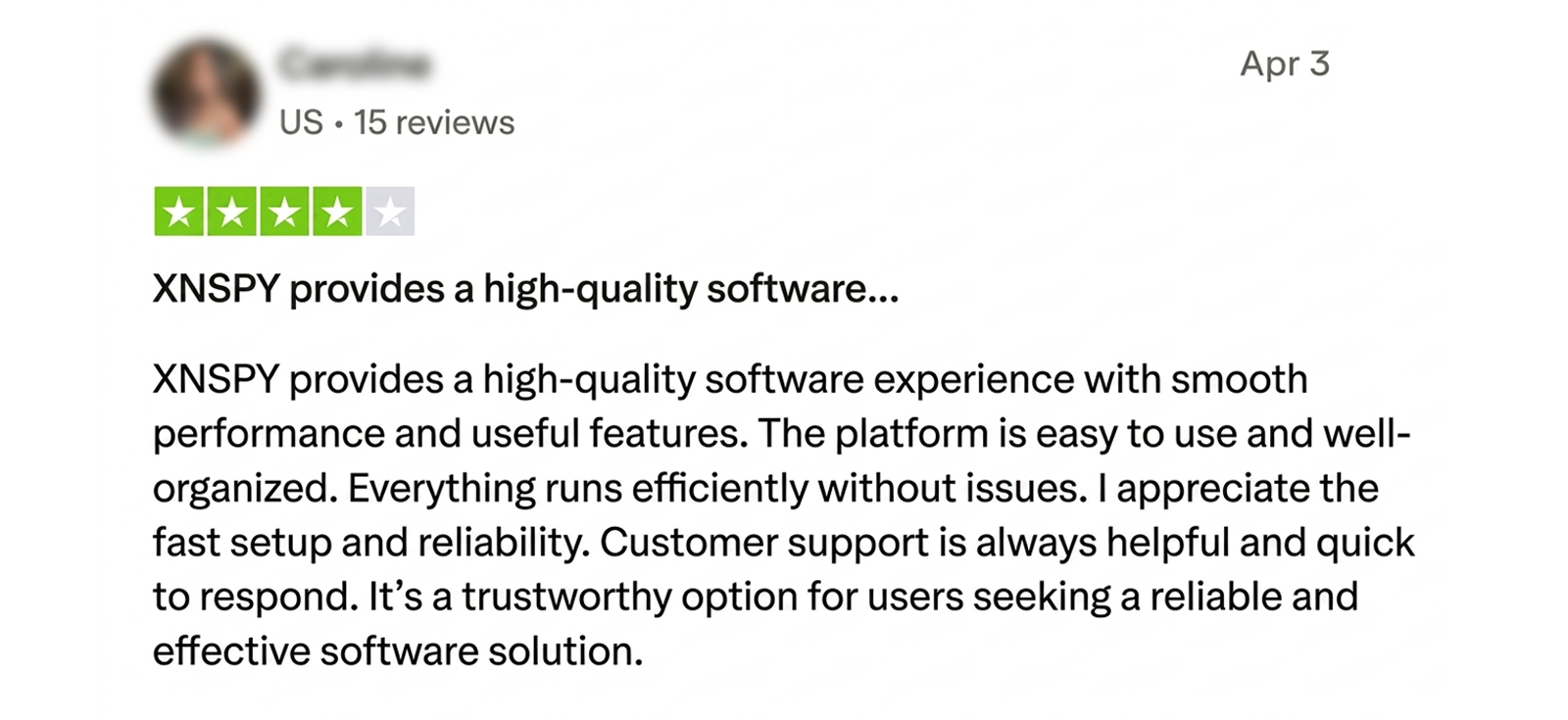
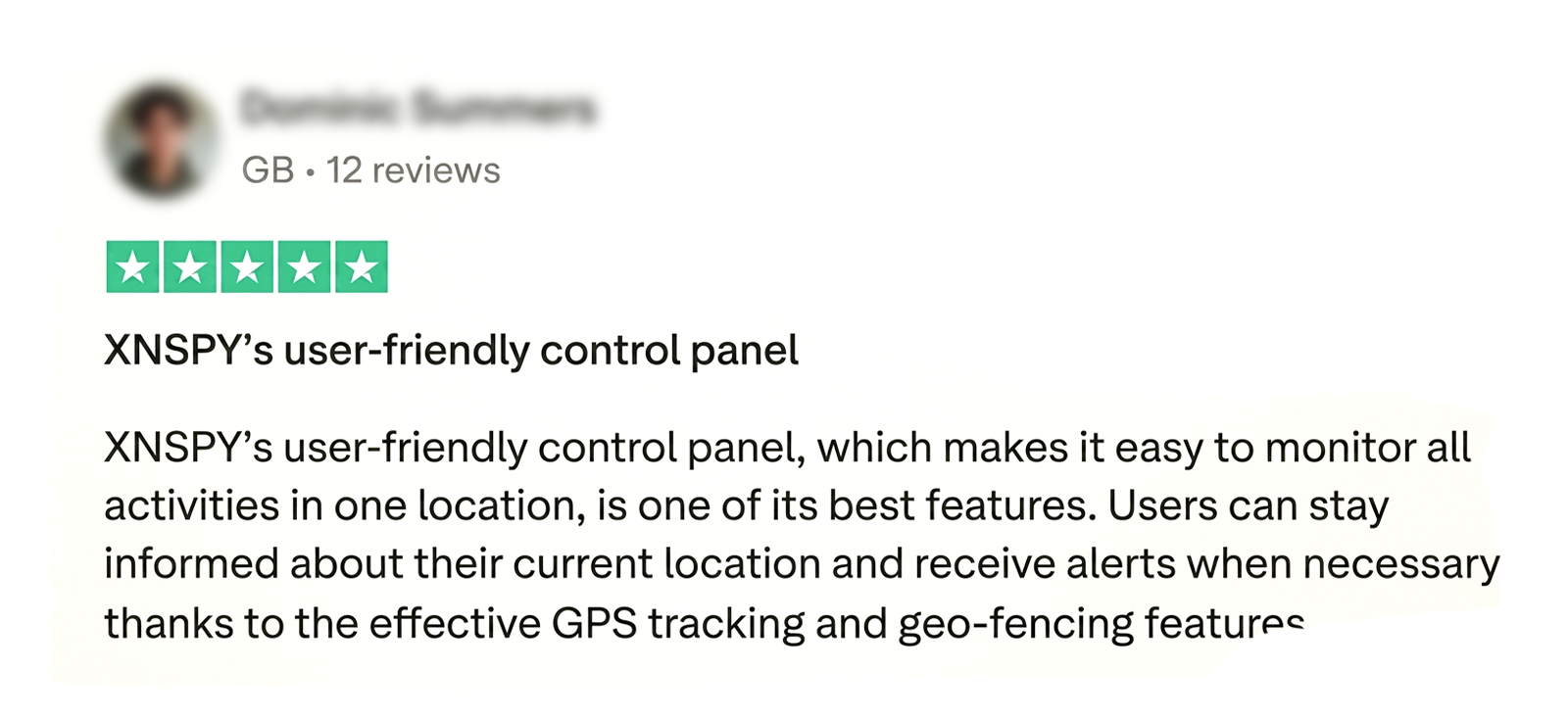
Xnspy Reviews By Real Customers
Mobicip vs. Xnspy: The Verdict After Full Evaluation
| Features | Mobicip | Xnspy |
| Location Tracking | ⭐⭐ Inconsistent updating speed as well as occasional delays. | ⭐⭐⭐⭐⭐ Updates location in real-time and with precision. |
| Geo-fencing | ⭐⭐⭐ Occasionally sends delayed alerts. | ⭐⭐⭐⭐⭐ Real-time alerts. |
| Internet History | ⭐⭐ Does not recover deleted or incognito history. | ⭐⭐⭐⭐ Provides URLs, timestamps, and tracks deleted + incognito activity. |
| Screen Recording | ⭐ Not available. | ⭐⭐⭐⭐⭐ Captures periodic screenshots of device activities. |
| Keylogger | ⭐ Not available. | ⭐⭐⭐⭐ Records keystrokes across supported apps. |
| SMS Monitoring | ⭐ Not available. | ⭐⭐⭐⭐ Reads incoming and outgoing messages. |
| Call Logs | ⭐ Not available. | ⭐⭐⭐⭐ Displays full call history details. |
| App Blocking | ⭐⭐⭐ Blocks only app categories. | ⭐⭐⭐⭐⭐ Blocks individual apps. |
| Social Media Monitoring | ⭐⭐ Limited coverage with delays. | ⭐⭐⭐⭐⭐ Wide platform coverage with activity tracking. |
| Screen Time | ⭐⭐⭐⭐⭐ Allows detailed scheduling and limits. | ⭐⭐⭐ Shows usage but lacks scheduling controls. |
| Email Monitoring | ⭐ Not available. | ⭐⭐⭐⭐ Access Gmail with alerts. |
| Remote Commands | ⭐⭐⭐ Lock the device and pause the internet. | ⭐⭐⭐⭐⭐ Advanced remote control features. |
| Surround Recording | ⭐ Not available. | ⭐⭐⭐⭐⭐ Records surroundings remotely. |
| Billing Options | ⭐⭐⭐ Annual plan only. | ⭐⭐⭐⭐⭐ Multiple billing options. |
| Free Trial | ⭐⭐⭐⭐ 7-day free trial. | ⭐⭐⭐ Refund policy instead of a trial. |
| Price | ⭐⭐⭐ Refund policy instead of a trial. | ⭐⭐⭐⭐⭐ $7.49/month (annual). |
Conclusion
After a week of testing both apps side by side, we found Mobicip to be a decent but limited parental control app. Its Screen Time Scheduler and Family Locator worked reliably during our tests. If you only want to limit screen hours and know your child’s location, Mobicip is worth trying.
But its core safety features (Website Blocker and Social Media Monitor) underperformed significantly. It failed to block newly created explicit sites (0% effectiveness) and missed 7 out of 10 self-harm keywords we tested. It only monitors Facebook and Snapchat, ignoring Instagram, TikTok, and Discord entirely. iOS users face additional limitations, including broken YouTube filtering and app timers that grant extra minutes.
This is where Xnspy took the lead. We tested Xnspy on the same devices and found it more convenient and useful for guiding a child through their teenage years. It shows you what’s actually happening inside the device, so you can decide when to step in.
FAQs
Is Mobicip safe to use?
Yes, Mobicip is generally considered safe to use for parental monitoring. It is available through official app stores, does not require rooting or jailbreaking, and offers account protections like uninstall prevention and permission controls.
Can kids bypass Mobicip?
Yes, some children and teenagers can bypass Mobicip, especially on iOS and less restricted devices. Multiple customer reviews and forum discussions mention methods like disabling the VPN, changing device time settings, removing permissions, or uninstalling the app.
Does Mobicip send alerts when a child tries to bypass restrictions?
Mobicip does send certain alerts related to parental control changes, uninstall attempts, new app installations, and restricted activity. However, some bypass actions, such as disabling the VPN or changing settings, may not always trigger immediate notifications.
Does Mobicip slow down a child’s phone or drain battery life?
Yes, Mobicip causes higher battery usage and occasional slowdowns, especially on Android devices where Mobicip relies heavily on VPN-based filtering and background monitoring. Connectivity issues, delayed syncing, and battery drain during certain updates or extended use can also occur.
Does Mobicip continue working when the device is offline?
Mobicip can continue enforcing some previously synced restrictions offline, such as existing schedules and local controls. However, features that depend on cloud syncing, live alerts, activity reporting, or remote updates may stop functioning until the device reconnects to the internet.
Leave a reply:
Your email address will not be published. Required fields are marked*

Mike Everett
Member since October 20, 2014
Mike Everett
Member since October 20, 2014
Mike Everett is a consumer technology journalist with expertise in hands-on testing and evaluation of iOS and Android monitoring applications. With over 11 years in the industry, he focuses on how mobile monitoring tools perform in real-world conditions, including accuracy, feature reliability, device compatibility, and practical usability for parents.
He conducts live-device testing of monitoring apps to assess how well their features function beyond marketing claims. His work primarily includes comparative reviews, feature breakdowns, and buyer-focused guides designed to help parents understand which tools actually deliver usable results in everyday scenarios.