
The complete monitoring experience for your phone
Get XNSPY and start tracking calls, texts, multimedia, locations and more on any phone!
Get Started Now Live DemoA private Facebook profile can make even basic verification difficult. Maybe an unfamiliar account sent you a friend request, you are checking whether a Marketplace seller looks genuine, or you simply want to know what information is publicly available before interacting with someone.
So, the question remains: how to view a private Facebook account without using fake viewer tools or trying to bypass Facebook’s privacy controls?
The short answer is: you cannot legitimately unlock posts, photos, or other content that Facebook has restricted from your account. What you can do is uncover information that remains public, appears in public posts made by other people, has been indexed by search engines, or becomes available after the account owner gives you permission.
To separate useful methods from internet myths, I compared 6 approaches using controlled Facebook accounts with known public and restricted content.
The results were fairly clear: some methods uncovered considerably more public context, while others only worked after legitimate access was granted. None independently exposed content Facebook had withheld from the viewing account.
TL;DR
- When it comes to accessing a private FB profile without breaking the policies, you may be able to uncover some public, tagged, indexed, or permission-based information.
- Xnspy: On a compatible device you own or are authorized to monitor, Xnspy can show all Facebook activity visible on that device, including posts, media, Stories, etc.
- Sending a Friend Request: If the person accepts, you may see content shared with Friends, although posts limited to custom audiences can still remain hidden.
- Checking Public Profile Information: You may find a profile picture, cover photo, bio details, public posts, or other information the user has deliberately left public.
- Looking for Public Tagged Posts and Photos: You may discover posts or photos published publicly by other users who have tagged the person, even when those items do not appear openly on the person’s own profile.
- Checking Public Groups, Pages, Events, and Interactions: Public comments, posts, and activity in Facebook’s public spaces can reveal additional context, depending on how publicly active the person is.
- Using Google or Another Search Engine: Search engines may surface publicly indexed Facebook profiles, posts, photos, or mentions, but they cannot retrieve friends-only or otherwise restricted content.
How to See Someone’s Private Facebook: A Quick Overview of the 6 Tested Methods
| Method | Type | Result in My Test | Best For | Main Limitation |
| Xnspy | Authorized device monitoring | Captured 16 of 18 sampled Facebook screens | Reviewing in-depth Facebook activities on an authorized device | Only shows information for the account logged in on the authorized device |
| Friend request | Permission-based | Revealed 4 of 5 restricted control items after acceptance | Access the person intentionally gives friends | The person must accept |
| Public profile information | Public-information discovery | Found 5 of 5 public control items | Basic information and public posts | Restricted profiles may expose very little |
| Public tagged content | Public-content discovery | Found 1 of 2 tagged control posts | Public content published by other people | Depends on the publisher’s audience |
| Public interactions | Public-activity discovery | Found 2 of 2 controlled public interactions | Comments and activity in public Facebook spaces | Results depend heavily on user activity |
| Search engines | Public web discovery | Found 2 useful Facebook results across 8 searches | Already indexed public Facebook pages/content | Indexing is incomplete and cannot reveal restricted posts |
Is It Actually Possible to View Someone’s Private Facebook Profile?
Yes, but to a certain extent.
A Facebook profile is not simply either public or private. Visibility is determined at several levels.
Someone can have a public profile picture, a public bio, two public posts, several friends-only posts, a custom-audience album, and comments on public Pages all at the same time.
Meta says public information can be visible to anyone, and its standard profile guidance states that the current profile picture and cover photo are public. Individual posts, meanwhile, can have different audiences selected by the person publishing them.
That means you need to separate two very different ideas:
- Finding public information means locating information Facebook is already willing to show your account or the wider web.
- Bypassing privacy would mean gaining access to content Facebook has deliberately withheld from your account.
The methods in this guide deal with the first situation.
More Related Blogs For You

🔎  6 Best Facebook Profile Viewer Tools Tested Beyond Their Claims
⏰  Does Facebook Notify Screenshots: Clearing Up the Confusion
🕵️  How to See If Someone Has a Secret Facebook Account: 5 Ways
🏅  How to See Someone’s Friends on Facebook: 5 Methods
How I Tested Different Methods for Viewing Private Facebook Profiles Without Breaking Facebook’s Rules
I wanted a repeatable setup rather than opening random profiles and guessing whether something had changed. So I used three controlled Facebook accounts.
Test Setup
Account A acted as the restricted profile.
I created a 14-item control set around this account:
- 5 deliberately public profile/content items
- 5 restricted items
- 2 tagged posts published by another test account
- 2 interactions in public Facebook spaces
The five public items were the current profile picture, cover photo, one basic profile detail, one public timeline post, and one public Reel.
The restricted set contained two friends-only timeline posts, two friends-only album photos, and one post using a custom audience that excluded Account B.
For tagged content, Account C published two posts and tagged Account A. One had a Public audience, while the other was restricted to Friends. Finally, Account A left one test comment on a public Page post and another inside a public Group.
Account B was my non-friend test account. It represented what someone with no friendship connection could see. Account C was already connected to Account A and was also used to create the tagged-post controls.
I ran the normal Facebook checks from a Windows 11 desktop in Chrome and an Android test phone. For testing Xnspy, I only used an Android device that was part of the controlled test environment and under my authorization.
What I Evaluated
When testing how to view private Facebook profiles, I judged every method on four things:
- Visibility: Did it expose anything beyond Account B’s starting view?
- Privacy boundary: Was the additional information genuinely public or legitimately authorized?
- Repeatability: Could I get the same result again on mobile and desktop?
- Practical usefulness: Would the method actually help someone locate relevant information, or was it technically possible but too inconsistent to be useful?
How to See a Private Facebook Account: 6 Legit Methods I Tested
Across my tests, the six methods didn’t all solve the same problem. Xnspy gave me visibility into activity on an authorized device. A friend request changed what Facebook itself permitted Account B to see. The remaining methods helped locate information that was already public somewhere on or outside the profile.
1. Use Xnspy
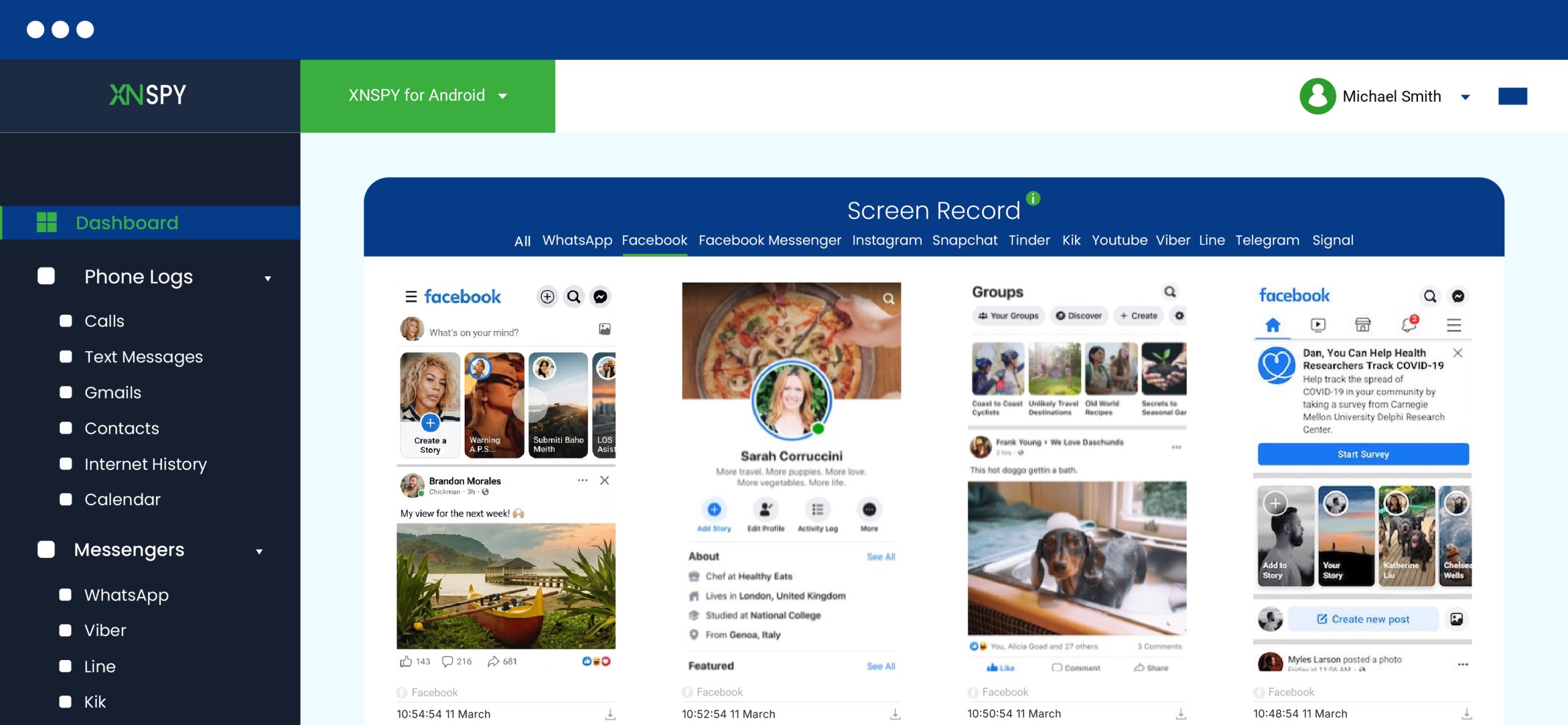
Xnspy works differently from standard Facebook profile-search methods. It monitors activity taking place on a compatible device rather than changing what another Facebook account is allowed to see.
So, you can view all Facebook-related activities, but only for the account that is logged in on the target device.
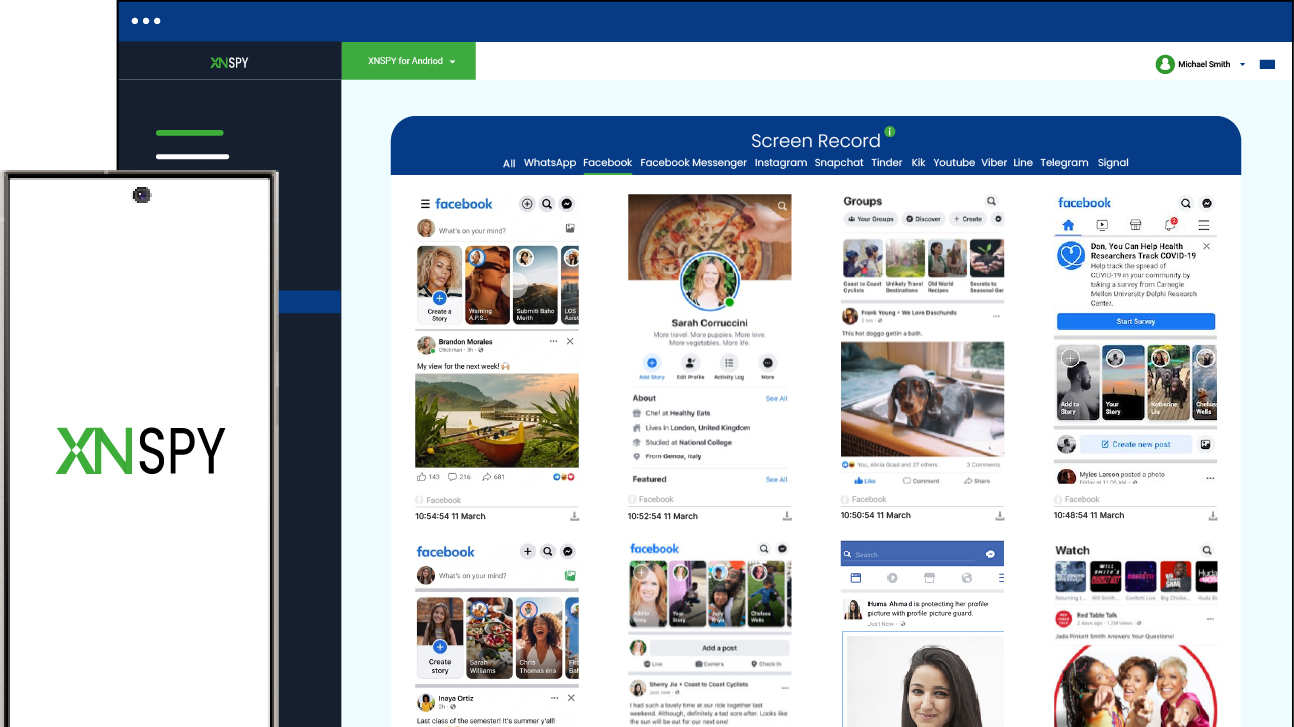
Xnspy’s current Facebook feature page describes visibility into feed content, media interactions, tagged posts, Stories, and other Facebook activity.
To use Xnspy:
- Start with a compatible phone that you own or have clear permission to monitor.
- Complete the required installation and permissions on the test phone.
- Sign in to the Xnspy dashboard.
- Use Facebook normally on the authorized device.
- Review the Facebook-related activity or screen captures available for the device.
Here’s What Happened in My Testing
During testing, I used Facebook normally on the authorized Android device and carried out a mix of typical activities, including scrolling the feed, opening posts, viewing photos and videos, checking Stories, visiting profiles, and interacting with visible Facebook content.
Xnspy’s screen recording captured the Facebook activity taking place on the target phone. It then uploaded it to the dashboard under a separate Facebook tab to give me a clear view of what was being accessed and viewed from that device.
Since Xnspy’s screenshot behavior was automatic, it kept taking screenshots at a 5-second interval, which made a continuous stream of complete use on the dashboard as well.
However, while scrolling, it was also easy for things to slip through the 5-second window. While testing, I also noticed 3 posts missing since I scrolled too quickly past them. Moreover, this method was limited to the accounts one would log in to and use on the authorized device only.

Go Beyond Facebook Profile Viewing With Xnspy
Get Xnspy and:
– See Facebook activity as it happens
– Review all visible posts, media, and Stories
– Keep a clearer record of Facebook usage
– Monitor activity without altering any settings
2. Send the Person a Friend Request
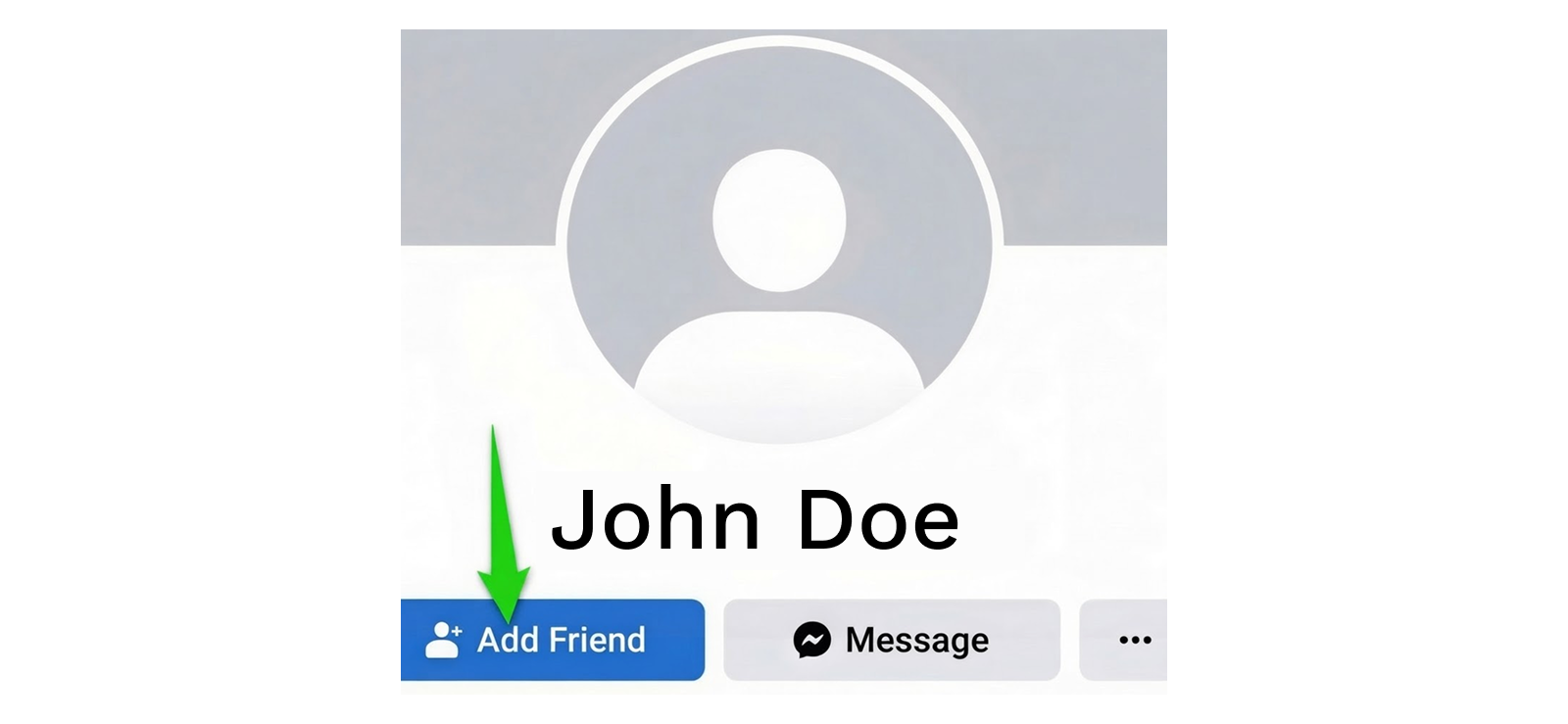
Facebook’s privacy model is built around audiences. If someone shares content with Friends, becoming an accepted friend can place your account inside that audience.
It still does not guarantee access to everything.
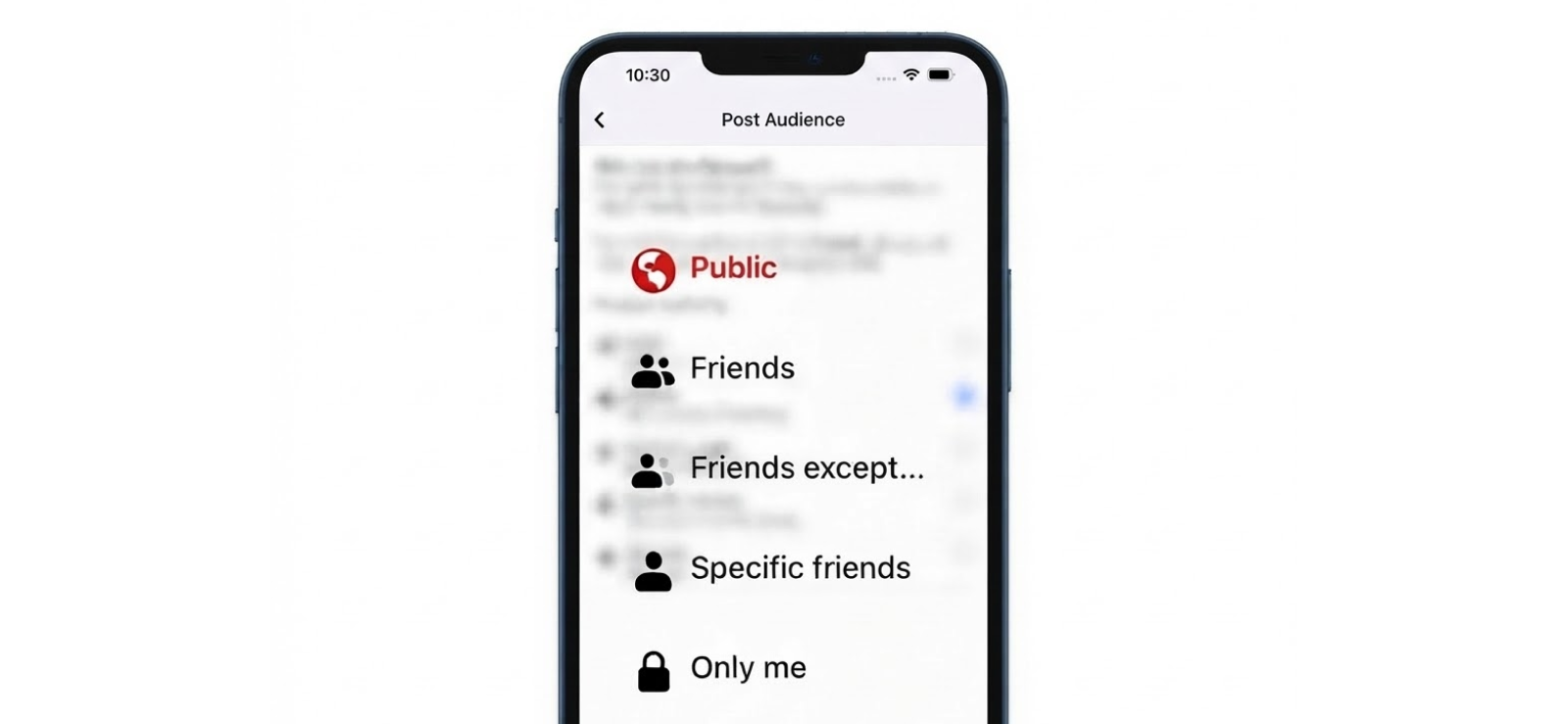
Facebook also supports more selective audiences, so a person can exclude individual friends or share content only with specific people.
To send a friend request on Facebook:
- Open the person’s Facebook profile.
- Select Add Friend if the option is available.
- Wait for the person to accept the request.
- Return to the profile once Facebook confirms the connection.
Here’s What Happened in My Testing
Before the request was accepted, Account B could see 0 of the 5 restricted control items.
After Account A accepted the request, Account B gained access to 4 of the 5.
Specifically, the two friends-only timeline posts and two friends-only album photos became visible.
The fifth item remained hidden, as I had set that post to a custom audience that specifically excluded Account B.
This result demonstrated something useful. Even after someone accepts you as a friend, you should not assume their entire Facebook history becomes visible.
3. Check the Information Their Facebook Profile Leaves Public
A privacy-conscious user can restrict a great deal of information, but not every Facebook profile is configured identically. Some people leave their bio, work information, selected posts, Reels, or other details public.
Here’s how to see a private Facebook account by checking the publicly visible profile information:
- Start from a Facebook account you want to see.
- Go to the main profile page.
- Check the intro or About information that Facebook exposes.
- See the public timeline posts.
- Look for the publicly available Reels or other media.
- Public friend/follower information where the account’s settings make it available.
Here’s What Happened in My Testing
This was the cleanest result of the entire test.
Account A had exactly five items deliberately configured for public visibility.
Account B saw 5 out of 5:
- the current profile picture;
- the cover photo;
- the public basic-profile detail;
- a public post;
- a public Reel.
Account B still saw 0 of 5 restricted control items.
I repeated the check on desktop and Android and got the same visibility result on both. So, the takeaway is simple: start with what Facebook itself shows you.
4. Look for Public Tagged Posts and Photos
Tagged content is where Facebook privacy becomes less intuitive.
If someone else creates a post, that publisher controls the audience for the post. Being tagged does not automatically turn it into private content belonging to the tagged person’s profile.
This can create situations where someone’s own timeline is heavily restricted, but a public photograph posted by a friend, organization, business, or event remains visible elsewhere on Facebook.
For this:
- Search the person’s name using Facebook’s search.
- Review public posts and photos returned in the results.
- Look at content published by other accounts rather than only the person’s profile.
- Check the audience indicator where Facebook provides one.
Here’s What Happened in My Testing
I created two controlled tagged posts through Account C.
- Tagged Post 1: Public audience.
- Tagged Post 2: Friends-only audience.
Both tagged Account A.
From Account B, I could find and open 1 of the 2 posts: the public one.
The friends-only tagged post remained inaccessible.
I then removed the tag from the public post and repeated the search. The content still retained the audience chosen by Account C, although it was no longer associated with Account A through the tag in the same way.
That confirmed the key point: the useful information came from the publisher’s public post, not from bypassing Account A’s profile restrictions.
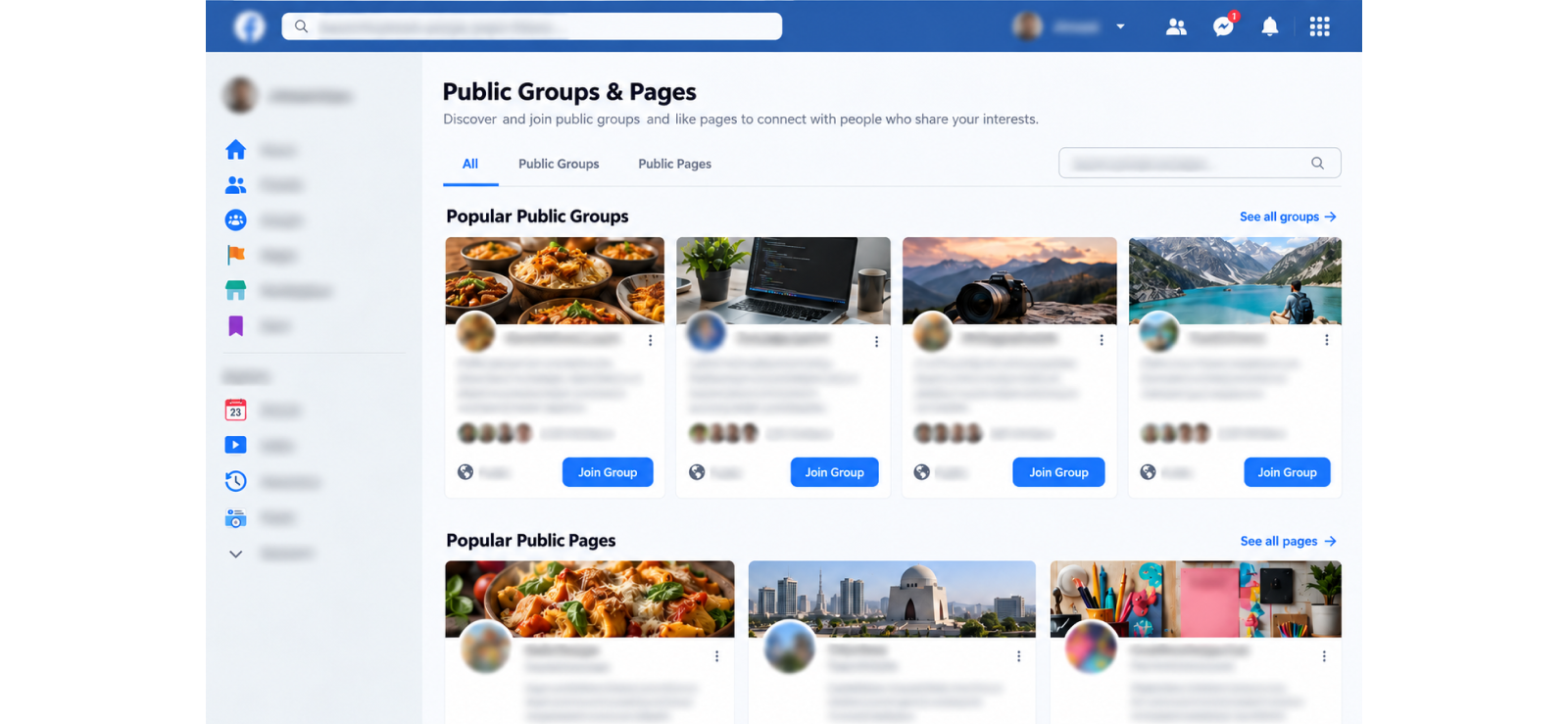
5. Check Public Groups, Pages, Events, and Other Facebook Interactions
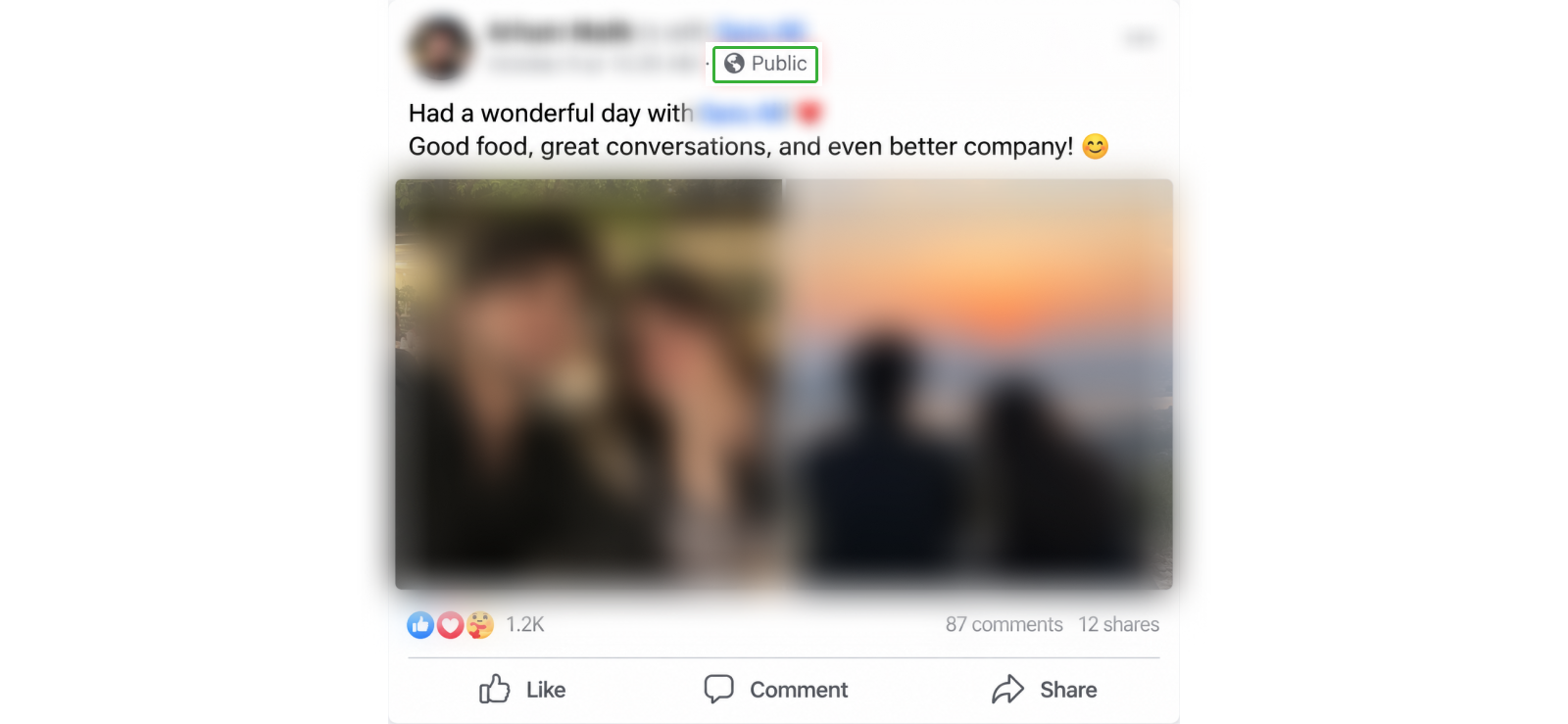
Someone can restrict their personal timeline and still participate in public spaces.
That could include:
- commenting on a public Page;
- posting or commenting inside a public Group;
- interacting with a public Event;
- responding to other publicly visible Facebook content.
These activities are not automatically private simply because the person’s own profile is restricted.
If you want to know how to view a private Facebook profile via public pages, groups, and events:
- Search the person’s name on Facebook.
- Check relevant public results rather than trying to access restricted areas.
- Look for comments or posts in public Pages, Groups, and Events.
- Treat anything you find as activity within that particular public context, not as access to the person’s private timeline.
Here’s What Happened in My Testing
Account A created two controlled interactions:
- one comment beneath a public Page post;
- one comment inside a public Facebook Group.
Account B could access both interactions, giving this method a 2/2 result in my limited control set.
Neither interaction changed what Account B could see on Account A’s personal profile.
The same five restricted profile items remained hidden.
This is an important distinction because public interactions can sometimes make a restricted account look more exposed than it actually is. However, in reality, you are seeing a person’s contribution to a public conversation. You are not gaining additional profile permissions.
6. Use Google or Another Search Engine to Find Public Facebook Content
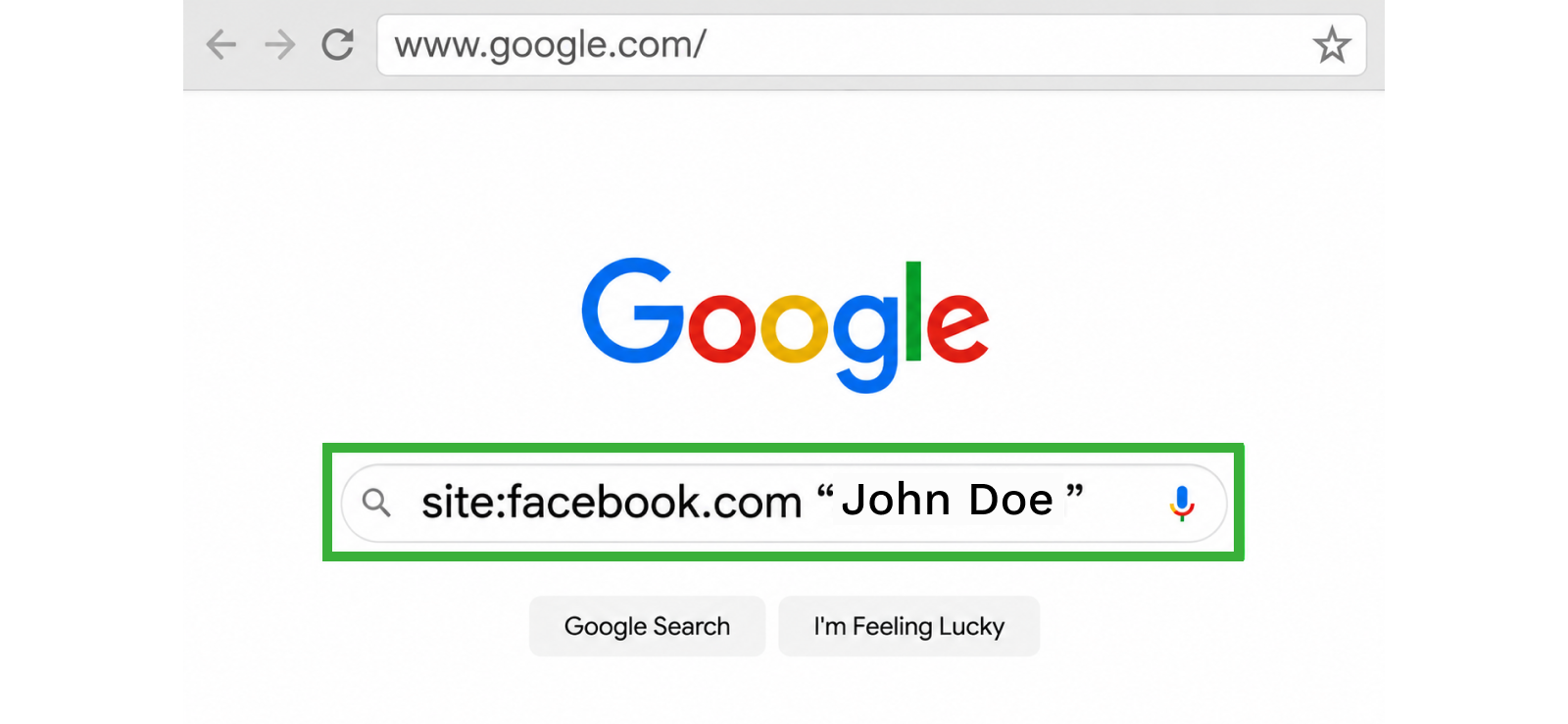
Search engines can occasionally surface Facebook pages, profiles, posts, or other URLs that were accessible for indexing.
But Google is not a back door into Facebook.
If Facebook requires authorization before serving particular content, a search engine does not have the ability to convert that content into a public page for you.
That makes Google useful as a discovery tool instead of a privacy bypass.
To find someone’s public Facebook content on a search engine:
- Open Google, Bing, or another search engine.
- Search the person’s full name with Facebook, for example:
- “John Smith” Facebook
- Use a site-specific search to narrow results to Facebook: site:facebook.com “John Smith”
- Add another public detail, such as a city, workplace, school, or organization, if the name is common.
- Open only results that are publicly accessible without additional permissions.
- Check whether the result actually belongs to the right person before relying on it.
- Repeat the search with terms such as photos, posts, Reels, or a known public affiliation if you are looking for something specific.
Here’s What Happened in My Testing
I ran eight Google searches seven days after creating the public control content.
Two searches returned useful Facebook results related to the test account:
- the Facebook profile itself;
- one publicly accessible content URL.
The other six either returned no relevant Facebook results or surfaced general Facebook pages unrelated to my test.
Most importantly, Google exposed 0 of the 5 restricted control items.
I also searched distinctive wording from one of the friends-only posts inside quotation marks. It produced no copy of the post in search results.
So, in this test, search engines were the least predictable of the public-discovery methods.
Conclusion
When I tested different methods to know how to see someone’s private Facebook, the tests made one thing clear: you can often find more information around a restricted Facebook profile, but that is not the same as unlocking the profile itself.
Each method revealed a different type of information. Xnspy was useful for monitoring Facebook activity on an authorized device, while a friend request gave the viewing account access to content shared with friends once the request was accepted.
Public profile details, tagged posts, and activity in public Groups, Pages, and Events helped surface information that was already visible outside the restricted parts of the profile.
Search engines were less consistent, but they could still surface some publicly indexed Facebook content.
Across all six methods, the same boundary held: none of them bypassed Facebook’s audience controls or exposed content the viewing account was not permitted to access.
So, if your goal is to learn more about a private Facebook account, the most useful approach is to focus on publicly available information, authorized device activity, or access the account owner has deliberately granted.
FAQs
How to view a private Facebook account without being friends?
You can view only the information a Facebook user has left public without becoming friends. This may include their profile picture, cover photo, bio details, public posts, Reels, tagged content, and activity in public Groups, Pages, or Events. You cannot legitimately access friends-only posts, restricted photos, or custom-audience content unless the person grants you access. Search engines may also surface Facebook pages or posts that are already publicly indexed online.
How to view a private Facebook profile without using a viewer tool?
You can view a private Facebook profile without a viewer tool by checking the information Facebook already makes public. Start with the profile itself, then review public posts, tagged photos, Reels, Groups, Pages, and Events connected to them. You can also use Google to find publicly indexed Facebook content. These methods can reveal context, but they do not bypass privacy settings or expose content restricted to friends or selected audiences.
How to check a private Facebook account if someone has blocked you?
If someone has blocked you on Facebook and you want to see their profile, you can use third-party viewing tools. These tools work outside Facebook and do not link anything to your account, which is why the blocking doesn’t apply here. However, they only show the information publicly available.
How to see private Facebook profiles with a VPN?
A VPN cannot help you see private Facebook profiles because it changes your IP address, not your Facebook account permissions. Facebook still applies the same audience settings to the account you are using, so friends-only posts, restricted photos, and custom-audience content remain inaccessible. A VPN may improve network privacy or change your apparent location, but it does not make you a friend, follower, or authorized viewer of private Facebook content.
How to check private Facebook profiles to tell if an account is fake?
To check whether a private Facebook profile may be fake, focus on details you can verify publicly. Compare the account’s name, profile photo, bio, mutual connections, public posts, and activity for consistency. Reverse-image searching the profile photo can reveal whether it appears under unrelated names elsewhere. Be cautious if the account has little history, conflicting details, unusual links, or quickly asks for money, personal information, or contact outside Facebook directly.
Xnspy: Turn Everyday Device Activity Into Useful Insight
Bring supported activity from any device into one place.
Leave a reply:
Your email address will not be published. Required fields are marked*
Jenny Nicole
Member since October 23, 2014
Jenny Nicole
Member since October 23, 2014
Jenny Nicole is a teen psychology and digital behavior specialist with an MSc Developmental Psychology & Psychopathology from King's College London, graduated 2017. Her work revolves around how adolescents communicate and make decisions in digital environments, particularly on social media and messaging platforms. Over the past 5 years, she has written extensively on teen smartphone behavior, online peer dynamics, the psychological impact of social media, and the need for oversight. Her work has helped parents and educators interpret not just what teens are doing online, but why they are doing it. Overall, she has not only authored over a hundred guides breaking down child psychology for parents but also regularly spoken at family safety and internet governance conferences across the UK and US.