
The complete monitoring experience for your phone
Get XNSPY and start tracking calls, texts, multimedia, locations and more on any phone!
Get Started Now Live DemoAs a parent, discovering that your child has a secret Facebook account can be unsettling, but it is more common than you might think.
Teens often create hidden profiles to bypass parental oversight, connect with unknown peers, share content they would rather keep private, and much more.
The challenge? Facebook offers no built-in way to find these accounts, and many popular methods have become outdated.
In this guide, we will break down 5 thoroughly tested methods that actually work, from device-level monitoring tools to manual search techniques.
Get All the Essentials in 60 Seconds
- Teens usually hide secondary Facebook accounts using fake names, strict privacy settings, separate emails, etc.
- Facebook does not offer any built-in way to find hidden accounts, and many older tricks, like phone or email search, no longer work reliably.
- Xnspy: Detects hidden Facebook accounts through device-level activity like screen time, screenshots, and typed inputs.
- Manual Search and Other Cues: Identifies accounts by matching patterns like mutual friends, photos, activity behavior, and more.
- Reverse Image Search: Tracks where a profile photo or any known image appears across the web to uncover linked profiles
- Username Tracking: Locates secret accounts by searching reused or slightly modified usernames.
- Social Media Finder Tools: Scans public data to link profiles using details like name, email, or username.
How I Tested These Methods + Factors Taken Into Consideration
Now, before I go ahead and recommend any methods to parents, I make sure they actually work in real-life situations and are not just copied from other blogs.
That is why I tested all the methods discussed in this guide on a Samsung Galaxy and an iPhone. To ensure the reliability of results, each of them was executed 12-18 times on 3 different Facebook accounts.
The overall testing period lasted 6 days, during which I actively watched for detection patterns, time taken, false positives, and other factors discussed below.
- Accuracy of Results: For a method to work, the goal is not for it to return a profile but instead to return the right one. I noticed that several techniques produced irrelevant or loosely connected accounts. Therefore, I prioritized methods where results could be verified through clear indicators.
- Dependence on Prior Information: I tested how much information each method required to work effectively. In many cases, methods with no starting data had significantly lower success rates. Contrarily, even a single input, like a photo, improves outcomes noticeably.
- Time Required to Get Results: I measured how long each method took from start to outcome. While doing so, I noticed that faster methods were easier to execute but often less reliable. On the other hand, more detailed approaches took longer but delivered better accuracy, which is why I gave weightage to both speed and effectiveness.
- Stealth and Detectability: I also evaluated whether a method could be noticed by the other person. Some techniques involved actions that could lead to visibility, therefore, I paid close attention to whether any activity left a trace and prioritized methods that do not risk exposure.
- Real-World Practicality for Parents: Lastly, I checked whether a method could realistically be used without overcomplicating the process. Since a few techniques required too much precision or technical understanding, I only included methods that I could execute consistently without relying on complex steps.
More Blogs Worth Reading

🚨  How to See Someone’s Friends on Facebook: 5 Methods
💬  How to Read Messenger Messages Without Seen: 7 Methods
⛔  How to Know if Someone Blocked You on Facebook: Verified Methods
⚡  How to Find Someone on Facebook With Phone Number: 5 Ways
How and Why Kids Hide Their Facebook Accounts
From what I have observed and have also learnt as a parent, kids do not just want to create a secondary Facebook account and call it a day. They structure it in a way that prevents parents from finding it. Here is what they do:
- Identity Masking: Use nicknames or slightly modified spellings instead of real names. To add a layer of anonymity, many skip personal profile photos, too, or use generic images.
- Strict Privacy Settings: Set privacy settings to the strictest level, so profile visibility is limited, friend list is hidden, and search indexing is disabled.
- Secondary Email: Add separate email addresses or phone numbers to prevent the account from linking to their primary identity through Facebook’s contact syncing or “People You May Know” feature.
But you might wonder, “Why do they need to go through all this hassle?” Well, the reasons are more practical than they seem. In most cases, kids create hidden accounts to bypass parental monitoring and restrictions. Some, alternatively, use them to interact with a different peer group or share content they do not want associated with their real identity.
Can You Find a Hidden Facebook Account?
Yes, but only under specific conditions because Facebook does not provide any built-in feature that allows you to directly find someone’s secret or secondary account. If a user intentionally hides their profile, the platform itself will not help you discover it.
That said, it is still possible in some cases. However, the outcome depends entirely on how well the account is hidden and which method is used. With the right approach, hidden accounts can sometimes be identified, but using the wrong one will usually lead to no results at all.
What Works and Doesn’t Work? A Straight-Forward Answer
Many widely suggested methods no longer work the way older guides claim. For example, phone number and email search are highly restricted due to Facebook’s privacy controls, as a result of which, profiles often do not appear even if the data is correct.
Similarly, public directory indexing and old Graph Search-style queries no longer function as they once did. Even approaches like manipulating “People You May Know” or bulk contact syncing now produce inconsistent and irrelevant suggestions due to algorithm changes.
That said, some methods still work when applied correctly. These include device-level monitoring tools, manual profile tracing, reverse image checks, username tracking across platforms, and social media finder tools, all of which are covered in this guide.
How to Find Hidden Facebook Accounts as a Parent? 5 Thoroughly Tested Methods
Now, with everything laid out in front of you, I would advise you to move on to the methods I have narrowed down for all concerned parents who want to know how to see if someone has a secret Facebook account.
| Method | Works | Require Prior Access | Detection Risk | Success Rate | Key Limitation |
| Xnspy | Yes | Yes, one-time device access | None | 88-92% | Requires installation; low-activity hidden accounts may take days to confirm |
| Manual Search & Behavioral Cues | Conditional | No | None | 35-45% | Fails with strict privacy settings or no identifying overlap |
| Reverse Image Search | Conditional | No | None | 25-35% | Ineffective if different or AI-generated images are used |
| Cross-Platform Username Tracking | Conditional | No | Low | 45-60% | Struggles when usernames are heavily altered or unrelated |
| Social Media Finder | Conditional | No | None | 20-30% | Results can be inconsistent and often depend on public data availability |
1. Xnspy
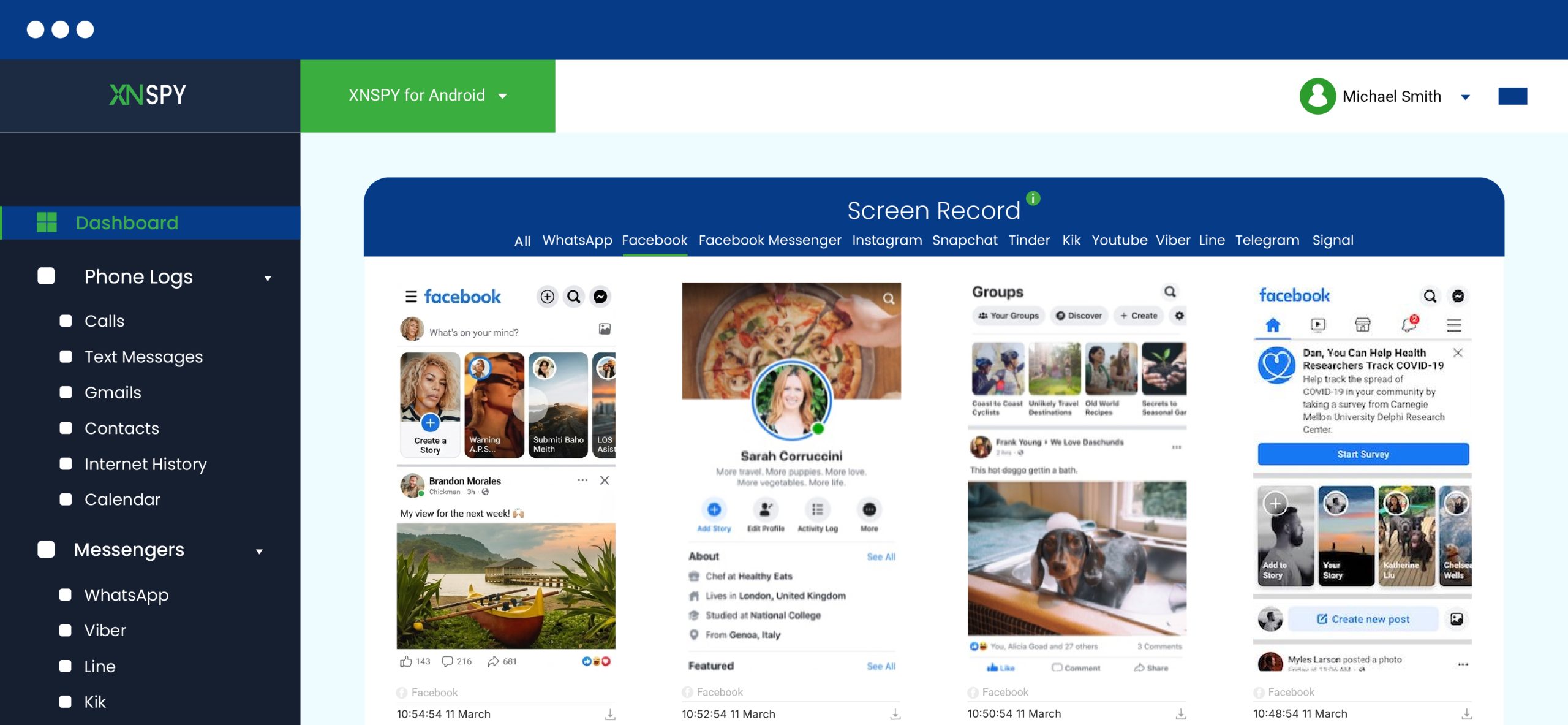
Xnspy works differently from most methods within this list because it focuses primarily on device-level activity rather than Facebook alone. Once installed and running on the kid’s phone, Xnspy runs in its background and captures detailed activity logs.
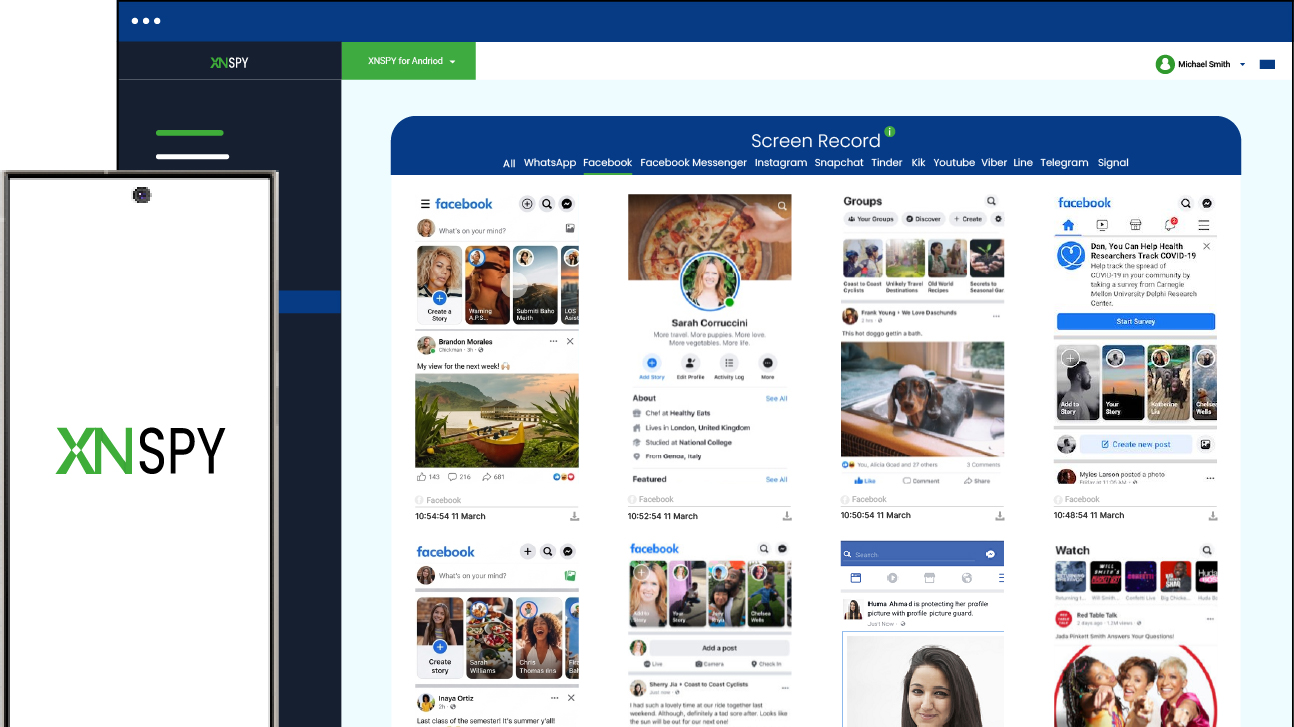
While in stealth mode, the app then uploads the collected data to its dashboard for parents to see. The features that then allow them to identify whether a child has a secret Facebook account or not are the screen time, screen recorder, keylogger, etc.
In the screen time tab, parents can see how long Facebook was in use and how many times the app was accessed to determine higher-than-usual activity.
Then, the periodic screenshots, captured every 5-10 seconds, by Xnspy’s screen recorder can confirm the existence of a secondary account. These screenshots, timestamped and categorized by apps, can include a complete view of their profile, their friends, postings, and even overall interactions.
Lastly, the keylogger can show you their typed input on the app, including login credentials, for more insight.
Now, let’s see how to find out if someone has multiple Facebook accounts as a parent via Xnspy:
- Subscribe to Xnspy and complete the account setup using your email.
- Access your child’s device once and install the app following the provided instructions.
- Grant the necessary permissions and then log in to your Xnspy dashboard.
- Review Facebook-related data to find any hidden accounts.
How the Testing Went
I tested Xnspy over 6 days on both an Android device and an iPhone to see how it captures the existence of a hidden Facebook account through device-level activity. To ensure a lack of discrepancy in the final results, a secondary account was logged into each test device and then intentionally concealed.
In my testing, the screen time feature gave the first clue. On average, Facebook was accessed 6-8 times per day in normal usage scenarios. However, in cases involving a secondary account, I noticed spikes going up to 12-15 sessions, often at unusual hours.
But, truthfully, the screen recorder turned out to be the most reliable indicator. Since it captured screenshots consistently, I was able to piece together complete sessions. In multiple instances, these logs showed different profiles being accessed, which confirmed the presence of another account.
That said, however, the method was not flawless. In low-usage scenarios where the secondary account was accessed only once or twice over several days, it took closer to 4-5 days to gather enough supporting data.
As for detection risk, I did not encounter any issues under normal usage. And overall, the method displayed a success rate of around 88-92%.

See Everything They Try to Hide on Their Facebook
Skip unreliable workarounds and use Xnspy instead.
– Check Facebook accounts and their credentials
– View content appearing on their feed
– Monitor complete chats and other interactions
– Observe screen time, block the app, and set alerts.
2. Manual Search and Other Cues
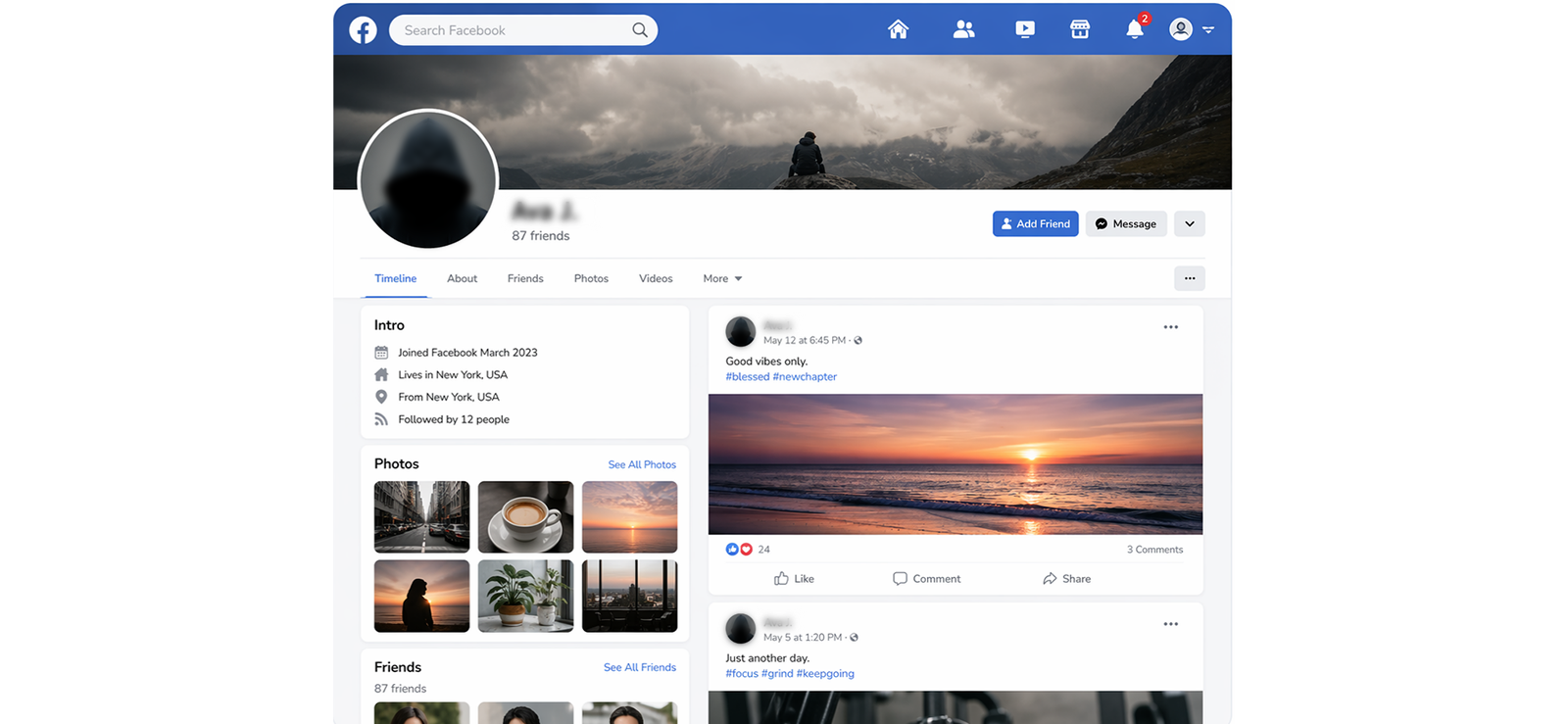
The manual search method works by identifying behavioral and visual overlaps across profiles rather than relying on direct discovery. Since hidden accounts often leave subtle clues, such as similar names, reused or slightly edited profile photos, overlapping friend circles, etc., patterns can be easily recognized.
Moreover, username patterns, writing tone in posts, and timing of activity can also reveal connections. When multiple of these signals are combined, parents can build a connection between profiles and narrow down their guesses.
To use the manual search method to its full potential, follow all the steps below:
- Search using full names, nicknames, abbreviations, and possible alternate spellings.
- Compare profile photos with known images, including cropped, filtered, or older versions.
- Go through mutual friends’ profiles and scan their friend lists for unfamiliar accounts.
- Analyze the suspected account’s likes, comments, and tagged posts to recognize similarities.
- Put together all the clues to narrow down your account search.
How the Testing Went
When I tested this method, the first thing I noticed was that there is no detection risk at all because everything happens through normal browsing. I could open profiles and analyze interactions without leaving any trace or triggering alerts when target Facebook accounts were public.
In terms of performance, the method gave me an overall success rate of around 35-45%. However, note that the success mainly depended on whether the secret account had any overlap, such as shared mutuals, reused images, or repeated interaction patterns.
For example, in one case, I was able to identify a secondary account because it consistently engaged with the same small group of profiles, even though the name and profile details were different.
However, I also encountered clear failures when I tested accounts with strict privacy settings, no mutual connections, and completely different identifiers.
Overall, from my experience, this method works best when I combine multiple signals and treat them as a pattern-building process rather than a direct account detection way.
3. Reverse Image Search

Reverse image search works by tracing where a photo has been used across the internet, including profiles that may not be directly linked at all. Since hidden Facebook accounts can reuse profile pictures, even if slightly edited or cropped, by uploading that image into a reverse search tool, it is possible to find visually similar matches that may lead to alternate profiles.
As is evident, this method does not depend on usernames or friend networks, which makes it particularly useful when those identifiers are completely different.
Want to know how to open hidden Facebook account belonging to your kid? Execute the steps below:
- Save the profile picture from your child’s main Facebook account or any image you strongly believe they may have reused for their secret account.
- Upload this image to a reverse image search tool or paste the image URL if available.
- Go through the results and look specifically for Facebook profiles showing the same or slightly edited versions of that image.
- Open those profiles and check for similarities, such as posting style or other recognizable details, to confirm whether the profile belongs to your child.
How the Testing Went
When I tested this method, what stood out immediately was that it carries no direct detection risk, since the entire process happens outside Facebook.
In terms of performance, I observed an average success rate of around 25-35%, which increased only when the same image was reused by the target account. For instance, in one case, I found a secondary profile because the user had used the same profile photo with just a slight crop, and it appeared in search results.
However, when I tested accounts using completely different images or AI-generated profile pictures, the method failed entirely because there was nothing to match against.
Timing-wise, each search took about 10-15 minutes, but going through results and verifying matches extended the process further.
To be honest, I think reverse image search is a supporting technique at best when combined with other cues rather than a standalone method.
4. Cross-Platform Username Tracking
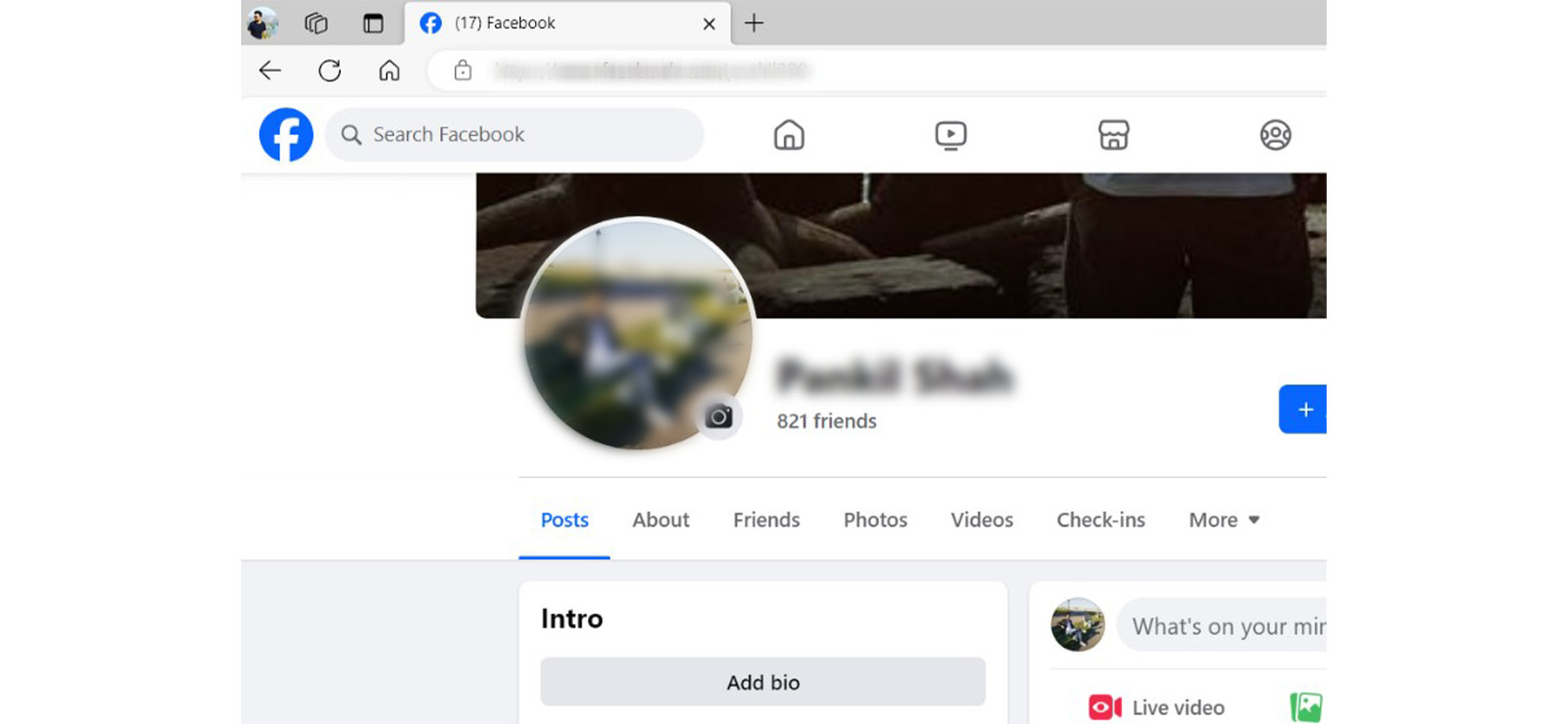
Cross-platform username tracking works by identifying reused usernames across different platforms. As parents, you and I both know that most teens tend to reuse the same handle or a close variation of it across apps like Instagram, Snapchat, Facebook, etc.
Therefore, even when creating a hidden Facebook account, they might stick to familiar patterns, such as adding numbers or slightly changing spellings.
By taking these known usernames and searching their variations on Facebook in URL form, you can uncover profiles that may not be directly visible through a standard name search.
For cross-platform username tracking, work through the following steps one by one:
- List down your child’s commonly used usernames from other platforms, including possible variations.
- Open Facebook and search each of these username variations in URL form “facebook.com/username”.
- Look through the results and scan profiles that match or closely resemble those usernames to find their hidden account.
How the Testing Went
During the testing phase, I focused specifically on searching username variations directly on Facebook, and that made the process much faster compared to jumping across platforms to look up usernames. Due to this, throughout the process, detection risk also remained extremely low.
Now, in terms of results, the method gave me an average success rate of around 45-60% when the username followed a predictable pattern.
Where it struggled, however, was when usernames were completely unrelated or heavily altered. In those cases, there was no clear starting point, and the search became guesswork.
Overall, I reached the conclusion that this method works best when I already have at least one known username and focus on systematically testing its variations rather than random searches.

Did You Know?
You can not only see their secret accounts, but also the Facebook chats they want to keep hiding.

5. Social Media Finder
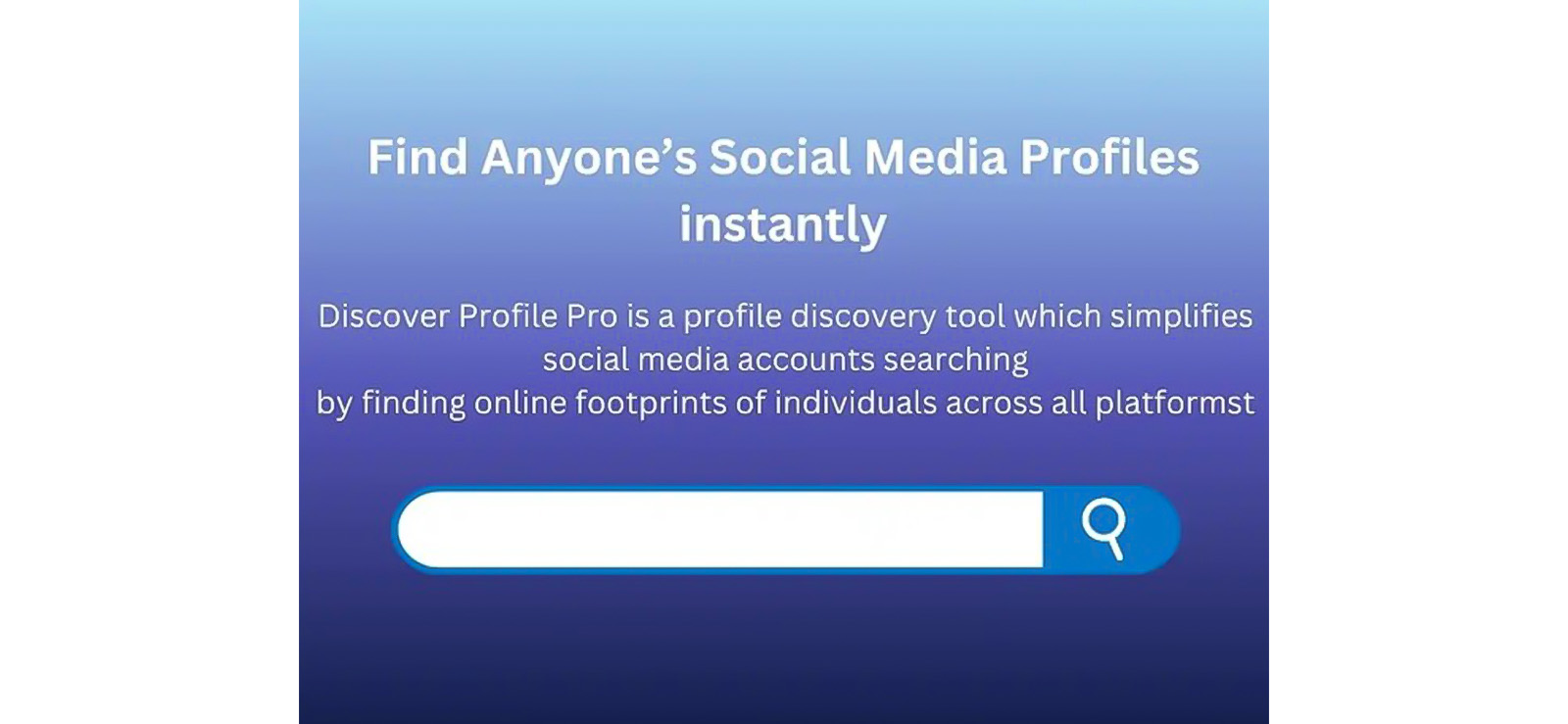
Social media finder tools essentially work by searching the internet for profiles linked to a person’s details, such as their name, username, email, or phone number. They pull together information from different platforms to find accounts that might belong to the same person.
In practice, they look for connections like reused usernames, similar profile photos, or shared contact details to surface possible Facebook accounts that are not easy to find through normal search.
Overall, the method relies heavily on how much information is publicly available.
So, here is how to find hidden Facebook accounts through a social media finder:
- Choose a reliable social media finder tool and enter known details such as name, username, email, or phone number.
- Run the search and allow the tool to scan its database for matching profiles.
- Review the results and identify any secret Facebook profiles linked to the input data.
How the Testing Went
Before stepping into the whole testing process, I first established realistic expectations from these tools by treating them only as a broad discovery method rather than a reliable solution. By doing so, I was able to properly see what these tools were capable of.
But before I get into that, it is worth noting that I found the detection risk for this method to be nearly zero since all searches were performed externally using publicly available data.
For performance, I observed an average success rate of around 20-30%, but this varied widely depending on the tool and the input data.
A bigger concern for me, however, was inconsistency. While some tools returned useful matches, others produced generic and inaccurate results for the same input.
Moreover, to add to the trouble, if the hidden account was created using completely different details, the method failed entirely.
Coming from personal experience, I think it is best to use this only as a fallback method when nothing else works.
FAQs
How can you tell if someone has multiple Facebook accounts with the same phone number?
You cannot reliably tell if someone has multiple Facebook accounts using the same phone number anymore, as Facebook has restricted phone-based search results for privacy reasons. Therefore, even if the number is correct, profiles often do not appear. Instead, social media finder tools are more effective in this case. These tools scan public databases and link profiles using underlying data points like phone numbers. While not always perfect, they can sometimes surface multiple accounts tied to the same number.
How to find someone’s hidden profiles on Facebook if they have strict privacy settings?
Finding hidden Facebook profiles with strict privacy settings is difficult, but not impossible if you use the right approach. If the target person tends to reuse their username, you can start by searching it or its variations in the form of a Facebook URL to see any hidden accounts. However, if this gives no results, you can also try out Xnspy for device-level monitoring. Since it tracks app activity, screen usage, and typed inputs, you can see if there are multiple Facebook accounts in use.
How to open hidden Facebook account for free?
To find a secret Facebook account, you can use username tracking and reverse image search for free. For username tracking, search your child’s known usernames or slight variations of them directly on Facebook, since many people reuse handles across platforms. On the other hand, in reverse image search, you can upload a known profile photo to a reverse search tool to see whether that image appears on another Facebook profile.
What are the signs that a child might be using a second Facebook account?
Some realistic signs indicating that a child may be using a second Facebook account include unexplained spikes in Facebook usage, logging in and out frequently, using the app at unusual hours, and changing device passwords. Behavioral clues matter too. For example, increased secrecy around their phone, and switching screens when approached can all be signals.
Does Facebook notify users if someone tries to search for them repeatedly?
No, Facebook does not notify users if someone searches for their profile repeatedly because simply viewing or searching for an account does not trigger any notification. Notifications generally come into play only when there is direct interaction, such as sending a friend request, messaging, liking content, or engaging with a story or post where visibility applies. That is why methods like manual profile searches or social media finders can usually be done discreetly.
Leave a reply:
Your email address will not be published. Required fields are marked*
Tiffany Ross
Member since October 8, 2025
Tiffany Ross
Member since October 8, 2025
Tiffany Ross is a child digital safety educator and family technology researcher, with an M.Ed. in Learning Technologies, University of Texas at Austin. After graduating in 2016, she has continued to work in the industry for 9 years. During this time, she has focused on practical digital parenting strategies and responsible use of monitoring apps. Moreover, her work includes abuse prevention, healthy screen habits, social media safety, and other key concerns. Over the years, Tiffany has also contributed to more than 200 research-informed guides and family safety resources covering online risks, screen time management, and digital wellbeing practices for modern households.