Norton Family Review: Our Unbiased Findings After Testing It Across Devices
 By Stephen Hawks
The complete monitoring experience for your phone
Get XNSPY and start tracking calls, texts, multimedia, locations and more on any phone!
Get Started Now Live DemoMost parents don’t start using the Norton Family app until something triggers it: a worrying search history, too much screen time, maybe an ongoing scam. There are a thousand possibilities. That is exactly what led us to test Norton Family in depth.
We wanted to answer one simple question in this Norton Family review: Does it actually give you meaningful control, or just the illusion of it?
Norton Family promises tools like web filtering, screen time management, location tracking, and activity monitoring. But features alone don’t tell you much. What really matters is how well they work in everyday use, across different devices, browsing habits, and attempts to bypass restrictions.
So instead of repeating what is already listed on the product page, we spent time using the Norton Family parental control app in realistic conditions. We switched between devices, explored its monitoring tools, tested restrictions, checked how consistent the alerts were, and evaluated if it fulfills the claims it makes.
Norton Family At a Glance
| Category | Norton Family Specification |
| Core Purpose | Rule-based parental control for monitoring and guiding child device usage |
| Compatibility | Android, iOS, Windows, macOS |
| Setup Time | ~35–40 minutes for full configuration |
| Installation Complexity | Moderate (multiple permissions + dashboard setup required) |
| Free Trial | Yes – For 30 Days |
| Pricing | – Deluxe: $49.00/year (for first year) then $124.99/year – Premium: $59.99/year (for first year) then $149.99/year |
| Real-Time Syncing | Partial (delays of a few minutes are common) |
| Best For | Parents who want structured screen-time control and basic monitoring |
| Not Ideal For | Advanced surveillance or deep content monitoring needs |
How We Tested the Norton Family App For This Review
To ensure this review was based on real-world performance rather than claims or documentation, our team of 4 reviewers conducted a structured, hands-on evaluation across multiple devices.
We tested Norton Family on both an Android smartphone (Samsung A-series) and an iPhone for over a month. Each feature was tested multiple times under different network conditions to measure consistency, accuracy, and real-world reliability. In total, most features were repeated between 5 and 15 test cycles, depending on their importance and variability.
Monitoring Accuracy & Coverage – 30%
This was the core focus of our Norton Family testing. We focused on systematically testing how the app captures and records digital activity across different use cases. This included testing web supervision across approximately 30 websites per mode (Monitor, Warn, Block), repeated across different restriction settings. We also tested video supervision using 20 YouTube video attempts, along with app tracking through 10 newly installed applications, observed across multiple dashboard refresh cycles.
Feature Performance Under Real Conditions – 25%
We assessed Norton Family’s core control features through repeated execution cycles under normal and weak network conditions. This included screen time enforcement tested over a 7-day usage cycle, geo-fencing evaluated using 6 configured locations, app blocking tested through 15 execution attempts, and remote device locking tested across 10 separate attempts.
Real-Time Responsiveness & Syncing – 20%
For this parameter, we specifically measured how quickly Norton Family synced activity data to the dashboard. Web activity, app updates, and screen time logs were checked across multiple intervals per day, totaling over 50+ sync observations throughout the testing period. This helped us assess delays, inconsistencies, and real-time responsiveness under varying network strengths.
Ease of Use – 15%
Here, we focused on Norton Family app installation and day-to-day usability. We performed a full setup on both Android and iOS devices, including profile creation and dashboard configuration. The initial setup process took approximately 35–40 minutes, after which we repeatedly navigated between dashboard sections such as Activities and House Rules to evaluate usability flow and control accessibility.
Cross-Device & Platform Behavior – 10%
For our Norton Family Premier iOS review, we tested it across both supported platforms by installing and configuring it separately on Android and iOS devices. Each key feature was tested multiple times on both systems, repeating core actions such as monitoring, restrictions, and updates across platforms to ensure consistency in behavior and functionality.
What Is Norton Family Parental Control? A Quick Overview
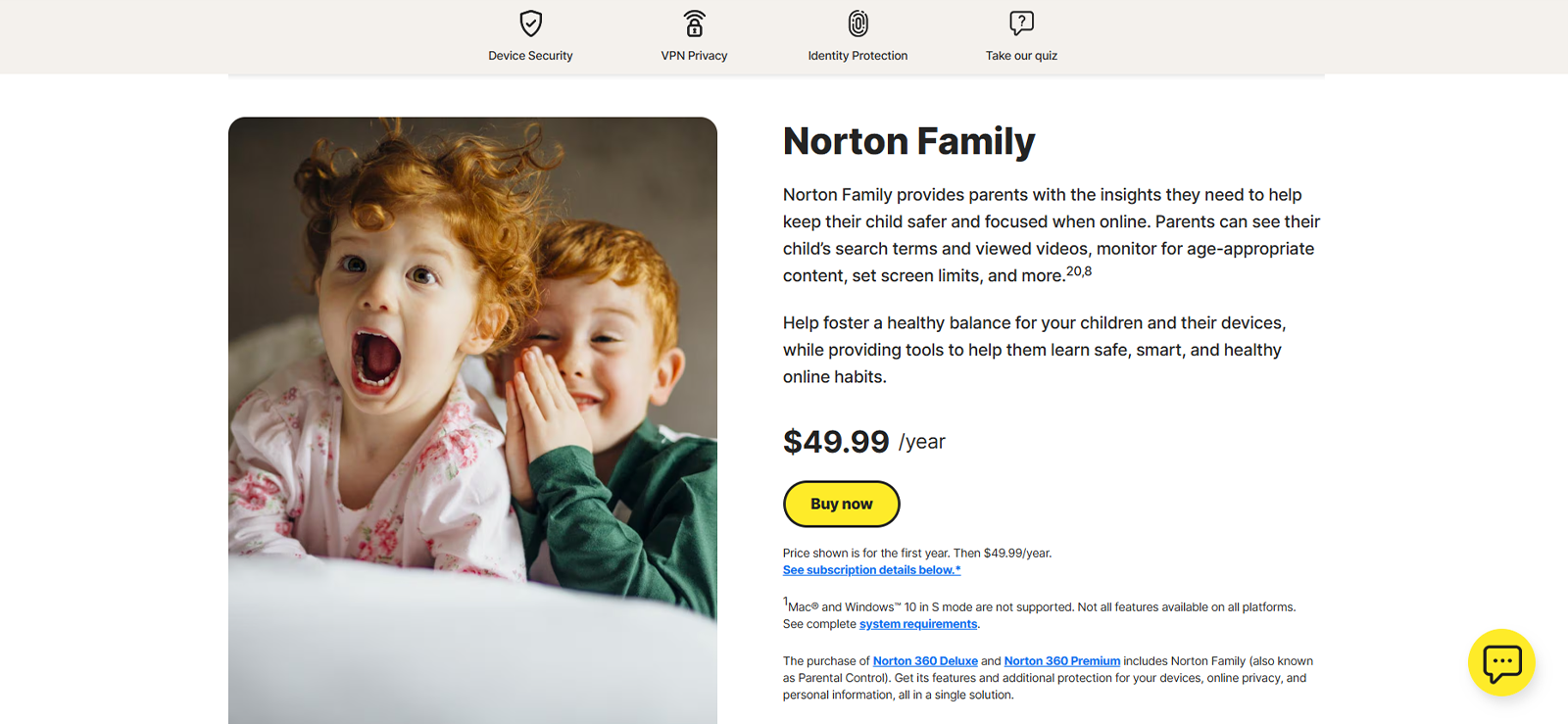
Norton Family is a parental control solution built to help parents monitor and manage how children use their devices online. In simple terms, it focuses on three core areas: web filtering, screen time management, and location tracking.
During our testing, what stood out immediately was that Norton Family is positioned more as a guidance and supervision tool rather than a strict surveillance app. Instead of silently monitoring everything in the background, it makes its presence known to the child and encourages rule-based usage through what it calls “House Rules.”
However, that’s only part of the picture. While reviewing the Norton Family parental control app, our team of 4 experts tested the app from multiple real-world angles to understand how it actually performs beyond its core claims. In the sections ahead, we’ll walk you through exactly what we found.
How Does Norton Family App Work?
From our hands-on testing for this Norton Family parental control app review, we found out that the app works on a simple rule-based monitoring system rather than deep background surveillance.
Everything started when we installed the app on two test devices, one being a Samsung A-series phone (Android) and the other being an iPhone (iOS). Then we created profiles on the parent dashboard. The app allowed us to monitor and add restrictions from the very place.
From there, we observed a consistent cycle: parents define controls → the app enforces restrictions on the device → activity data is synced back to the dashboard.
Norton Family Installation
Setting up the Norton Family software is fairly simple, but during our testing, we found it slightly more layered than it initially appears.
We installed the app on two test devices: one Android (Samsung A-series) and one iPhone (iOS). On both platforms, installation itself was quick, taking around 3–5 minutes through the respective app stores. After logging in, the Norton Family app guided us through permission setup, device linking, and initial child profile configuration.
However, the real setup effort came after installation. Most of the configuration happens inside the parent dashboard, where we created child profiles and selected age-based restriction levels. In our case, completing a fully functional setup across both devices took around 35-40 minutes, mainly due to the number of customization options available.
Norton Family Compatibility
When it comes to compatibility, Norton Family tool supports a fairly standard range of devices, but it is not fully universal. The app claims to work well with Windows, Android devices, and iOS devices as well.
During our testing, it worked on:
- Android smartphone (Samsung A-series)
- iOS device (iPhone)
However, while it worked, it doesn’t mean it worked flawlessly. In our Norton Family Premier iOS review, we observed a dependency on Apple’s Screen Time framework, which limits how deeply Norton Family can enforce controls. This means that while you can still monitor and guide usage on iPhones and iPads, some restrictions are not directly handled by Norton Family itself.
On Android, functionality was the most complete. Features like app monitoring, web filtering, and usage tracking worked consistently. Overall, the compatibility is solid, but not fully balanced across all ecosystems.
Norton Family Interface
The interface of the Norton Family appears simple at first glance, but during our testing, that simplicity came with some usability trade-offs.
The parent dashboard is web-based and mainly revolves around two primary tabs: Activities and House Rules. While this structure kept things minimal, it became a hassle for us as most Norton Family features are nested inside dropdown menus rather than being directly visible. This added an extra step every time we wanted to adjust a setting or review a specific feature.
In practice, this made the flow feel slightly less intuitive than expected. While we were able to get used to it after some time, the initial experience involved a bit of trial and error to locate certain controls.
Overall, Norton Family app’s interface is clean but not as intuitive as it first appears. It prioritizes minimalism, but according to our UX expert (part of our review panel), that sometimes comes at the cost of quicker access to controls.
Norton Family App Pricing
When it comes to Norton Family plans, the pricing structure is fairly straightforward but limited in flexibility, as both options are billed annually with no monthly subscription available.
At the time of our testing, we found two main tiers:
- Deluxe Plan: Priced at $49.99/year for the first year (with a promotional discount), renewing at $124.99/year. This plan covers up to 5 devices.
- Premium Plan: Priced at $59.99/year for the first year (discounted), renewing at $149.99/year, and supports up to 10 devices.
If broken down monthly, the Deluxe plan will cost you 4.17/month, while the Premium will cost you $5.00/month for the first year. However, the renewal pricing is noticeably higher.
One important thing to note is that availability may vary by region. During our research, we found that Norton Family is not accessible in every country, so it’s best to confirm availability directly on the official website before purchasing.
For this review, we opted for the Norton Premium Family to test the full range of features without device limitations. We used it over a 2-month period on both iOS and Android smartphones to evaluate how pricing aligns with real-world performance.
Norton Family Parental Control Features
During testing, the platform showed varied performance across its core monitoring and restriction features. Let us walk you through our hands-on experience in detail.
Location Monitoring
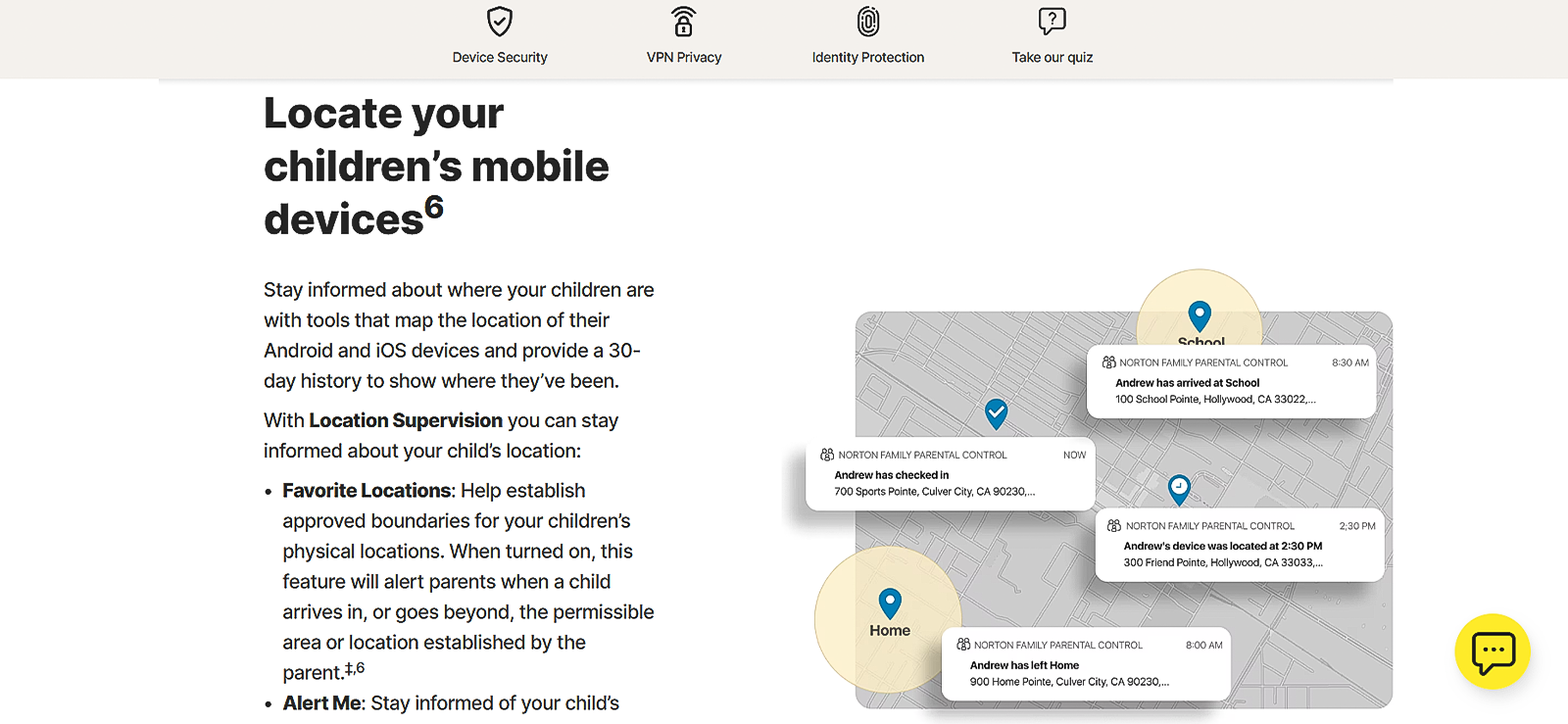
During testing, Norton Family’s location tracking was evaluated over a 2-day window with periodic movement across urban areas. The app successfully updated the device’s location in 8 out of 12 refresh cycles, with an average delay of 5-10 minutes per update.
In high-density areas, accuracy stayed within approximately 20–50 meters, while in indoor environments like malls, accuracy dropped slightly, showing deviations of up to 80 meters. Overall, location updates were consistent but were not tracked in real-time.
Geo-Fencing
The geo-fencing feature of the Norton Family parental software allowed us to add as many favorite locations as we wanted. This worked as we added an address and set a virtual radius around it. We added a total of 6 locations with radius settings between 300 and 700 meters.
The system successfully detected entry and exit events in 5 out of 6 attempts. However, notifications were not instantaneous. Alerts generally arrived within 2 to 3 minutes, and in one case, the delay extended to over 4 minutes when the GPS signal strength was weak.

See What Norton Can’t Show You
Go beyond basic controls with Xnspy and get deeper visibility into your child’s digital activity.
Screen Time Limits
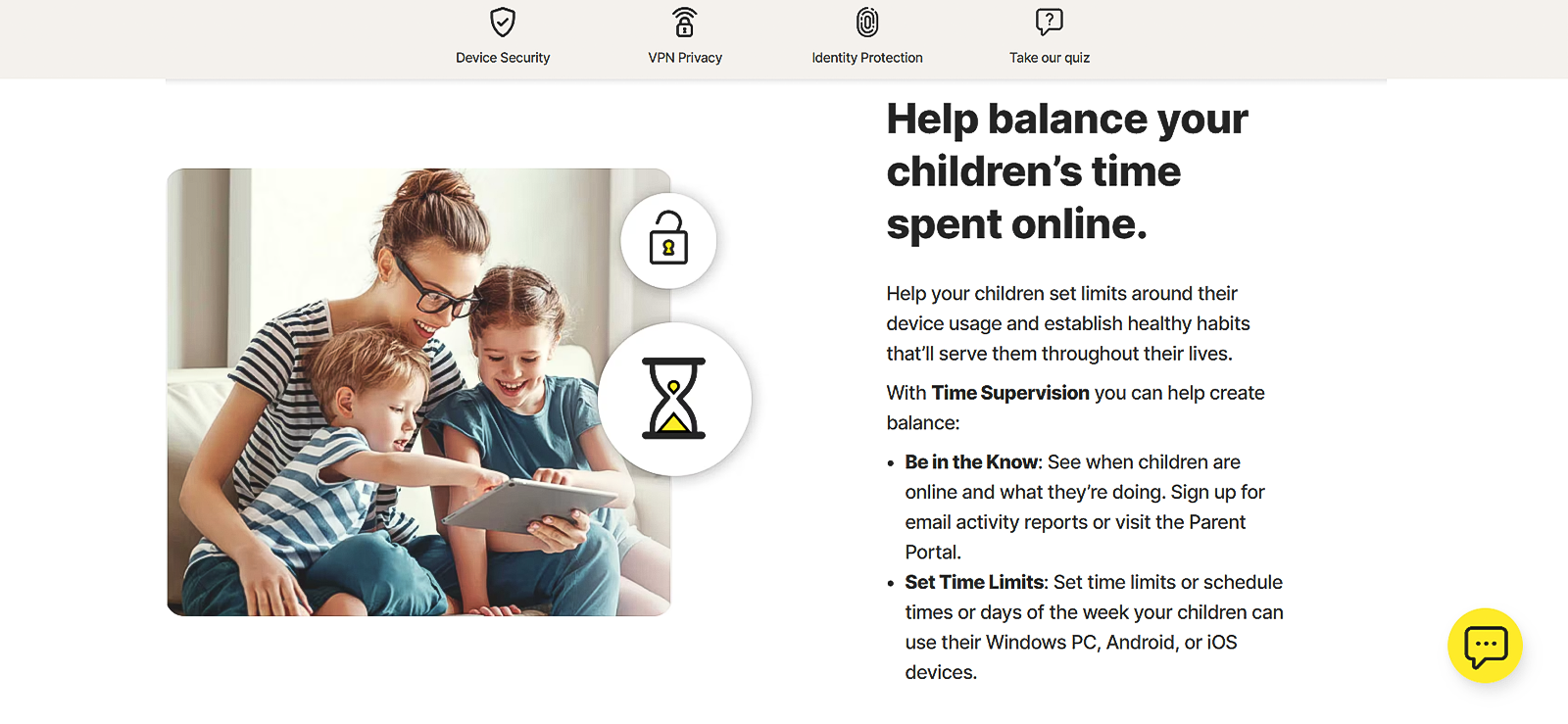
At first, we thought screen time customization would be quite rigid, as we could only choose from four default time presets categorized by age groups, which felt somewhat restrictive for more personalized control. However, after exploring further within the settings, we found that custom limits could still be manually adjusted outside these presets, which added more flexibility than initially expected.
We tested the screen time controls using a fixed 2-hour daily limit. In most cases, the Norton Family app blocked the device once the limit was reached. Out of 7 days of testing, it worked correctly about 85% of the time.
However, it was not always instant. In some cases, the device stayed usable for another 5 to 12 minutes after the limit was reached before it finally locked. This delay occurred in about 3 out of 7 test days.
App Supervision
Norton Family’s app supervision was evaluated by attempting to access a mix of social media, gaming, and streaming applications. Out of 15 tested launches, 12 were blocked immediately, while 3 briefly opened before being restricted within 10 to 20 seconds.
Norton Family was also effective at tracking installed applications. However, newly installed apps sometimes required manual refresh or time to appear in the monitoring dashboard, which slightly reduced real-time visibility.
We found this out by installing 10 new apps on the target phone at different instances. We then checked to see if the apps are appearing on the dashboard or not. Out of those 10 apps, 6 required manually refreshing the list to make them appear in it.
Web Supervision
We tested web supervision across approximately 30 websites, including adult content pages, gambling platforms, proxy-based bypass sites, etc. Norton Family offers different restriction modes such as Monitor Only, Warn, and Block, depending on how strict the parent wants the control to be. In our testing, we evaluated all three of these modes.
We started with ‘Monitor’ mode and saw that the Norton Premium Family successfully displayed all 30 websites that were visited on the target device. However, the sync time was quite inconsistent and heavily relied upon the strength of the internet connection. Out of the 30 websites, only 6 appeared in near real-time, i.e., within 5-10 seconds. While the rest took anywhere between 3 and 12 minutes to sync.
Next up was the warning mode. Out of the 30 websites, we set up 12 for warning. When we visited those websites using the target device, a warning notification appeared on the screen saying ‘You are not allowed to visit this website’ with 2 options: either going back or explaining why the visit is needed.
Out of 12 sites, the function worked consistently for 10, while for the other 2, the warning note appeared with a slight delay of around 35-55 seconds.
Last but not least, we tested the block mode. Norton Family parental software successfully blocked 27 out of 30 attempts. This resulted in an estimated 90% effectiveness rate. Blocking typically occurred within 1 to 3 seconds of page load. However, in a few cases, partial content briefly appeared before the restriction was fully activated.
Video Supervision
As per the claims, Norton Family tracks and shows the child’s watch history on platforms like YouTube and Hulu. However, our testing revealed that watching history on Hulu is not tracked by the app. It only shows YouTube’s watch history.
While testing, we noticed that in most cases, videos showed up in the history within a few minutes, though occasional delays of up to 10–15 minutes were observed.
Lock Phone
Norton Family’s remote lock feature was one of the more responsive tools during testing. In 9 out of 10 attempts, the device lock command was executed within 20-35 seconds. The one time when the command did not execute, we noticed that the internet connection at that time wasn’t stable. making it relatively fast compared to other features.
In one instance, a delay of nearly 2 minutes was observed due to a slight dip in the internet connectivity. Once activated, the device became largely inaccessible except for emergency functions, for which you can set up a password.
Norton Family Pros and Cons
Now that we’re done with the in-depth Norton Family review, let’s look at some of the major pros and cons that this app offers.
Norton Family Pros
- The rule-based system was easy to understand. Setting limits and monitoring activity felt structured and clear.
- Multiple web supervision modes were useful. Switching between Monitor, Warn, and Block gave us better control over how strict we wanted the restrictions to be.
- Activity tracking was consistent. Web history and YouTube watch history appeared on the dashboard with reasonable accuracy.
- Geo-fencing worked in most cases. The app correctly detected location entry and exit events during testing and sent email alerts accordingly.
- Custom screen time limits were available.
- The remote lock worked reliably. The device locked successfully in most attempts with only minor delays.
Norton Family Cons
- The interface required switching between tabs. We had to constantly move between “Activities” and “House Rules” for monitoring and control.
- Location tracking was not real-time. Updates often took several minutes to refresh.
- Screen time limits were not enforced instantly. In some cases, the device remained usable for a few extra minutes.
- Web activity syncing was inconsistent. Some browsing activity took several minutes to appear on the dashboard.
- App list updates were delayed. Newly installed apps sometimes required a manual refresh to show up.
- Video supervision was limited as it did not support platforms like Hulu on both Android and iOS devices.
- iOS support was limited. Some features did not work because of Apple’s restrictions.
- Pricing lacked flexibility. Only annual plans were available with higher renewal costs.
Norton Family App Reviews By Real Customers
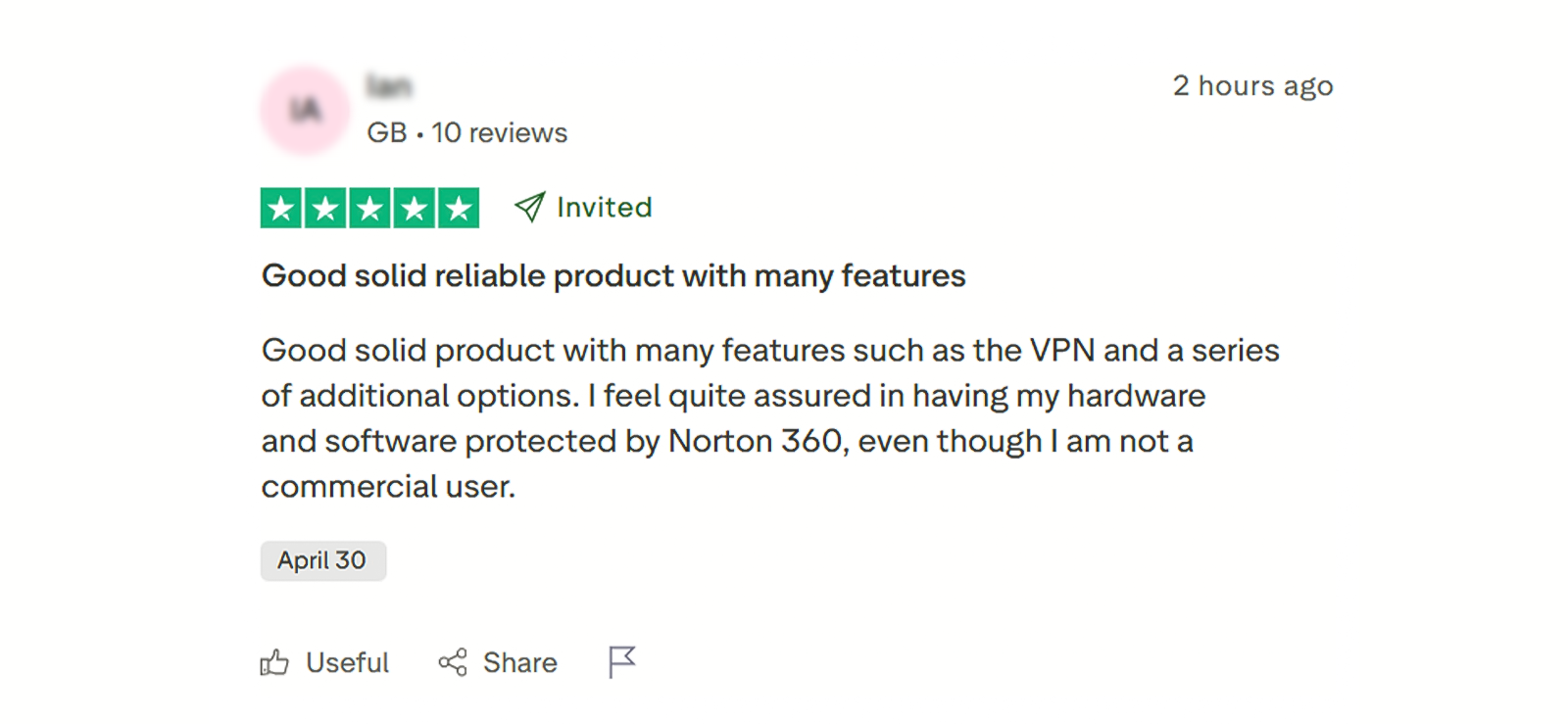
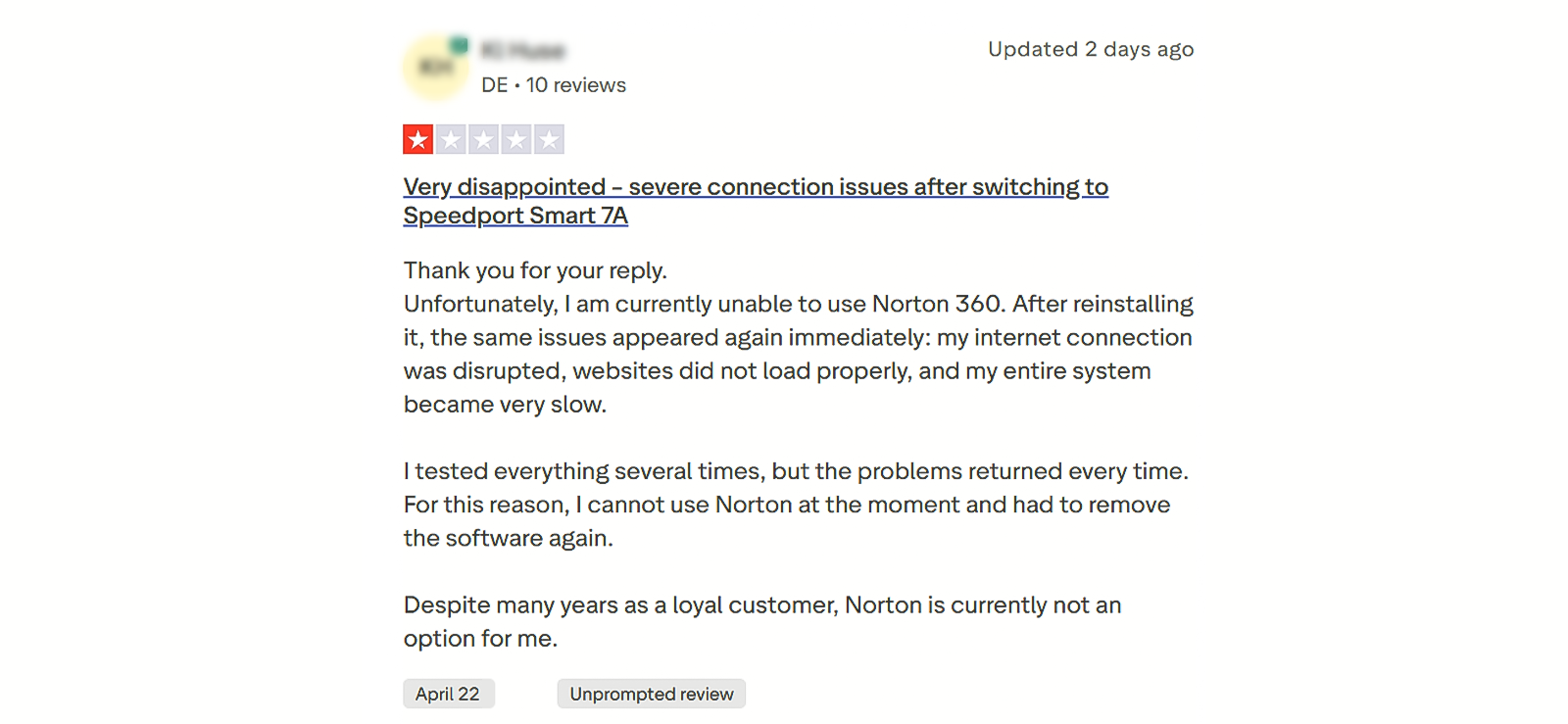
Is Norton Family Complete Enough for Modern Parenting, or Will You Eventually Need a Better App?
Now that we’ve gone through our full hands-on experience with the Norton Family parental control app, it’s clear that the tool performs well in several areas, like web filtering, screen time control, and basic activity monitoring.
However, our testing also revealed some limitations, especially in areas like real-time syncing delays, limited video supervision coverage, etc.
Because of these gaps, it’s worth looking at other options that take a slightly different approach to parental monitoring. One such alternative is Xnspy, which is designed more as a deep monitoring solution rather than a rule-based guidance tool.
What is Xnspy? A Quick Overview
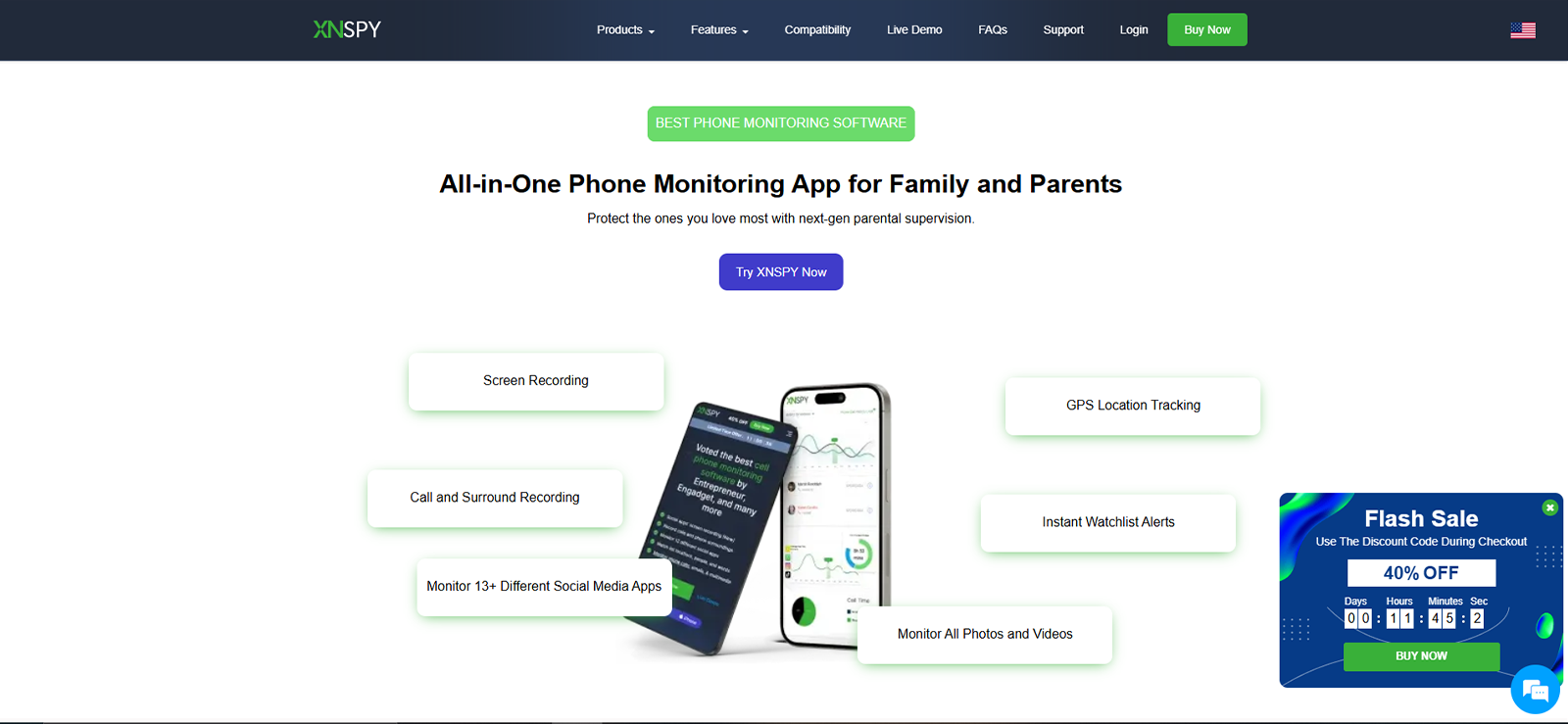
Xnspy is a parental control and monitoring solution designed to provide deeper visibility into device activity. Unlike simpler rule-based apps, it focuses more on detailed tracking and reporting of user behavior across calls, messages, apps, and internet usage.
During our initial review, what stood out was that Xnspy is built more as a comprehensive monitoring tool rather than a light supervision app. It aims to give parents a broader and more detailed view of device activity, especially when compared to more restriction-focused platforms.
How Does Xnspy Work?
From our testing experience, Xnspy operates as a background-based monitoring model. Once installed and configured on a target device, it continuously collects activity data and syncs it to a central online dashboard.
We installed it on both Android and iOS test devices and observed that the setup process revolves around linking the device to a parent account, after which data begins syncing automatically in the background. It then further summarizes the findings and grants you analysis reports that you can view at a glance.
Xnspy Compatibility
We tested Xnspy on two devices:
- Android smartphone (Samsung A-series)
- iOS device (iPhone)
In our experience, Xnspy worked well on both operating systems. Unlike many other apps available in the market, all of Xnspy’s features were available for both Android and iPhone devices.
Moreover, we opened Xnspy’s parental dashboard in multiple browsers, like Chrome, Firefox, Brave, Opera, and even Safari. It worked without any lag or limitation throughout these browsers.
However, one notable thing that we found missing was that Xnspy does not support Windows or macOS. It is solely designed for monitoring smartphones and tablets.
Xnspy Interface
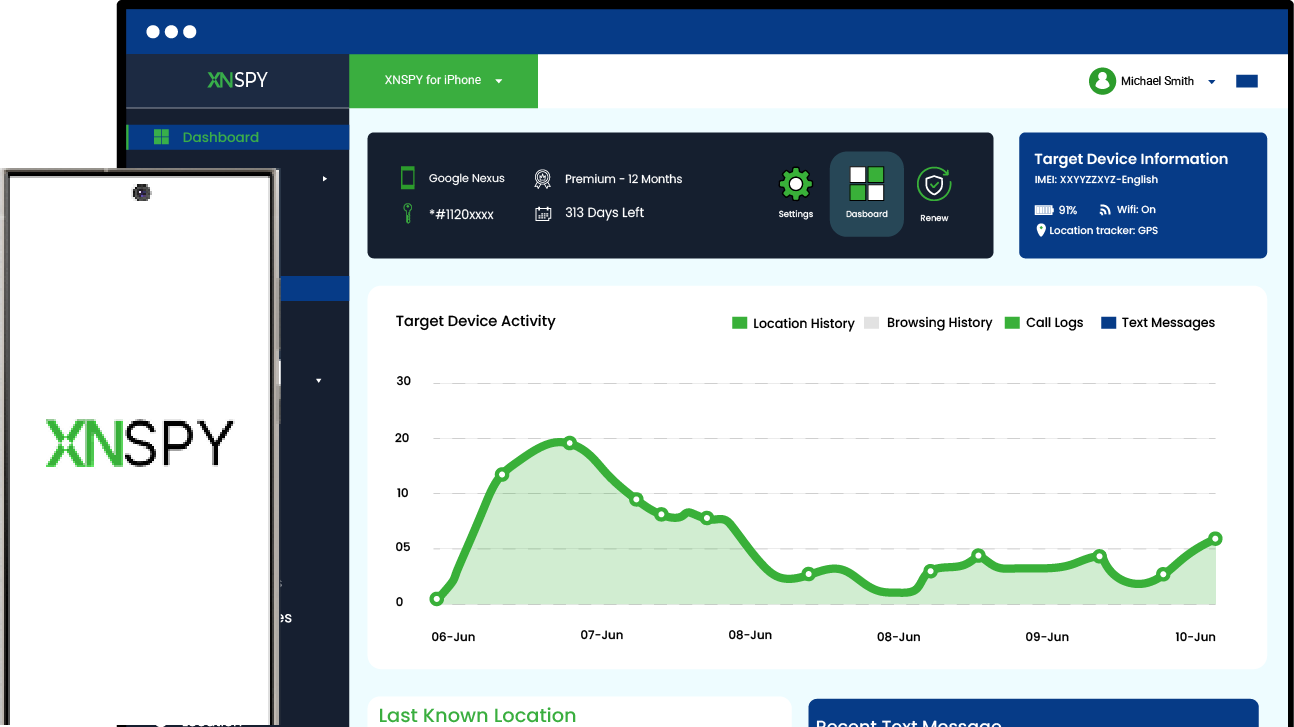
The Xnspy dashboard is web-based and can be accessed through a browser. During testing, we found its layout to be straightforward, with all features neatly categorized along the left side of the screen.
Sections like calls, messages, apps, screen time, location, and internet activity were clearly labeled, which made it simple and quick for us to find the desired one without any confusion. The overall structure felt organized and easy to follow, even during the initial setup phase.
The only Xnspy feature that took slightly longer to locate was watchlist alerts, as they are placed under the settings section rather than alongside other main features. While this placement is technically accurate, our UX experts flagged it as slightly less intuitive from a user perspective.
Xnspy Pricing
Xnspy follows a subscription-based pricing model with two main plans:
- Basic Plan: $4.99/month (if billed annually)
- Premium Plan: $7.49/month (if billed annually)
Unlike Norton Family plans, Xnspy offers more flexible billing options. It allows users to choose between monthly, quarterly, or annual plans. Another notable point that impressed us was that there are no increased renewal costs after the first year, which keeps pricing consistent over time.
However, one limitation we observed is that each subscription only covers a single device. To test the app across platforms, we had to purchase two separate Premium subscriptions: one for Android and one for iOS.
For our testing, we opted for Xnspy’s 1-month Premium plan priced at $35.99. This allowed us to evaluate the full range of features without committing to a long-term plan.
Key Features That Xnspy Has to Offer
Xnspy offers a mix of surveillance-style insights and device management tools. During testing, the platform demonstrated strong data collection capabilities and reliable functioning.
Location Tracking and Geo-Fencing
Location tracking was tested over several movement cycles in both outdoor and indoor environments for a whole week. Xnspy successfully logged location updates in 16 out of 17 attempts in real-time. The remaining 1 time was when the target device completely lost the internet connection. However, upon restoration, it synced the location change to the dashboard within 2 minutes.
As Xnspy also offers geo-fencing alerts, we added 6 locations. For 3 of them, we selected exit alerts, while for the other 3, we selected check-in alerts. We also set different radii as the app allowed us to choose anywhere between 100 and 1000 meters. All 6 attempts were marked successful, as Xnspy sent us email alerts instantly within 20-40 seconds.
Final Verdict: Xnspy performs better than Norton Family Parental Control in terms of syncing time and location accuracy.
Screen Recording
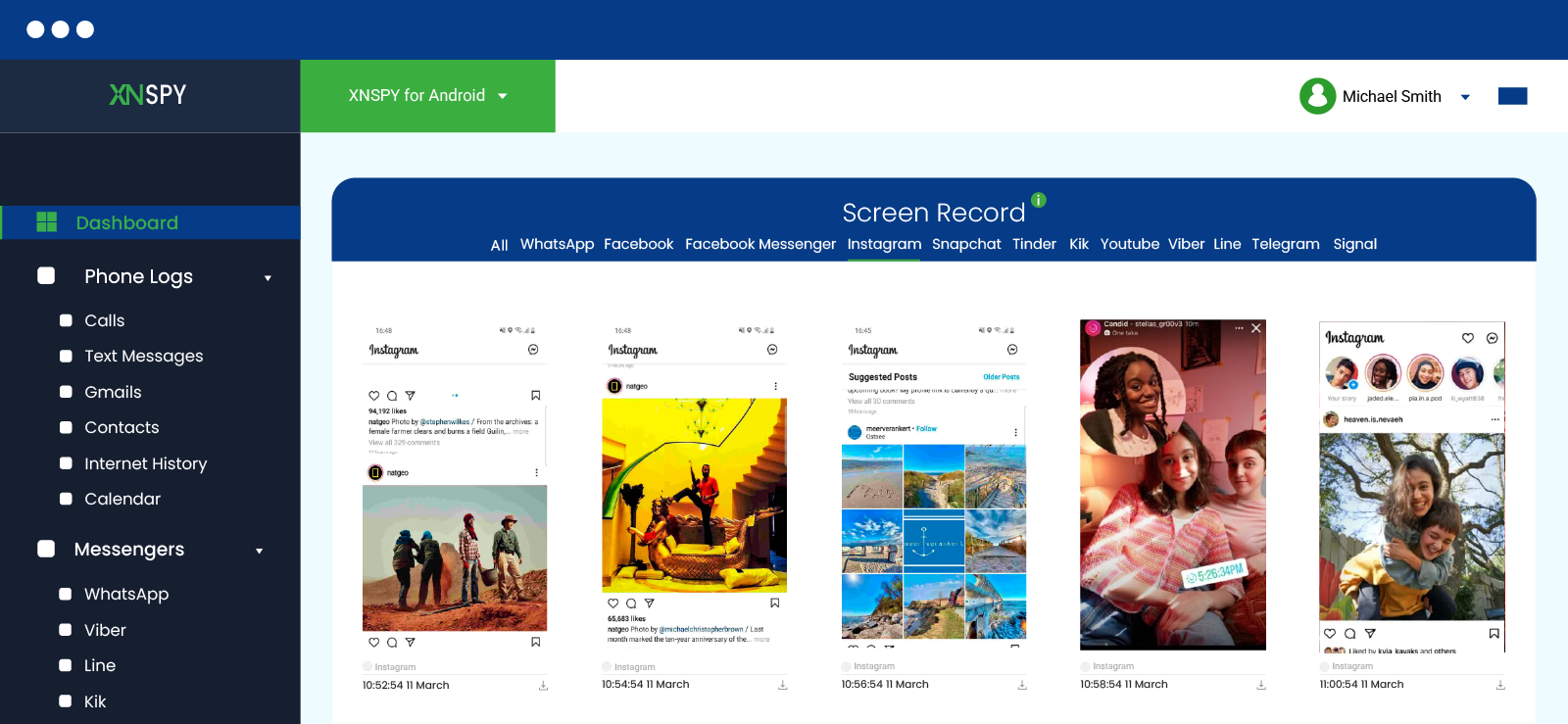
Screen recording was one of the more distinctive features tested. Throughout our device use, we kept looking for the capturing and syncing of data to the dashboard. To our surprise, Xnspy captured screenshots after a fixed interval of every 5 seconds and uploaded them in real-time.
Now, one may think that having such a huge amount of data can be very overwhelming, but this is where the app’s user-friendliness really stood out for us. Xnspy organized the captured snapshots under app-relevant tabs for our ease.
To put it to the real test, we disconnected the target device from the internet and kept using the phone. After restoring the internet, we were surprised to see that Xnspy kept working in the background despite no internet connection and bulk uploaded all the captures to the dashboard when the internet connectivity was restored.
While, of course, this sync was delayed due to the required internet connection, we were happy to see that the app didn’t blindside us altogether.
Final Verdict: After reviewing Norton Family Parental Control Features, we found no such functionality that makes Xnspy take the win in this aspect as well.
Need More Than Just Rules? Try Xnspy!
Here’s what deeper monitoring actually looks like:
– Real-time location tracking with instant geo-fencing alerts
– Full message and call tracking with conversation view
– Detailed app usage insights down to the second
– Screen recordings for complete activity visibility
Text Monitoring
Text monitoring was tested across SMS as well as popular social media messaging apps. Xnspy successfully captured approximately 90–95% of incoming and outgoing messages, including timestamps and contact details.
Delays in syncing were generally minimal, averaging 10 to 30 seconds, though in low connectivity scenarios, delays extended beyond a minute. The point that stood out for us here was the fact that Xnspy displayed messages in a conversational thread, which helped us understand the context more easily.
Final Verdict: Unlike Norton Family, Xnspy allows parents to look into their children’s interaction patterns.
Screen Time
Screen time tracking in Xnspy focused more on monitoring rather than control, and this distinction became clear during testing. The system consistently captured total device usage time and provided detailed breakdowns of activity into most launched apps (by frequency) and most used apps (by duration).
Moreover, one notable observation was how the launch activity was recorded. When we put it to the test, we noticed that Xnspy only logged an app launch once the application had fully loaded and become active. Out of the 7 instances we tested, in 3 cases where an app was opened but quickly closed or removed from the recent apps screen before fully loading, it was not recorded at all.
As for the duration, Xnspy tracked app usage with high accuracy. It broke it down not just into hours and minutes, but also to the exact second, making it one of the more detailed tracking systems tested. Across repeated tests, duration logs were consistently accurate with no noticeable discrepancies.
However, despite its strong monitoring capabilities, Xnspy lacks enforcement tools in this area. The app did not allow us to set screen time limits or restrictions at all.
Final Verdict: While both apps show screen time, Xnspy does not offer screen time limitations.
App Lists and App Blocking
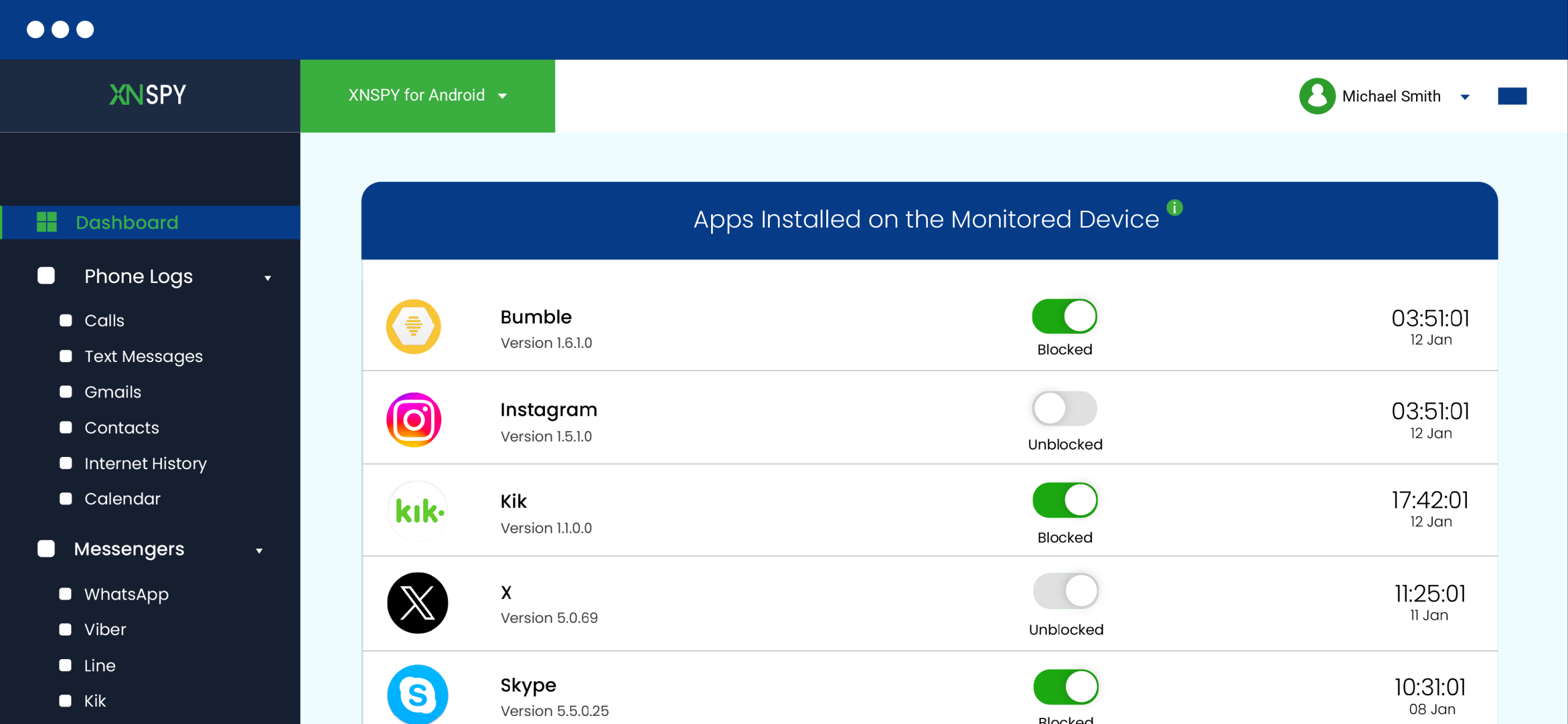
The app listing feature successfully detected nearly all installed applications, with an accuracy rate close to 100% after a slight delay in the initial syncing. However, it was a bit annoying that the app icons would not load, no matter how many times we refreshed the dashboard.
While testing Xnspy’s app blocking, we did a total of 15 attempts to block different apps, and 11 of them were successful. In the remaining cases, apps opened briefly for 5 to 15 seconds before being blocked. Newly installed apps sometimes took a short time to appear in the dashboard, and even required manual refresh in a few instances.
Final Verdict: While both apps offer the same functionality, Xnspy’s syncing time was relatively quicker, and it also showed hidden apps from the target device.
Remote Controls
We were impressed to know that Xnspy also offered different remote control features, like locking the device, wiping all the device data clean, taking ambient screenshots, and triggering surround recording.
We tested all of these commands throughout our testing sessions. The remote locking command was successfully executed in 9 out of 10 attempts, with an average response time of 10 to 30 seconds.
Whereas the screenshot command went through in all 5 of our attempts. However, it was a trouble finding the screenshot as it was not stored within the screen recording feature. Rather, it was stored within media files (Photos).
Final Verdict: Xnspy’s ability to allow you to remotely wipe all data or trigger surround recording makes it the clear winner.
Internet History
Internet history tracking in Xnspy proved to be highly thorough during testing. Each entry included timestamps and visit frequency, providing clear visibility into browsing behavior. Notably, the system continued to log activity even in incognito mode
While testing, Xnspy successfully recorded 19 out of 20 browsing attempts, 10 of which URLs were opened in incognito, while the other 10 were opened normally.
Data syncing was relatively quick, with most entries appearing within 15 to 35 seconds. The dashboard also provided useful analysis by highlighting the most-visited websites and their visit frequencies. Additionally, bookmarks were also logged on the dashboard.
However, the feature is limited to monitoring only. Xnspy does not allow blocking or restricting access to specific websites, which limits its control capabilities.
Final Verdict: Norton Family Parental Control app wins as it not only shows the visited websites but also allows you to block or restrict them.
Xnspy Pros and Cons
Now that we’ve gone through the detailed Xnspy review, here’s a clear breakdown of its main strengths and limitations based on testing.
Xnspy Pros
- Strong monitoring depth with detailed tracking of apps, calls, messages, and browsing activity.
- Syncing time is near real-time in real-world use for most features.
- Provides advanced analytics, such as the most-used apps by duration and the most frequently opened apps.
- Usage time tracking is precise, as it is broken down to seconds, not just minutes or hours.
- Screen recording offers detailed visibility into device activity with rich context.
- Offers remote control features for emergency intervention.
Xnspy Cons
- No option to set screen time limits or restrictions.
- Does not support blocking apps or websites.
- No free trial available.
- You can only contact customer support via ticket or chat.
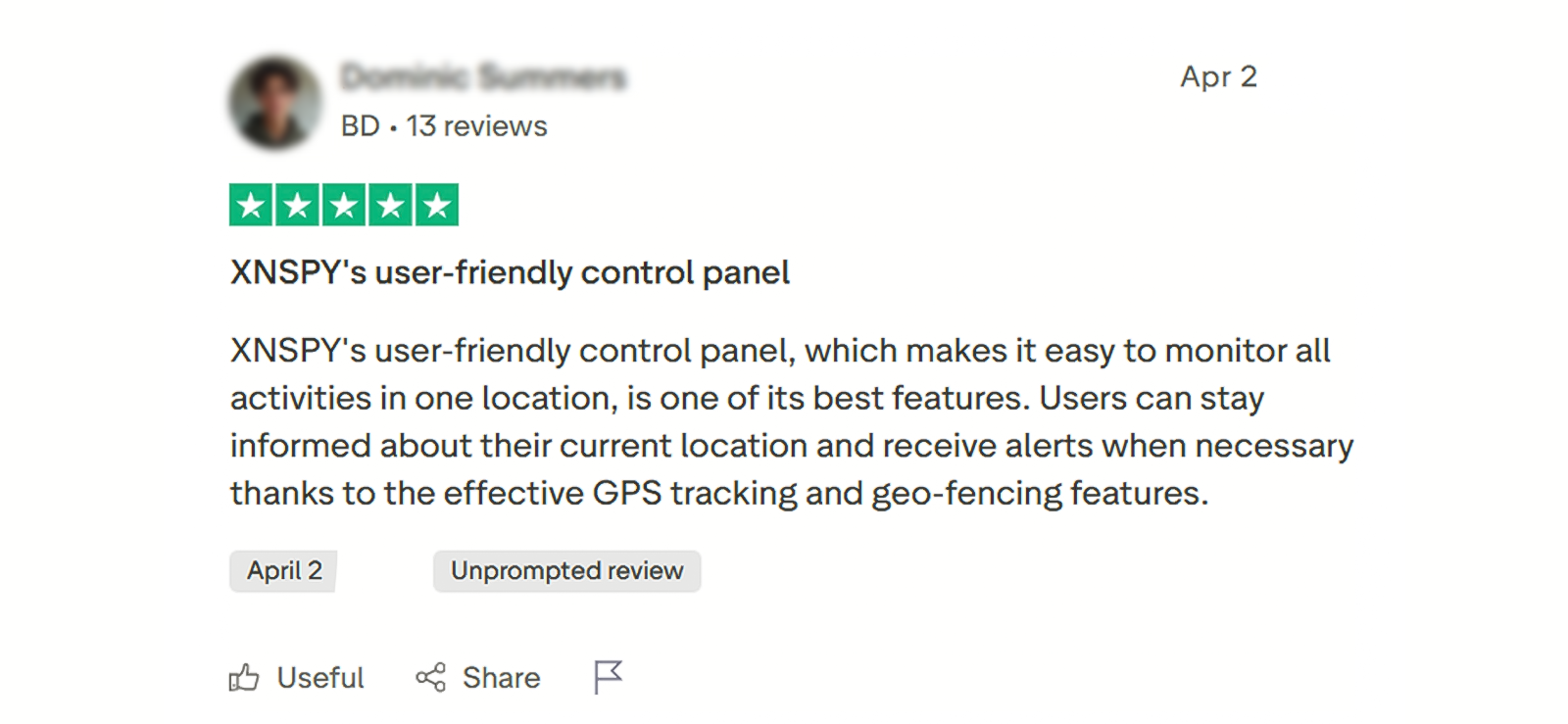
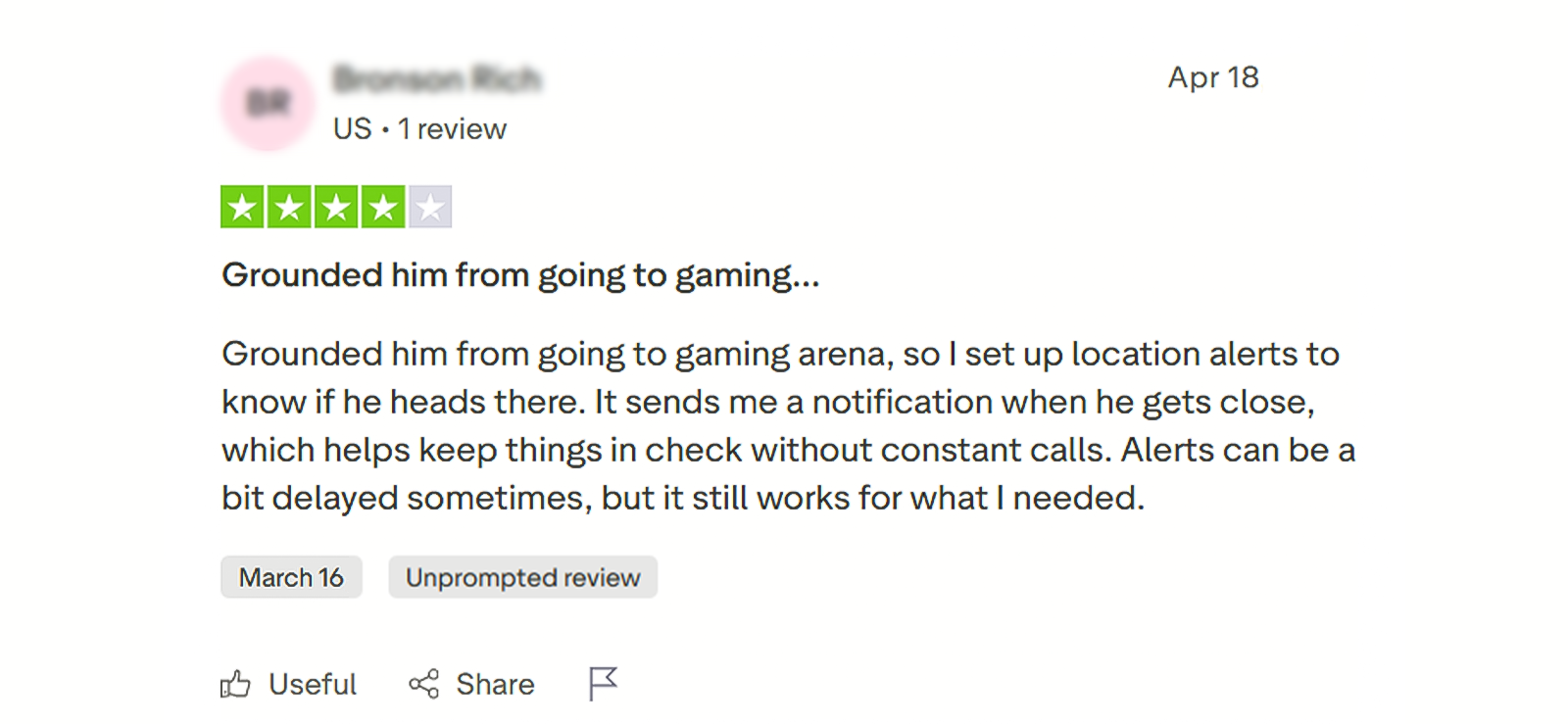
Xnspy Reviews By Real Customers
Norton Family vs. Xnspy: A Side-By-Side Comparison
| Features | Norton Family | Xnspy |
| Location Tracking | ⭐⭐⭐⭐ Updates location with moderate accuracy, but delays of 5-10 minutes were observed during testing. | ⭐⭐⭐⭐⭐ Provides near real-time location updates with high precision (mostly within 15–40 meters). |
| Geo-fencing | ⭐⭐⭐⭐ Works reliably, but alerts are delayed by 2–4 minutes in some cases. | ⭐⭐⭐⭐⭐ Sends real-time entry/exit alerts within 20–40 seconds consistently. |
| Internet History | ⭐⭐⭐⭐⭐ Shows complete browsing data and allows you to restrict websites. | ⭐⭐⭐⭐ Records nearly all visited URLs (including incognito in most cases) along with visit frequency and timestamps, but doesn’t support website blocking. |
| Screen Recording | ⭐ Not available. | ⭐⭐⭐⭐⭐ Captures periodic screenshots of device activity and uploads them in real-time for review. |
| Text Monitoring | ⭐ Not available. | ⭐⭐⭐⭐⭐ Logs SMS and messaging activity in a full conversational thread format. |
| Call Recording | ⭐ Not available. | ⭐⭐⭐⭐⭐ Supports remote call recording and playback access. |
| Screen Time | ⭐⭐⭐⭐⭐ Allows parents to set screen time limits and enforce usage rules. | ⭐⭐⭐⭐ Tracks total usage and app duration in detail, but does not allow setting limits or restrictions. |
| App Blocking | ⭐⭐⭐⭐ Works effectively, but occasional delays occur before the restriction is applied. | ⭐⭐⭐⭐⭐ Blocks apps consistently with minimal delay and higher reliability. |
| Lock Phone | ⭐⭐⭐⭐⭐ Works consistently. | ⭐⭐⭐⭐⭐ Allows you to remotely lock the phone. |
| Wipe Phone | ⭐ Not available. | ⭐⭐⭐⭐⭐ Offers an option to wipe all content of the target device. |
| Surround Record | ⭐ Not available. | ⭐⭐⭐⭐⭐ Supports remote ambient recording of surroundings. |
| Watchlist Alerts | ⭐⭐⭐ Limited alerts mainly on basic activity notifications. | ⭐⭐⭐⭐⭐ Sends advanced alerts for locations, contacts, and keywords. |
Conclusion
After this Norton Family Parental Control app review and testing along with Xnspy, it becomes clear that the two tools are built with very different goals in mind.
Norton Family focuses on structured, rule-based parenting, where the emphasis is on guiding device usage through screen time limits, web filtering, and activity supervision. It performs well in areas like basic monitoring, screen time control, and geo-fencing, making it suitable for parents who prefer a more transparent and less intrusive approach.
However, our testing also showed limitations in real-time tracking, delayed syncing, and the absence of deeper control features like advanced monitoring or full activity capture.
On the other hand, Xnspy operates as a more comprehensive monitoring solution, offering deeper visibility into device activity. During testing, it consistently provided more detailed insights, including second-level usage tracking, full URL logging (even in incognito mode), screen recordings, and advanced remote controls. Its ability to capture and organize behavioral data made it significantly more powerful in terms of monitoring depth.
However, this comes at the cost of control-based features, as it does not offer screen time limits, content filtering, or website blocking.
Ultimately, the choice between the two depends on intent. Norton Family is better suited for parents who want structured guidance and rule enforcement, while Xnspy is more appropriate for those who prioritize detailed monitoring and complete visibility over device activity.
FAQs
Can Norton Family monitor social media activity like Instagram or Snapchat?
No, Norton Family does not directly monitor content inside social media apps like Instagram, Snapchat, or WhatsApp. It mainly tracks usage time and app activity rather than in-app messages or feeds.
Does Norton Family work without an internet connection?
No, most features require an active internet connection. Without it, updates and control actions will not sync to the dashboard until the device reconnects.
Can a child uninstall Norton Family from their device?
On Android, removal is restricted with parental controls enabled. However, on iOS, due to system limitations, uninstall protection is more limited and depends on device settings.
Does Norton Family track incognito or private browsing?
It does not reliably track all incognito or private browsing activity. Some visits may still appear, but coverage is not guaranteed across all browsers or modes.
Can Norton Family see deleted browsing history?
No, once browsing history is deleted from the device before syncing, it may not always be recoverable in the Norton Family dashboard.
Know More Than Just When… Know What
See what’s actually happening on the device with Xnspy’s clearer insights.
Leave a reply:
Your email address will not be published. Required fields are marked*

Stephen Hawks
Member since February 26, 2026
Stephen Hawks
Member since February 26, 2026
Stephen Hawks is a mobile app security and digital privacy analyst with over 12 years of experience evaluating mobile monitoring technologies, device tracking applications, smartphone data security risks, and more. He is particularly passionate about how monitoring apps function, what data they access, and how securely that data is stored.
Previously working as an IT forensics consultant, he specialized in analyzing app-level data exposure and digital evidence patterns on smartphones. Today, he focuses exclusively on mobile monitoring tools and tracking applications, with an emphasis on real-world performance and security vulnerabilities.
Moreover, he holds industry certifications including CompTIA Security+ and Certified Ethical Hacker (CEH).