MobiRules Review: Price, Features, Setup, and Whether It’s Worth It
 By Jenny Nicole
The complete monitoring experience for your phone
Get XNSPY and start tracking calls, texts, multimedia, locations and more on any phone!
Get Started Now Live DemoKeeping up with the times, parents have to change their mindset and adopt many things that were not acceptable in their time. One of these things is providing preteens with their own phones and uninterrupted internet access.
While the online world today offers children learning opportunities and connections, it can become a curse for parents. With continuous, unfiltered access, children are more likely to stumble upon content that can leave a negative, lasting impression on young minds. As parents, you cannot hide them from every online issue, but with the right monitoring app, you can still keep them in check and guide them about several situations.
Now, the question with monitoring apps is that there are many, and all have something that can irk you. The best way to understand is to try each app; however, it is not possible. To help with this situation, we tested a leading app – MobiRules. So here is our detailed MobiRules review. Go through it to see if you want the app.
Important Takeaways
– MobiRules Basics: Tracks iOS device usage, location, and screen time for preteens.
– Key Features: SOS alerts, Pick Me Up, in-app chat, and Circle for multiple children.
– Limitations: iOS-only, no social media monitoring, inconsistent app blocking, and schedules.
– User Experience: Simple dashboard; better for younger kids than tech-savvy teens.
– Get Xnspy for Better Coverage: Monitors iOS & Android, calls, messages, GPS, apps, and social media in real time.
– Xnspy Safety: Offers geofencing, surround recording, instant alerts, and precise app blocking.
MobiRules Overview
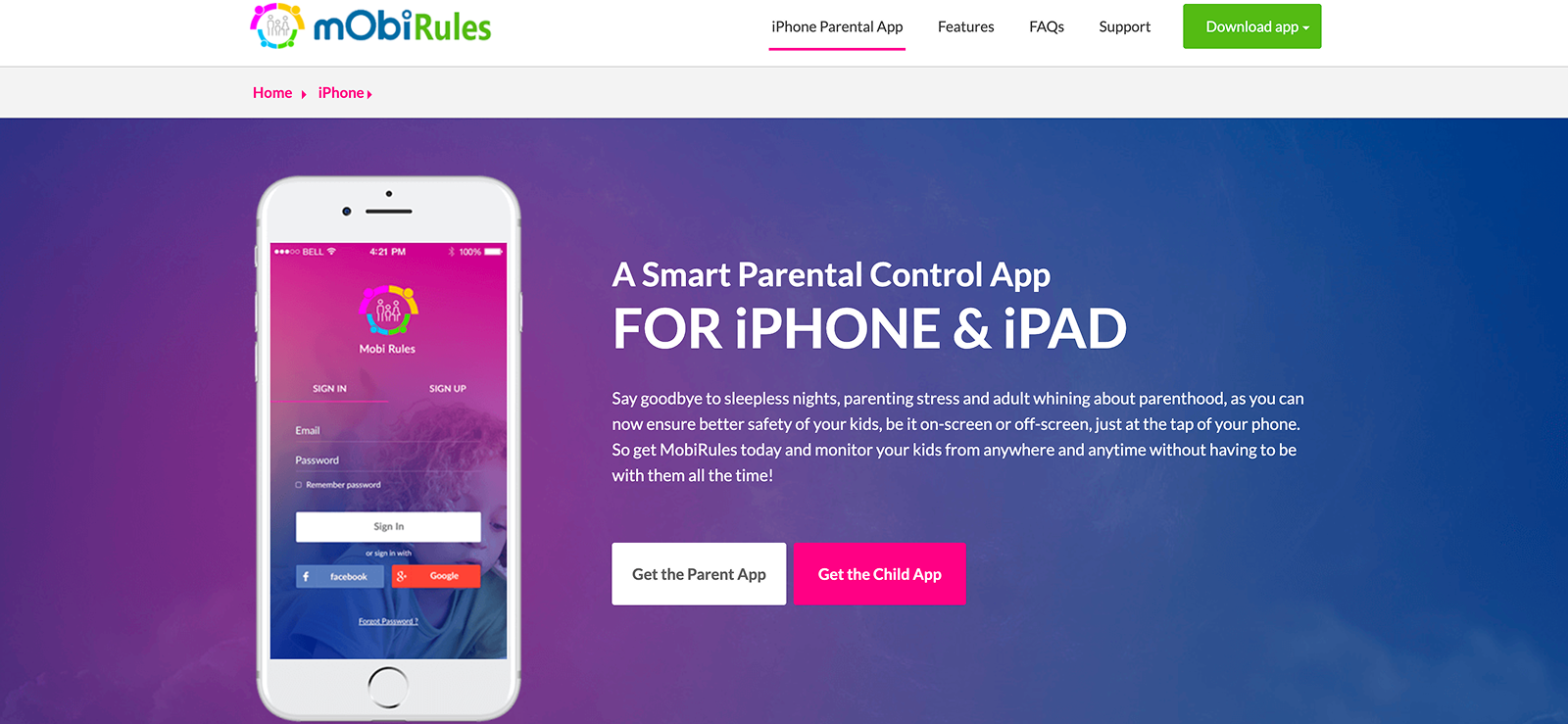
MobiRules is a parental control that provides parents with a basic understanding of how children use their smartphones. It is not designed on the principle of knowing what children are doing online, but to observe usage patterns and guide children about how to use the internet responsibly.
The app has basic features and doesn’t cover aspects like calls and social media monitoring. So if you are a parent who is only concerned about overusage and location, this app could be an option. However, the bigger question is, does the app work?
To check, we used the app for almost 6 weeks on multiple devices and documented everything, so you know you should invest in it or look for an MobiRules alternative. Let’s see how the journey progressed. The first thing is the app’s cost.
MobiRules Cost
MobiRules has only one plan, i.e, the basic plan. We actually wanted the MobiRules premium APK file; however, upon checking, we found out that it is not available yet. There is only one free plan available, which offers a few features.
So, we just downloaded the app and started using it. Free parental monitoring apps are usually unreliable, as data is stored on the app and can be easily breached. While we didn’t experience any issues, you should research and consult before deciding to get the app for your children.
More Reviews of the Monitoring Apps We Tested

👻  MobileSpy.io Review: Pros, Cons, and Real User Experience
⏹️  SpyHuman Review: The Complete Breakdown You Won’t Find Anywhere
🏅  Spynger Review: What We Discovered After Actually Testing It
🔉  SpyX Review: The Hidden Truth About How It Really Works
MobiRules APK Download New Version, Compatibility, Usage
MobiRules is compatible with iOS only. We really tried for Android; however, they have not yet launched an Android app. For iOS, the app is compatible with iOS 8.1 or later. You can use the app for monitoring iPhones and iPads.
To start monitoring, you need to install the parent and child apps. The installation process itself is not time-consuming, but there can be a lot of to-and-fro depending on whether the app is being installed.
To get started, you need to first install the app on the parent’s phone. Once downloaded from the app store, you need to create a MobiRules login. You can also sign in with a Facebook or Google+ account. Once installed, you need to add the child’s device. Follow all the instructions to get the activation code.
Then you have to acquire your child’s phone. Download the app and add the activation code. Once you have linked the devices, you need to install the MobiRules MDM profile to track the activities. If the installation process gets stuck, you can contact customer service, which may take some time.
It took almost an hour to go through the information and follow the steps. Once installed, you have to set up the parent app. The app’s dashboard is user-friendly but very basic. The font and theme may feel dated to some.
You can add more guardians and circles to differentiate between children and employees, which can be helpful. The app can be installed on multiple phones, and you can track them all from a single parent app, which was great in our opinion. Let’s see how each feature worked for us.
MobiRules App Features
The following are the app’s most useful features.
MobiRules Circle
The Circle feature is not primarily a monitoring feature, but rather a convenience feature for parents. It allows you to create separate curls for children and employees. Parents can add multiple children, track each device, and see everyone’s status on a single map. The Circle works well for families with more than one child because it keeps all updates in one place.
For our MobiRules review, we created multiple groups to check how it works. During our testing, it was helpful that you could easily go to the tab, and it became much easier to navigate. However, if you are using the app just for family, this feature may not be used as much.
In App Chat
The in-app chat feature lets parents communicate directly with their children from the app. You can send them a message to the child’s device, and they have to read it. This feature ensures that important messages are delivered without interruptions and that the child has read them.
You can even send emojis and links through this app without needing any third-party apps. This way, without leaving the app, you can stop them if their screen time is increased or you get a problematic alert.
When it comes to functioning, the feature worked fine, and we were able to send messages to the other device. We liked the feature, as most apps don’t offer the option to communicate through the app. However, it can clash with the idea of monitoring your child. If the child knows you are monitoring, they might not use their phone as they would normally.
Location Tracking
MobiRules provides real-time device location updates for all the family members added to the app. It includes children and the guardians you have added to monitor the activities. The main purpose of the feature is to ensure the safety of all family members when they are not at home. The app shows the location details along with timestamps.
It is a kind of history that helps you understand where they were during a specific time. During our test, the feature worked fine, and there were not many missed locations; however, tracking your partner’s location is another domain and may take this out of the child monitoring app.
Another thing we missed in the app is geofencing. Geofencing can be helpful for parents who are too busy to constantly check their phones. However, the app does have a Pick me up and SOS feature that we will discuss later.
Flash Alerts
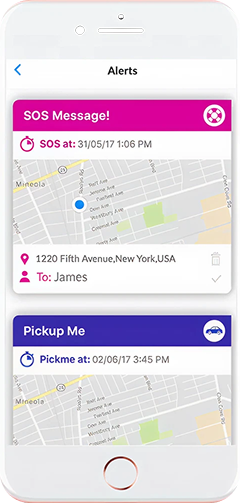
MobiRules Flash Alerts feature notifies parents about important device activity instantly. It includes three major alerts. The Pick Me Up, SOS, and In-App Chat alerts. The Pick Me Alert allows children to send their parents their location where they need to be picked up, and the SOS alert shares their location in case of an emergency.
Both of these alerts allow parents to see where their children are without constantly checking their phones. We used the features multiple times, and most of the time they worked fine. We missed a few SOS alerts, which could be an issue in a real emergency, but since the notifications are sent to all guardians on the app, it may still work. Overall, the feature is fine and can help protect children from physical dangers.

Didn’t Find What You Were Looking For? Try Xnspy
Get clear insights into device activity so you never miss a thing.
– View calls and messages in real time
– Track GPS locations anywhere
– Monitor social media apps
– Receive instant activity alerts
Screen Time
The screen time feature of the MobiRules app provides multiple options to manage your children’s device usage. From the app, you can block or unblock any stock and third-party apps on the target iPhone or iPad. The stock apps include Camera, Safari, FaceTime, etc. You can also schedule the usage of certain apps.
For example, you can set the time for using social media apps. You can also restrict in-app purchases using MobiRules. During the testing, we faced many issues with scheduled blocking. Most of the time, it did not apply while we were using the app, and the same was true for app blocking; it usually took many attempts.
As for the feature’s use, it can be a hassle for parents. Also, children can be doing something important when the app shuts off, which can be irritating. Another issue was that the app didn’t show what activity they were doing. For example, if your child is speaking to a scammer or a pedophile on Instagram, they can do that when they get access.
App Blocking
MobiRules merges screen time and App blocking. Otherwise, the app clocking feature can be used on its own to block any app that could harm your children. One issue with this feature is that the MobiRules app doesn’t show all installed apps, so it is difficult to determine which apps need blocking. If you block all third-party apps, it can also block productive apps.
SOS Alerts
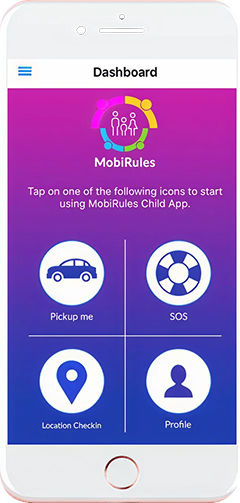
As mentioned, this is one of MobiRules’ standout features. Although we hoped the feature would work more properly, it can still be helpful, depending on the situation. Generally, it can be beneficial in emergencies at school or moments when kids feel unsafe during a friend’s gathering or anywhere else.
MobiRules Pros and Cons
MobiRules Pros
- MobiRules has a comparatively easy-to-use dashboard.
- Screen Time Schedules and SOS buttons can be helpful.
- The app is free to use.
- It is suitable for families with multiple children.
MobiRules Cons
- The most significant disadvantage of the app is that it only works for iPhone and iPad monitoring. MobiRules APK download new version is not yet available, so it limits the option to track children with Android.
- Although the app is free, most of the features cannot protect children from the most significant dangers, like cyberbullying and adult content.
- Social media monitoring is not available at all.
- The app is more useful for preteens than for teenagers, specifically because of how they use their phones.
MobiRules Reviews
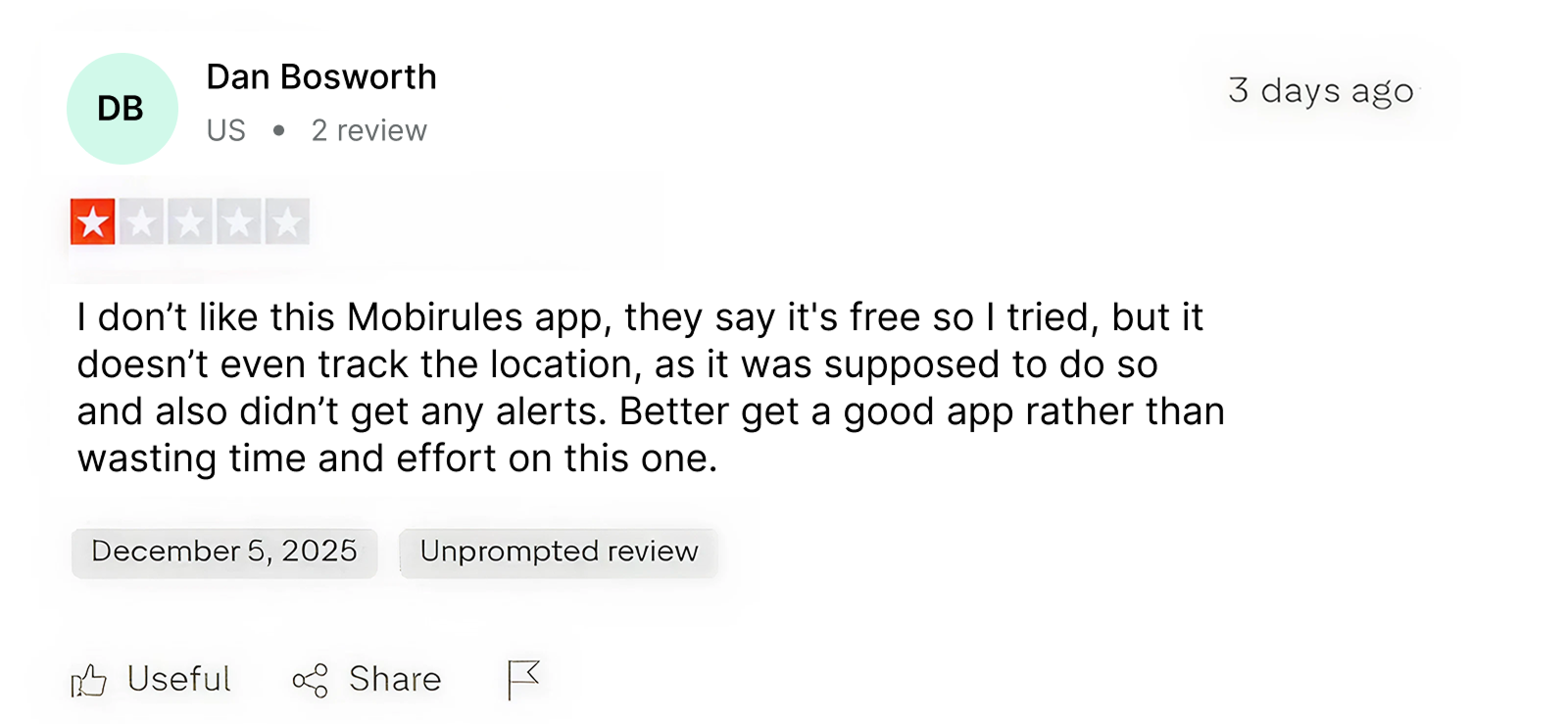
MobiRules for Parental Control: Solid Pick or Just a Temporary Fix?
MobiRules can be a good app for monitoring children under 12 if you are allowing them to have their own iPhones. The app blocking, SOS alerts, and the location tracking feature can be helpful in tracking children; however, it depends on whether children want to be monitored or not. They can easily uninstall and reinstall the app, saying they don’t know what happened.
This keeps parents at a disadvantage, so it can not be used for today’s tech-savvy children. So if you are just looking for a free location tracker for iPhones, it can be helpful. However, if you want thorough monitoring to ensure online security, consider a MobiRules alternative that works on both iPhone and Android, such as Xnspy.
While testing MobiRules, we also used Xnspy, which can be a better alternative depending on your requirements. Here is how it worked in comparison to MobiRules.
Xnspy Overview
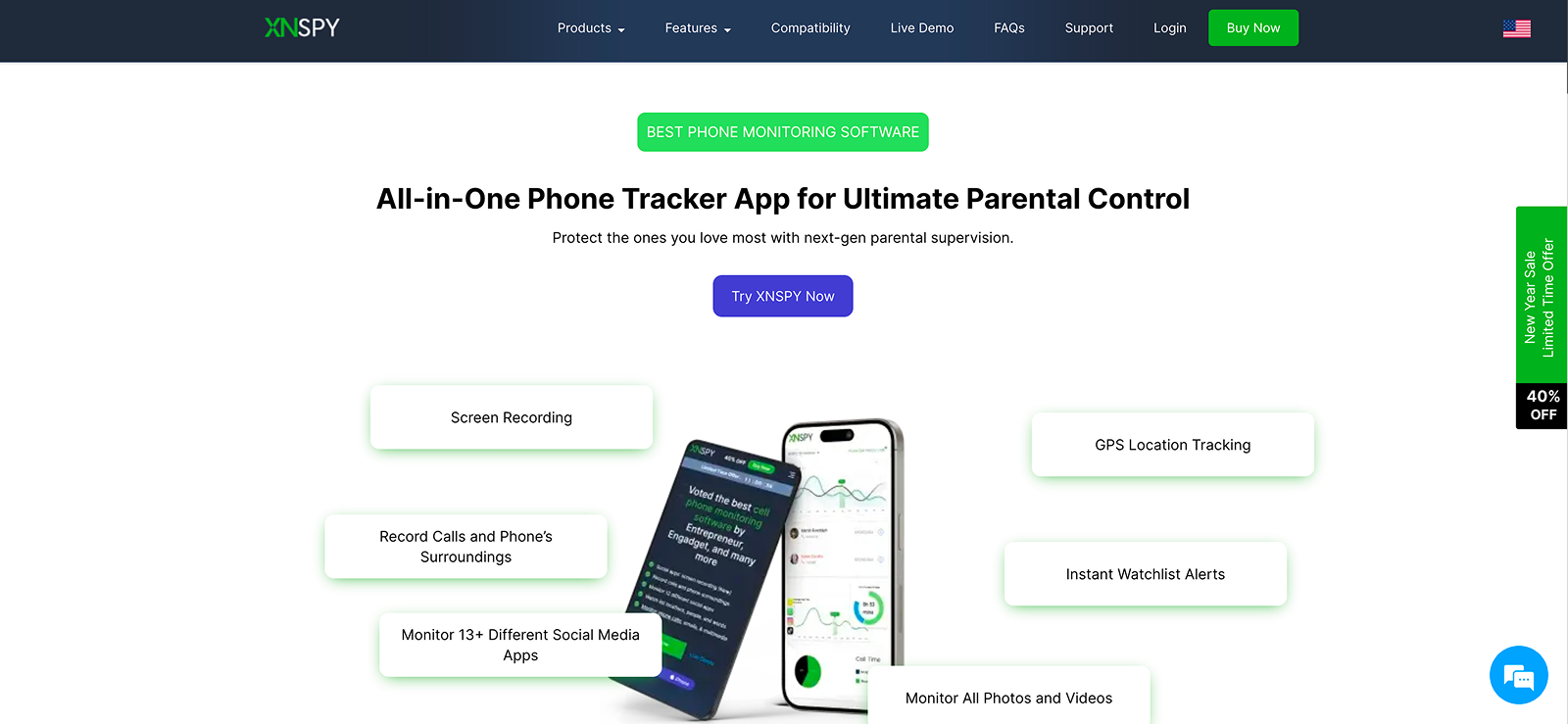
Xnspy is a comprehensive parental monitoring app that provides insights into every activity of the target device. It has a range of features that help you protect your children both digitally and physically.
These features cover phone activity, online actions, including social media monitoring, and location tracking. Additionally, it includes remote-control features that help you proactively prevent issues from escalating. Because of the range of features it offers, Xnspy can be used to monitor employees and other loved ones.
Xnspy – Installation Process, Compatibility, and Usage
Unlike MobiRules, Xnspy is compatible with both iPhone and Android devices. For Android, you can monitor version 4 and above, and for iPhone, it works on version 6 and above. For checking specific model compatibility, you can use the website portal or contact their customer service.
To monitor your children, you have to install the app once on the target device. The installation process is easy and only requires a few minutes. Once installed, the app hides itself and becomes undetectable. It works in the background, gathering all the information and updating it on the dashboard.
You can access the dashboard from any browser by providing the credentials. This is much simpler and more secure than the MobiRules login, as you can access it on your system during working hours, and it uses a set password for protection.
Although Xnspy’s dashboard has many more features than MobiRules, it is very easy to use. Most of the features are direct and don’t require much navigation. Additionally, it offers customization options so you can tailor it to your requirements.
The dashboard is updated in real time, so you don’t miss any required information and can take action whenever needed. The app gives the child the freedom to use the phone as they want, only stepping in when required, protects their liberty, and gives them a chance to be responsible on their own.
Xnspy Cost
Xnspy offers two editions: Basic and Premium, each with monthly, quarterly, and annual billing options.
Basic Edition
- Monthly: $29.99 billed monthly.
- Quarterly: $13.99 every three months.
- Annual: $4.99 billed once per year.
- Features: Essential monitoring (call logs, SMS, etc.) without the full advanced toolkit.
Premium Edition
- Monthly: $35.99 billed monthly.
- Quarterly: $19.99 every three months.
- Annual: $7.49 billed once per year.
- Features: Everything in Basic plus advanced monitoring tools (social media tracking, remote device control, etc.)
Xnspy Highlighted Features
Xnspy has many features; we have only added the features that are directly comparable to the MobiRules app.
Messenger and Screen Recorder
Up to 95% of children use social media on a daily basis. Understanding today’s needs, Xnspy provides comprehensive social media monitoring. The most highlighted features are the messenger and screen recorder features. The messenger features tracks for popular social media apps like WhatsApp, Viber, and Kik. You can track all incoming and outgoing messages, along with shared media.
The screen recorder feature is much more thorough, as it takes periodic screenshots of social media apps like WhatsApp, Facebook, Instagram, Snapchat, and even Tinder. You can see everything, including posts, chats, stories, friends, comments, and likes. This feature allows you to observe content consumption patterns and other issues that your child may hesitate to discuss.
Also, as everything is saved on the dashboard, even if they delete the conversation, you can view it. Knowing the temperament of today’s teenagers, this feature can be helpful to protect them from issues like cyberbullying, pedophiles, predators, scammers, etc, an aspect that MobiRules completely missed.
Verdict: As MobiRules doesn’t have this feature, Xnspy Wins.
See the Full Picture, Not Just Bits and Pieces
Use Xnspy to track messages, locations, and app activity from one clean dashboard.
Screen Time
Xnspy’s screen time feature shows the overall time your child has spent on their phone. It also shows the apps they used the most. You can see the time they have spent on each app and the frequency of the visits.
Unlike MobiRules, Xnspy focuses more on providing parents with clear context about how their child is using their phone and whether action is needed or a schedule should be created for them. It offers more flexibility, allowing children to be responsible for themselves.
In some studies, children become irritated with strict schedules and start acting out after a while. Also, since MobiRules doesn’t show any app usage stats, it’s challenging to decide where to place restrictions.
Verdict: Xnspy takes the lead with a more appropriate and flexible approach towards handling phone usage and allowing children to choose for themselves.
Location Tracking
Xnspy’s location tracking is reliable and provides more details than the MobiRules app. It provides real-time GPS updates along with a full location history, showing every place the child has visited with timestamps. This feature is much easier to navigate and work with, even with a low internet connection. You can even see the location when the GPS is off.
Verdict: If you want precise real-time location tracking, Xnspy is a better option.
Geofencing and Surround Recording
In addition to accurate location tracking, Xnspy also offers geofencing and surround recording features. The geofencing feature indicates whether the child has reached the required destination safely. You can see he exact time they reached the set place and the exact time they left.
Xnspy doesn’t have the PickmeUp feature; however, the geofencing features ensure safety if your children choose public transport, such as a school bus or subway. If you see a delay in reaching the destination, you can remotely turn on their microphone and listen to see whether they are safe.
The surround recording feature was much more helpful than the SOS alert, because sometimes it is difficult to hit the SOS button in emergencies.
Verdict: In most MobiRules reviews, customers missed the geofencing feature, and surround recording was much better than SOS alerts.
Instant Alerts
Xnspy allows instant notifications for suspicious activity or emergencies. You get geofence alerts, as explained previously; otherwise, you get alerts when the SIM is switched. This alert is helpful if your child tries to hide something or uses another SIM for malicious purposes.
Additionally, Xnspy sends alerts when the target individual uses a keyword or phrase that can be harmful to them. Xnspy allows you to create a list of words, specifically so your child does not get involved in cyberbullying, adult content, or a scammer.
When you get a notification, you can instantly take an action and help them when needed. Other than that, you also get a notification when your child tries to reach a blocked contact or your device.
Verdict: Xnspy’s Alerts feature is more precise and has meaningful placement to keep your child safe physically and digitally.
App Blocking
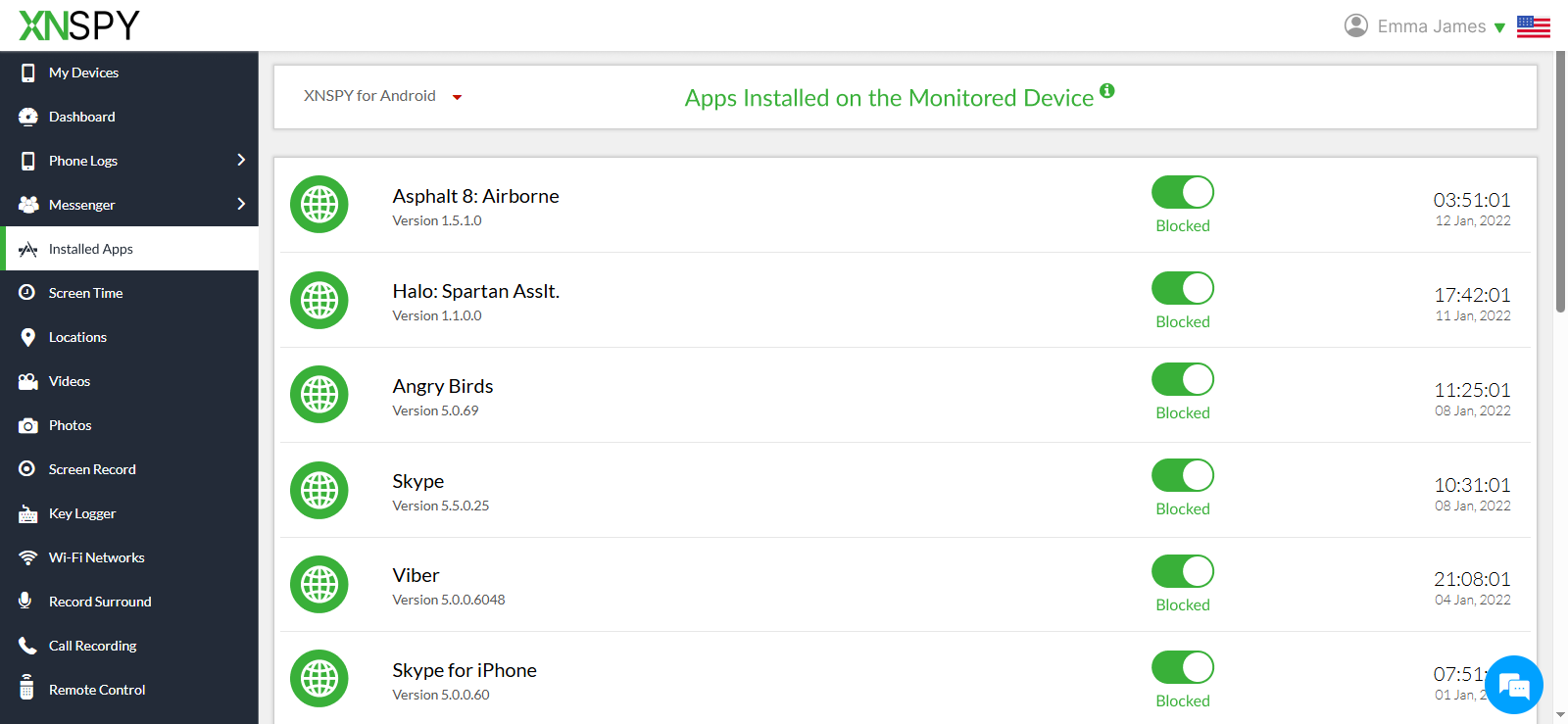
Xnspy’s app blocking feature is precise and flexible. It shows a list of all the apps installed on the target individual’s phone. You can even see the apps they installed for a few minutes. If you want to block an app, you can toggle the feature to block it instantly.
This feature can be used if the screen time for a particular app is excessive or if your child is using the app unethically. Although there is no scheduled app blocking like MobiRules, the feature performs much better than expected. Although it doesn’t irritate the child, it only happens when needed.
Verdict: During our MobiRules review, we tested the blocking feature for both apps simultaneously, and Xnspy worked almost every time.
Xnspy Pros and Cons
Xnspy Pros
- Xnspy APK is available, unlike the MobiRules premium APK. It is compatible with both Android and iOS devices, which makes it more useful for parents with multiple children.
- Xnspy also focuses on children’s digital safety and offers several features to provide context for what the target individual is doing on social media and messaging apps.
- The app is suitable for children, teenagers, and employee monitoring.
- The app offers real-time alerts, geofencing, and surround recording for safety.
- 24/7 customer service.
Xnspy Cons
- The premium edition can be pricey compared to free apps like MobiRules.
- No SOS and Pick Me Up feature.
Xnspy Customer Reviews
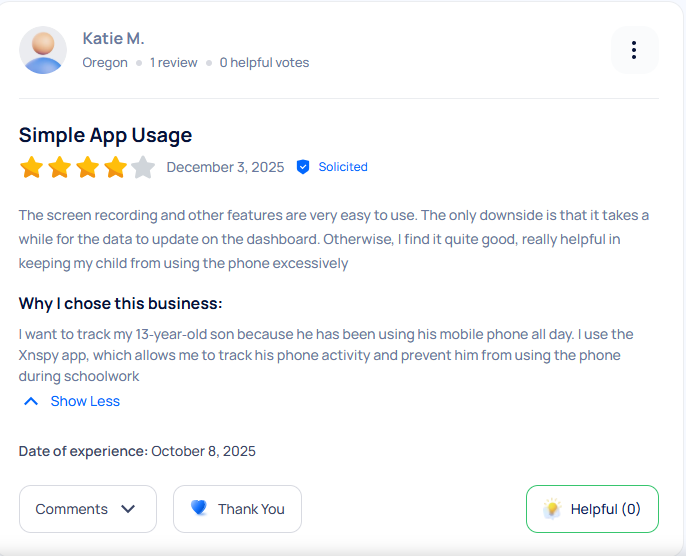
Xnspy vs. MobiRules: A Quick Feature-by-Feature Comparison
| Feature | MobiRules | Xnspy |
| Compatibility | iOS only ⭐⭐⭐ | Android + iOS ⭐⭐⭐⭐⭐ |
| Installation Complexity | Multi-step, MDM required ⭐⭐⭐ | Quick installation, hidden mode ⭐⭐⭐⭐ |
| Dashboard Experience | Basic, limited design ⭐⭐⭐ | Clean, detailed, easy to navigate ⭐⭐⭐⭐ |
| MobiRules Circle | Available ⭐⭐⭐⭐ | Not offered ⭐⭐⭐ |
| In-App Chat | Available ⭐⭐⭐⭐ | Not included ⭐⭐⭐ |
| Location Tracking | Real-time updates + basic history ⭐⭐⭐⭐ | Real-time, detailed history, works even with GPS off ⭐⭐⭐⭐⭐ |
| Geofencing | Not available ⭐⭐ | Entry/exit alerts for safe zones ⭐⭐⭐⭐⭐ |
| Pick Me Up Alerts | Available ⭐⭐⭐⭐ | Not available ⭐⭐⭐ |
| SOS Alerts | Included ⭐⭐⭐⭐ | Not included (uses keyword alerts instead) ⭐⭐⭐⭐ |
| Flash Alerts | Available (SOS + PickMeUp + Chat) ⭐⭐⭐⭐ | Not offered as a single feature ⭐⭐⭐ |
| Screen Time Controls | Schedules + app restrictions (inconsistent) ⭐⭐⭐ | Usage insights + app activity breakdown ⭐⭐⭐⭐ |
| App Blocking | Works inconsistently, incomplete app list ⭐⭐⭐ | Instant, accurate blocking ⭐⭐⭐⭐ |
| Social Media Monitoring | Not available ⭐⭐ | Tracks WhatsApp, Facebook, Instagram, Snapchat, Viber, Kik, and more ⭐⭐⭐⭐⭐ |
| Messenger Monitoring | Not available ⭐⭐ | Complete chat logs + shared media ⭐⭐⭐⭐⭐ |
| Screen Recorder | Not available ⭐⭐ | Periodic screenshots of all major apps ⭐⭐⭐⭐⭐ |
| Surround Recording | Not available ⭐⭐ | Remotely records microphone for safety ⭐⭐⭐⭐⭐ |
| Instant Alerts | Limited to SOS/PickMeUp ⭐⭐⭐ | Alerts for SIM change, keywords, geofencing, blocked contact attempts ⭐⭐⭐⭐⭐ |
| Remote Controls | Not offered ⭐⭐ | Remote mic, remote lock, remote screenshots (varies by version) ⭐⭐⭐⭐ |
| Monitoring Stealth | Child knows the app is installed ⭐⭐⭐ | Completely hidden, runs silently ⭐⭐⭐⭐⭐ |
| Uninstallation Protection | Easy for kids to remove ⭐⭐ | Hidden and password-protected ⭐⭐⭐⭐ |
| Data Context | Very limited ⭐⭐⭐ | Thorough insights (usage patterns + actions) ⭐⭐⭐⭐⭐ |
| Pricing & Value | Free but basic ⭐⭐⭐⭐ | Paid but full-featured ⭐⭐⭐⭐⭐ |
| Customer Support | Limited ⭐⭐⭐ | 24/7 live support ⭐⭐⭐⭐⭐ |
| Suitability for Ages | Best for kids under 12 ⭐⭐⭐⭐ | Ideal for teens, kids, and employees ⭐⭐⭐⭐⭐ |
Final Verdict
MobiRules can be a practical choice for parents with younger children who need guidance for daily activities, such as being picked up from school or traveling safely. Its SOS alerts, Pick Me Up notifications, and location tracking offer reassurance and basic safety for preteens. However, MobiRules has limited tools for monitoring online activity, making it less effective for protecting teenagers from cyberbullying, adult content, or online predators.
Xnspy, on the other hand, provides comprehensive monitoring, including social media tracking, screen recording, geofencing, and instant alerts, making it ideal for older children, teens, and even employee oversight. The right choice depends on your family’s needs, but always ensure you monitor ethically, with consent, and within legal boundaries to balance safety with trust and responsibility.
Upgrade Your Monitoring Experience Today
See every vital detail without slowing down their device with Xnspy.

Leave a reply:
Your email address will not be published. Required fields are marked*

Jenny Nicole
Member since October 23, 2014
Jenny Nicole
Member since October 23, 2014
Jenny Nicole is a teen psychology and digital behavior specialist with an MSc Developmental Psychology & Psychopathology from King's College London, graduated 2017. Her work revolves around how adolescents communicate and make decisions in digital environments, particularly on social media and messaging platforms. Over the past 5 years, she has written extensively on teen smartphone behavior, online peer dynamics, the psychological impact of social media, and the need for oversight. Her work has helped parents and educators interpret not just what teens are doing online, but why they are doing it. Overall, she has not only authored over a hundred guides breaking down child psychology for parents but also regularly spoken at family safety and internet governance conferences across the UK and US.