Spylix Reviews 2026: What We Found After Testing It for Over a Month
 By Mike Everett
The complete monitoring experience for your phone
Get XNSPY and start tracking calls, texts, multimedia, locations and more on any phone!
Get Started Now Live DemoParents usually do not start searching for a monitoring app simply because another parental tool appears online. More often, there is a specific reason behind it. Their child may suddenly be spending more time messaging, using unfamiliar social platforms, hiding new apps, or changing how they use their phone.
That is where monitoring solutions such as Spylix come into consideration. The app combines location tracking, call monitoring, keylogging, keyword alerts, social media monitoring, screenshots, blocking tools, and access to other phone activity in one dashboard.
But having a long feature list does not necessarily mean every feature performs equally well.
So, how does Spylix work once it is installed on an actual phone? Does location data arrive when it is still useful? Are its keyword alerts dependable? Can parents rely on its social media records? And most importantly, is Spylix legit enough for everyday parental monitoring?
For this Spylix review, our team used the app for more than a month across Android and iPhone testing environments. We repeatedly checked its main monitoring tools, measured update times, changed network conditions, reviewed its interface and installation process, and compared what appeared on the dashboard with the activity we intentionally generated on the test devices.
Here is what we found.
Key Facts About the Spylix App
| Category | Spylix Specification |
| Core Purpose | Phone monitoring with activity tracking, location tools, communication logs, and remote restrictions |
| Compatibility | Android and iOS, with feature availability varying by platform |
| Setup Time | Around 12–18 minutes in our Android tests; iPhone setup varied according to account and device configuration |
| Installation Complexity | Moderate; Android requires device access and permissions, while the iPhone workflow differs |
| Free Trial | No standard free trial observed during our review |
| Pricing | Basic from $8.33/month annually; Premium from $9.99/month annually; Family plans also available |
| Money-Back Policy | Advertised 30-day money-back guarantee |
| Real-Time Syncing | Partial; some activity arrived quickly, while location, media, and other records slowed under weaker connectivity |
| Best For | Parents who want broad phone monitoring, keylogging, call logs, notes, social activity, and remote blocking |
| Not Ideal For | Parents who need consistently fast location updates, detailed screen-time reports, call recording, or more advanced remote controls |
How We Tested Spylix for This Review
Our Spylix testing lasted five weeks and involved four reviewers with experience in mobile software testing, consumer technology, interface evaluation, and digital safety.
Rather than checking whether a button or menu existed, we focused on what happened after we used each feature repeatedly.
We tested Spylix through a combination of normal Wi-Fi use, cellular data, weaker connections, short offline periods, app switching, repeated messaging activity, calls, location changes, media uploads, and remote restriction commands.
Across the five-week period, we completed more than 200 individual feature checks and syncing observations.
Monitoring Accuracy and Coverage — 35%
The first question was whether Spylix recorded the activity we generated correctly.
For this part, we compared dashboard information against activity recorded separately on our test devices. A feature lost points when information was missing, incomplete, incorrectly timestamped, or too delayed to be useful.
Feature Performance Under Real Conditions — 25%
Monitoring apps rarely operate under perfect conditions all day.
Therefore, we repeated important tests while moving between Wi-Fi and mobile data, reducing network quality, leaving the monitored device idle, opening several apps in succession, and temporarily removing internet access.
This helped us determine whether a feature was dependable only in ideal circumstances or remained useful during ordinary phone use.
Real-Time Responsiveness and Syncing — 20%
We separately measured how long supported activity took to reach the dashboard.
Throughout testing, we completed 50 individual timing observations across location updates, calls, keylogger records, notes, media, keyword alerts, and social activity.
The difference between a 30-second update and a 10-minute update can be significant, especially for location or safety-related information.
Ease of Use — 10%
We documented the Spylix login, installation steps, dashboard navigation, filtering options, and the number of menus required to reach frequently used information.
We also looked at whether someone unfamiliar with the software could distinguish between location information, call logs, keylogger records, social messages, and remote controls without repeatedly returning to instructions.
Cross-Device Behavior — 10%
Android and iPhone monitoring are not identical.
Therefore, we evaluated the two workflows separately instead of assuming that supporting both operating systems meant identical monitoring depth.
Permissions, account requirements, available data, and update behavior can differ considerably depending on the platform.
What Is Spylix? A Quick Overview
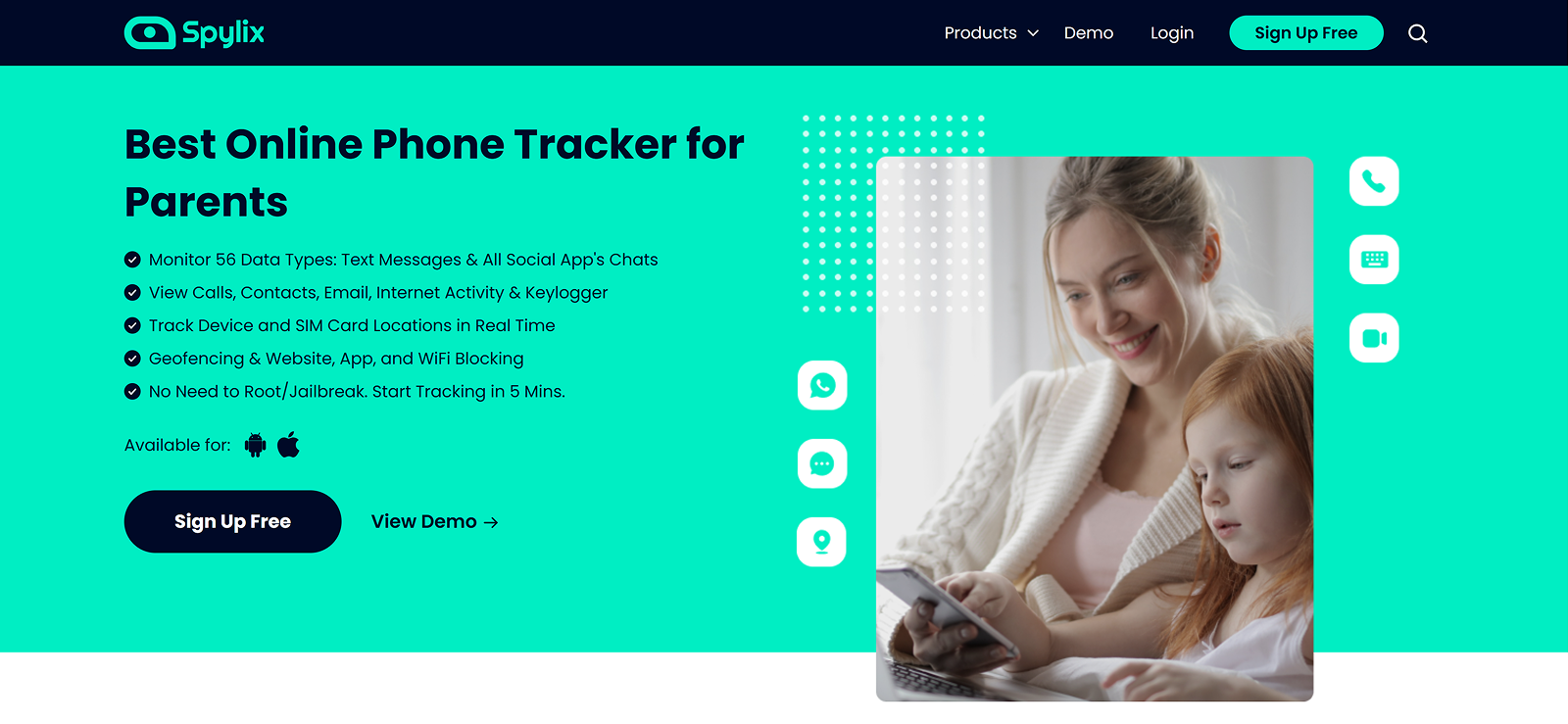
Spylix is a monitoring application designed to collect supported activity from Android and iOS devices and make that information available through an online dashboard.
The Spylix app focuses primarily on visibility rather than conventional digital-wellbeing controls. Depending on the device and subscription, its monitoring features can include:
- GPS location tracking;
- geo-fencing;
- call history;
- keylogging;
- keyword alerts;
- social media monitoring;
- notes;
- screenshots;
- photos and videos;
- website blocking;
- app blocking;
- network restrictions.
That makes Spylix broader than a simple location tracker.
However, our testing also showed that the presence of a feature does not always tell you how detailed, fast, or reliable that feature will be.
Top Monitoring App Reviews You Shouldn’t Skip

🛑  Life360 Reviews: A Look at Its Features, Performance, and Compatibility
⚡  FlashGet Kids Review: A Reliable Parental Control App or Just Hype
🏅  Cocospy Review: What You Need to Know Before You Buy
🚨  Spyzie Review: A Detailed Look at Features, Functionality, and Pricing
How Does Spylix Work?
From our hands-on experience, Spylix works through a monitored-device and browser-dashboard model.
After completing the required setup on the phone, supported activity is collected from the device and sent to the user’s online account. Parents can then complete the Spylix login from another device and open different dashboard sections to review the available information.
The part that affected our experience most was the syncing stage.
When the monitored phone had a stable connection, records such as keystrokes, call logs, and notes often appeared quickly.
However, location records, media, and some social activity were noticeably more sensitive to network quality.
Spylix Installation
If you are searching for how to install Spylix, the setup process depends on the operating system.
On Android, the installation was generally straightforward and took around 32 minutes in total.
Most of the time was spent granting permissions, completing the required settings, and checking whether the dashboard had started receiving information.
The iPhone workflow was different because available monitoring depends more heavily on account access, device configuration, and the iOS monitoring method being used. It took us a total of 47 minutes to complete the installation of the test iPhone.
That is why we would not describe Spylix installation as identical across both platforms.
The instructions themselves were reasonably easy to follow, but parents should read the device-specific requirements before paying rather than assuming they can use the same installation method on every phone.
Spylix Compatibility
Spylix supports Android and iOS monitoring, but compatibility requires more explanation than simply listing the two operating systems.
During our testing, Android offered the more direct monitoring experience because the app could collect activity through permissions granted on the phone.
The iPhone workflow was more dependent on Apple’s account and system restrictions.
This matters because a parent may see that Spylix works with iPhones and assume the entire Android feature set will be available in exactly the same form.
That is not a safe assumption with monitoring software.
Before subscribing, it is better to check:
- the child’s operating system;
- the exact OS version;
- whether physical access is required;
- what account credentials are needed;
- which features are available on that platform.
We found Android more predictable during testing, particularly for keylogging and deeper phone activity.
Spylix Interface
After completing the Spylix login, users are taken to a browser-based dashboard.
Our first impression was positive.
The main categories are separated into different sections, making location information, calls, keyboard activity, messages, media, and remote options fairly easy to distinguish.
To evaluate navigation more systematically, each of our four reviewers was asked to locate eight randomly selected functions after approximately 20 minutes of familiarization.
The average time required to find a requested feature was 21 seconds.
Call logs, location, and keylogger information were the easiest sections to locate.
The dashboard became more difficult to scan when large amounts of text activity accumulated. Keylogger records were a good example. Spylix identifies the source application, but the lack of stronger visual separation between entries made long activity lists slower to review.
The app-specific filtering option helped with this because we could isolate activity associated with a particular application.
Overall, the interface is functional and reasonably straightforward. Our bigger concern was not finding the data. It was whether the information had reached the dashboard yet.
Spylix Pricing
Spylix prices vary according to the package, billing period, platform, and number of devices.
- Basic: $8.33/month when billed annually
- Premium: $9.99/month when billed annually
- Family for 5 Android devices: $16.67/month when billed annually
- Family for 5 iOS devices: $33.33/month when billed annually
Monthly, quarterly, and annual billing periods were also available.
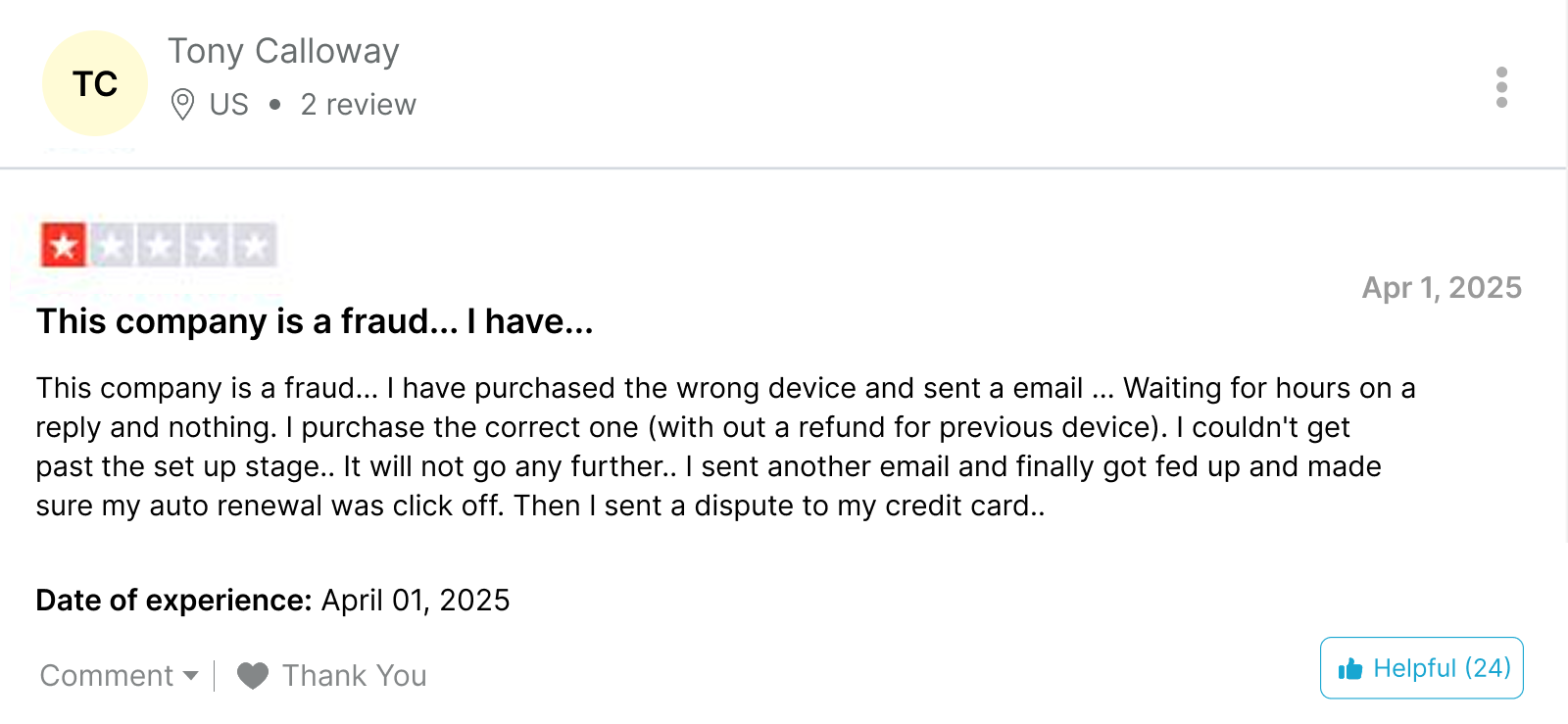
Spylix advertises a 30-day money-back guarantee, although prospective users should read the refund terms carefully before purchasing because customer experiences with refunds have varied.
For this Spylix review, we used the Premium package.
Pricing is not necessarily excessive when judged solely by the annual monthly rate. However, whether Spylix represents good value depends heavily on the particular features a parent needs.
Key Features Of Spylix
The Spylix app comes with a substantial monitoring toolkit. However, the individual features behaved quite differently during repeated testing.
Location Tracking and Geo-Fencing
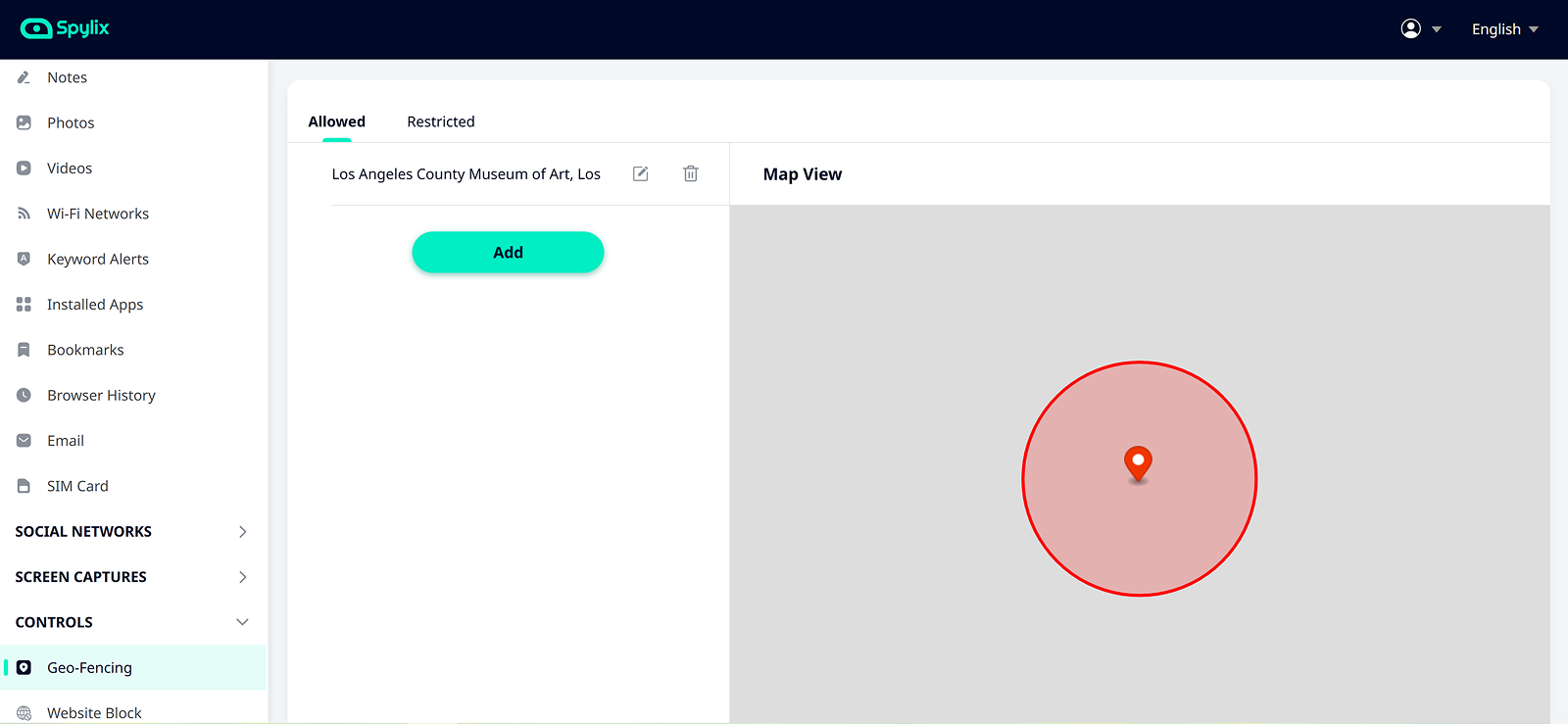
Spylix location tracking displays supported location records together with map information, timestamps, coordinates, and address data.
We evaluated it across 20 controlled location checks using a combination of Wi-Fi, mobile data, indoor environments, and weaker connectivity.
Spylix eventually showed a usable location in 18 of the 20 checks.
Of those:
- 14 appeared within approximately one minute;
- 4 took between two and six minutes;
- 2 did not appear within our initial 10-minute observation window.
Both delayed cases occurred after connectivity became unstable. The location information appeared after the phone regained a stronger connection.
When a location reached the dashboard, the coordinates and address data were generally accurate enough for routine monitoring.
The larger problem was freshness.
A technically correct location becomes less valuable when it represents where the phone was several minutes earlier.
We noticed a similar pattern with geo-fencing.
To test it, we created saved-location events and completed 10 controlled entries and exits. Seven produced useful alerts within our expected period. One arrived several minutes late, while two events did not generate the alerts we expected during the test window.
Another limitation was customization. Spylix allowed us to work with saved locations, but we could not define the kind of adjustable boundary radius available in some other monitoring apps.
Keylogger
The keylogger was one of Spylix’s stronger features during our Android tests.
We generated 60 predetermined text entries across five applications. Spylix recorded 57 of the 60 entries.
Fifty-three appeared on the dashboard within approximately one minute under normal connectivity. Four took longer to synchronize, while three were absent from the records we reviewed.
The dashboard included the associated application and timestamp, which made the raw keystrokes more useful. However, the presentation could be clearer.
Once we had generated a large amount of text, scrolling through several similar-looking records became tiring. The interface relies heavily on text labels rather than strong visual identifiers.
That said, the application filter improved the experience considerably. Instead of reading through every captured keystroke, we could select one application and review only the records associated with it.

Need More Than What Spylix Delivers?
Try Xnspy instead – it’s loaded with smart features.
Call Monitoring
Spylix’s call log performed consistently during our review. We made 20 controlled calls, including incoming, outgoing, and missed calls. All 20 appeared in the dashboard.
Eighteen were visible within approximately 90 seconds. The remaining two took between three and four minutes after the monitored phone changed networks.
The records correctly identified:
- incoming and outgoing status;
- missed calls;
- contact names or phone numbers;
- call duration;
- timestamps.
That makes Spylix useful for identifying communication patterns.
However, the feature stops at call metadata. Spylix did not provide call recording in our test configuration. So, parents looking for communication context rather than communication records may find the feature limited.
Keyword Alerts
Spylix allows users to create a list of flagged words or phrases and receive alerts when those terms are detected through supported keyboard activity. We tested the feature with 24 typed keyword events. Under normal connectivity, all 16 of our first 16 tests triggered the expected alert.
We then repeated eight keyword events while deliberately reducing connectivity. Five generated an alert during the expected period, while three did not.
We then changed the scenario.
Instead of typing the monitored words, we displayed them on the screen through messages and social content.
Across 12 screen-only keyword events, Spylix did not generate a keyword alert. That result confirmed an important limitation.
Spylix keyword alerts were effective when the monitored user actually typed the term. They were not designed to give us the same visibility when a word simply appeared on-screen.
However, one key advantage was application-specific monitoring. Spylix allowed us to narrow keyword monitoring to selected apps, which can be useful when parents want to reduce irrelevant alerts and concentrate on one particular platform.
Blocking Options
Remote blocking was one of the most dependable Spylix tools we tested.
We completed 30 controlled restriction attempts:
- 10 app blocks;
- 10 website blocks;
- 10 network-related restrictions.
All 30 restrictions eventually worked.
Twenty-seven took effect within approximately 20 seconds. The remaining three required between 21 and 35 seconds.
We then attempted to reopen the restricted apps and websites instead of treating the first successful block as sufficient. The restrictions remained active during our follow-up attempts. That makes blocking one of the clearer strengths of the Spylix app.
However, there is an important distinction between blocking an application and managing screen time. Spylix lets us prevent access, but it did not provide the same type of detailed screen-time analysis showing exactly how long individual apps had been used during the day.
Parents interested mainly in intervention may be satisfied with blocking. Those trying to understand usage habits may want more context.
Social Media Monitoring
Spylix supports message monitoring across several popular social and communication applications, including WhatsApp, Instagram, Facebook, Messenger, X, TikTok, Google Chat, Zoom, Viber, and Line.
To test it, we generated 60 controlled message events across six supported platforms available in our test environment.
Spylix displayed 52 of the 60 events we expected.
Eight were missing from the records we checked. Most successful text records appeared within a few minutes, although syncing became less predictable after connectivity changed. We also found the feature much stronger for ordinary text conversations than for content designed to disappear.
Spylix did not provide us with dependable access to disappearing or deleted content during our testing. The missing-message issue matters because incomplete conversations can create an incomplete picture.
For general social activity, the feature provides useful visibility. However, we would be more cautious about depending on it when complete conversation context is essential.
Screen Captures
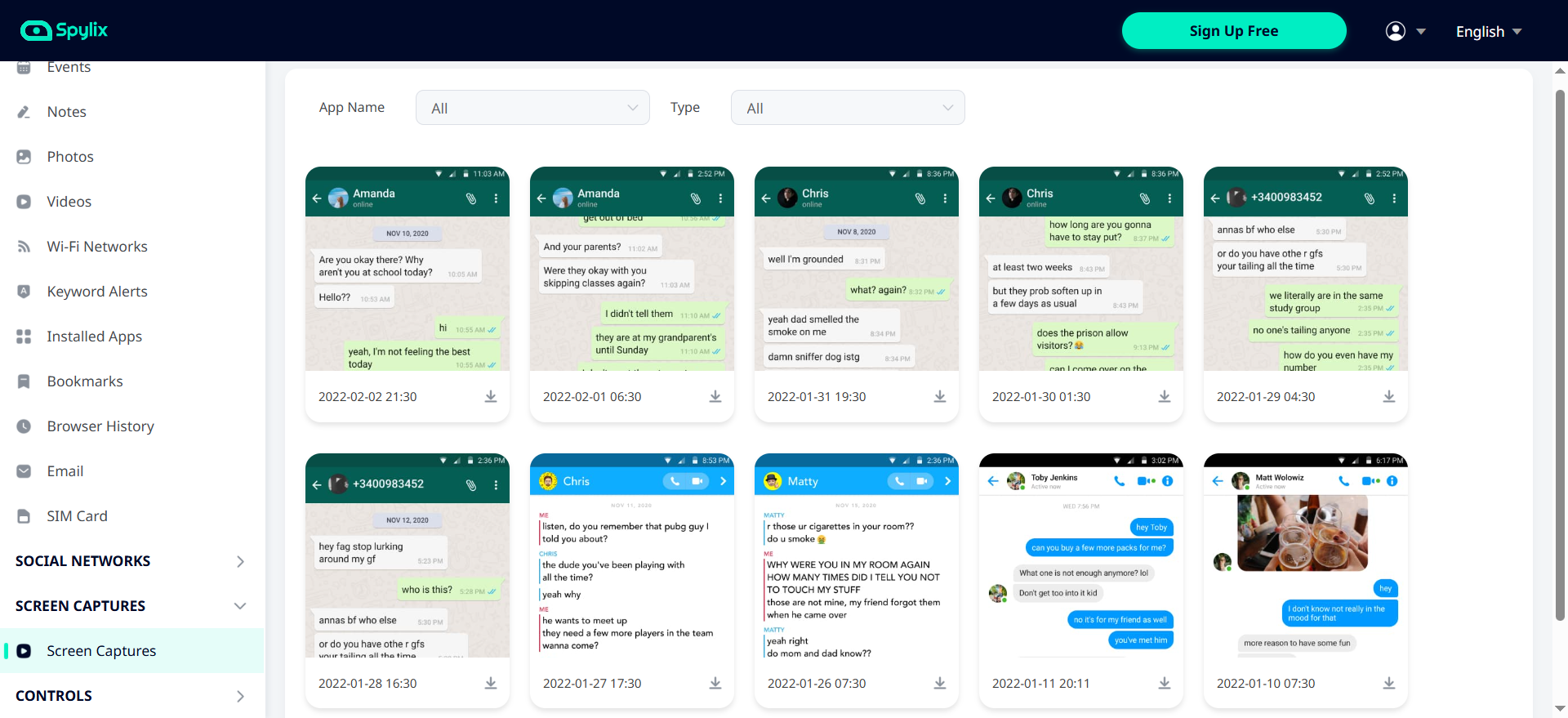
We tested screen capture behavior across 30 controlled phone-use sessions.
Spylix produced usable visual records from 29 sessions. Twenty-eight appeared without a significant issue. One was delayed even after the phone reconnected to a stable network, while one session did not produce the capture we expected during the review period.
The screenshots themselves were sufficiently clear to understand what had been displayed on the phone.
That said, our larger issue was flexibility. Spylix did not give us the level of control we wanted over screenshot frequency. There are situations where a parent may want frequent captures for a short period and fewer captures during ordinary monitoring. A customizable interval would make the feature more adaptable.
Spylix Pros and Cons
Spylix offers a broad mix of monitoring and restriction tools, but its usefulness depends on the level of visibility and control a parent needs.
Spylix Pros
- Provides detailed call logs with contact information, call direction, duration, and timestamps.
- Includes a keylogger for monitoring text entered across supported applications.
- Allows parents to block apps, websites, and internet access remotely.
- Provides access to notes stored on the monitored device.
- Supports monitoring across several popular social media and messaging platforms.
- Uses a relatively straightforward web-based dashboard for reviewing monitored activity.
- Offers app-specific filtering for keylogger and keyword activity.
- Provides screen captures that add visual context to phone activity.
- Includes location tracking and geo-fencing for monitoring a child’s whereabouts.
Spylix Cons
- Location updates can be delayed when the monitored device has poor connectivity.
- Geo-fencing offers limited boundary customization compared with more advanced alternatives.
- Does not provide detailed screen-time analysis or app-usage duration reports.
- Call monitoring is limited to call records and does not include call recording.
- Keyword alerts are primarily tied to text entered through the keyboard.
- Social media monitoring may not log disappearing messages.
- Photos and videos may take longer to appear on the dashboard than lighter activity records.
- Monitoring capabilities and setup requirements differ between Android and iPhone.
- Data synchronization is not consistently real-time across every monitoring feature.
Spylix Customer Reviews
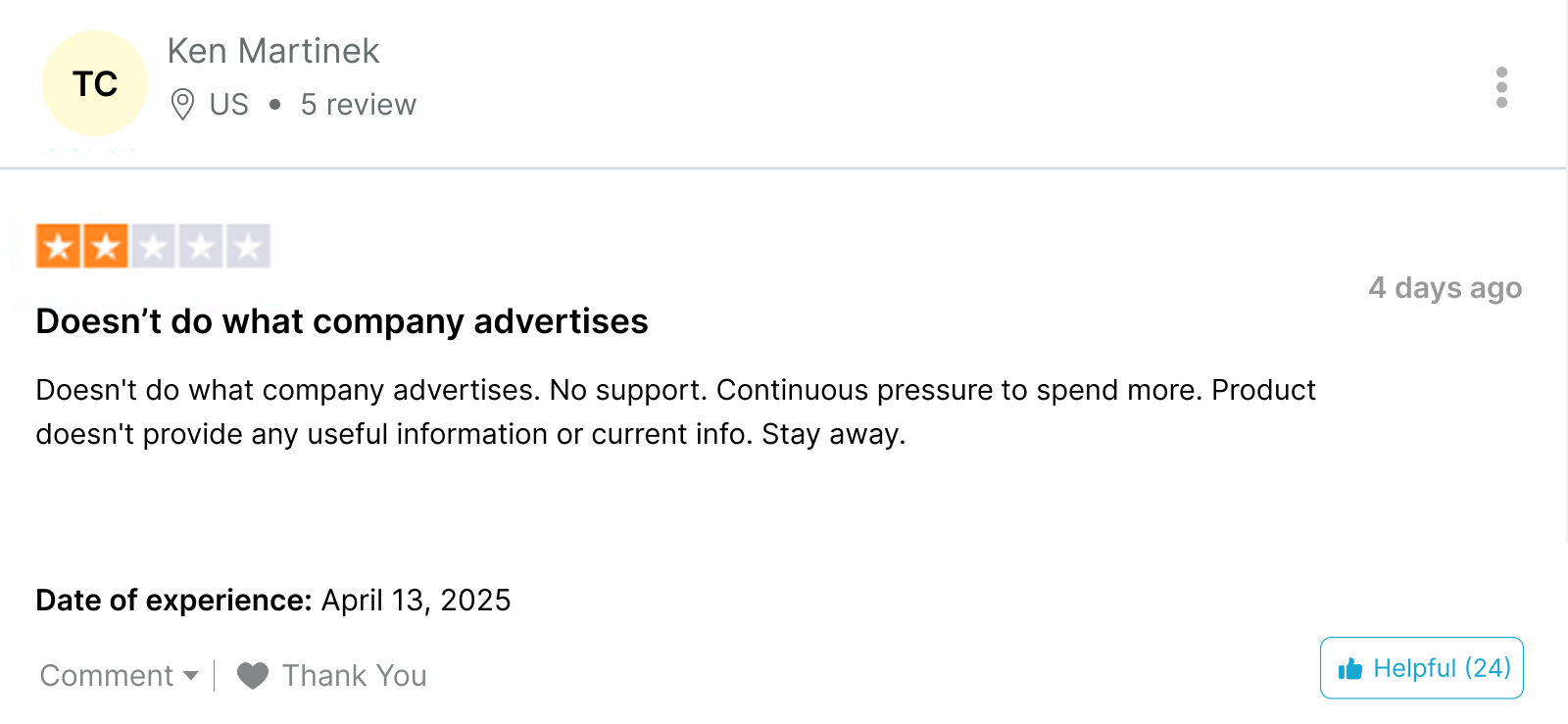
Curious what others are saying? These Spylix customer reviews give you a peek into some more real user experiences.
Is Spylix Legit Enough for Everyday Monitoring, or Should You Consider Another Option?
After more than a month of hands-on use, we can answer the basic question first.
Is Spylix legit?
Yes. In our testing, Spylix functioned as an actual phone-monitoring platform. We successfully used its call logs, keylogger, location tools, keyword alerts, notes monitoring, social tracking, screenshots, media access, and remote blocking controls.
But legitimacy and suitability are not the same thing.
So, the more relevant question is whether its specific strengths match the type of monitoring a parent needs.
If basic phone activity is enough, Spylix can cover a significant amount of ground. However, if the goal is to move from basic monitoring toward deeper device visibility, another tool begins to make more sense.
That is where Xnspy comes in.
What Is Xnspy? A Quick Overview
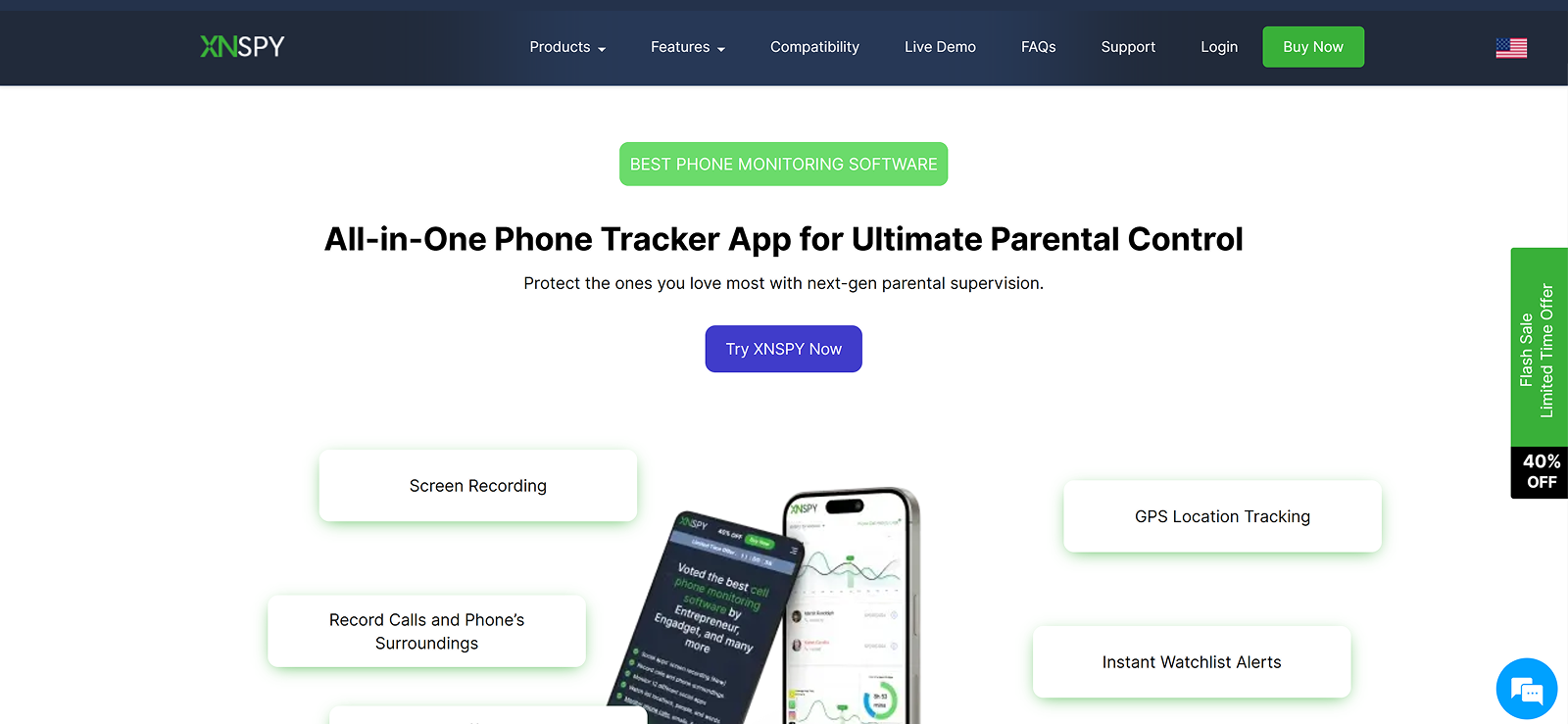
Xnspy is a mobile monitoring solution built around detailed visibility into supported Android and iOS devices.
Like Spylix, it uses a remote web dashboard. However, its feature set extends further into areas such as screen-time analysis, configurable geo-fencing, call recording on supported Android versions, screen records, watchlist alerts, application information, and remote device commands.
During our comparison, the main difference was not simply the number of features. It was the amount of context provided by those features.
How Does Xnspy Work?
Xnspy also works through a monitored-device and web-dashboard setup.
After the appropriate installation and permissions are completed, supported phone activity begins synchronizing with the parent’s account. They can then review information through browser-based sections for calls, messages, locations, apps, internet activity, screen records, media, watchlists, and remote controls.
As with Spylix, internet connectivity influences how quickly information reaches the dashboard.
However, Xnspy handled connection interruptions more consistently in several of our comparative tests.
Xnspy Installation
We installed Xnspy on the same general testing environment used for the Spylix review so that setup differences were easier to compare.
Our Android installation took approximately 22 minutes in total. On the other hand, the installation on iPhone took around 30 minutes. Most of the process involved granting the necessary permissions and confirming that activity had begun reaching the dashboard.
Xnspy Compatibility
Xnspy currently lists Android support through Android 16 and iOS compatibility up to iOS 17.0.3 on its purchase page.
When testing, we noticed that the app performed consistently on both the operating systems as well.
Xnspy Interface
The Xnspy dashboard contains more categories than Spylix because it handles a larger amount of monitoring data.
Despite that, our reviewers generally found its structure easy to follow. That was because the dashboard had a clear menu that organized every monitored data point separately. Moreover, within those menus, the data was further categorized into app-based tabs or came with filters to specify data by app/date.
Xnspy Pricing
Xnspy uses two main subscription tiers: Basic and Premium.
Basic:
- $29.99/month on monthly billing
- $13.99/month on quarterly billing
- $4.99/month on annual billing
Premium:
- $35.99/month on monthly billing
- $19.99/month on quarterly billing
- $7.49/month on annual billing
Each subscription covers one device.
For this comparison, we used the Premium package. Xnspy does not currently rely on a conventional free trial, although a live demo allows prospective users to examine the dashboard before purchasing.
Xnspy Delivers Big
Wide range of features, real-time updates, and better protection.
Key Features That Xnspy Has to Offer
We focused primarily on Xnspy features that either overlap with Spylix or address limitations we encountered during the first half of our testing.
Location Tracking and Geo-Fencing
We repeated the same type of movement tests used with Spylix. Across 20 location checks, Xnspy displayed a usable location in all 20 cases.
Eighteen appeared within approximately 45 seconds. The two slowest updates occurred under weaker connectivity and appeared within 2-4 minutes.
The more noticeable advantage came from geo-fencing, as Xnspy allowed us to add monitored locations and set a radius around them. We created five saved locations using different boundary sizes and generated 10 controlled entry and exit events. All 10 triggered an alert.
Nine of them arrived within approximately 45 seconds. One took just over a minute after the monitored phone changed networks.
Final Verdict: Xnspy performed better for location monitoring because updates were faster overall and geo-fencing gave us more control over the monitored area. Spylix remains useful for general location history but was less consistent under weaker connections.
Screen Time
Screen time was one of the clearest differences between the two apps. Xnspy showed device and application usage information that made it easier to determine which apps were being opened most frequently and where the most time was being spent.
To test accuracy, we completed 20 timed app-use sessions across six applications and recorded the duration separately. In 19 cases, Xnspy’s reported usage was within 5-7% of our manual timing.
One shorter session differed by approximately 10%.
The reports were especially useful when we moved beyond one individual activity and wanted to understand broader phone-use habits.
Final Verdict: Xnspy wins this category because Spylix does not provide equivalent screen-time analysis.
Call Recordings
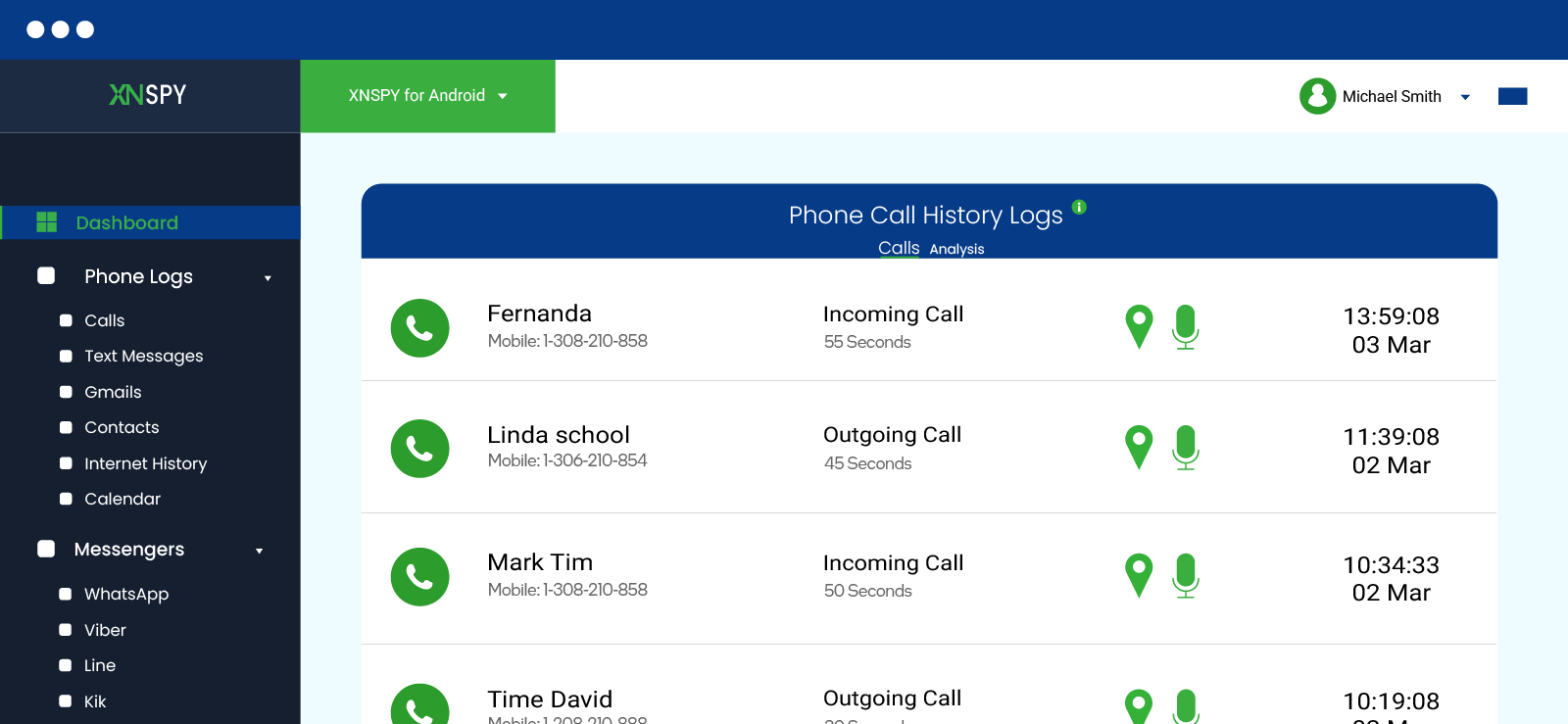
We generated 16 controlled calls to test both the call logs and recordings. All 16 appeared in the call log, along with the associated contact name or phone number, call direction, timestamp, and duration. The recorded durations also closely matched the actual length of the calls, making it easy to verify when a call took place, who was involved, and how long the conversation lasted.
Fifteen recordings were available within the expected testing period and were clear enough to understand without difficulty. One recording took longer to synchronize because it was the longest call in our test set. Once uploaded, however, the recording was complete and matched the corresponding call-log entry.
Final Verdict: Spylix is dependable for call metadata. Xnspy goes further on supported devices by adding call recordings, making it stronger when communication context is the priority.
Track and Block Installed Apps
We installed 15 applications on the test phone over several days to see how consistently Xnspy detected new apps. Four of those apps were moved away from the main home screen so they were less obvious during a quick visual check of the device.
Xnspy detected all 15 installed applications.
The dashboard also displayed additional information, including installation details and app version data where available. This made the feature more useful than a simple list of installed apps.
The bigger advantage came from combining app detection with screen-time data. Instead of only showing that an app existed on the device, Xnspy also helped us see whether it was being used frequently and how much time was being spent on it.
We then tested the blocking function on 10 of the installed apps.
All 10 blocking commands were applied successfully. Eight apps became inaccessible within 20 seconds, while the remaining two took slightly longer to reflect the restriction. Once blocked, repeated attempts to reopen the apps were unsuccessful until we removed the restriction from the dashboard.
This makes the feature useful for both monitoring and intervention. Parents can first check which apps are installed and then block specific ones remotely if they consider them inappropriate or distracting.
Final Verdict: While Xnspy allowed us to see and block apps, even the hidden ones, Spylix went one step ahead by giving us more blocking options.
Screen Recording
We evaluated Xnspy screen recording across 20 controlled activity sessions. Xnspy kept automatically taking screenshots of device-wide activities after an interval of roughly 5 seconds.
During normal connected use, all 20 sessions appeared on the dashboard without issue.
We then deliberately disconnected the test phone from the internet and tested two additional sessions. The activity did not appear immediately, but once the device reconnected, the screen records synchronized with the dashboard.
This was useful because a temporary internet outage did not cause the monitored activity to disappear completely. The records were stored and uploaded once connectivity returned.
However, when we were reviewing the captured activity on the dashboard, we did notice that the 5-second interval had created a bulk of content for us to review. While the dashboard organized the screenshots as per apps, the amount of data can make it a bit harder for busy parents to review. That said, they can always filter data by time and see specific instances.
Final Verdict: Both tools provide useful visual activity records, but Xnspy performed better when connectivity was interrupted because the delayed screen activity synchronized after the device came back online.
Internet History
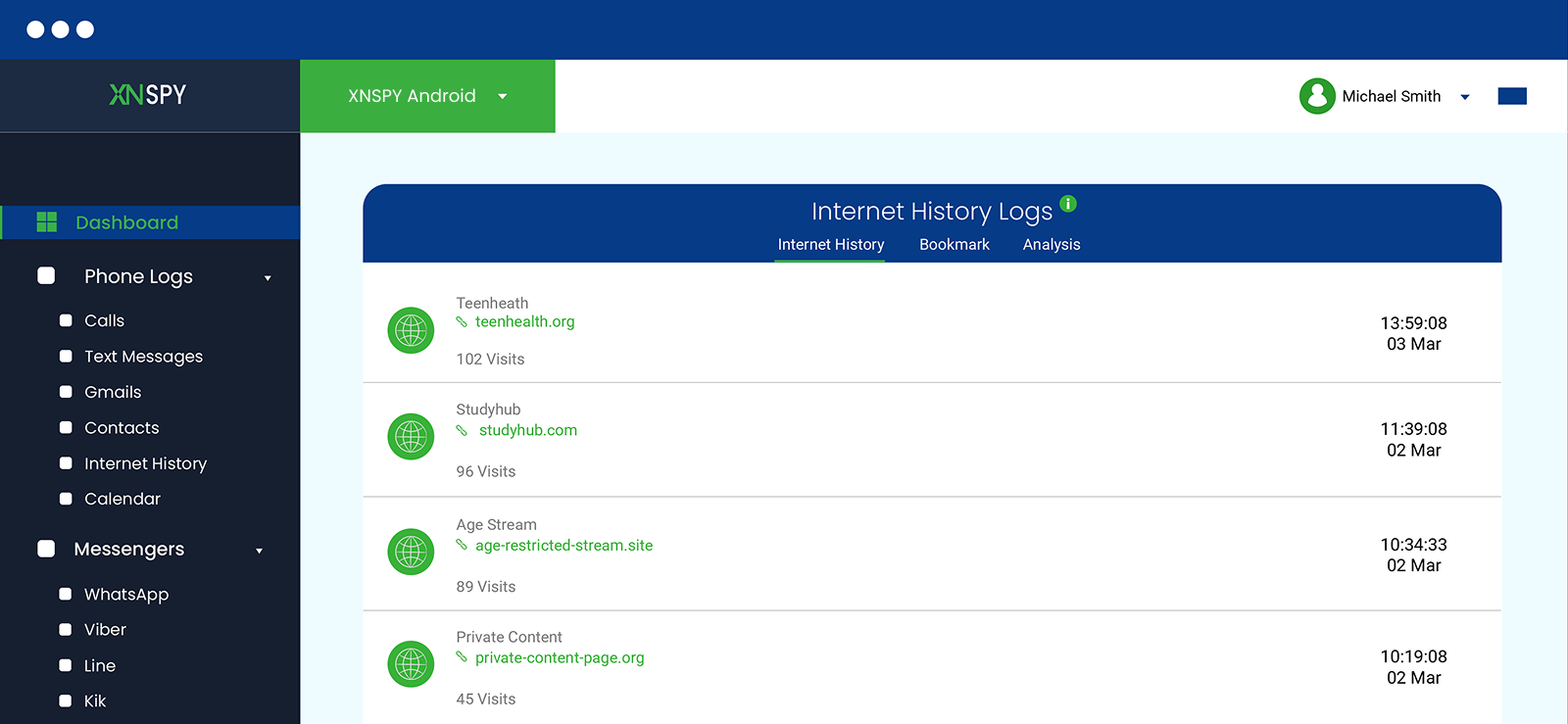
Xnspy’s Internet History section provides more than a list of website names. It shows the clickable URLs visited on the monitored device, the date and time of each visit, and how frequently particular websites were accessed. The dashboard also provides browsing-analysis information that can help identify repeatedly visited sites.
We tested the feature by visiting 30 predetermined webpages across multiple browsing sessions on the test phone. Xnspy timely recorded 27 of the 30 visits, as they appeared on the dashboard within approximately two minutes. Three took longer to synchronize after we switched between Wi-Fi and mobile data.
The URLs and timestamps matched our browsing activity closely. We also revisited six websites several times to see whether repeated activity was reflected correctly. Xnspy showed the additional visits, which made it easier to distinguish between a website that had been opened once and one that was being accessed regularly.
This is more useful than simply knowing which websites exist in the browser history. Repeated visits can provide additional context about browsing habits and help parents identify websites that account for a larger share of a child’s online activity.
Final Verdict: Both apps can provide visibility into browsing activity, but Xnspy presented the information with more context by combining URLs, timestamps, and repeated-visit data.
Social Media Message Monitoring
Social media monitoring becomes much less useful if the dashboard only confirms that an app was opened. What matters more is whether parents can review the actual conversations taking place through supported messaging platforms.
Xnspy supports message monitoring across multiple social and messaging apps, including platforms such as WhatsApp, Facebook Messenger, LINE, Viber, and others.
For our test, we generated 75 controlled messages across different apps.
Xnspy displayed them in thread view, including the disappearing content and deleted messages. Most messages synchronized within two minutes during normal connectivity.
The records were easier to interpret than isolated text because the dashboard also provided contextual information such as the associated contact and timestamps where available. This made it possible to follow the order of a conversation rather than simply viewing unrelated message fragments.
Final Verdict: Xnspy provided the more consistent social media monitoring experience in our tests. It captured a larger proportion of controlled messages and preserved more conversational context.
Xnspy Pros and Cons
Xnspy offers a broad set of monitoring and remote-management features, although some capabilities depend on the subscription plan.
Xnspy Pros
- Provides GPS location tracking with configurable geo-fencing.
- Includes screen-time monitoring for reviewing app usage and overall device activity.
- Supports call logs and call recording.
- Offers keyword alerts for monitoring potentially concerning terms and activity.
- Includes contact watchlists for receiving alerts related to selected numbers.
- Provides internet history monitoring with URLs, timestamps, and browsing activity details.
- Allows parents to view installed apps and block selected applications remotely.
- Provides screen records for additional visual context around device activity.
- Includes remote phone controls such as device locking and data wiping.
- Supports remote surround recording on compatible devices.
- Offers comparatively detailed activity information through a centralized web dashboard.
- Premium annual pricing is relatively affordable.
Xnspy Cons
- Each subscription covers a single monitored device.
- There is no conventional free trial.
- The larger amount of monitoring data can take more time to review than a simpler parental-control dashboard.
- Data synchronization depends partly on the monitored device’s internet connection and permissions.
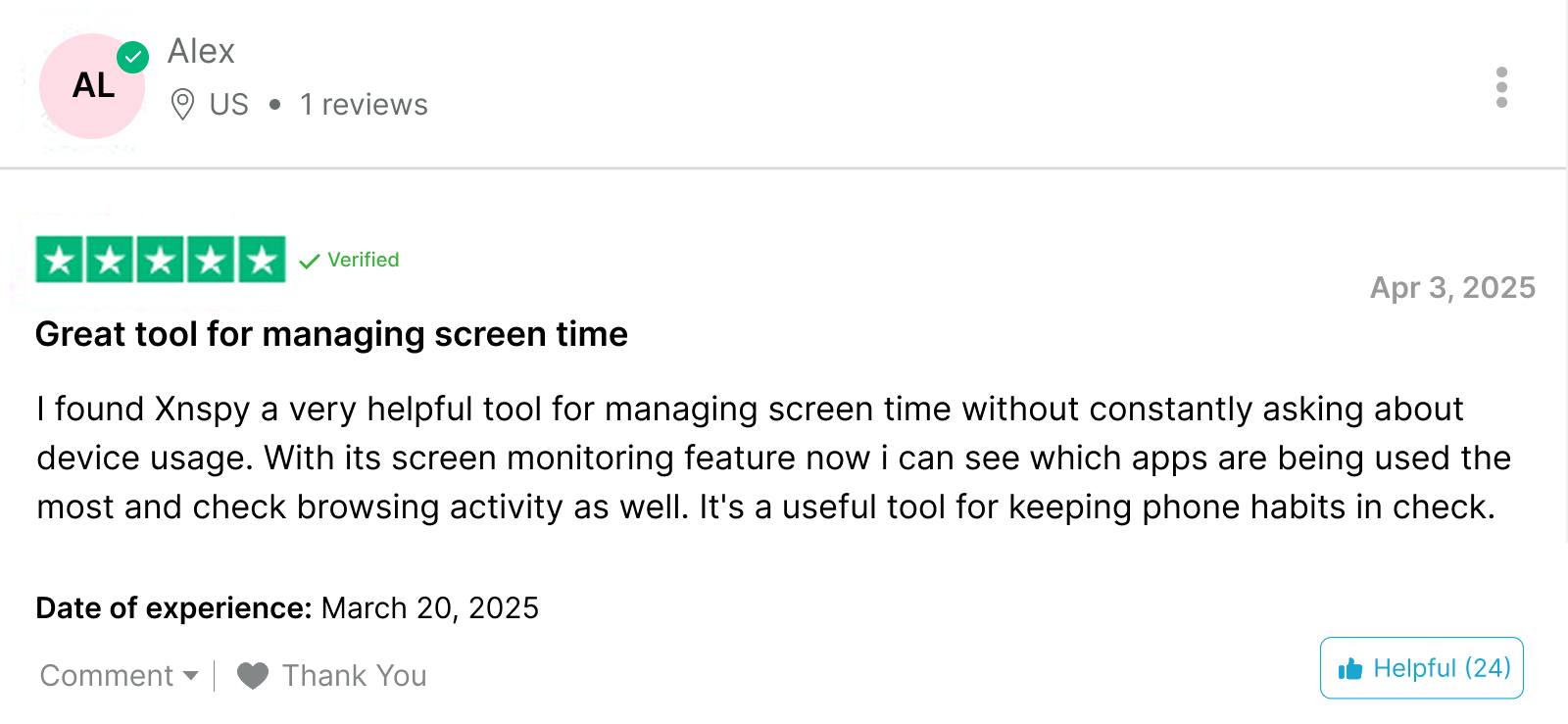
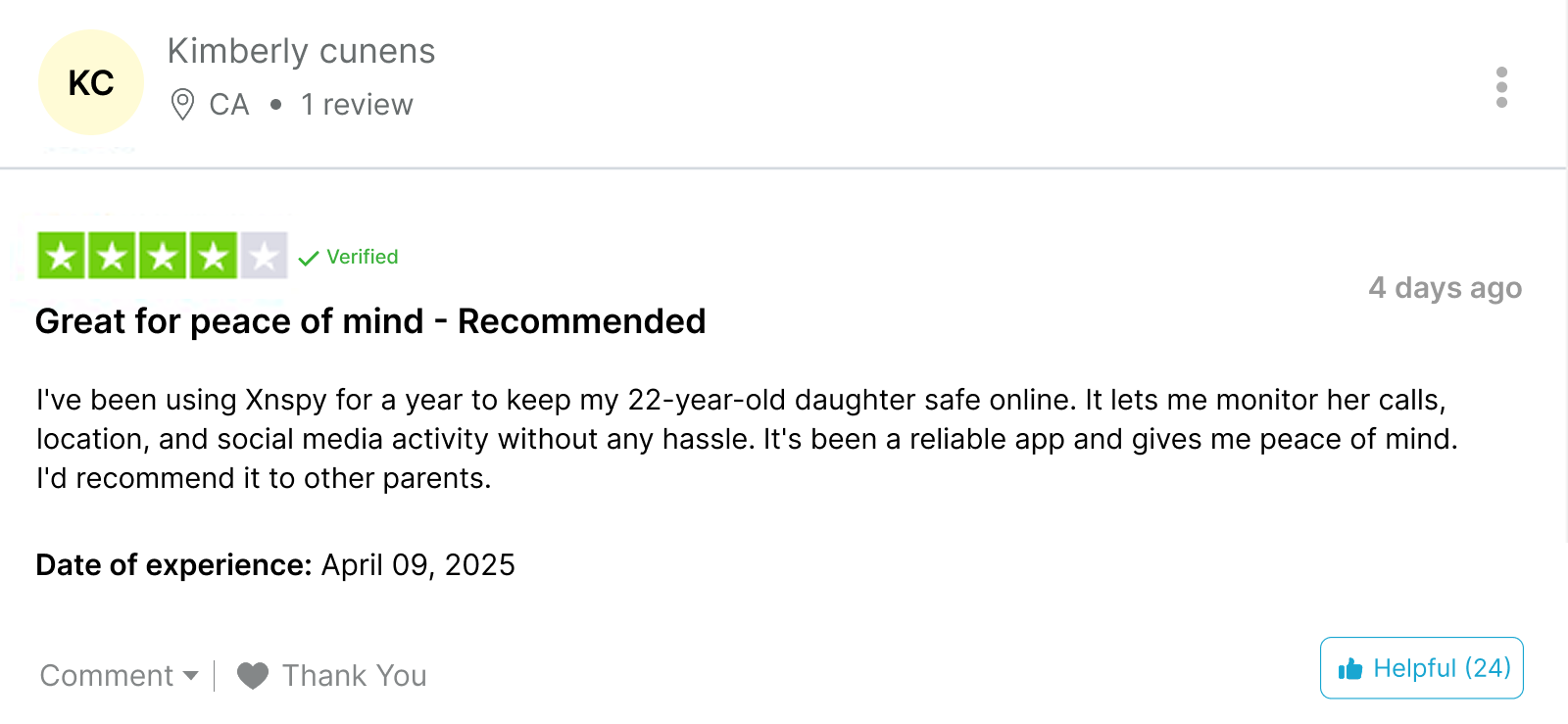
Real Xnspy Customer Reviews
Here’s what other users had to say about Xnspy.
Spylix vs. Xnspy – A Comprehensive Comparison
| Feature | Spylix | Xnspy |
| Call Logs | ⭐⭐⭐⭐ Records all incoming and outgoing calls with contact information, duration, and timestamps. | ⭐⭐⭐⭐⭐ Records incoming and outgoing calls with all details and offers comprehensive calling analysis reports as well. |
| Call Recordings | ⭐ Not Available | ⭐⭐⭐⭐⭐ Records all incoming and outgoing calls with clear sound quality. |
| Location Tracking | ⭐⭐⭐ Precise location tracking, but lacks real-time updates. | ⭐⭐⭐⭐⭐ Tracks locations accurately and offers real-time updates to the user. |
| Geo-Fencing | ⭐⭐⭐ Allows adding certain locations only. | ⭐⭐⭐⭐⭐ Allows adding certain locations and setting a radius around them as well. |
| Keyword Alerts | ⭐⭐⭐⭐ Sends email alerts when flagged words are typed. | ⭐⭐⭐⭐⭐ Sends email alerts when flagged words appear on the screen or are typed. |
| Watchlist Contacts | ⭐ Not available | ⭐⭐⭐⭐⭐ Sends email alerts when certain contacts are added to the contact watchlist. |
| Record Surround | ⭐ Not available | ⭐⭐⭐⭐⭐ Allows users to record the surroundings of the targeted device. |
| Wipe Phone | ⭐ Not available | ⭐⭐⭐⭐⭐ Allows users to wipe off all the data from the targeted device. |
| Lock Phone | ⭐ Not available | ⭐⭐⭐⭐⭐ Allows users to lock the targeted device remotely. |
| Notes Monitoring | ⭐⭐⭐⭐⭐ Allows users to track targeted devices’ notes. | ⭐ Not Available |
| Ease of use | ⭐⭐⭐⭐ Easy to use and set up. However, the dashboard may seem cluttered with too much graphical information. | ⭐⭐⭐⭐⭐ Easy to use with a minimal and clean interface. |
| Customer Support | ⭐⭐ 24/7 customer support is available, but the representatives are non-responsive. | ⭐⭐⭐⭐⭐ 24/7 available and responsive customer support. |
| Price | ⭐⭐⭐⭐ Spylix’s price point is relatively higher. | ⭐⭐⭐⭐⭐ A budget-friendly option with endless monitoring features. |
Conclusion
In a nutshell, numerous monitoring apps are available online. The one that suits you best depends on your personal needs. Spylix offers ease of use and comprehensive social media tracking, which is quite essential for parents. So, for anyone who’s thinking, is Spylix legit? Its features, like blocking apps, web pages, and connections, make it a great choice for parents who want protection against online scams.
Whereas, when it comes to Xnspy, the app’s ability to work smoothly under poor network connections makes it one of the top choices. Moreover, numerous remote options allow users to protect their loved ones more efficiently. With its precise and timely location updates, it also offers a remarkable physical monitoring angle. So, if you’re after basic tracking, Spylix can do the job, but for deeper insights and powerful remote control features, Xnspy is the better choice.
FAQs
Can Spylix be detected on the monitored phone?
Spylix is designed to operate discreetly on supported devices, but no monitoring app should be treated as completely undetectable. Device settings, permissions, battery usage, security tools, operating-system updates, or a technically experienced user may reveal signs that monitoring software is installed. Parents should also consider whether transparent monitoring is more appropriate for their family and local legal requirements.
Does Spylix work when the phone is offline?
Spylix requires an internet connection to send newly collected information to the online dashboard. If the monitored phone temporarily goes offline, supported activity may remain unavailable until the device reconnects. Once internet access returns, pending data may synchronize with the account, although the timing can vary depending on the type and amount of information being uploaded.
Does Spylix drain the phone’s battery or slow it down?
Like other apps that collect and synchronize activity in the background, Spylix can use battery, mobile data, and device resources. The effect depends on factors such as the phone model, operating system, enabled monitoring features, network conditions, and how frequently information is synchronized. Heavier monitoring functions may use more resources than basic activity logging.
Can you monitor multiple devices with one Spylix account?
Spylix offers Family plans intended for monitoring multiple devices, while individual plans are generally tied to a smaller number of monitored devices. The number of devices covered depends on the subscription selected, so families with several phones should check the device allowance before choosing a plan.
What happens if Spylix is uninstalled from the monitored phone?
If the Spylix application or the permissions it depends on are removed from an Android device, new activity may stop reaching the dashboard. Monitoring can also be affected if required permissions are disabled, the operating system changes important settings, or the device is reset. Restoring monitoring may require access to the phone and repeating part of the setup process.
5 Comments
Leave a reply:
Your email address will not be published. Required fields are marked*

sue
June 16, 2025 at 1:50 amdo i need to have access to the phone to use this product
Jenny Jack
September 9, 2025 at 2:54 pmI want to cancel my spylix subscription. How can I do it?
Mike Moke
September 10, 2025 at 3:05 pmHow to install Xnspy app? Is there a link?
James Alan
September 11, 2025 at 3:04 pmThe interface of the app is horrific and I keep finding many apps that are the exact same. Scam
Juke James
September 12, 2025 at 2:55 pmWhy are people still buying such monitoring apps in 2025?