Type in Phone Number and Find Location Free: 6 Tested Methods
 By Mike Everett
The complete monitoring experience for your phone
Get XNSPY and start tracking calls, texts, multimedia, locations and more on any phone!
Get Started Now Live DemoTo trace a mobile number’s current location online is often mistaken for a simple “type and track” process, but in reality, it depends on specific systems like GPS, account permissions, or carrier-level data sharing.
A few years ago, these capabilities were limited to advanced technical setups and service providers, but today they are built into everyday tools, too.
What has changed is not the idea of tracking itself, but the accessibility of location-sharing technologies through smartphones and connected ecosystems.
In this guide, I break down 6 practical and widely used methods to find location by phone number online based on real testing across Android and iOS.
A Quick Run Down of Everything Within 60 Seconds
- Location accuracy varies based on GPS strength, Wi-Fi signals, carrier data, device settings, and whether location sharing or tracking permissions were enabled in advance.
- Xnspy: Uses SIM, GPS, and Wi-Fi tracking with logs and map history; highly accurate with prior setup.
- Google Maps: Live GPS sharing method; most accurate, simple, and reliable free option.
- Emergency Sharing: Temporary safety-based location sharing via trusted contacts; requires prior setup.
- Android Find Hub: Google account-based tracking showing live or last known map location.
- Apple Find My: Apple ecosystem sharing with precise outdoor tracking and device linking.
- Network Provider: Carrier-based tower triangulation offering approximate location via family plans.
How I Verified Each Method Before Adding Them to This Guide
Before finalizing the methods in this guide, I tested each approach in real-world conditions across multiple Android and iPhone devices to understand how location tracking actually behaves when exposed to everyday variables, like weak signals and background app limitations.
Knowing that every method can produce a location result every once in a while under ideal conditions, I instead focused on how each system behaves over repeated use.
Overall, the final deciding factors that helped me decide whether to add a method to this guide are listed below.
- Set up Dependency: For starters, I placed strong emphasis on how much preparation each method required before it could actually work. In real-world scenarios, this becomes a critical limitation because many systems only function if specific settings are enabled in advance.
- Stability of Location Accuracy: Another major factor I evaluated was not just how accurate a method was at a single point in time, but how stable its accuracy remained over time. Therefore, by focusing on consistency rather than peak performance, I was able to identify which methods users could actually rely on throughout the day, rather than only under ideal conditions.
- Sync Behavior: Finally, I closely observed how each system handled syncing and background updates. I looked closely to see whether the updates were real-time, delayed, or entirely dependent on other factors.
6 Proven Methods to Type in Phone Number and Find Location
Tracking a phone number’s location can take time and be a bit tricky. But worry not, because I have thoroughly tested and picked out the 6 best quick and easy methods on how to track a phone number location for free.
| Method | Works | Require Prior Access | Real-time Updates | Success Rate | Key Limitation |
| Xnspy | Yes | Yes, one-time device access | Immediate updates (via GPS tracking layer) | 88-92% | Requires installation; SIM tracking is event-based, not continuous. |
| Google Maps | Yes | Yes, set up permissions | Highly accurate & continuous | 93% | Accuracy drops indoors; performance depends on battery saver settings. |
| Emergency Sharing | Conditional | Yes, set up contacts/permissions | Event-driven (activated during safety checks) | 88% | Not built for stealth or continuous tracking; time-limited sharing. |
| Android Find Hub | Yes | Yes, enabled Google account | Periodic (live or last-known) | 90% | Requires active internet and Google account connection. |
| Apple Find My | Yes | Yes, enabled iCloud/Find My | Extremely strong (5-10m precision) | 75-94% | Ecosystem locked; heavily dependent on Family Sharing and permissions. |
| Network Provider | Conditional | Yes, approved family plan | Variable (refreshes every few minutes) | 75-85% | Uses tower triangulation; offers approximate rather than exact location. |
1. Xnspy
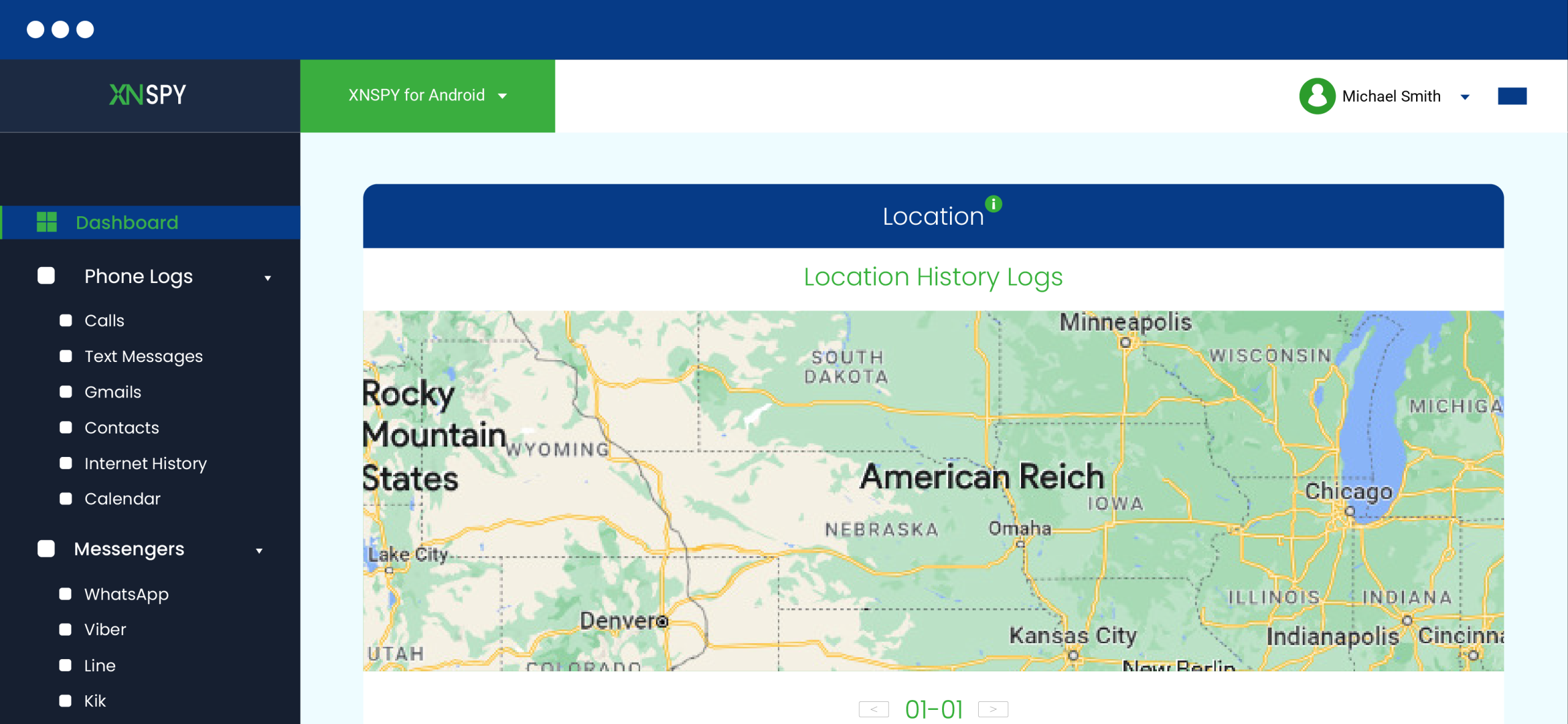
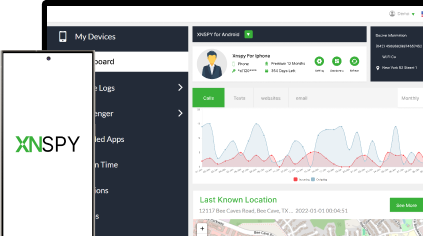
Xnspy is a monitoring app for parents that collects location data from multiple device-level sources rather than relying on a phone number lookup. The system operates through three primary tracking layers that combine to provide a view of device movement over time.
First, SIM-based location tagging traces mobile number current location online each time a new call or message is logged and pins it to the relevant activity. Second, GPS-based tracking provides a dedicated location section where both live position and full location history are displayed on a list and map interface.
Third, Wi-Fi connection history logs every network the device connects to, including timestamps and approximate location data associated with those Wi-Fi networks.
If you want to use Xnspy to find current location by phone number, follow the steps below:
- Create an account and select a subscription plan.
- Access the target device once for setup.
- Install the application and grant required permissions, including location access.
- Allow the system to begin syncing data from SIM, GPS, and Wi-Fi sources.
- Log in to the dashboard to view location logs and map-based history.

Know Where They Are
Xnspy offers the peace of mind you need with accurate location tracking.
My Personal Take
I tested Xnspy on one Android device and one iPhone over a 5-day period, covering commuting, indoor stays, and mixed-connectivity environments.
GPS-based tracking was the most reliable layer, delivering usable real-time updates in approximately 94% of active movement scenarios.
SIM-based location logs provided consistent contextual tracking, successfully attaching location points to communication events in about 92% of call and message instances. However, this layer was discontinuous and reflected only the location at the time of activity, not real-time movement.
Wi-Fi-based tracking worked as a supportive layer, correctly mapping approximate locations in around 80% of network connection events. Its accuracy depended heavily on whether the Wi-Fi network was previously mapped or recognized in the system database.
Across all layers, the overall effective location visibility rate averaged between 88% and 92%.
2. Google Maps
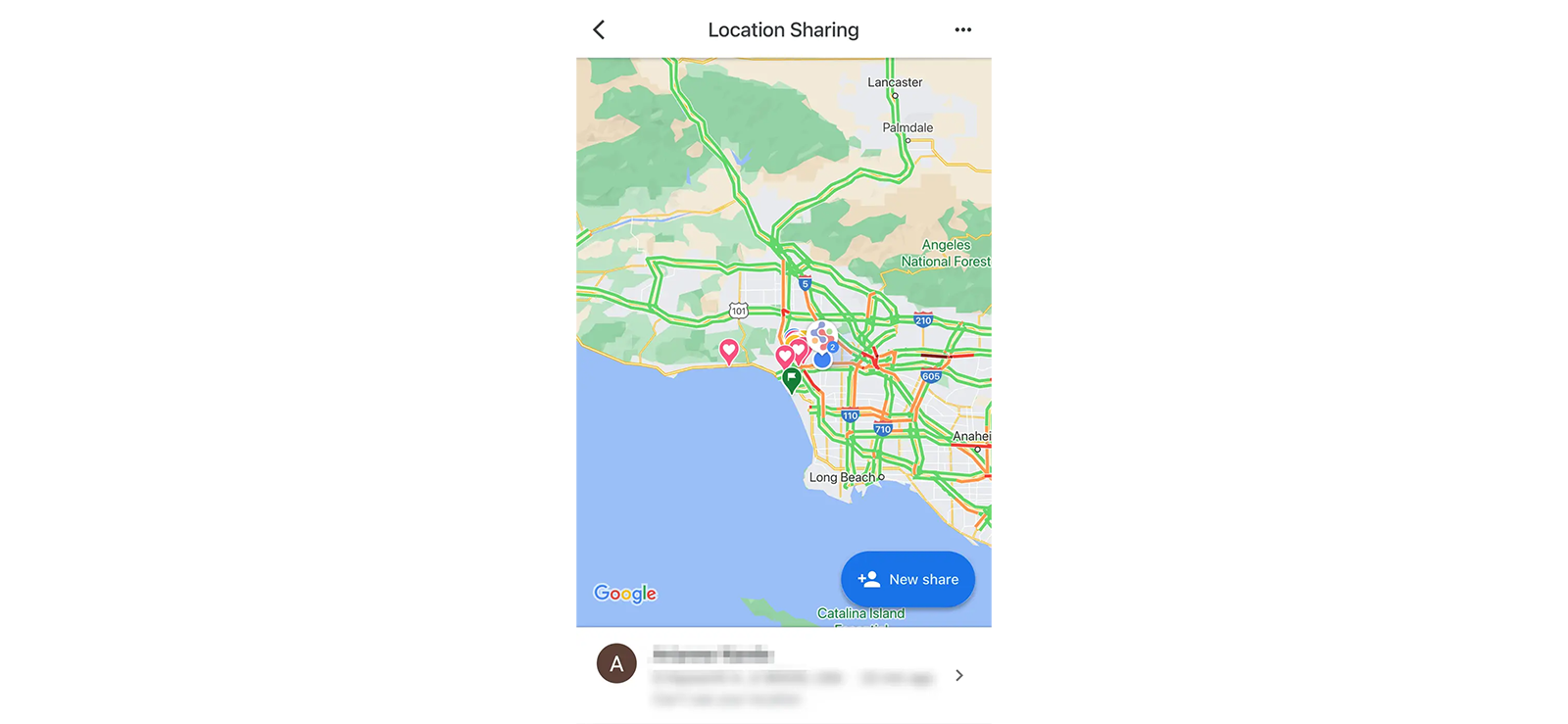
Out of all the methods I tested, Google Maps location sharing produced the most consistently accurate results with the least setup friction.
The system works through voluntary live location sharing tied to a Google account. Once enabled, Google Maps continuously updates the user’s location using GPS, nearby Wi-Fi signals, and mobile network data.
To trace mobile number exact location on map for free, use Google Maps:
- Open Google Maps on the target device.
- Tap the profile icon and select “Location Sharing.”
- Choose your contact to share the location with.
- Select a sharing duration or enable ongoing sharing.
- Open the shared map link on your phone to view the live location.
My Personal Take
I tested Google Maps sharing across Android and iPhone devices during driving, walking, and indoor movement scenarios, achieving a 93% success rate. During outdoor movement, updates remained highly accurate, usually staying within approximately 5 to 15 meters of the actual location.
Indoors, especially inside shopping centers, GPS precision became less stable and occasionally shifted by roughly half a block before recalibrating.
The biggest strength, however, was its consistency. That said, update intervals varied depending on battery saver settings, signal strength, and whether the app was actively running in memory.
Overall, for families or mutual location sharing, this remains the most dependable free option I tested.
3. Emergency Location Sharing
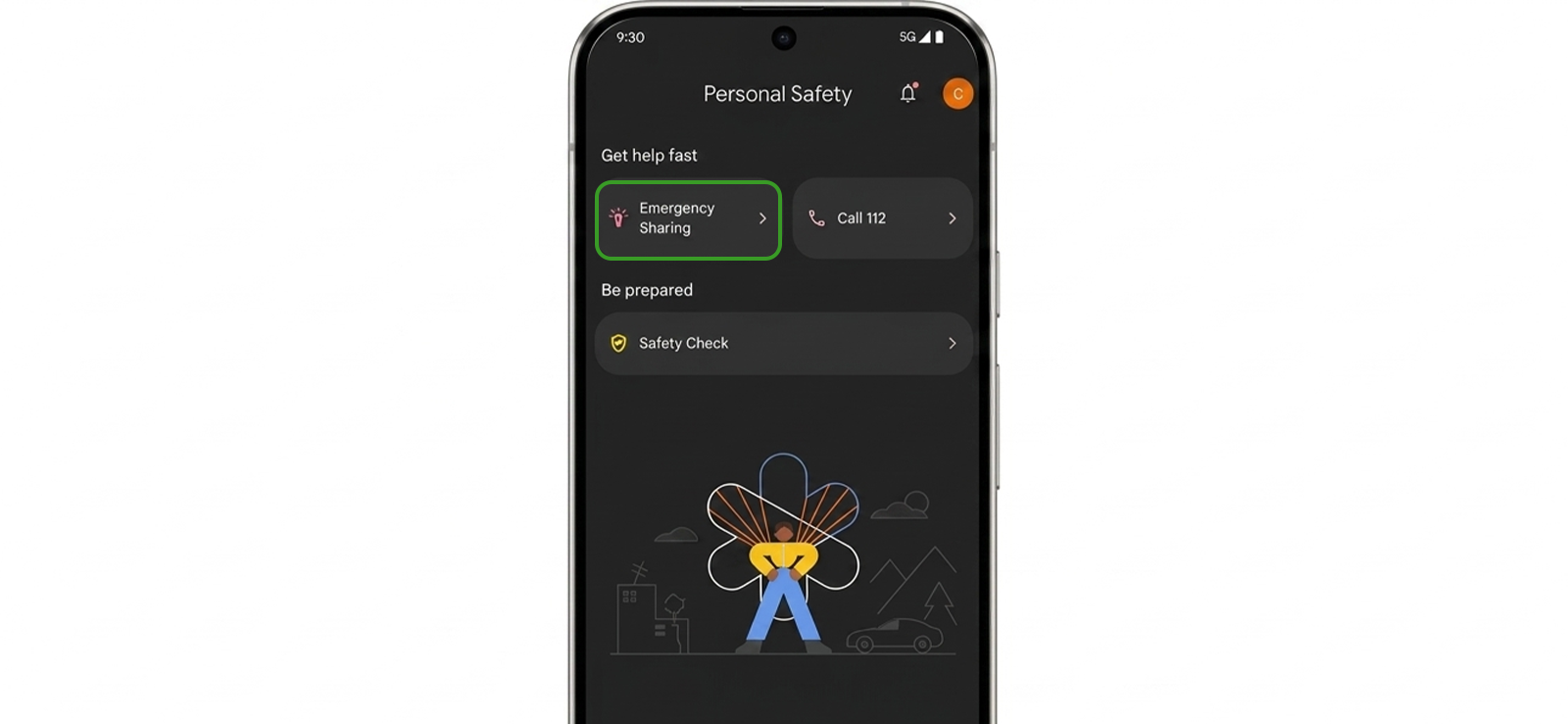
Emergency location-sharing tools are designed more for temporary safety situations than for continuous monitoring, and that difference became obvious during my testing.
On Android devices, features inside the Personal Safety ecosystem can send live location updates, battery percentage, and emergency notifications to selected contacts.
Unlike traditional tracking tools, these systems activate only when triggered by a specific event or safety check, rather than running silently in the background indefinitely.
If you want to track location by phone number free, the Emergency location feature is a reliable option:
- Open the Personal Safety or emergency settings on the device.
- Add trusted emergency contacts.
- Enable location permissions and emergency sharing settings.
- Start an emergency share or safety check.
- Let the trusted contact open the shared location link.
My Personal Take
I tested this feature primarily on Pixel and Samsung devices while walking and during short-distance driving.
What I found interesting was how quickly emergency shares were initiated compared to standard app-based location sharing. In several tests, the location link became accessible within seconds after activation.
However, these systems are heavily dependent on prior setup. If emergency contacts, permissions, or safety features are not configured beforehand, the method becomes useless in urgent situations.
Moreover, it is not built for stealth or continuous tracking. Notifications, visible prompts, and time-limited sharing made that very clear.
I also noticed that battery optimization occasionally interrupted updates, and emergency sharing sometimes paused when connectivity weakened.
Overall, while emergency location delivery succeeded in 9 out of 10 attempts, it felt limited compared to dedicated ecosystem-based tools, resulting in an overall success rate of 88%.
4. Android Find Hub
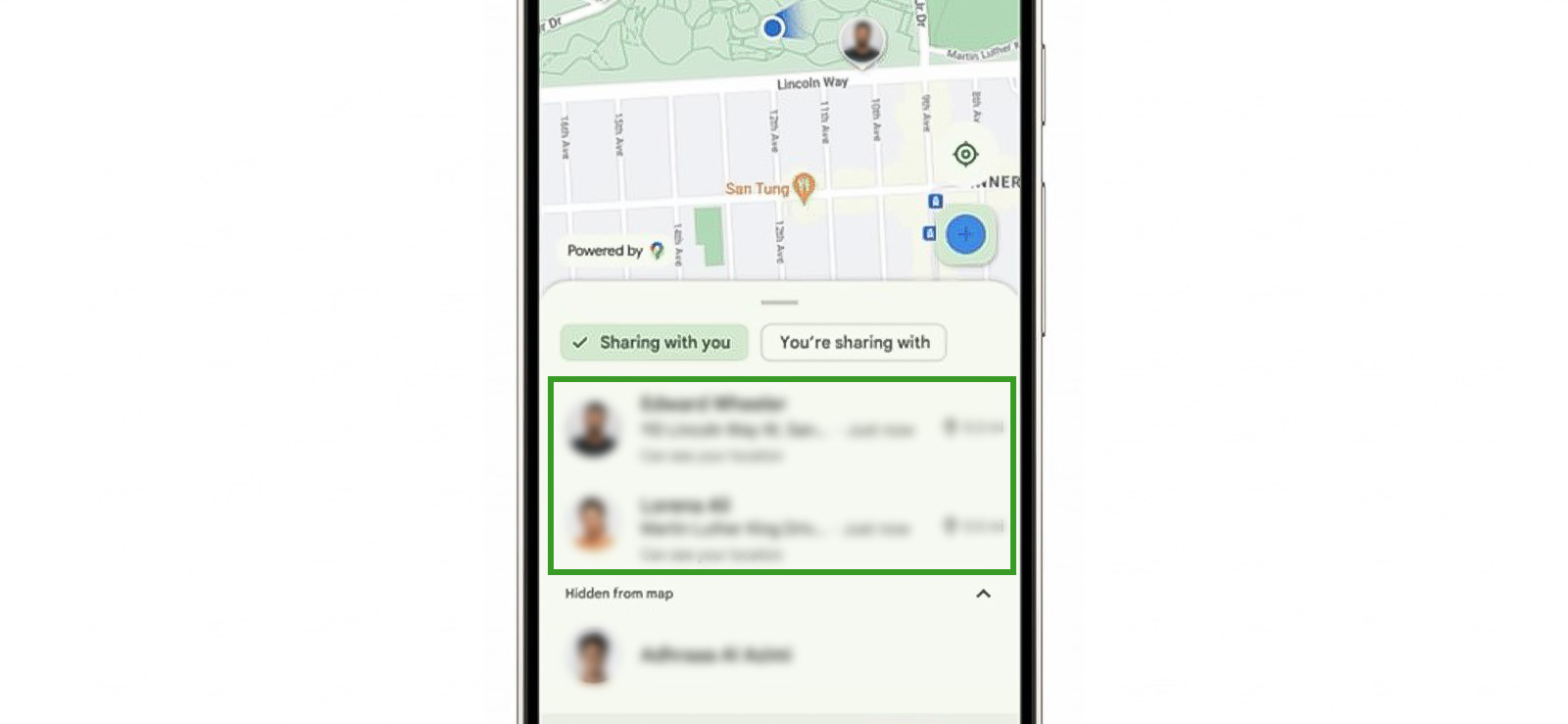
Google’s Find Hub system functions more like a recovery and device-location service than a traditional tracking platform.
Instead of following a phone number, the system locates Android devices associated with a Google account. Once enabled, the device periodically shares encrypted location signals with Google’s ecosystem.
To use Android Find Hub as a phone number tracker with location, execute each step carefully:
- Enable Location Services on the Android device.
- Turn on Find Hub settings.
- Sign in to the linked Google account on another device.
- Open Find Hub and select the missing device.
- View the live or last-known location on the map.
My Personal Take
In my testing, the feature worked best when location services were already enabled, the phone had active internet access, and the device remained connected to the primary Google account.
What surprised me most was the offline recovery capability on newer Android devices. Even after disconnecting one test phone from Wi-Fi and mobile data, the system occasionally surfaced delayed location estimates through nearby Android device networks.
Still, results varied heavily between manufacturers. While Pixel devices consistently delivered the strongest performance, Samsung devices performed well outdoors but occasionally delayed indoor updates after long idle periods.
Throughout the testing process, active online devices were located successfully in roughly 90% of attempts.

Bonus Tip
If you’re after more than just location tracking for Android phones, you’ll want a complete suite of monitoring features for the full picture.

5. Apple Find My
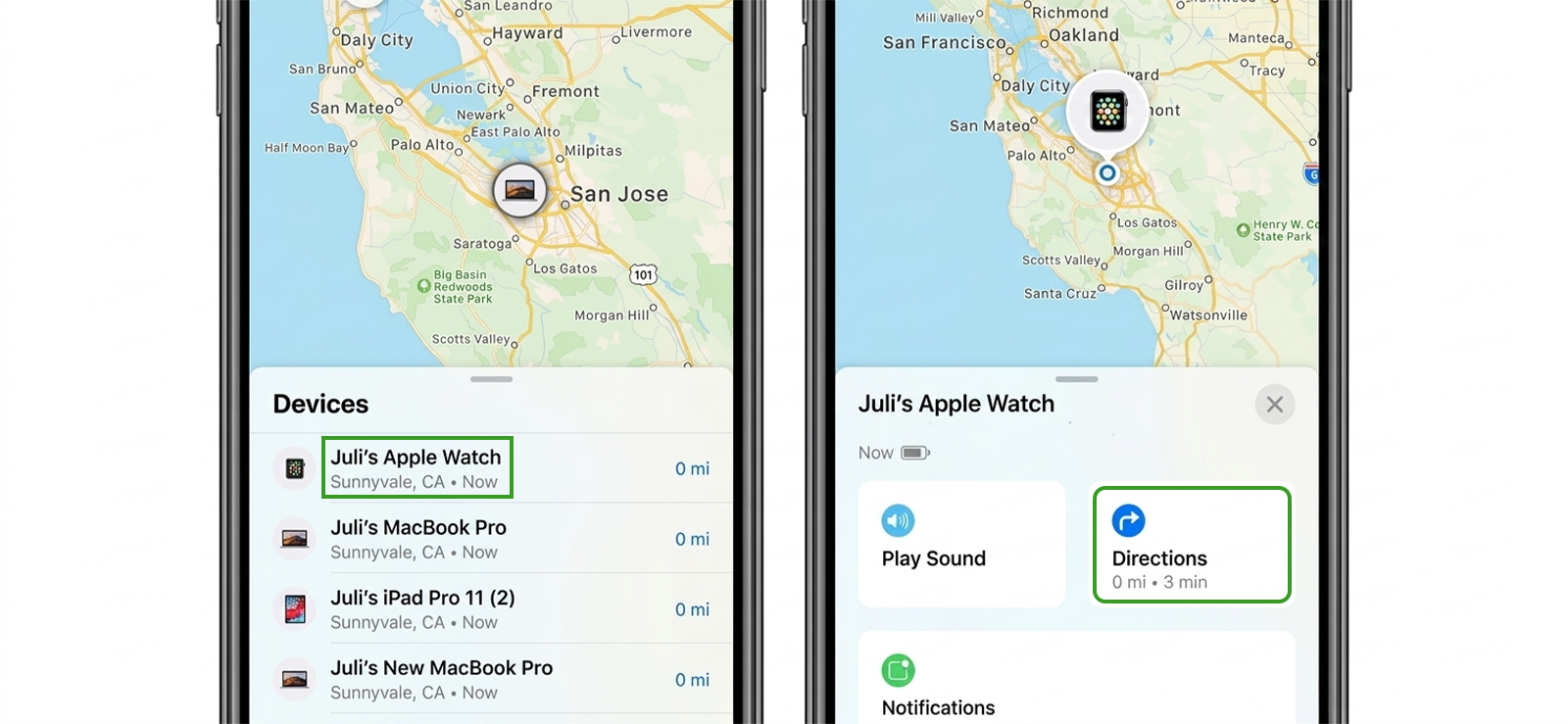
Apple’s Find My ecosystem felt noticeably more polished than most third-party alternatives I tested to trace mobile number current location online.
The system combines GPS, Wi-Fi positioning, Bluetooth beaconing, and Apple’s Find My network to help users locate linked devices and family members.
Let’s see how you can use the iPhone’s Find My feature for this:
- Open Settings and enable Find My on the iPhone.
- Turn on Share My Location.
- Configure Family Sharing if needed.
- Open the Find My app on another Apple device.
- View the shared or linked device location.
My Personal Take
As far as the method’s data precision to trace mobile number exact location on map for free is concerned, outdoor location logs remained extremely strong, often staying within approximately 5 to 10 meters. However, for indoors, particularly in dense apartment buildings, the nearby-device positioning occasionally shifted locations inaccurately.
What impressed me, though, was how well the system handled partially offline conditions. During testing, one powered-off iPhone continued to appear on the map for a limited time via nearby Apple device signals.
However, Apple’s ecosystem is extremely permission-driven. Without Family Sharing, location permissions, and Find My already enabled, access becomes much more restricted.
Overall, while in ideal situations, its success rate ranges around 94%, it quickly drops to 75% when relied on for continuous updates.
6. Network Provider
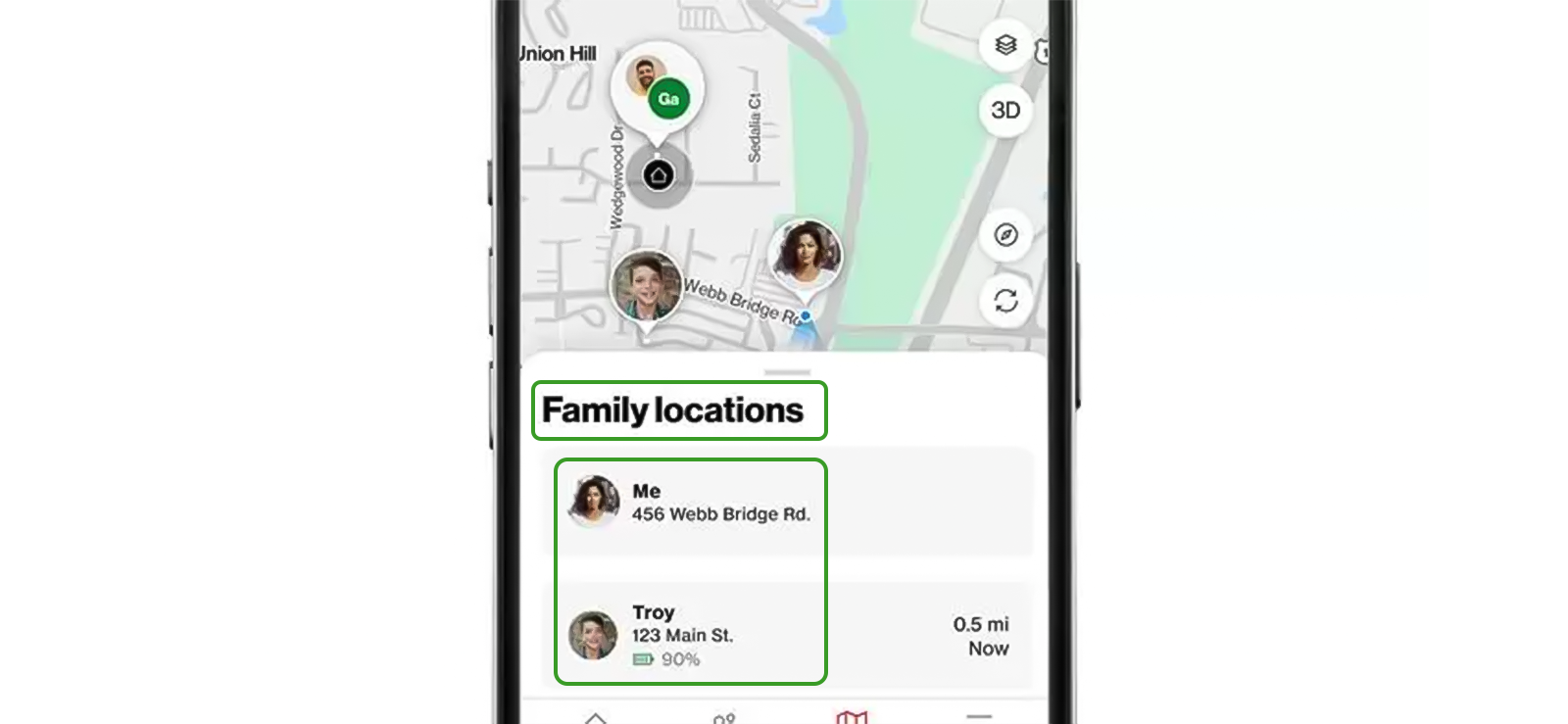
Carrier-based location tracking operates very differently from app-based GPS systems. Instead of relying entirely on device GPS, many carrier family-location tools combine network tower triangulation, account-level permissions, and limited device-based location sharing.
One important distinction is that carriers generally do not allow users to enter arbitrary phone numbers and locate people. The lines typically need to belong to the same approved family plan or account ecosystem.
Follow these steps to let mobile carriers find current location by phone number:
- Sign in to the carrier’s family account dashboard.
- Add the family member’s device or phone line.
- Enable location sharing permissions.
- Open the carrier’s tracking interface or family app.
- View the device’s current or approximate location.
My Personal Take
I tested carrier-based tracking across multiple family location services on Android and iPhone devices. Throughout the process, approximate location visibility worked consistently in 8 out of 10 trials.
Outdoors, results remained reasonably usable for general awareness, such as verifying whether a device was at school, home, or nearby. Indoors, however, tower-based positioning became noticeably less precise than GPS-driven apps.
I also found that update frequency varied significantly between carriers. Some refreshed every few minutes, while others delayed updates for longer during low-movement periods. The overall success rate, after accounting for all variables, was 75-85%.
FAQs
Is it possible to track location by phone number free without installing an app?
Yes, it is possible, but only in limited situations. In most cases, you cannot simply enter a phone number and instantly see someone’s live location without their involvement. Free methods that do work depend on consent-based services like Google Maps location sharing, Apple Find My, carrier family plans, or emergency sharing features. These methods do not require installing a third-party tracking app, but they still rely on prior setup, account permissions, or the other person actively sharing their location with you.
Are free phone number tracking websites actually accurate?
Most free phone number tracking websites are not genuinely accurate for real-time location tracking. In my testing and research, these platforms typically provide only basic information such as the carrier, approximate region, or whether the number is linked to spam reports. Many sites claim they can pinpoint a person’s location from just a phone number, but those claims are usually misleading.
How can I legally find someone’s location using their phone number?
The legal way to type in phone number and find location is through consent-based services that allow the other person to share their whereabouts with you. In most cases, this includes tools like Google Maps location sharing, Apple Find My, emergency sharing features, or carrier family-location services tied to approved accounts. However, for parents who need ongoing visibility into a child’s whereabouts, monitoring tools like Xnspy are often a more practical solution because they are designed specifically for parental monitoring and long-term location oversight.
Why does a phone number sometimes show an incorrect location?
A phone number can show an incorrect location because most systems do not track the number itself but instead rely on indirect signals like GPS, Wi-Fi networks, or cell tower data linked to the device. When GPS is weak or unavailable, the system may fall back on less precise methods, such as nearby towers, which can place the location several kilometers away. In some cases, delayed syncing, battery-saving modes, or offline periods can also cause outdated results to appear.
What is the difference between reverse phone lookup and location tracking?
Reverse phone lookup and location tracking are often confused, but they serve completely different purposes. A reverse phone lookup is designed to identify information about a phone number, such as the carrier, registered region, or possibly the owner’s name if available in public databases. In contrast, location tracking focuses on determining a device’s real-time or recent physical position using GPS, Wi-Fi signals, or cellular data.
5 Comments
Leave a reply:
Your email address will not be published. Required fields are marked*
Edna T. McGlynn
February 24, 2025 at 7:52 am😏
Lauren Bissell
March 5, 2025 at 6:20 amOkay, let me see
Andy
March 20, 2025 at 11:24 ammy son easily disables google find my device. So pathetic
Bruce Lee
June 2, 2025 at 3:04 pmcan you tell me more about xnspy please
Helene Joseph
September 4, 2025 at 2:47 pm👍