Limited Time Offer :
after-bg after-bg after-bg

How can I Track Someone Else's Skype Messages?

It is not like one day you woke up and decided that you wanted to track someone's Skype messages. Decisions like these are always driven by something serious. Whether you are curious about someone's private interactions or a parent determined to keep their child safe from inappropriate interactions, to track their Skype messages remotely is seen as the right way to go.

Now, mind you, regardless of your reasons to be interested in tracking Skype messages, the question remains: is this even possible? Yes, it is. To do so, you will need Xnspy. With tracking abilities within arm's reach, you will know all their secrets, be able to flag inappropriate conversations, and even help them instill healthy online habits.


How can I Track Someone else's Skype Messages?
after-bg after-bg
after-bg

Monitoring Skype Messages with XNSPY

Let me tell you how you can do that with Xnspy. The only thing that will take your time is subscribing to Xnspy and installing it on the target device (the phone which you are interested in monitoring). You will be emailed the guidelines for installation at the time of subscribing. Although you will be tracking the Skype messages remotely but to install Xnspy on the target device, you will need physical access to the device. But you will only need access to it once. After installing the app, you will need to wait for a short period, and then you can start monitoring once all data from the phone has been uploaded to your web account.

To Track Someone’s Skype Messages, Follow the Steps Below:

Step 1: Log into your Xnspy Web Account

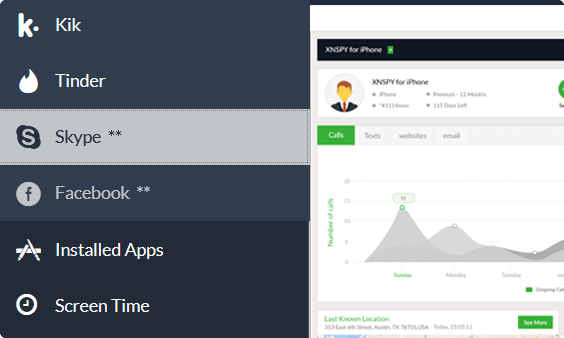
Visit cp.xnspy.com and enter your credentials to log into the web account. You will see a dashboard that displays all the controls. You will be exploring the data stored in the target device with these controls. The dashboard will look like this:

Xnspy dashboard
Xnspy dashboard

Step 2: Choose Skype in Messenger Tab

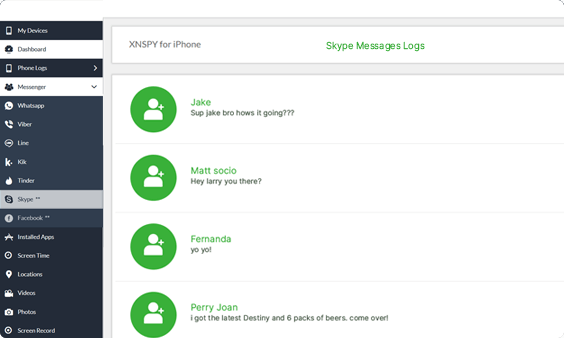
The dashboard will have a menu on its left. Click on ‘Messenger’ and then choose ‘Skype’ from the drop-down menu.

Step 3: Start Tracking the Skype Messages

The screen at your right will now display the Skype message log. These are all the conversations of the target device and their contacts.

Xnspy dashboard
Xnspy dashboard

Step 4: Read Conversation of a Particular Contact

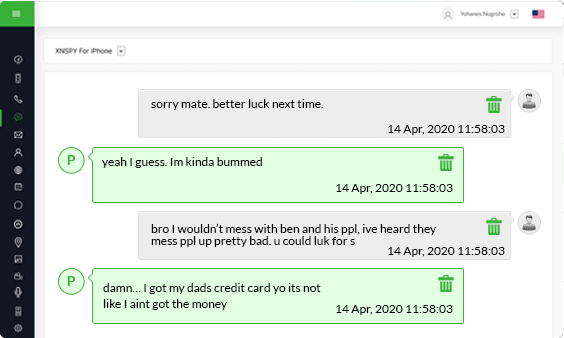
To read the entire conversation with a particular contact, click on their name and it will display the whole conversation thread. Each message has a time and date stamp with it.

after-bg after-bg

Xnspy Records Your Skype Conversations in Offline Mode Too

A great thing about using Xnspy to monitor and track your child’s Skype conversations is that it works in offline mode too. So, even if the target phone is not connected to the internet, this monitoring app will continue tracking their Skype conversations. However, the Skype logs that are monitored in offline mode are only accessible to parents once the target device is connected to the internet.

If you want to track someone’s Skype conversations without the knowledge of the device owner, Xnspy is perfect for you. An interesting thing about using Xnspy is that once it is installed on the target device, it works invisibility. That means the target device owner will not see any icon on their phone. In fact, they won’t even know an app is letting you track their messages.

after-bg after-bg after-bg

You Can Totally Rely on XNSPY - We’ve Got Your Back

XNSPY does not need only a subscription but also your satisfaction, so much so that giving you the best experience truly matters above all else.

icon

Stealth Mode 100%

Invisible

icon

100% Secure

Satisfaction Guaranteed

icon

24/7

Live Chat

  • Home
  • How can I Track Someone else's Skype Messages

Flash Sale

Use This Discount Code During Checkout

40%
OFF
  • Days
  • Hours
  • Minutes
  • Sec
BUY NOW