Limited Time Offer :
dots grill
after-bg after-bg after-bg

Explore the Kid’s iMessage Monitoring
App and Its Many Features

icon

Entire Conversation

Access entire message threads as a parent to get the full context and follow every detail of the conversation clearly.

icon

Deleted Messages

Retrieve and review deleted messages, including timestamps, to ensure no part of the communication is missed.

icon

Real-time Updates

Stay updated on iMessage activity as it happens, with instant alerts for every new message sent or received.

icon

Shared Media

Keep track of all shared photos, videos, GIFs, and stickers exchanged via iMessage, all in one place.

icon

Contact Lists

Know the entire contact list to see who your kid communicates with through the XNSPY iMessage tracker.

icon

Track with Discretion

Monitor iMessages privately without alerting the user, so your tracking remains undetectable at all times.

Find Out How Parents Can Use XNSPY to
Track Messages on iPhone

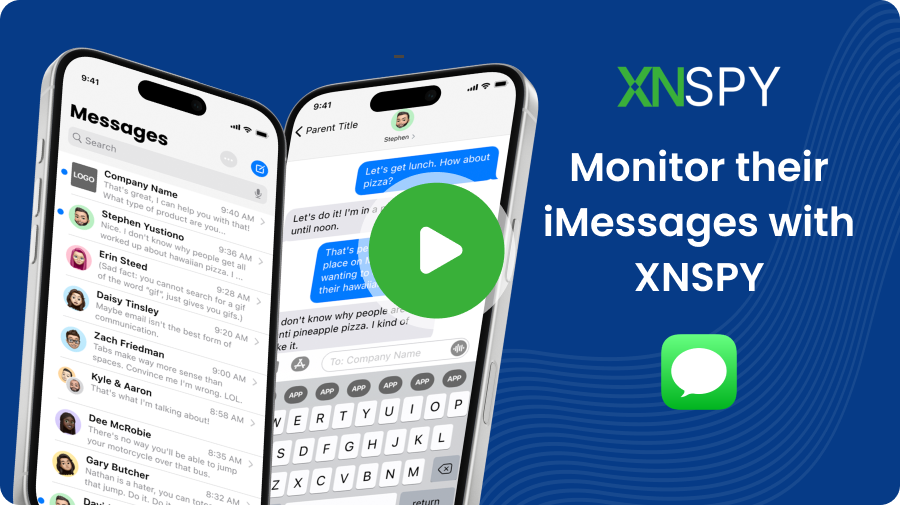
Take a quick tour of how XNSPY helps with monitoring Apple iMessages.

iMessage Monitoring App - arrow
after-bg after-bg after-bg

Tracking Messages on iPhone is Only the Start with XNSPY

Discover what the app has to offer from its 20+ features!

Hear from Real Customers Who Used Our
App to Monitor iMessages of Their Children

Impressive Monitoring Solution!

XNSPY has been an incredible tool for monitoring my child's online activities. It provides me with comprehensive insights, allows me to ensure their safety effortlessly. Highly recommended!... show more

icon
Eleanor L. May 30th, 2023
star
It’s really awesome

My wife and I have hectic weekday routines, and monitoring our two teenagers is more than a hassle. We were glad to install the XNSPY monitoring app on their cell phones with online threats looming.... show more

icon
Edward Lorry May 21, 2024
star
Best Monitoring Software

What problems is XNSPY solving and how is that benefiting you? I had a problem keeping the correct data on my mobile as I was unable to track my Wi-Fi network logs and email.... show more

icon
Aniket A Jun 07, 2024
star

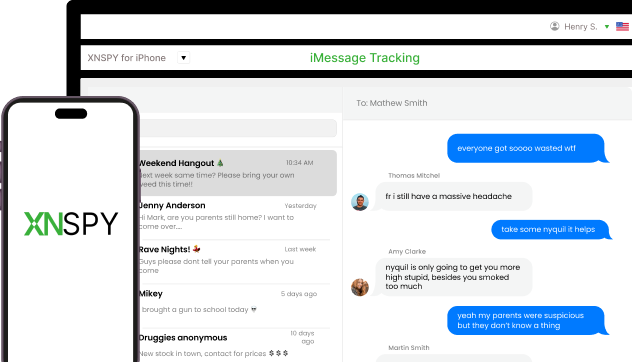
Get Full Control of iMessage Conversations

XNSPY offers seamless, real-time access to all iMessage data.

iMessage Monitoring App - Dashboard
after-bg after-bg

Frequently Asked Questions

question General Questions

  • Tracking iMessages means seeing the messages sent and received through Apple’s messaging service on an iPhone. By doing so, you can view the content of text messages, multimedia files, timestamps, and contacts involved in the conversations. But to track iMessages, you need monitoring software like XNSPY, which works by accessing the iPhone’s data remotely. Once installed, the software runs discreetly and captures iMessage activity without the user’s knowledge. It then sends this data to a secure online account, which you can access from any device.

  • No, to monitor iMessages remotely, an Apple ID is not required by advanced solutions like XNSPY. All you need is an app installation directly into the target iPhone. Once completed, parents can get full access to their child’s iMessages. Not only that, but after installation, if any new messages are sent or received, you can also see them in real-time without needing the Apple ID credentials.

  • XNSPY is the best option for remotely keeping tabs on iMessages. The app is compatible with the latest iPhone versions and provides discreet monitoring without draining the battery or alerting the user. All you need to do is install the app on the target device once and follow the easy setup guide. After that, you can access iMessages remotely through a secure dashboard. This gives you full access to the messages, media, and even deleted conversations, all from a simple interface.

  • Yes, for real-time and reliable iMessage monitoring, you need physical access to download and configure the app on the target phone at least once. Afterward, these apps tend to run in the background, collect iMessage logs, and then upload them to the dashboard immediately. In case you rely on remote monitoring through iCloud, the activity updates will depend on the syncing and your access to the other person’s passwords.

  • Yes, an advanced app like XNSPY can monitor both one-on-one and group messages on an iPhone. It captures all messages on the device and organizes individual and group chats separately in the dashboard. XNSPY mirrors iMessage’s layout, showing all chats in order – individual or group – complete with shared media, profiles, and timestamps, ensuring thorough checking of all iMessage interactions.

  • With a tool like XNSPY, you can quickly recover all deleted messages. It captures messages in real time, storing them before the kid deletes them from the device, ensuring you don’t miss any valuable information.

  • An iMessage monitoring app offers near real-time updates, uploading logs to the dashboard as new messages come in. The speed of these updates depends on the app and the device’s internet connection. For example, XNSPY uses direct software on the device, which makes it faster. It saves messages in real-time and updates them quickly for accurate and timely tracking. This means you will always have the most up-to-date information, allowing you to monitor iMessages efficiently.

  • The app will stop working if the target device gets a factory reset or updated. A factory reset removes all installed apps, including the monitoring software, so you would need to reinstall it. Similarly, software updates may affect the app’s functionality. However, XNSPY ensures easy reinstallation after a reset or update. You will simply need to follow the setup process again to resume monitoring.

  • A few free apps claim to show messages on an iPhone, but their safety and reliability are questionable. These free apps generally lack the full functionality, data security, and support that reputable paid options offer. Additionally, free apps might not meet Apple’s privacy and security standards, potentially exposing users to data breaches, malware, or unreliable performance. If you are considering keeping an eye on iMessages, using a trusted app like XNSPY that prioritizes data protection and offers customer support is safer.

  • The impact on performance and security can vary depending on the messages monitoring iPhone app parents choose. Using an app like XNSPY won’t affect the performance or security of the iPhone. XNSPY is designed to run discreetly in the background, using minimal system resources, so it doesn’t slow down the device. It also doesn’t interfere with normal phone functions or apps. As for security, XNSPY uses encryption to keep the data safe, ensuring that the information is securely transmitted to the user’s dashboard.

  • No, it can only track iMessages when the iPhone is online and powered on. Like any other app, XNSPY relies on an active internet connection to send data to the dashboard in real-time. If the device is offline, it can’t upload any new messages. Once the device is back online, the app will sync and update the data, providing the most recent information. Similarly, if the phone is powered off, no new data can be tracked until it’s turned back on and connected to the internet.

New Year Sale

Use The Discount Code During Checkout

40%
OFF
  • Days
  • Hours
  • Minutes
  • Sec
BUY NOW