Capture Every Conversation
Track, record, and review calls with XNSPY
Yes, it is legal to listen to someone’s calls, but it depends on the situation. If you are monitoring your child’s phone, it is generally allowed, especially if they are under 18. As a parent, you are within your rights to keep an eye on their activities to ensure their safety.
But if you are looking for ways to hear someone's phone call without their consent, that is illegal. Always make sure you understand the laws in your area before diving in. Keeping things legal is key, and it is always best to be upfront about it.
| Apps | Rating | Price |
|---|---|---|
| XNSPY | 9.6/10 |
Basic: $4.99/month Premium: $7.49/month |
| Cube ACR | 8.5/10 |
Android Premium: $19.99/month - |
| TapeACall | 8.2/10 |
Monthly: $14.99 Annual: $79.99 |
| FlexiSpy | 7.8/10 |
Lite: 1 month: $49.95 Extreme: 12 Months: $419 |
| Recordeon | 7.5/10 |
Monthly: $12.99 Yearly: $57.99 |
| ChyldMonitor | 7.3/10 |
Premium: $62 (1-Month) Premium: $172 (1-Year) |
Evaluating call recording apps, especially those designed to work remotely, requires more than just checking feature lists. To provide accurate and trustworthy rankings, our experts purchased and tested each app with subscriptions, carrying out real-world evaluations over an extended period.
We installed every tool on multiple devices, recorded calls under different network conditions and durations, and examined how each performed from setup through day-to-day use. Here are the parameters we checked each app upon:
When a call is recorded remotely, the speed at which the audio file is uploaded to the dashboard or cloud matters greatly. While testing the apps, we assigned 30% of the total score to uploading performance. Faster, more consistent uploads directly improve usability and responsiveness, especially for parenting when monitoring needs are time-sensitive.
A recording is only valuable if you can hear what was said. That’s why 25% of our ranking focuses on audio quality. We evaluated background noise suppression, voice balance, and playback accuracy across calls of different lengths and environments.
Call recordings can quickly eat up storage if not managed well. We dedicated 20% of the overall test score to how efficiently each app handles memory, whether it compresses recordings without losing quality, and manages space effectively on the device without causing issues or overconsumption.
A robust app that’s difficult to use can cause frustration and inefficiencies. We allocated 15% of the total rating to how intuitive the setup process is, how straightforward the dashboard feels, and how accessible the recorded calls are for the user.
Finally, we considered overall value by balancing performance against price. At 10% of the ranking, this testing parameter reflects how worthwhile an app is.
No matter the reason you want to listen to someone’s phone calls, you will need a solution that makes it possible and easy. Lucky for you, we have tried, tested, and shortlisted the 6 best apps to record phone calls on Android. Let’s discuss them in detail.
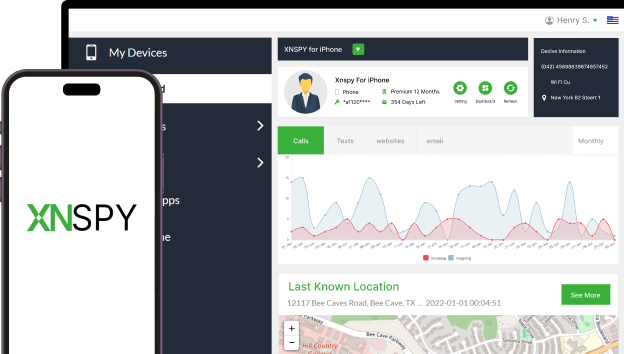
XNSPY tops this list as it provides a comprehensive call recording feature, allowing users to listen to incoming and outgoing calls. The app has been functioning for more than 12 years and has a vast base of satisfied customers.
We found XNSPY to work seamlessly on a wide range of Android devices. It offers affordable subscription plans, and with an online dashboard, remote call recording is pretty straightforward.
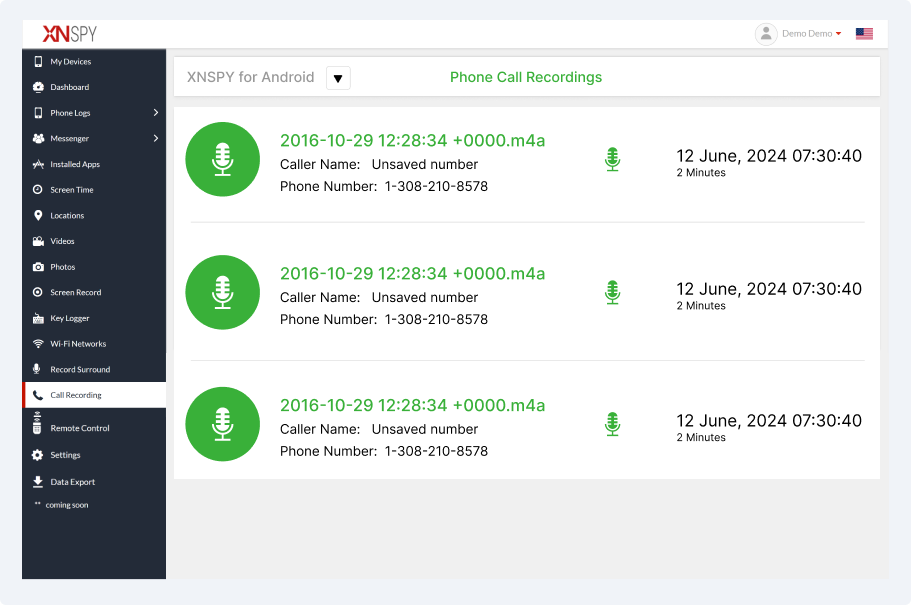
XNSPY records calls automatically and makes them accessible remotely through the app’s online dashboard. Parents, when on the dashboard, can simply go to the “Call Recording” tab from the side menu to get a list of all the audio conversations taking place on their child’s phone. Additional details include the caller's name, phone number, call duration, and timestamps.
Using this feature is quite straightforward; we were able to play the recordings by simply clicking on the microphone. Once played, XNSPY further gave us the option to adjust the playback speed and volume within the dashboard. Not only that, but downloading the files for later usage was also possible.
XNSPY also keeps track of all call logs, including missed, incoming, and outgoing calls. We noticed that it displays all the contact information, including their name and number, along with the timestamps and call duration.
Other than call logs and recordings, XNSPY also gives you an in-depth analysis report. We found the report to be very useful as it summarized information for a single, quick glance. You’ll be able to see the most frequently contacted people and the longest calls as well.
We all know that when it comes to interaction through digital devices, the importance of text messages cannot be denied. XNSPY allowed us to see conversational threads in real-time via its text monitoring feature.
XNSPY is supported on Android smartphones and tablets running Android 4.x up to 15. The website also has a compatibility page where parents can enter their child’s phone name or model to check compatibility.
| Pros | Cons |
|---|---|
|
- Records every call. - Unlimited call recording - Detailed call logs, including caller IDs, timestamps, and call durations - All recordings are secured on a user dashboard that is password-protected - Record calls in offline mode and upload them when the connection is restored - Download the audio files and back them up |
- Require physical access to install the app on the target phone - No free trial |
If you are looking for an automatic solution that doesn’t require you to trigger the call recording command at every call manually, we believe XNSPY will serve as one of the best call recorder apps for Android. Especially if you are looking for an option that offers you a reliable feature within an affordable price range, XNSPY can prove to be worth your trust.

Track, record, and review calls with XNSPY
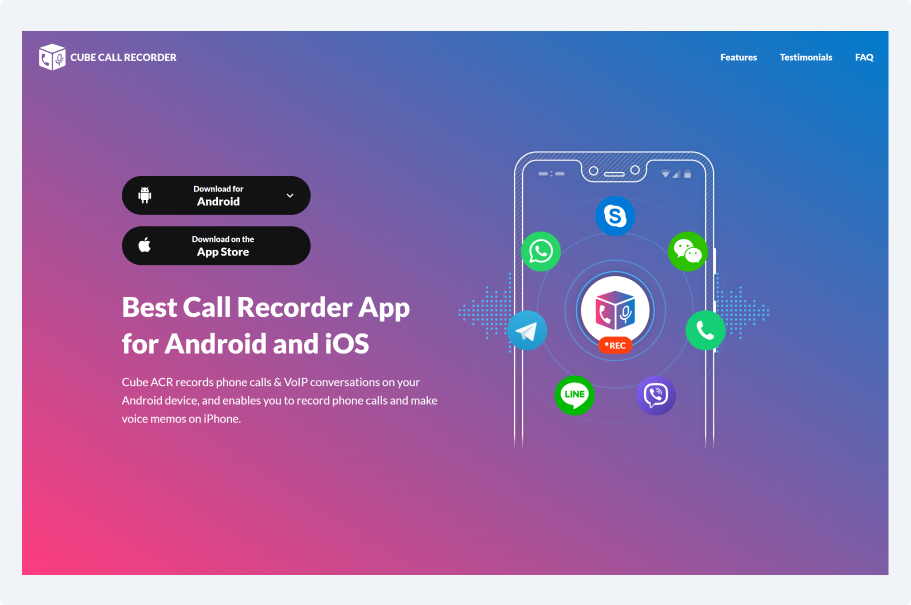
Cube ACR is one of the popular call recorder apps. We picked it for our list because of its efficient execution. Our rigorous testing revealed that this app lets parents record all calls made or received on their child’s device. Moreover, what particularly impressed our team was the app’s ability to record VoIP conversations and calls made on selected social media apps.
Cube ACR is available in multiple languages, such as English, Italian, and Arabic, and has a user-friendly interface. The app offers automatic call recording, cloud backup, password protection, and customizable settings for specific contacts.
Cube ACR’s geotagging feature adds helpful context to recorded calls by showing where the conversation took place. This can be especially useful for parents and families who want a clearer picture of when and where important discussions happened.
Shake-to-Mark makes it easy to flag important moments during a call, right as they happen. With a simple shake of your phone, you can mark key parts of a conversation for quick access later, no tapping or fumbling required. This feature worked exactly as claimed during our testing.
The Cube ACR Android app to record phone calls is compatible with most Android devices; however, its performance may vary across different phone models.
| Pros | Cons |
|---|---|
|
- A free trial is available - Face ID and PIN lock methods to secure the call recordings |
- Features are limited compared to other similar apps - Installing the app can be technical |
If you are looking for an option that only offers you call recording, Cube ACR might be the one for you. However, if you need a complete monitoring package, remember that Cube ACR won’t provide you with additional logs like text monitoring, social media tracking, etc.
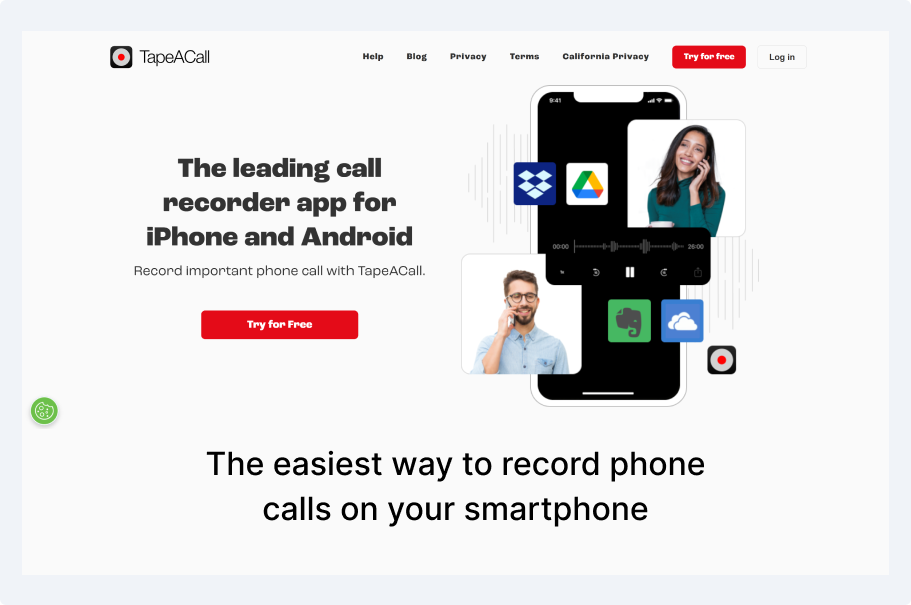
TapeACall is another option among the best call recording apps. Using it, parents can record all incoming and outgoing calls on the target device. Moreover, during the tests, we found its unlimited call recording capacity to be very impressive as it allows users to archive a good number of calls without hassle.
Another key feature of TapeACall we enjoyed was call transcription, which converts audio files into text. The app also provides a simple interface and supports high-quality audio.
During the testing phase, TapeACall removed our worry of running out of space by offering unlimited storage for recorded calls. You can save conversations without constantly managing files or deleting older recordings to make room for new ones.
In our experience, sharing recordings with TapeACall is quick and straightforward. Whether you need to send a call to a family member, advisor, or trusted contact, the app makes it easy to export recordings in just a few taps.
TapeACall is compatible with most of the Android devices, but the app works in a select list of countries.
| Pros | Cons |
|---|---|
|
- Free trial - Unlimited recording duration - Cloud storage for backup |
- Occasional recording quality issues - Limited free trial that works for only 7 days - Subscription-based full functionality can be expensive |
When it comes to deciding whether to buy this app or not, it again depends on your needs. If you need a full-fledged monitoring app that also offers you insights beyond call recording, TapeACall won’t be enough. However, if you are looking for a designated call recorder app, we feel like this has the potential to be the best Android call recorder for you.
FlexiSPY is a noticeable call recorder app that provides diverse features to control a mobile device. The app is probably the oldest in the industry and has a big customer base. Besides call recording, the app provides access to phone calls, messages, GPS locations, and internet activity, too.
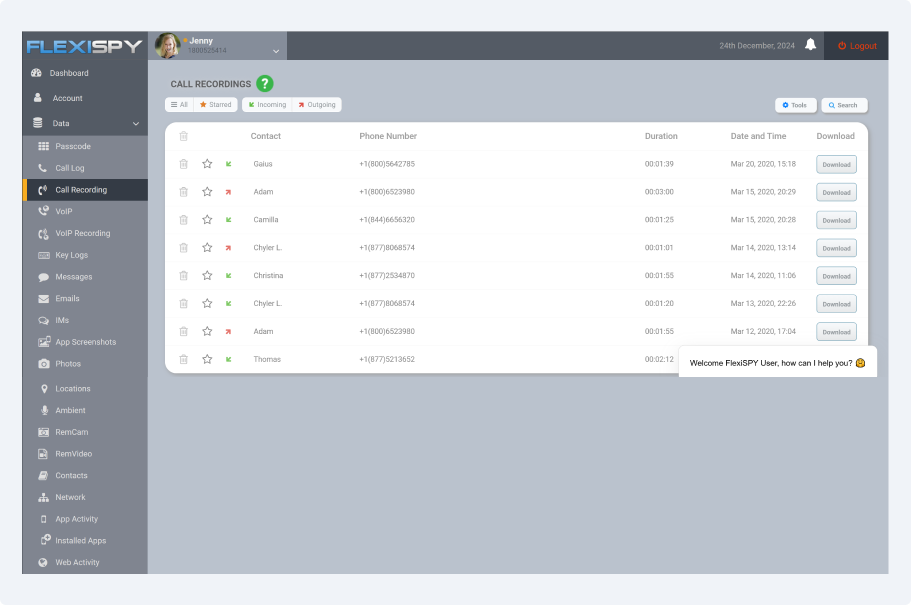
FlexiSPY does provide a wide array of tools and features. However, the dashboard interface does seem old and dull, and figuring out each option can be confusing. The app did not work discreetly during our testing period, but recorded all the received and made calls of the target phone.
To access these recordings, we had to go to the dashboard, where we were able to listen to the calls after downloading them. Moreover, details such as the contact name, caller number, call duration, and timestamps were displayed.
FlexiSPY’s location tracking feature helps parents stay aware of where the child’s device has been throughout the day. By viewing location data in one place, it becomes easier to understand movement patterns or check on whereabouts when needed. The feature updated information on the dashboard with a slight delay in our testing.
With message tracking, FlexiSPY allows access to sent and received messages across supported platforms. This can help users review conversations, spot potential concerns early, or simply stay informed. Messages are organized neatly, which we think makes it easier to scan through communications and find relevant details when necessary.
FlexiSpy works on various versions of Android. It offers a compatibility page to easily check the kid’s phone model and make too.
| Pros | Cons |
|---|---|
|
- Responsive call recording tool - Option to enable call recording automatically |
- Cannot play recordings directly, but have to download and listen - The interface is old - Its subscription plans are expensive |
If you are looking for a complete monitoring app, FlexiSPY will serve you well. However, if you need it within a set budget, do know that FlexiSPY comes with a hefty price tag. Moreover, it won’t update data in real-time, which can be important for you when it comes to call recording.
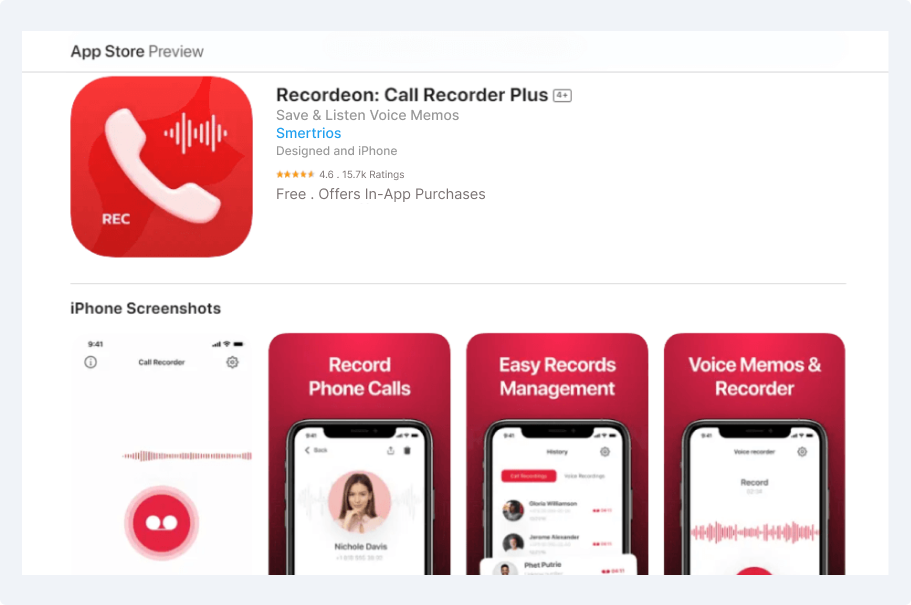
We picked Recordeon as it is an intuitive call recording app that automatically records both incoming and outgoing calls. The app is simple to use and provides fair quality voice recordings. It also offers features like saving recordings in multiple formats and sharing them through cloud storage or email.
One of the best Android apps for recording phone calls, Recordeon has a user-friendly interface and works discreetly in the background to ensure seamless recording. We also found that it is one of the few apps that uses Artificial Intelligence (AI).
Recordeon’s transcription feature turns recorded calls into readable text, making it much easier to review conversations without replaying entire recordings. This came in especially handy when we wanted to revisit important details at a glance.
The AI content summary feature takes things a step further by automatically highlighting the key points from each call. Instead of listening to long conversations, we were able to get a clear, concise overview of what was discussed. This saves time and makes it easier to stay informed.
Recordeon is supported on various Android versions.
| Pros | Cons |
|---|---|
|
- Automatic call recording - A library feature to organize all of the recordings - Can easily share the audio files |
- A premium subscription is necessary for file sharing and cloud storage - A recurring subscription can be costly |
If call recording is the only thing you’re looking for, we feel like Recordeon can be a good option for you. However, given our experience, we need to warn you about the hefty add-on pricing if you want to have cloud storage.
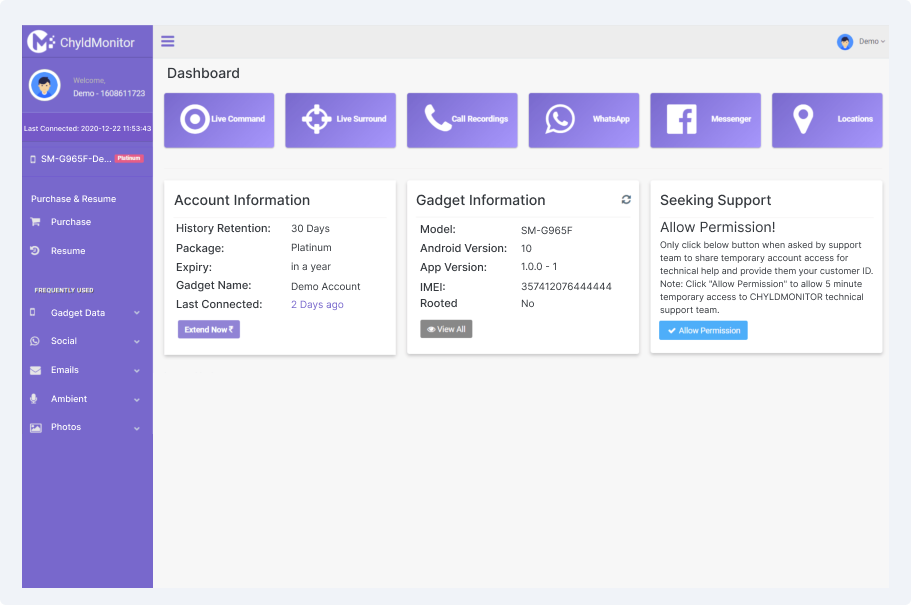
For parents who are looking for a reliable Android app to record phone calls, ChyldMonitor is a modern solution that provides numerous features to do so.
The app offers a smart dashboard where all the options are clearly defined. It has a hidden call recorder that lets users capture and listen to all the calls a child makes or receives. These recordings can be both directly played and downloaded for later.
Moreover, we like how it offered deeper insights with call details like contact name, number, call type, etc. The size of the audio and the relevant date and time information are also given.
ChyldMonitor’s Live Audio feature lets you listen in on surrounding sounds in real time, giving an extra layer of awareness when needed. We found it useful for staying connected and ensuring safety without waiting to review recordings later.
The app’s screenshot feature captures images of what’s happening on the device at any given moment. This can help you keep track of important conversations, app activity, or visual information without needing constant supervision. Screenshots are saved securely, making it simple to review or reference them whenever necessary.
ChyldMonitor is supported on Android phones running version 4 to the latest one.
| Pros | Cons |
|---|---|
|
- All call recordings start automatically - Parents have the option to block numbers. |
- No option to control the volume or playback speed of recordings - The download link sometimes does not function |
ChyldMonitor is yet another complete monitoring app for parents to monitor their children. However, if your primary need is call recording on Android, do know that this one comes with a couple of downsides as well. For instance, you cannot speed up the recordings or even control the volume.
Yes, reputable call recording apps for Android upload recordings to a password-protected and end-to-end encrypted online dashboard. This keeps the audio files secure and allows parents to play or download recordings remotely without storing everything on the device itself.
While some phone call recording apps fall behind by offering only one side of the conversation due to various restrictions, that is not the case for more advanced solutions. Such apps are essentially designed to capture both sides of the conversation for complete visibility. Regardless of the phone in use, the audio not only includes both callers but also offers good quality.
Whether your child knows about their calls being recorded and listened to depends on the phone call recording app in use. If parents are using an app that operates in stealth mode, then they can continue recording the kid's call without them knowing, since these apps do not display any notifications and icons on the target phones.
Many Android apps for recording phone calls allow users to download recordings directly from their online dashboard. This makes it easy to store important conversations or share them when needed. Download options and formats may vary depending on the software. Moreover, some even have the option for you to share the recording directly from your dashboard.
It depends on the app you use. Basic Android call recorders usually only capture regular phone calls (both incoming and outgoing). More advanced monitoring apps can also record calls made through messaging apps like WhatsApp or Skype. Keep in mind that recording calls from other apps may not always work on newer Android phones because of privacy rules. Make sure the app clearly says it can record these types of calls before you rely on it.
XNSPY ensures no activity, message, or detail goes unnoticed.
Use The Discount Code During Checkout