Limited Time Offer :
dots grill
after-bg after-bg after-bg

XNSPY Screen Time Control App Has Everything A Parent Needs

icon

Total Time

Use our app to calculate the total time your child spends on their phone and track daily screen usage.

icon

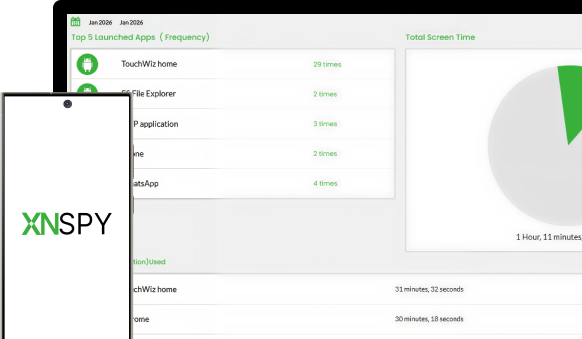
Frequented Apps

Monitor the most used apps and see exactly how often they are opened with this screen time limit app.

icon

App Duration

View the hours, minutes, and seconds spent on all apps, including third-party apps on the device.

icon

Remote Actions

Use the XNSPY screen time parental control app to block addictive apps or lock the phone entirely.

icon

Date Filters

Narrow down the screen time data easily on the web dashboard with built-in date and time filters.

icon

Uninstallation Prevention

The app runs in stealth mode and prevents children from uninstalling it on their phones.

See How Our Screen Time Monitoring App
for Kids Is Built Different

Learn more about the XNSPY app to limit screen time and support healthier digital habits.

Xnspy Keylogger - arrow
after-bg

Nothing Matches the Features in XNSPY Screen Time Parental Control App

Monitor over 13 apps with 20+ features using none other than XNSPY.

Hear from Parents Using Our
App to Reduce Screen Time

Impressive Monitoring Solution!

XNSPY has been an incredible tool for monitoring my child's online activities. It provides me with comprehensive insights, allows me to ensure their safety effortlessly. Highly recommended!... show more

icon
Eleanor L. May 30th, 2023
star
It’s really awesome

My wife and I have hectic weekday routines, and monitoring our two teenagers is more than a hassle. We were glad to install the XNSPY monitoring app on their cell phones with online threats looming.... show more

icon
Edward Lorry May 21, 2024
star
Best Monitoring Software

What problems is XNSPY solving and how is that benefiting you? I had a problem keeping the correct data on my mobile as I was unable to track my Wi-Fi network logs and email.... show more

icon
Aniket A Jun 07, 2024
star

Use XNSPY App to Restrict Screen Time With Ease

Get complete insights into their screen usage and overall phone activity.

monitor-img
after-bg after-bg

Frequently Asked Questions

question General Questions

  • There isn’t a single number that works for every child. It entirely depends on your child’s age and daily routine. While younger children benefit from limited, supervised screen time, teens need balanced use that does not affect their overall life. Every parent's primary goal of using an app that limits screen time is not just focus on hours, but also pay heed to healthy screen habits.

  • The 3-6-9-12 rule is a guideline to help you manage kids’ screen use by age:

    • 3 years - Avoid screen time except video calls with family
    • 6 years - Limited and supervised screen use
    • 9 years - Encourage healthy habits and balance
    • 12 years - Introduce responsible online behavior and discussions about digital safety.

  • Yes, by default, XNSPY continues tracking screen time even when the phone is offline or on mobile data. When offline, the software collects usage logs in the background and syncs them to the web dashboard once an internet connection is available. On the other hand, if set to upload via Wi-Fi only, it will wait until the device connects to Wi-Fi before syncing new data.

  • A reliable app to monitor screen time operates in stealth mode and runs in the phone’s background without appearing on the home screen, notification center, or app drawer. These functionalities make them harder to detect and uninstall. Moreover, due to them running directly on the phone, the other person cannot also use VPNs or other workarounds to bypass any blocks or restrictions.

  • If the device is restarted, the app to restrict screen time resumes running in the background automatically and continues tracking usage. However, if the device is factory reset, all apps, including the screen time app, are removed, which means restrictions will stop until the software is reinstalled.

  • XNSPY provides app-specific usage data, showing how long each app is used and how many times it is launched. Now, while it does not break down usage by individual accounts, parents can use other XNSPY features to see which accounts are active, what activity was performed on them, and the total time spent on each for a complete picture, even when multiple accounts exist on the same app.

  • Yes, an advanced app to reduce screen time, like XNSPY, lets parents access overall phone usage and individual app activity. Once you identify apps that are being used excessively, you can remotely block or unblock specific apps without restricting access to the entire phone. Not only that, but if their daily screen limit is up, you can also lock the phone with ease.

  • XNSPY screen time monitoring app updates data in real-time. Whenever the phone is in use and a new app is opened, the tool detects the activity and immediately updates the data on the dashboard. With these instant insights, XNSPY ensures users always have the latest view of their target user’s screen usage to track habits and enforce limits effectively.

Flash Sale

Use The Discount Code During Checkout

40%
OFF
  • Days
  • Hours
  • Minutes
  • Sec
BUY NOW