How to Find Someone’s Location on Instagram Without Them Knowing: 6 Best Ways
 By Mike Everett
The complete monitoring experience for your phone
Get XNSPY and start tracking calls, texts, multimedia, locations and more on any phone!
Get Started Now Live DemoAmong all the apps, Instagram seems to be the most active. People upload almost anything, from daily moments to exotic getaways and private milestones. They might not think twice about constant uploads, but it can pose many risks. Read below if you are curious about how to track someone on Instagram without them knowing.
Know What The Article Talks About in Just 60 Seconds
- Checking someone’s location on Instagram is often done to prevent oversharing and stay aware of shared whereabouts.
- XNSPY enables Instagram-related location tracking through a dashboard by accessing location data, screen records, and real-time activity logs after installation with proper consent.
- Instagram Live Location (Notes) allows mutual followers to view real-time location when shared.
- Instagram posts with geotags help identify where a photo or video was uploaded from.
- Post analysis, including captions and backgrounds, helps identify location clues indirectly.
- IP-based link tracking can provide approximate location data when a shared link is clicked.
- Story location stickers reveal approximate whereabouts through clickable tags on stories.
Can you See Someone’s Location on Instagram?
Yes, you absolutely can! But the real question isn’t about “Can you track someone on Instagram” – it is about “how to find someone’s location on Instagram.” It may sound complicated and challenging, as the app is owned by Meta, which has strict policies to protect a person’s account and activity. However, there are some workarounds to track location and gain key insights.
Why It Is Important to Know How to See Someone’s Location on Instagram Without Alerting Them
While some might believe that seeing someone’s location on Instagram is all about secret tracking, it is not always the case. It is highly probable that when you look up ways on how to track Instagram account location, it is coming from a place of concern.
Since many users can unintentionally share their whereabouts through posts, stories, tags, and interactions, you might want to stay aware of how easily location data can be revealed and to protect your loved ones against it. That is even more of a problem when the concerned individual has a public account or is used to accepting requests from strangers.
If you are a parent, this is far more crucial for you to know because teens tend to use Instagram more aggressively and may not understand the repercussions of oversharing. Their activity might expose their hangout spots or daily routine to ill-intended strangers.
Therefore, as a parent, to guide them towards safer usage, you need to learn how Instagram works and what location data your child is sharing on the app.
How to Track Someone on Instagram Without Them Knowing: 6 Best Ways
With growing online risks, it is crucial to ensure your kids and loved ones are not oversharing, especially on platforms like Instagram. To do so, let’s discover how to see someone’s location on Instagram with 6 easy ways.
1. Use a Hidden Instagram Location Tracker
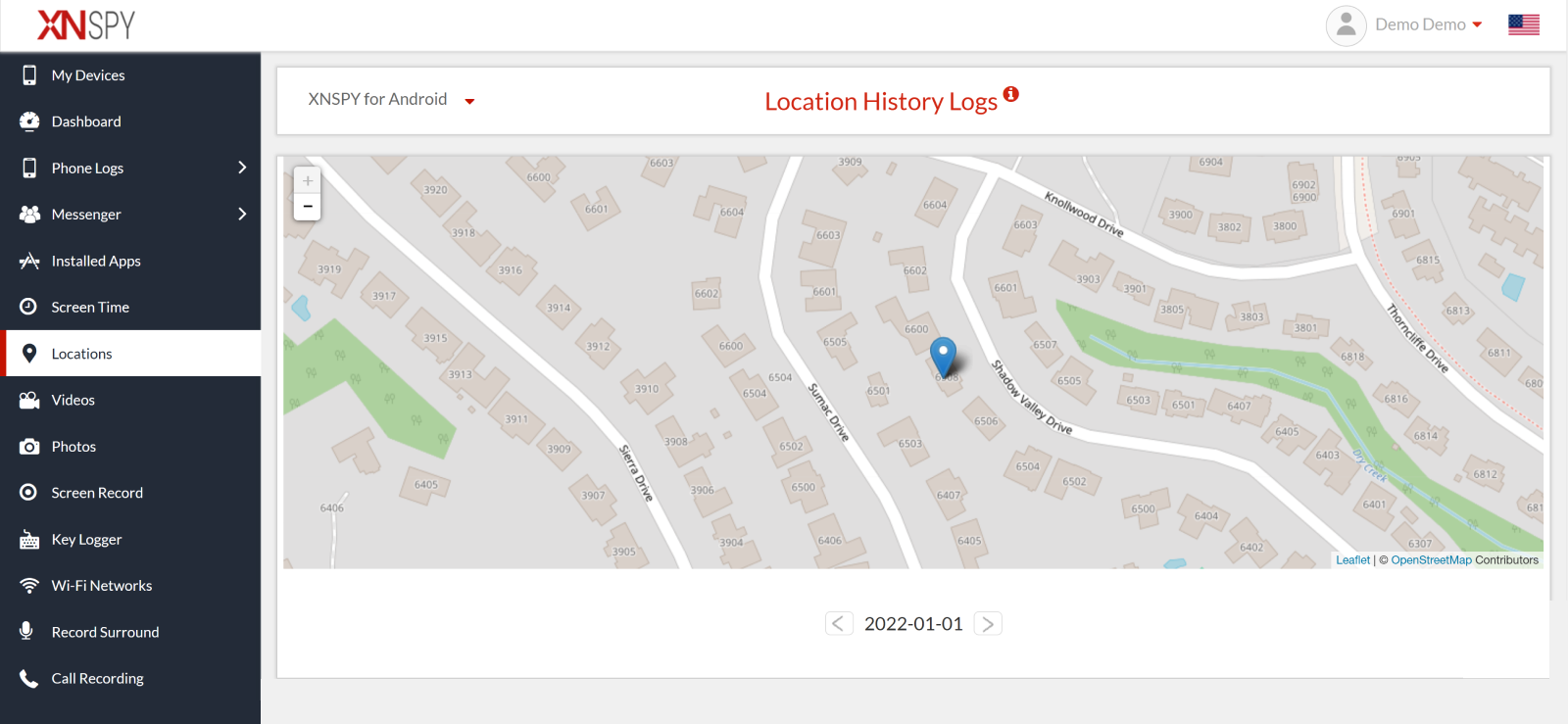
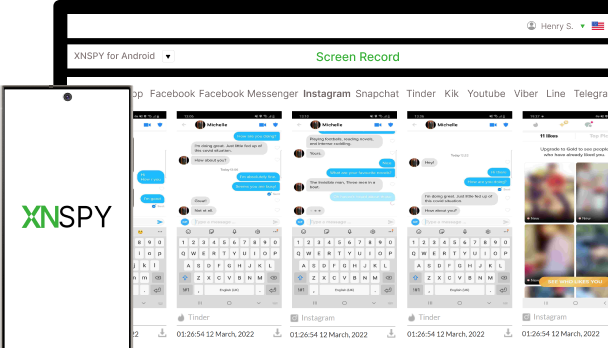
If you want to track Instagram accounts for their locations without them knowing, consider XNSPY. It is an advanced app that remotely gives access to over 12 social media apps, including Instagram. Besides this, you can even check call logs, internet browsing, messages, and location details of the target phone.
The app runs seamlessly on Android and iPhones. You only have to subscribe to the app and download it on someone’s phone. Once installed, the app functions in stealth mode collects all the phone data, and uploads it to its servers. By logging on to the dashboard, you can view all the information.
XNSPY offers a formidable, undetectable Instagram location tracker that provides all the details, even if you missed them. The app captures the GPS signal of the phone even if someone is not active on Instagram. These signals are routed to the servers. You can easily view live locations and other places visited from the dashboard.
Moreover, XNSPY helps you get into someone’s Instagram account and capture all activity within a 5-second interval. It can even track the location the person set for a particular image or video they post on Instagram.
Here’s how to track someone’s location on Instagram with XNSPY:
- Subscribe to XNSPY.
- Download and install the app on the target phone.
- Use credentials to log into the dashboard.
- Click a location to track someone, or use screen recordings to view all the uploads on Instagram.

See Instagram Location Without a Trace
XNSPY makes discreet Instagram location tracking effortless.
2. Check Instagram Live Locations
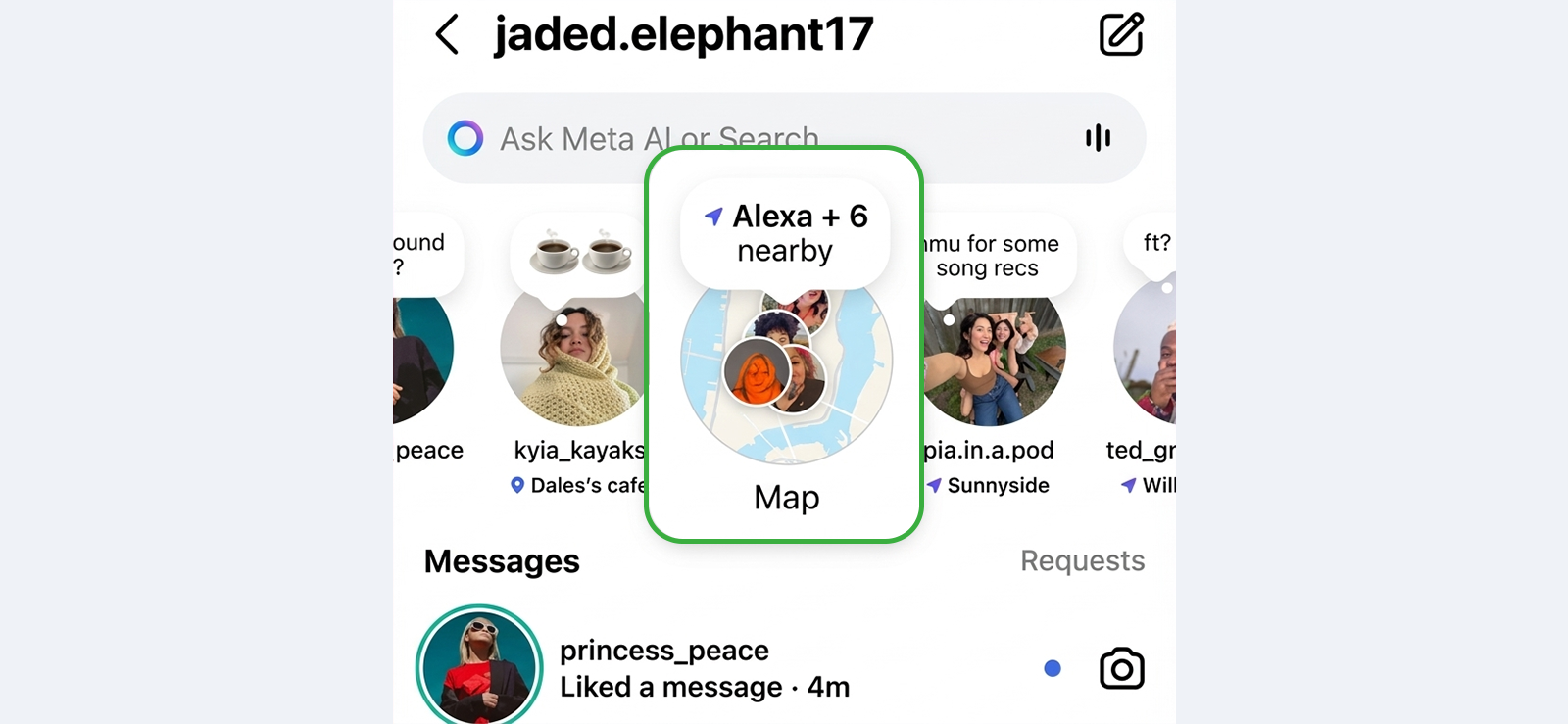
As per Instagram’s most recent update, users can now share their live location with all mutuals at any time. The shared location then shows up in the mutual’s Instagram Notes, above the direct message tab.
You can use this functionality to check out the target user’s live location if shared. However, to access it, make sure that you both are following each other.
Let’s see how to check someone’s location on Instagram discreetly using its live location feature:
- Open Instagram and go to the Inbox tab.
- Check the Notes section at the top of your messages.
- Look for any notes related to live location sharing from the target user.
- Tap and view their location for real-time updates and the exact location.
3. Use Instagram Location Label
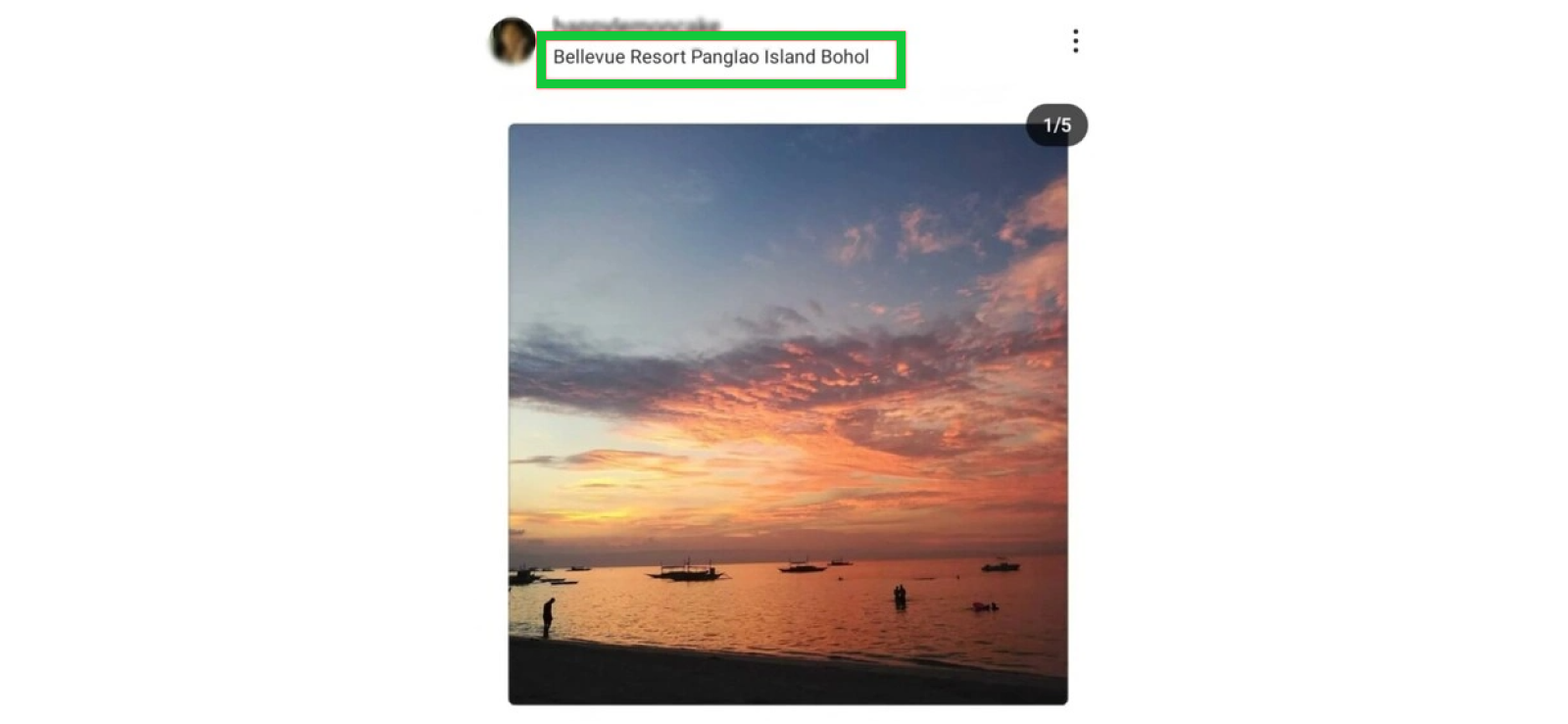
Instagram has many built-in features that let users state the places they have been. Each user can tag the place where the picture was taken. Location tag is one of the options to check the other person’s Instagram location. However, it only shows where the picture is taken and might not help to track the person in real-time.
Here’s how to track an Instagram account location using this method:
- Open Instagram and search for the profile of the person you want to track.
- Check their posts to see if they use geotags.
- Tap on the location label to see where they were.

Did You Know?
Besides tracking someone’s Instagram location, you can also access their conversations

4. Check the Recent Image Uploads

An indirect way of how to see someone’s location on Instagram is by searching for their recent image posts. This method is valuable for finding location clues using the landscape or background in the pictures. You can also read the captions to see if they have tagged any restaurant or indicated where the place is.
But you need to remember that this only works if they really want to disclose their location and are not being secretive about it.
Here is how it works:
- Visit their Instagram profile and go to a recently posted image.
- Look at the image’s background to figure out the location.
- Alternatively, read the caption for any indicators.
- Use the cues to see where they have been.
5. Track Through Instagram IP Finder
Another alternative to track someone on Instagram secretly is by using Instagram IP finder. It is not a straightforward method and requires technical skills. However, it does let you track where someone may be posting from when using Instagram.
Follow these steps:
- Open Instagram and copy the profile link of someone you want to track.
- Insert the link on one of the IP finder websites. However, do ensure the website is authentic, as some may have malware.
- Create a URL and then share this with someone and ask them to click on it.
- Once they click, the result on the page will show the IP address and where it originated.
6. View Location Stickers on Stories
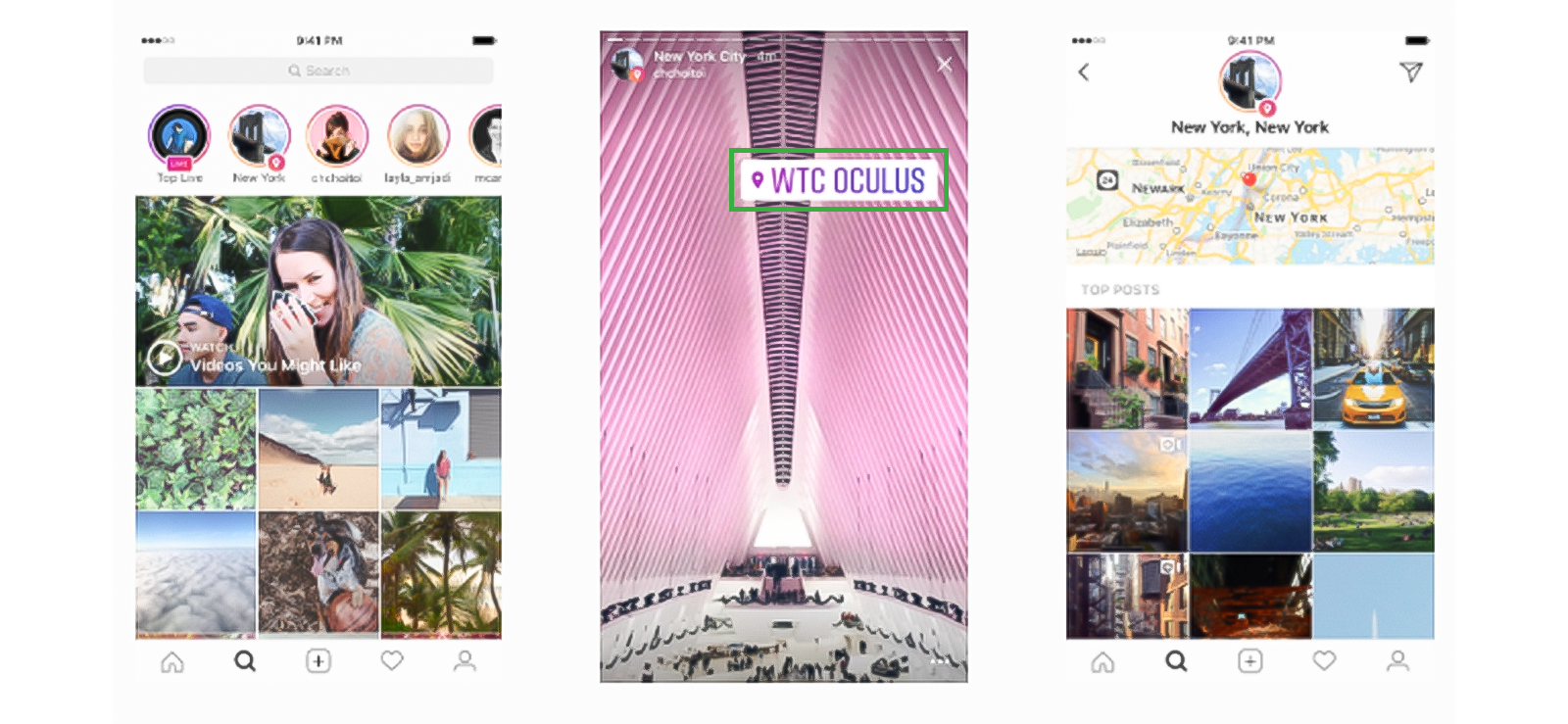
Instagram stories allow users to upload location stickers alongside a picture or video. When done, followers can click the sticker to see an approximate location of where the user is. Likewise, even if the user has not added the location, their friends might have in their respective stories.
In case you are mutuals with them, you can check out their stories too and see if any location stickers are used.
But stay mindful that the method’s success depends entirely on the target user’s activity and visibility. Moreover, location stickers purposefully only shared general whereabouts, instead of exact addresses. Not only that, if you fail to see their stories within 24 hours, they might disappear and make the data inaccessible to you.
Let’s see how this method works:
- Open Instagram and visit the person’s profile.
- Check if they or their friends have an active story and view it carefully.
- Look for location stickers and check them out for an approximate location.
FAQs
Can you track someone’s Instagram location without installing software?
The short answer is yes, you can use Instagram Live location and location tags to track a person’s location on Instagram, but the methods are limited and often ineffective. If these methods are not working and you are looking for a more dependable way, you can use XNSPY instead. While the app needs to be installed, it works better than most methods by constantly performing and showing where they have shared their location on Instagram, even if in direct messages.
Does Instagram have a location finder?
Instagram does not have a built-in “location finder” that lets you track someone’s location. Instead, it offers location-based features like location tags in posts, story stickers, and maps that show places users have chosen to share. These features only display approximate locations and are completely user-controlled. But remember that any visible location information depends on what the user has publicly or privately shared.
Can we see live locations on Instagram?
Yes, you can see someone’s live location on Instagram, but only if they choose to share it. Instagram recently introduced a feature that lets users post their live location in Instagram Notes for mutuals. When someone shares this way, their approximate real‑time location appears within their mutuals’ Instagram Notes.
Does Instagram notify users when someone checks their location?
No, Instagram does not notify users when someone checks their location through posts, stories, or profile activity, keeping it private for user privacy. However, if you see their story for location stickers or interact with their post, the actions will become visible to the target user.
Why can’t I see location tags on someone’s Instagram posts?
There are several reasons why you might not see location tags on someone’s Instagram posts. First, Instagram does not automatically attach location data to posts, i.e., users have to manually add a location tag, and many simply choose not to. Another reason could be privacy settings. If the account is private, only approved followers can see tagged posts. In some cases, users may also remove or edit location tags after posting.
Your Trusted Monitoring Partner
XNSPY delivers reliable tracking, anytime, anywhere
6 Comments
Leave a reply:
Your email address will not be published. Required fields are marked*
Thomas
February 13, 2025 at 2:31 pmVery practical and well-written, helped me alot. Thank you.
George
March 6, 2025 at 9:21 amIncognito not working
John
March 7, 2025 at 7:42 am🙏
Solomon Henderson
April 15, 2026 at 1:31 pmDo these methods work for other apps too? Like if I want to see this same location on Facebook, will I be able ti?
Roman Reyes
July 15, 2026 at 2:36 pmShe refused to share her live location with me but has it on her instagram for strangers to see. I am going to break up with her. Why am I even with her?
Harlee Banks
July 21, 2026 at 2:57 pmAn ex friend of mine once mentioned using Xnspy for her 9 year old but I had completely forgotten about this. Thankfully I came across this blog.