The complete monitoring experience for your phone
Get XNSPY and start tracking calls, texts, multimedia, locations and more on any phone!
Get Started Now Live DemoSnapchat was built to erase evidence. Before you know it, messages vanish, chats disappear, and everything feels like it resets itself. But what happens when a parent starts wondering what is being hidden in that silence?
That is usually when the search begins for how to log into your kid’s snap, not out of curiosity, but out of that uneasy feeling that something important is slipping out of view.
Well, the good thing is that between recovery loopholes and shared devices, there are still real-world ways parents end up getting closer to the truth. This guide breaks down the methods people actually turn to.
Overview of the Methods Covered in This Guide
- Snapchat’s disappearing messages and limited Family Center controls often push parents to look for safer ways to gain visibility into account activity when concerns arise.
- Xnspy app: A device-level monitoring method that captures Snapchat activity, such as logs, screenshots, and usage data, through a synced parental dashboard for ongoing oversight.
- Reset password: Uses Snapchat’s official recovery flow, where verification codes sent to the registered email or phone allow password reset and account access restoration.
- Saved passwords: Retrieves stored Snapchat credentials from browser autofill systems or password managers on shared devices like Chrome, Safari, or iCloud Keychain.
- Active Sessions: Accesses Snapchat through active sessions on shared devices or Snapchat Web, where accounts remain signed in without requiring a fresh login.
Is It Possible to Log into Your Minor Kid’s Snapchat?
Yes, it is possible to log into your minor kid’s Snapchat account, but Snapchat itself does not provide parents with direct account access.
Now, while Snapchat does offer parental supervision features through Snapchat Family Center, these controls are fairly limited and mainly allow parents to see who their teen is communicating with, not the actual messages, snaps, or full account activity.
More importantly, Family Center does not give parents the ability to log into their child’s Snapchat account remotely or monitor the account in detail.
Because of these limitations, many parents look for alternative workarounds to access Snapchat activity when they have legitimate safety concerns.
Is it Legal to Log into Your Teen’s Snap?
In most cases, parents are legally allowed to access their minor child’s online accounts, including Snapchat, particularly when the intent is to supervise digital activity responsibly for their safety.
However, the legality of how to log in to your child’s Snapchat can depend on factors such as the child’s age, local privacy laws, custody arrangements, and whether the account access involves unauthorized credential theft or deceptive methods.
For younger teens and minors, parental supervision rights are generally broader, but parents should still prioritize transparency and ethical monitoring whenever possible. If there are legal concerns in your region, consulting a local legal professional is also the safest approach.
Everything I Considered When Testing Each Method
To test the Snapchat access methods realistically, I evaluated each one across different household scenarios and device setups commonly associated with teen Snapchat usage.
Moreover, instead of focusing only on whether a method worked once, I looked at how reliable and sustainable it remained during repeated testing.
The main factors I took into consideration were:
- Result consistency: I focused heavily on how reliably each method worked across repeated testing sessions instead of evaluating isolated successful attempts. Some methods performed well initially but became far less dependable when device settings, login behavior, or recovery information changed over time.
- Level of Snapchat access: Another major factor was how much Snapchat-related activity each method actually exposed. I evaluated whether the method only provided account login access or also helped reveal messages, saved media, Snapchat Web sessions, screenshots, usage timelines, and other activity patterns connected to the account.
- Ease of use: Since the guide is intended for parents rather than technical users, I also considered how practical each method would be in real household situations. Methods that required minimal setup, fewer technical steps, and easier long-term monitoring were rated more favorably during testing.
- Impact of Snapchat security features: Snapchat’s security protections played a major role throughout testing, particularly two-factor authentication, session expiration, app updates, and device switching. I paid close attention to how these security measures affected the overall reliability of methods.
How to Get into Someone’s Snapchat Account: 4 Methods
Still do not know how to figure out your kid’s Snapchat password to log in? Below are the methods that produced the most consistent results during my testing process. While some focus on recovering access, others rely on active sessions.
| Method | Works | Require Prior Access | Detection Risk | Success Rate | Key Limitation |
| Xnspy | Tracks Snapchat activity at the device level | Yes (one-time physical access for installation) | Low | 89-94% | Requires physical device access and may face syncing issues after OS updates |
| Password Reset | Uses Snapchat’s official recovery flow to reset account password via verification code | Yes (access to registered email or phone number) | High | 72-81% | Fails if recovery details are changed or two-factor authentication is enabled |
| Saved Passwords | Retrieves stored Snapchat credentials from password managers | Yes (device where the password was previously saved) | Low to medium | 58-76% | Only works if credentials were saved earlier in autofill or a password manager |
| Logged-in Sessions | Accesses Snapchat through active sessions on shared devices | Yes (access to a logged-in device/session) | Medium | 64-79% | Sessions can expire due to updates, cache clearing, or security checks |
1. Install Xnspy Monitoring App
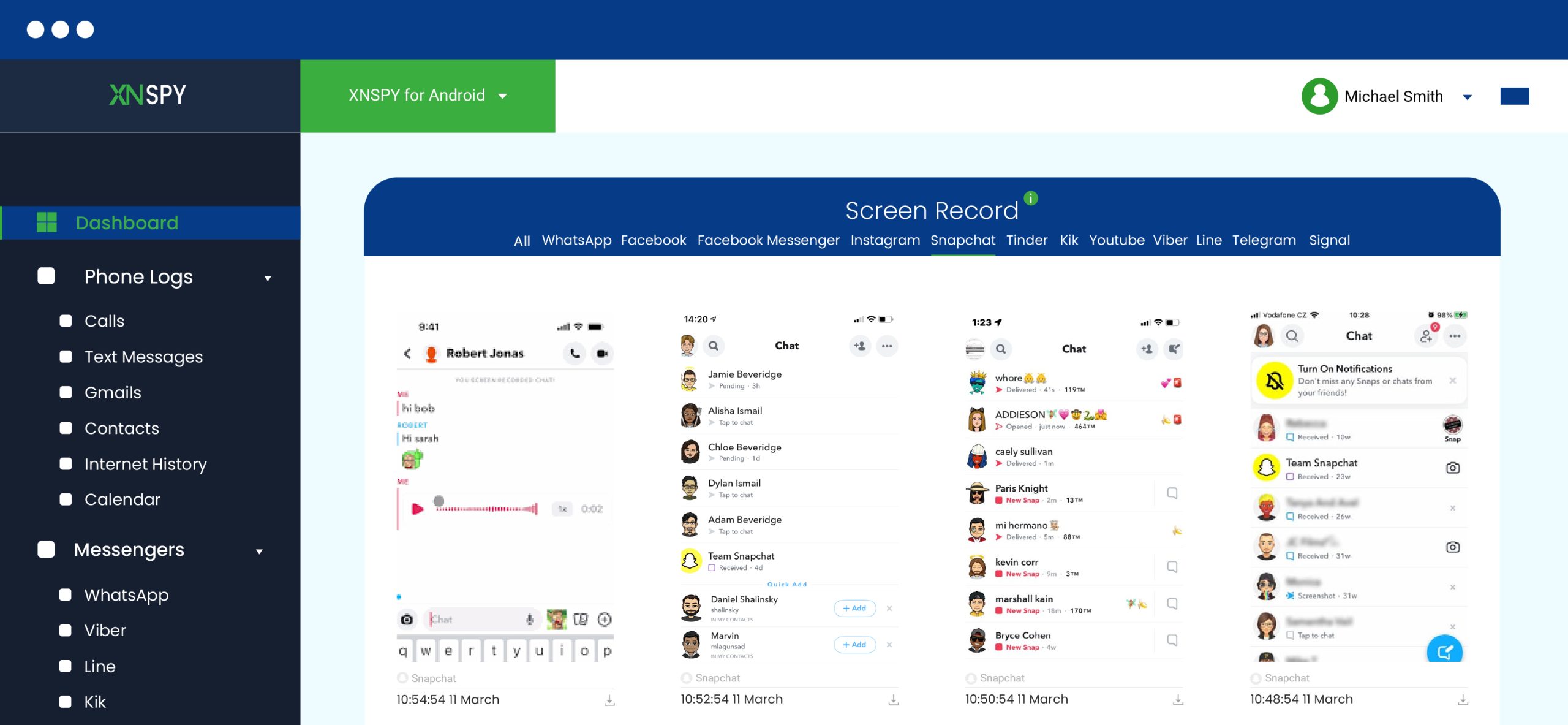
Xnspy works by monitoring Snapchat activity directly from your child’s phone rather than repeatedly logging into their Snapchat account.
Since Snapchat activity disappears after being viewed, Xnspy primarily focuses on capturing device-level activity before that content vanishes. By doing so, the app gives parents ongoing visibility into how Snapchat is being used without requiring constant access to the account itself.
After installation and permission setup on the child’s device, Xnspy continuously syncs Snapchat-related activity to a secure parent dashboard.
Depending on the device and permissions enabled, parents can monitor app usage duration, screenshots, typed text through the keylogger, multimedia files saved on the phone, timestamps of activity, screen recordings, and contact interactions connected to Snapchat usage.
Here’s how to log into Snapchat without a password, email, or phone number using Xnspy:
- Review the collected activity logs through the parent dashboard regularly.
- Install Xnspy on the device where Snapchat is actively used.
- Complete the account setup process and connect the device to the monitoring dashboard.
- Grant all required permissions and allow the application to begin collecting Snapchat-related activity.
What I Found Out
During testing, the use of Xnspy delivered the highest consistency rate out of all the approaches I tried. On actively used Android devices, the monitoring visibility rate stayed between 89% and 94%, while iPhones produced slightly lower visibility because of iOS permission restrictions and background limitations.
In my opinion, the biggest advantage was the amount of indirect Snapchat access the app provided without relying entirely on direct account login. During testing, the keylogger frequently captured Snapchat login credentials, while screen recordings captured the phone screen every 5 seconds.
I also explored other relevant features like screen time logs, keyword alerts, and browser history, which helped me reconstruct account activity even when messages disappeared quickly.
Overall, I found web history to be especially useful for tracking Snapchat Web sessions, and media access occasionally revealed saved Snapchat photos or videos that remained stored locally on the device.
Not only that, but the centralized dashboard also made the process far more manageable than repeated manual device checks.
However, the method still had limitations. Physical access to the device was required during installation, and temporary syncing interruptions occurred after major operating system updates.
During testing, users who frequently switched between devices or used secondary phones reduced overall monitoring reliability by nearly 30%.
One important thing I realized during testing was that the collected data still required interpretation. Activity logs, recordings, and alerts helped establish behavioral patterns, but they did not automatically explain intent without additional context.

Monitor Snapchat from Anywhere
Xnspy puts remote control at your fingertips.
2. Reset Password via Parent-Controlled Phone or Email
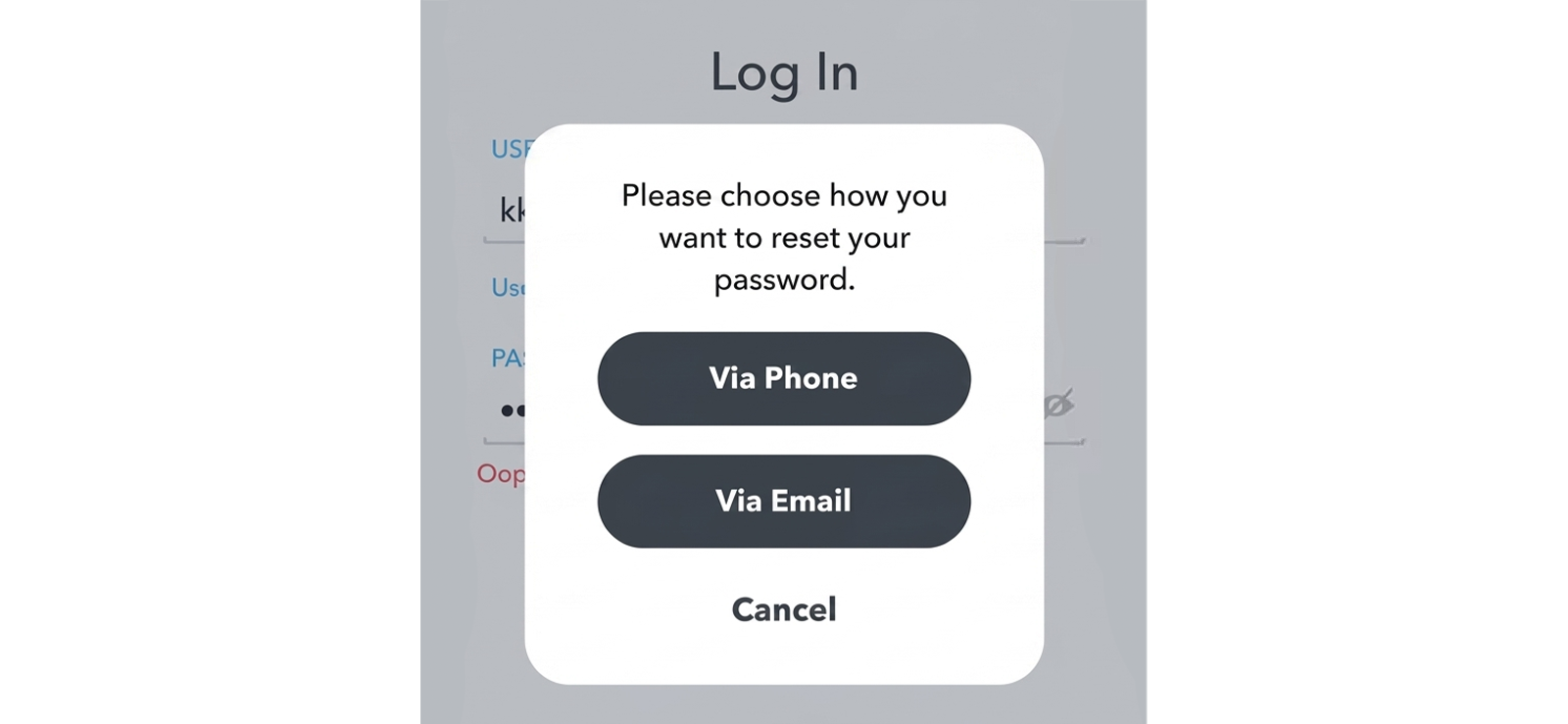
Many minor children initially create Snapchat accounts using a parent-controlled phone number or family email address because those recovery options are readily available during setup.
If the connected recovery credentials are still controlled by the parent, Snapchat’s “Forgot Password” feature can be used to get account access.
When the password reset process begins, Snapchat sends either a verification code or a password reset link to the registered phone number or email address. After successful verification, a new password can be created by a parent and used to log into the account.
Let’s see how to get your kid’s Snapchat password through the “Forgotten Password” functionality:
- Open Snapchat and select the “Forgot Password” option on the login screen.
- Choose recovery through either email or phone number.
- Access the verification code or reset link sent to the connected recovery method.
- Create a new password through Snapchat’s password reset window.
- Use the updated credentials to log into your child’s Snapchat account.
What I Found Out
When I tested this method across different recovery scenarios, I found it highly effective when I still controlled the original recovery phone number and email connected to the Snapchat account. Across all the cases I tested, the success rate averaged between 72% and 81%, largely depending on whether the recovery credentials had been updated recently.
During my testing, once I initiated Snapchat’s “Forgot Password” flow, the recovery code typically arrived instantly through SMS or email, allowing me to reset the password and regain account access within minutes.
The biggest advantage I observed was speed and simplicity. In successful cases, the entire process usually took under 10 minutes. There was no technical configuration and no dependency on stored passwords or active sessions.
However, the method became noticeably less reliable when paired with a lack of phone or email access and two-factor authentication. During my testing, two-factor authentication alone reduced successful login completion rates by roughly 35%.
3. Use Saved Passwords on a Device
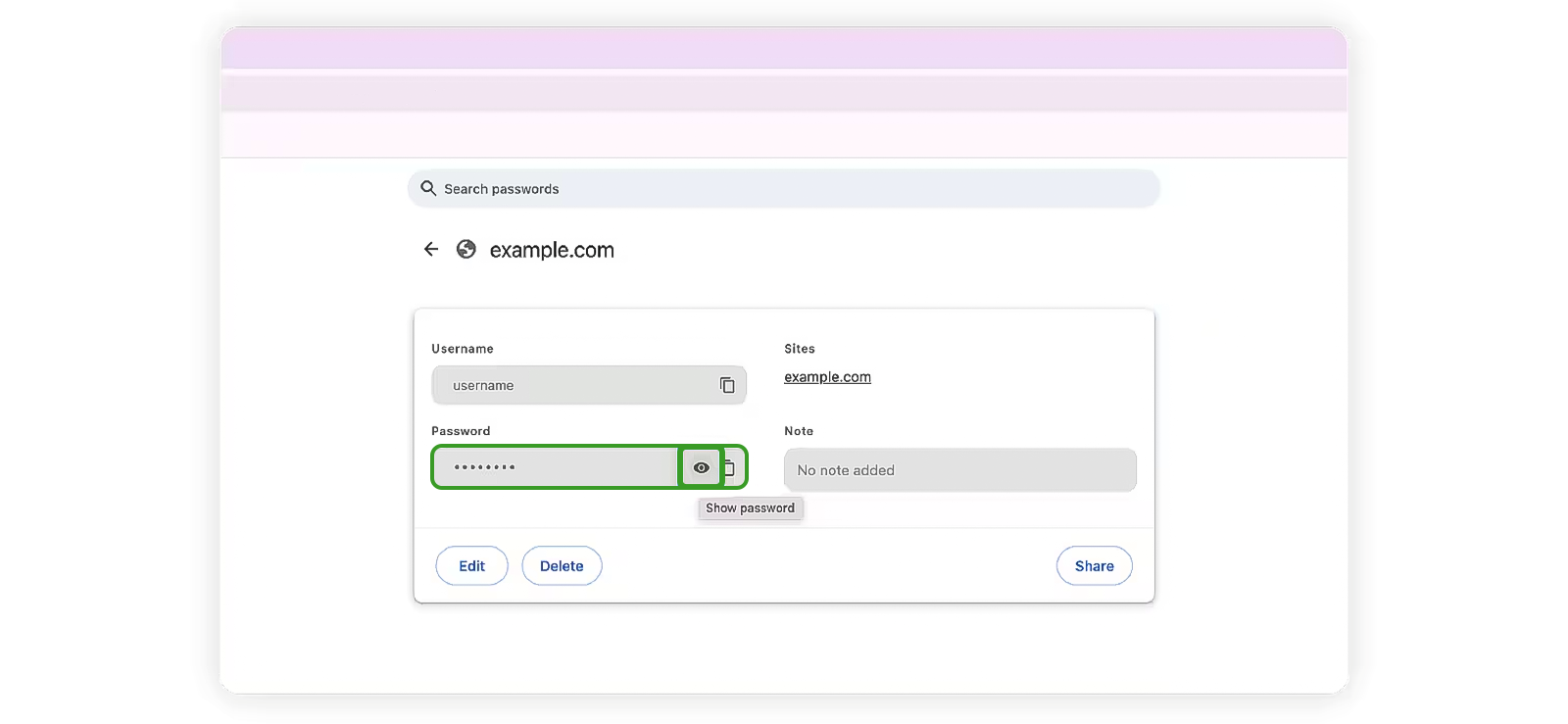
The method discussed primarily relies on stored login credentials in browsers, password managers, or device autofill systems.
Parents can rely on saved passwords because modern devices frequently save usernames and passwords automatically through services such as Chrome Password Manager, iCloud Keychain, Samsung Pass, or browser autofill settings.
Therefore, if the kid previously saved Snapchat credentials on a shared household device, intentionally or unintentionally, they may still be accessible in the device’s password storage section.
Here’s how to log into Snapchat without your teen’s password using saved passwords:
- Open the password manager or autofill settings on shared household devices.
- Check Chrome, Safari, Edge, or device credential storage for Snapchat logins.
- Locate the saved username or email associated with the Snapchat account.
- Reveal the stored password using the required device authentication method.
- Use the recovered login credentials to access the Snapchat account.
What I Found Out
When I tested the method in question, the success rate ranged from 58% to 76%, depending on how the credentials were originally stored.
Overall, the strongest results came from browser-based Snapchat logins on laptops and tablets because, compared to mobile-only usage, browsers were far more likely to retain saved passwords, autofill data, or active sessions. In roughly 6 out of 10 tests, I was able to recover at least one usable credential from password managers.
Now, one of the biggest advantages was speed. Whenever saved credentials already existed, the entire process typically took under five minutes and required no password reset requests or recovery emails.
However, the method was highly dependent on prior password-saving behavior, as success rates dropped sharply when private browsing was enabled and autofill was disabled.
Not only that, but modern security protections also created noticeable barriers during testing. While some password managers required Face ID or fingerprint authentication, others failed to proceed without the device PIN.

Did You Know?
You can remotely take a screenshot on Snapchat without triggering any notifications

4. Find Already Logged in Sessions on a Shared Device

In many households, children use multiple devices throughout the day, including tablets, family laptops, secondary phones, and shared desktop computers. Because Snapchat sessions often remain active for convenience, account access may still exist on devices frequently used inside the home.
All in all, the method relies on identifying devices where authentication has already been completed, finding an active session, and using it instead of relying on any covert techniques.
If interested, Snapchat Web sessions, tablets, and secondary household devices are the most common places where persistent logins remain available.
Let’s see how to get into your child’s Snapchat through an already active session:
- Identify all household devices your kid regularly uses.
- Check browsers, tablets, old phones, and shared computers for Snapchat or Snapchat Web access.
- Open the application or browser session to determine whether the account is still logged in.
- Review accessible account activity and settings through the active session.
What I Found Out
During the whole testing process, it became evident to me that the results relied heavily on the type of device setup I was working with. When I replicated a multiple-device household environment, the success rate ranged from approximately 64% to 79%. But then its effectiveness decreased considerably for single-device setups.
Overall, I liked this method particularly because of how simple and low-disruption the process felt, so much so that in many cases I was able to access the account immediately through an existing session.
Dwelling further on my specific findings, when testing browser access, I noticed that Snapchat Web increased session persistence significantly. Sessions on laptops tended to stay active much longer than expected, mostly when the browser had been used regularly. In roughly 7 out of 10 browser-based tests, I found that active sessions were still available without requiring another login.
Another thing I consistently noticed was how much information remained accessible through existing sessions. In several tests, I could immediately view recent conversations, friend lists, Snap activity, and account settings without running into additional verification requirements.
The main drawback, however, was inconsistency. Some sessions expired unexpectedly after app updates, browser cache clearing, or device restarts. I also found that two-factor authentication reduced long-term session persistence on certain devices.
FAQs
Why is it important to know how to log into your kid’s Snapchat without password?
Understanding why parents may need access to a child’s Snapchat account is mainly about ensuring online safety and responsible supervision. Snapchat’s disappearing messages and temporary content can make harmful interactions harder to detect in real time. Because of this, parents often seek knowledge of available recovery and access options to stay informed about usage patterns. It also helps them understand the limitations of Snapchat’s built-in safety tools like Family Center and reporting features.
How to log into your teen’s Snapchat without logging them out?
Knowing how to access a teen’s Snapchat without forcing them to log out is mainly about maintaining visibility while avoiding disruption to their normal use. One common approach is using saved passwords stored in the browser or in password managers, which can allow sign-in without triggering immediate session disruption on other devices. Another is checking already active sessions on shared devices or Snapchat Web, where the account may already be logged in and accessible.
How to get into your child’s Snapchat without installing app?
Accessing a child’s Snapchat without installing any monitoring app usually relies on password recovery. For this, Snapchat sends a verification code or reset link to the registered email address or phone number, allowing a new password to be created and account access to be restored. Another method is checking password managers on shared devices, where previously saved Snapchat credentials may still be stored.
Will Snapchat notify my child if I log into their account?
Yes, Snapchat may notify them when you log into your kid’s Snapchat account, but it depends on the method used and the device involved. When access occurs from a new device or unusual location, Snapchat may send login alerts, email notifications, or in-app security warnings, especially if two-factor authentication is enabled. However, if access occurs through a trusted device or an active session, notifications may not be triggered.
How to find my kid’s Snapchat password to help them regain access to their account?
If your child is locked out of their Snapchat, there are a couple of legitimate ways to help recover access. One option is to use password recovery via the registered email address or phone number, where Snapchat sends a verification code or reset link to create a new password. Another method is parental monitoring tools like Xnspy, which can also help by capturing previously used credentials or login activity on the device, assisting in restoring access responsibly and securely.
Stop Guessing, Start Monitoring
Take full control with Xnspy’s remote access.

4 Comments
Leave a reply:
Your email address will not be published. Required fields are marked*
Jon Mike
January 21, 2025 at 11:04 amif i log in, will the other person receive a notification?
Emma Noah
January 23, 2025 at 7:57 amI had never thought of monitoring my child until a 40 year old pathetic man sent him an explicit snap. I have lost my sleep.
Olivia
February 14, 2025 at 2:17 pmcan I see all snapchat accounts from xnspy?
Emma
February 25, 2025 at 11:55 amhm nice