The complete monitoring experience for your phone
Get XNSPY and start tracking calls, texts, multimedia, locations and more on any phone!
Get Started Now Live DemoLife is busy, and sometimes, too busy for you to catch up with people or reply to their Facebook Messenger messages. But once opened, you feel obligated to reply to that conversation, right? So, is the solution for you to just not view their messages at all? Or is there a better way around it?
When it comes to figuring out how to read Messenger without being seen, there certainly are some clever workarounds that can help you. In this blog, that’s exactly what we’re doing to discuss.
Can You Read a Facebook Message Without the Sender Knowing?
Yes, you can read an FB message without the sender knowing. Facebook Messenger read receipts activate only when you fully open a message, so as long as you avoid entering the chat thread directly, the platform continues to mark the message as only “Delivered.”
This means you may still be able to see portions of the message without triggering the “Seen” indicator. In other words, the platform’s own behavior creates small windows where you can see part of a message without alerting the sender.
Top Blogs to Check Out

⛔  How to Know if Someone Blocked You on Facebook: Updated Methods
🔎  How to Find Someone on Facebook With Phone Number: 5 Easy Ways
💬  How to Tell if Someone is Talking to Someone Else on Messenger
🔞  How to Block Adult Content on Facebook: 5 Best Ways
How to Read a Facebook Message Without Opening It: 7 Proven Methods
Whether it is to buy yourself some thinking time or to avoid awkward conversations, several strategies exist that let you look at Messenger messages while keeping the ‘Read’ status hidden, and we have found them all for you.
1. Disable Read Receipts
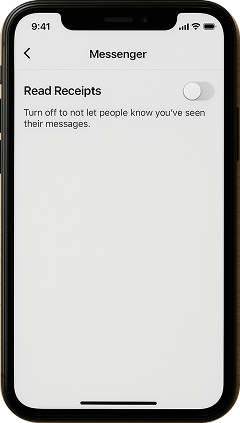
Disabling Facebook Messenger read receipts is one of the most straightforward ways to prevent someone from knowing you’ve seen their message. By turning off this feature, Facebook will stop sending the seen notification to the sender, even when you open their messages.
To use this method:
- Open Facebook Messenger on your device.
- Go to your Menu > Settings > Privacy & Safety.
- Look for the option labeled Read Receipts.
- Toggle the feature off.
- Once disabled, you can read incoming messages without sending a read confirmation.
While this method can be effective, it comes with one big limitation. Disabling read receipts prevents you from knowing when others read your messages as well, and it applies to every chat. This can make conversations less transparent, especially when timely responses are important, such as when coordinating plans or discussing work.
2. Read Messages from Notifications
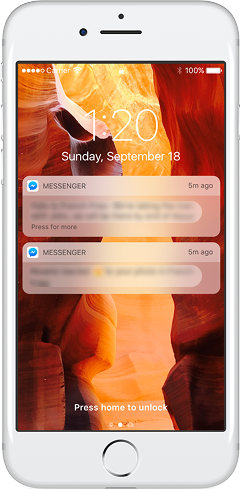
Messenger only marks a message as “Seen” when you open the conversation thread directly. By glancing at the notification preview on your phone, you can see all of the message content without triggering a read receipt. This method uses your device’s notification system, which shows incoming messages on the lock screen or notification panel independently of the Messenger app.
Here’s how to read a FB message without opening it:
- Ensure that Messenger notifications are enabled in your phone’s settings.
- When a new message arrives, pull down the notification panel (Android) or view Notification Center (iOS).
- Read the message directly from the notification preview without tapping it.
- Once finished, swipe the notification away or lock your phone to dismiss it safely.
While this method is convenient and requires no additional tools, it has limitations. If the message is too long, the notifications might not display the whole message, which may not hinder you from reading it completely.
If notifications are disabled for Messenger or if the sender sends multiple messages rapidly, you might miss parts of the conversation. Additionally, accidentally tapping the notification will open the chat and trigger a read receipt. Therefore, careful handling is required.
3. Turn On Airplane Mode

Using Airplane Mode to read Facebook messages is a clever offline trick that prevents Facebook Messenger read receipts from being sent. When you enable Airplane Mode, your device disconnects from mobile data and Wi-Fi, which stops Messenger from communicating with Facebook’s servers. This allows you to open and read a message while being offline and without triggering the “Seen” status.
To do so:
- Enable Airplane Mode on your device through the control panel or settings.
- Open the Messenger app while your device is offline.
- Go to the chat containing the unread message.
- Close the Messenger app completely (ensure it’s not running in the background by removing it from the recent apps).
- Go to app settings and clear Messenger’s cache.
- Disable Airplane Mode to reconnect to the internet.
While this method is effective, it has some limitations. If you forget to close Messenger or clear its cache before reconnecting, the app may automatically sync the read receipt to Facebook, revealing that you read the message.

Keep Your Child’s Messenger Activity Safe with Xnspy
Take the uncertainty out of monitoring and stay informed.
– View Messenger conversations remotely and discreetly
– Identify unknown contacts or suspicious chat threads
– Get alerts for unusual words or risky behavior
4. Long Press (For iPhone)
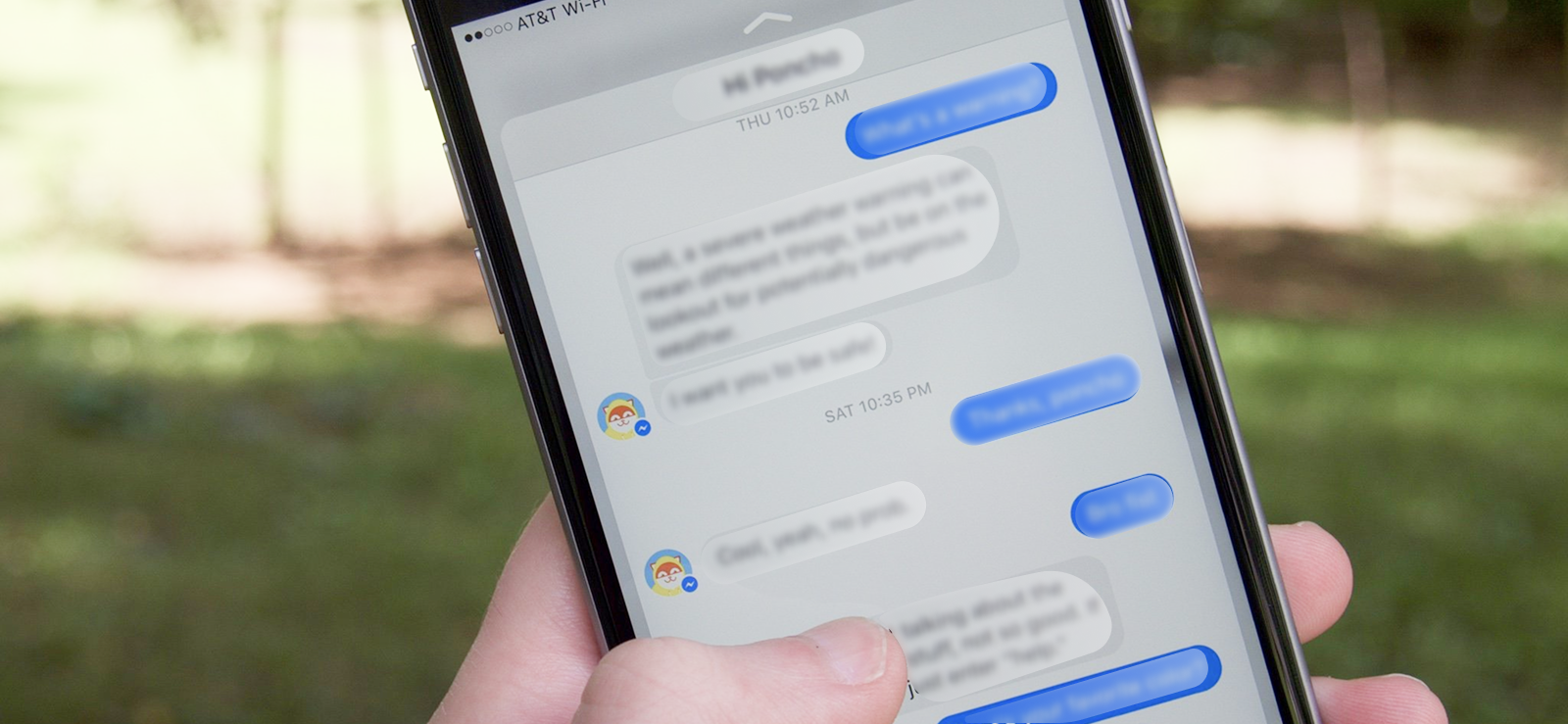
The Long Press method allows iPhone users to preview messages without opening the chat thread fully. By pressing and holding a conversation in the Messenger app, a pop-up preview appears showing unread messages.
Messenger doesn’t mark the message as “Seen” because you haven’t entered the chat fully. This method takes advantage of the iOS interface, which allows “peek” functionality for quick previews.
How to read a Facebook message without opening it via the long-press method:
- Open the Messenger app on your iPhone.
- Locate the conversation you want to preview.
- Press and hold on the chat until a pop-up preview appears.
- Read the messages in the pop-up window without tapping or opening the chat.
- Close the preview by tapping outside the window once you’re done.
Despite its convenience, this method has limitations. The preview often only shows a portion of the messages, especially for long texts or multiple unread messages. You cannot scroll through the conversation fully, so some content may remain hidden. Moreover, this method is not at all available for Android devices; only iPhone users can use it.
5. Restrict Them
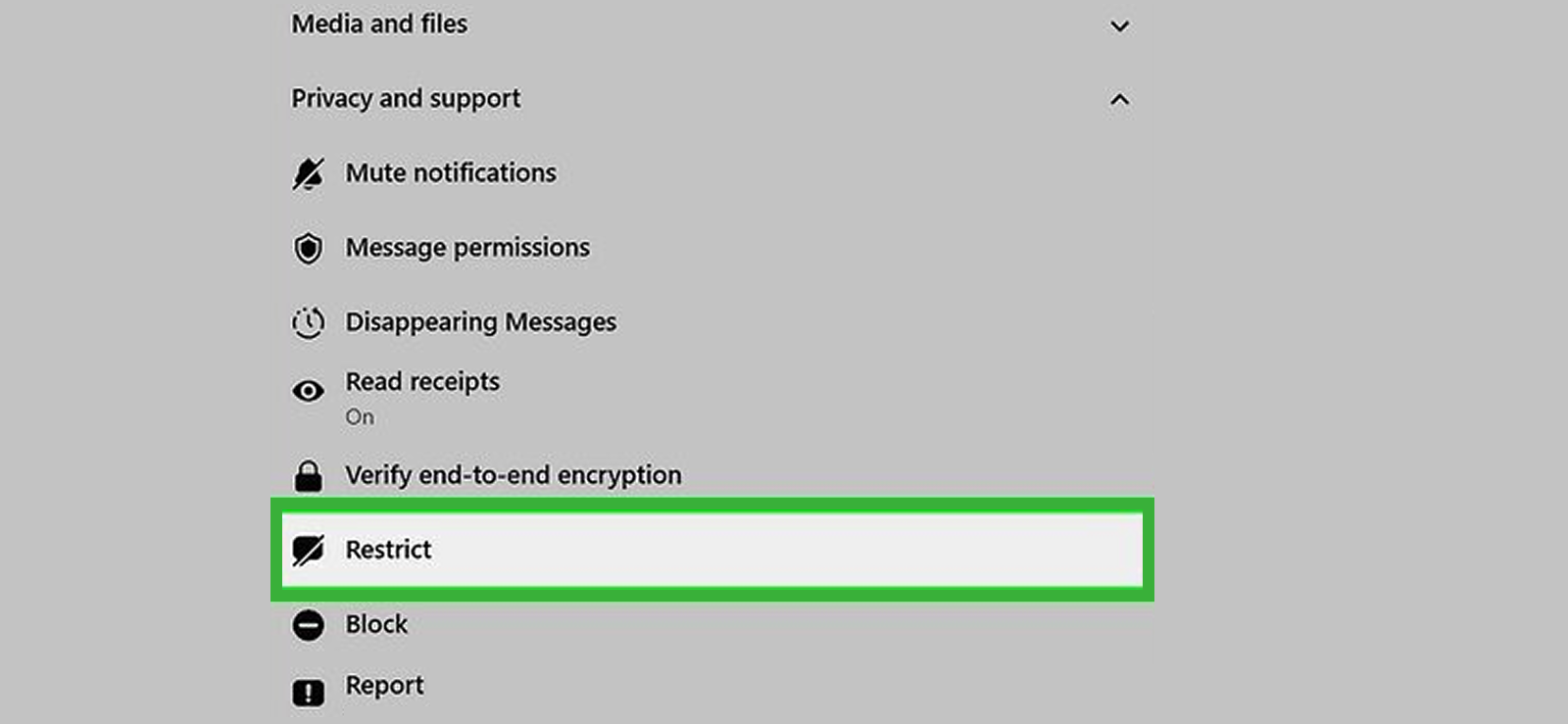
Restricting someone on Facebook Messenger allows you to read their messages without them seeing your read receipt. When you restrict a person, their messages are moved to the Restricted Accounts folder, and Messenger treats the interaction differently. The restricted user cannot see your active status or whether you have read their messages due to the special privacy rules.
To know how to read Messenger messages without seen using the restrict feature, follow the steps mentioned below:
- Go to Messenger
- Long-press the targeted chat (for Android) or swipe left and tap the more options (for iPhone).
- Select Restrict from the list of options.
- Go to Menu > Settings > Privacy & Safety > Restricted Accounts.
- Access their messages from here.
- Read the messages freely; they will not receive a seen notification.
Restricting someone comes with a few inconveniences. The biggest drawback is that it can become a hassle to restrict and unrestrict a person repeatedly if you want to switch between private viewing and normal interaction. Once restricted, their messages won’t trigger standard notifications, so you’ll only see new messages if you manually check the Restricted Accounts folder. In a nutshell, the method may feel tiring for everyday use.
6. Use a Browser Extension

Browser extensions designed for Messenger can hide read receipts, so you can open messages in a web browser without alerting the sender. These extensions function by intercepting the signal Messenger sends to Facebook’s servers when a message is read.
Follow these steps to use this method:
- Open your browser and go to the Chrome Web Store (or equivalent).
- Search for a reliable extension, such as “Unseen for Facebook Messenger.”
- Click Add to Chrome or Install, and follow the prompts.
- Once installed, ensure the extension is enabled.
- Open Messenger in your browser and read messages as usual; the extension will automatically block read receipts.
However, this method has limitations as well. Extensions are third-party tools, so reliability and security are concerns. Facebook updates can break the functionality and make a certain extension ineffective. Some extensions may also require access to your browser data, posing privacy risks. Additionally, these tools generally work only on desktops or browsers, not on mobile apps, so their use is limited depending on your device.

Did You Know?
You can figure out if someone has read your text message or not.

7. View Messages from Your Smart Watch

When it comes to the question of how to read Facebook messages without being seen, viewing Messenger messages on a smartwatch is the simplest possible way. It allows you to read notifications without opening the chat thread on your phone. Smartwatches receive notifications passively from your phone, which means you can read part or all of a message without triggering the seen notification.
To read messages via your smartwatch:
- Make sure Messenger notifications are mirrored to your smartwatch/Apple Watch through its companion app.
- When a new message arrives, check the notification on your watch.
- Scroll or swipe to view the message content.
- Avoid interacting with the notification (e.g., replying or opening it on your phone).
Despite its usefulness, this method has limitations. The foremost being the condition of owning a smartwatch. Other than this, many smartwatches trim longer messages, showing only the first few lines. Plus, interacting with the notification, such as replying or opening it, may trigger a read receipt. Therefore, this method is most effective for brief messages only.
How Can You Know If Your Child Is Chatting with Strangers on Messenger
Every parent knows the uneasy feeling that creeps in when their child spends hours chatting on their phone. Familiar, right? When you’re not quite sure who’s on the other side of the screen, the concern starts building up. Is it a friend from school? Someone they met through a game? Or worse… a complete stranger trying to start a conversation?
In this day and age, that worry isn’t overreacting; it’s reality. Kids are curious and vulnerable at the same time. They are often unaware of the risks that come with online messaging, which is why staying informed isn’t just helpful, it’s actually essential.
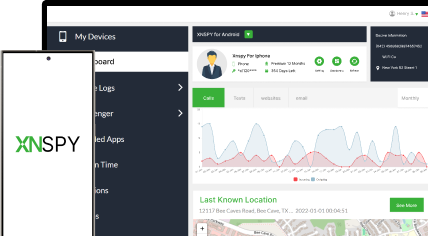
For this purpose, the best route to take is to use a phone monitoring app. Xnspy is one such application that helps you maintain a comprehensive oversight of the targeted device. After the one-time installation, this app continuously provides you with real-time activity logs from your child’s cell phone.
The following features of Xnspy help you to know if your child is chatting with strangers on Facebook Messenger:
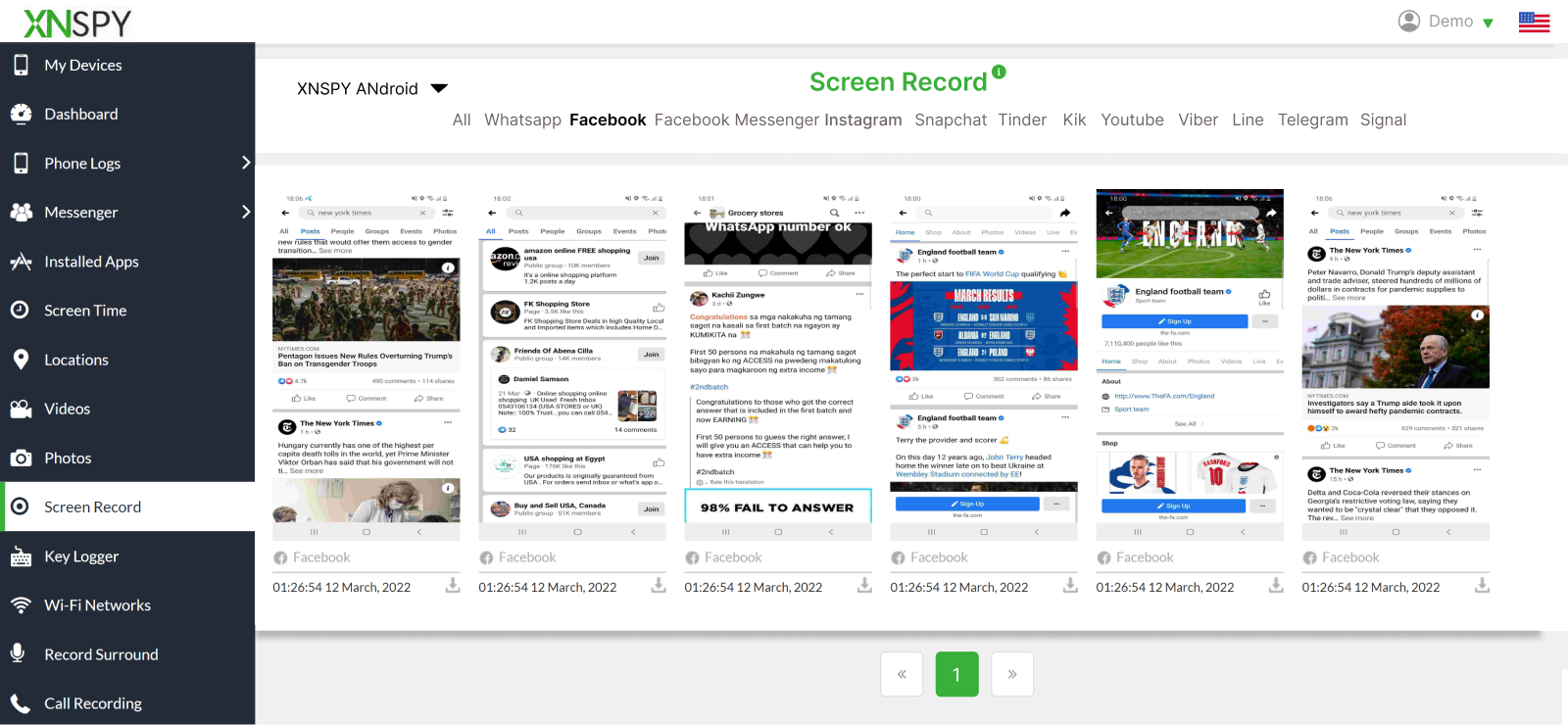
Screen Recording
Xnspy automatically captures screenshots of the targeted device after a set interval (every 5-10 seconds). Once taken, these screenshots are then uploaded to a user-friendly dashboard under relevant tabs named app-wise. To view messenger-related screenshots, you can go to the tab named ‘Facebook Messenger’. In this way, it becomes easier for you to go through them without being overwhelmed. As the sync happens in real-time =
Keylogger
Keylogger is yet another feature that helps you get more insights into the type of chats taking place on the app. With this feature, Xnspy records every keystroke from the targeted device and uploads it to the dashboard. However, to make it easier for you to find messenger-related keystrokes, it uploads every entry with the relevant app’s logo.
Moreover, Xnspy also gives you a data filter option to narrow down the timeframe or select a specific app. This feature helps you know what your child is typing and how they are responding online.
Keyword Alerts
Xnspy also allows you to create a custom list of flagged words. It then actively looks for such words and alerts you via email whenever they appear across the device. The alert carries all information, including date, time, message content, app, and flagged word.
FAQs
How to read Messenger messages without seen on iPhone?
On iPhone, you can enable Messenger notifications and read from the lock screen or Notification Center. However, if you want to read it in the app, press and hold a conversation to open a peek preview rather than fully opening the thread. Alternatively, toggle Airplane Mode, open Messenger to read, force-close the app, and then disable Airplane Mode.
How to read Messenger without being seen if you are in a group chat?
Group chats act similarly: Messenger flags a thread as opened only when you enter it, so use notification previews, a paired smartwatch, or Airplane Mode plus force-close to read without opening. On iPhone, long-press the group conversation for a peek preview instead of entering the chat.
How to read Facebook messages without being seen on a desktop?
On desktop, rely on Messenger popups, the browser notification panel, or a reputable read-receipt blocking extension. Don’t open the full thread on messenger.com or Facebook; instead, read the small pop-up in the page corner or your OS notification. If you install an extension, choose one with good reviews and disable it before you send messages. Keep in mind extensions can break after Facebook updates and may carry privacy risks, so use with caution.
How to read Facebook messages without seen if someone sends disappearing messages?
In the case of disappearing messages, the safest and most reliable way to read them without triggering “Seen”, and without losing them entirely, is to rely solely on notification previews. Because disappearing messages are designed to vanish the moment you open the chat, accessing the thread directly will immediately remove them, leaving you with nothing to refer back to. Notification previews, however, show the incoming message briefly on your lock screen or notification panel without activating the chat or triggering the auto-delete behavior.
How to read a message on Messenger without opening it if you are using multiple devices?
When multiple devices are linked, read receipts often sync across them, so rely on notification previews or a smartwatch to avoid opening the thread anywhere. If you must open a message on one device, enable Airplane Mode there first, view the message, then force-close the app before reconnecting to reduce sync risk. Alternatively, use a browser with a read-receipt blocker on a single device, and avoid opening the same conversation on other devices.
Xnspy: Know What’s Happening, When It Happens
Keep your family’s online interactions safe with a reliable phone monitoring app.

3 Comments
Leave a reply:
Your email address will not be published. Required fields are marked*
Nathan
December 24, 2025 at 2:25 pmWhat is the need of giving people option to turn their read receipts off? So pathetic.
Javivow
December 30, 2025 at 2:40 pmWho even uses messenger anymore? Only boomers hah
Nicole Frank
January 6, 2026 at 2:35 pmI am trying these methods to see if any works, appreciated.