The complete monitoring experience for your phone
Get XNSPY and start tracking calls, texts, multimedia, locations and more on any phone!
Get Started Now Live DemoSo, you have someone’s phone number and want to check if they are on Facebook, but Facebook doesn’t exactly make that straightforward. It is meant to connect people, sure, but when it comes to using contact information, the privacy settings can be a real roadblock. Still, with a few techniques, it is possible to track down a profile without much effort.
In this guide, I will walk you through the 4 best methods for how to find someone on Facebook by phone number discreetly. I personally tested all of them and documented what worked, what didn’t, and where each one hits its limits.
Everything Under 60 Seconds
- Facebook’s native phone number search still works, but success is almost entirely controlled by the target user’s privacy settings.
- Contact Syncing is the most passive method; it works in the background and can surface accounts even when direct search fails.
- Reverse Phone Lookup tools can return a name linked to the number, which you then use to search Facebook directly.
- Google Search (number in quotation marks) can surface public Facebook posts or profile links where the number appears.
- Facebook Password Recovery can confirm whether a number is tied to an account and show a partial name or masked email, without ever resetting anything.
- Xnspy is a reliable option for parents who need to know which phone number is linked to their child’s Facebook account remotely.
Can You Find Someone on Facebook With Their Phone Number?
Yes, but with an important limitation. Facebook allows users to control who can find them by phone number via a setting called “Who can look you up using the phone number you provided?” The options are: Everyone, Friends of Friends, Friends, or Only Me.
As privacy awareness has grown and Meta has faced regulatory pressure following the 2021 data scraping incident (where 530 million phone numbers were exposed), more users now have this set to “Friends” or “Only Me” by default. That means a direct search by phone number will often return nothing, not because the method is broken, but because the account is intentionally hidden.
Still, there are several approaches that work around this limitation or exploit alternative data paths.
Hand-picked Blogs Just For You

⚠️  How to Block Adult Content on Facebook Without the Target Phone
💭  How to Tell if Someone is Talking to Someone Else on Facebook Messenger
👁️  How to View Facebook Stories Anonymously: 6 Easy Ways
🛑  How to See Blocked Numbers on iPhone Without Having the Target Device
How I Put Each Method to the Test Before Recommending It?
Before listing any method in this guide, I ran hands-on tests across a controlled set of Facebook accounts set up specifically for this purpose. Testing took place over the course of a week across desktop (Chrome on Windows) and mobile (Android and iOS), to account for any platform-specific differences in how Facebook surfaces results.
I created three test accounts with different privacy configurations:
- Account A: “Everyone” allowed to search by phone number
- Account B: “Friends of Friends” setting enabled
- Account C: “Only Me”, maximum privacy
For each method, I ran the test at least twice across separate sessions, once from a logged-in Facebook account and once from incognito mode, where relevant – to check for consistency and rule out cached or personalized results skewing the outcome.
I scored each method against the following criteria:
- Discovery rate: Whether the method actually surfaced the correct profile under at least one privacy configuration, and where it failed completely.
- Privacy setting dependency: How heavily the method’s success hinges on what the target user has chosen in their own settings.
- Ease of use: Whether a non-technical parent or casual user could complete this without specialist knowledge, ideally in under five minutes.
- Information returned: Whether the method delivers a full profile link, a partial name, a masked email, or just a name to then search manually.
How to Find Someone on Facebook by Phone Number: 4 Methods
If you want to know how to find someone’s Facebook with phone number remotely, there are a few practical ways to do so. Here are the 4 most effective ones:
| Method | Works Without Target’s Cooperation | Privacy Setting Dependent | Info Returned |
| Facebook Password Recovery | Yes | No | Name/profile Picture / masked email address |
| Contact Syncing | Partially | Yes | Profile suggestion |
| Google Search | Yes | Yes | Profile link/mentions |
| Reverse Phone Lookup | Yes | No | Name |
1. Try Via Facebook Password Recovery
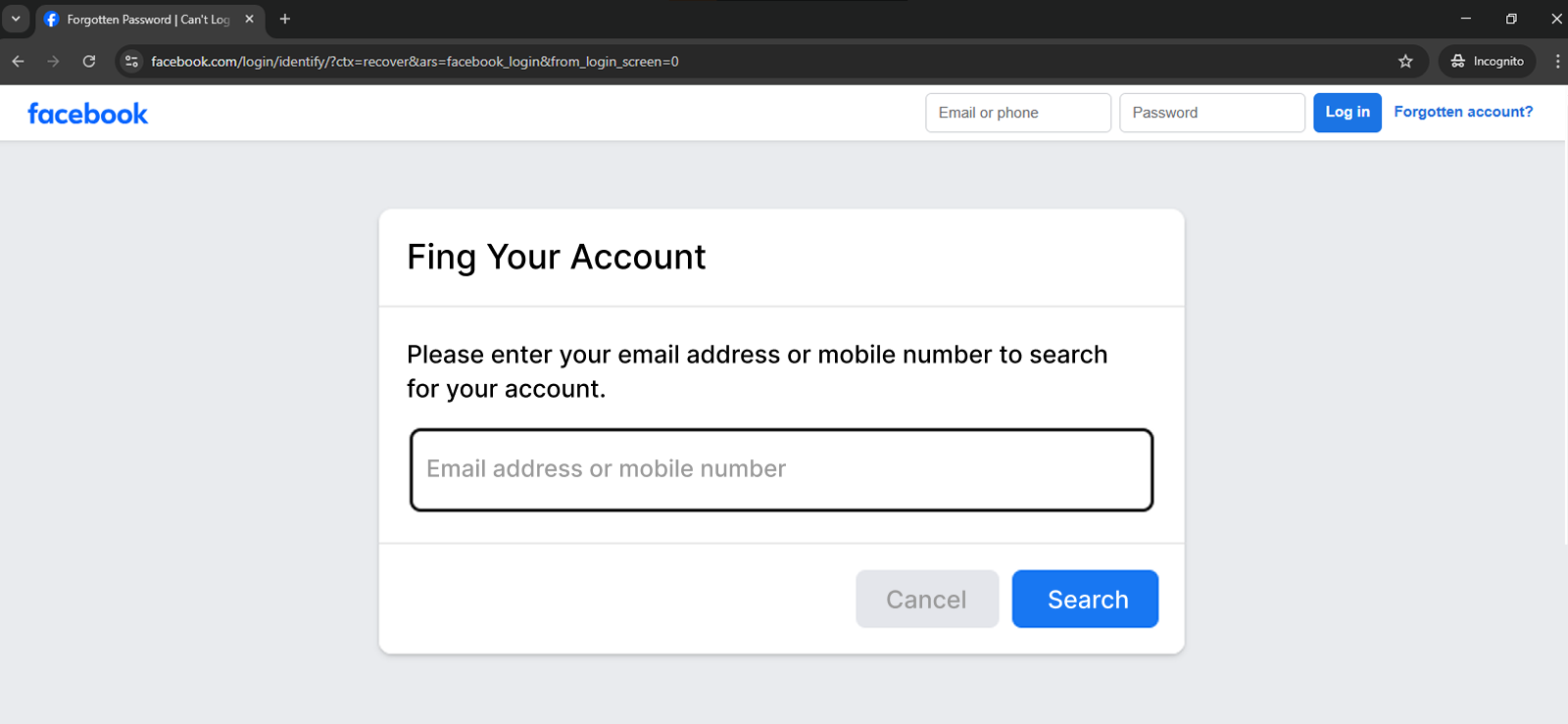
Facebook’s account recovery flow – accessible at facebook.com/login/identify – doubles as a quiet lookup tool. When you enter a phone number into the recovery field, Facebook searches its database and returns a name, along with a profile picture, and a masked email if the number is linked to an active account. In this method, you won’t be resetting anyone’s password; you’re just going to trigger the lookup step.
Here’s how to find someone on Facebook using their phone number via this method:
- Open a browser.
- Go to: facebook.com/login/identify
- In the search field, enter the phone number you want to look up.
- Click “Forgot Password”
- Facebook will prompt you to re-enter the number. Enter it again.
- If the number is linked to a Facebook account, Facebook will display the name along with a profile picture and a masked email address (e.g., a****@gmail.com) to confirm account ownership.
- You can use that information to search the profile on your own Facebook account.
Did It Work for Me?
Of the three accounts I tested, this method confirmed account existence for all of them. It returned the account name, profile picture, as well as the email address (for accounts A and C).
For account B, 2 profiles were linked with this number. It only showed the email address with one of those accounts.
The best part about this method was that it worked irrespective of the privacy settings of the target device.
The only downside is that if the target user has never linked the phone number to their account, the method will be of no use.

Xnspy Finds the Facebook They Don’t Want You to See
Discover what they are up to, all through a single click.
2. Contact Syncing to Discover Facebook Profiles
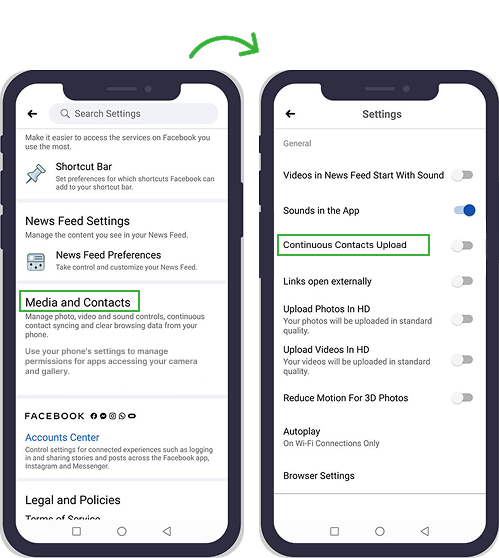
Syncing contacts with Facebook is one of the most passive and underrated ways to find someone by phone number. It works quietly in the background, which is why there are no messages or notifications that are sent to the person you’re looking for.
Once a number is saved in your phone’s contacts and synced with Facebook, the platform scans its database for any profiles tied to that number. If there’s a match, the account shows up in your “People You May Know” suggestions.
Here’s how to find people on Facebook with phone number by syncing contacts:
- Save the phone number you want to search to your phone’s contact list.
- Open the Facebook app on your mobile device.
- Tap the Menu (three lines) → Settings & Privacy → Settings.
- Go to Account Center → Your information and permissions → Upload contacts.
- Toggle “Continuous Contacts Upload” to ON.
- Return to the Facebook home screen and tap the Friends icon.
- Browse “People You May Know” for profiles matching your saved number.
Did It Work for Me?
This was one of the quieter wins in my testing. When I synced a number linked to Account A (“Everyone” setting), the correct profile appeared in People You May Know within about 10 minutes of enabling contact sync.
For Account B (“Friends of Friends”), it didn’t surface because I wasn’t connected to any of their mutual friends. Account C (“Only Me”) returned nothing, as expected.
Other than this, the method only works if the person has their phone number linked to their Facebook account. In a nutshell, it is not reliable enough to use alone, but it’s a solid first step.
3. Search the Exact Number Through Google
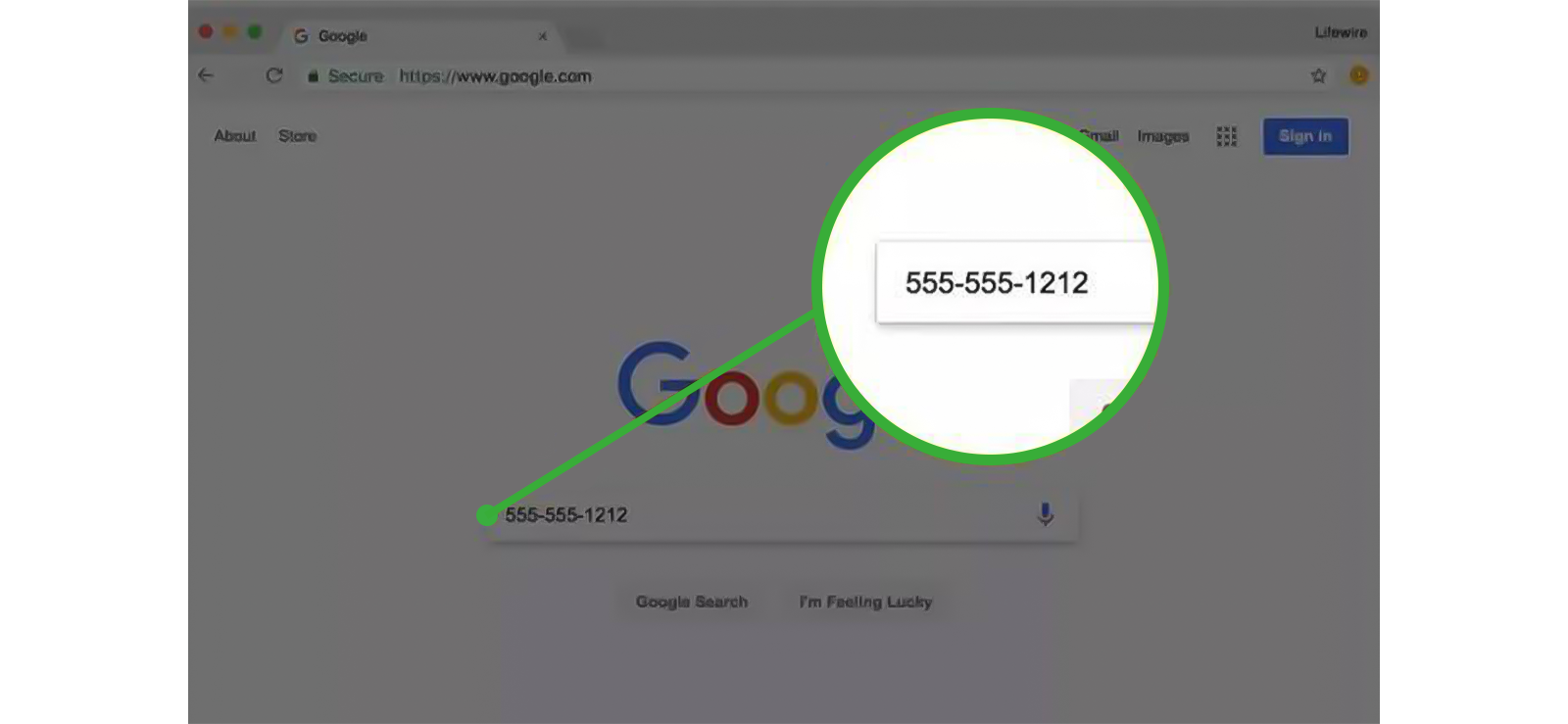
This is a method most people overlook, but it can be surprisingly effective. Typing a phone number in quotation marks into Google forces the search engine to look for that exact sequence across publicly indexed web pages. If the number has ever appeared in a public Facebook post, a profile’s contact section, a business listing, a forum, or a scam report, Google will surface it.
Unlike Facebook’s native search, Google doesn’t check privacy settings; it indexes what’s already publicly visible on the web.
Here’s how you can perform a Facebook ID search by number:
- Open Google (regular browser or incognito mode both work).
- Type the phone number in quotation marks in the search bar. For example: “+15551234567” or “555-123-4567”.
- You can also try adding site:facebook.com before the number to narrow results to Facebook specifically: site:facebook.com “+15551234567”.
- Review the results for any Facebook profile links, posts, group mentions, or pages where the number appears.
- If a name surfaces but no direct profile link, take the name to Facebook and search there.
Limitations: This only works if the number has been publicly posted somewhere that Google has indexed. Profiles with strict privacy settings where no number was ever posted publicly will not appear. Business numbers and public figures are much easier to find this way than private individuals.
Did It Work for Me?
I tested this with three numbers. The first belonged to a small business owner who had their number listed on their Facebook business page. As a result, Google returned a direct Facebook URL on the first result.
The second was a private individual with an “Only Me” privacy setting; the search returned nothing Facebook-related. I then changed the privacy settings and tried again, but no results, as it was not indexed at that time.
So, this method only works if the number has been publicly posted somewhere that Google has indexed. Profiles with strict privacy settings where no number was ever posted publicly will not appear. Business numbers and public figures are much easier to find this way than private individuals.

Pro Tip
Why stop at finding their Facebook account alone when you can also see their activity?

4. Reverse Phone Number Lookup
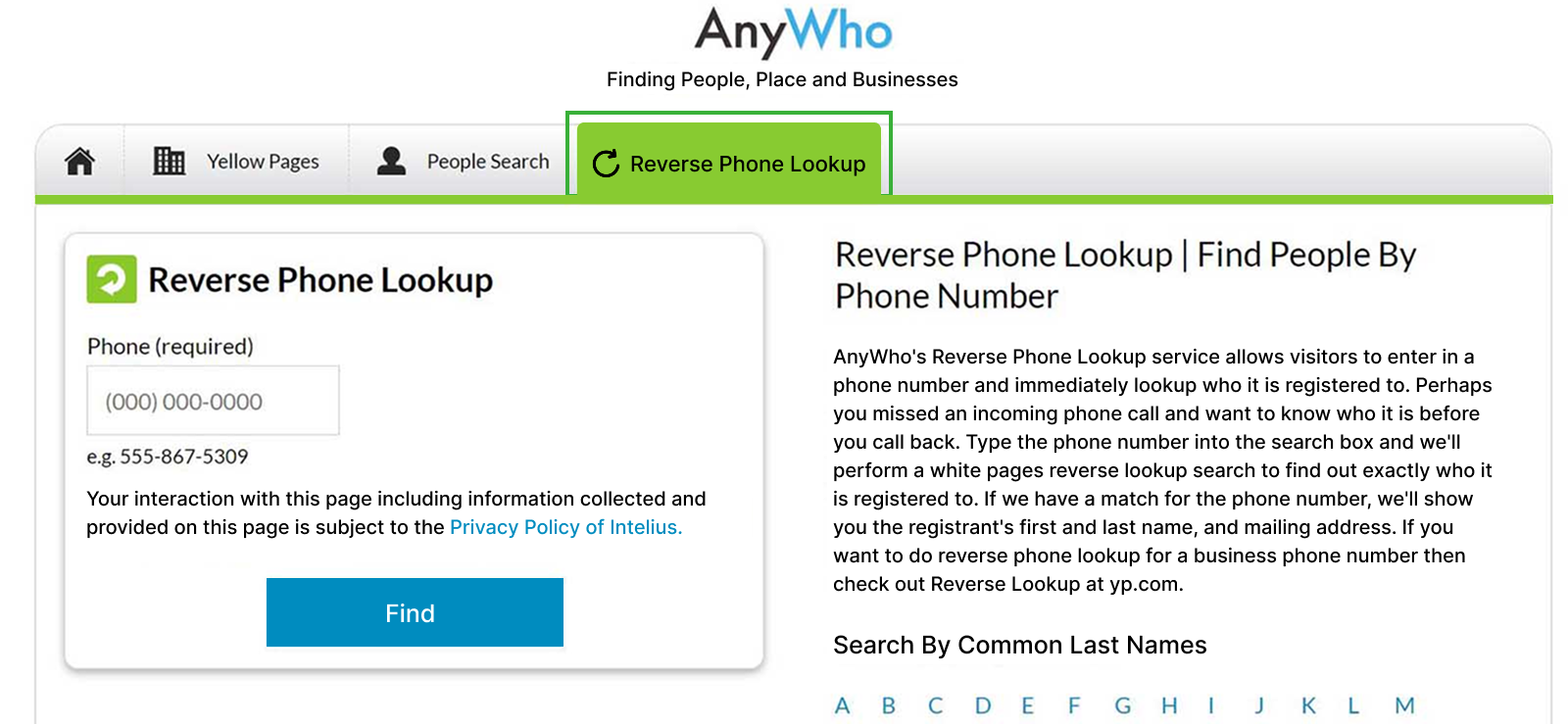
If you are wondering how to find someone on FB with phone number and direct search doesn’t work, a reverse phone lookup gives you the person’s name from outside Facebook’s ecosystem entirely. Tools like Truecaller, Spokeo, or BeenVerified scan public records and user-contributed databases to return a name linked to a number. You then use that name to search on Facebook directly.
This approach bypasses Facebook’s privacy settings because it never touches Facebook’s own search infrastructure.
Let’s take a look at how to find someone on Facebook with their phone number secretly by using a reverse phone number lookup:
- Choose a reverse lookup tool.
- Enter the target phone number (with country code where required) into the search field.
- Wait for results – most free tools return at least a name within seconds.
- Take the name returned and search for it on Facebook directly.
- Cross-reference profile photos, locations, or mutual connections to confirm the correct account.
Did It Work for Me?
I ran three numbers through Truecaller. Two returned names immediately – one was accurate, the other returned a name that didn’t match the Facebook profile it appeared to be pointing to (a common name collision). The third number returned nothing, likely because it was a relatively new SIM with no public database footprint.
Moreover, most free tools return basic name data only. Coverage varies by region – Truecaller is strongest in South Asia, Africa, and parts of Europe. If the number is unlisted or the person has never had it in any public database, results will be empty.
None of these tools return a Facebook URL directly, so you’ll still need to do the Facebook name search as a second step.
How to Find Out Which Phone Number Is Linked to Your Child’s Facebook Account?
Most parents trying to find someone on Facebook with a phone number aren’t looking for a stranger; they’re trying to understand what phone number their own child has used to register a Facebook account, or whether a secondary account exists that they don’t know about.
The standard methods above won’t help with that. You don’t need to search Facebook from the outside; you need visibility into the device itself.
The problem is that teenagers frequently create Facebook accounts with phone numbers that aren’t their primary SIM – a secondary number, a friend’s number, etc. This makes it almost impossible for a parent to know which number is tied to the account, or whether the child has multiple accounts running under different numbers.
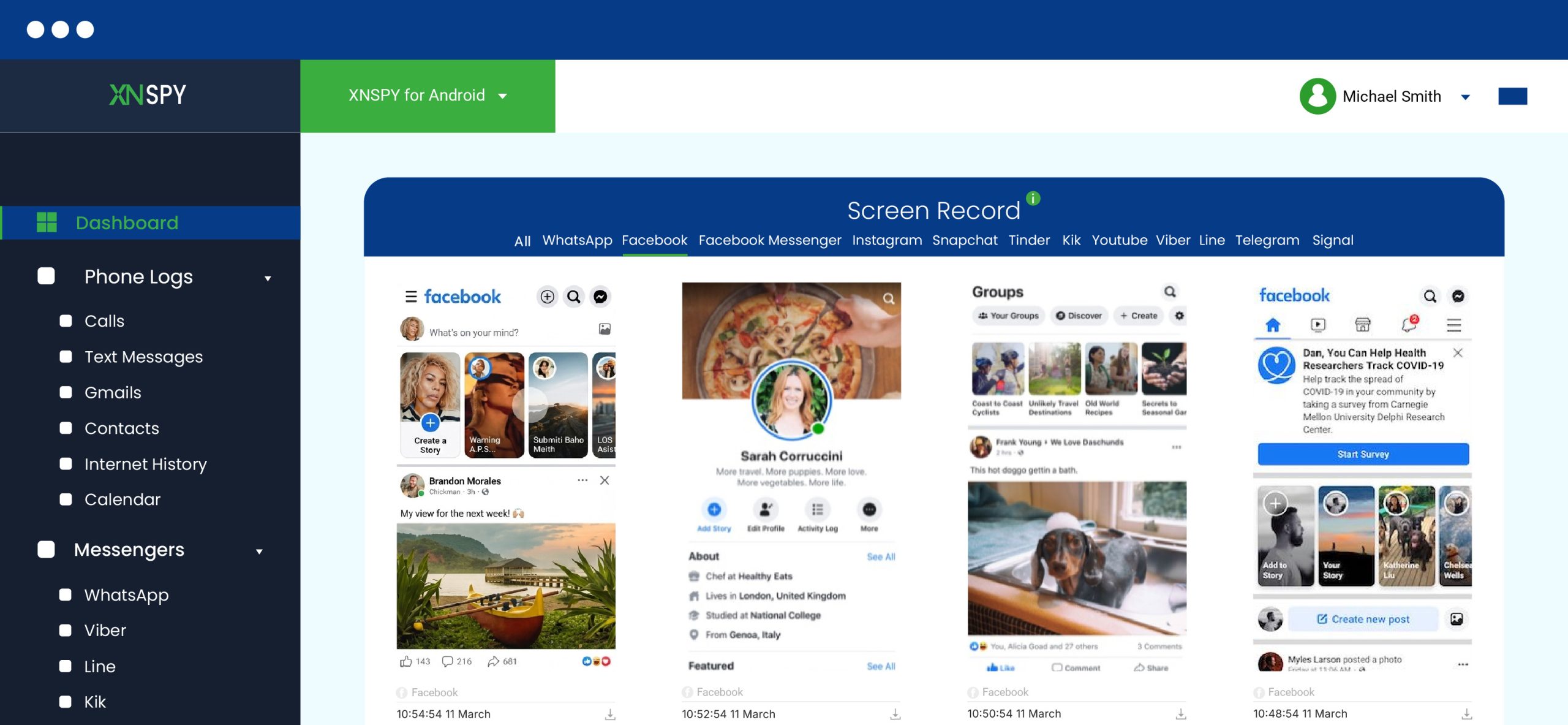
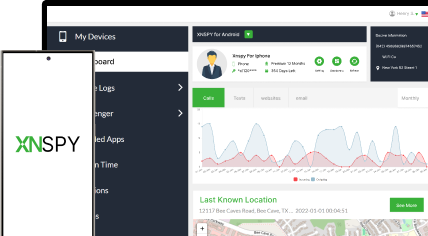
The solution is simple: use a phone monitoring app like Xnspy. Once installed on your child’s device (with appropriate legal authority), it gives you remote access to their Facebook activity and device data.
The screen recording feature captures periodic screenshots of the device’s screen, including Facebook account settings, profile pages, and any account registration or login activity. Whereas the keylogger logs every keystroke typed on the device, including phone numbers entered during Facebook sign-up, login, or account recovery flows.
To use Xnspy:
- Purchase an Xnspy subscription.
- Install the application on the target device.
- Log in to your Xnspy dashboard at any time from a browser.
- Go to Screen Recorder and review screenshots from the period when you suspect a secondary account was created or a new number was registered.
- Check the Keylogger section for any phone numbers your child typed into Facebook’s registration or recovery screens.
How Did It Work in My Testing?
I installed Xnspy on a test device and logged into a secondary Facebook account to simulate a teen registering a new account with an unfamiliar number. The screen recorder captured the registration screen clearly, including the phone number field.
The keylogger separately logged the number as it was typed. Together, these two data points gave me everything I needed to identify the linked number, without relying on Facebook’s privacy settings at all.
The only downside is that you have to install Xnspy on the target device by getting one-time physical access. Other than this, there might be occasional sync issues only when your network is unstable. Nonetheless, despite a delay in the sync, Xnspy won’t let any data go unlogged.
FAQs
How to find people on Facebook with phone number if they have hidden their profile?
If you want to know how to find a person on Facebook by phone number secretly if their profile is hidden, one approach is to use the Facebook password recovery option. By accessing “Forgot password,” you can receive a name or partial profile of the target user. Alternatively, reverse phone number lookup tools can help uncover linked names, which you can use to search for the profile on Facebook.
How to find someone by phone number on Facebook without installing software?
The best way to remotely look up Facebook by phone number without installing software is to directly search the number on Google and analyze the results. Another option is to sync your contacts with your Facebook account, which will provide you with profiles that match the contacts listed on your device. However, results often provide only limited details, and if the phone number isn’t linked to a Facebook profile or the user’s privacy settings are strict, your chances of success are low.
How to find someone on FB with phone number discreetly if they have blocked you?
If someone has blocked you on Facebook, using the Facebook password recovery option may reveal account information by entering their phone number. It works every time, provided that the account has the phone number attached to it.
How to find someone on Facebook using their phone number if they have deactivated their account?
As such there is no set way if you are trying to figure out how to find someone with a phone number on Facebook if their account is deactivated. However, you can use reverse number search tools, and from the insights received through those, you can derive associated names or online presences.
How to find a person on Facebook by phone number when it is linked to multiple profiles?
When a phone number is linked to multiple Facebook profiles, syncing contacts may show all connected accounts, but the results can be unclear. A more effective option is to use Facebook’s forgot password option, as it always works and shows you every profile linked with that number.

3 Comments
Leave a reply:
Your email address will not be published. Required fields are marked*
Ferhat Altekin
July 28, 2025 at 2:58 pm😍
Jeff L. Baird
July 29, 2025 at 1:41 pmWow, didn’t know you could still search Facebook by phone number. Super helpful!
Scout Jones
August 8, 2025 at 11:17 amCan I install the Xnspy app on someone's phone remotely? I cannot access the phone.