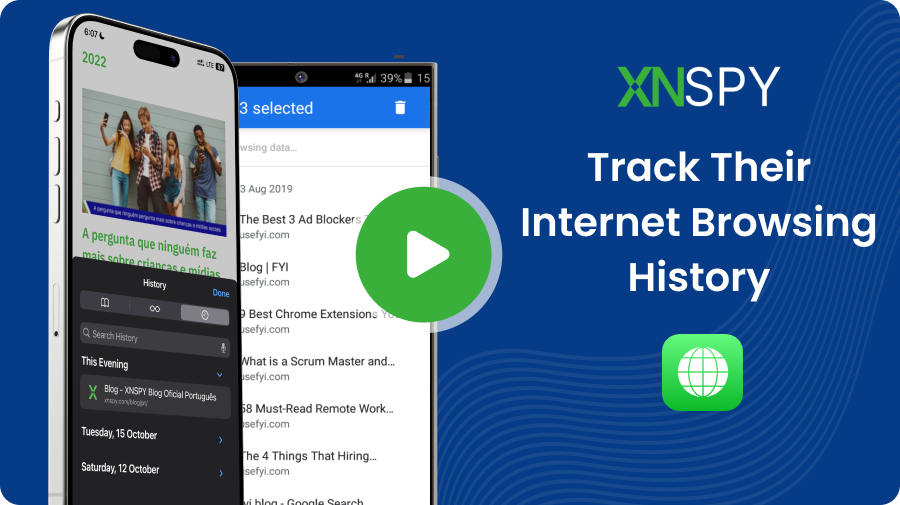
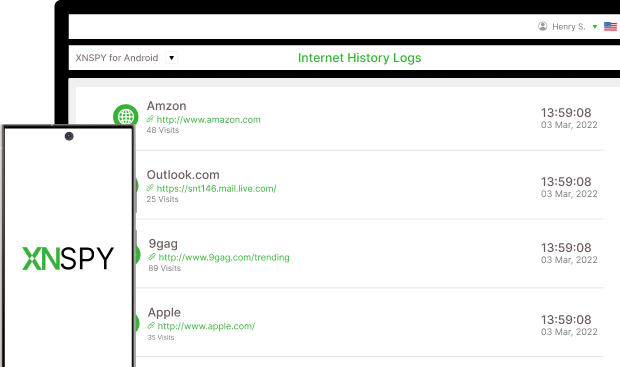
Capture and log every URL visited, giving parents clear insight into exactly what content was accessed.
View any websites bookmarked on the device to see the user’s favorite or most visited pages.
Easily spot potential risks by viewing the top 5 most visited sites, along with details and timestamps.
Know how often specific sites are accessed, showing the exact number of visits to each one.
XNSPY records browsing activity even in Incognito Mode, giving you full visibility into all online actions.
Access a detailed list of all websites visited on the child’s device for a clear overview of browsing habits.
Monitor browsing activity and stay ahead of any suspicious searches.
To check internet history without installing software, parents can access the device’s browser history or use a router with tracking capabilities. Most browsers store browsing history, which can be viewed through settings or history logs. Alternatively, some routers allow you to track all internet activity through the connected devices. However, these methods can be limited and less reliable. XNSPY offers a better, easier, and more reliable alternative. Our web history tracker lets you remotely stay updated on browsing activity and provides detailed reports, without needing physical access to the device.
Each time a website is accessed on a targeted device, XNSPY records the URL and saves it to its dashboard. The app organizes this browsing data to highlight the most frequently visited sites, making analyzing the user’s browsing patterns easy. For additional insights, you can check the “Analysis” tab on the Internet history dashboard, which displays the top five most visited websites based on visit frequency. This feature allows for quick sorting and saves you the effort of sifting through numerous websites, giving you an efficient overview of key browsing habits.
Yes, XNSPY can keep tabs on incognito activity. While browsing in incognito mode typically doesn't save history on the device, XNSPY tracks a kid’s online activity, including websites visited in incognito mode. This ensures that all browsing data, including incognito sessions, can be accessed remotely.
Free or cheap apps often lack this functionality, making it difficult to retrieve erased history. However, a more reliable browser history tracking software like XNSPY can do it easily. Once it is installed and activated on a device, it captures all new browsing activity in real-time, allowing you to check visited sites even if they are later removed from the browser's history. In addition to saving this data, XNSPY performs an analysis to highlight potentially concerning results, which remain unchanged even if the browsing history is deleted.
Yes, you can see browsing history on your child’s phone with the right tools. Many apps allow you to access online activity, including websites visited, even if the history has been deleted. These tools give you access to real-time data, so you can stay informed about their internet use. Just make sure to choose a reliable app that works on both Android and iOS devices, and ensure you’re following local laws regarding privacy. It’s important to have an open conversation with your kid about online safety, too.
Not every app has the ability to monitor web history discreetly since many reveal themselves on the device or only provide basic data. However, some apps like XNSPY can offer a user’s browsing activity without the user knowing. Once installed, it hides itself on the target device and blends into the system’s settings. However, it’s essential to consider the legal and ethical implications of using such software.
Yes, XNSPY can track browsing history across different browsers on the target device. Whether the user is on Chrome, Safari, Firefox, or other popular browsers, XNSPY logs each activity, giving a clear picture of all online behavior. This option is essential for effective checking, as many users switch between browsers for various reasons. All in all, the Internet web history monitoring app captures the URLs and visit frequency, so there is no effect on the history data XNSPY shows.
XNSPY offers a detailed log of visited websites, complete with timestamps, allowing you to oversee exactly when and how often each site was accessed. This analysis provides valuable insights into browsing patterns. You can also leverage additional XNSPY tools for deeper insights. For instance, if you discover through the internet history tracker that the target person is visiting inappropriate content, you can activate the ambient screen recording feature to capture screenshots, giving you a clear context of what they're doing on that website. This added context helps you understand their online activity more thoroughly.
Browsing history tracking is commonly used for parental control and personal device management. Parents use it to ensure their children’s internet safety, know the sites they visit, and identify potentially harmful content. Individuals also use these tools to manage or review someone’s browsing patterns. In each case, a web browsing history tracker provides insights that help users maintain accountability and safety. Understanding online habits can be useful for responsible internet use and data security.
Bookmark tracking provides insight into the websites a person considers essential or frequently visits. A robust web browser history tracker like XNSPY records bookmarks to reveal the specific sites a user has saved for easy access. Overall, this bookmark checking offers a quick way to understand the types of content a kid prefers to revisit without going through their browsing history. This feature is especially useful in identifying long-term patterns and commonly accessed resources.
Use The Discount Code During Checkout