How to Limit Screen Time for Kids: 7 Tips That Make It Easy

The complete monitoring experience for your phone
Get XNSPY and start tracking calls, texts, multimedia, locations and more on any phone!
Get Started Now Live DemoOne hour a day turns into two and then into three, before you know it, your child is excessively using screens, while disconnected from everything else. You tell me, what will you choose in such a situation, convenience or concern?
Well, there is no easy answer. While for convenience, you will have to watch your kid devolve, for concern, you will have to take action and deal with their pushback.
Not only that, but you will also need to figure out how to control their screen usage properly. Though not all hope is lost, because we will share 7 proven ways to limit screen time of your children.
All There Is to Know About This Article
– Teens (13-18) average 7 hours and 22 minutes of daily screen time; over 4 hours is non-school use.
– Excessive screen time replaces sleep, physical activity, family interaction, and study time.
– Common challenges parents face when reducing screen time are tantrums, inconsistent rules, multiple devices, confusion over educational use, and screen dependence.
– Strategy 1: Use Xnspy to track a kid’s total phone and app-specific usage, remotely block apps, or lock the phone too.
– Strategy 2: Allocate daily/weekly screen allowances for children.
– Strategy 3: Let children take turns using devices for fixed periods.
– Strategy 4: Engage kids in small activities during boredom.
– Strategy 5: Create a family screen-time leader board to gamify screen-free goals.
– Strategy 6: Reward consistent screen-free behavior with surprise incentives.
– Strategy 7: Keep kids occupied with hobbies, like outdoor activities, to reduce screen time.
Why Should Parents Limit Screen Time?
Today, screen time limits for kids are necessary because teens from 13 to 18 spend about 7 hours and 22 minutes on screens. With screen time far above the recommended amount, this heavy usage replaces their sleep, physical activity, face-to-face interactions, and even study time.
Not only that, but out of these reported hours, almost 4 of them are non-school screen usage.
To better understand the specific reasons for parents to restrict screen time, look at the following discussion.
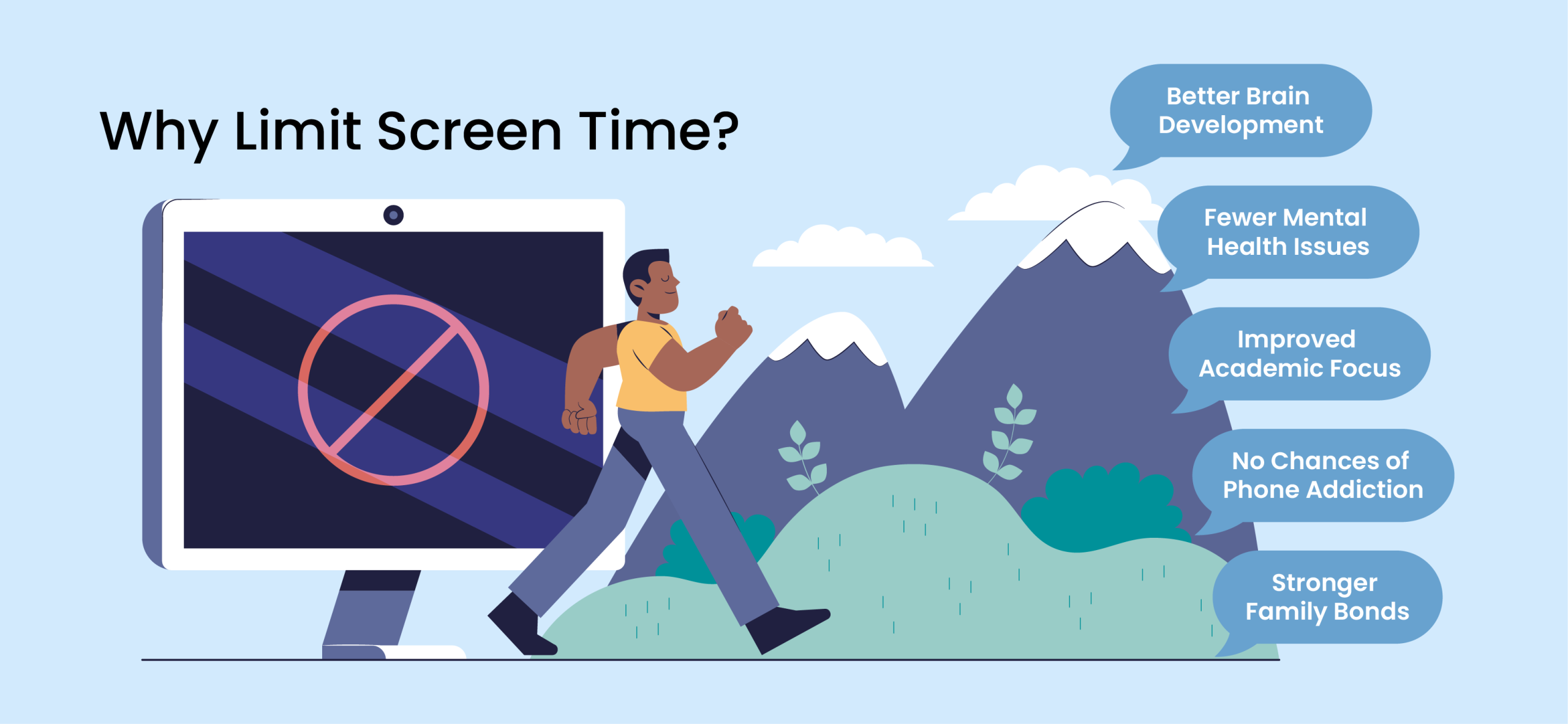
Supports Healthy Brain Development
Early childhood is a time of rapid brain growth. However, if a kid’s passive screen use is too much, it can quickly replace hands-on learning and social interactions. That is why toddlers with more than 2 hours of daily screen exposure score lower on cognitive development tests. But if parents set reasonable screen use rules for kids, their brain development can be easily stimulated.
Reduces Risk of Mental Health Issues
Children who excessively use screens are at an increased risk of depression, i.e., 25.9% compared to peers with less screen time, i.e., 9.5%. Therefore, to reduce the chances of a kid suffering mentally, screen time limits must be put in place.
Promotes Academic Focus
Anyone with high screen time is mostly compromising on something else. For children, unfortunately, that tends to be their studies. In such scenarios, clear screen time rules for kids, like no phones during homework and limited TV after school, help them concentrate and perform better academically.
Prevents Phone Addiction
Unrestricted use of phones can devolve into full-blown screen addiction over time. However, these dangerous patterns can be broken early on by controlling screen time. Overall, with the right strategies at hand, parents can teach their kids self-discipline.
Builds Stronger Family Bonds
Only when screens are out of the picture is there a possibility of some family time. Be it conversations during mealtime, board games, outdoor activities, or family projects, spending quality time can strengthen trust and mutual understanding.
Browse These Related Reads

⛔  7 Best Apps to Limit Screen Time: Parent-Approved Picks
💬  How to Automatically Forward Text Messages to Another Phone
🕵️  How Can Parents Monitor Instagram: 5 Safe and Legal Methods
5 Common Challenges Parents Face When Limiting Screen Time for Kids
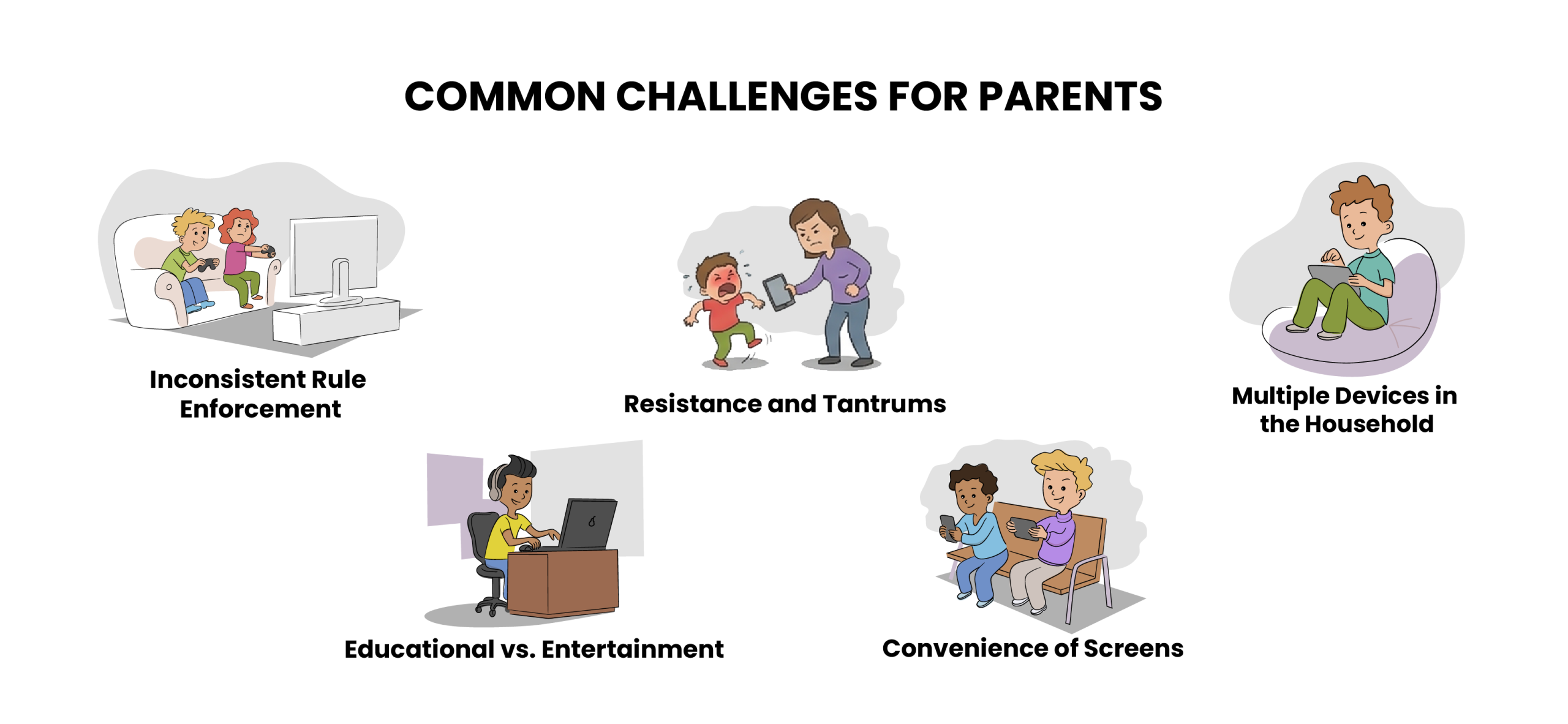
Reducing screen time often leads to resistance because who even likes to have such privileges taken away? Let’s see what the 5 most common hurdles that parents encounter when trying to manage screen time are:
i. Resistance and Tantrums
When screen time is up, what parents are mostly met with is not the children putting their devices down but rather them crying or throwing tantrums. When in such a situation, even the two-minute warning does not seem to work.
ii. Inconsistent Rule Enforcement
No matter how foolproof your screen time plan is, it can crumble before your eyes if you let your child have extra screen time just for once. Such inconsistencies can teach them that they can have their way no matter what.
Not only that, but disregard for these rules by other caregivers can also make it difficult for kids to learn boundaries.
iii. Educational vs. Entertainment
But sometimes setting screen time limits for kids is not enough. Parents are often met with another confusion: “Is the time my child spends on educational videos or games also counted within the set duration?”
The result of this perplexity can be unclear limits and an inability to distinguish between educational and entertainment-related screen time.
iv. Multiple Devices in the Household
Modern homes have more than one screen at their children’s disposal. From the TV in the living room to the tablet in the bedroom and smartphone in hand, enforcing screen time limits becomes tricky for parents across all these devices.
Why? Because if they are banned from watching TV, they can simply go ahead and grab a phone.
v. Dependence on Screens for Convenience
Parents of today use screens as if they are babysitters. Whenever they are busy with chores or office work, phones are used to keep kids busy.
But over time, this becomes a habit and creates heavy dependence on screens. Anytime the child is bored, they expect to be given a device for entertainment.
How to Reduce Screen Time for Kids: 7 Strategies for Healthier Online Habits
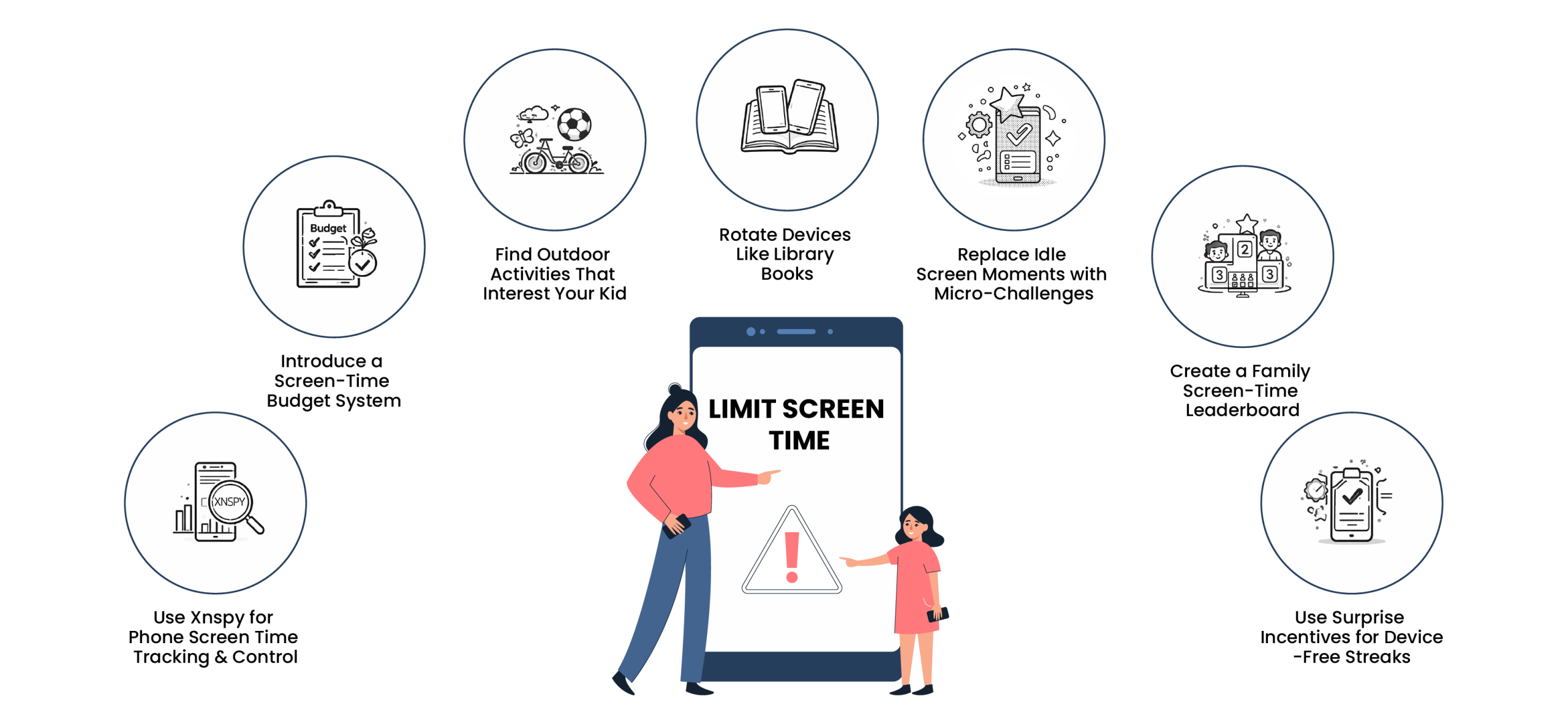
Now, if you are a parent looking for how to limit screen time for kids, the strategies listed below can come in handy. When implemented appropriately, these tips can help you regulate screen usage.
1. Use Xnspy for Phone Screen Time Tracking & Control
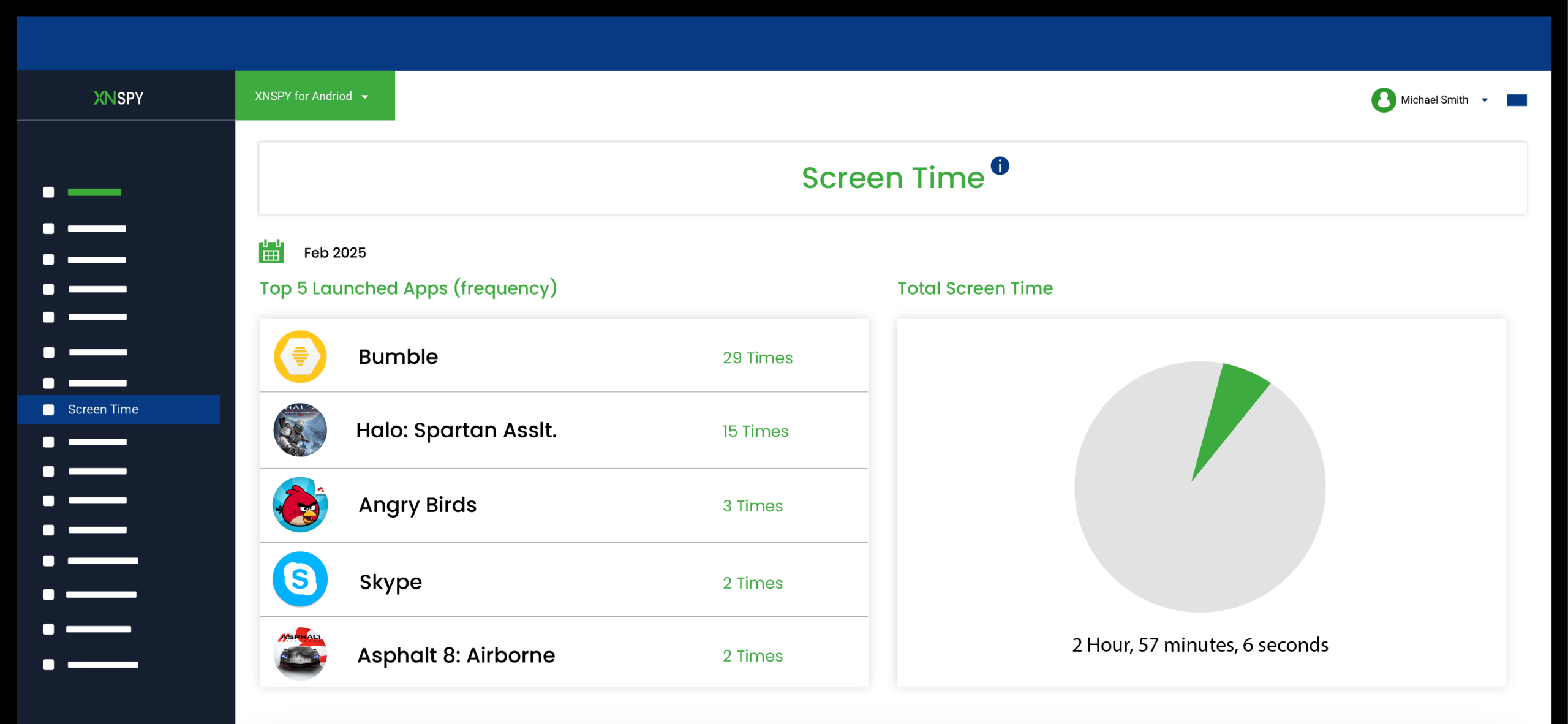
Xnspy is a phone monitoring app for parents that provides them with detailed insights into a child’s phone usage. While comprehensive in nature and used by people who want complete visibility into their kids’ activities, its screen time feature alone can be quite resourceful too.
Once Xnspy is up and running on the target phone, you no longer have to worry about uninstallation or other issues. That is because it operates in the phone’s background in stealth mode and also auto-updates.
Therefore, you only need one-time access to your kid’s device to continue tracking them until the discontinuation of the services. Not only that, but Xnspy’s minimal impact on the phone also makes it a preferred option among parents.
But how does it help them with too much screen time for kids? Well, Xnspy’s screen time feature logs accurate screen usage. Details like the total phone usage, app-specific screen time, each app’s launch times, and more are given in proper actuarial reports.
Moreover, to help parents better navigate through the provided data, a date and time filter is also included.
Once you have the required insights at hand, you can then take action using the remote controls available on Xnspy. You can either block problematic and most-used apps on their phone remotely or lock their phone entirely if screen limits are exceeded.
To use Xnspy for screen time logs and management, you have to:
- Purchase a subscription with the necessary features directly from the official website.
- Wait for the confirmation email and then download Xnspy directly on the child’s phone.
- After installation, move on to the setup and wait for the phone data to sync with the dashboard.
- On the web dashboard, find their screen time and take actions to regulate it remotely.

Xnspy: All Screen Time Insights That Matter
Now, you can manage and control your kids’ screen time with ease.
– See total phone screen usage
– Find the time spent on individual apps
– Block apps that appear addictive
– Lock the phone remotely to regulate screen time
2. Introduce a Screen-Time Budget System
You can envision screen time like an allowance that your kids get to spend each week. For instance, it is recommended that children should not have a recreational screen time of more than 7 hours per week, which makes up one hour daily.
Now, you can allocate a specific amount of time to each teen that they can use across the week. Once they have used up all the budget, you can put the tablet away until next week.
A budget system like this lets kids choose whether to save their time for the weekend or spend it on a busy day.
Lastly, to better help children track their screen time usage, you can use visual tools, like tokens.
3. Rotate Devices Like Library Books
If your household has multiple children and even multiple devices, then treating screens like books from a library can save you a lot of trouble.
This is one of the ways to control screen time of your kids by letting only one of them use a device for a fixed amount of time. Once they are done, they can be handed over to the next one on the list.
By doing so, you can easily prompt your kids to take breaks while their sibling is playing and make them explore other hobbies. Not only that, but such schedules also create anticipation without any arguments because children know that a plan is being followed.
4. Replace Idle Screen Moments with Micro-Challenges
When do kids use their devices the most? The simple answer is when they are bored. To put it honestly, bored children mean trouble. That is why parents should pick up these idle moments that lead to more screen time and replace them with fun challenges.
For example, you can randomly challenge your kid to do 5 jumping jacks before snack time or count all the red cars they see in 2 minutes.
However, it is understandable that coming up with these tasks on a whim is not an easy feat to pull off. Therefore, to counter that, you can keep a jar of simple ideas with you.
Be it telling a joke to someone or having a dance party, your child can end up looking forward to them as much as their screen time.
5. Create a Family Screen-Time Leaderboard
Why must you treat screen time limitations as this boring and draining ritual when you can instead turn it into friendly competition within your family? To begin, you can place a chart on your fridge where each family member can keep track of everyone’s points.
Each participant can earn points by meeting screen-free goals. Then, by the end of the week, whoever comes out on top with the most points gets a small reward.
As far as these rewards are concerned, you can set specific small rewards for each milestone someone hits. For example, one reward can be taking them for ice cream while the other can be choosing the movie on movie night.
All in all, the leaderboard approach can motivate everyone in the family, specifically kids, to compete against others and themselves.

Did You Know?
Blocking apps on a phone is as easy as monitoring screen time if done right.

6. Use Surprise Incentives for Device-Free Streaks
Sometimes, what matters more than consistency is motivation. If your kids are not motivated to keep going with the new screen-time changes, even the most well-executed plans can collapse.
What you can do in such cases is to offer occasional rewards. Whenever your child displays streaks of good behavior, you can reward them using various surprise incentives.
Be it a special breakfast of their choice or a fun outing with everyone, tech-free time can be compensated with such surprises to keep motivation high. Not only that, but you can also give out “screen-free tickets” to your teen for each goal they meet, which they can then trade for privileges.
Over time, they will start associating unplugged time with fun outcomes, helping them stick to your plans easily.
7. Find Outdoor Activities That Interest Your Kid
But how to reduce screen time for kids whose only interest is their phone? Well, that might not be the case. Most kids tend to use screens as a way to evade boredom, and you can easily accomplish this by helping them find other interests, like outdoor activities.
Once their time is filled with something better and they are occupied with an active hobby, their screen time will automatically be cut short.
However, if you initially struggle with finding outdoor activities that interest them, you can temporarily settle for simple things like walking, playing in the backyard, scavenger hunts, going to the park, etc.
Remember that the ultimate decision is theirs. Let them pick what sounds fun to them instead of imposing your choices.
FAQs
What are the signs of too much screen time among kids and teens?
Excessive screen time in kids often shows up in subtle but noticeable ways. You might see increased irritability when devices are taken away, difficulty concentrating on schoolwork, declining grades, or harmful screen usage patterns. Sleep problems, like staying up late scrolling, are also common among such children. Moreover, social withdrawal, preferring screens over family time, is another red flag.
What is the 30 30 30 rule for screen time?
The 30-30-30 rule for screen time is a simple strategy designed to reduce digital eye strain and encourage healthier device use. It suggests that after 30 minutes of screen use, you should look at something 30 feet away for at least 30 seconds. This short visual break helps relax eye muscles and prevent fatigue caused by prolonged focus on screens.
At what age should parents stop limiting screen time?
There isn’t a specific age when parents should completely stop enforcing screen time rules for kids, because digital responsibility develops gradually. Instead of removing limits at a certain birthday, parents should adjust boundaries based on maturity and self-control. As children enter their mid-to-late teens, restrictions can shift from strict time caps to guided independence, focusing on balance. The goal is not to eliminate screen time regulations entirely but to transition from control to trust and accountability over time.
What are the 5 C’s of screen time?
The 5 C’s of screen time is a framework that helps families create healthier digital habits: Content, Context, Child, Connection, and Control. “Content” refers to what kids are watching and whether it is age-appropriate. “Context” looks at when and how screens are used, such as during meals or before bed. “Child” recognizes that every child responds differently to media. “Connection” encourages co-viewing and discussing digital experiences together. Finally, “Control” involves setting clear boundaries and limits. Together, these five elements guide parents toward thoughtful screen use rather than focusing only on time spent online.
What are good alternatives to screen time?
Good alternatives to screen time include activities that stimulate creativity, movement, and real-world connection. Outdoor play, such as cycling, swimming, hiking, playing soccer, or simply exploring a park, helps children stay active. On the other hand, creative options like drawing, painting, journaling, or crafting encourage imagination and focus. Even basic family activities, from cooking together to having conversations during a walk, offer meaningful engagement without relying on screens.
How to get kids off screens if they react angrily to limits?
Managing too much screen time for kids requires patience and creative strategies. For starters, you can introduce them to a screen-time budget system with clear daily or weekly screen time restrictions so they know what to expect. Pair this with micro-challenges like building a craft or completing a quick outdoor activity during breaks from screens. Another effective approach is using surprise incentives for device-free streaks, rewarding kids for sticking to screen boundaries. Overall, these methods make transitions smoother and reduce resistance.

Leave a reply:
Your email address will not be published. Required fields are marked*

Tiffany Ross
Member since October 8, 2025
Tiffany Ross
Member since October 8, 2025
Tiffany Ross is a child digital safety educator and family technology researcher, with an M.Ed. in Learning Technologies, University of Texas at Austin. After graduating in 2016, she has continued to work in the industry for 9 years. During this time, she has focused on practical digital parenting strategies and responsible use of monitoring apps. Moreover, her work includes abuse prevention, healthy screen habits, social media safety, and other key concerns. Over the years, Tiffany has also contributed to more than 200 research-informed guides and family safety resources covering online risks, screen time management, and digital wellbeing practices for modern households.