How to Get Text Messages From Another Phone Sent to Mine Secretly: 7 Best Ways
 By Mike Everett
The complete monitoring experience for your phone
Get XNSPY and start tracking calls, texts, multimedia, locations and more on any phone!
Get Started Now Live DemoThere are moments when you just need to know what is happening on another phone. Maybe you are a parent trying to stay ahead of your teenager’s ever-evolving social life (seriously, how do they keep up with all those apps?). Or perhaps you are juggling family matters, and knowing what is going on in real-time could make your life a whole lot easier.
Whatever your reason, figuring out how to receive text messages from another phone number without drawing attention might sound tricky. The good news is it is not rocket science – it just takes the right tools and a little know-how.
In this article, we will walk you through 7 effective and discreet methods for how to receive messages from someone else’s phone.
Know What This Article is About: Only Under a Minute
- Receiving text messages from another phone requires access to the device, account credentials, proper configuration, etc.
- XNSPY monitoring app provides continuous syncing of sent and received messages through a dedicated dashboard.
- Email-to-SMS gateways convert text messages into emails for indirect access.
- Message forwarding services can redirect SMS to another number, but depend on carrier support.
- Google Cloud backups on Android can store SMS data, which can be accessed through the linked Google account.
- The Google Messages app allows web-based access to SMS by pairing devices through a QR code.
- iCloud enables message syncing across Apple devices using the same Apple ID.
- Carrier-based solutions are limited to specific plans and features.
Need and Challenges of Receiving Text Messages From Another Phone
Parents, today, want to know about their child’s text message activity because they know their smartphones are a primary mode of interaction and can reveal early signs of issues like cyberbullying, inappropriate content consumption, communication with strangers, and more.
Therefore, with their kids’ messages accessible to them, parents can intervene at the right time and even guide the child towards responsible behavior. Not only that, but with proper evidence, parents also get a chance to start open conversations and protect them before any situation escalates.
However, receiving these text messages from another phone is not without its challenges. Since smartphone systems such as Android and iOS are built with strong privacy protections, it becomes difficult for parents to access messages without proper setup. Many methods available also require physical access to the device, account credentials, permissions, and more.
Ultimately, while the need for oversight is valid, parents must navigate technical barriers to ensure their approach remains effective.
How to Receive Text Messages from Another Phone Number Without Them Knowing: 7 Proven Methods
Here are 7 tried and tested methods that will answer your question of how to get text messages from another phone sent to mine discreetly.
1. XNSPY App

If you have ever found yourself asking, “How can I get his text messages sent to my phone,” you are in good company because XNSPY can help make that happen.
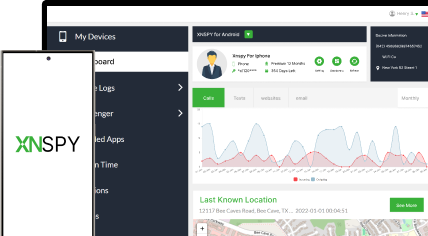
XNSPY is a powerful app that gives you remote access to not just text messages but also lets you monitor social media activity, calls, web history, and locations. The best part? It is compatible with most Android and iPhones, and installing it takes just 5-6 minutes.
XNSPY works quietly in the background, so you don’t have to worry about drawing attention. Once set up, XNSPY records both incoming and outgoing messages in real-time and uploads them to secure servers.
You can access these messages easily through your dashboard, and you will get full details – like the contact name, message content, date, and time – so you are always in the loop.
Here’s how to receive texts from another phone on yours using XNSPY:
- Make a user account and subscribe to the app
- Install the app on the target phone
- Use your phone to access the dashboard
- Click on Phone Logs and Tap ‘Messages’ to view all the sent and received texts

XNSPY: Text Tracking Made Easy
Monitoring messages has never been simpler or more reliable.
2. Message Forwarding Service
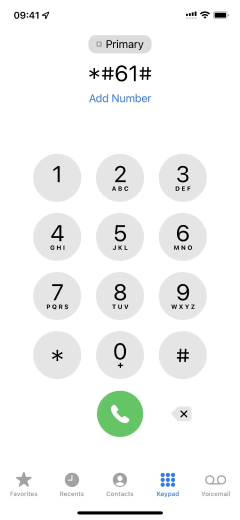
An alternative way to receive texts from another phone is to set up message forwarding from the target device to your own. For this method, you need access to the phone and permission to configure the forwarding settings.
Here’s how to get messages from another phone number with this method:
- Open the Phone app (dialer) on your target phone.
- Dial the forwarding code for the particular target phone carrier.
- Enter your number after the code to activate message forwarding.
You have to access someone’s phone to activate the message-forwarding service. However, the person can easily deactivate this service.
3. Email-to-SMS Forwarding
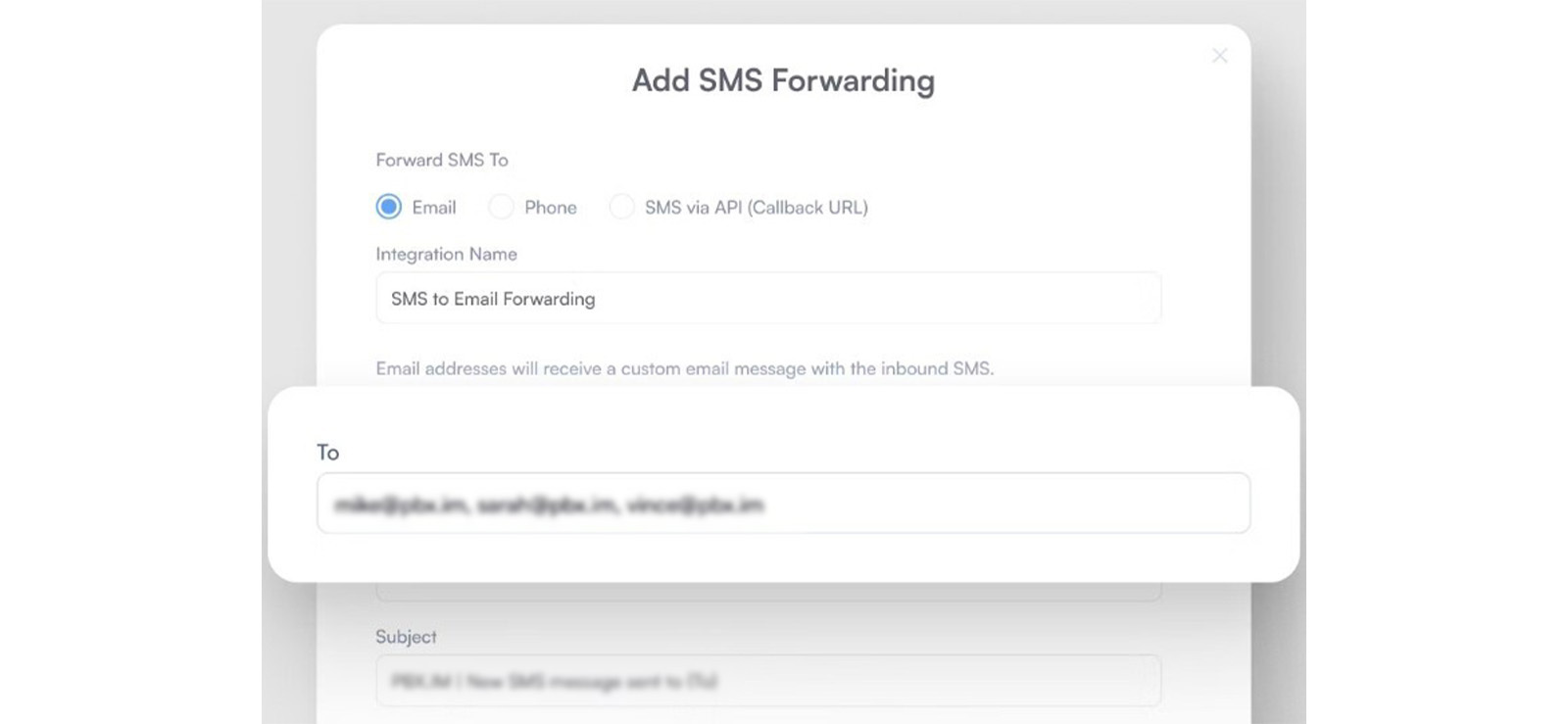
Email-to-SMS forwarding is a lesser-known but legitimate method that allows parents to receive text messages from a child’s phone number through email. This system works through carrier-supported gateways that convert SMS messages into email format.
Each phone number is associated with a specific gateway domain that can enable messages to be routed between SMS and email platforms.
When properly configured, incoming messages sent to the child’s number can be duplicated and forwarded to a designated email address for indirect access to SMS activity.
To get their text messages sent to your phone, follow the steps below:
- Identify the child’s mobile carrier and its SMS gateway domain.
- Access the carrier account settings to enable message forwarding (if supported).
- Enter the parent’s email address as the forwarding destination.
- Continue monitoring their text messages over time.
Despite being technically valid, though, this method comes with several constraints. Not all carriers support SMS-to-email forwarding, and even when they do, functionality may be limited. That is because multimedia messages and encrypted texts are often not forwarded properly.
4. Google Messaging App
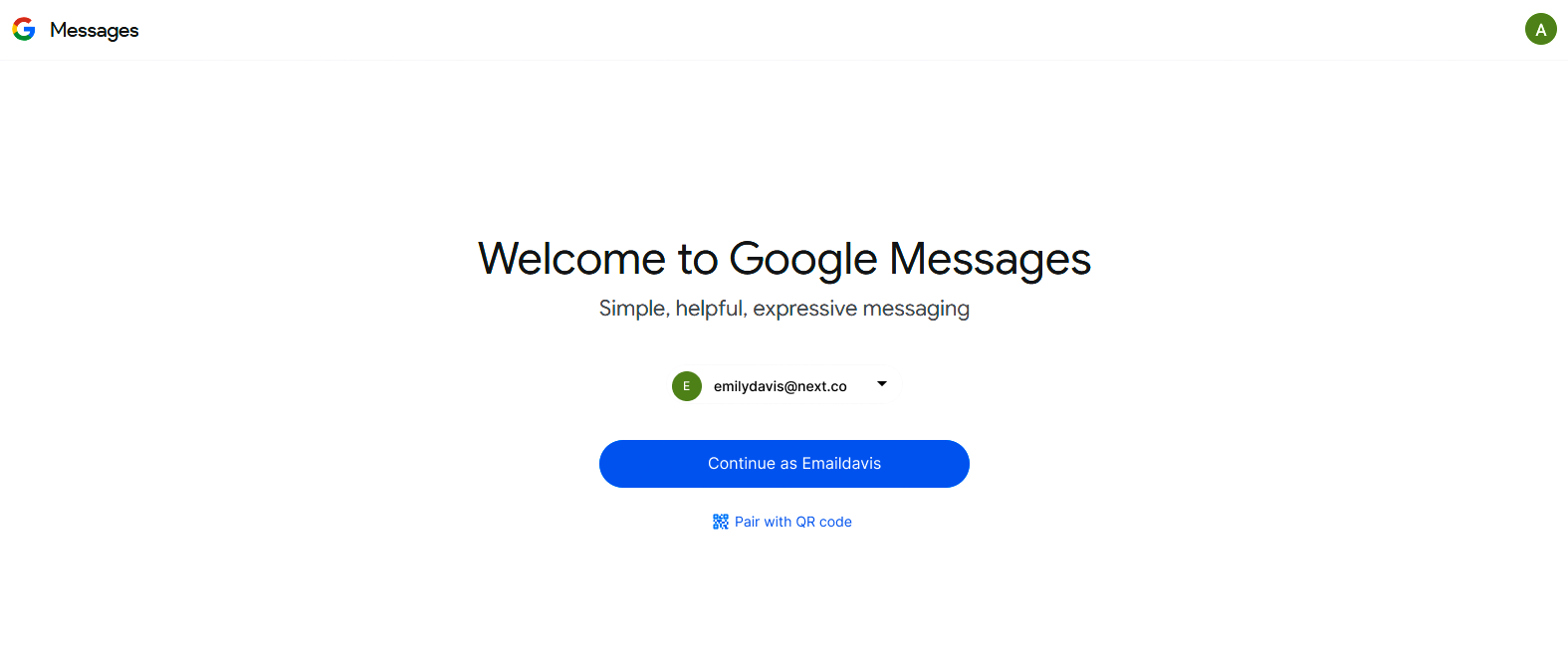
The Google Messaging app is another option you might consider if you are wondering how to retrieve text messages from another phone. This method works if both devices are signed into the same Google account, allowing you to access the text messages. However, the catch is that you will need physical access to the target phone at least once to set it up.
Once both phones are linked to the same account, messages can sync between them, making it possible to read the text conversations from either device.
Here’s how to get messages from another phone using the Google Messaging app:
- Hold the target phone and visit the Google Messages page.
- Pair it with a QR code.
- Open the Google Messages app on your phone and click on device pairing.
- Press the QR code scanner and scan the code from another phone. Now, view all the messages that are sent or received from someone’s phone.
5. Google Cloud (Android)
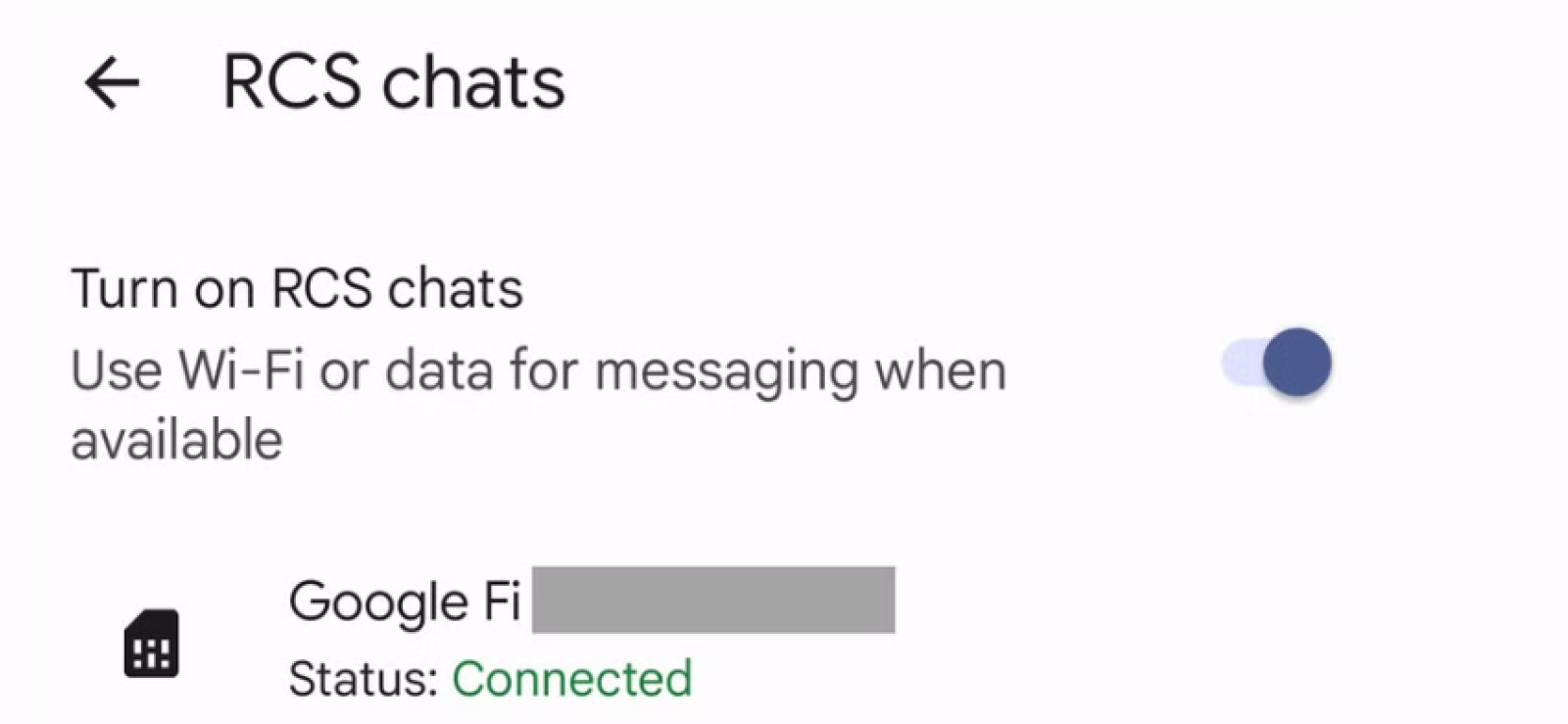
If you are trying to figure out how to receive text messages from another phone number on Android, Google Cloud might be the solution. It works by storing and syncing messages across devices, making it easy to access them. However, keep in mind that you’ll need to get consent and access the person’s account in order to view their messages.
Let’s see how to read SMS of other mobile number through Google Cloud:
- Open the Messages app and set it as the default SMS app.
- Enable Chat features (RCS or Rich Communication Services) from the Settings.
- Now, messages received on the target device will appear on your phone too, as the messages are synced across all devices.

Bonus Tip
Since WhatsApp is one of the most widely used messaging apps, many people are curious if it is possible to view someone’s WhatsApp chats.

6. iCloud Sync (iPhone)
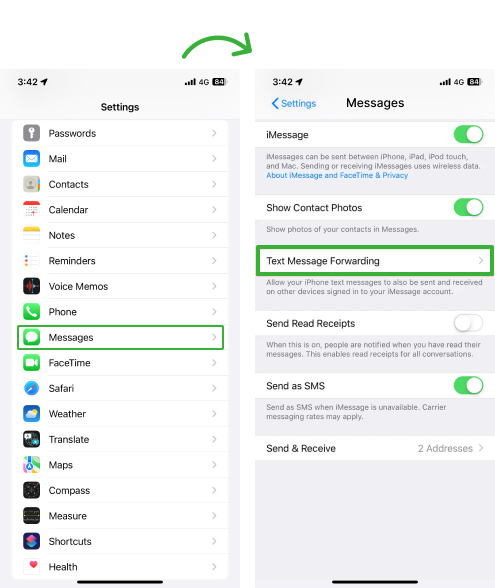
If you are trying to view text messages sent and received from another phone, iCloud Sync can be a useful method. iCloud automatically backs up data from your iPhone, including text messages, and syncs them across all devices that are signed in with the same Apple ID.
When both iPhones are linked to the same Apple ID and iCloud backup is enabled, you can see text messages on multiple devices. This means if someone sends a message to one phone, you can view it on another device signed into the same iCloud account.
However, you will need access to the target iPhone at least once to set it up. Once iCloud is synced, all messages, including SMS and iMessages, will appear on all connected devices.
Let’s see how to receive messages from someone else’s phone with iCloud sync:
- Open Settings on the target iPhone.
- Tap the Apple ID, iCloud, and turn on Messages.
- On another Apple device, sign in with the same Apple ID.
- Enable Messages syncing on that device as well to receive their messages.
This method will work if you have access to someone’s Apple ID credentials. Furthermore, the two-factor authentication makes it harder to access messages in the first place and then forward them.
7. Carrier Services

Using your carrier’s services can be a practical method to get his text messages sent to your phone. Many mobile carriers, like Verizon, T-Mobile, and AT&T, offer features that allow you to view text messages sent to another phone on the same account, but this option depends on the carrier and the plan you’re using.
For example, some carriers have features like message forwarding or family plans that let you monitor messages across multiple phones. These features often allow you to see texts, call logs, and even data usage for every phone line under the same account.
Here’s how to get a copy of text messages from another phone with the help of the carrier:
- Log in to the Verizon, T-Mobile, or AT&T account online or on the app.
- Click Advanced Settings and navigate to the Messaging section or Text Message Forwarding.
- Enable Text Message Forwarding and enter the phone number where you want to forward the messages.
- Test it by sending a text to the number and see it on your phone too.
Note that you must ensure consent from the person whose messages you are forwarding.
FAQs
How to get texts from another phone without installing software?
There are a couple of ways to receive texts from another phone without installing the software. For example, you can try carrier services, email forwarding for SMS, backups, etc. However, while these methods can help in certain situations, they are limited in terms of what they allow you to monitor.
For the most reliable and comprehensive solution, XNSPY is your best bet. It doesn’t require constant physical access, works across both Android and iPhone, and gives you full remote access to text messages from a simple dashboard.
How to read SMS of other mobile number without physical access to the device?
If you are wondering how to get messages from another phone number without touching the target phone, you can try Google Cloud for Android and iCloud sync for iPhone. However, the person can easily revoke the settings and permissions at any time. A better solution is XNSPY, which can give you remote access to the target person’s messages all the time and from anywhere.
Will the other person know if I’m receiving their messages?
Whether the other person will know that their messages are being forwarded to another phone depends entirely on the method used. Monitoring apps like Xnspy operate in stealth mode, meaning there are no visible notifications, icons, or alerts, so the user does not get to know that their messages are being accessed. However, methods like SMS forwarding codes, carrier services, or iCloud/Google syncing may leave traces, like linked devices, account logins, or settings changes, which a user can notice. In short, some methods are designed to stay hidden, while others are more transparent and can be detected with basic checks on the device.
How to receive text messages from another phone number on Android if they change their SIM?
If you want to learn how to get texts from another phone after the SIM change, there are a few ways to go about it, but they require certain conditions. One option is using Google Messages with RCS syncing. If both devices are signed into the same Google account, you can sync SMS and RCS messages across multiple devices. This means you can view messages even after the SIM changes.
Another method is Google Voice, which allows you to forward messages sent to a Google Voice number, regardless of SIM changes. However, the most comprehensive solution is using an app like XNSPY. With proper setup and consent, XNSPY allows you to remotely monitor text messages, no matter the SIM swap.
How to secretly view text messages sent and received from another phone if they have been deleted?
So you are thinking: “How can I get his text messages sent to my phone even if they are deleted?” You are not alone. Tools like Xnspy make this possible by capturing messages in real time and syncing them to a secure dashboard for you to see, meaning even if texts are deleted from the device, they remain accessible to you.
Smart, Simple, and Discreet Tracking
Effortless tracking that works silently in the background.
5 Comments
Leave a reply:
Your email address will not be published. Required fields are marked*
Jeff L. Baird
January 17, 2025 at 9:47 amXnspy is good
Joshua
January 29, 2025 at 7:11 ammessage forward iphone to android?
Angelina Asher
February 11, 2025 at 1:55 pmHi, so I read through the whole article but cannot figure out why someone would want to see someone's messages without their consent? Very dystopian.
Johan
February 20, 2025 at 10:13 amOkay
Tom
May 3, 2025 at 12:08 amGot to be something easier than that