
The complete monitoring experience for your phone
Get XNSPY and start tracking calls, texts, multimedia, locations and more on any phone!
Get Started Now Live DemoHave you ever been unable to see what is happening on your child’s private Instagram account simply because they have not accepted your follow request? As a parent, I understand how unsettling that can feel. When there is no clear view of what they are up to, concern can build quickly.
And while “just talk to them” is always the ideal starting point, I also know that conversations do not always give parents the full picture. That is why I have spent hours looking into practical ways parents can better understand activity happening on a private Instagram account without needing direct access to the child’s phone.
In this guide, I will explore how to view private Instagram account without accessing the target person’s phone using 6 practical methods, along with what each method can realistically show.
A Quick Look at The Options Chosen for You
- A private Instagram account cannot always be viewed directly without approved access.
- Xnspy gives the deepest Instagram visibility after setup by capturing screen records and app activity from the monitored phone.
- Meta Family Center is Instagram’s official supervision option, but it only shows account-level insights, settings, screen time, and activity signals.
- Google username search can reveal old public traces, cached snippets, profile pictures, indexed results, or username matches connected to a private Instagram account.
- Instagram profile viewers may show basic public details linked to a username.
- Creating another Instagram account can work if the follow request is accepted.
- Looking for other social media accounts can help view cross-posted content.
My Testing Criteria for These Methods
Before adding any method to this guide, I wanted to see whether it could actually help in a real situation, not just sound useful in theory. Since private Instagram accounts are restricted by design, I focused on what each method could realistically show and how much access it required.
- Level of Visibility: I wanted to see whether each method could show actual Instagram activity, account-level insights, public traces, or only basic profile details. This helped me separate methods that offered deeper context from those that only gave surface-level information.
- Access Requirements: I noticed that while some methods need initial setup, others do not require phone access at all. Therefore, I made sure to mention this clearly so readers know what to expect before trying a method.
- Over Time Reliability: I considered a method useful only if it worked more than once and gave consistent results across multiple accounts. That is why I included success rates instead of simply saying a method “works.”
- Detection Risk: I checked whether the method involved direct interaction or relied solely on public information.
Check Out These Amazing Guides!

💬  How to Recover Deleted Instagram Messages: 4 Easy Ways
⚡  How to See Deleted Instagram Posts Without Them Knowing
💼  How to Find Hidden Apps on Android Without the Owner Knowing
Why Knowing How to View Private Instagram on Someone’s Phone Matters
Before getting into the methods, I think it is important to talk about why parents may want to stay informed about what is happening on their children’s private Instagram accounts.
Instagram is not just another social app for teens anymore. For many, it has become a lifeline. In fact, with 76% of teens on the app, the level of access often leads to posting, messaging, reacting, and engaging without always thinking through the potential risks.
Not only that, but while private accounts may feel safer on the surface, they do not automatically remove every concern. Teens can still overshare, connect with people they barely know, or get influenced by followers who encourage risky behavior.
That is why having some visibility into a child’s Instagram activity can be useful for parents. It is not always about invading their personal space. Sometimes, it is about noticing warning signs early enough to guide them and step in before a situation becomes more serious.
However, Instagram’s privacy settings can make this difficult when parents do not have direct access to the profile. So, in this guide, I will go over how to see private Instagram accounts without the user knowing.
How to See a Private Instagram Account Without Having the Target Device: 6 Practical Methods
If you are trying to understand how to look at private Instagrams without directly accessing the person’s phone, there are a few methods worth considering.
I have kept these methods practical and realistic, so you can see what each one can show and which option makes the most sense depending on your situation.
| Method | Works | Detection Risk | Success Rate | Key Limitation |
| Xnspy | Yes, shows Instagram activity through screen records and app activity | Minimal | 92% | Requires one-time installation on the authorized device |
| Meta Family Center | Yes, provides account-level supervision insights | High / Transparent | 76% | Does not show private posts, stories, messages, or full Instagram activity |
| Google Username Search | Yes, finds old public traces, indexed profile details, and cached snippets | Minimal | 43% | Only works if the account had public or indexed data available before |
| Instagram Profile Viewer | Yes, displays limited public details linked to a username | Minimal | 34% | Does not reliably reveal private posts, stories, followers, or messages |
| Create Another Account | Yes, lets you send a follow request from a separate account and view private content | High | 64% | Depends entirely on whether the person accepts the following request |
| Look for Other Accounts | Yes, helps find related public profiles on other platforms | Minimal | 57% | Shows public cross-platform context, not locked Instagram content |
1. Use Xnspy
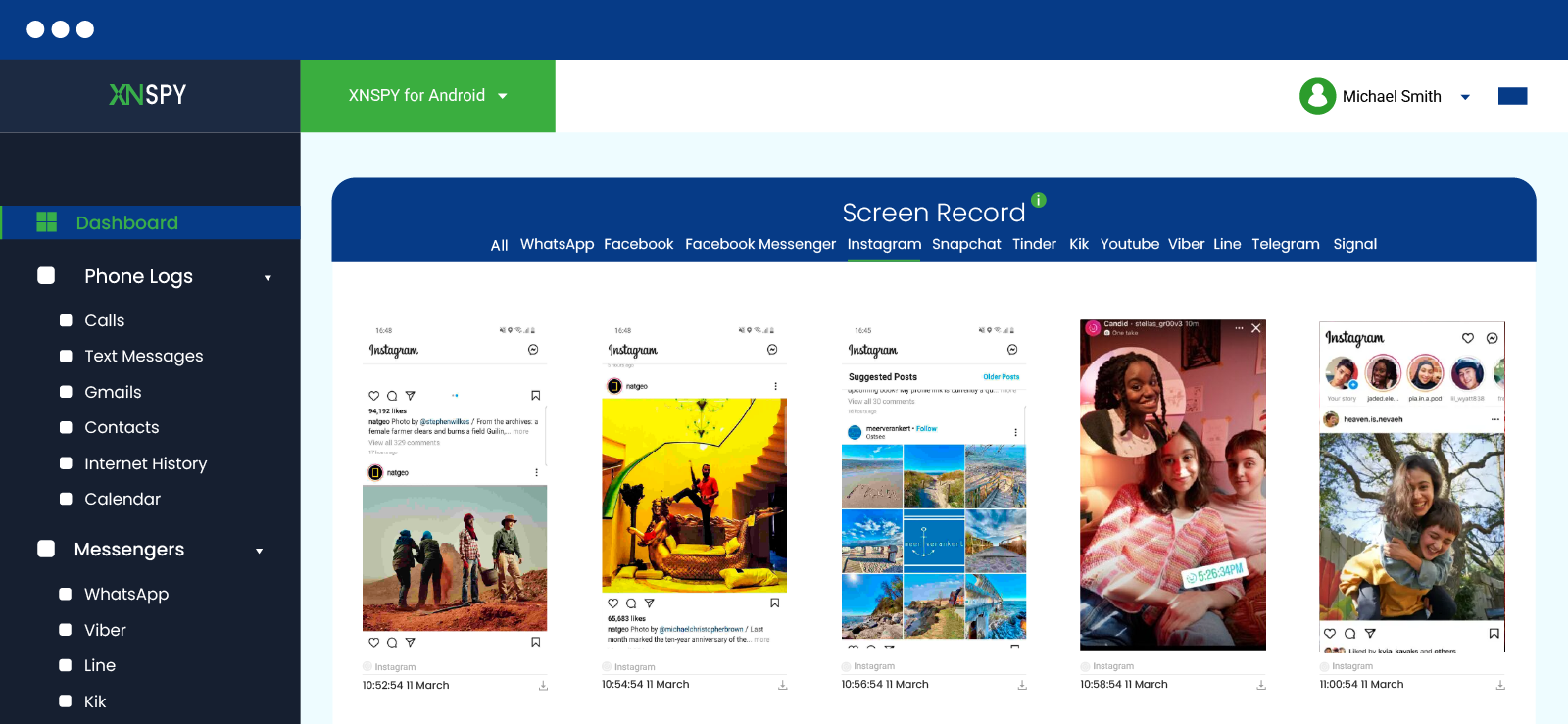
Xnspy is a child-monitoring application that can help parents get better visibility into their child’s Instagram activity when they are unable to view the account directly.
Therefore, if your child has a private Instagram account and has not added you as a follower, Xnspy can offer another way to understand what they are doing on the app.
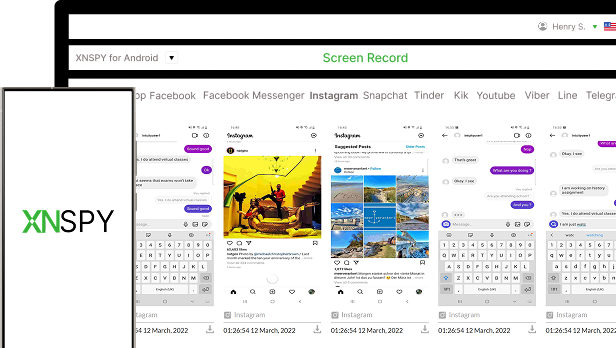
Its screen recording feature captures periodic screenshots of phone activity every 5-10 seconds, including Instagram.
Xnspy also offers features such as social media monitoring, app activity, media files, and word alerts, which make it useful for parents who want more context about Instagram use.
However, it is important to note that Xnspy requires initial setup on the phone before it can start showing activity remotely.
Let’s see how to view private Instagram profiles’ activity without the target device using Xnspy:
- Go to the Xnspy website and subscribe to a suitable plan.
- Install the app on the phone you are authorized to monitor and complete the setup.
- Log in to the user dashboard with the credentials sent to your email.
- Go to “Screen Record” and then “Instagram” to review captured Instagram activity.
What My Testing Showed
I tested Xnspy mainly to see how reliably it could show Instagram activity from the monitored phone after setup. In my test, it delivered a 92% success rate, with usable Instagram screen records appearing in 23 out of 25 checks.
The clearest results came when the Instagram app stayed open for more than a few seconds. In most checks, I could clearly see profile names, opened posts, story screens, follower activity, search activity, and parts of conversations when they remained on the screen long enough.
But note that while the 5 to 10-second capture gap worked well during normal Instagram browsing, it still missed a few quick taps.
As far as the detection risk is concerned, it was minimal in my experience. Xnspy offers stealth mode, so once it was set up properly, it did not appear in the same obvious way a regular app would.
Instagram also did not show any alert or notification that activity was being reviewed through Xnspy.
That said, I would still not call it completely undetectable. A tech-savvy user may notice unusual permissions or security-related settings if they check the phone carefully.
Nonetheless, where Xnspy performed best was consistency after installation. Once the phone was connected to the internet, new Instagram screen records appeared in the dashboard without me needing repeated access to the phone.

Xnspy: Because What You Can’t See Matters
Break past Instagram’s limits and monitor every activity.
2. Set Up Meta Family Center
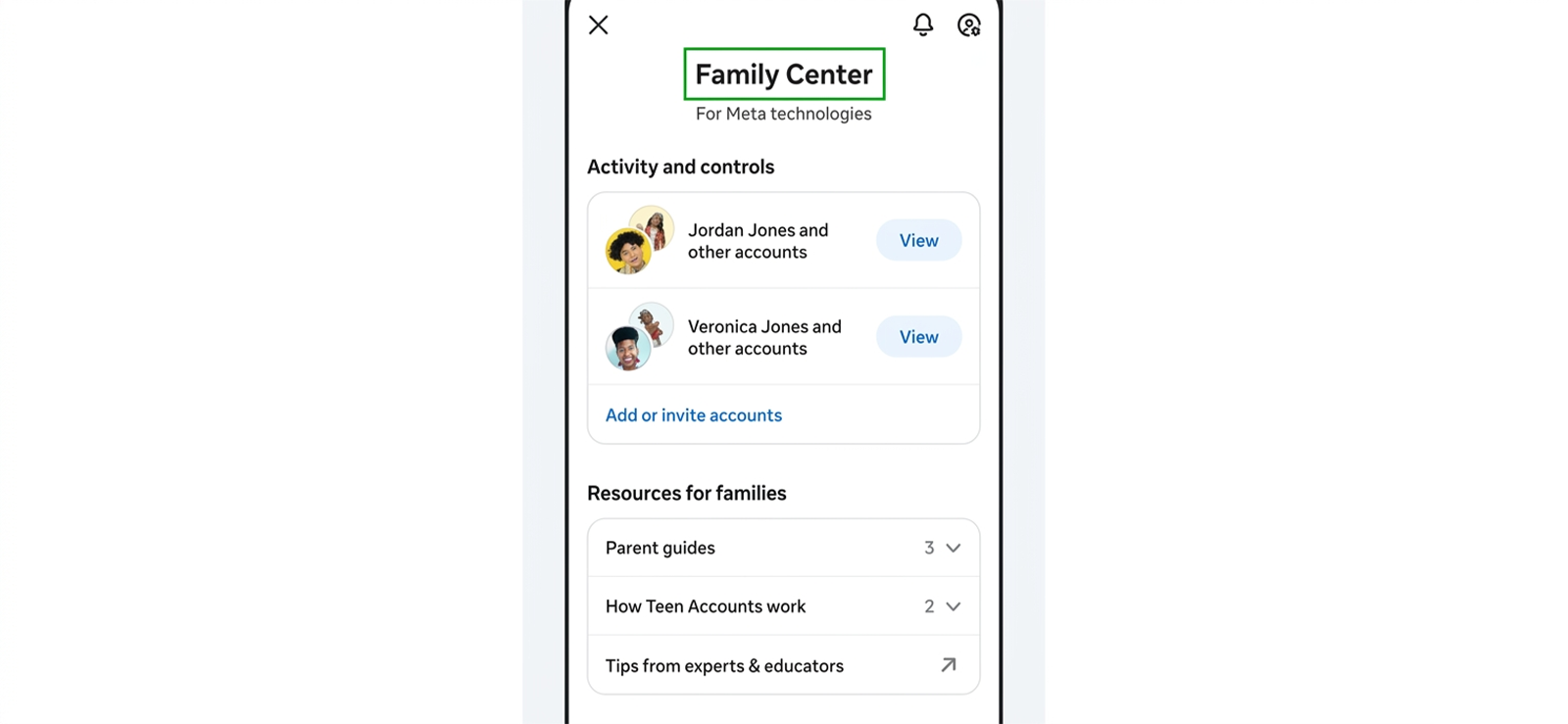
Meta Family Center is Instagram’s built-in supervision option for parents who want more visibility into their teen’s account without repeatedly accessing their phone.
Evidently, it is not built to unlock every private post, story, message, or activity, but it does help parents understand how the account is managed and which settings are active.
Once supervision is set up, parents can review useful account details from Family Center, including screen time, privacy settings, sensitive content settings, messaging controls, followers, and following activity.
Here’s how the Meta Family Center can be used:
- Open Instagram and go to the profile section.
- Tap the menu icon and open “Settings and activity.”
- Find “Family Center” and send your child a supervision request.
- Complete the setup from both accounts and review available insights through the Family Center.
What My Testing Showed
I would give Meta Family Center a 76% success rate, but only for supervision visibility and not for opening private Instagram content directly.
The biggest advantage I noticed with this method was that everything stayed inside Instagram’s official system. Not only that, but once supervision was active, the available insights were also easy to access and felt more reliable because they came directly from Meta.
The detection risk was obviously high since the teen needs to approve the parent’s request for supervision and knows what is visible to them.
Moreover, it fell short when it came to actual content visibility. I could not use Family Center to scroll through private posts or view locked stories.
3. Search Username on Google
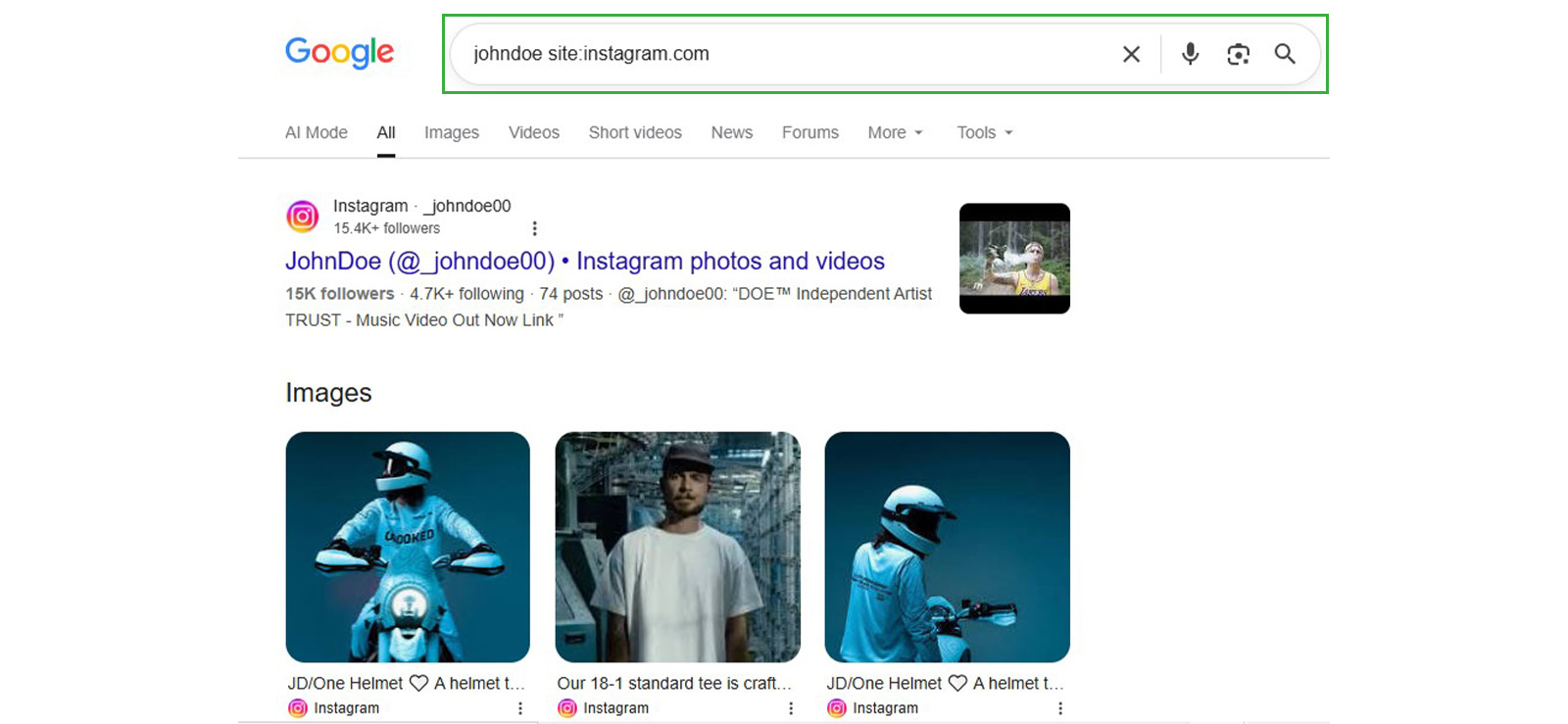
Google search can sometimes show limited public traces of an Instagram account if its profile, username, bio, profile picture, or older posts were indexed before the account became private.
While it does not open a private Instagram account directly, it can still help you find pieces of information linked to the username.
But note that this method works only if the person had a public account in the past.
Regardless, if you are looking for a simple way of how to see a private Instagram account without the other person’s phone, Google search is one of the easiest places to start.
Let’s see how you can do it:
- Open the Google search engine.
- Type site:instagram.com and add the Instagram username after a space.
- Check the search results for profile details, old snippets, mentions, or cached traces.
- Click “Images” to see whether any related profile pictures or indexed visuals appear.
What My Testing Showed
I tested this method by searching different Instagram usernames on Google and checking both the regular search results and image results.
In my experience, it had a 43% success rate for finding some useful public information, like profile pictures, username matches, old bio snippets, tagged mentions, or links associated with the same handle.
Where it performed well, though, was with accounts that had been public before, because in those cases, Google sometimes showed older traces that were no longer easy to find directly through Instagram.
Moving on to the detection risk, it was very low because I did not interact with the Instagram profile directly. I was only checking publicly available Google results, so the person did not receive a follow request, profile visit alert, message, or any other Instagram notification.
However, the snippets from a Google search were not enough to fully view someone’s private account. The method mostly gave me surface-level details and fell short entirely when the account had always been private.
4. Try an Instagram Profile Viewer
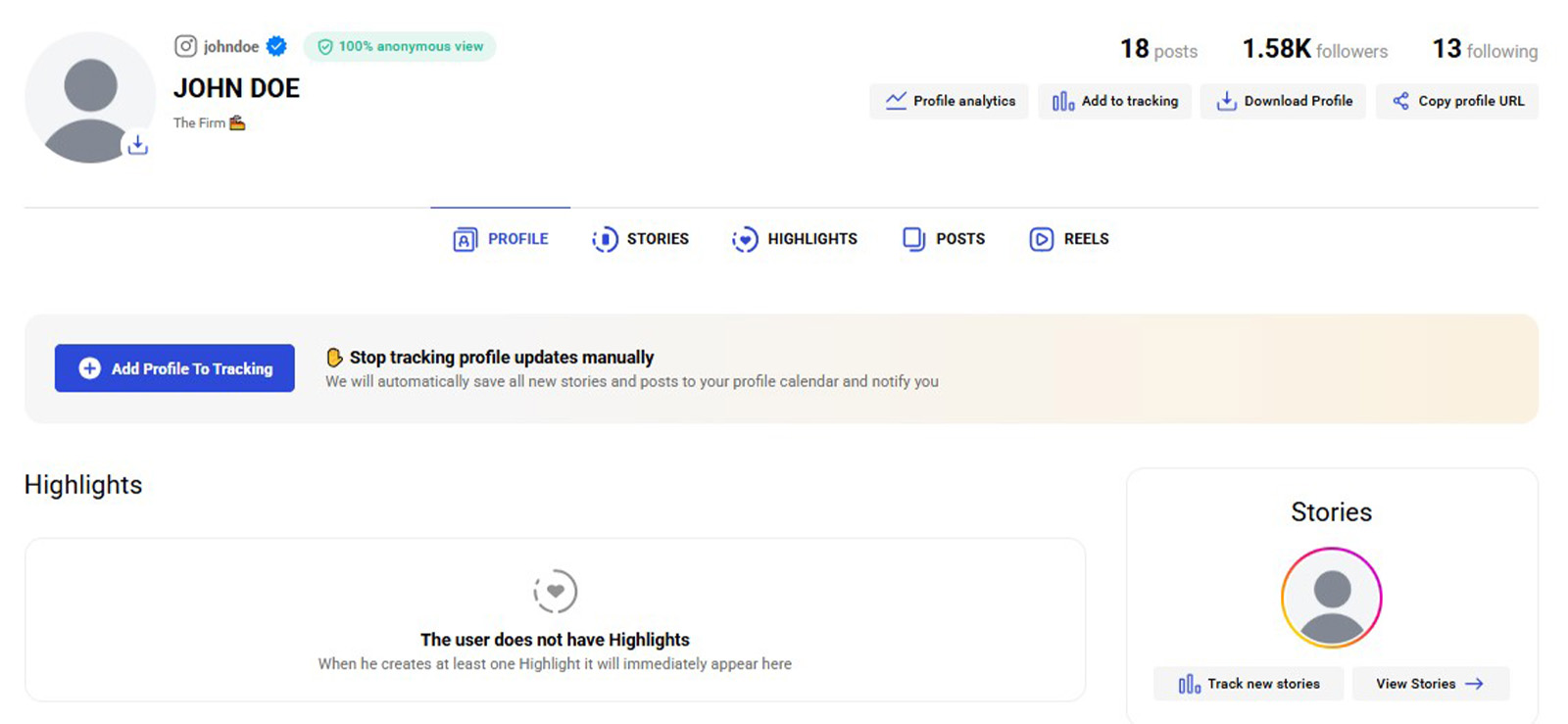
Instagram profile viewers are often marketed as quick tools for checking private profiles, but in practice, they work in a much more limited way.
Instead of unlocking a private account, they usually scan whatever is already visible or indexed online under a specific Instagram username.
Therefore, the method is less about opening a locked profile and more about checking whether the account has any publicly visible traces associated with it.
Some tools people commonly try include Inflact, Insta DP Viewer, Save Free, and similar username lookup platforms.
Here’s how to see someone’s private Instagram without the target phone using a profile viewer:
- Choose a profile viewer that does not ask for your Instagram password.
- Copy the exact username of the private Instagram account and paste it into the viewer’s search field.
- Wait for the tool to pull up matching public details.
- Review the profile picture, username match, bio, or any visible account information.
What My Testing Showed
I tested the method with several private Instagram usernames to see whether profile viewers could show anything beyond the standard profile page. The overall success rate was 34%, mainly because the results depended almost entirely on how much public information already existed around the username.
The best results came from accounts that had a recognizable profile picture and an older public footprint.
The detection risk was again minimal because I did not interact with the Instagram account itself. The lookup happened outside Instagram, so there was no visible alert to the profile owner during my testing.
However, where this method fell short was in depth. None of the viewers I tested gave me reliable access to private posts, hidden stories, close friends’ content, or private followers.
A few tools also looked suspicious because they promised “full access” but then pushed surveys and login prompts; therefore, I avoided those completely.
Based on my experience, Instagram profile viewers are best used for surface-level checking, not for fully viewing a private Instagram account.

Pro Tip
Want to see their Instagram stories discreetly too? We have you covered.

5. Create Another Account
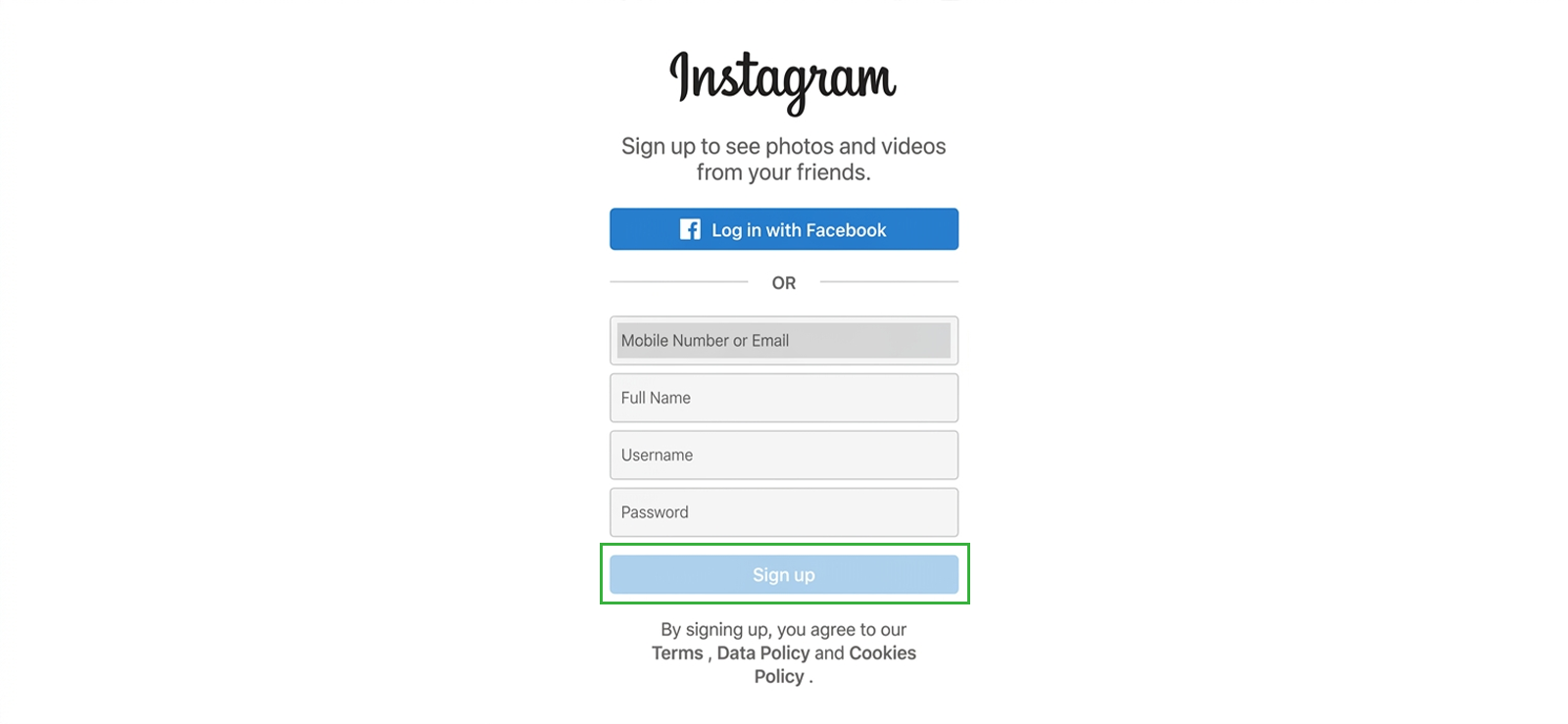
Creating another Instagram account can help when you want a cleaner, separate way to send a follow request without using your main profile.
Note that it does not unlock a private account on its own, but if the request is accepted, you can view the private posts, stories, highlights, and profile details available to approved followers.
For those wondering how to view private Instagram without having their phone, this method can work because it depends on Instagram’s normal follow-request system rather than phone access.
However, the account still needs to look genuine. A blank profile with no picture, no activity, and no basic details is less likely to be accepted.
The better approach is to create a complete and natural-looking account that does not appear suspicious.
Still, I would avoid pretending to be someone else because that can create trust issues and may get the account reported. Instead, the goal is to make the profile appear real enough that the person can decide whether to accept the request.
Here’s how you can do it:
- Create a new Instagram account with a clear profile picture, username, and basic bio.
- Add a few posts, highlights, or details so the account does not look empty.
- Send a follow request to the private Instagram account.
- Once the request is accepted, view their account details.
What My Testing Showed
In my experience, the method had a 64% success rate, with better results when the account looked active and had a normal profile picture.
Though it performed best with accounts that were not extremely selective about followers. If the profile had many followers already or had accepted people outside their close circle, the follow request had a higher chance of being approved.
The detection risk, nonetheless, was high compared to search-based methods because this method requires direct interaction.
Not only that, but if the person only accepts people they personally know, the request may stay pending or get rejected.
6. Look for Other Accounts
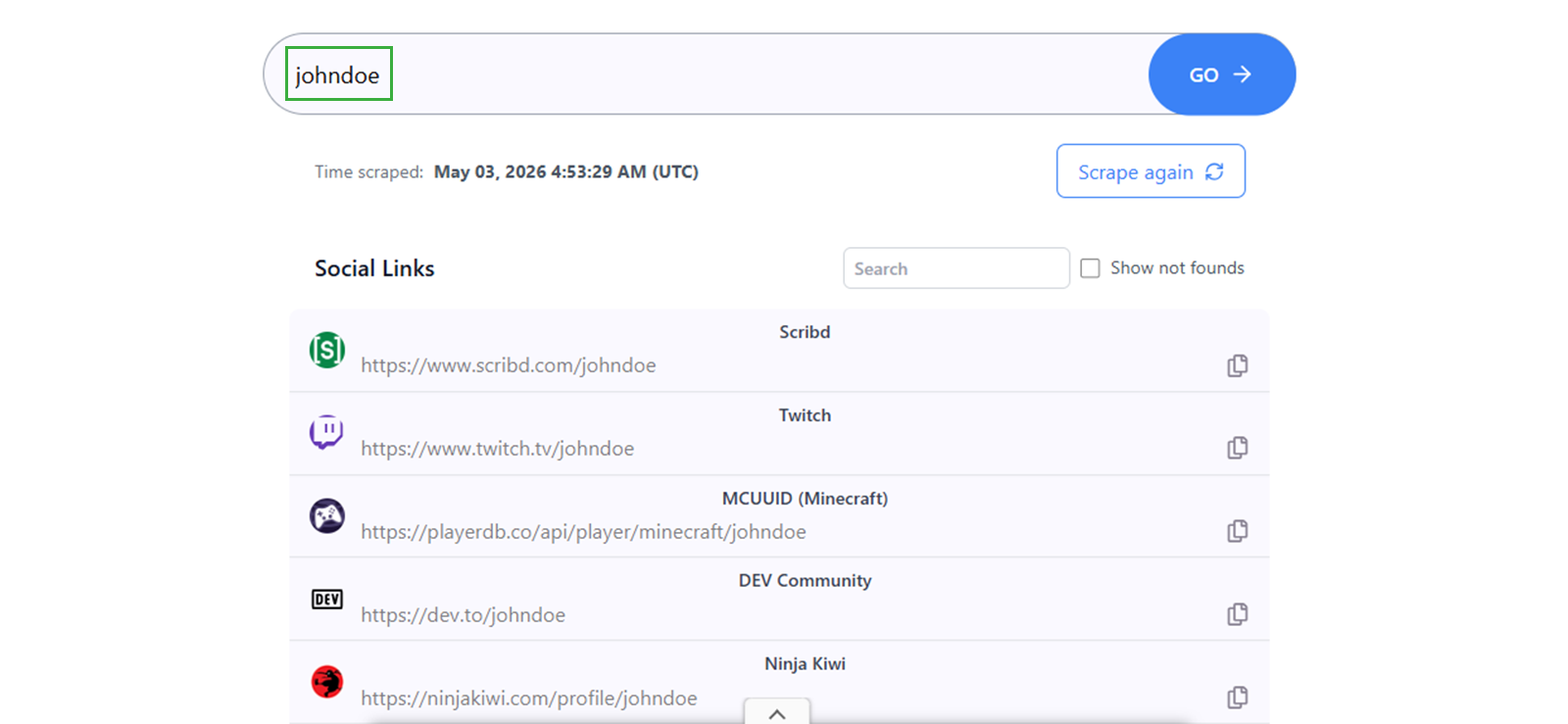
A private Instagram account does not always mean the person’s entire online presence is private. Many people reuse the same username or even the same profile picture across platforms like Facebook, TikTok, X, Snapchat, Pinterest, and YouTube.
Because of this, checking their other public accounts can sometimes reveal content or clues that are not visible on Instagram.
In some cases, people repost the same pictures, videos, captions, or life updates across different apps. So, even when Instagram is locked, another public profile may show similar activity.
Here’s how to view private Instagram accounts without alerting the target using their social media accounts:
- Copy the exact Instagram username and search it on other popular platforms.
- Try small username variations if the exact handle does not appear.
- Compare profile pictures, bios, names, locations, or captions to find their account.
- Review the person’s photos and videos that they have posted publicly on these other profiles.
What My Testing Showed
The method gave me a 57% success rate, but the results were not all the same. I would divide them into three clear outcomes, i.e., strong matches, partial matches, and dead ends.
Strong matches were the most useful. These happened when the same username appeared on TikTok, X, Facebook, or YouTube with a matching profile picture and other repeated details.
In those cases, I could connect the public account back to the private Instagram profile with reasonable confidence.
Partial matches were more common than perfect ones, though. Sometimes, I found the same username on another platform, but the profile had no picture and very little activity. In those cases, I could not fully confirm whether it belonged to the same person.
The dead ends mostly came from people who used different usernames across platforms or kept every account private.
Lastly, the detection risk stayed minimal throughout my testing because I only checked public profiles and did not interact with the accounts.
FAQs
How to see a private Instagram account for free?
You can see limited parts of a private Instagram account for free by searching the username on Google, checking profile viewers, looking for public tags, or finding the same person on other social platforms. However, these methods usually show only public traces, not private account activity. By contrast, for deeper Instagram visibility on a device you are authorized to monitor, Xnspy is a more reliable option, though it is paid.
How to view private Instagram accounts if they change their username?
If someone with a private Instagram account changes their username, their profile URL updates automatically, making it harder to find them through their old handle. In this case, you can search for their name directly on the app. Alternatively, using Google with “site:instagram.com oldusername” may reveal cached data, helping you discover their new username.
How to see someone’s private Instagram without logging into their account?
If someone in question is a child, their parents can check limited details of their private Instagram without logging into the account through Meta Family Center, but supervision must be properly set up and accepted first. But note that it only shows account-level insights, not private posts. For more detailed Instagram visibility, Xnspy can help through screen records and activity insights.
How to view private Instagram account without installing the software on the target phone?
If you are wondering how to view private Instagram account without installing the software on the target phone, there is no guaranteed way to unlock private accounts directly. Still, you can try a Google search to find old public records. Alternatively, for a child’s account, Meta Family Center is another option, but supervision must be set up first, and it only shows account-level insights, not private activity.
How to see private Instagram accounts if the target device has been factory reset?
A factory reset removes Instagram and its local data from the phone, but the Instagram account itself still exists online. So, the private profile remains partially visible through its username, profile picture, bio, follower count, Google results, public tags, or linked social accounts.
Leave a reply:
Your email address will not be published. Required fields are marked*
Mike Everett
Member since October 20, 2014
Mike Everett
Member since October 20, 2014
Mike Everett is a consumer technology journalist with expertise in hands-on testing and evaluation of iOS and Android monitoring applications. With over 11 years in the industry, he focuses on how mobile monitoring tools perform in real-world conditions, including accuracy, feature reliability, device compatibility, and practical usability for parents.
He conducts live-device testing of monitoring apps to assess how well their features function beyond marketing claims. His work primarily includes comparative reviews, feature breakdowns, and buyer-focused guides designed to help parents understand which tools actually deliver usable results in everyday scenarios.