How to See if Someone Is on Dating Apps: 5 Best Methods
 By Mike Everett
The complete monitoring experience for your phone
Get XNSPY and start tracking calls, texts, multimedia, locations and more on any phone!
Get Started Now Live Demo6 hours and 27 minutes. That is the average daily screen time for Gen Z. And most of it is swiping, scrolling, tapping, sometimes flirting. It is not just about TikTok dances or memes anymore. Phones have quietly turned into dating hubs. Tinder, Bumble, Hinge, even Instagram DMs – there is always a new tab to hide and a new “friend” to explain.
And if something feels off, it probably is. But asking directly is a fast track to deflection and gaslighting. That is where knowing how to check if someone is on a dating app changes everything. Because if they are out there browsing profiles, you as a parent deserve to know. In this article, we are breaking down 5 effective ways to check whether someone is on dating apps.
The Short Version
- There’s no official method for dating profile search. Every method here works around that limitation differently.
- Xnspy delivers a complete picture for parents, since its screen recorder and keylogger keep a record of dating app activity even after the app itself is deleted.
- Creating a dating profile yourself can surface a real match directly, but it’s a manual, one-by-one process that can miss someone using a different name, photo, or discovery settings.
- Checking synced app-download history only works if the devices actually share the same Apple ID or Google account, and it goes blank the moment someone switches to a personal one.
- Checking connected apps in a shared email account can confirm a dating app sign-up made through “Sign in with Google” or “Sign in with Apple,” but only if you have legitimate access to the exact email address that was used.
- Reviewing active subscriptions is one of the most consistent methods, since dating apps bill monthly, and that charge is harder to hide than an app icon.
- I ran each method multiple times across real iPhone, Android, and browser setups to see which ones actually held up.
How to Find Someone’s Dating Profile Isn’t the First Question – Understanding Their Motives Is
Before diving into ways to find someone’s dating profiles, it is worth slowing down and asking why they would be on there in the first place. Whether you are a concerned parent or a loved one, understanding the motives behind someone’s presence on these platforms is a critical first step.
Not every profile is proof of betrayal. Sometimes it is boredom. Sometimes it is curiosity. Sometimes it is way more complicated than that.
Jumping straight into an investigation for how to check if someone is on dating apps without context can cause misunderstandings and unnecessary conflict. People, especially teens, engage with dating apps for reasons that have little to do with betrayal. Motivations like this can emerge for several reasons, the most prominent ones of which are:
- They are curious and want to see what dating apps are like.
- They feel lonely or misunderstood and are looking for connection.
- They may be rebelling or pushing boundaries out of frustration.
- They are browsing out of boredom rather than serious intent.
- Friends encouraged them to sign up “just for fun.”
- They are looking for validation, not necessarily meeting people.
- They are unsure about their current relationship.
Understanding the why makes your next steps more thoughtful, not reactive. So if you are trying to figure out how to know if someone is on a dating app, start here, with a little context and a lot more clarity.
Don’t Miss These Blogs

🛑  How to Find Out if Someone is on Tinder: 5 Easy Ways
📷  Does Tinder Notify Screenshots? Answer, Tips, and 4 Best Ways
⚠️  Does WhatsApp Notify Screenshots: What You Need to Know
📣  How to See Someone’s Best Friends List on Snapchat: 5 Best Ways
How I Tested Different Ways to Find Someone on Dating Apps
Before recommending anything here for how to see if someone is on a dating site, I tested each method across multiple devices: an iPhone, a Samsung Galaxy, and a Google Pixel, along with an iPad linked to a shared family Apple ID, to cover both the iOS and Android side of every method.
Each dating profile search method was run at least three times, on different days and with different search parameters, rather than relying on a single pass. For the browser-based checks, reverse image search and the App Store subscription review, I split-tested between Safari on iOS and Chrome on desktop, since results can shift slightly depending on the browser and whether you’re signed in to a Google account.
Wherever one method only gave me a “maybe,” I ran a second method against the same test profile to rule it in or out before trusting the result.
Here’s a closer look at how that testing actually broke down:
- Real accounts, real apps: I created and used test profiles on Tinder and Bumble under different names and photos, then tried to “find” them using each method to see how discoverable they actually were.
- Repeat attempts: I ran every method at least three times, on different days and with different search parameters, instead of relying on a single pass.
- Cross-checking: wherever one method only gave me a “maybe,” I ran a second method against the same test profile to confirm or rule it out.
Quick Comparison: How the 5 Methods Stack Up
Before diving into the step-by-step instructions for how to see if someone is on dating apps, here’s a quick snapshot of how each method performed, so you can decide where to start based on your situation.
| Method | Reliability | Works After App Is Deleted | Setup Required | Best For |
| Xnspy | High | Yes | Install on the device | Parents monitoring a minor’s phone |
| Create a Dating Profile Yourself | Moderate | No | A few minutes, free | Anyone with app access |
| App Download History (Synced Devices) | Moderate–High | Yes, in the history | Shared Apple ID/Google account | Families with shared accounts |
| See Logged-In Devices For Email Notifications | Moderate–High | Yes, in connected apps list | Access to a shared email account | Confirming sign-up via a linked email |
| Review Active Subscriptions | High | Yes, in billing records | Account or statement access | Confirming a paid dating app |
The 5 Best Ways to Check If Someone Is on Dating Apps
With the quick comparison out of the way, let’s get into the actual playbook on how to find someone’s dating profile, what each method is, how it pulls off the trick, the exact steps to run it yourself, and how it held up when I put it to the test.
1. Use Xnspy
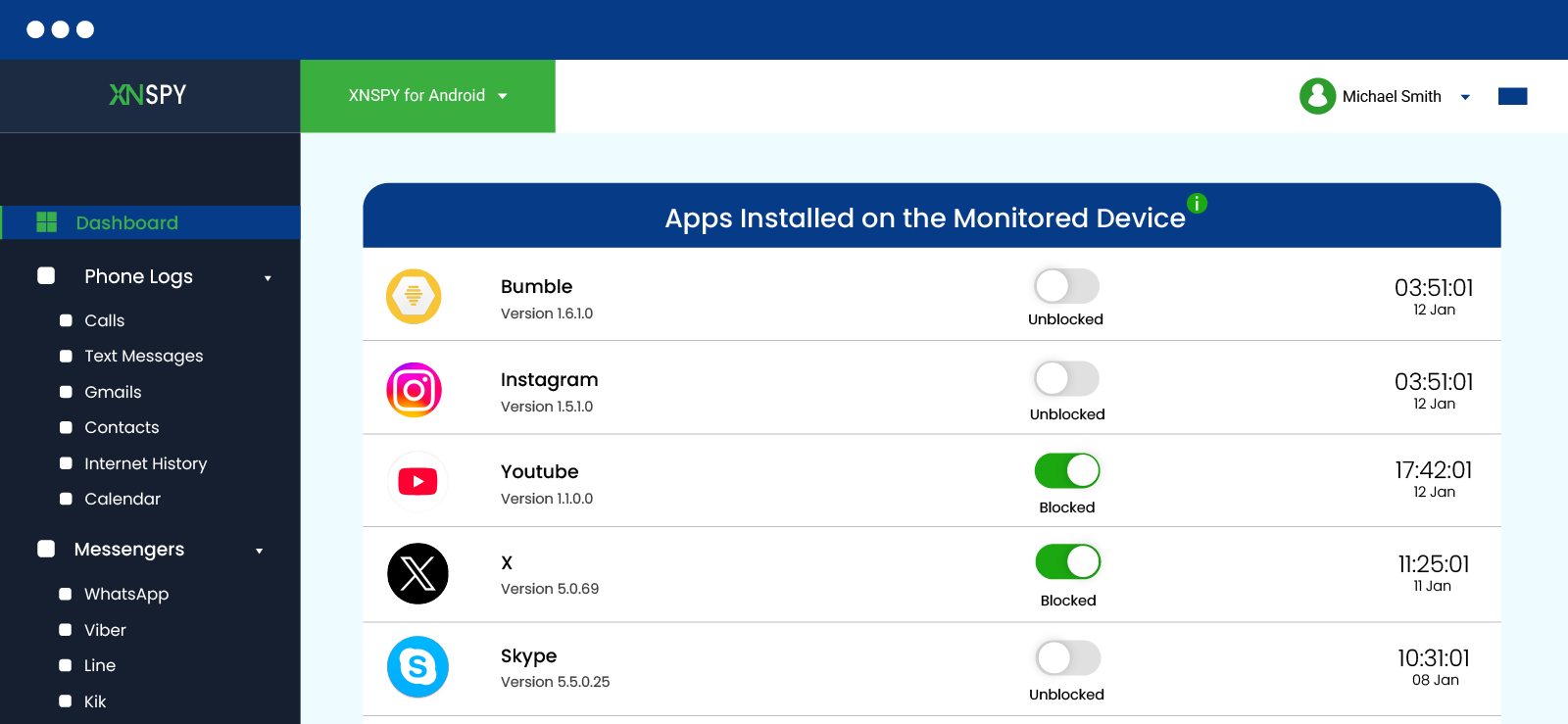
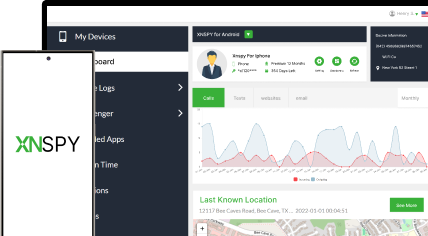
Xnspy is a phone monitoring app built for parents who want visibility into a child’s device activity, including app usage that isn’t always obvious from the home screen, like a dating app that gets opened, used, and deleted within the same afternoon. Beyond screenshots, it also pulls social and dating apps chat logs directly, so full conversations can be reviewed as text rather than pieced together from individual screen captures.
Once installed on the monitored device, Xnspy runs in the background and reports activity to a web dashboard which parents can access through any browser. The installed apps feature of Xnspy gives you a complete list of apps your child is using on their phone, even the ones that have been hidden. These apps appear along with their version as well as the date of installation.
Moreover, its screen recorder captures periodic screenshots every 5 to 10 seconds of on-screen activity, including dating app screens, swipes, and open conversations, so the activity is documented even if the app itself is later removed.
In addition, its keylogger records typed text, which can surface sign-up details, in-app messages, or dating-related search terms typed into a browser.
Here’s how to check if someone is on a dating app using Xnspy:
- Purchase an Xnspy subscription and create your dashboard account.
- Install Xnspy on the monitored device, following the on-device setup steps in your welcome email.
- Log in to your web dashboard from any browser.
- Turn on the Installed Apps, Screen Recorder, and Keylogger features from the dashboard.
- Check the dashboard periodically for new screenshots, app activity, and typed content related to dating apps.
How Did It Go For Me?
I installed Xnspy on the Samsung Galaxy and downloaded 5 dating apps on random days. After every installation, I would check the installed apps list, and it consistently showed the apps residing on the target phone.
I also ran Tinder and Bumble sessions across four separate days, opening each app two to three times a day at random intervals, for a total of 10 sessions. The screen recorder captured the dating app screen in 9 out of those 10 sessions, missing only one open where I switched from WIFI to mobile data.
Moreover, I also had the keylogger running the whole time, and it picked up the exact sign-up details and in-app messages I typed during those sessions, word for word, in 8 out of 10 sessions; the two misses were both cases where I only swiped without typing anything.
One detail that stood out while testing social media chat logs is that the Tinder conversations in the dashboard weren’t just scattered screenshots; they were laid out in a chat-style format, so I could follow an entire back-and-forth in order instead of piecing it together from individual screen captures. This made it noticeably easier to review than scrolling through raw screenshots one by one.
On day five, I uninstalled both apps from the test phone. The dashboard still had every prior screenshot and keylogger entry intact, the only method in this test that survived the app being deleted.

Their Dating App Secrets Are Now in Plain Sight
Track hidden profiles and secret chats without them ever knowing.
2. Create a Dating Profile Yourself
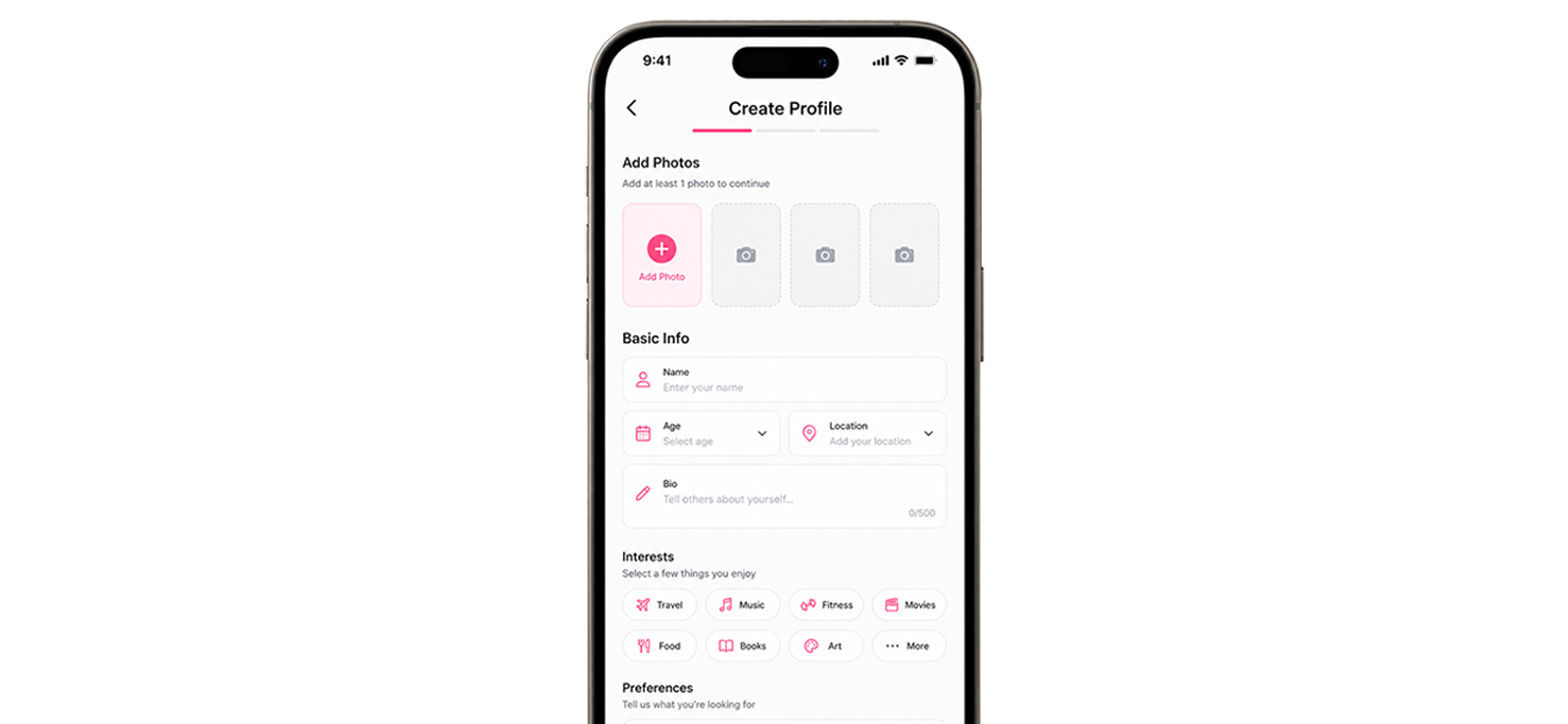
This is the most direct method, which involves setting up your own account on the app you suspect is being used, then browsing or swiping through nearby profiles to look for a match.
This method works because dating apps like Tinder and Bumble show profiles based on discovery settings such as age range, gender preference, and distance. If you set those filters to match the person you are checking on and browse patiently, their profile may surface in your feed, provided their account is active, visible, and within your search radius.
Here are the step-by-step instructions on how to know if someone is on a dating app:
- Download the dating app you suspect is being used.
- Create an account using a different name and photo than your own.
- Set your discovery filters to match the age range and location of the person you are checking.
- Browse through profiles methodically rather than quickly, checking photos and bios closely.
- Repeat the search over a few days, since discovery feeds refresh and don’t show every nearby profile at once.
How Did It Go For Me?
I created a Tinder account on the iPhone and a Bumble account on the Pixel, then searched for a profile I had already planted under a different name. On Tinder, it took three separate sessions over two days before the profile appeared by widening my distance filter from 10 to 25 miles on the third attempt; finally, it surfaced. While on Bumble, it showed up faster, in a single 20-minute swipe session. Discovery feeds clearly don’t show everyone at once, so one failed search doesn’t rule anything out.
That said, I faced some real limits. My test profile used an obviously different name and photo than my own, which is exactly what makes it findable.
But in practice, someone you are checking on can just as easily use a nickname, a fake name, or a completely different photo set, and you’d swipe right past their profile without recognizing it. It’s also a manual, one-by-one process, so if the person has their account set to a wide age range or an unusual distance setting, you could spend hours scrolling and still miss them.
3. Check App Download History Through Synced Devices
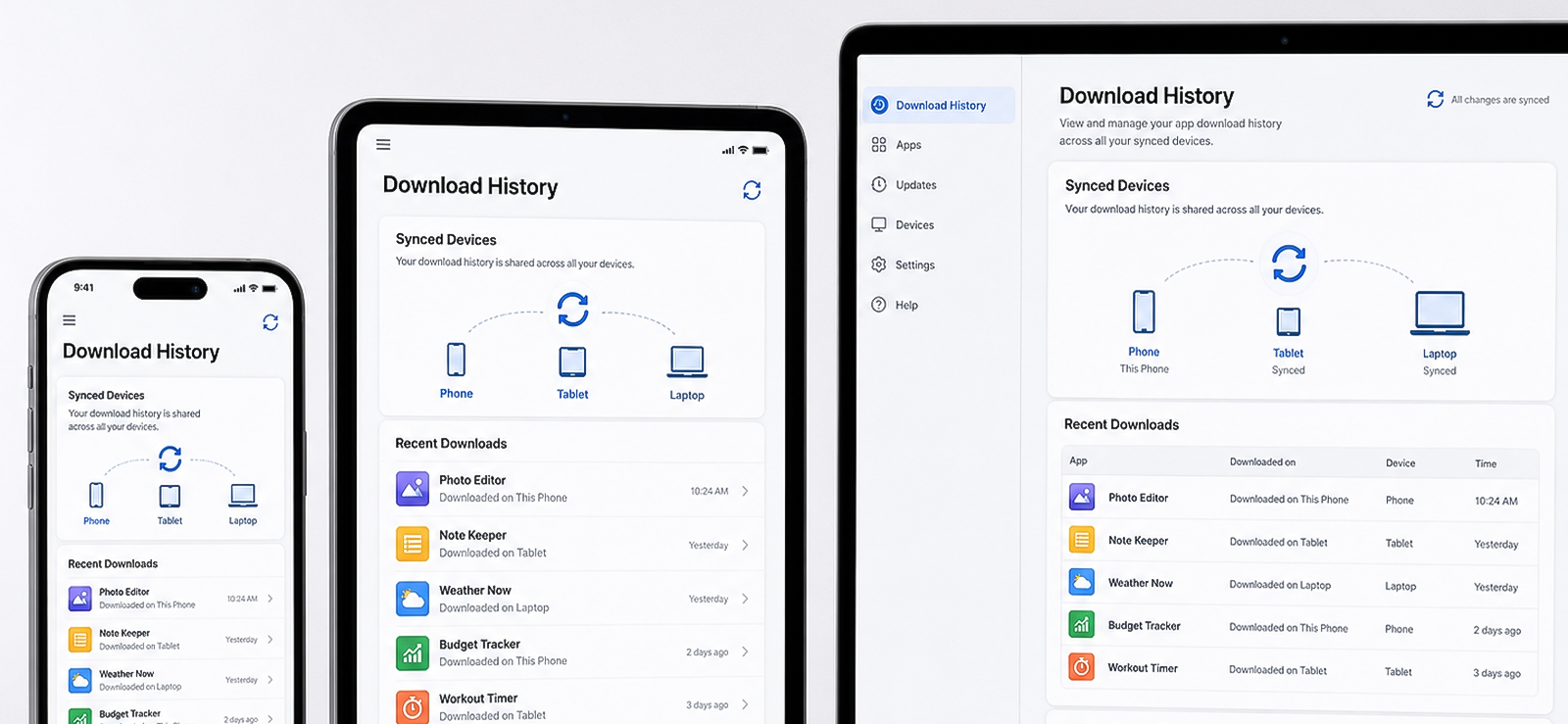
If a family shares an Apple ID or a Google account across devices, the App Store or Google Play purchase and download history can quietly reveal apps that were installed on any device tied to that account, including ones that have since been deleted from the phone itself.
This is because Apple and Google keep records of apps downloaded through an account, which are separate from the list of apps currently installed on a device. That’s why, as long as the account has not been changed and the download history has not been hidden or removed, dating apps previously downloaded through a shared or synced account may still appear in the purchase history.
Here is how to see if someone is on a dating site through app download history:
- On iPhone: open the App Store, tap the profile icon, then tap “Purchased” to see the full download history for that Apple ID.
- On Android: open the Google Play Store, tap the profile icon, go to “Manage apps & device,” then check the “Installed” and “Not installed” tabs, which include previously removed apps.
- Look for dating apps by name in the list.
- Cross-check the download date against a timeframe you are concerned about.
- If nothing shows up, confirm the device in question is actually using the same shared account, since a separate or newly created account won’t show anything.
How Did It Go For Me?
To test this, I used the shared family Apple ID linked to the iPhone and the test iPad. I downloaded Tinder, used it for a day, then deleted it. It stayed listed under “Purchased,” with the original download date intact, on both devices for the full seven days I monitored it afterward.
I then repeated the same test with a separate, non-shared Apple ID on the same iPhone, but that download information never appeared on the family iPad at all, which confirms that it only works if the account is actually shared. This actually worked for how to see if someone is on a dating app, but not without limitations.
I ran the same test on the Android side using a shared Google account across the Samsung Galaxy and the Pixel. I downloaded Bumble on the Galaxy, deleted it a day later, and it still showed up under “Not installed” on both the Galaxy and the Pixel a week later, with the original install date attached.
The real drawback of this method is quite evident. This method only works while the shared account is still in use, which no longer holds once someone switches to a personal Apple ID or Google account. I also ran into a smaller snag during testing as well: after I signed out of the shared Apple ID and back in, the “Purchased” list took a few minutes to refresh, so checking too soon after a suspected account switch can make it look like nothing was ever downloaded, even when it was.

Did You Know?
You can also find out if someone has a secret OnlyFans account, without them ever knowing.

4. See Logged-In Devices For Email Notifications
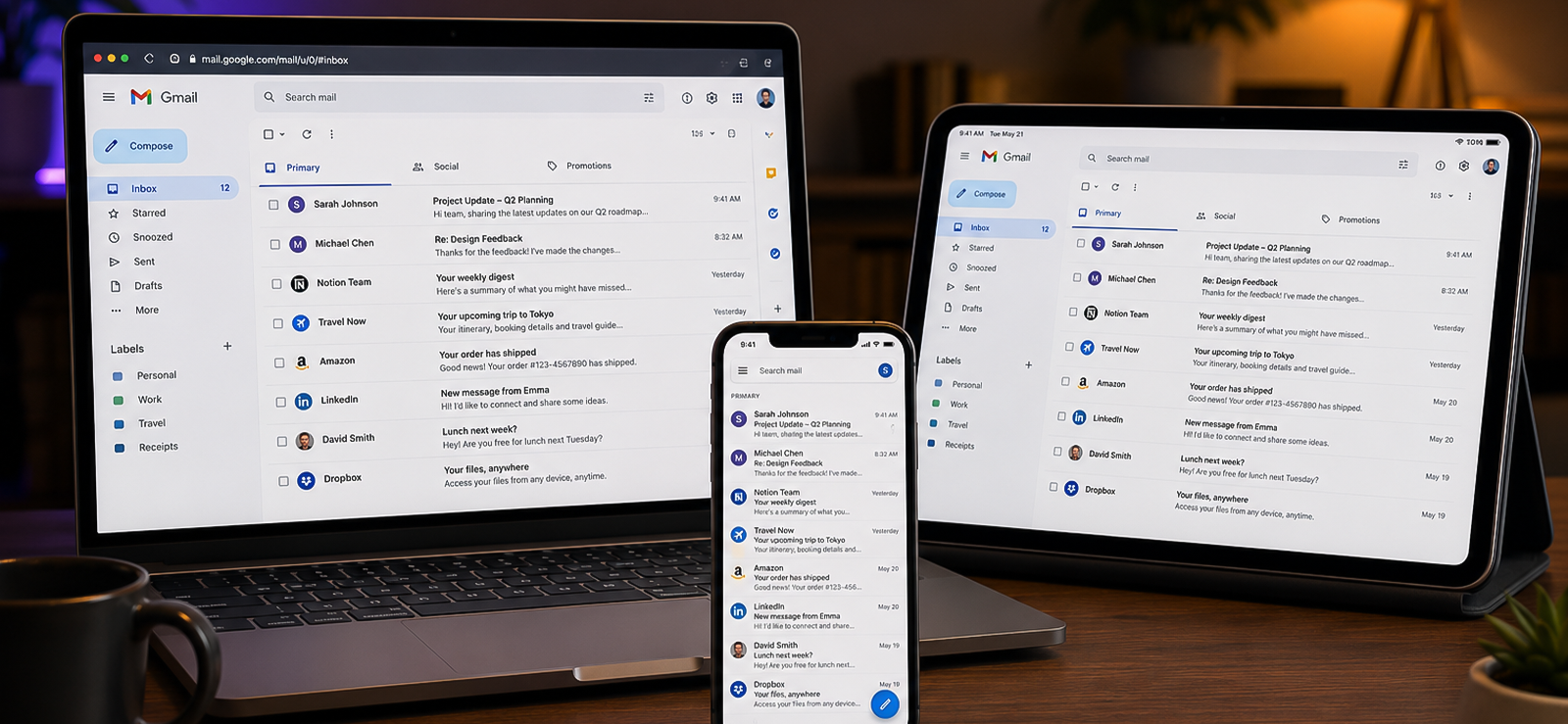
Almost every dating app requires an email address to create an account. Many also offer a “Sign in with Google” or “Sign in with Apple” shortcut instead of a password. Either way, that leaves a trail on the email side, either as notification emails or as a permanent entry in the account’s security settings, even after the app itself is deleted from a phone. Account and verification emails usually do not require notification settings to be enabled.
On the notifications side, match and message notifications from Tinder, Bumble, or Hinge often land in the inbox. Sometimes, though, they get buried in the Promotions or Spam folder instead of the main tab.
There’s a second trail, too: if the account was set up using “Sign in with Google” or “Sign in with Apple,” that connection appears permanently in the email provider’s security settings. Google lists it under “Third-party apps with account access.” Apple lists it under “Apps Using Apple ID.” So if you have authorized device access, check the email notifications.
Step-by-step guide on how to see if someone is on a dating app through logged-in email devices:
- Open the email account tied to the person you are checking, for example, a shared family account.
- Search the inbox, including the Promotions and Spam/Junk folders, for terms like “Tinder,” “Bumble,” “Hinge,” “new match,” or “someone liked you.”
- For a Google account: go to myaccount.google.com, click “Security,” then scroll to “Your connected apps” (sometimes labeled “Third-party apps with account access”).
- For an Apple ID: go to appleid.apple.com, sign in, then check “Sign-In and Security” > “Apps Using Apple ID.”
- Look for dating app names in the connected apps list, and note the date the connection was first made.
How Did It Go For Me?
I signed up for a test Tinder account using “Continue with Google” on a spare Gmail address, then checked myaccount.google.com about an hour later, once on the Pixel and once on Chrome on desktop. Tinder showed up immediately in both places, listed by name under “Your connected apps,” with the exact sign-up date attached.
I also tracked the inbox separately over five days: the welcome email landed in the main inbox right away, but match notifications went to the Promotions tab in 4 out of 6 test matches I generated, with only 2 landing in the primary inbox, so it’s worth checking Promotions specifically, not just the main tab.
This method hits a wall if the person signs up using an email address you don’t have access to. A second, unknown Gmail or Outlook account created just for dating apps won’t show up in any inbox or connected-apps list you can actually check, so this method only works when you have legitimate access to the specific email account that was used to create the profile in the first place.
5. Review Active Subscriptions
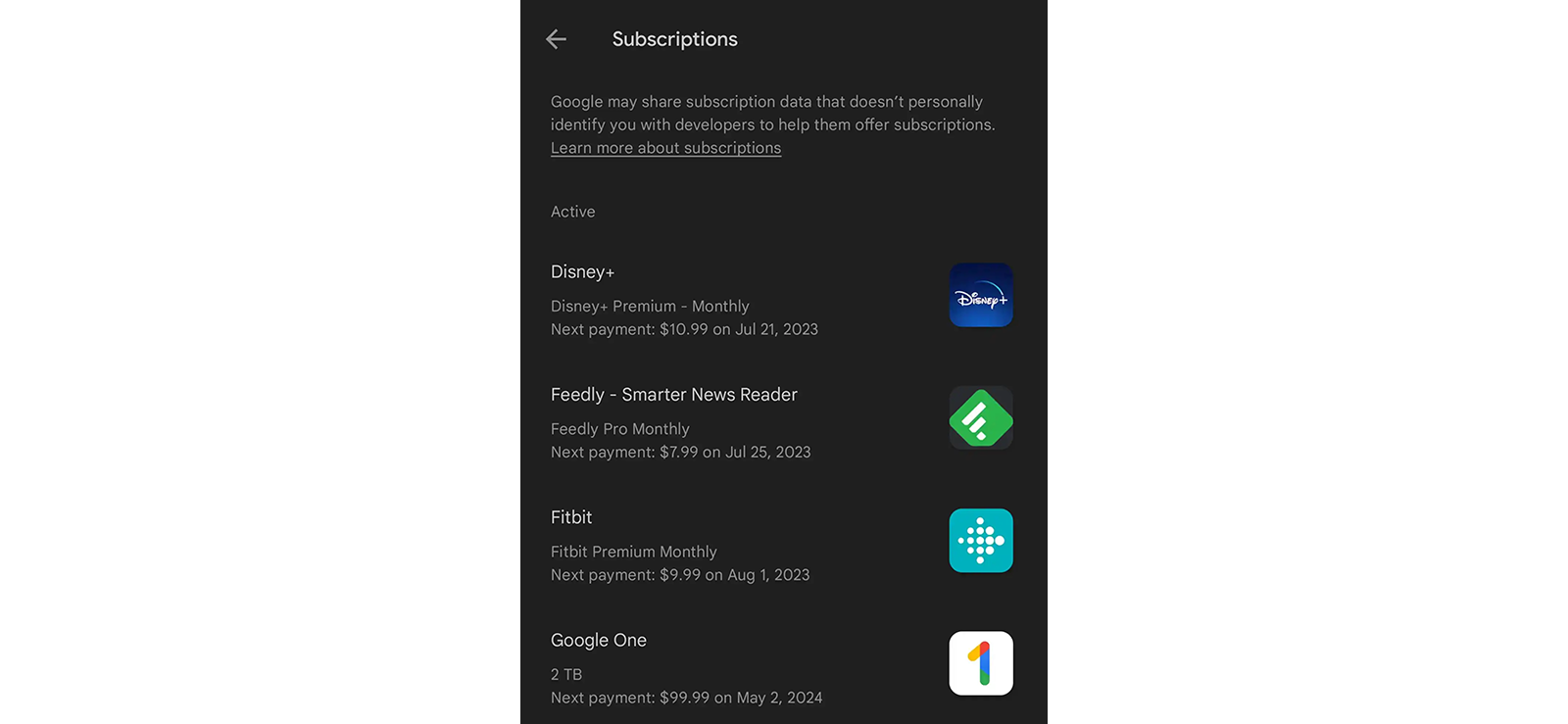
Most dating app checkers rely on paid features like unlimited swipes, “boosts,” or seeing who liked your profile, which means an active dating app often shows up as a recurring charge in an App Store, Google Play, or bank statement, even if only the free version of the app is installed.
Both Apple and Google list all active subscriptions tied to an account in one place, separate from the app list itself. Because subscriptions are billed monthly, they tend to be harder to hide or forget about than an app icon that can simply be deleted from the home screen.
Here’s how to check if someone is on dating apps with this method:
- On iPhone: open Settings, tap the Apple ID banner at the top, then tap “Subscriptions.”
- On Android: open the Google Play Store, tap the profile icon, then tap “Payments & subscriptions” > “Subscriptions.”
- Scan the list for recognizable dating app names or unfamiliar recurring charges.
- Check a shared bank or credit card statement for line items from Tinder, Bumble, Hinge, or Match Group, which is the parent company behind several major dating apps.
- Note the billing date and amount, since it can help confirm how long a subscription has been active.
How Did It Go For Me?
I subscribed to a paid tier on my test Tinder account using the iPhone, then checked back seven days later. It appeared clearly under “Subscriptions” in the App Store, listed by name, with the renewal date shown. I ran the same test on Android with a Bumble Premium subscription on the Samsung Galaxy, and it showed up just as clearly under Google Play’s “Payments & subscriptions” screen, though it took an extra day to reflect the renewal date compared to the App Store.
On a linked test bank statement, the same charge appeared under “Match Group” rather than “Tinder,” which took me a second look to place the first time I saw it, so worth knowing if you’re scanning a statement and don’t immediately recognize a charge. Of the five methods, this was the most consistent and didn’t depend on a profile staying visible or an app staying installed at all.
For how to find out if someone is on dating sites, this method worked well but hits the wall immediately if the user hasn’t subscribed to any extra paid subscriptions.
FAQs
How to find out if someone is on dating sites?
There is no single method that searches every dating platform for a specific person the way a search engine searches the web. Tools like Xnspy can show dating app activity that already happened on a monitored device, while reverse username search and image search tools can only surface public profiles, but no tool has direct access to a dating app’s private user database.
What is a reverse username search, and can it find someone’s dating profile?
A reverse username search checks whether a specific username or handle is registered across many platforms at once, using tools like Namechk, KnowEm, or Social Catfish. It works by checking account sign-up pages for that username, not by searching profile content, so it can only confirm that a username exists somewhere; it won’t show the profile itself. It’s most useful when you already know a username the person tends to reuse; it’s far less reliable if they use a different handle on every app, which is common.
Is it legal to use a dating app checker?
Checking public information, like browsing a dating app yourself or running a reverse- username search, is generally legal. Installing monitoring software or accessing someone’s private accounts is a different matter and depends on consent and the relationship involved. Parents typically have legal standing to monitor a minor child’s device, while monitoring another adult, such as a spouse or partner, without their knowledge can violate privacy and wiretapping laws depending on the state or country.
How to find out if your partner is on dating sites or if they deleted a dating app to hide it?
Deleting an app removes it from the home screen, but it typically doesn’t erase download history tied to a shared account, active subscription charges, or, in the case of monitoring software like Xnspy installed beforehand, screenshots already captured before the deletion.
Why can’t I find someone’s Tinder or Bumble profile even if they’re active?
Dating apps use discovery filters, distance, age range, and visibility settings to control who sees a profile. Features like Tinder’s Passport or Bumble’s Snooze can make a profile appear to be in a different location or temporarily invisible, which is one of the most common reasons a real, active profile doesn’t show up in a search.
Leave a reply:
Your email address will not be published. Required fields are marked*
Mike Everett
Member since October 20, 2014
Mike Everett
Member since October 20, 2014
Mike Everett is a consumer technology journalist with expertise in hands-on testing and evaluation of iOS and Android monitoring applications. With over 11 years in the industry, he focuses on how mobile monitoring tools perform in real-world conditions, including accuracy, feature reliability, device compatibility, and practical usability for parents.
He conducts live-device testing of monitoring apps to assess how well their features function beyond marketing claims. His work primarily includes comparative reviews, feature breakdowns, and buyer-focused guides designed to help parents understand which tools actually deliver usable results in everyday scenarios.