Limited Time Offer :
What is Phone Cloning
Phone cloning is the process of creating an exact copy of a mobile phone. This includes everything from contacts and messages to photos, videos, and files. Cloning can be done through physical access to the phone or remotely by using specialized software. The process even duplicates the phone’s unique identifiers, like the IMEI number.
Phone cloning is done using two methods. Hardware cloning means modifying a phone to implant the identity of another phone, which is complex and highly discouraged due to the security risks it poses.
Software cloning, on the other hand, is a process in which advanced applications and tools are used to clone a phone to another. It is a legitimate process, mostly used by concerned parents, as it involves data backup or transfer between two devices.
How Easy Is It to Clone a Phone Using Software
As far as software cloning is concerned, its difficulty depends on the method used and the security measures in place. With physical access, cloning is relatively easy since it uses software that duplicates the SIM card and phone data. However, remote cloning, while possible, is more complex and requires advanced techniques.
But remember that all the methods for how to clone someone's phone come with certain legal and ethical concerns. While parents do not need consent from their minor child to duplicate their phone data, proper communication can always help the kid be more aware. Then once you have referred to your local law and have gained the necessary consent, you can easily clone the phone.
How to Clone an Android Phone: A Parental Guide
If you want to learn how to clone a phone with Android as a parent, here are the 3 best ways:
1. XNSPY
XNSPY is a mobile monitoring app that allows users to clone a phone by providing access to all the data on their child’s phone. After installation, the app mirrors complete phone activity by gathering the logs and then uploading it to an end-to-end encrypted dashboard.
Once in the web dashboard, you can view anything from messages, calls, and locations to social media activity.
Overall, when it comes to remotely cloning a phone’s data, XNSPY is an effective tool as you can access and monitor all the data in your child’s phone without needing physical access.
Here are the steps to use the app to clone an Android device for your unique parental needs:
Create an Account and Subscribe to XNSPY
Visit the XNSPY website and navigate to the 'Buy Now' page to select a subscription plan that suits your needs.
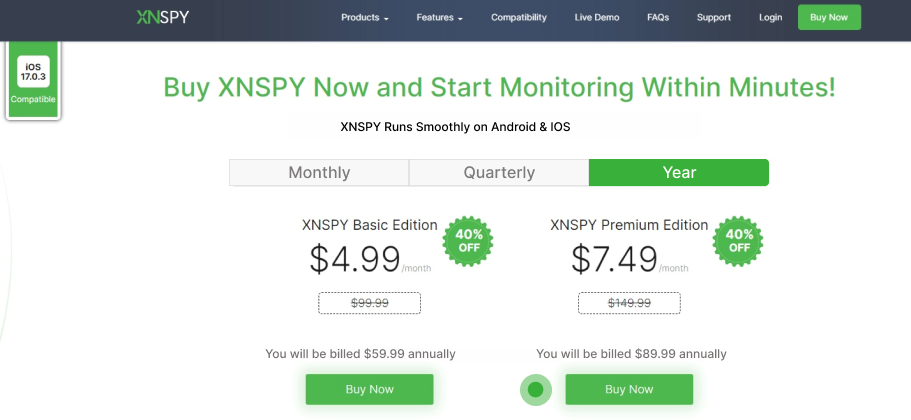
Download and Install the APK file
You will receive an email with the XNSPY’s setup file, activation code, and login credentials. Access the child’s phone, download the APK file, and start the installation. Grant all relevant permissions to let XNSPY mirror the device’s data and information.
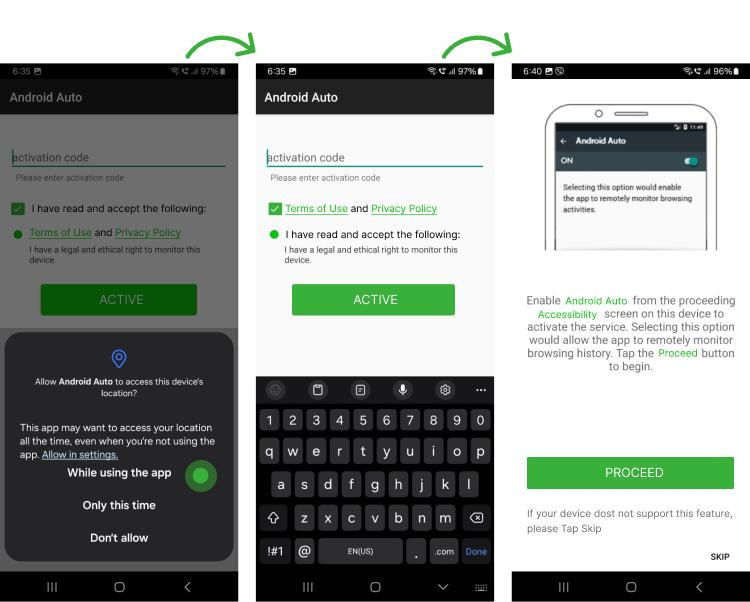
Log in to the XNSPY Dashboard
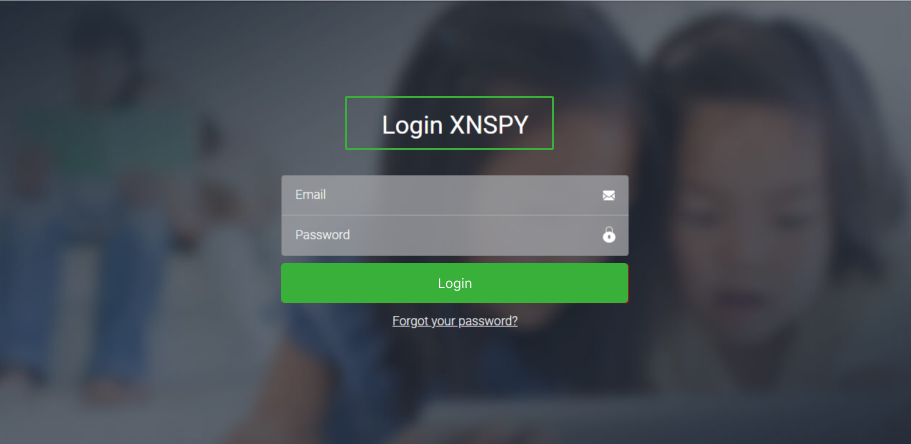
Log in to the XNSPY dashboard using any browser, and enter your email and password.
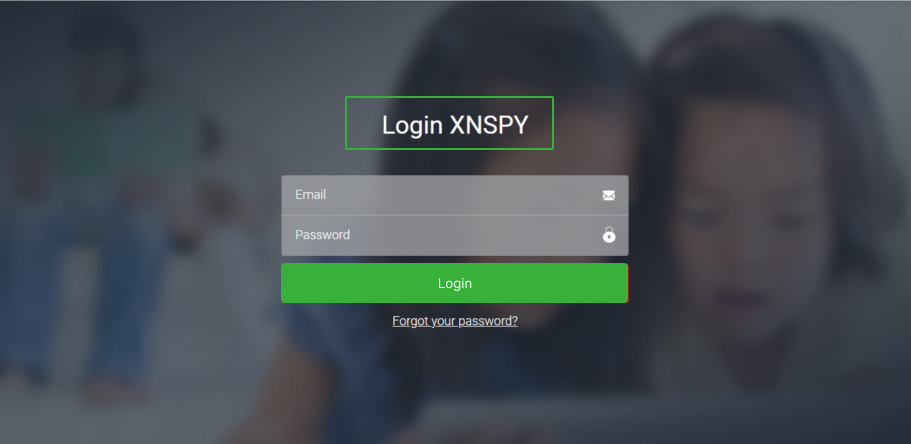
Access the Dashboard
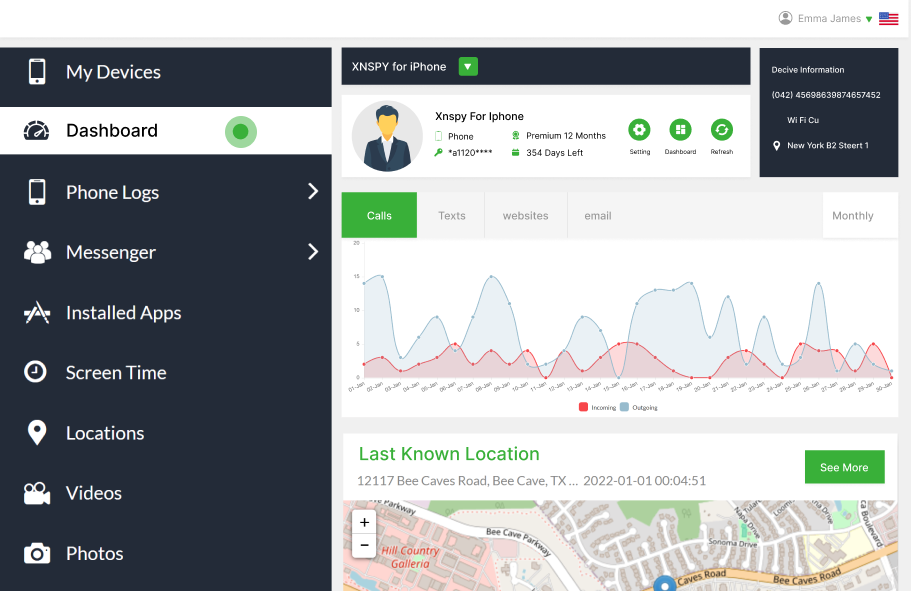
Once logged in, use the numerous features to track the phone's real-time activity.
Export Data
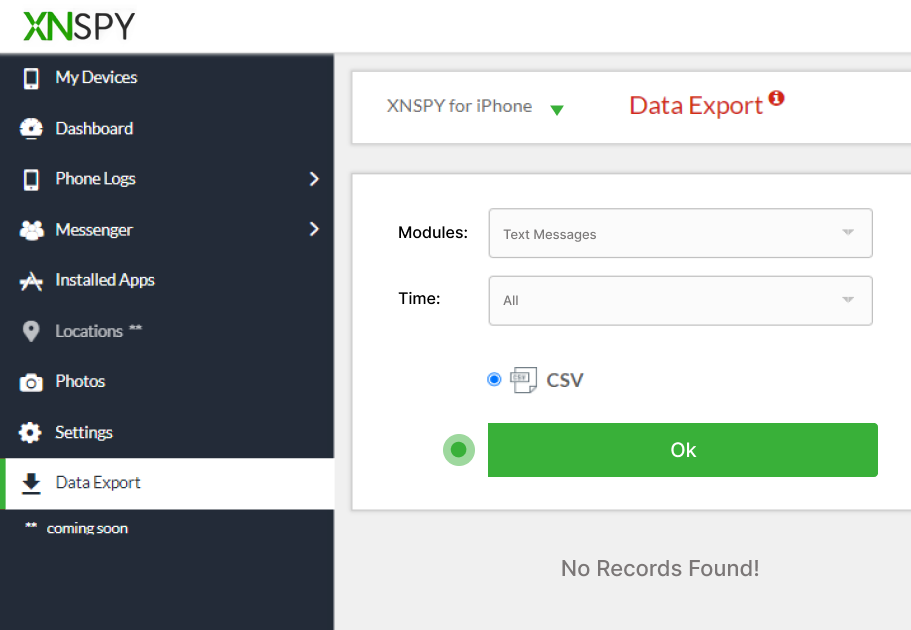
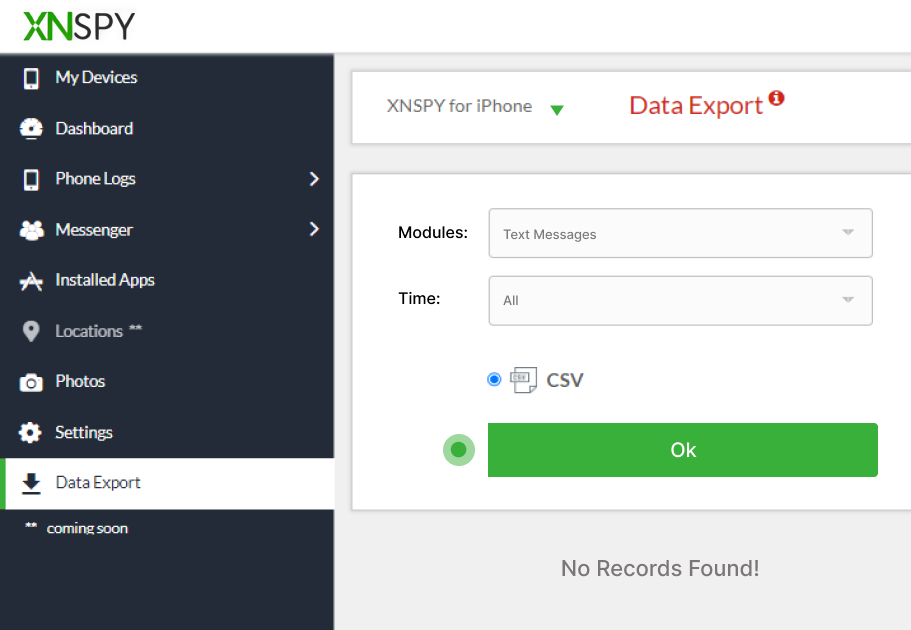
Use this feature to clone messages, calls, app data, internet history, locations, recorded sounds, emails, and calendars. You can select a time from today, this month, year, or a custom date and export the data.
2. Google Backup and Restore
Cloning a phone using Google Backup and Restore is simple. Almost all smartphone users, including parents, use this process to save files and data to create a backup for later.
Here are the steps to use Google Backup to clone a phone to another phone:
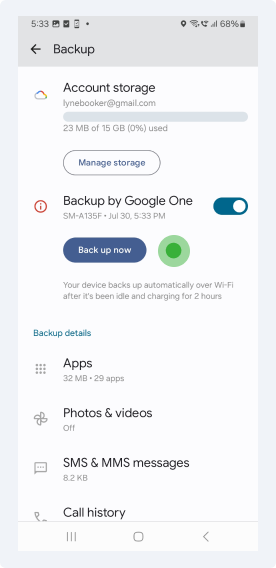
Open Accounts and Backup
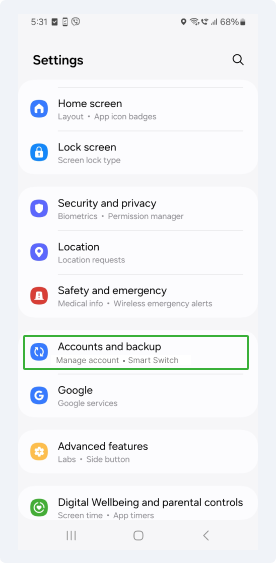
First, ensure that Google Backup is enabled on your child’s Android device, in the settings tap "Accounts and Backup."
Go to Google Drive
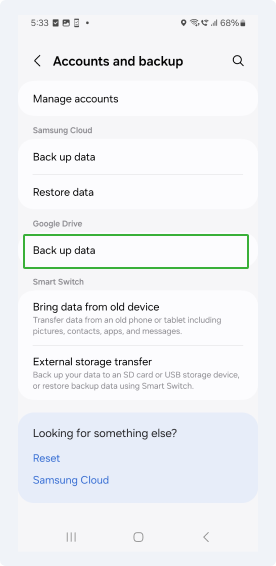
To sync their phone’s data with Google Drive, tap "Back Up Data."
Back Up Data
To begin backing up data, tap "Back Up Now"
Restore Data
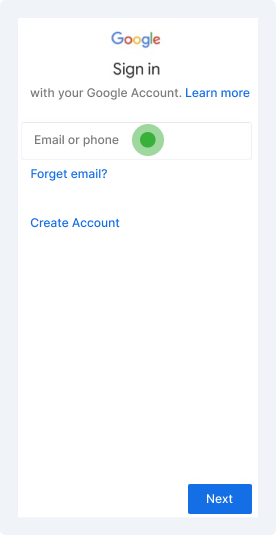
When setting up a new Android phone, select "Restore from Google Backup". Sign in with the same Google account and choose the backup you wish to restore. This method will replicate most of the original device’s data and settings onto the new phone, effectively cloning it.
3. Samsung’s Smart Switch
Samsung’s Smart Switch is a native app that is used to clone a Samsung phone. The app also allows users to clone the phone's content, such as photos, music, calendars, messages, device settings, documents, etc.
The app is a default in Samsung’s ‘Galaxy’ models, but other users can also download it. Since this app works on Samsung-made phones, other phone manufacturers may have to use similar software to get this functionality.
Here's how you, as a parent, can use Samsung Switch to clone a phone:
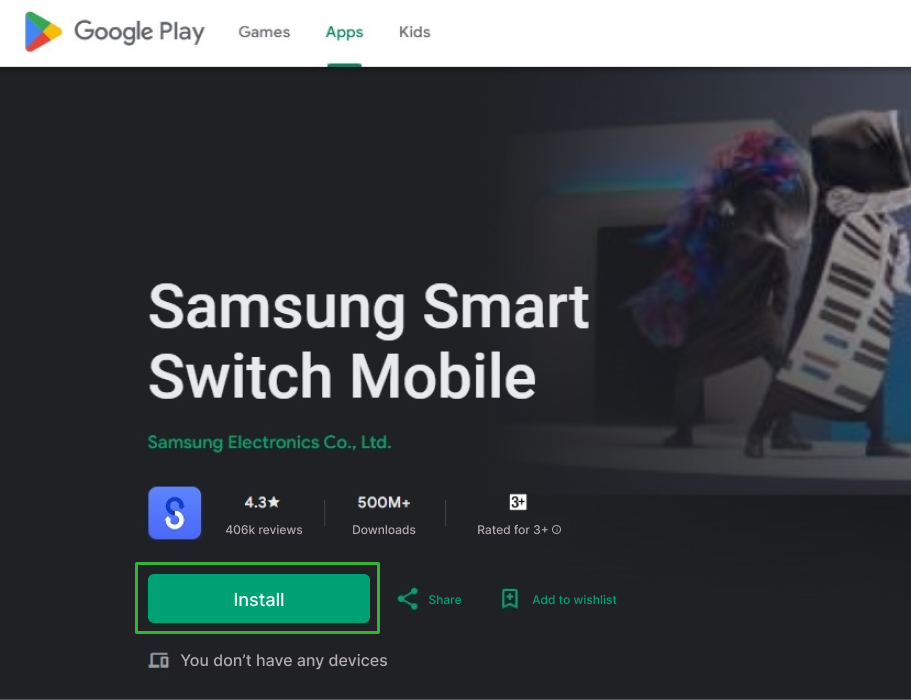
Download and Install Smart Switch
First, download and install the Smart Switch app on both Samsung phones if it is not already available.
Open the App
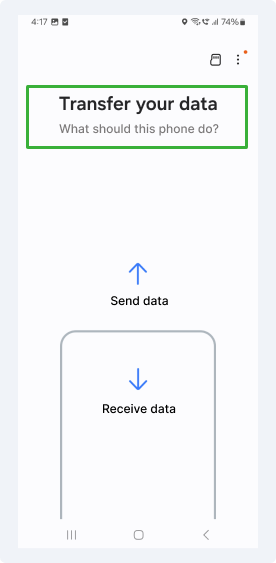
Open the app on both devices, select the option to send data from the original device, or receive data on the new one.
Connect Devices
Choose a method of connecting i.e., via cable or wireless.
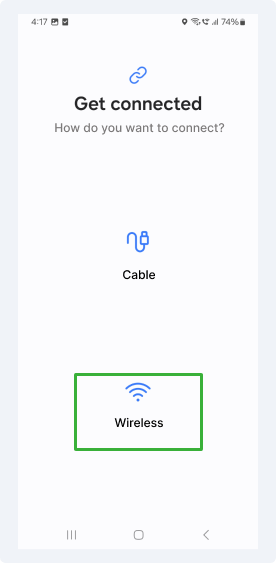
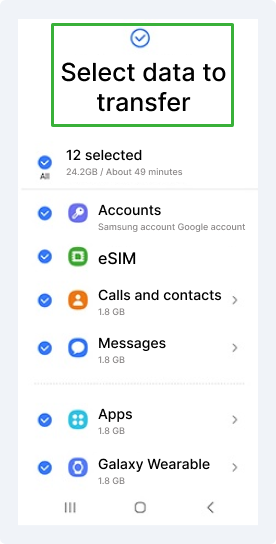
Select the Data You Wish to Clone
Once connected, choose the types of data you want to transfer, such as contacts, messages, apps, and settings. Smart Switch will then clone the data onto the new phone without any hassle.
4. CLONEit App
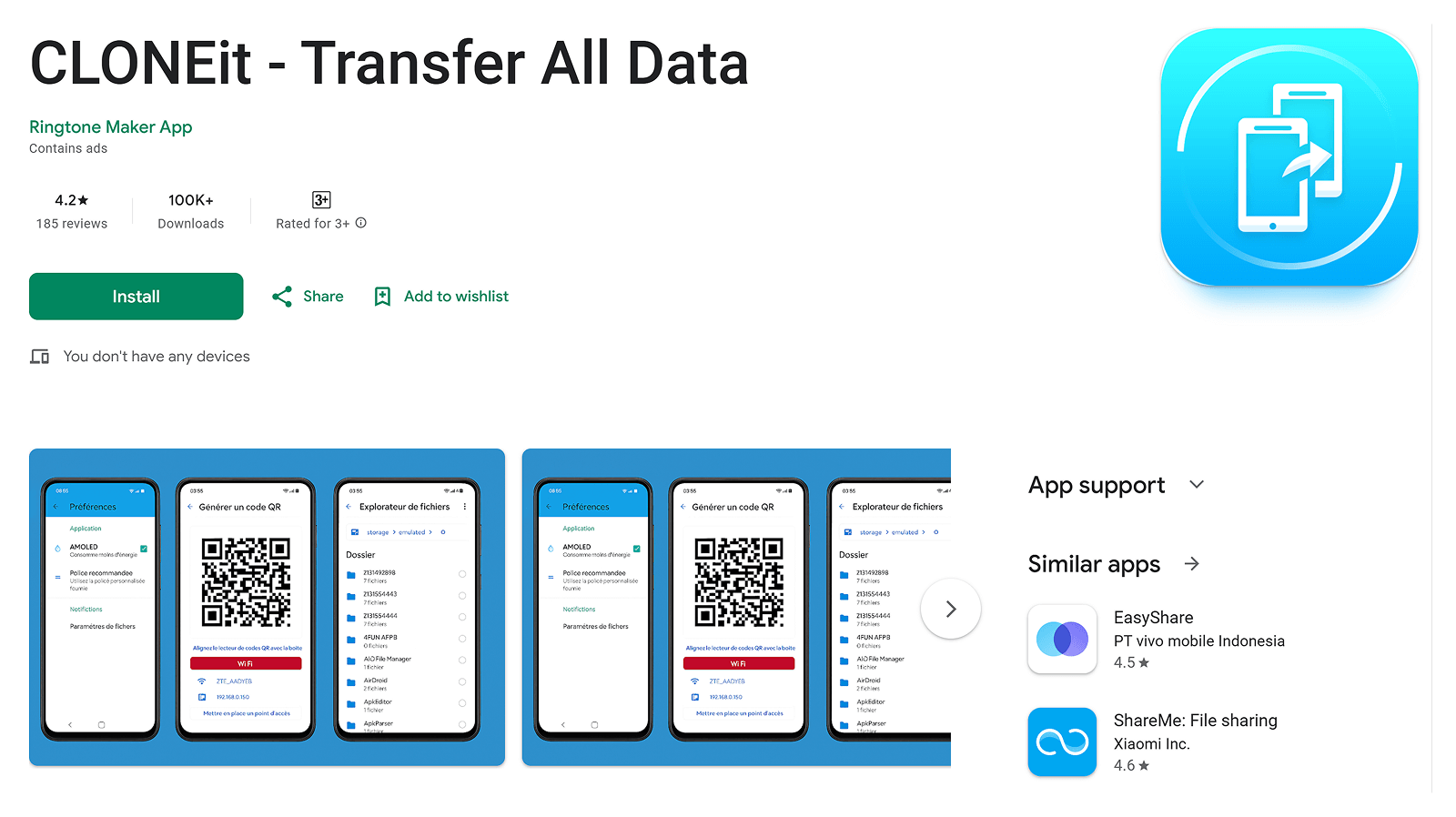
CLONEit is an Android application developed by SuperTools Corporation that allows users to transfer data between two Android devices. The app is available on the Google Play Store and supports devices running Android 2.2 and above. It is commonly used when switching from one Android phone to another. Parents, too, can use this app to clone their child's phone.
Overall, the app supports the transfer of multiple data types, including text messages, app data, photos, videos, contacts, bookmarks, browser history, calendar data, notes, and saved passwords.
To use CLONEit and other cloning apps, refer to the steps below.
Install CLONEit on Both Devices
Install the CLONEit app from the Google Play Store on both the source and target Android devices.
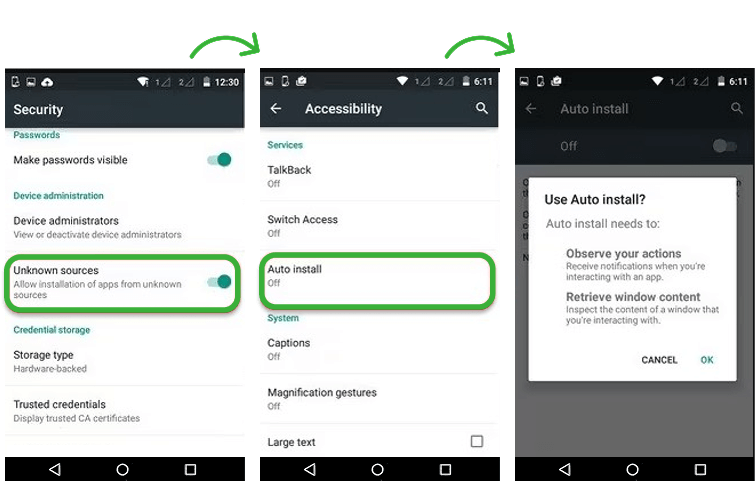
Enable Required System Settings
On the target device, enable installation from Unknown Sources and turn on Auto Installation to allow app transfers.
Establish Device Connection
Open CLONEit on both devices, select Sender on the source phone and Receiver on the target phone, and connect using the hotspot created by the sender.
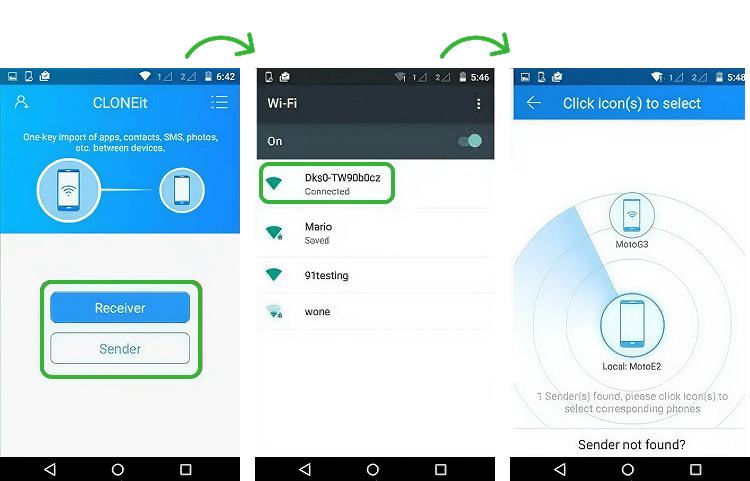
Choose Data to Transfer
Select the categories of data, such as contacts, apps, media files, etc., that need to be transferred.
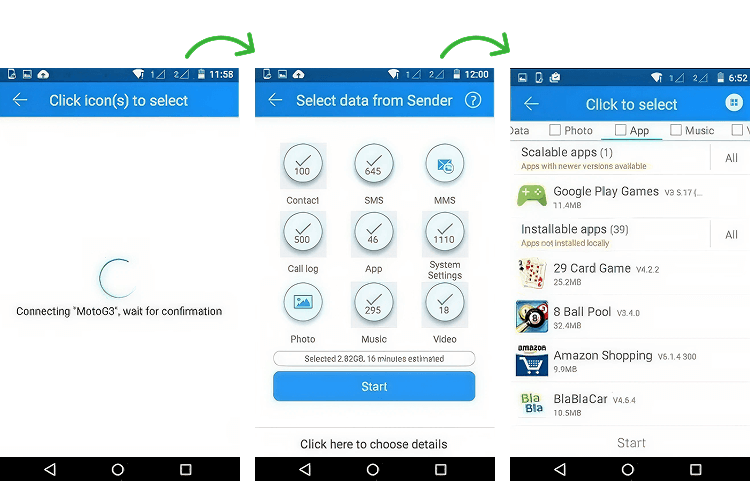
Start the Transfer Process
Initiate the transfer and keep both devices within the hotspot range until the process completes.
How to Clone an iPhone: A Step-by-Step Guide for Parents
So how do you clone your child’s phone if it's an iPhone? It involves creating an exact copy of the target device's data, apps, and settings on another iPhone. The process can be done using Apple's built-in features like iCloud Backup or a third-party app to back up the iPhone and transfer data.
Let us cover the three ways to clone an iPhone:
1. XNSPY
XNSPY can clone an iPhone belonging to your child by remotely accessing and replicating all the essential data from their device. Once installed on the iPhone, XNSPY accesses call logs, messages, photos, videos, locations, and social media activity to upload it to a web dashboard that is end-to-end encrypted.
The data can then be viewed from the XNSPY online control panel, allowing you to create a comprehensive backup of your child’s device's content. All in all, this remote access provides a way to clone an iPhone's data even without physical access to the phone.
Buy the App
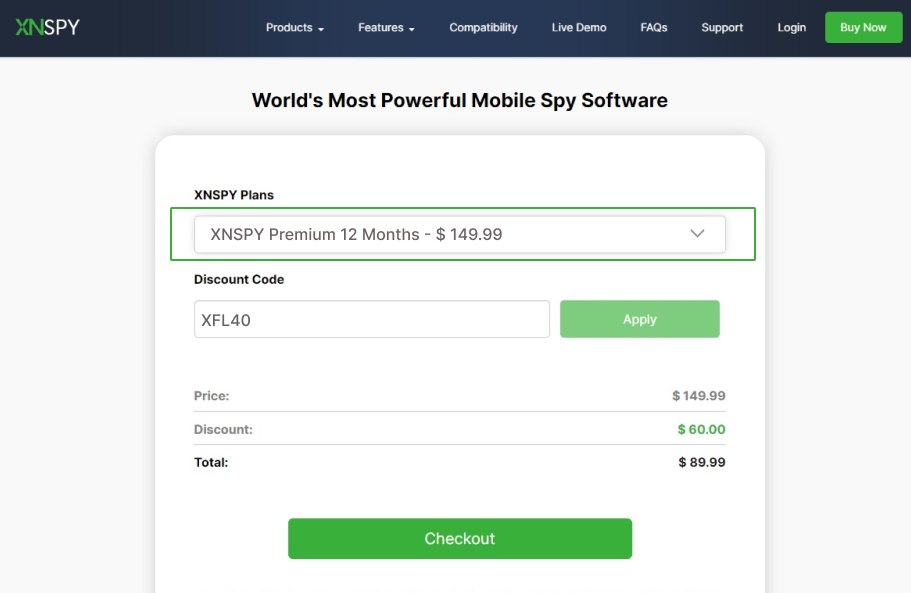
Install the App
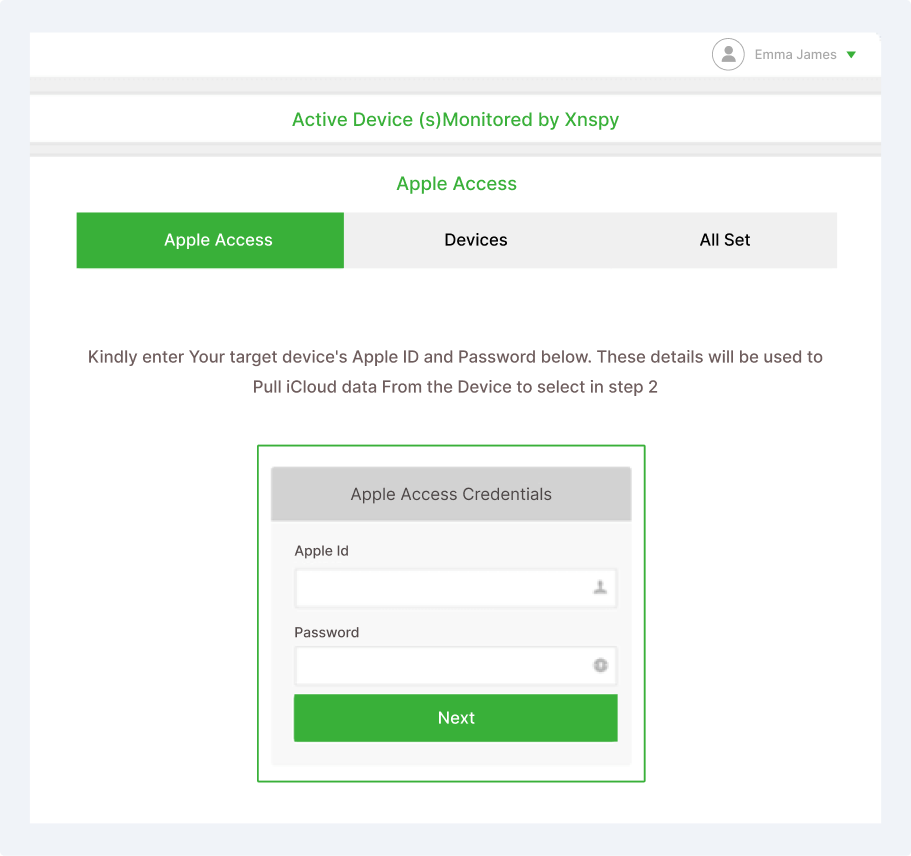
Open Dashboard
Export Data using Dashboard
2. iCloud Backup and Restore
Apple allows users to automatically back up their iPhone data to iCloud, ensuring that important information like photos, contacts, and app data are safely stored.
Cloning an iPhone through iCloud Backup and Restore involves parents creating a backup of their child’s iPhone and restoring it onto another device.
Back-Up Data
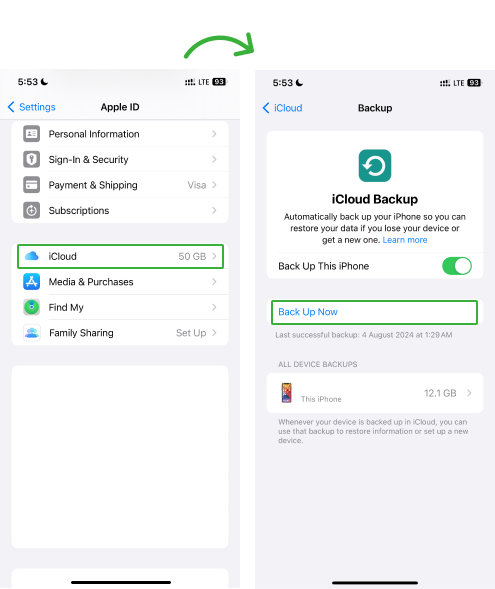
Ensure the source iPhone is backed up to iCloud by going to Settings > [Name] > iCloud > iCloud Backup and selecting "Back Up Now."
Restore from iCloud
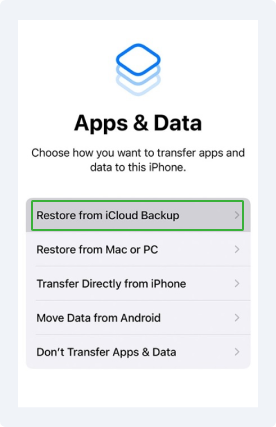
Turn on the new iPhone and follow the steps until you see, Apps and Data, and then tap on ‘Restore from iCloud Backup’
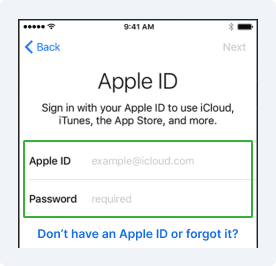
Sign-in to Apple ID
Sign in with the same Apple ID used for the backup, choose the most recent backup, and the iPhone will restore all data and settings from the other device.
3. iMazing
iMazing is a software that allows users to back up, restore, and transfer data between iPhones and iPads.
iMazing supports a wide range of file types, including photos, messages, apps, and settings. It further offers advanced features like device cloning, selective data restoration, and direct access to files, making it an effective tool for parents whose children are iPhone users.
To clone an iPhone using iMazing:
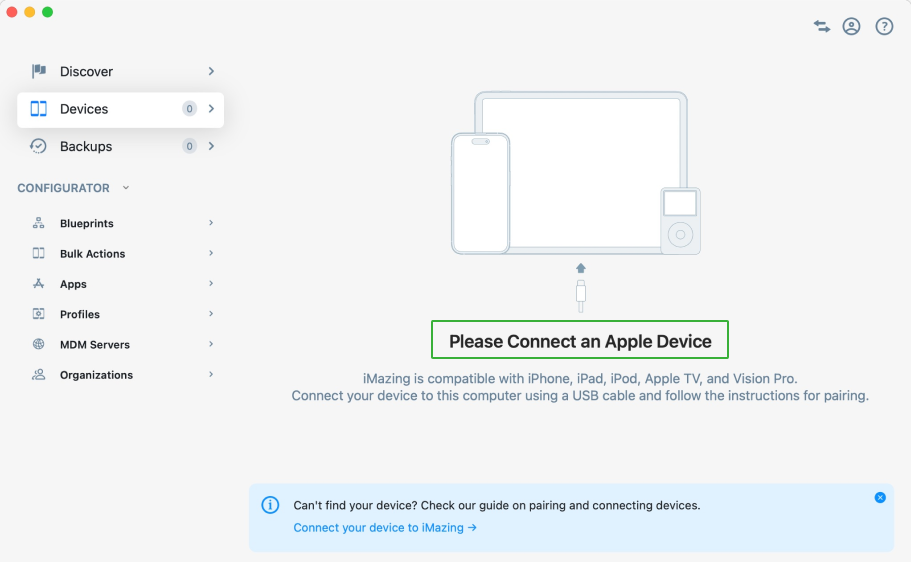
Connect Devices
Connect both iPhones to a computer.
Select Device
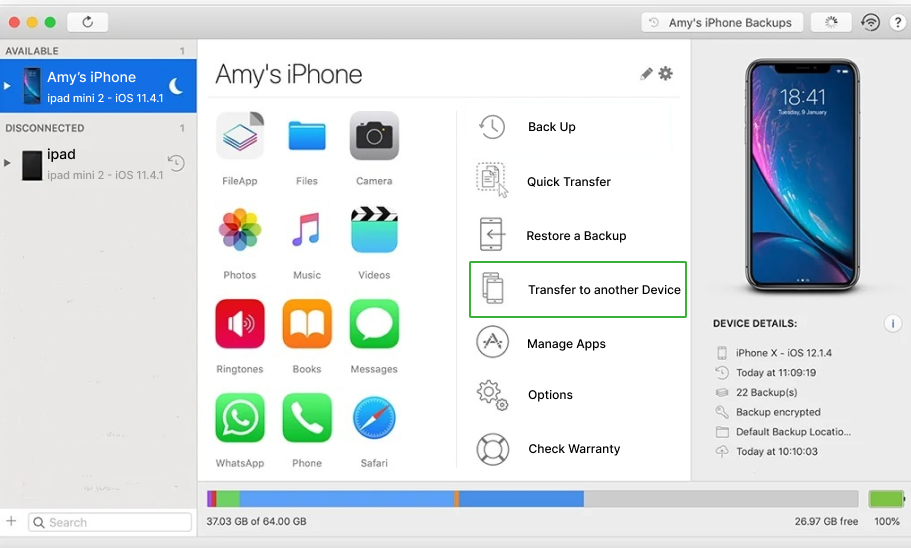
Choose the kid’s iPhone to transfer the data from and tap ‘Transfer to another device.’
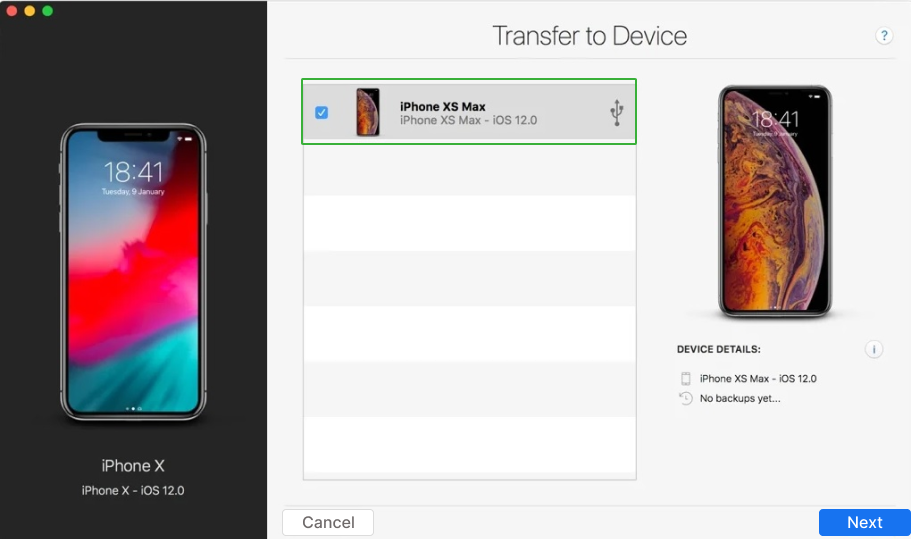
Select the Target iPhone
Choose the Data to Clone
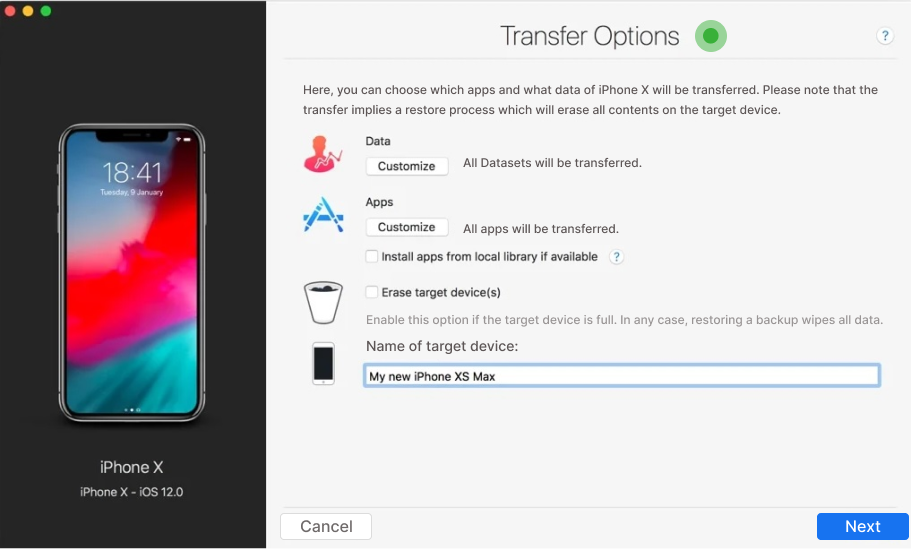
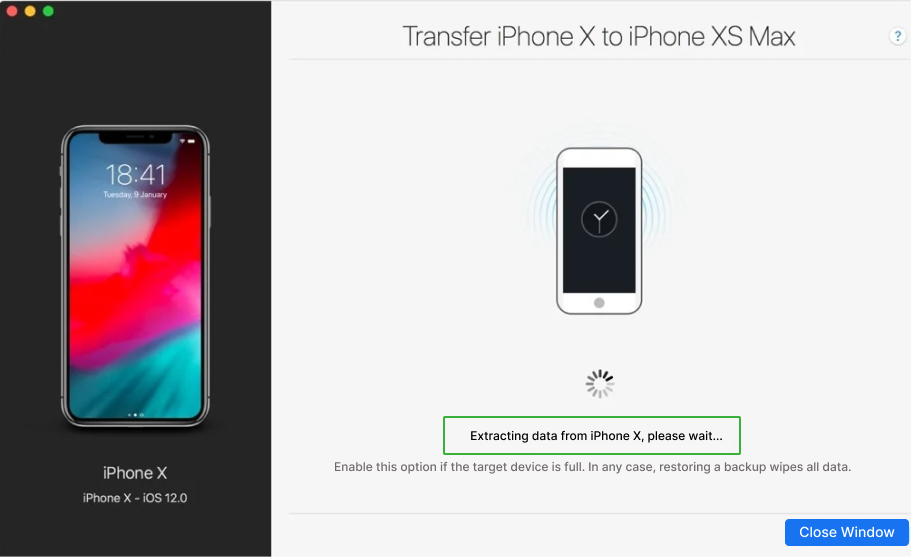
Complete the Data Transfer