Limited Time Offer :
iCloud/ No-Jailbreak Solution not available currently
after-bg after-bg

Setting Up iCloud Backup on the Target iPhone

This guide will provide you with all the necessary details for setting up an iCloud backup on the target iPhone. Using this method, within a few minutes, your XNSPY NoJailbreak Edition will be ready and working. But before proceeding, please make sure you received the email containing your XNSPY login credentials and have the target iOS device with you.

iOS installation guide slide
after-bg after-bg after-bg

iCloud Backup Configuration Guide

iOS installation guide

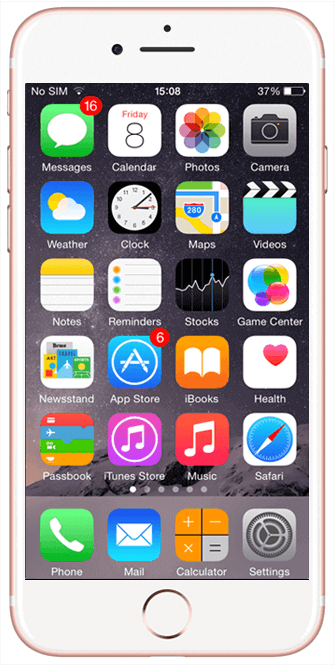
Step 1

Tap on the ‘Settings’ app icon on your iPhone home screen.

iOS installation guide

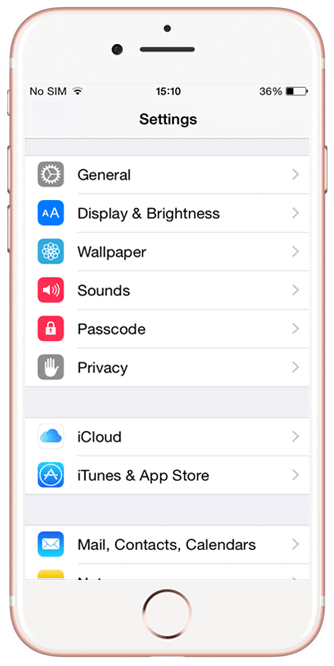
Step 2

Tap on ‘iCloud’ in the list you see.

iOS installation guide

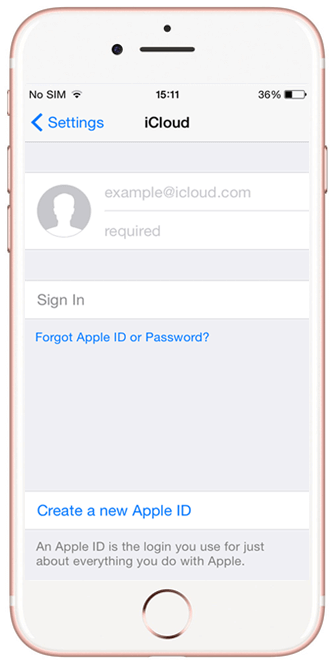
Step 3

Enter the Apple ID and Password in the required fields and press ‘Sign In.’

iOS installation guide

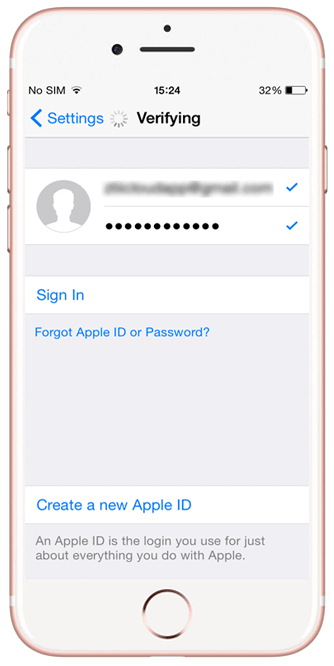
Step 4

Wait for the device to verify the Apple credentials.

iOS installation guide

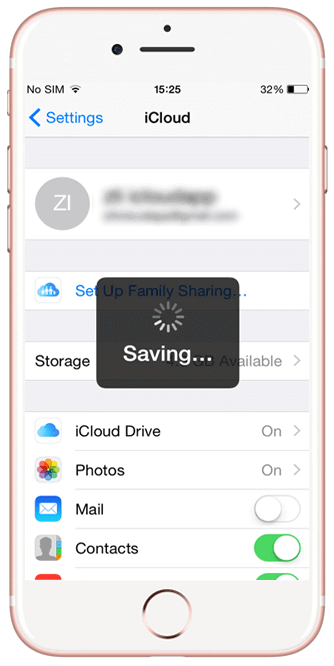
Step 5

Hold on while the device saves your account details.

iOS installation guide

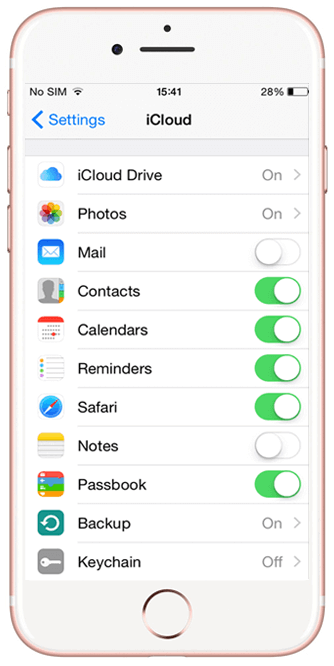
Step 6

Toggle ‘On’ all the features except for Keychain in the iCloud menu.

iOS installation guide

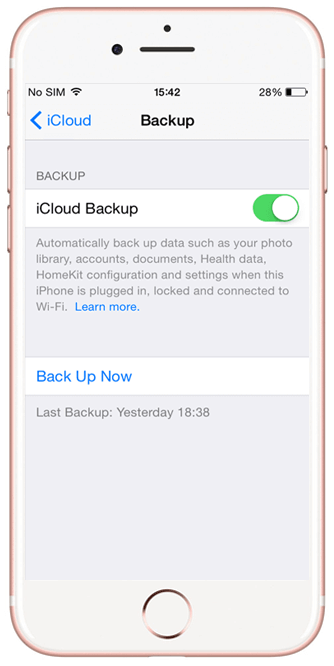
Step 7

Tap on Backup and toggle ‘On’ iCloud Backup.

after-bg after-bg after-bg

You Can Totally Rely on XNSPY - We’ve Got Your Back

When every other app seems to be pushing for subscriptions alone, it is XNSPY that prioritizes user experience. No matter what, your satisfaction truly rests atop everything else for us.

icon

Stealth Mode 100%

Invisible

icon

100% Secure

Satisfaction Guaranteed

icon

24/7

Live Chat

  • Home
  • XNSPY iCloud Installation Guide - Easy Setup

New Year Sale

Use The Discount Code During Checkout

40%
OFF
  • Days
  • Hours
  • Minutes
  • Sec
BUY NOW