How to Automatically Forward Text Messages to Another Phone [iPhone & Android]

The complete monitoring experience for your phone
Get XNSPY and start tracking calls, texts, multimedia, locations and more on any phone!
Get Started Now Live DemoLook around you. How many people do you see carrying two or more devices every day? Too many to count. A phone here, a laptop there, and the constant switching between them seems endless.
What starts as a simple habit can create challenges, like keeping track of messages across multiple devices or ensuring you receive important texts automatically.
So, to counter this, if you want to start automatically forwarding calls and texts to another phone, this guide will walk you through methods that work on iPhone and Android.
Everything You Need to Know in Under a Minute
– Selecting and sharing SMS manually works on both Android and iPhone, but is impractical for automatic SMS forwarding.
– SMS forwarding from iPhone to other Apple devices happens using Text Message Forwarding, provided both devices share the same Apple ID, and iCloud is enabled.
– Android requires third-party apps, as native features do not support automatic SMS forwarding from Android.
– Forwarding messages automatically between Android and iPhone is difficult due to OS differences and security restrictions.
– Xnspy allows parents to remotely access their child’s SMS and MMS on Android or iPhone in real time through a web dashboard.
Can You Automatically Forward Text Messages to Another Phone?
A common approach among users who want to forward text messages has been manual forwarding, where they select and share SMS from one phone to another.
That is because this works for both Android and iPhone without requiring a special setup. However, it is not practical when individuals need to auto-forward text messages.
Now, when it comes to automatic text message forwarding, it is far more limited. On iPhone, while Apple provides a built-in feature that allows SMS and MMS messages to be forwarded automatically, the same is not the case for Android phones. Therefore, users are seriously challenged and have to rely on third-party solutions.
Not only that, but due to security controls, automatically forwarding text messages between Android and iPhone also remains an unaddressed concern for many users.
Continue Reading These Blogs

💬 How to See If Someone Read Your Text: 100% Working Methods
⛔  How to Know If Someone Blocked You on iMessage
🚨  How to Take a Screenshot on Samsung Phones & Tablets
🎯  Can You Screen Record FaceTime? The Real Answer
How to Automatically Forward Text Messages from iPhone
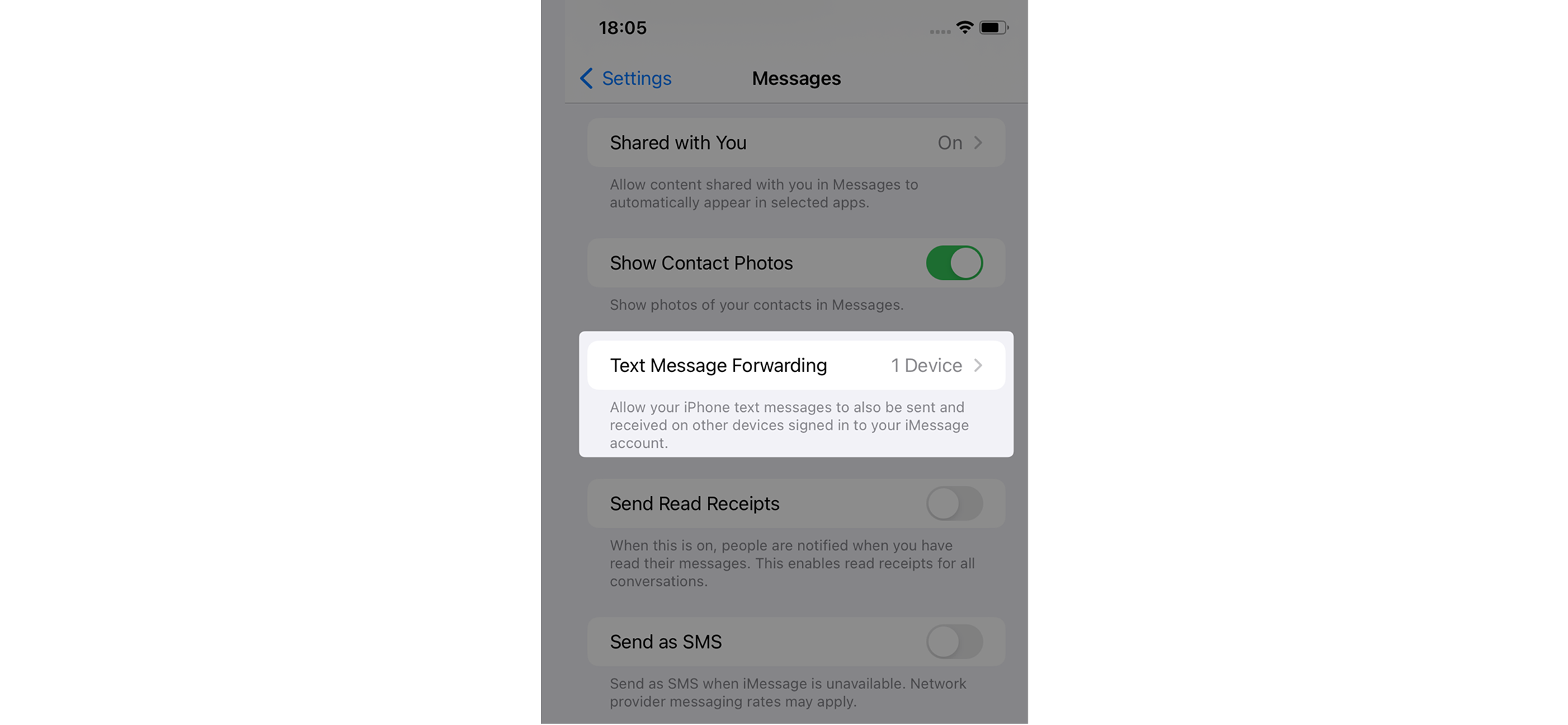
Apple provides a built-in feature called Text Message Forwarding that allows SMS and MMS messages received on an iPhone to be automatically delivered to another Apple device. Messages can even be forwarded to another iPhone, as long as both devices are linked to the same Apple ID.
The working of this feature is quite straightforward. All SMS and MMS messages are first received on the primary iPhone, the one with the active SIM. These messages are then sent via iCloud to the other Apple device signed in with the same Apple ID.
Once the process is complete, the forwarded messages appear in the Messages app on the target device along with timestamps and sender details, even if it does not have a SIM card.
Now, for seamless SMS forwarding from iPhone with its built-in feature, the following conditions must be met:
- Both devices must be Apple devices
- Both devices must be signed in to the same Apple ID
- Two-factor authentication must be enabled on the Apple ID
- iCloud must be enabled on both devices
- Internet access must be available on both devices
- The primary iPhone must have an active SIM card
- Both devices must be running a compatible iOS version
However, remember that this method does not work for Android phones, requires the same Apple ID on both devices, needs constant internet, and lacks filtering options.
Let’s see how to forward messages to another number automatically on iPhone:
- Ensure both iPhones or Apple devices are logged in using the same Apple ID.
- On the primary iPhone, go to Settings and turn on “Messages” in iCloud.
- Navigate to Text Message Forwarding and select the device you want to auto-forward SMS to.
- Enter the verification code appearing on the target device on the primary phone to confirm.
- Once completed, SMS and MMS messages will automatically appear on the selected device.

Xnspy: See Every Text They Send and Receive
Stop trying to supervise their SMS activity manually.
– View the full message content
– See timestamps and contact details
– Access deleted messages anytime
– Get alerts for specific words and contacts
How to Automatically Forward Text Messages from Android
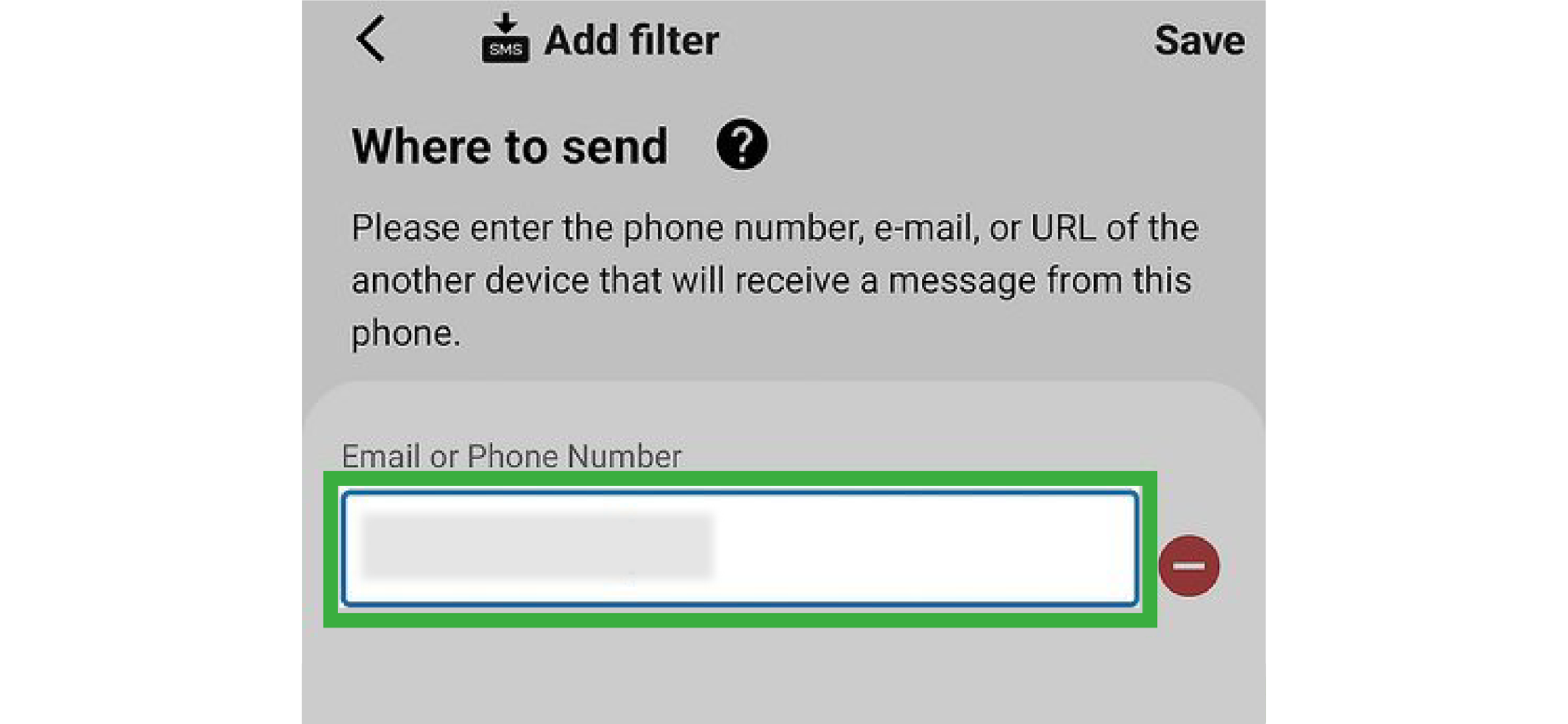
Android doesn’t offer a built-in feature to automatically forward SMS messages to another phone. Therefore, you have to switch to third-party apps available on the Google Play Store for SMS forwarding from Android.
To start forwarding incoming text messages to the target phone, you need to have an SMS forwarding app installed. During installation, these apps request permission to access incoming messages on the source device.
Once granted, these apps then run in the primary phone’s background, copy incoming SMS messages, and forward them. Some apps even allow users to set rules for message forwarding.
To forward text messages using third-party apps, the following conditions are typically required:
- An Android phone running a supported Android version
- Installation of an SMS forwarding app from Google Play
- Granting of necessary permissions, like SMS access, Contacts, Background activity, etc
- An active SIM card on the source device
- Internet access for message syncing
But remain mindful that these apps tend to request extensive access to SMS data, which can raise privacy concerns. Moreover, their continuous background activity can increase battery consumption.
Now, here is how to forward text messages to another phone:
- Download a reliable SMS forwarding app from the Google Play Store on the source Android phone.
- Allow the app access to SMS and notifications so it can monitor incoming messages.
- Choose where messages should be forwarded, like another phone number, email address, or synced device.
- Select whether to forward all incoming messages or apply specific rules.
- Activate the forwarding feature and keep the app running in the background for all SMS.

Did You Know?
It is easier than you think to recover deleted text messages from someone else’s phone.

How to Forward Your Child’s Text Messages Between Android and iPhone
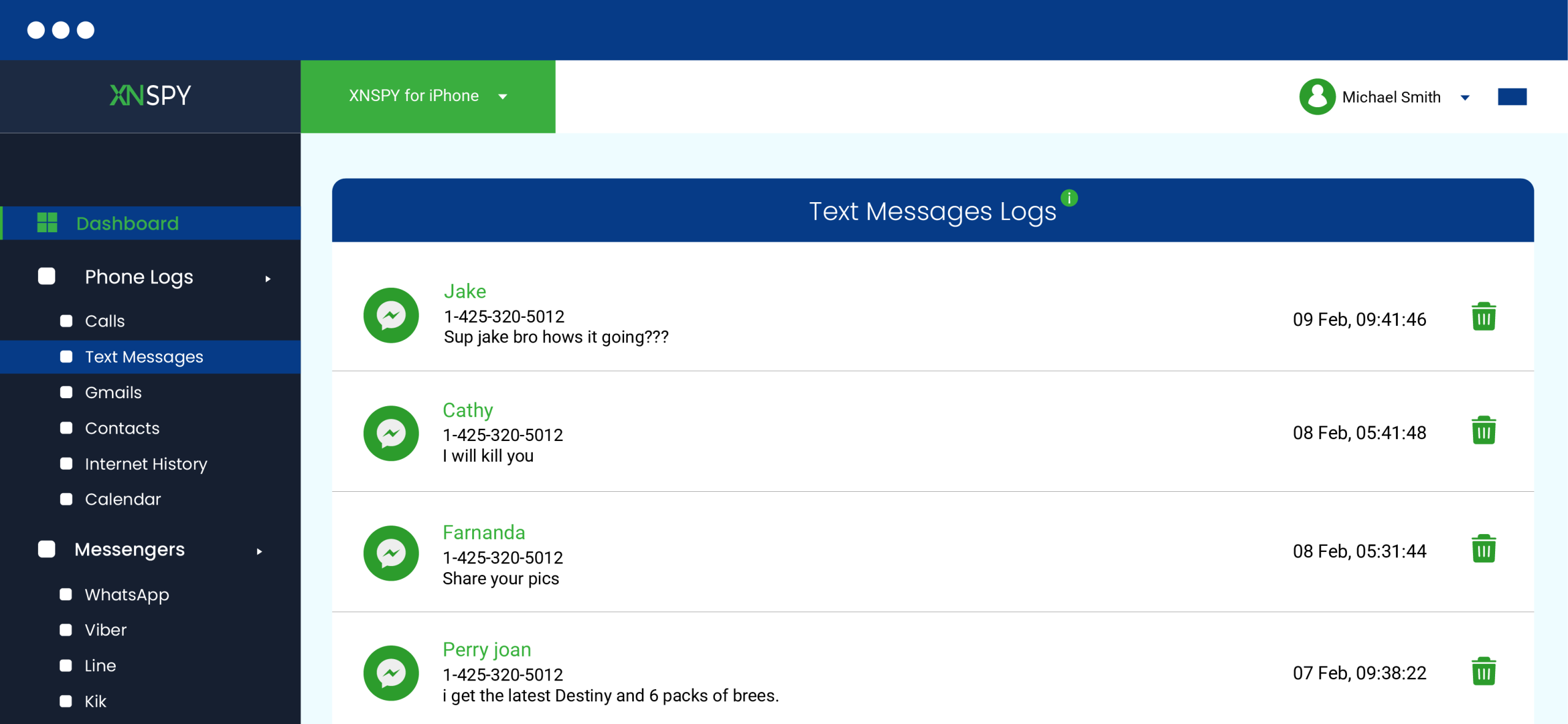
While forwarding text messages between two phones belonging to the same platform is quite straightforward, that is not the case for parents wanting to forward their child’s messages to another device. Why? Because the process often involves cross-platform access, for example, needing to forward an Android message to an iPhone and vice versa.
To counter this problem, Xnspy offers a practical solution by providing parents access to their child’s SMS and MMS messages remotely, be it on Android or iPhone.
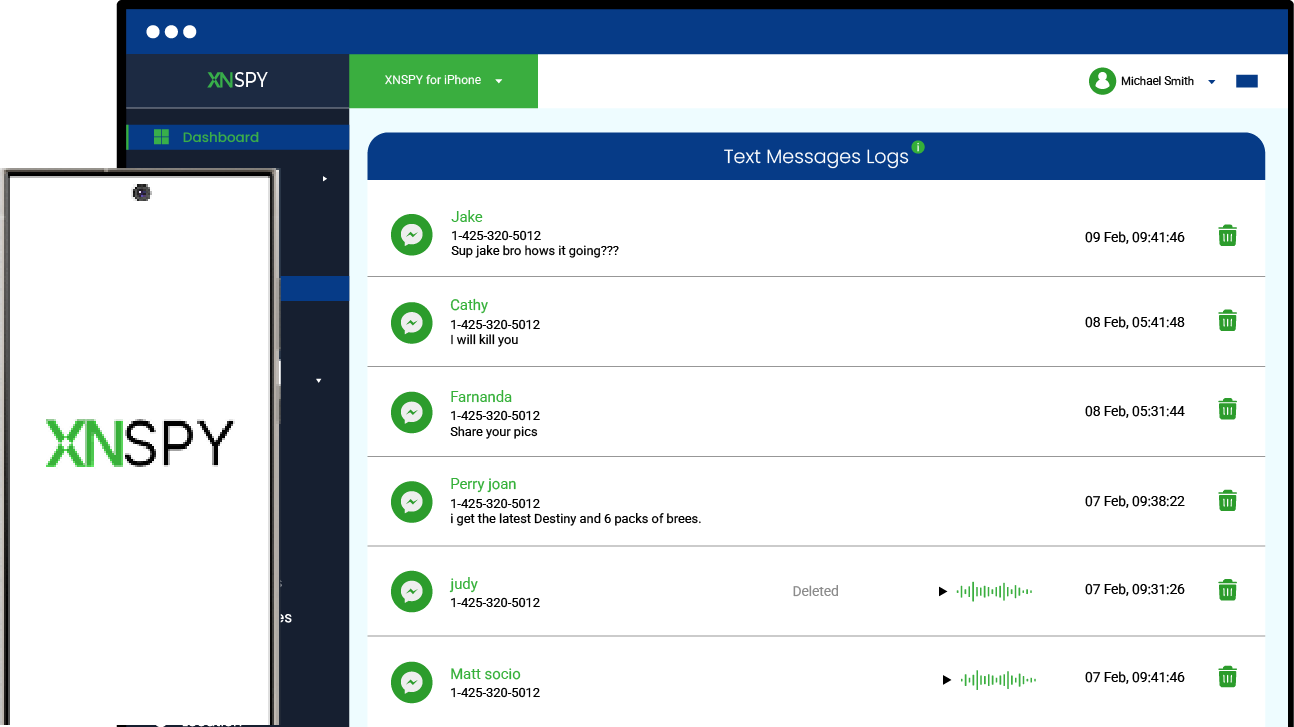
Instead of conventional text message forwarding, Xnspy captures messages on the kid’s phone in real-time and syncs them to the web dashboard consistently. These messages can then be viewed or downloaded by parents, depending on their needs.
Moreover, unlike other forwarding options, Xnspy records both the incoming and outgoing messages on the target device, alongside timestamps, contact details, message type, etc.
Other features also include keyword and contact-specific alerts for text messages. Not only that, but Xnspy also supports easy navigation and accessibility by allowing parents to search for particular logs, adjust syncing rules, and toggle the message logs.
Want to use Xnspy? Let’s see how to automatically forward text messages to another phone with the following steps:
- Visit the official website of Xnspy and purchase a plan.
- Upon receiving the confirmation email, access the target phone.
- Install and set up Xnspy by granting the requested permissions.
- Log in to the web dashboard to see forwarded text messages.
FAQs
Can I start automatically forwarding calls and texts to another phone?
Yes, you can automatically forward calls and texts depending on your device. On iPhone, calls and texts can be forwarded using the built-in features if both devices use the same Apple ID. On Android, however, call forwarding is supported through carrier settings, and automatic text forwarding requires third-party SMS forwarding apps.
Can someone tell if you have forwarded their message?
No matter which method is used, the original sender of a forwarded text message is not notified. Since forwarding works by creating a copy of the SMS on the primary phone and sending it to the target device, the process occurs entirely on the recipient’s end without involving the sender.
How do I forward text messages from an Android to an iPhone?
Forwarding text messages directly from an Android to an iPhone is not straightforward due to differences in operating systems. However, Xnspy offers a solution for parents who need to automatically forward their child’s text messages to themselves. While it is not “true forwarding,” Xnspy provides real-time access to SMS from an Android device on another device, including an iPhone, via a secure web dashboard.
Do forwarded text messages also include deleted ones?
Forwarding only works for messages that are present on the device at the time of forwarding. Therefore, if a text message has already been deleted from the source phone before forwarding occurs, it cannot be captured. Some monitoring apps, like Xnspy, however, can access messages before they are deleted.
Leave a reply:
Your email address will not be published. Required fields are marked*
Tiffany Ross
Member since October 8, 2025
Tiffany Ross
Member since October 8, 2025
Tiffany Ross is a child digital safety educator and family technology researcher, with an M.Ed. in Learning Technologies, University of Texas at Austin. After graduating in 2016, she has continued to work in the industry for 9 years. During this time, she has focused on practical digital parenting strategies and responsible use of monitoring apps. Moreover, her work includes abuse prevention, healthy screen habits, social media safety, and other key concerns. Over the years, Tiffany has also contributed to more than 200 research-informed guides and family safety resources covering online risks, screen time management, and digital wellbeing practices for modern households.