
The complete monitoring experience for your phone
Get XNSPY and start tracking calls, texts, multimedia, locations and more on any phone!
Get Started Now Live DemoHas that unsettling feeling ever hit you when you send an iMessage and get utter silence, nothing on their end? No reply, no ‘delivered’ tag. Maybe you are overthinking, or maybe (gulp) someone is quietly hit that block button (yikes).
iMessage doesn’t exactly send an alert when you are blocked, so figuring it out can be difficult. While there are subtle clues, most people miss them. In this guide, we’ll walk you through 6 telltale signs so you can learn how to know if you’re blocked on iMessage.
Key Takeaways
– iMessage blocks work silently, preventing messages, calls, and FaceTime from reaching the recipient’s device.
– Missing “Delivered” notifications and green message bubbles can indicate a potential iMessage block.
– Calls that ring once then go to voicemail often signal that your number is blocked on iOS.
– Sending messages from an alternate number helps confirm if a block is specific to your primary contact.
– FaceTime failures alongside other signs strengthen the likelihood that someone blocked your iMessage.
– Xnspy allows parents to monitor iMessage activity, view messages, keylogs, and receive instant alerts.
How iMessage Blocking Actually Works?
When someone blocks you on iMessage, it is a quiet, behind-the-scenes process. Essentially, iMessage stops your messages from reaching the recipient’s device entirely. From your side, messages still look like they’re being sent, but there are subtle hints that suggest otherwise.
Blocking also works across calls and FaceTime: blocked numbers won’t ring the recipient’s phone. Importantly, Apple keeps this process private to avoid awkward confrontations, so there’s no explicit “You’ve been blocked” alert.
This is why detecting a block often requires reading between the lines and looking for patterns and cues rather than relying on a single indicator.
Worth Reading Next

💬  Does iMessage Notify Screenshots: Get The Clear Answer
🤙  How to Record Phone Call on iPhone: 5 Methods That Work
🚸  How Can I Monitor My Child’s Text Messages on iPhone: 5 Easy Ways
🗺️  Share Location Unavailable on iPhone? 7 Easy Fixes (100% Working)
How to Know if You’re Blocked on iMessage: 6 Real Signs You Can Check Right Now
To tell if you’re blocked on iMessage, you’ll need to pay attention to subtle signs. When combined, they can give you a pretty good idea of whether you’re blocked or not. Here’s how to spot the clues that someone might have quietly cut off communication.
1. Contact Vanishes from Suggested List
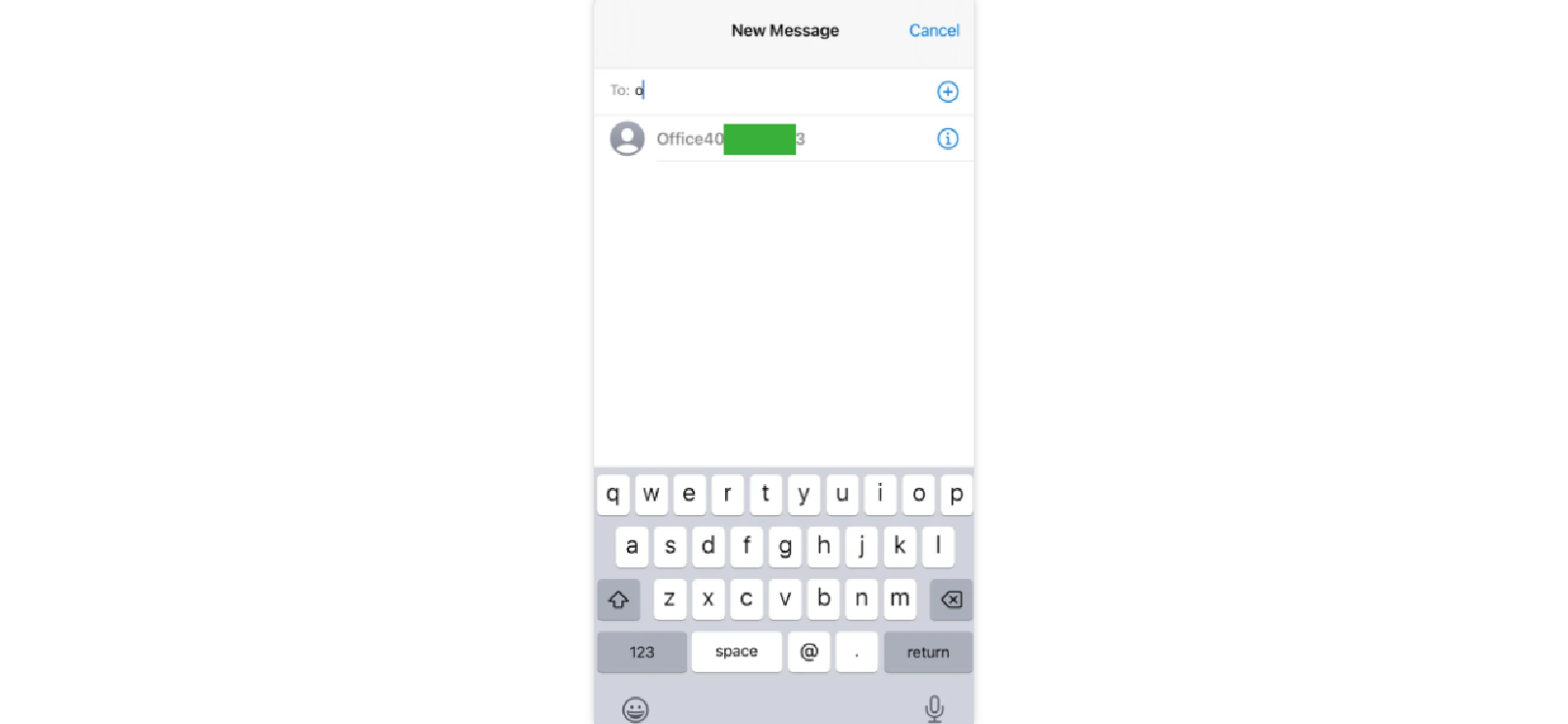
When you frequently message someone, iMessage often suggests their name when you start typing. If they’ve blocked you, their contact stops appearing in this list. This happens because iMessage deprioritizes blocked contacts in predictive suggestions.
Here’s how to tell if you’re blocked on iMessage using this method:
- Open a new message window in iMessage.
- Start typing the person’s name.
- Notice if their name appears in the suggestions or not.
However, do keep in mind that contact suggestions can also disappear if you recently deleted the contact or changed your settings. Given these limitations, this sign alone is not definitive.
2. Messages Don’t Get Delivered
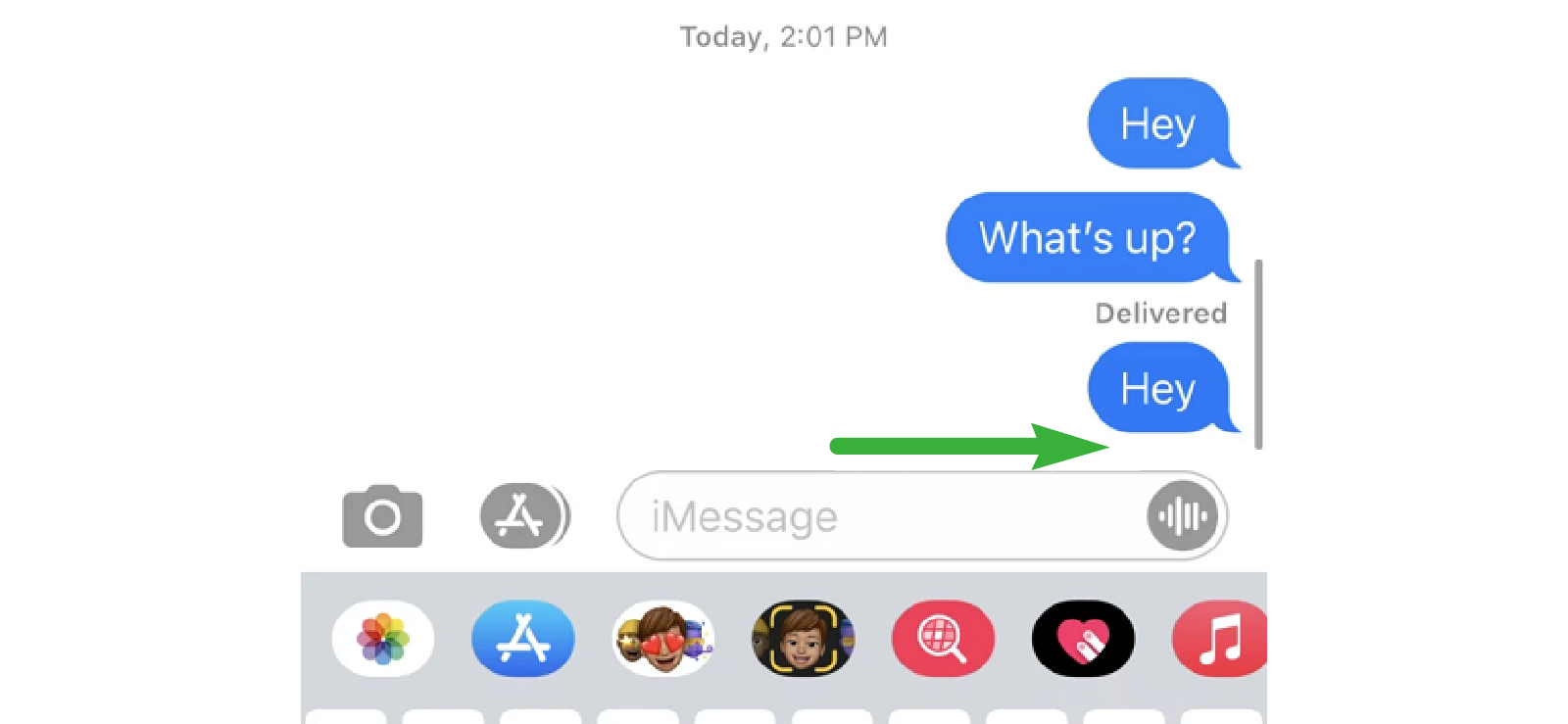
Normally, when an iMessage reaches its recipient, you can see a “Delivered” notification below the message. If you’re blocked, this notification doesn’t appear because the message never actually reaches the other person’s device.
If you want to know how to see if someone blocked you on iMessage, you can:
- Send a message to the contact.
- Watch for the “Delivered” tag to appear below the message. If it does not appear, you might be blocked.
- Repeat a few times to check for consistency.
While this is a very prominent sign, you do need to remember that delivery issues can also result from poor network connections, Airplane Mode, or the recipient turning off iMessage. So missing “Delivered” doesn’t always mean a block.
3. iMessage’s Bubble Color Stays Green
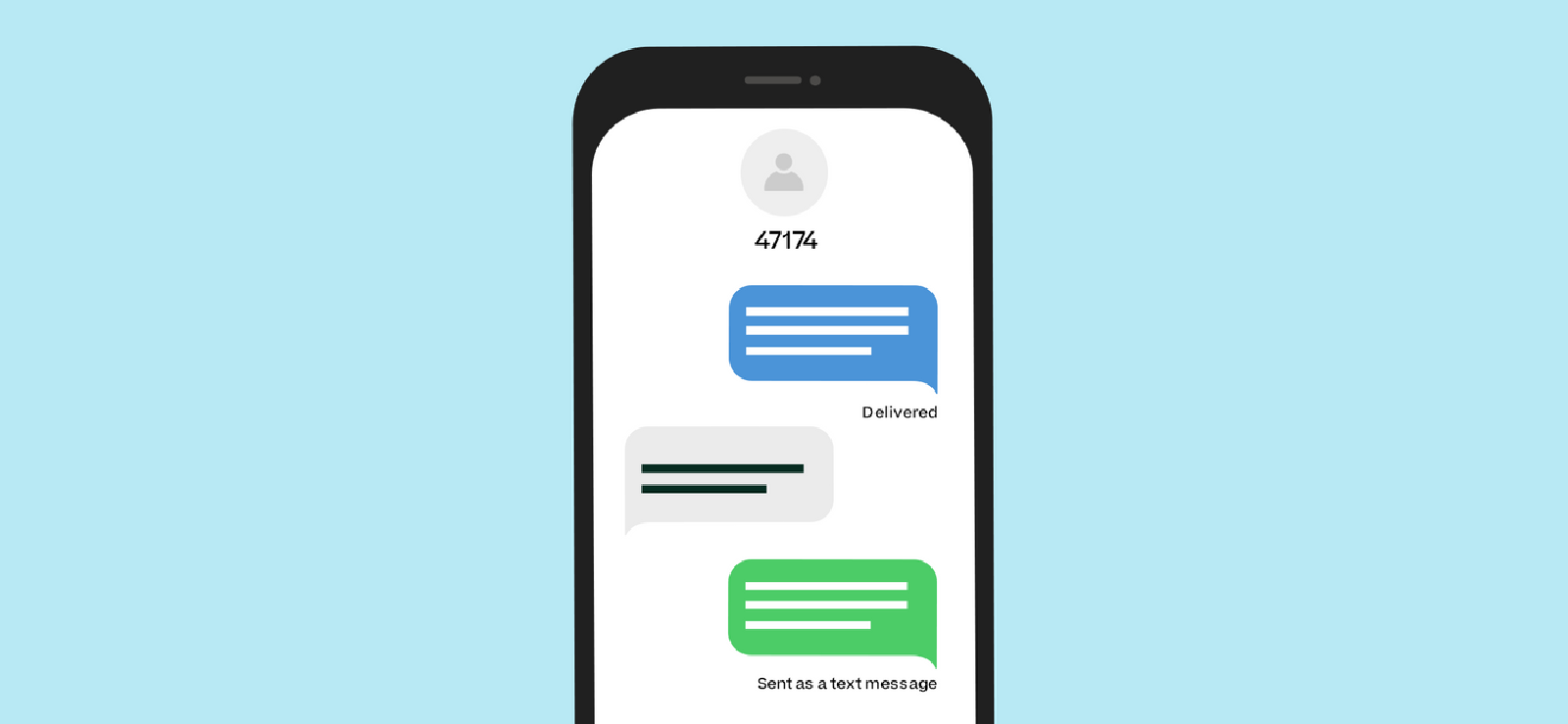
iMessages are normally blue, while SMS texts appear green. If your message suddenly sends as a green bubble despite knowing the person uses iMessage, it may indicate you’re blocked. This happens because iMessage cannot route your message to their device.
If you want to detect this:
- Send a message to the contact.
- Observe the bubble color.
- Check whether your previous messages were blue, but new messages are now sending as green.
But, remember, green bubbles can also appear if the recipient switched devices, disabled iMessage, or has no internet connection. It’s a clue, not proof.

Keep Your Kids Safe on iMessage
Get Xnspy to monitor their chats and catch risks early.
– See all sent and received messages with timestamps
– Capture exactly what your child sees and sends
– Record everything typed, including deleted drafts
4. Calls Ring Once and Go to Voicemail
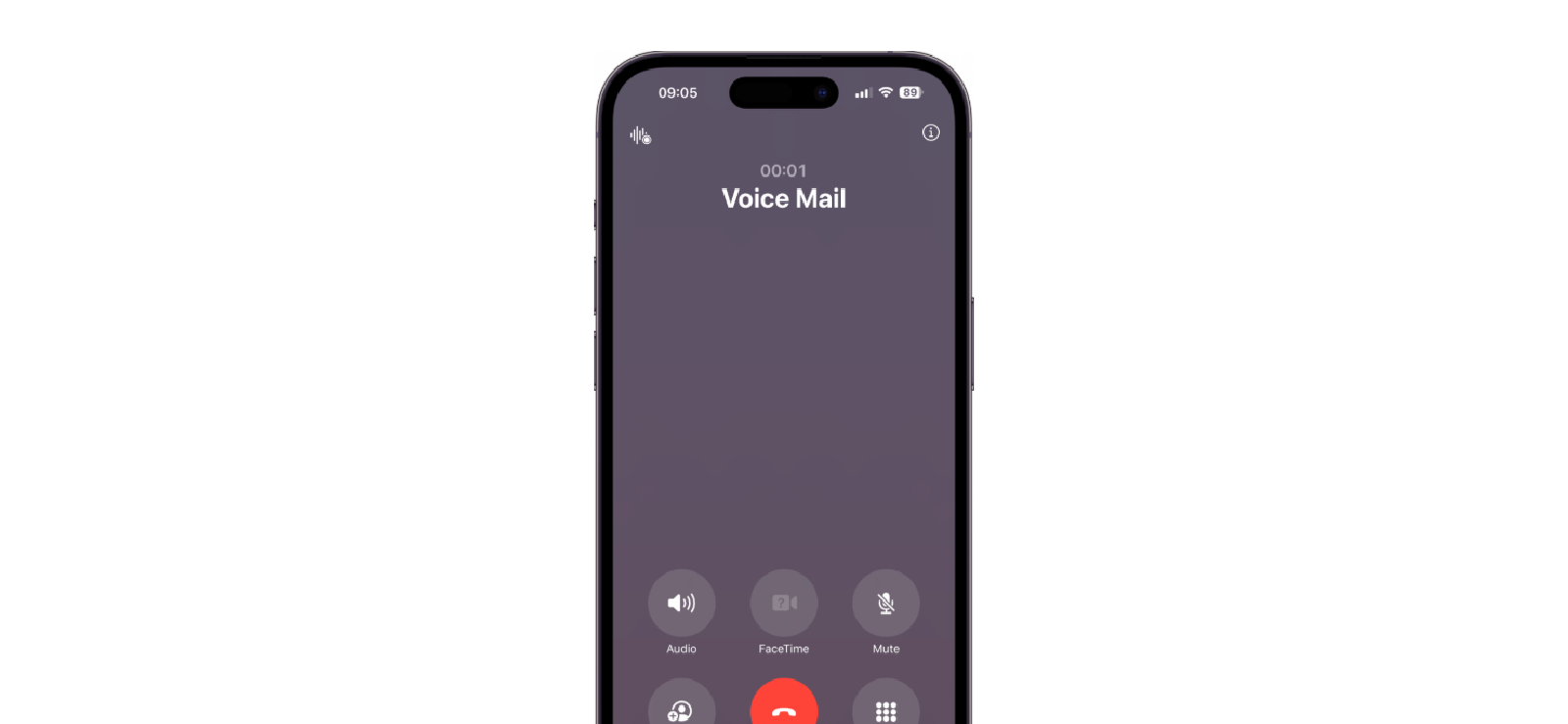
Blocking you on iMessage also affects phone call interactions. If you call and it rings only once before going straight to voicemail, it suggests that you’re blocked. This happens because when you’re blocked, iOS silently intercepts the call before it reaches the recipient’s phone.
To test this out:
- Place a call to the specific contact.
- Note how many times it rings.
- Observe if it goes directly to voicemail after just one ring every time.
No doubt, this method helps when you are wondering how to know if someone blocked you on iMessage, but it isn’t foolproof either. Network issues or a busy line can produce the same effect, so a single occurrence isn’t enough to confirm a block.
5. Messages from a Different Number Get Delivered
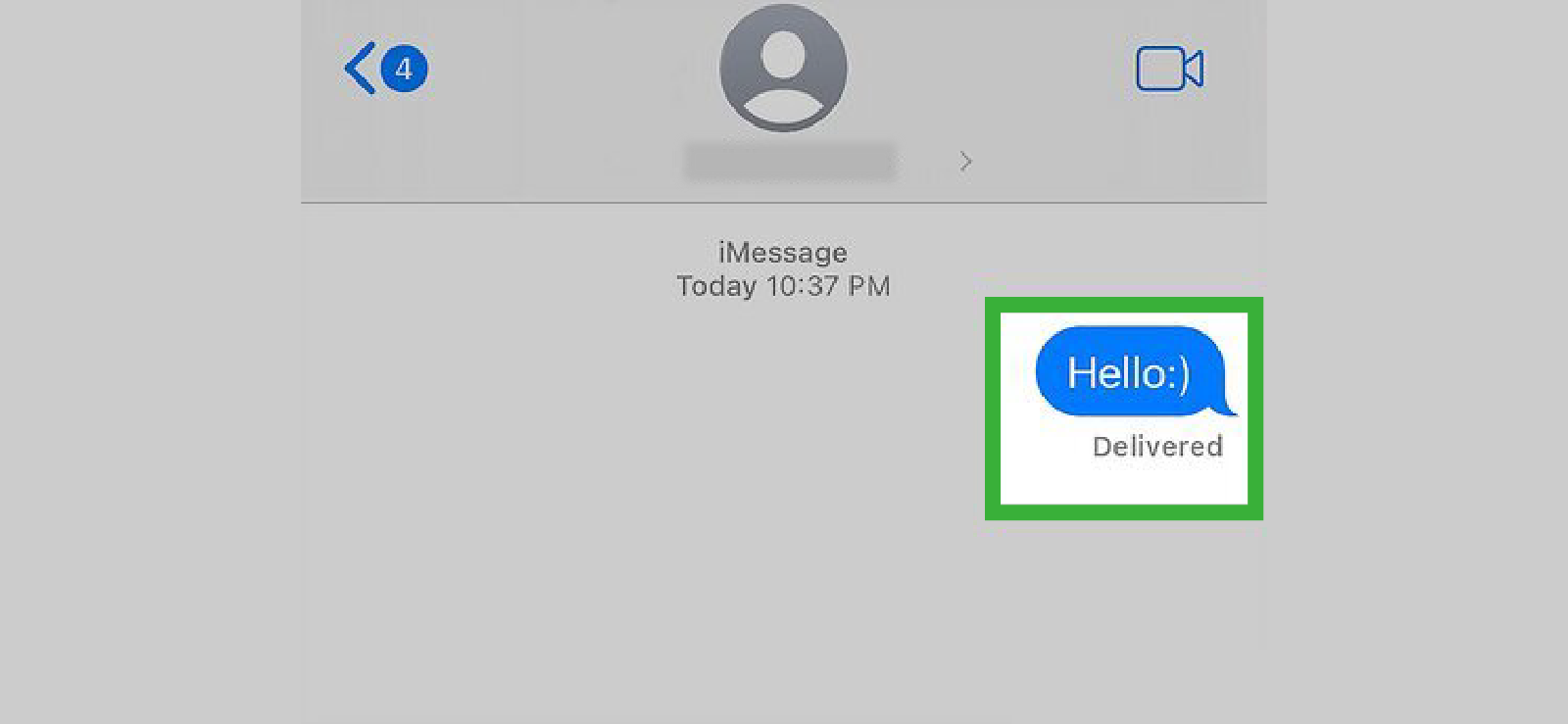
If you suspect a block, sending a message from an alternate number or device can help test it. Messages reaching them from another number indicate the block is specific to your primary contact.
To check this out:
- Send a message from another phone or SIM.
- Check if the message shows “Delivered.”
- Compare it to messages from your main number.
This method requires access to a different phone number and only works if the recipient hasn’t blocked or restricted messages from unknown senders.
6. FaceTime Calls Cannot Go Through
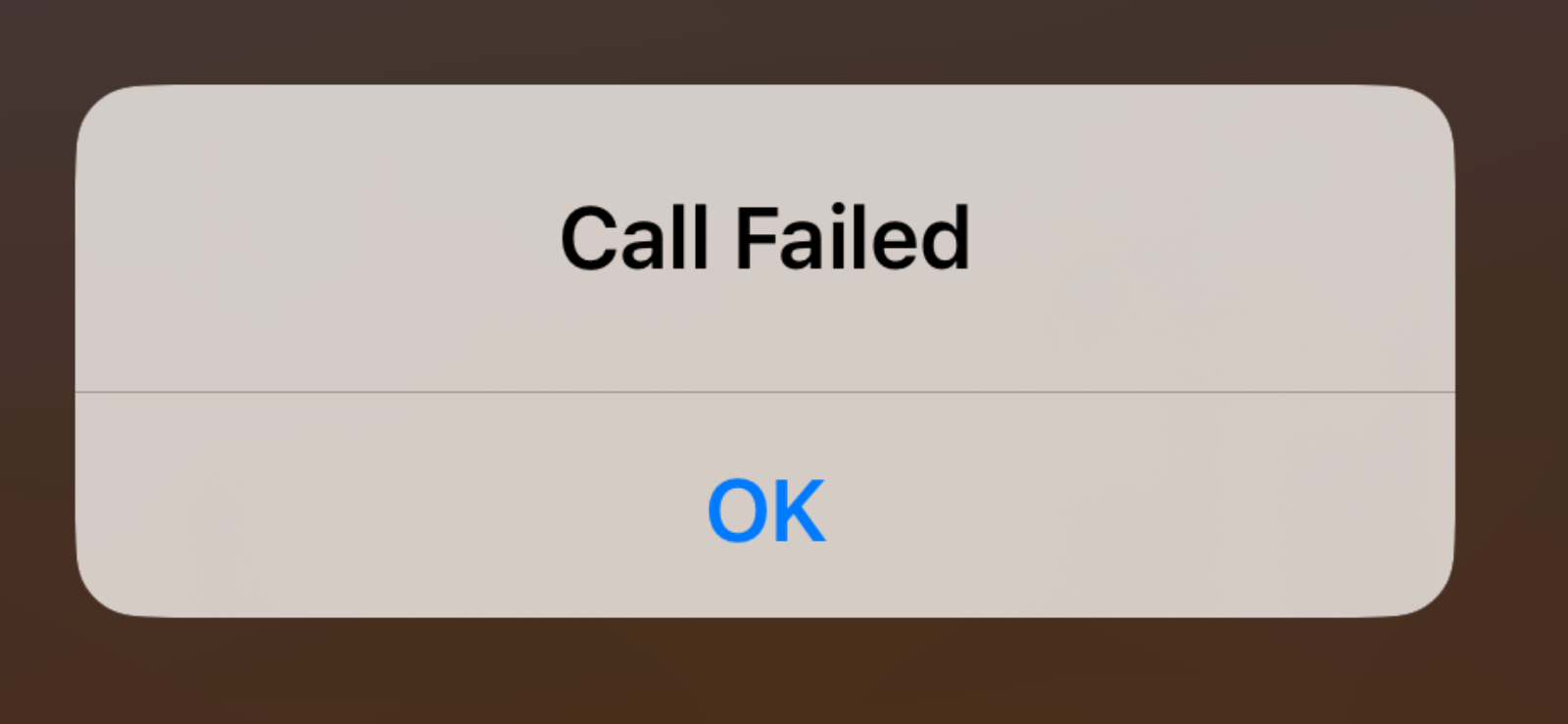
Just like phone calls, blocking extends to FaceTime as well, so if calls fail to connect repeatedly, it could be a sign. Technically, the call request is automatically rejected or intercepted.
To know so:
- Attempt a FaceTime video or audio call.
- Watch if it connects or fails immediately.
- Try at different times to confirm consistency.
Still, connection issues, device settings, or FaceTime being disabled can mimic this behavior, so it’s best used alongside other signs for a more reliable conclusion.

Did You Know?
Now you can also see missed calls from blocked numbers on iPhone

How Can Parents See Who Their Child Is Texting on iMessage?
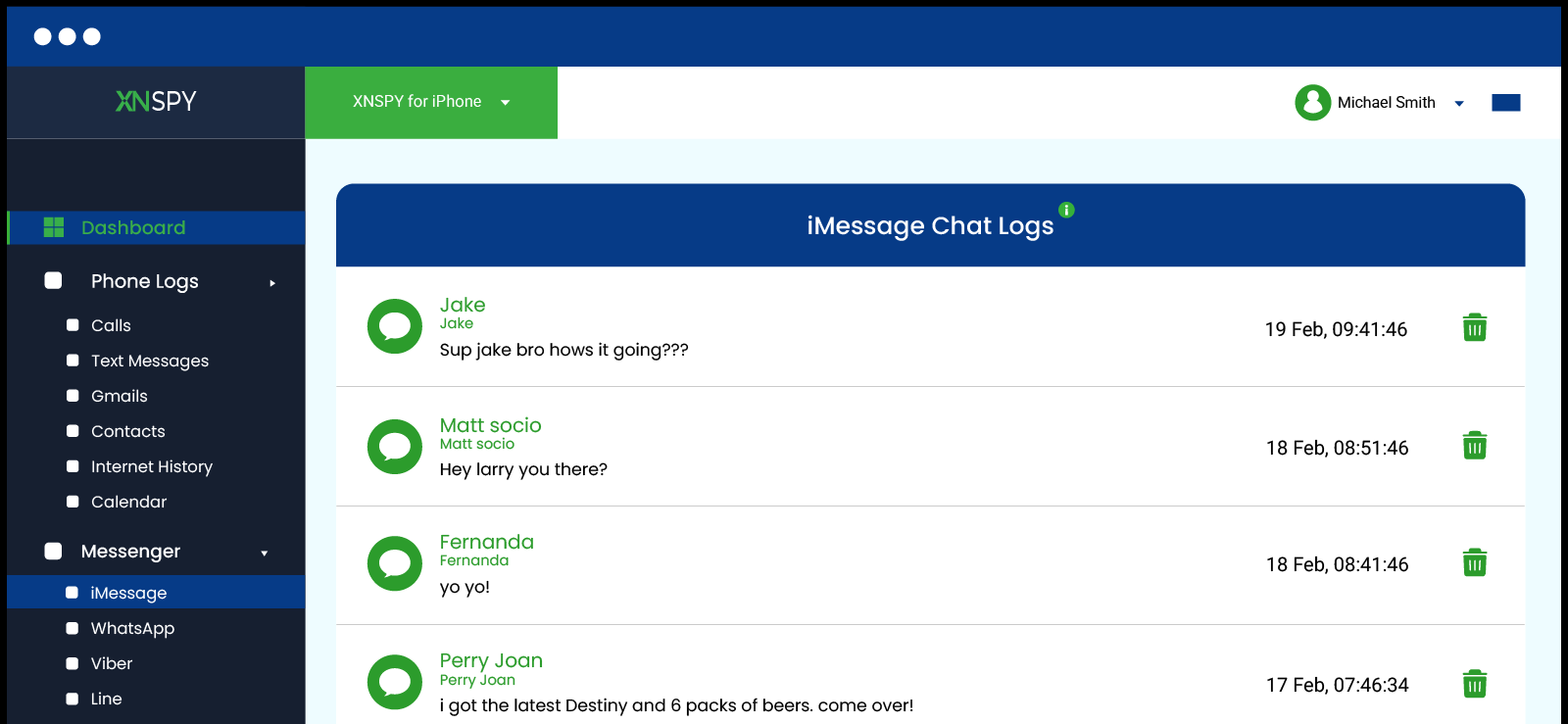
Nowadays, we see our kids 24/7 on their phones, either scrolling or moving their fingers to text like their life depends on it. While they are at it, you as parents don’t even know who they’re talking to or what they’re sharing.
While iMessage is convenient, its privacy can make it tricky for parents to make sure their child isn’t exposed to cyberbullying, inappropriate content, or risky conversations. Keeping an eye on iMessage activity has hence become an important way for parents to ensure their child stays safe while still enjoying the freedom of digital communication.
A reliable solution for this is Xnspy, a parental monitoring app that works quietly in the background to give parents a clear picture of their child’s smartphone activity. It tracks messages, calls, app usage, and more, all while ensuring to provide real-time alerts and detailed reports so parents can stay informed without being intrusive.
Here’s how Xnspy helps parents keep tabs on iMessage activity:
iMessage Monitoring
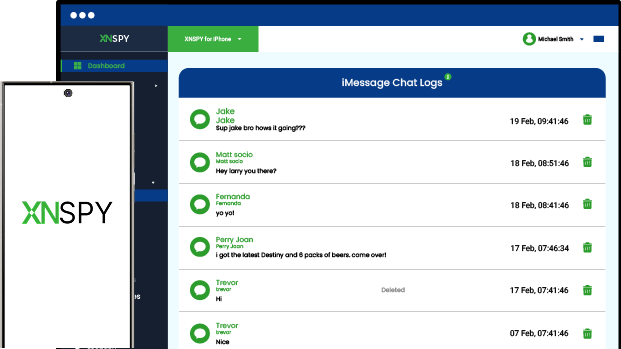
Xnspy lets parents see all sent and received iMessages, including message content, timestamps, and contact info. As these chats appear in a conversational thread layout, it becomes easy to read through them.
Screen Recording
Xnspy captures periodic snapshots of the phone’s screen, showing exactly what your child is doing on iMessage, including images, stickers, and GIFs. As this updates in real-time, you can see invisible ink texts and deleted messages as well.
Keylogging
Xnspy’s keylogger records everything typed on the device, including messages in iMessage. Even deleted drafts can be seen, so you, as parents, can have a full view of your child’s conversations.
Instant Alerts
Parents can set custom alerts for specific contacts or keywords related to bullying, inappropriate topics, or risky behavior. If these contacts are contacted or words are used in iMessage chats, Xnspy sends instant alerts so parents can step in quickly.
FAQs
How do I know if I’m blocked on iMessage when group messages still go through?
Even if someone blocks you on iMessage, you can still send messages in a group chat that includes them. The difference is that your private, one-on-one messages to that person will never show “Delivered” or “Read.” So if your messages to them fail to deliver but group messages in the same chat go through normally, it’s a strong sign that you’ve been blocked.
How to tell if someone blocked you on iMessage even after changing your number?
If you switch to a new phone number, iMessage treats it as a separate contact. Send a message from your new number to the person; if it never shows “Delivered,” while messages to other contacts work normally, it suggests the person may have blocked your new number as well. However, do remember that this will only work if you know for sure that the recipient has not restricted or blocked iMessages from unknown numbers.
How to tell if you’re blocked on iMessage if they changed their Apple ID?
When someone changes their Apple ID, any messages sent to their old ID will not be delivered because iMessage links conversations to the Apple ID rather than just the phone number. This means that even if your messages fail to appear as “Delivered,” it doesn’t automatically mean you’ve been blocked. To check for a block, you need to send a message to their new Apple ID. If the message goes through normally, the delivery issue was simply due to the ID change. However, if messages still fail to deliver to the new ID, it is likely that you have been blocked.
How to see if someone blocked you on iMessage after switching to a new iPhone?
When a person switches to a new iPhone, iMessage may take some time to activate on their device. During this period, your messages might temporarily fail to deliver, which is normal. However, if your messages never show “Delivered” after the activation period, while messages to other contacts work normally, it could indicate that you have been blocked. Testing via group chats or another number can help confirm the block.
How to check if you’re blocked on iMessage if they use multiple Apple devices?
iMessage syncs across all devices linked to the same Apple ID, so messages sent to that ID should appear as delivered on every device. If you’re blocked, your messages will never show “Delivered” on any of their devices, regardless of whether they use an iPhone, iPad, or Mac. Group messages may still go through, but consistent failure of direct messages to deliver while other contacts’ messages work normally is a strong sign that you’ve been blocked.
Xnspy: Stay in the Know & Keep Them Safe
Monitor your child’s phone activity and protect them from online risks.
Leave a reply:
Your email address will not be published. Required fields are marked*
Jenny Nicole
Member since October 23, 2014
Jenny Nicole
Member since October 23, 2014
Jenny Nicole is a teen psychology and digital behavior specialist with an MSc Developmental Psychology & Psychopathology from King's College London, graduated 2017. Her work revolves around how adolescents communicate and make decisions in digital environments, particularly on social media and messaging platforms. Over the past 5 years, she has written extensively on teen smartphone behavior, online peer dynamics, the psychological impact of social media, and the need for oversight. Her work has helped parents and educators interpret not just what teens are doing online, but why they are doing it. Overall, she has not only authored over a hundred guides breaking down child psychology for parents but also regularly spoken at family safety and internet governance conferences across the UK and US.