The complete monitoring experience for your phone
Get XNSPY and start tracking calls, texts, multimedia, locations and more on any phone!
Get Started Now Live DemoFrom a parent’s perspective, their 11-year-old owning a phone without supervision doesn’t make sense, as it should. However, given current lifestyles, it is impossible to keep children away from cell phones, whether they like it or not.
The best thing parents can do is supervise use or set screen limits, and this demand has increased the supply of monitoring tools in the market. With so many monitoring apps coming up (and disappearing almost as fast), Kidslox stands out as a veteran in the space. It has been around for nearly a decade, which already tells you it is doing something right.
But in a world full of newer and more advanced apps, is it still worth your time and money? That is exactly what we set out to find. In this Kidslox review, we will discuss everything you need to know about this parental control app – its features, strengths, limitations, and whether it still holds up against the competition.
Quick Takeaways From Our Kidslox Parental Control App Review
- Kidslox has been a veteran parental control app for nearly a decade of use.
- We tested features including app blocking, screen time, web filtering, social monitoring, and GPS tracking.
- Feature functionality, reliability, and performance were scored with the monitoring range weighted at 35% importance.
- Installation, ease of use, customer reviews, and value for money were also carefully evaluated.
- Some features, like social monitoring, scheduling, and URL filtering, showed occasional glitches and delays.
- Kidslox is suitable for basic supervision but lacks advanced monitoring compared to Xnspy.
- Xnspy offers full chat access, accurate keyword alerts, screen recording, GPS tracking, and instant phone locks.
What Factors Did We Prioritize During Kidslox Testing and How We Scored Them
While reviewing the Kidslox app, we focused on the range of monitoring features it offers and how they function, especially when needed. We divided the attributes and assigned each a percentage. Each parameter was weighted based on its practical importance to parents.
Monitoring Range – 35%
We evaluated how much useful information Kidslox can provide, including app usage, screen time, phone usage, web activity, social media monitoring, and GPS location tracking. The goal was to determine whether the features can cover all activities a child would be interested in, and whether the information it provides is useful for parents in protecting children
Features Functioning – 25%
The second major aspect was understanding how the app’s features work. Usually, monitoring apps offer multiple tools; however, they may not all work properly or at all under certain conditions, such as low connectivity or in battery-saving mode. This is an essential aspect, so we gave it 25% of the weightage.
Installation and Ease of Use – 20%
A parental control app should be easy to set up and operate. We measured how simple it is to install Kidslox on various devices, link child accounts, configure controls, and navigate the dashboard. Intuitive design and clear instructions were key considerations.
Customer Reviews – 10%
We examined feedback from real users to identify patterns in satisfaction and common issues. This helped validate our findings and highlighted areas where Kidslox excels and where it could improve.
Value for Money – 10%
Finally, we assessed whether Kidslox’s features, reliability, and overall performance justify its subscription cost by comparing pricing tiers with those of similar parental control apps to determine affordability and cost-effectiveness.
Other Monitoring Apps That Impressed Us

🛑  MobiRules Review: Price, Features, Setup, and Whether It’s Worth It
🕵️  MobileSpy.io Review: Pros, Cons, and Real User Experience
⛔  SpyHuman Review: The Complete Breakdown
🏅  SpyX Review: The Hidden Truth About How It Really Works
Kidslox Overview
Kidslox is a comprehensive parental control app that helps parents manage their children’s smartphone and tablet usage. The app offers several features that primarily address screen time limits and protect against adult and inappropriate content online. These include app blocking, screen time management, web filtering, and GPS tracking.
For the app to work, you have to install it once on the target device. As mentioned, we tested the app for a month to ensure we didn’t miss any features, so you get an accurate idea of how the app actually works. Here is our journey of purchasing the app, downloading it, and using the features.
Kidslox Pricing
Kidslox offers three main subscription tiers. It includes the free, basic, and the Family Plan.
- The free plan doesn’t offer much, and the number of children you can check up on per day is also limited.
- The basic plan costs $49.99 per year (about $4.29/month). It offers a few more monitoring tools than the free plan. However, they aren’t enough for complete tracking.
- The plan with full access is the Family Plan. It costs $6.79/month or $79.99 annually. We wanted to test each feature in detail, so we bought the Family Plan.
Kidslox Parental Control App: Reviewing Its Interface, Downloading Process, Compatibility, & Ease of Use
Kidslox is compatible with both iOS and Android. For iOS, the requirement is iOS 15.0 or later, and for Android, 11 or higher.
To set up Kidslox, we created the account and installed the app on the parent device. You can set a lock on the app so children cannot access and change the settings. On the target device, parents would need to install the app and pair it with the main account using a digital code or a QR code. Once connected, we granted all the permissions.
Although the process should not have taken much longer, a few features were not working, so we had to repeat it multiple times, which was tiring. For iOS, we installed the MDM (Mobile Device Management) Profile. The app doesn’t offer stealth mode.
Kidslox offers three monitoring modes: the parent mode, which is on the parent’s phone and is fully accessible; the child mode; and the lockdown mode. Child mode is restricted, and the complete Lockdown is fully blocked.
The dashboard is fairly user-friendly. You can change the settings just by the toggle button. For our Kidslox app review, we tested the features multiple times, and it worked most of the time; at times, the app got stuck, and we had to restart it. Overall, the interface is easy to navigate and doesn’t take long to get acquainted with.
A Detailed Look at Kidslox Advanced Features
Here is our experience, feature by feature.
App blocking
One of the app’s highlighted features is blocking. Kidslox allows parents to block specific apps or app categories on their children’s devices. This prevents access to games, social media platforms, or any apps deemed inappropriate.
During our tests, we used this feature multiple times. We tried blocking games and social media apps remotely, and it worked most of the time. However, it didn’t work with built-in social media apps like WhatsApp and Facebook. We also tested the scheduling feature. However, it was rather disappointing because it often missed the set time.
Social Network Monitoring
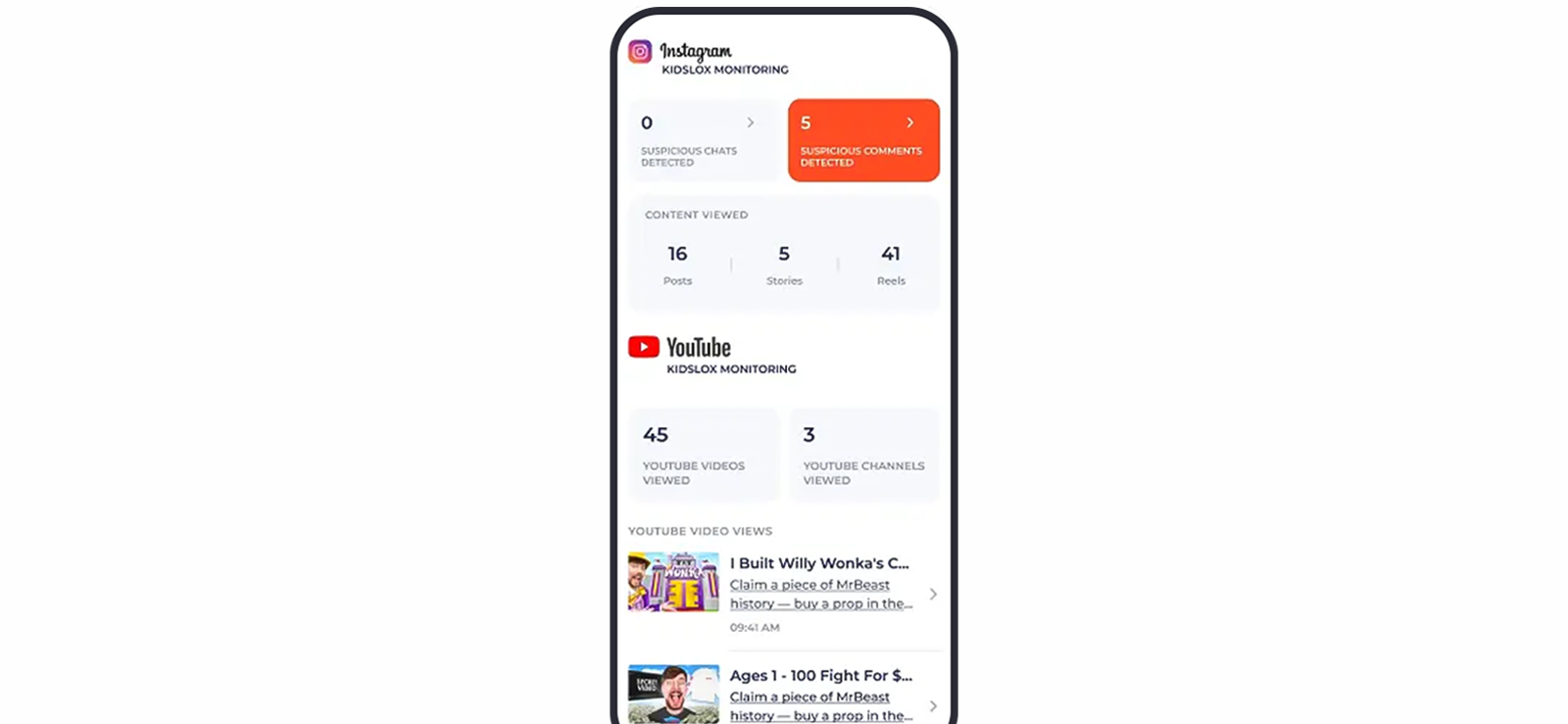
For social media monitoring, Kidslox shows which apps your child is using. Otherwise, it shows the usage history of apps such as Instagram, TikTok, and YouTube. This history doesn’t include chat monitoring and doesn’t show comments, likes, or shared media.
We tested the app for basic monitoring, and it typically provided social network oversight by tracking app usage and alerts when social media platforms were accessed. There may be a debate on whether it is enough or not to its capacity, but the features worked fine.
Screen Time Monitoring
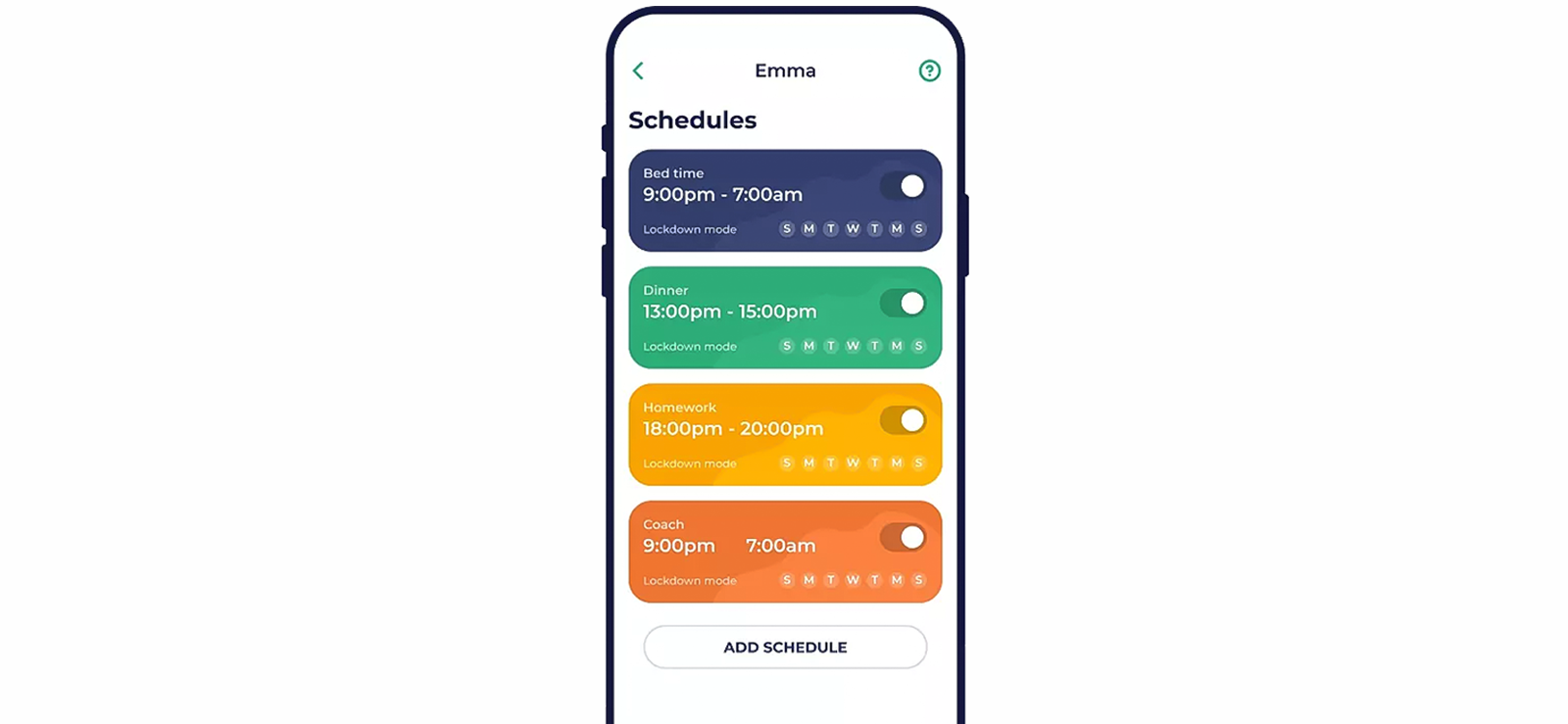
The next feature was the screentime monitoring. The app allows you to set daily screen time limits and receive detailed reports on usage patterns. We set multiple limits to determine whether the app works with all of them and whether the automatic daily reset is useful.
During our tests, it worked fine at first, but later the scheduled time block missed time, and even the instant lock feature took some time to activate, depending on the internet connection.
Content Monitoring
The app provides web filtering to block inappropriate content and restrict access to websites by category or by specific URL. Parents can create safe browsing environments and receive alerts if children attempt to access blocked sites. We tested the feature category-wise, such as restricting a few categories and allowing others.
In these settings, the apps worked fine a few times, but later we experienced glitches, especially when switching many times. The URL restriction also worked directly, but you can also access through other ways. We received alerts regularly, though they were occasionally delayed, and they were rarely missed due to the internet connection.
GPS Tracker
Kidslox includes location tracking for children’s devices. Parents can view real-time locations and set safe zones, with alerts if the child leaves them. While not as advanced as dedicated GPS trackers, it worked fine, showing the updated location. If parents don’t want real-time location an just interested in knowing where the child was all day, it can be helpful.

Looking for More Than Basic Parental Controls? Try Xnspy
Xnspy offers detailed monitoring that Kidslox can’t fully provide.
– Full access to messages across popular apps
– Keyword alerts for better oversight
– Real-time GPS tracking with detailed location history
– Instant phone lock and app blocking for total control
Instant Lock
With the instant lock feature, parents can immediately lock the child’s device remotely. It is usually the lock mode, where you cannot access anything at all. Otherwise, it is more about temporarily blocking apps, mostly to reduce screen time. During our tests, it worked fine and didn’t take much time while locking.
Web Filtering
Web filtering in Kidslox restricts access to adult content, gambling, and other harmful websites. It supports both whitelists and blacklists, enabling parents to tailor browsing access. This feature worked fine most of the time; however, when we downloaded new apps, it didn’t work for them. Overall, it missed harmful content and was less thorough than other apps that hide even partial nudity. Overall, it can be used for ensuring that children don’t access restricted content.
Kidslox Pros and Cons
Kidslox Pros
- Simple and intuitive interface
- Kidslox advanced features include flexible app blocking and screen time management
- Real-time notifications and alerts
- Web filtering for safe browsing
Kidslox Cons
- Limited social media monitoring (cannot read messages)
- Advanced features require a premium subscription
- GPS tracking is not as detailed as dedicated devices
- Some users report occasional connectivity glitches
Kidslox Reviews By Real Customers
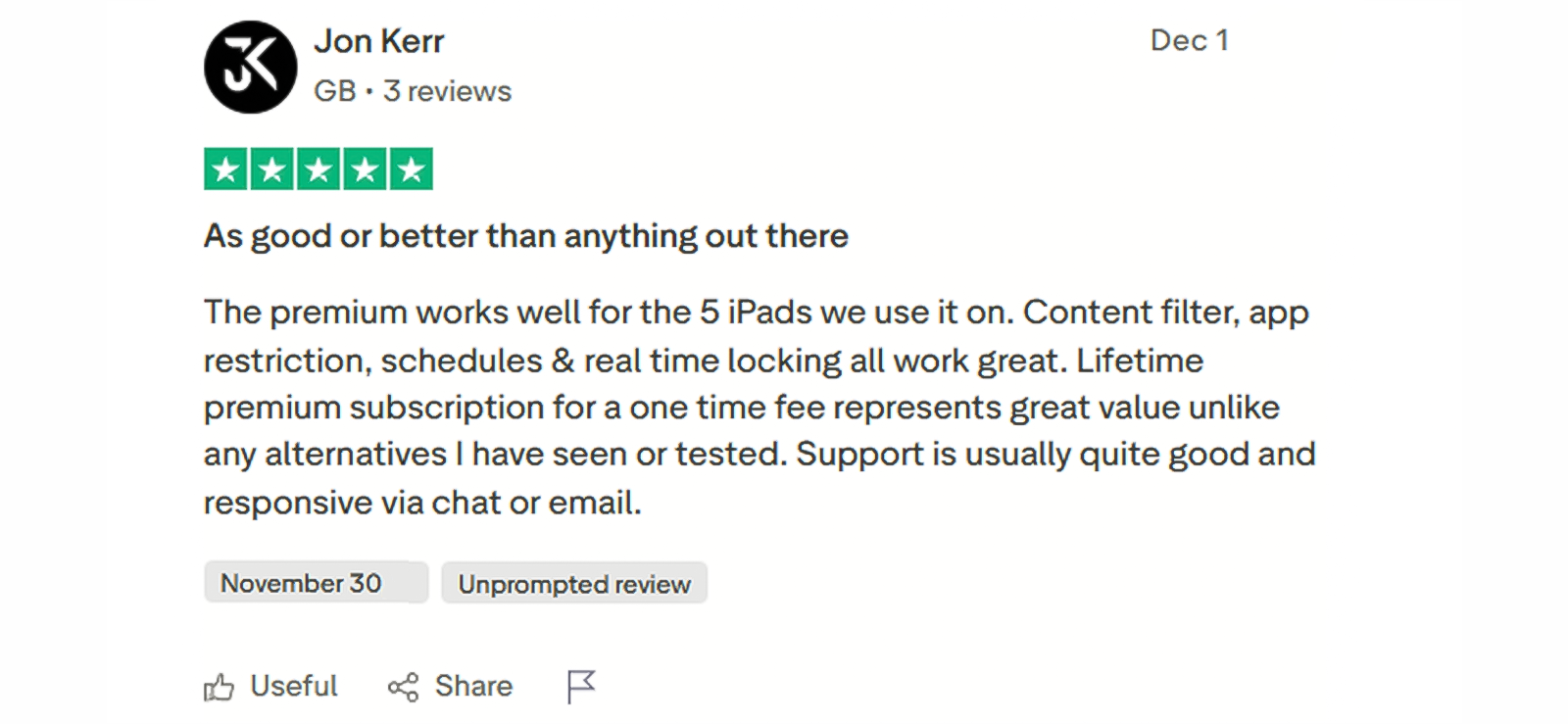
Are Kidslox Parental Control App Features Reliable, or Is it Just Too Glitchy to Trust?
Kidslox can be a useful option for parents who only need basic supervision rather than deep monitoring. Features like screen time scheduling, app blocking, and web filtering are useful for managing daily device usage. However, its inconsistencies, delayed alerts, and limited social media insights make it less reliable for a complete picture of your child’s digital activity.
For parents who need more detailed tracking, such as access to messages, in-depth app activity, and stronger remote control, Xnspy is a much better option. It offers far more comprehensive monitoring and remote control features to help parents protect their children from online and offline dangers.
To provide you with a more authentic and reliable Kidslox app review, we tested Xnspy side by side, so let’s take a closer look at how Xnspy works against Kidslox.
Xnspy Overview
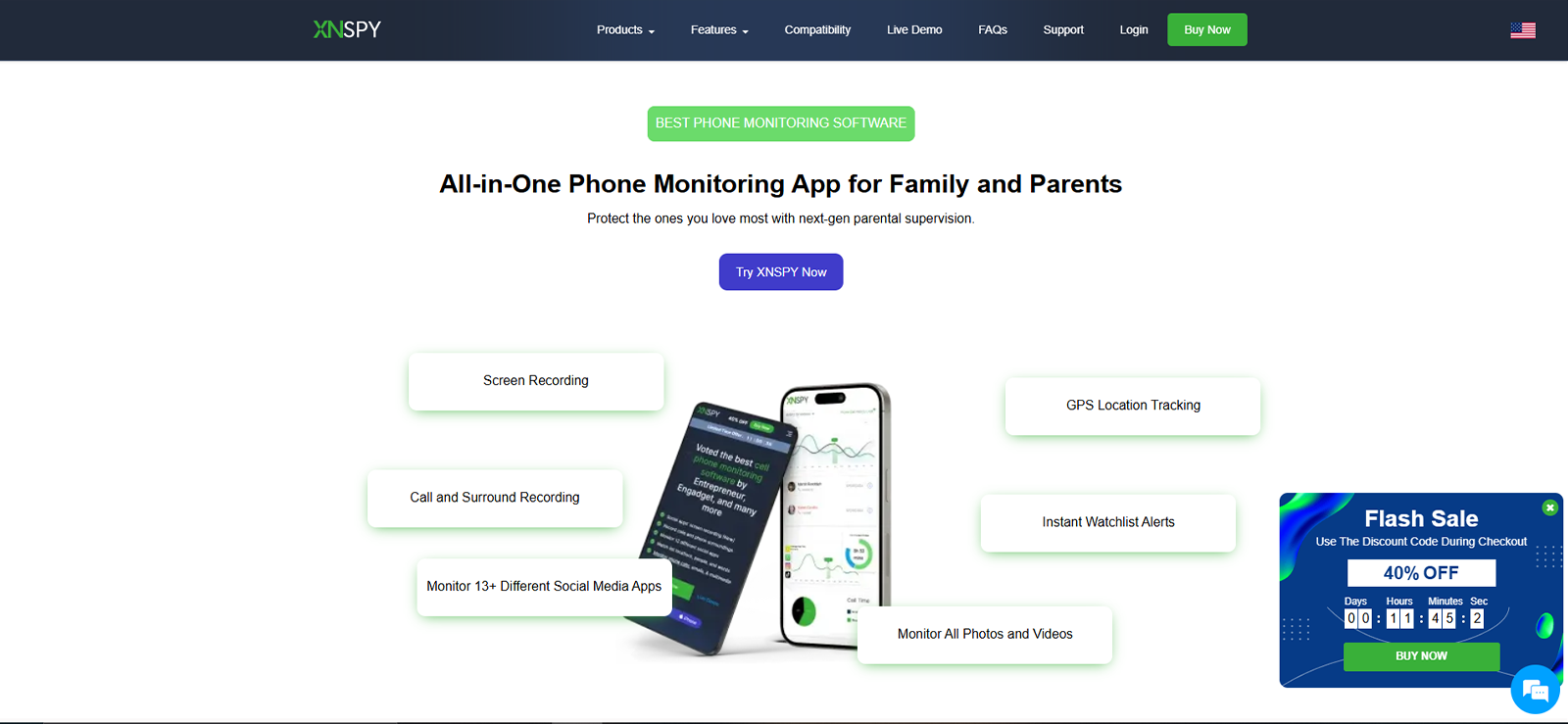
Xnspy is a parental monitoring app that offers comprehensive insights into what children are doing on their phones. Parents can understand phone activities and use the features to protect children from dangers like adult content, online predators, scammers, and excessive screen time.
For the app to work, you have to install it once on the target device. However, before purchasing, it is best to check the compatibility. You can check it from the online portal or consult the 24/7 available customer service.
Xnspy works on both Android and iOS devices. For Android, it supports version 4 and above, and for iOS, it supports version 7 and above.
The installation process is simple and doesn’t require much time. However, it is advisable to follow the process to a T so you don’t have to go through it again. Once installed, Xnspy goes into stealth mode, ensuring that kids cannot uninstall or bypass it. During our testing, we found this feature to be more helpful than a digital lock, which children can easily bypass.
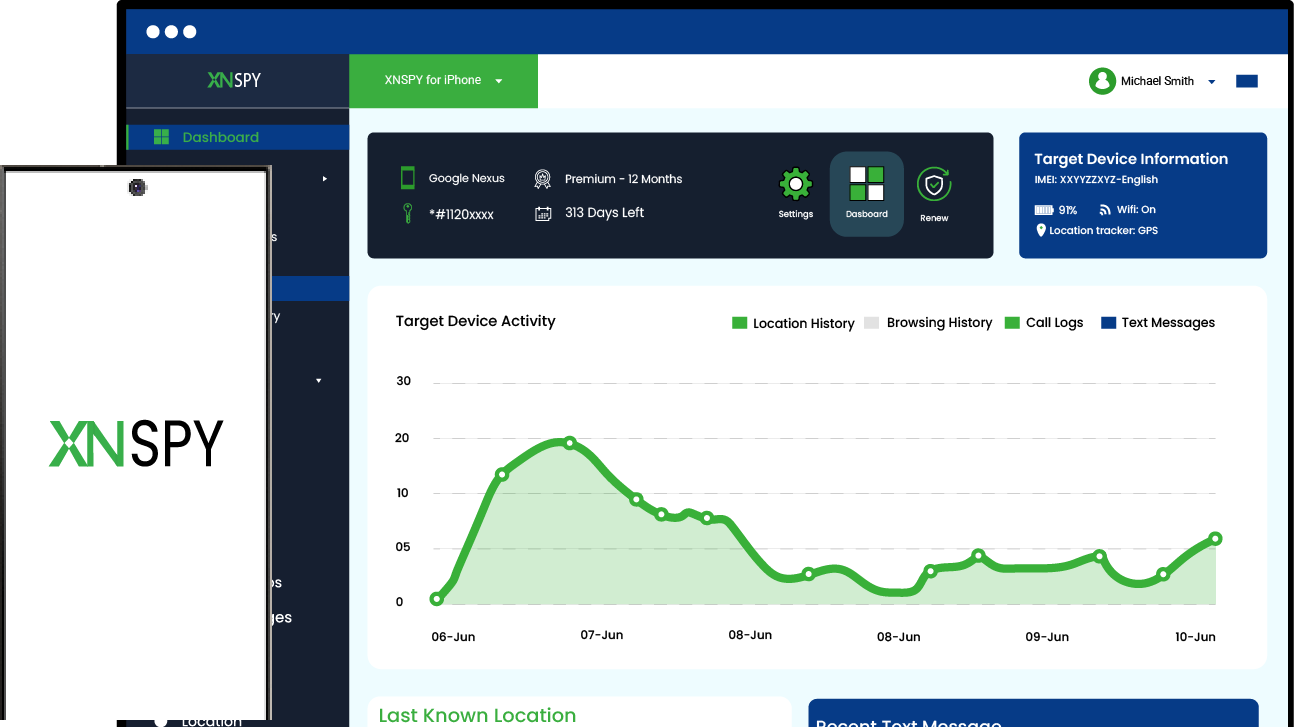
After installation, the data is synced to an online dashboard that parents can access from any browser. The dashboard is structured and easy to navigate. All features are clearly listed, and data is updated regularly. You can access logs, recordings, and alerts without delays. During testing, the app remained stable and did not require repeated setup.
Xnspy Cost
On paper, it may seem that Xnspy’s and Kidslox pricing are similar, but that is not the case. Xnspy offers two primary subscription tiers: the Basic and the Premium plan. The Basic plan is priced at $59.99 annually (approximately $4.99/month) and includes fundamental tracking features. The premium plan costs $7.49/month when billed annually at $89.99.
Xnspy Features
We have included the features that Kidslox offers; Xnspy also offers call and SMS monitoring, a keylogger, and phone wipe.
Installed Apps & App Blocker
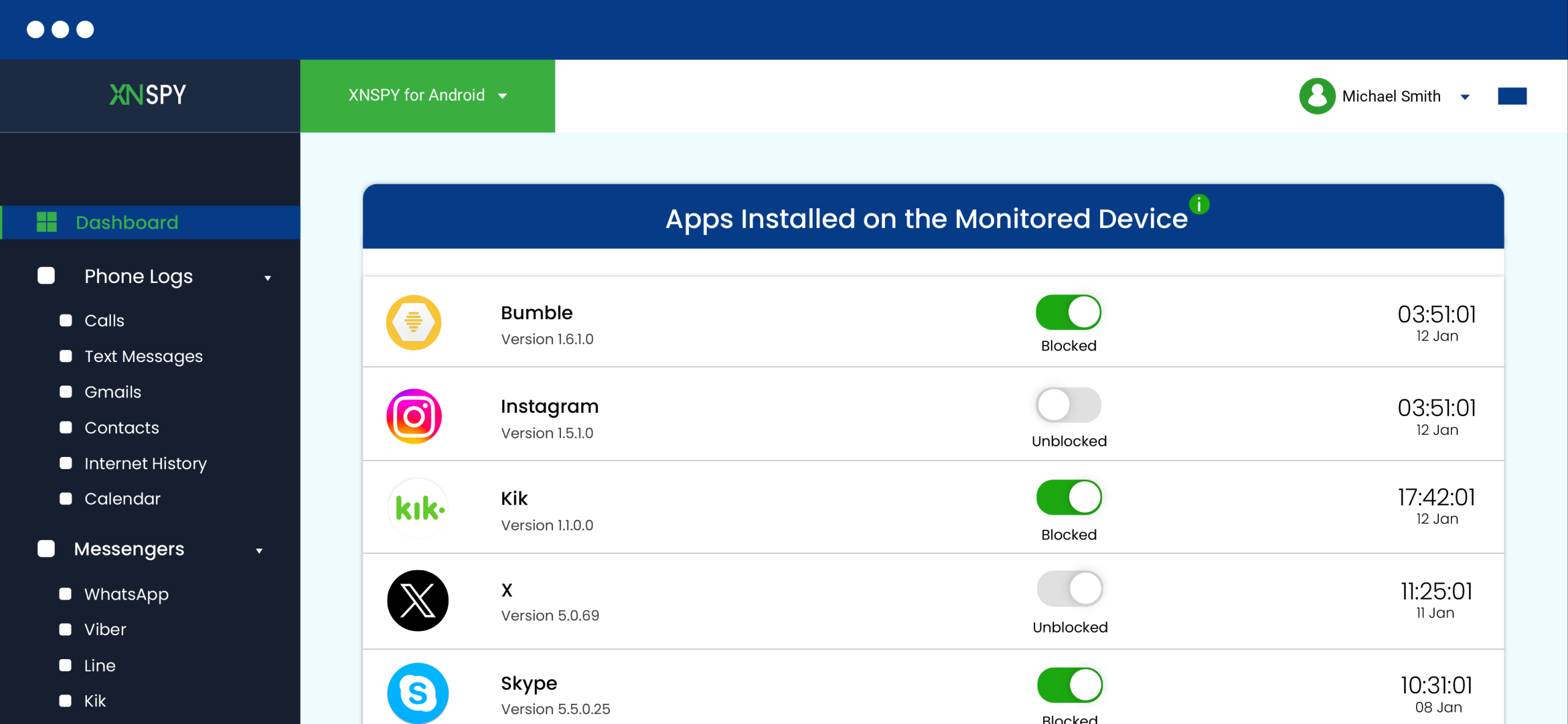
Xnspy tracks and logs all installed apps on the target device. Parents can view app details and block unwanted apps remotely. The blocking works instantly and does not depend heavily on manual refresh.
During testing, the app list updated accurately, and we blocked and unblocked multiple apps throughout the day, including within an hour, just by toggling the button. The feature worked well. Blocking worked on both the system and third-party apps.
Verdict: Xnspy wins because app detection is accurate and blocking works without delays or exceptions.
Internet History
Xnspy tracks the complete browsing history from the target device. It logs visited websites with timestamps. Parents can see what sites were accessed and how often, even if the child deleted the history, uses VPN, or opens websites in private mode.
As this feature is essential and can be helpful for web filtering, we tested it thoroughly in our Kidslox parental control app review. The feature performed consistently. It recorded data even when browsing sessions were short. The logs were detailed and updated on time.
Verdict: Xnspy excels because it provides complete, timely browsing records without any missing entries.
Keywords
The keyword alert feature allows parents to set specific words. The app scans activity and sends alerts when those words appear. This includes messages, searches, and typed content. While testing, we added more than 100 slang words, and Xnspy tracked, logged ad sent a notification every time each word appeared on the screen. It helped to understand what children are doing or like.
Verdict: Xnspy outperforms because keyword tracking is accurate and alerts are delivered on time.
Messenger
Xnspy provides access to messages from popular social media apps. This includes chats, timestamps, and contact details. Parents can view conversations from apps such as WhatsApp, Facebook, Line, Kik, and many others. The feature worked well during testing. Messages were synced properly. There were no major gaps in chat history.
Verdict: Xnspy wins here as well. It is thorough and offers more clarity to parents who are worried about their children.
Xnspy: Track and Limit Device Usage Like Never Before
Get complete visibility into device activity and control access.
Screen Recorder
To aid the messenger feature, Xnspy has included the screen recording feature. This feature captures screen activity as periodic screenshots. It captures what appears on the device screen. Parents can review recordings from the dashboard.
The recordings were clear and consistent. Data was uploaded without errors. The feature worked across different apps.
Verdict: Xnspy proves superior because screen recordings provide visual proof of activity with reliable performance.
Location
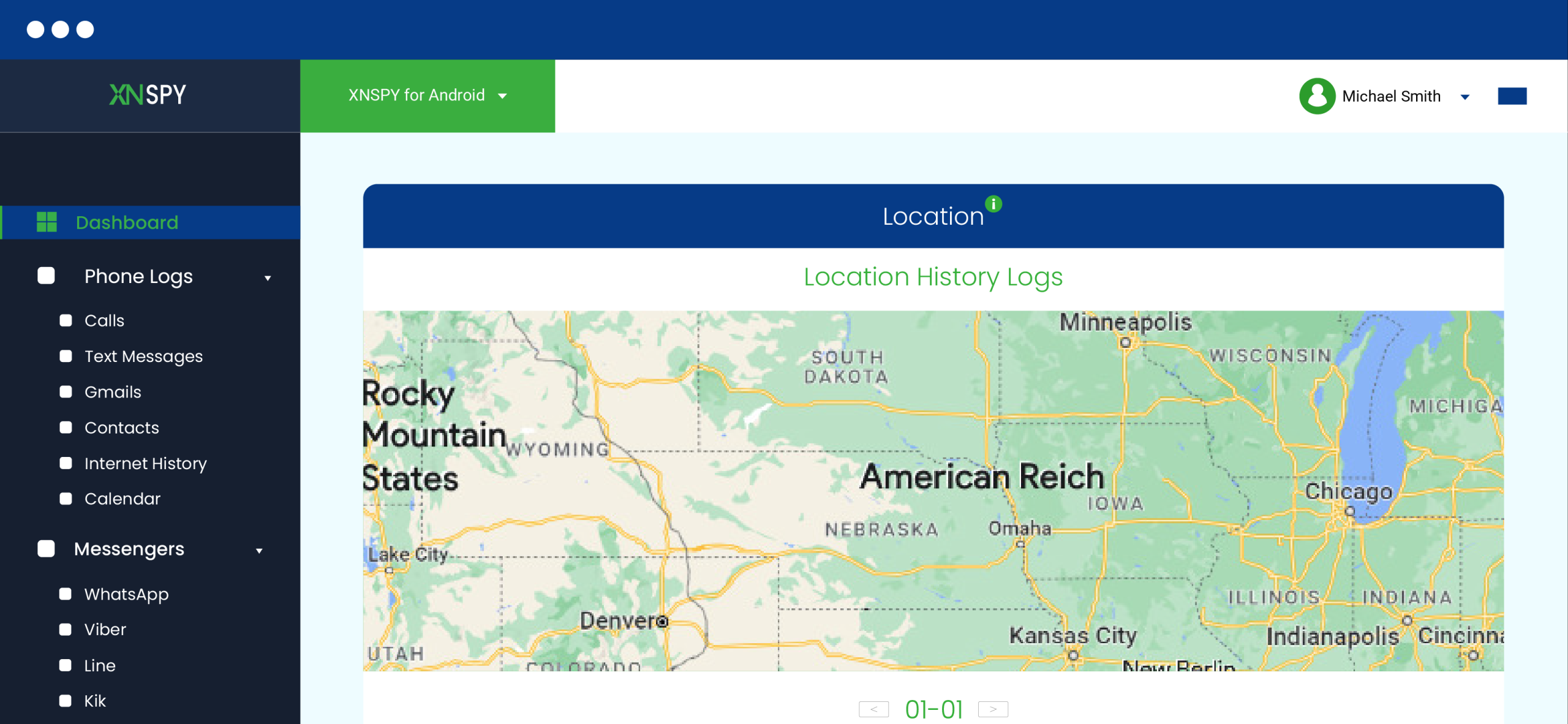
Xnspy offers real-time GPS tracking and location history. Parents can view the current location and past movements. It also includes geo-fencing alerts.
We tested this feature thoroughly, and during testing, location updates were accurate. Alerts were triggered when boundaries were crossed. The history logs were also detailed.
Verdict: Xnspy stands out because location tracking is precise and includes full movement history, while Kidslox reviews indicate otherwise for the app.
Phone Lock
Xnspy’s phone lock feature allows parents to remotely lock the device. This restricts access until it is unlocked again. It is useful for immediate control. The feature worked instantly during testing. The lock command was applied without delay. It did not depend heavily on repeated attempts.
Verdict: Xnspy shows a clear advantage because remote locking is fast and consistent, whereas the Kidslox parental control app features lack such options.
Screen Time
Xnspy tracks screen usage and allows parents to manage device time. It shows app usage duration and overall screen activity. The data remained accurate throughout testing. Usage reports were updated regularly.
We could view the visit frequency and total time spent on each app. We liked the feature more because it demands parents to discipline their children in person rather than enforcing schedules through the app. It is more flexible and allows children to participate in scheduling.
Verdict: Xnspy wins because screen time tracking is stable and reports are reliable.
Xnspy Pros and Cons
Xnspy Pros
- Xnspy provides detailed monitoring across apps, messages, and browsing activity.
- It gives access to social media chats with complete conversation logs.
- Xnspy offers remote control features such as phone lock and app blocking.
- The app’s dashboard is simple and easy to navigate.
- Data updates are consistent and do not require repeated syncing
Xnspy Cons
- Requires physical access for installation on Android devices
- No free version available for testing.
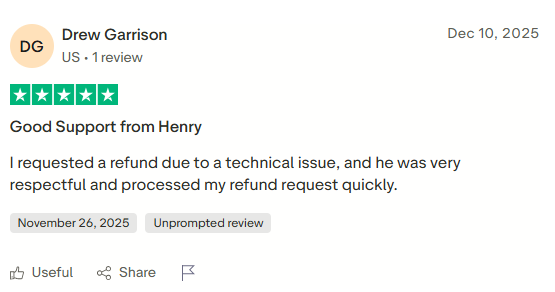
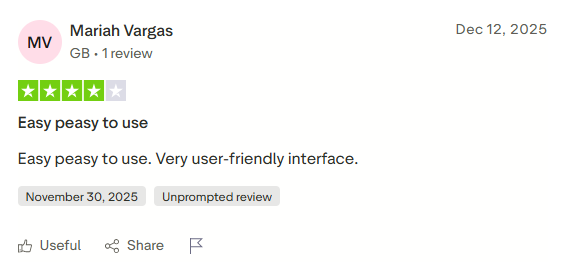
Xnspy Reviews By Real Users
Xnspy vs. Kidslox App: A Quick Feature-by-Feature Comparison
| Feature | Xnspy | Kidslox |
| App Blocking | Blocks all apps (including system apps) instantly with accurate detection and no delays. ⭐⭐⭐⭐⭐ | Blocks most third-party apps but struggles with built-in apps and scheduled blocking inconsistencies. ⭐⭐⭐ |
| Internet History | Tracks complete browsing history, including deleted data, incognito mode, and VPN usage, with accurate timestamps. ⭐⭐⭐⭐⭐ | Does not provide a full browsing history; it relies more on filtering than detailed tracking. ⭐⭐⭐ |
| Keyword Alerts | Tracks keywords across messages, searches, and typed content with real-time alerts and high accuracy. ⭐⭐⭐⭐⭐ | Does not offer keyword tracking functionality. ⭐⭐⭐ |
| Messenger Monitoring | Provides full access to chats, timestamps, and contacts across multiple social media platforms. ⭐⭐⭐⭐⭐ | Only shows app usage history; no access to messages or interactions. ⭐⭐⭐ |
| Screen Recorder | Captures screen activity consistently with clear recordings across apps. ⭐⭐⭐⭐⭐ | Does not offer screen recording. ⭐⭐⭐ |
| Location Tracking | Real-time GPS tracking with detailed location history and accurate geo-fencing alerts. ⭐⭐⭐⭐⭐ | Offers real-time location and basic geo-fencing but lacks detailed history and precision. ⭐⭐⭐⭐ |
| Phone Lock | Remote lock works instantly without delays or repeated attempts. ⭐⭐⭐⭐⭐ | Instant lock works but may depend on connectivity and can be slightly delayed. ⭐⭐⭐⭐ |
| Screen Time Monitoring | Provides accurate usage reports with stable scheduling and consistent updates. ⭐⭐⭐⭐⭐ | Offers screen time control, but schedules can miss timing and controls may lag. ⭐⭐⭐ |
| Web Filtering | Tracks and logs browsing activity while allowing deeper monitoring and control. ⭐⭐⭐⭐⭐ | Blocks inappropriate content but can miss harmful sites and has occasional glitches. ⭐⭐⭐ |
| Overall Reliability | Stable performance with consistent data syncing and minimal glitches. ⭐⭐⭐⭐⭐ | Functional but prone to occasional bugs, delays, and inconsistent feature performance. ⭐⭐⭐ |
Final Verdict
Kidslox is a practical parental monitoring app that primarily focuses on protecting children from inappropriate online content and managing screen time effectively. Our Kidslox parental control app review suggests that the simple controls, such as app blocking, web filtering, and usage limits, make it a suitable choice for parents who prefer straightforward supervision without delving too deeply into device activity.
However, if you are looking for more extensive monitoring at a similar price point, Xnspy stands out as the better option. It provides deeper insights into messages, browsing, and overall phone usage, allowing parents to guide children’s behavior rather than just restrict it. Ultimately, the right choice depends on your needs, but always consider legal and ethical boundaries and respect your child’s privacy.
Stay Informed About Your Child’s Online Activity
Monitor messages, apps, and location with Xnspy’s advanced tools.

4 Comments
Leave a reply:
Your email address will not be published. Required fields are marked*
Joy Frederick
May 12, 2026 at 2:50 pmWas Kidslox compatibility also given consideration when testing the app or not?
Remy Novak
May 23, 2026 at 2:46 pmI cannot find the exact number of apps that kidslox can track. Can you help me with that?
Holland Harrison
June 22, 2026 at 11:59 amXnspy seems like a nice option. Can someone tell me if they have used the app and how was their experience with it?
Bode Weiss
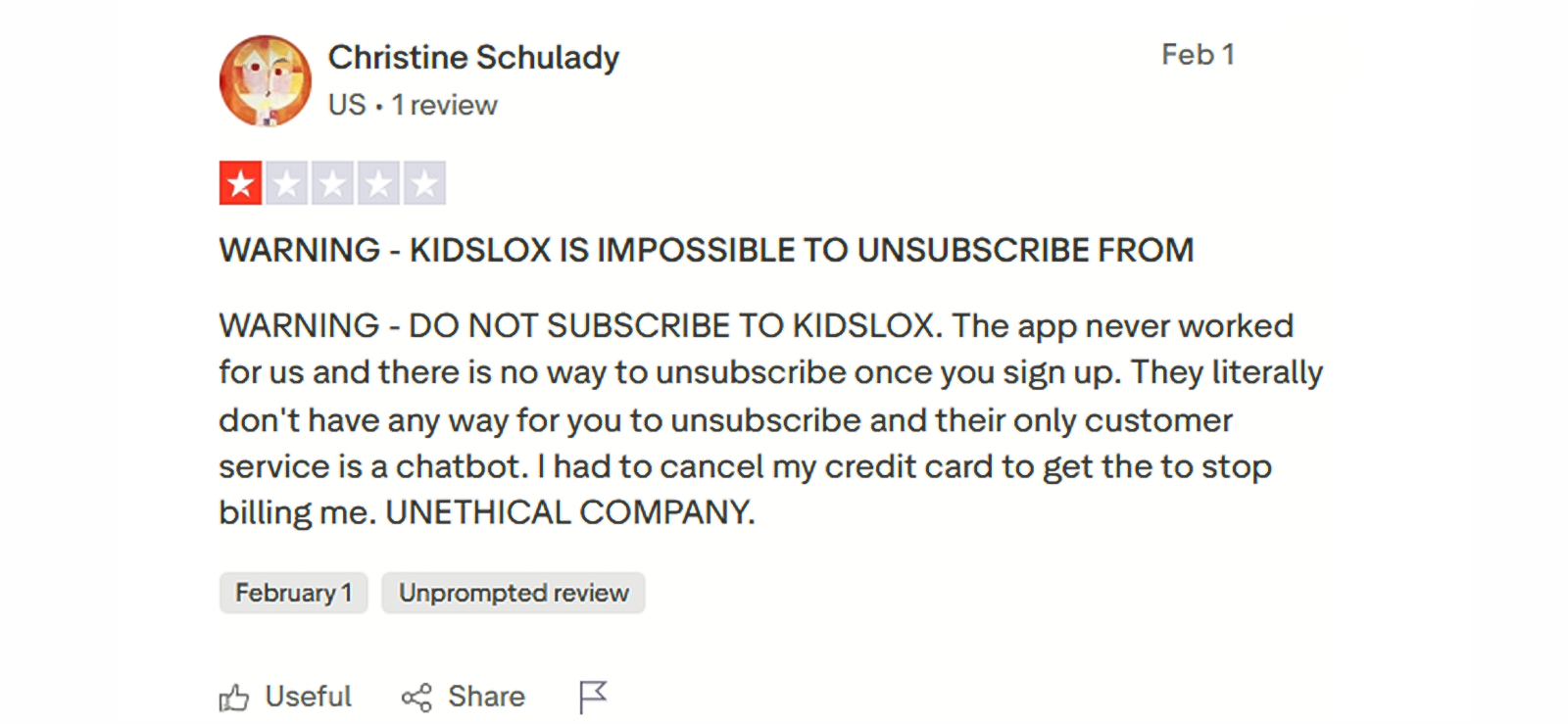
July 2, 2026 at 2:58 pmI subscribed to kidslox a month ago and have been unable to get any updates. Emails to the customer support has gotten me no results. While looking for its reviews to see whether anyone else has faced these problems, I have stumbled across this screenshot that says you cannot even unsubscribe the app? I am worried, can anyone help?