The complete monitoring experience for your phone
Get XNSPY and start tracking calls, texts, multimedia, locations and more on any phone!
Get Started Now Live DemoWe have all been there – a little curious about someone’s Facebook activity. Maybe it is your best friend who has suddenly gone radio silent, a loved one whose posts don’t quite add up, or even your teen who seems glued to their screen.
Whatever the reason, you are here because you want to know what is happening behind the blue app. But, here’s the catch: you want to do it discreetly, without setting off any alarms.
In this guide, we will show you how to see someone’s Facebook activity without making it obvious. These 7 proven methods will ensure online safety and avoid any inconvenience, whether it is your child or someone you know.
What Does This Article Discuss? Know Everything in 60 Seconds
- Facebook limits visibility of user activity based on privacy settings, requiring login for deeper access.
- XNSPY enables advanced tracking through screen recording and device-level monitoring.
- Facebook search helps uncover posts, comments, and interactions using names, keywords, or hashtags.
- Activity Log provides the most detailed insights but requires account access or an active session.
- Mutual friends, groups, and pages reveal interactions through shared content and “Friends of Friends” visibility.
- Notifications and public comments offer limited but real-time activity insights without alerting the user.
Can You See Someone’s Activity on Facebook Without Alerting the User: Debunking the Myth
At any moment, countless status updates, comments, and shared posts flood Facebook’s feeds. It is natural to wonder if there is a way to discreetly see someone’s Facebook activity without them knowing. The short answer? Yes, it is possible – but it is not as straightforward as you might think.
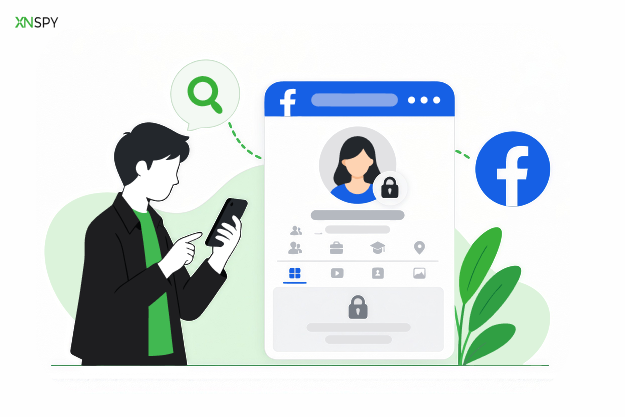
Facebook doesn’t offer a direct way to track someone’s activity unnoticed. Its privacy settings are designed to protect users, giving them control over who can see their posts and interactions.
A few months ago, there was an option to open anyone’s Facebook profile on any web browser and see their posts without logging in. However, today, doing this may only show one of their recent posts. It is because Facebook prompts you to log in to view their complete activity now.
So how can you do it? The internet is teeming with methods and tools claiming to work, but 99% of them are just clickbait. The good news is we have uncovered the 7 most effective ways to discreetly check someone’s Facebook activity. These methods rely on tools and strategies that bypass the guesswork.
How to See Someone’s Activity on Facebook Without Being Friends: 7 Proven Methods
Facebook has nearly 3 billion users. There are no real measures to control the activity of all those users. Even though the app has employed strict security and privacy policies, it does little to stem the instances of cyberbullying scams and online predators.
Your child or anyone you know using the app actively is also vulnerable to these risks. However, you can prevent them if you know how to check someone’s Facebook activity. Let’s take a look at the 7 best ways of doing it.
1. Use XNSPY
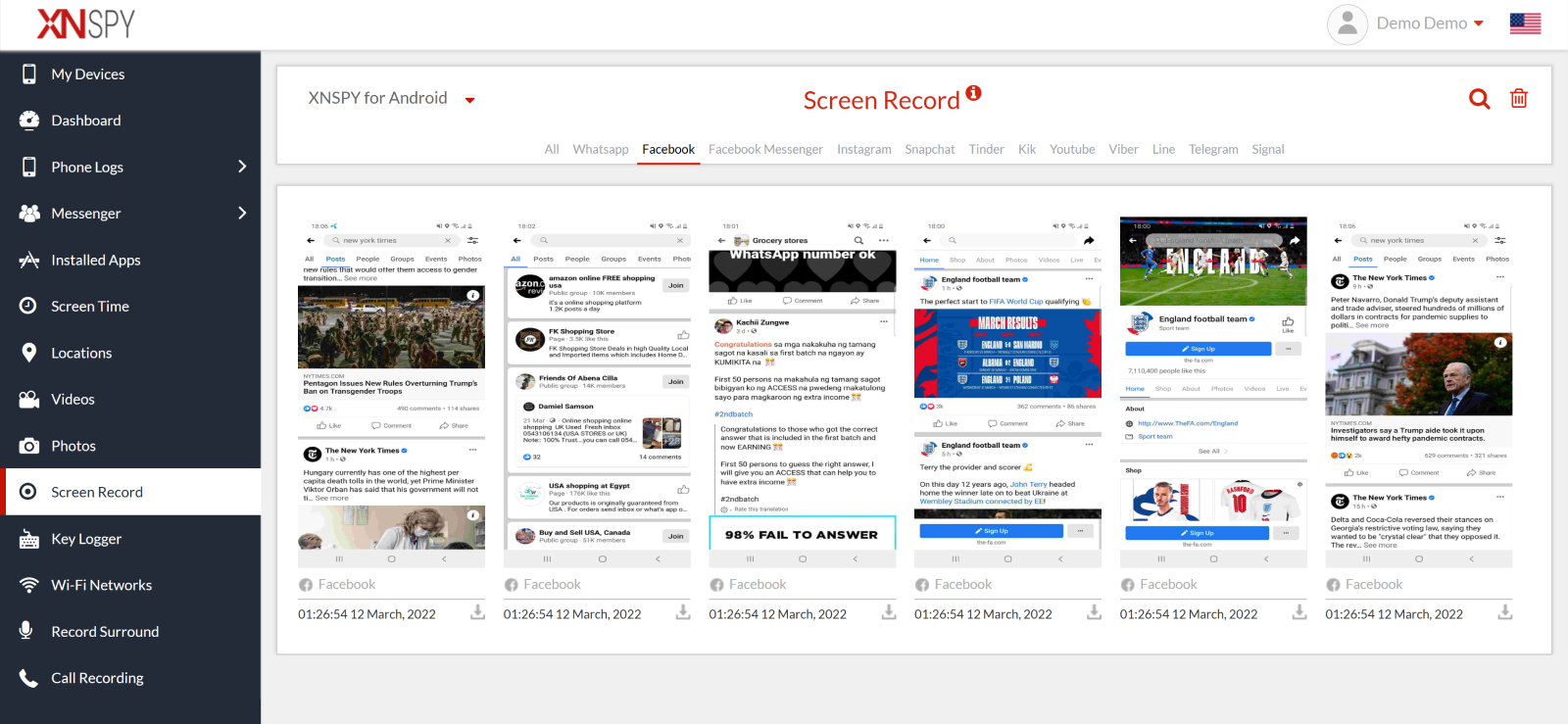
To bypass the strict privacy restrictions, you need a premium Facebook activity tracker like XNSPY. It is a modern app that offers diverse features to control the phone and app activity of a target user.
One standout feature of XNSPY is its screen recording tool. It systematically captures visual activity on Facebook and 12 other social media apps. Every 5 seconds, XNSPY captures their Facebook activity silently through snapshots – whether it is seeing someone’s private Facebook pictures, viewing secret conversations on FB Messenger, or simply getting an idea about the content they consume.
And if you are wondering how to see someone’s story on Facebook without being friends, XNSPY makes that possible, too. Its screen recording works silently in the background, so the target user has no idea it’s running. No notifications, no pop-ups – just seamless monitoring that gives you access to content usually hidden by privacy barriers.
Here’s how to see someone’s activity on Facebook without being friends with them using XNSPY:
- Pick a subscription plan and purchase it through the XNSPY official app.
- Access the target phone to download and install the app.
- Log in to the dashboard on your phone.
- Click on ‘Screen Record’ and select Facebook to view someone’s activity.

See What’s Happening on Their Facebook
XNSPY gives you complete control over tracking Facebook.
2. Try Out Facebook Search
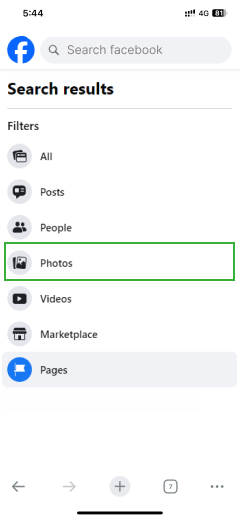
Facebook’s Search feature is a surprisingly powerful tool for discovering content without alerting anyone. It allows you to look up a person, specific posts, pages, or groups with just a few clicks.
By entering a name, keyword, topic, or hashtag in the search bar, you can access a wealth of publicly shared content – all without notifying the target person. What makes this option particularly handy is its ability to uncover not just individual activity but also public conversations, group posts, and pages the person may follow or interact with.
Let’s find out how to view activity on Facebook without them knowing, using Facebook search:
- Log in to your Facebook account, and in the top right corner, find the search bar.
- Type the person’s name in the bar and look it up.
- Browse the results for public posts, comments, and interactions from the target person.
3. Check the Activity Log
The Activity Log on Facebook is the most detailed record of a user’s actions within the app. By automatically storing everything done through the account, these logs break down user activity chronologically and offer more visibility compared to publicly accessible content.
However, to get someone’s activity logs, you need to either have their login credentials or find an already active session on a secondary device. The device can be a laptop or even a tablet that the target person uses frequently.
You can see someone’s Facebook activity by following the given steps:
- Log in to their Facebook account or find an active session on their frequently used devices.
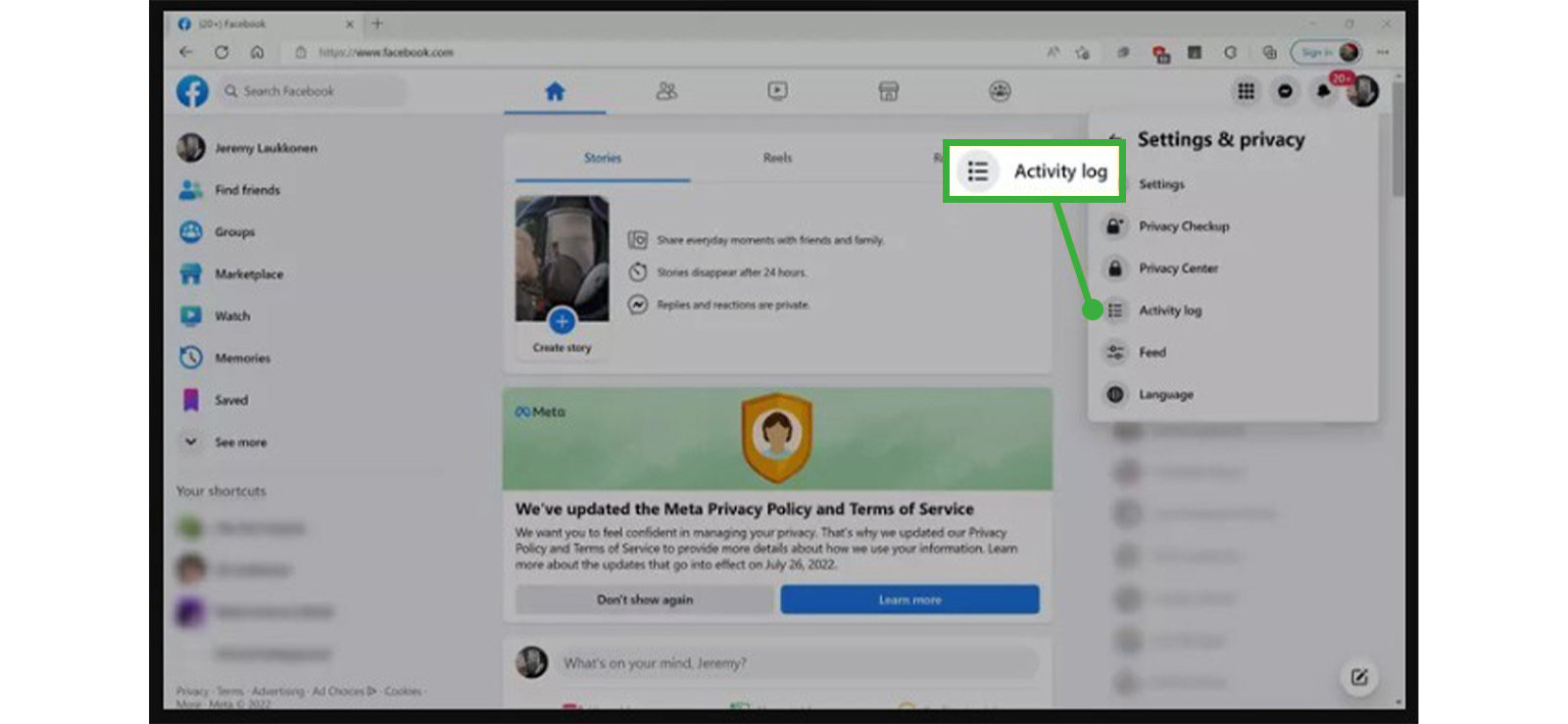
- Go to the profile page and click “Settings & Privacy.”
- From the available options, select “Activity Log.”
- Look through the activities such as likes, comments, searches, etc.
4. See Mutual Friends’ Profiles and Interactions
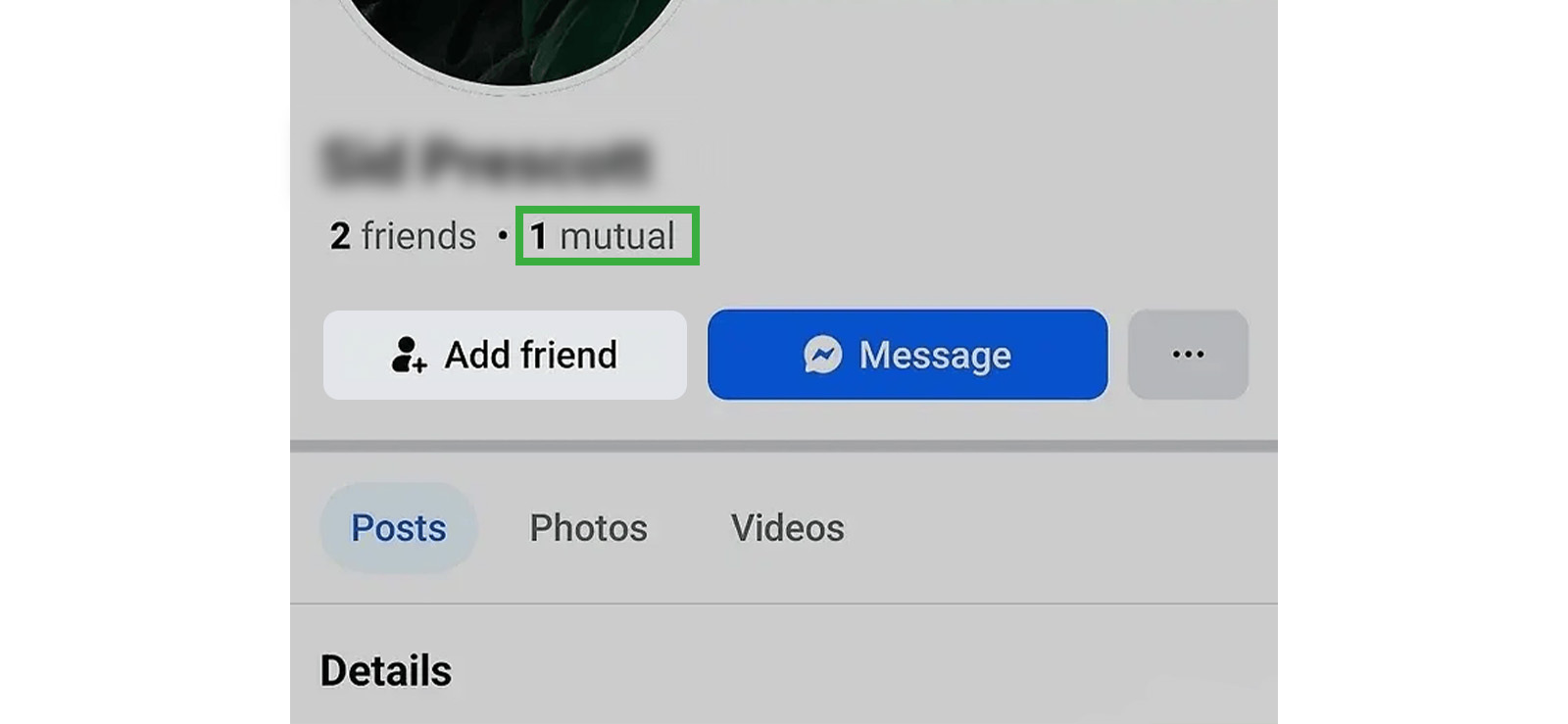
If you have added the target user’s friends to your account, their activity posts might be visible to you. Not only that, even if their privacy settings restrict you from accessing their activity, you can still see what they are liking, commenting on, and being tagged in through their mutual friends.
Here’s how to check someone’s Facebook activity using mutual contacts:
- Identify mutual friends between you and the target person.
- Visit the profiles of these mutual friends.
- Browse their posts, photos, and comments to see any activity from the target user.
- Alternatively, go to the user’s profile and see the activity posted with a privacy that includes you.
Nonetheless, remember that this method will only give you limited insights since you will still not be able to see their private posts and activity.
5. Check Facebook Notifications
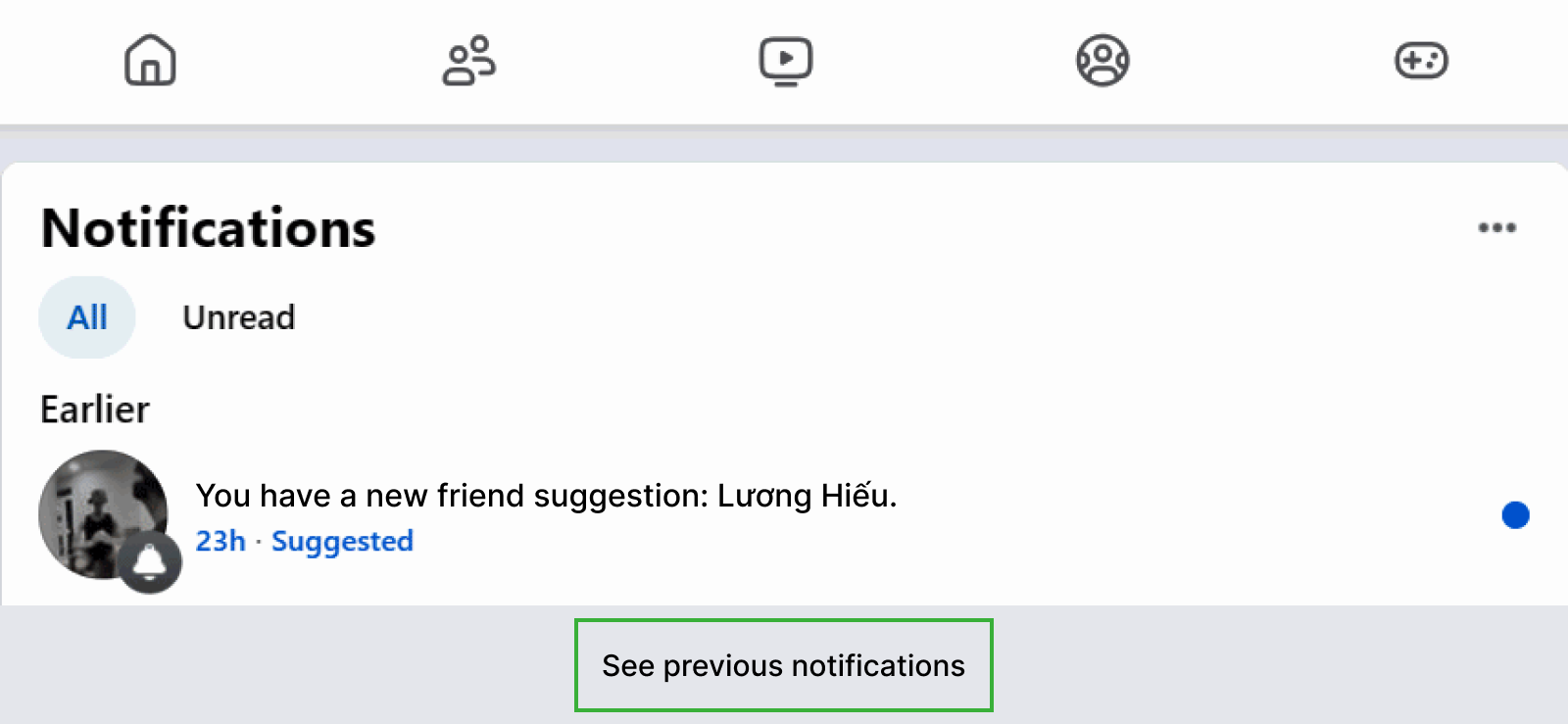
Facebook notifications are also a great way to see someone’s activity on Facebook without alerting them. While notifications are primarily designed to alert you about your own interactions – like friend requests, likes, comments, and mentions – they also provide insights into the recent activity of your Facebook friends.
You only need to:
- Log in to your Facebook account through the app or website.
- Click the bell icon to open your app Notifications.
- Scroll through for updates on someone else’s activity, such as comments, likes, or posts they have interacted with.
This method will only let you see activity notifications if the person’s posts are public and if you follow them. To make the most of this, make sure your notifications are customized to include updates about friends’ activities. While you won’t see every action they take, these alerts can still give you a good sense of their recent Facebook engagement.

Did You Know?
You can read someone’s Facebook messages without accessing their phone or laptop.

6. Look for Their Comments on Public Posts
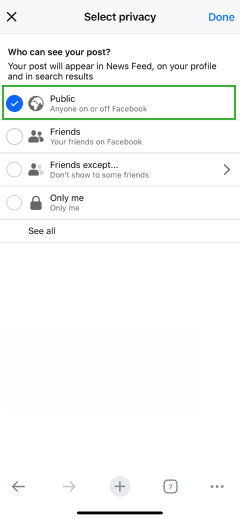
If you are wondering how to search someone’s activity on Facebook, one effective way is by looking at their comments on public posts. Facebook makes it easy to access comments made on public pages, groups, or posts since this content is visible to everyone.
If the person you are curious about frequently interacts with public posts, you can simply search for the post or page they are engaging with. For instance, if they comment on a trending news article or a popular group discussion, their interactions will be displayed in the comment section of the public content.
You can also go to their profile and check the “Activity” section (if it is not restricted), which often includes their public comments.
Follow these steps:
- Use the search bar and type the person’s name.
- Click on their profile from the search results.
- Scroll through their timeline and check for any posts they have commented on that are set to “Public.”
7. Join the Same Groups or Pages
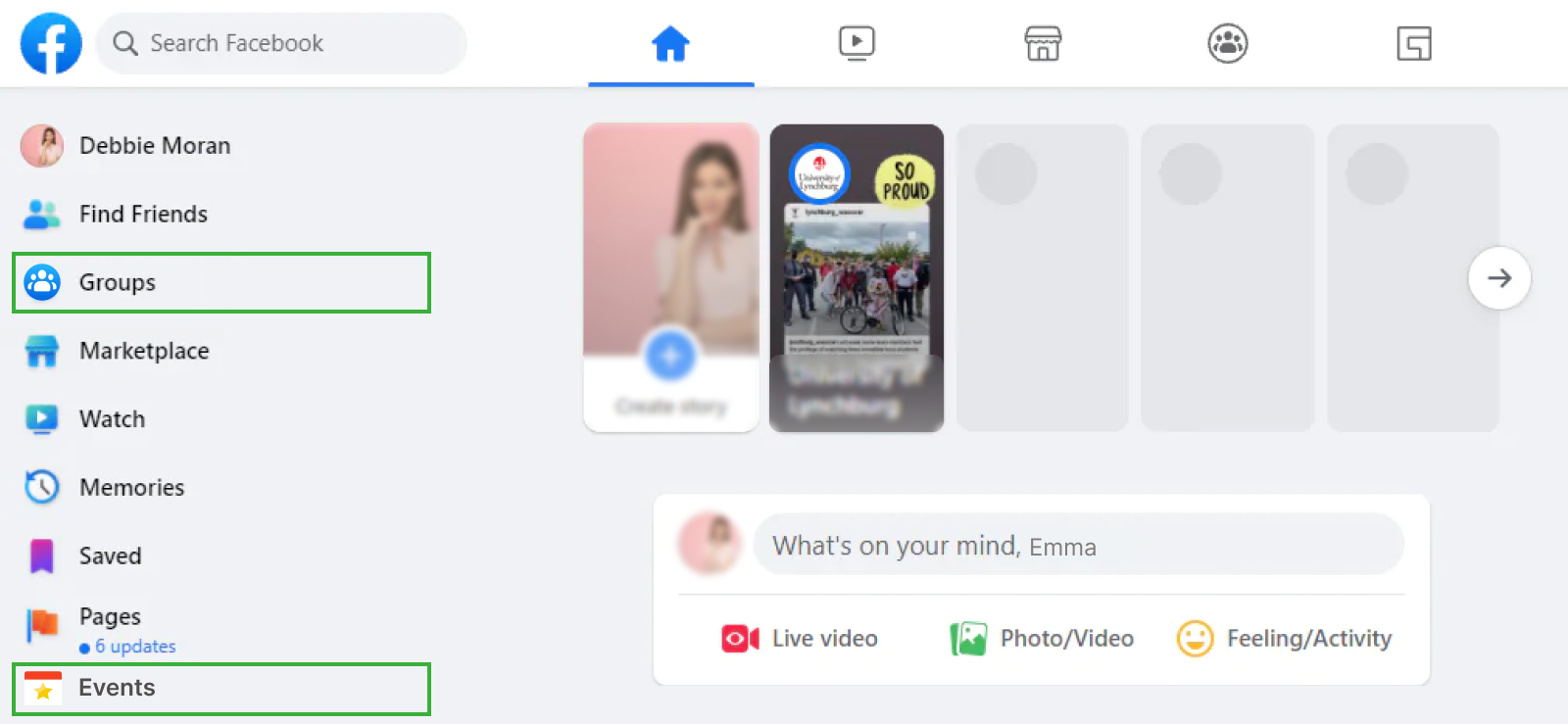
Joining the same Facebook groups or pages as someone can give you access to their public activity within those communities. When they comment, like, or post, the interactions are visible to all members. This allows you to see someone’s activity on Facebook even if you are not friends with them.
Here’s how to do it right:
- Use the search bar at the top to search for groups or pages related to the person’s interests.
- If the group is public, click Join to become a member. For pages, simply Like or Follow the page.
- If the person is active on the groups or pages, you will see their interactions, such as comments, likes, and shares.
FAQs
How can I see what someone has liked on Facebook?
You can see what someone has liked on Facebook using a couple of indirect methods. First, Facebook notifications may occasionally show when a friend likes or reacts to a post. Second, you can check mutual friends’ posts and pages, where the person’s likes or reactions may appear publicly.
How to see someone’s Facebook activity if they have multiple accounts?
Tracking someone’s activity across multiple accounts on Facebook can be difficult. Regardless, using Facebook search, you can look up different profiles and review their public posts, comments, and interactions. However, this becomes challenging because multiple accounts may use different names and privacy settings, making tracking inconsistent. In comparison, tools like XNSPY provide a more comprehensive approach by accessing activity directly from the device and offering insights across all accounts of the target user.
How do I see someone’s last activity on Facebook?
To see someone’s last activity on Facebook, the most direct method is checking the Activity Log after gaining account access. These logs provide a chronological record of recent actions, including likes, comments, and searches. Alternatively, using mutual friends, you can also look for their recent posts with a “Friends of Friends” privacy.
How to check someone’s Facebook activity when they use Facebook web instead of the app?
Even when someone uses the web version of Facebook, their activity can still be tracked through shared spaces like groups and pages, where likes, comments, and posts remain visible just like on the app. However, this only shows limited, public interactions. For more reliable monitoring, tools like XNSPY can help by tracking browsing history and capturing periodic screenshots. By doing so, it allows you to see Facebook activity performed through web browsers as well as the app.
Does Facebook notify users when someone views their profile or activity?
No, Facebook does not notify users when someone views their profile or checks their activity. Therefore, you can browse a person’s timeline, posts, and publicly visible interactions without triggering any alert. However, users may receive notifications for specific interactions, such as likes, comments, friend requests, or tags.
Monitor Complete Social Media Activity as It Happens
XNSPY brings you real-time updates from all major social media apps.

3 Comments
Leave a reply:
Your email address will not be published. Required fields are marked*
Evelyn Thomas
January 23, 2025 at 7:53 amcan i install xnspy without the other person's phone?
Eliana Nova
January 27, 2025 at 7:40 am😃
John
February 24, 2025 at 12:19 pmGood article