
The complete monitoring experience for your phone
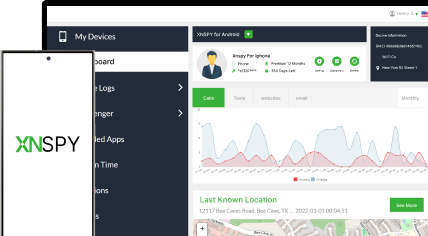
Get XNSPY and start tracking calls, texts, multimedia, locations and more on any phone!
Get Started Now Live DemoInstagram doesn’t exactly make it easy to snoop around, especially if you are trying to see what someone has been liking without setting off alarm bells. Gone are the days when the “Following” tab let you quietly look into someone’s Instagram likes. Now, you have to get a little creative.
Generally, social media use is driven by habit or boredom rather than a specific purpose. That mindless scrolling is where most likes happen. They may not even realize what they are engaging with, but if you are paying attention, those likes can say a lot.
For this article, I have tested four promising methods myself. So, let me walk you through them from every possible angle.
Quick Look Before Getting into the Details
- There is no single built-in list that shows you everything someone has liked on Instagram, as the old Following activity tab was removed back in 2019.
- Xnspy: A phone monitoring app that pieces likes-related activity together through periodic screenshots. Best suited for parents with legal authority to monitor a child’s device.
- Friend’s Tab in the Reels Section: Instagram’s own Friends tab surfaces public Reels that your mutual follows have liked, commented on, or reposted, but it only covers Reels, and only for people you mutually follow who haven’t hidden their activity.
- Looking for Like Bubbles: Small floating profile-picture icons (“activity bubbles”) appear over posts and Reels when someone you follow has liked or shared them, though either side can turn this off.
- Manually Checking for Their Likes on Posts: Opening individual public posts and tapping the “liked by” list to search for their username still works. It’s slow, but it’s free and doesn’t need any tools.
Can You See What People Like on Instagram? Here’s the Truth
Yes, it is possible to see what someone likes on Instagram, but not through one clean built-in list. Instagram doesn’t make it easy to track someone’s likes directly. The old “Following” tab that once showed who liked what is long gone.
But that doesn’t mean it is impossible. If you are wondering how to see what someone likes on Instagram, there are still a few indirect ways to figure it out, plus one newer, official Instagram feature that gets you partway there.
Don’t Skip These Reads

💭  How to See Someone’s Activity on Instagram Without Their Phone
🕵️  How to View Private Instagram Profiles Without the Target Phone
🚨  How to Recover Deleted Instagram Messages: 4 Easy Ways
👫  How to See if Someone Is on Dating Apps: 5 Best Methods
How I Tested Each Method to See What Someone Likes on Instagram
To check how to see what someone likes on Instagram, I ran each method against a test account I controlled over a period of several days, liking a mix of posts and Reels from public and private accounts at different times of day, then checked whether each method caught the activity.
I considered the following factors:
- Account Visibility: I tested against both public and private test profiles, since a couple of these methods (Like Bubbles, Manual Checking) fail outright once an account is private and you don’t follow it.
- Content Type: I tracked whether each method covers photo/carousel posts, Reels, or both, since the newer Instagram features (Friends tab, activity bubbles) lean heavily toward Reels.
- Privacy Settings: I toggled “Hide Activity from Friends Tab” and “Hide all activity bubbles” mid-test to see how much of each method’s usefulness depends on the other person not having flipped these switches.
- Consistency Over Time: I repeated checks across several days rather than relying on a single successful catch, since some indirect signals showed up inconsistently even for the same account and the same type of activity.
How Can You See What Someone Likes on Instagram Without Them Knowing: 4 Methods That Work
Here are four ways to spot what someone likes on Instagram without having to alert them.
| Method | Reliability | Time Required | Limitations |
| Xnspy | High | Ongoing; a few minutes a day to review captures | Needs legal install access on the device; doesn’t produce a direct list of every like |
| Friend’s Tab in the Reels Section | Medium – High | Seconds; passive scrolling | Reels only; only mutual, public follows; disappears if they hide Friends tab activity |
| Looking for Like Bubbles | Moderate | Seconds; passive scrolling | Only shows accounts you already follow; either side can turn it off |
| Manually Checking for Their Likes on Posts | Low – moderate | 30-40+ minutes per batch of accounts | Fails on private accounts you don’t follow or hidden like counts; tedious |
1. Use Xnspy
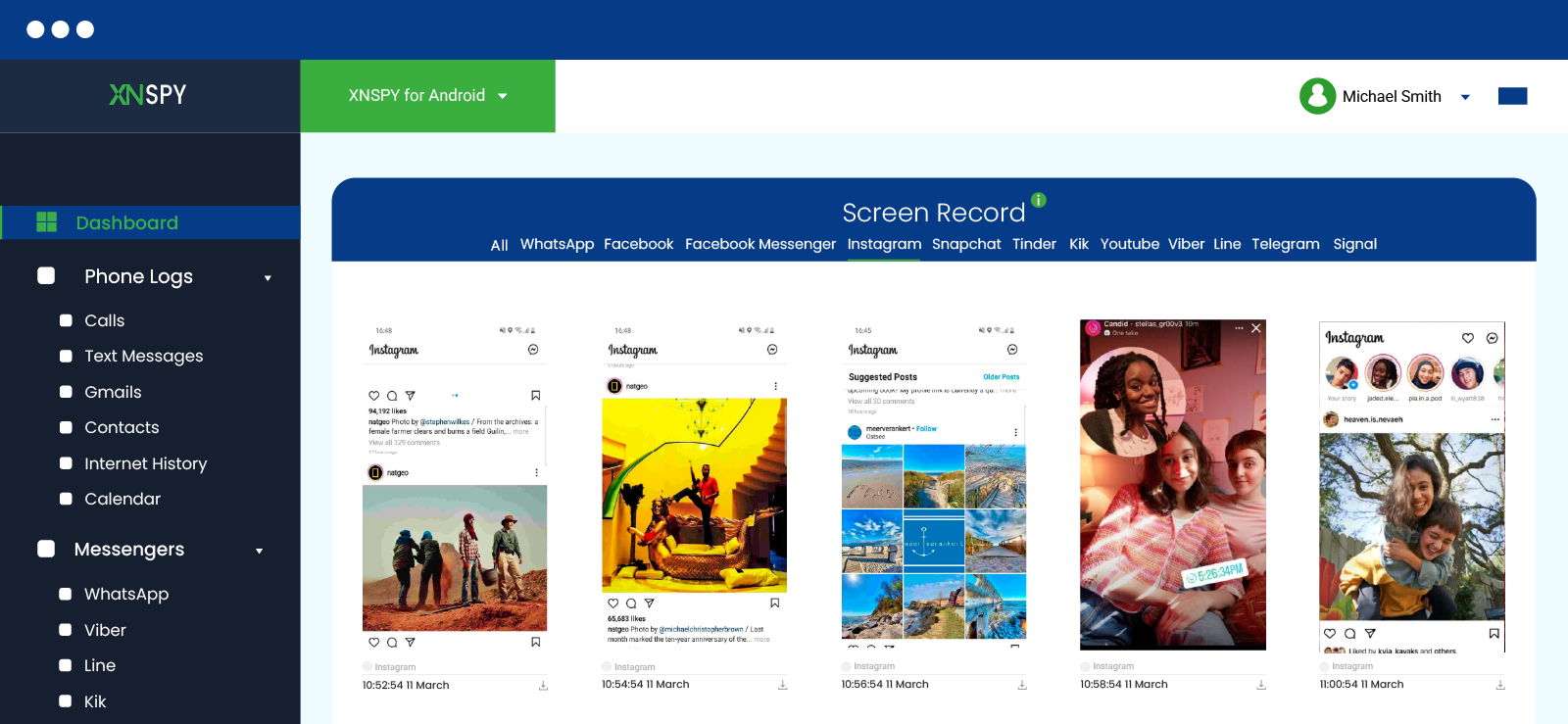
Xnspy is a phone monitoring app designed for those who want deeper insight into someone’s phone activity. While Instagram itself doesn’t openly show what a person likes, Xnspy can bridge that gap.
You won’t get a neat list of every post someone liked, but the tool pieces that information together through its automatic, continuous screen recording feature. It captures periodic screenshots of Instagram activity, so if someone is browsing, scrolling, or liking posts, there’s a good chance it gets caught in a capture.
Here’s how to use it:
- Purchase an Xnspy package suited to the device (iOS or Android) and complete setup.
- Log in to your Xnspy dashboard from any web browser.
- Open the Screen Recorder section to review periodic screenshots of Instagram activity.
How Did It Go For Me?
Over a week of testing on an Android device (Samsung Galaxy A series) with Xnspy installed, the screen recorder caught the test account mid-scroll with a like shown in 17 out of 21 Instagram sessions.
The feature captures at an interval (typically 5 seconds) rather than continuously, so a like made and immediately scrolled past sometimes slipped between captures. However, what worked consistently was the fact that Xnspy organized all Instagram-related screenshots separately. This helped in saving time while reviewing the data.
It is important to note that I never got a literal “here’s every post they liked” list, since that’s not what this feature is built for. Moreover, to use this tool, I first needed physical access to the target device for installation purposes.

Discover Instagram Likes They Think Are Hidden
Get behind-the-scenes access to Instagram with Xnspy.
2. Friend’s Tab in the Reels Section
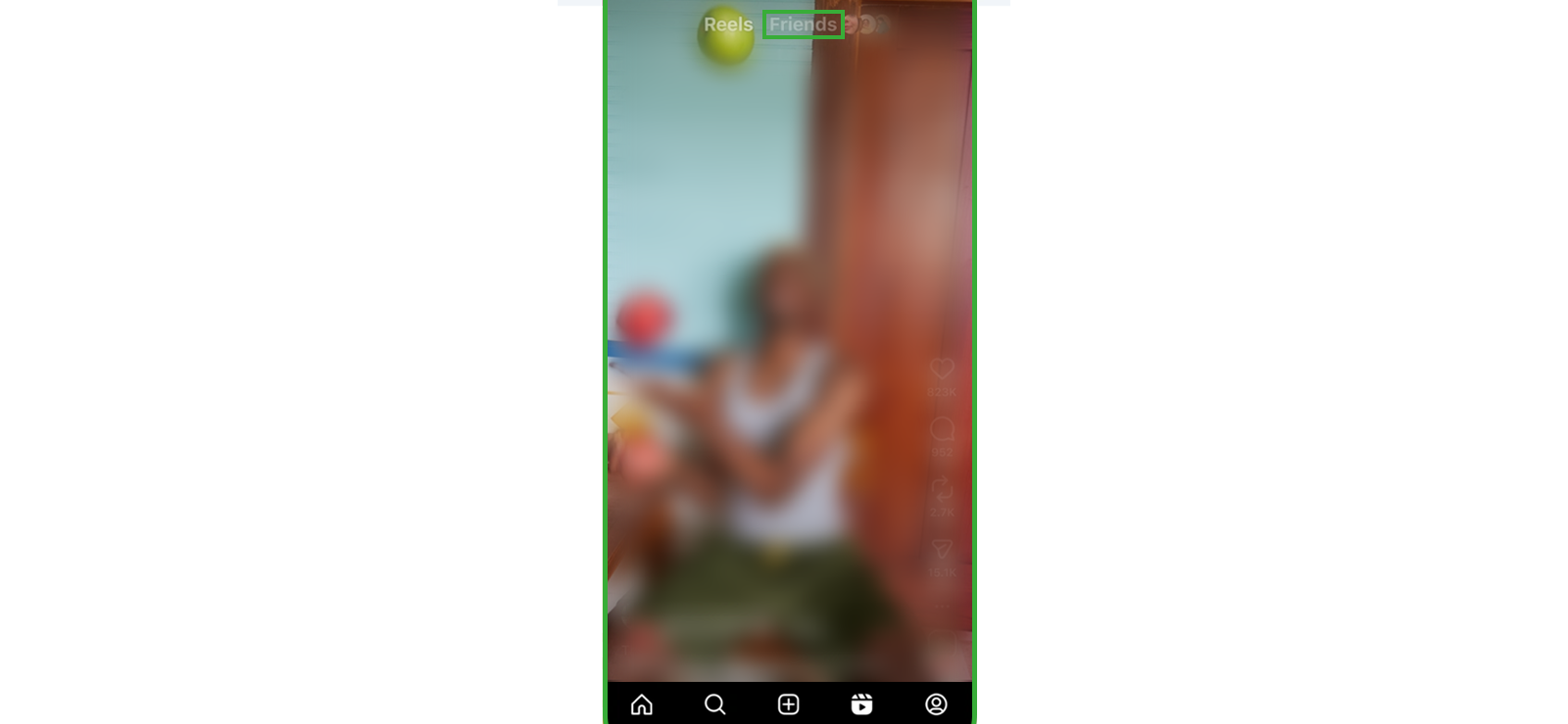
Instagram launched a “Friends” tab inside Reels globally in 2025, and it’s still an active part of the Reels interface. It sits right next to the regular Reels/For You tab and shows public Reels that your mutual follows have liked, commented on, reposted, or created.
It works by surfacing a small label and profile icon on a Reel whenever someone you follow interacted with it. Tap the icon, and you can see whether they liked it or commented on it. It only shows activity from accounts you mutually follow, and only if that person hasn’t hidden their activity from the tab.
Here’s how to see what posts someone likes on Instagram via this method:
- Open the Instagram app and tap the Reels icon in the bottom navigation.
- Tap “Friends” at the top of the screen, next to the regular Reels tab.
- Scroll through the feed. Reels your mutual follows liked, commented on, or reposted appear with their profile icon and a label showing how they interacted.
- Tap the icon to reply if they liked it, or to view the full comment if they commented.
How Did It Go For Me?
I mutually followed the test account and let it like a mix of 10 Reels over four days. Eight of the ten showed up in my Friends tab, each tagged with the account’s profile icon. The two that didn’t show up were Reels the account had only reacted to with a comment emoji rather than a like, so it’s possible the tab weights likes and comments differently, or those two just hadn’t surfaced by the time I checked.
The moment I turned on “Hide Activity from Friends Tab” for the test account, every entry disappeared within about an hour. It’s also worth flagging that this tab only ever surfaced Reels for me. None of the regular feed post likes I tested showed up here at all.
3. Looking for Like Bubbles
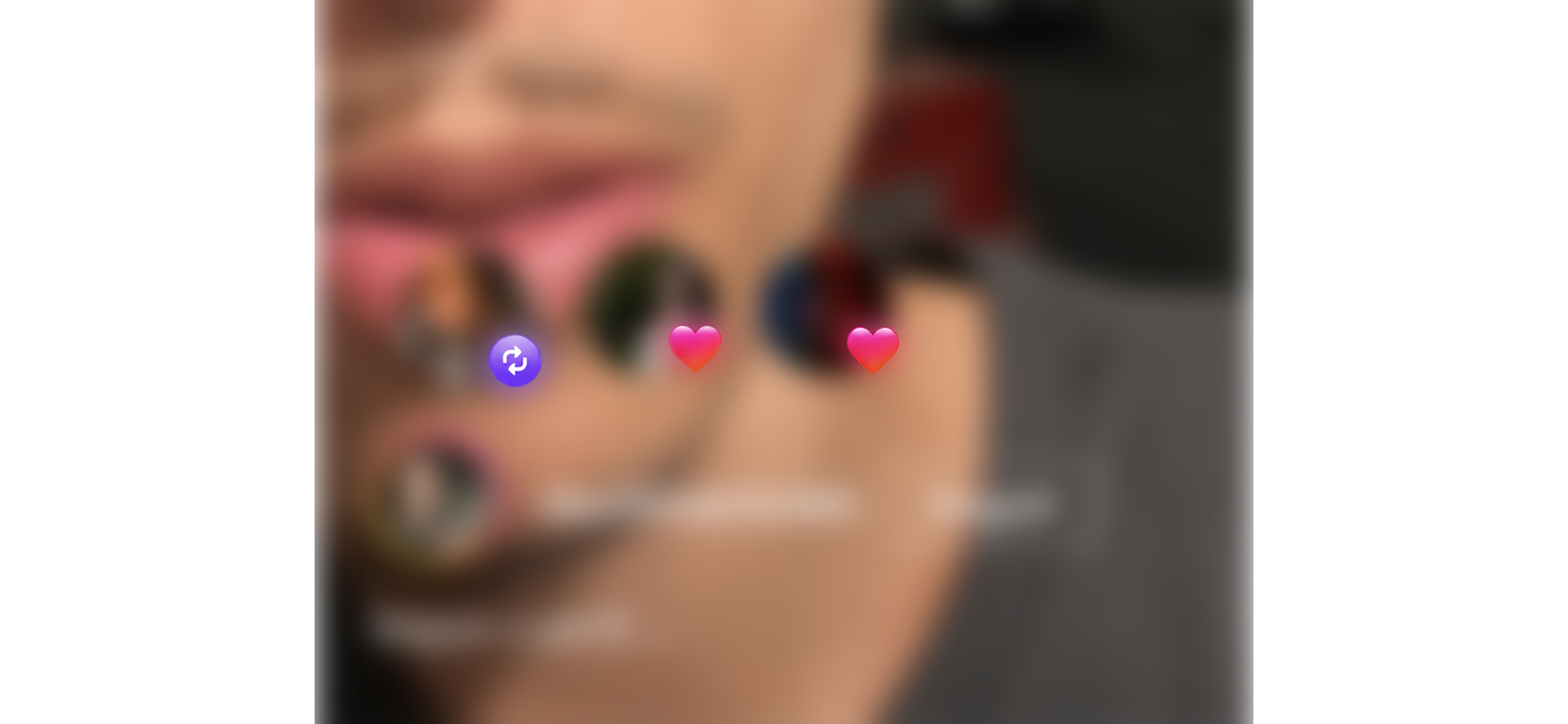
Instagram shows small floating profile-picture icons, often called activity bubbles, over posts and Reels in your feed. Each bubble represents someone you follow who has liked or reposted that specific piece of content. They’re pulled only from accounts you follow, not a universal feed of a target’s activity, so this method only works if you already follow the person or the accounts they’re likely to interact with.
Here’s how to use it:
- Scroll your Instagram feed or Reels tab as you normally would.
- Watch for small floating profile-picture icons appearing over posts or Reels.
How Did It Go For Me?
This one was hit-or-miss. Bubbles appeared over roughly half of the Reels the test account liked (6 of 11) when I scrolled the feed and Reels tab afterward, and only for content posted by accounts I also followed.
Once I turned on “Hide all activity bubbles in feed and reels” from the test account’s Content Preferences, the bubbles vanished completely on my end, even though the account kept liking things normally.

Did You Know?
It is possible to view other people’s Instagram stories completely unnoticed.

4. Manually Checking for Their Likes on Posts
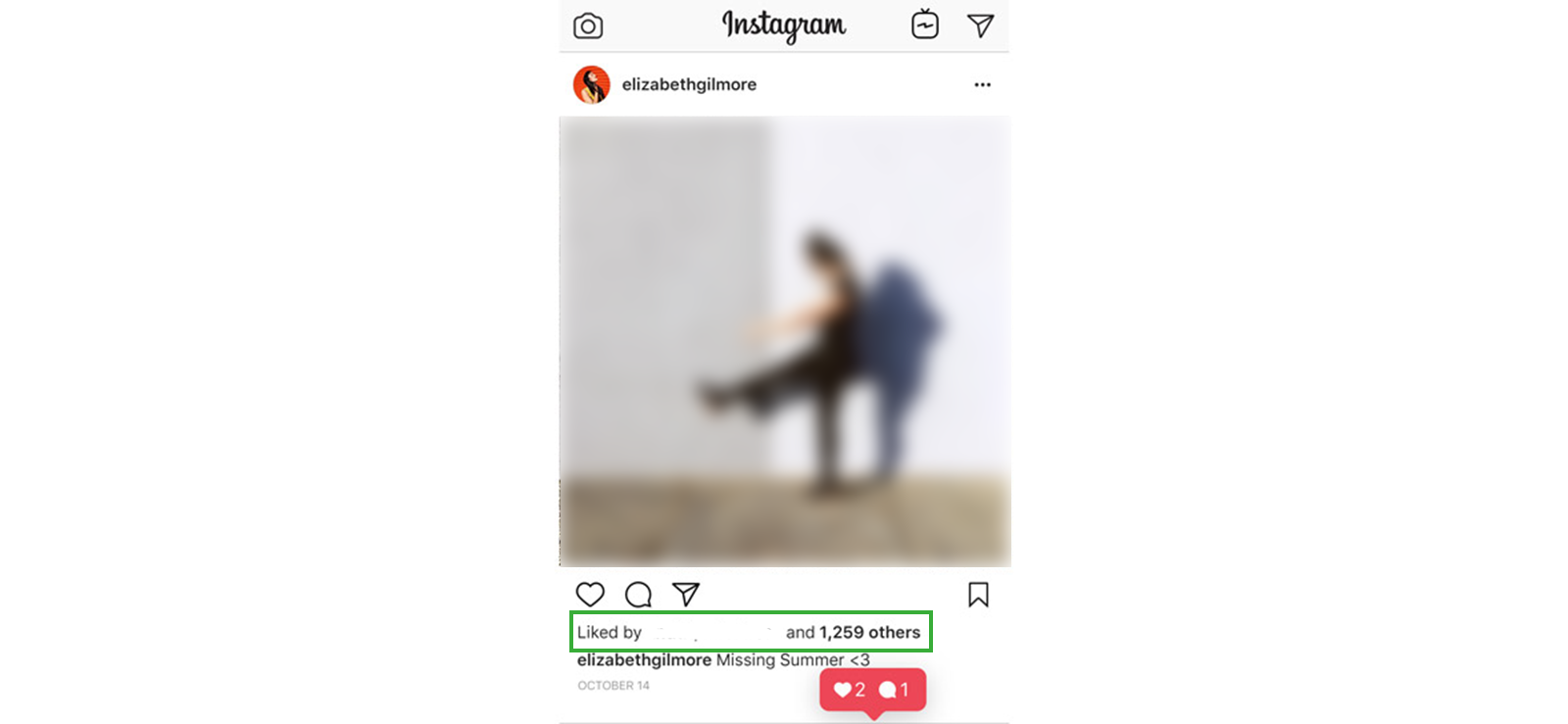
The most direct method Instagram still allows is checking a post’s like list by hand. Public accounts have their individual post likes visible to anyone; Instagram just doesn’t collect that activity into one place for you anymore. So instead of one central feed, you check post by post.
Here’s how to use it:
- Identify public accounts, such as creators, brands, or mutual friends, that the person is likely to engage with.
- Open recent posts or Reels from those accounts.
- Tap the like count or the “Liked by” text under the post to open the full list of accounts that liked it.
- Scan (or use Ctrl+F on desktop web) to search the list for their username.
How Did It Go For Me?
This was the slowest method by a wide margin. I picked five public accounts the test profile regularly engaged with and manually opened the last 15 posts from each, tapping the like count and scanning for the test username. Across 75 posts, the username turned up on 9 of them, and it took close to 40 minutes total.
It’s genuinely tedious, and it fails outright the moment an account hides its like count, or the target account is private, and you don’t follow them. But it’s also one of the methods that require zero setup and zero app installs, and it works even on someone you don’t mutually follow, as long as their profile and the posts you’re checking are public.
FAQs
How to see what posts someone likes on Instagram without installing software?
Without installing anything, your best bet is manually checking. Open public accounts the person is likely to engage with, tap into recent posts, and check the “Liked by” list for their username. If you mutually follow them, Instagram’s Friends tab under Reels can also surface Reels they’ve liked, commented on, or reposted, though it only covers Reels and won’t show anything if they’ve hidden their activity from that tab. Neither method is instant, and both depend on the accounts involved being public, but they don’t require installing any software.
How to see what reels someone likes on Instagram?
The most direct route is Instagram’s own Friends tab in the Reels section, which shows public Reels that people you mutually follow have liked, commented on, or reposted. You’ll also sometimes spot small profile-picture activity bubbles over Reels, marking when someone you follow liked that specific Reel. Both only work if you mutually follow the person and they haven’t hidden their activity, so for a fuller picture, Xnspy’s screen recorder feature can capture Reel activity, including likes, without alerting the person.
How to see what your friends liked on Instagram if they use multiple accounts?
To track likes across someone’s multiple accounts, you’d need to mutually follow each one individually, since the Friends tab and activity bubbles only surface interactions from accounts you’re already connected to. From there, check the Friends tab under Reels for each account, watch for activity bubbles on their posts, or manually check the “Liked by” list on posts from accounts they’re likely to engage with. Instagram’s privacy settings still apply per account, so a private profile or one with hidden activity will limit what you can see, no matter how many accounts you’re tracking.
How do you see what someone likes on Instagram if they have restricted or blocked you?
If someone has restricted or blocked you, none of the account-based methods work anymore. The Friends tab, activity bubbles, and manually checking “Liked by” lists all rely on your own account being able to see their activity, and blocking or restricting cuts that off. In this situation, a monitoring tool like Xnspy, installed with proper legal authority, can help by running on the device itself and capturing activity through periodic screenshots and Instagram chat monitoring, so you can still get a sense of what they’re interacting with.
How to see what people liked on Instagram if they use the web version?
The newer features like the Friends tab and activity bubbles live inside Reels, and Reels access on Instagram’s desktop site is limited compared to the mobile app, so these may not show up the same way, or at all, for someone browsing on a computer. Manually checking the “Liked by” list on public posts still works the same on desktop as it does on mobile, so that option holds up either way. For a more complete view of web activity, Xnspy’s browsing history and screen recorder features can capture what’s happening on the device, including Instagram used through a browser, without needing account access.
Discreet Monitoring That Gives You Total Digital Visibility
Xnspy is the smartest way to track phones without confrontation.
Leave a reply:
Your email address will not be published. Required fields are marked*
Mike Everett
Member since October 20, 2014
Mike Everett
Member since October 20, 2014
Mike Everett is a consumer technology journalist with expertise in hands-on testing and evaluation of iOS and Android monitoring applications. With over 11 years in the industry, he focuses on how mobile monitoring tools perform in real-world conditions, including accuracy, feature reliability, device compatibility, and practical usability for parents.
He conducts live-device testing of monitoring apps to assess how well their features function beyond marketing claims. His work primarily includes comparative reviews, feature breakdowns, and buyer-focused guides designed to help parents understand which tools actually deliver usable results in everyday scenarios.