
The complete monitoring experience for your phone
Get XNSPY and start tracking calls, texts, multimedia, locations and more on any phone!
Get Started Now Live DemoBeing a parent today means you end up trying to understand a digital world your child already feels comfortable in. Facebook is one of those spaces where friendships form fast, but what you see on the surface is not always the full picture.
Over time, I have noticed how often parents assume they are seeing everything on a profile, when in reality privacy settings quietly shape what gets shown and what stays hidden. That gap is usually where concern starts. You are not trying to intrude – you are trying to understand who is in your child’s circle and what kind of influence those connections might have.
I have tested different practical approaches in real situations where visibility is limited, and a few methods consistently help make things clearer without crossing ethical lines or making assumptions.
In this guide, I’m sharing those 5 methods that actually work. These are legal and ethical ways to help you figure out how to find hidden friends on Facebook while still respecting boundaries and privacy expectations.
All The Important Details Right Here
- You can sometimes see someone’s friends by checking the Friends section on their Facebook profile.
- Mutual friends can reveal shared connections even when the full list isn’t visible.
- Looking at likes, comments, and tags on posts can help identify people they interact with often.
- Public activity, such as photos, posts, and group interactions, can also hint at their social circle.
- Some browser tools analyze visible profile activity to suggest likely connections.
- Monitoring solutions like Xnspy can provide deeper insight into the Facebook friends’ list, along with other Facebook activity on a device.
5 Reasons Why You Should Be Concerned About Your Child’s Facebook Connections
Even the most careful kids can run into online risks without meaning to. Their Facebook connections can influence what they see, how they feel, and how they behave. As a parent, understanding these connections is important for staying informed and helping them make safe choices.
Here are 5 reasons why you should be concerned about your child’s Facebook connections:
1. Stranger Danger Isn’t Just Offline
Not everyone on Facebook is who they say they are. Fake profiles and people with bad intentions can try to connect with kids, which can lead to risky situations if they share personal information.
2. Peer Pressure and Social Influence
Kids often measure themselves against friends online. Seeing certain posts or friend groups can influence behavior, self-esteem, and even decision-making in ways parents might not realize.
3. Cyberbullying
Cyberbullying is quite common these days. Facebook can be a platform for teasing, exclusion, or more serious bullying. Monitoring connections can help you spot patterns before things escalate.
4. Exposure to Inappropriate Content
Friends’ posts, shared links, and comments can expose kids to content that isn’t age-appropriate, everything from violent videos to risky challenges. Knowing their connections helps you protect them.
5. Privacy Risks
Kids often share personal details with friends they barely know. Even seemingly innocent posts can expose them to scams, identity theft, or unwanted attention.
What To Read Next

⛔  How to Know if Someone Blocked You on Facebook: Verified Methods
📲  How to Find Someone on Facebook With Phone Number: 5 Ways
⚡  How to Tell if Someone is Talking to Someone Else on Messenger
💬  How to Check Who Is Chatting With Whom on WhatsApp: 5 Methods
How to See Someone’s Friends List on Facebook When Hidden: 5 Proven Techniques
Let’s look at 5 ethical techniques that can help you see someone’s Facebook connections.
1. Use Xnspy
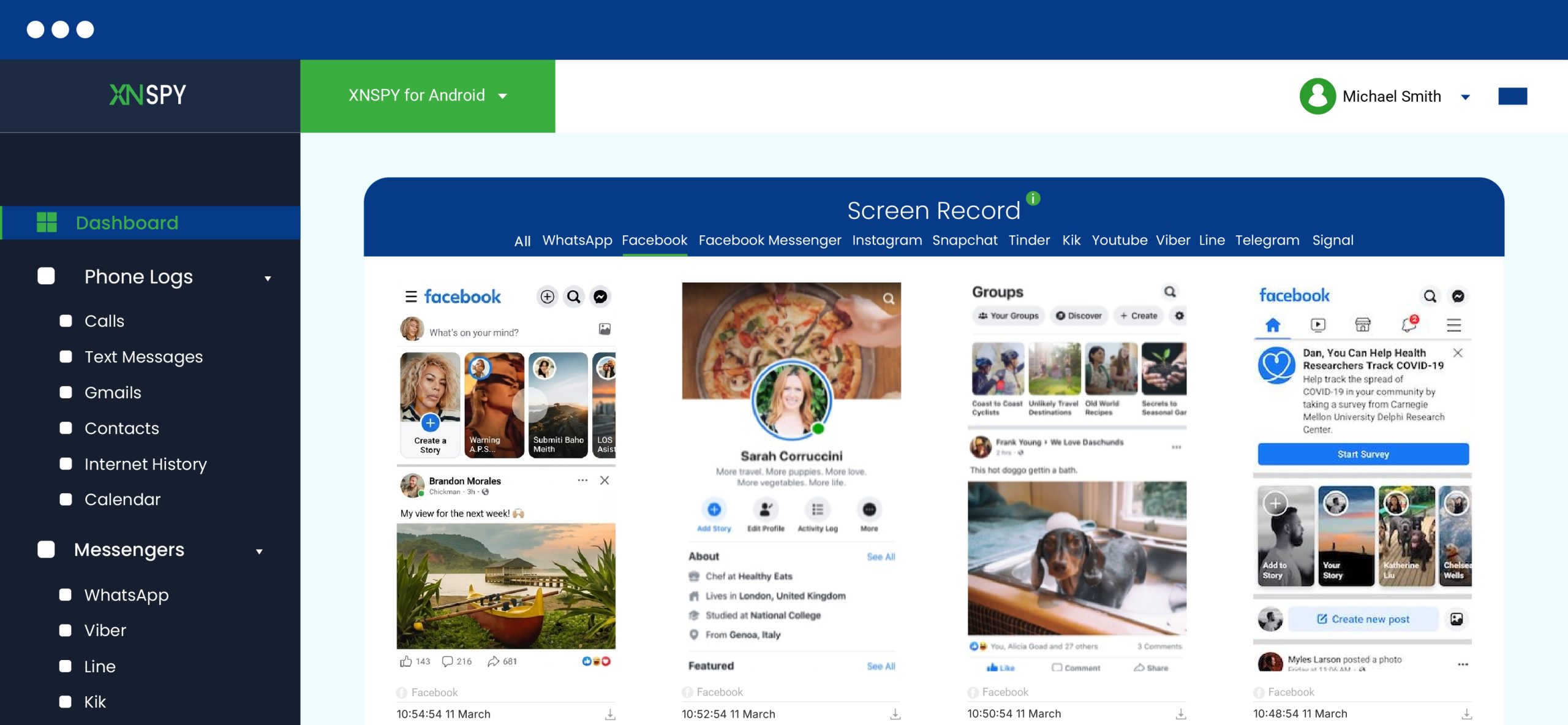
Xnspy is a phone monitoring app designed to help parents and guardians keep track of a device’s activity. Once installed on a phone, it quietly records different types of social media interactions happening on that device. Because Facebook activity often happens through the mobile app, tools like Xnspy can capture what appears on the screen or what actions are being taken.
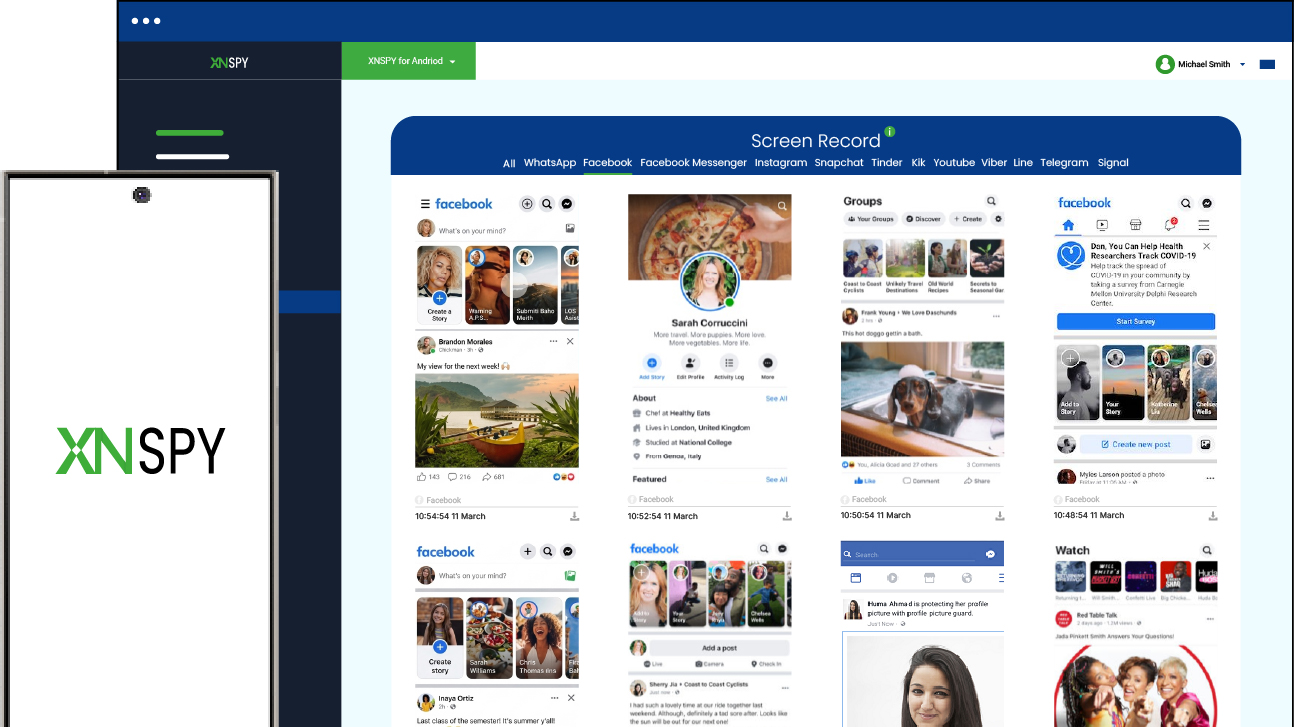
One Xnspy feature that can be especially helpful for monitoring your kid’s Facebook friends list is screen recording, which periodically takes screenshots of the device’s screen and lets you review what the user is doing. This can reveal who they’re interacting with, scrolling through, or adding as friends, even if their friend list is hidden from public view.
Here’s how to see someone’s friends list on Facebook when hidden using Xnspy:
- Visit the Xnspy website and purchase a subscription.
- Install the app on the target device following the setup instructions.
- Log in to your Xnspy dashboard from your own device.
- Open the screen recording logs.
- Review Facebook activity to see friend lists, interactions, or profiles viewed.
Beyond screen recordings, Xnspy also offers other useful features like keystroke logging, social media monitoring, chat logs, and browser history, which can give parents a broader picture of their Facebook friend list.

Xnspy: See What’s Hidden in Facebook Friend Lists
Get real-time insights into your child’s Facebook activity.
– View screen recordings of Facebook interactions
– Monitor daily time spent on Facebook
– Track typed keystrokes and messages on the device
– Access activity logs remotely from a secure dashboard
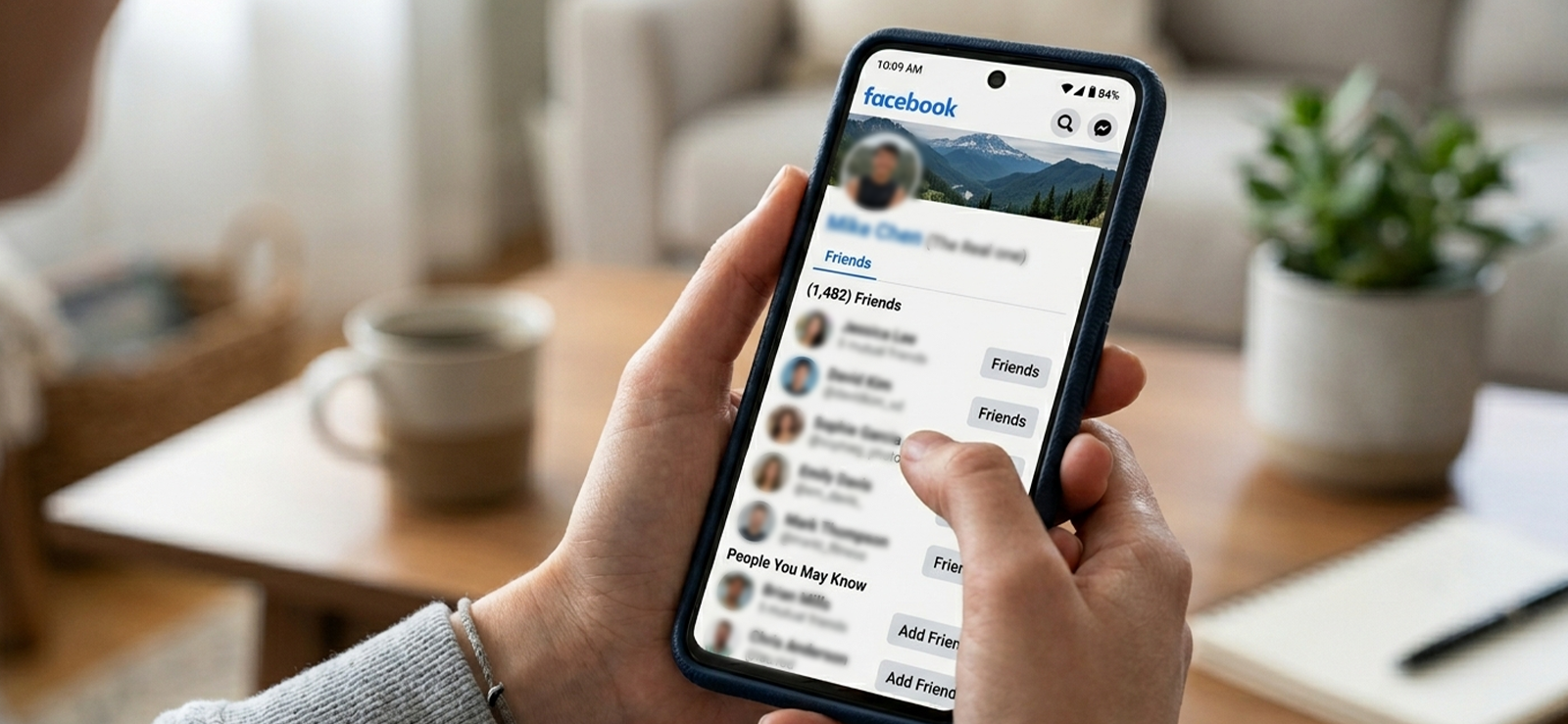
2. View Their Friend List
One of the most direct ways to see someone’s Facebook friends is by visiting their Friends section. Facebook profiles include a dedicated tab where users can display their connections.
When you open this tab, Facebook loads a list of people connected to that account. You can scroll through the profiles, open them individually, and sometimes even see categories like recently added friends. This makes it one of the quickest ways to get a snapshot of someone’s social circle on the platform.
Here’s how to see someone’s friends on Facebook using this method:
- Go to the person’s Facebook profile.
- Click the Friends tab below their profile banner.
- Scroll through the list of friends that appear.
- Click individual profiles if you want to explore further.
A limitation of this method is that Facebook allows users to control the visibility of their friend list. If the person has set it to private, you may only see mutual friends or no list at all.
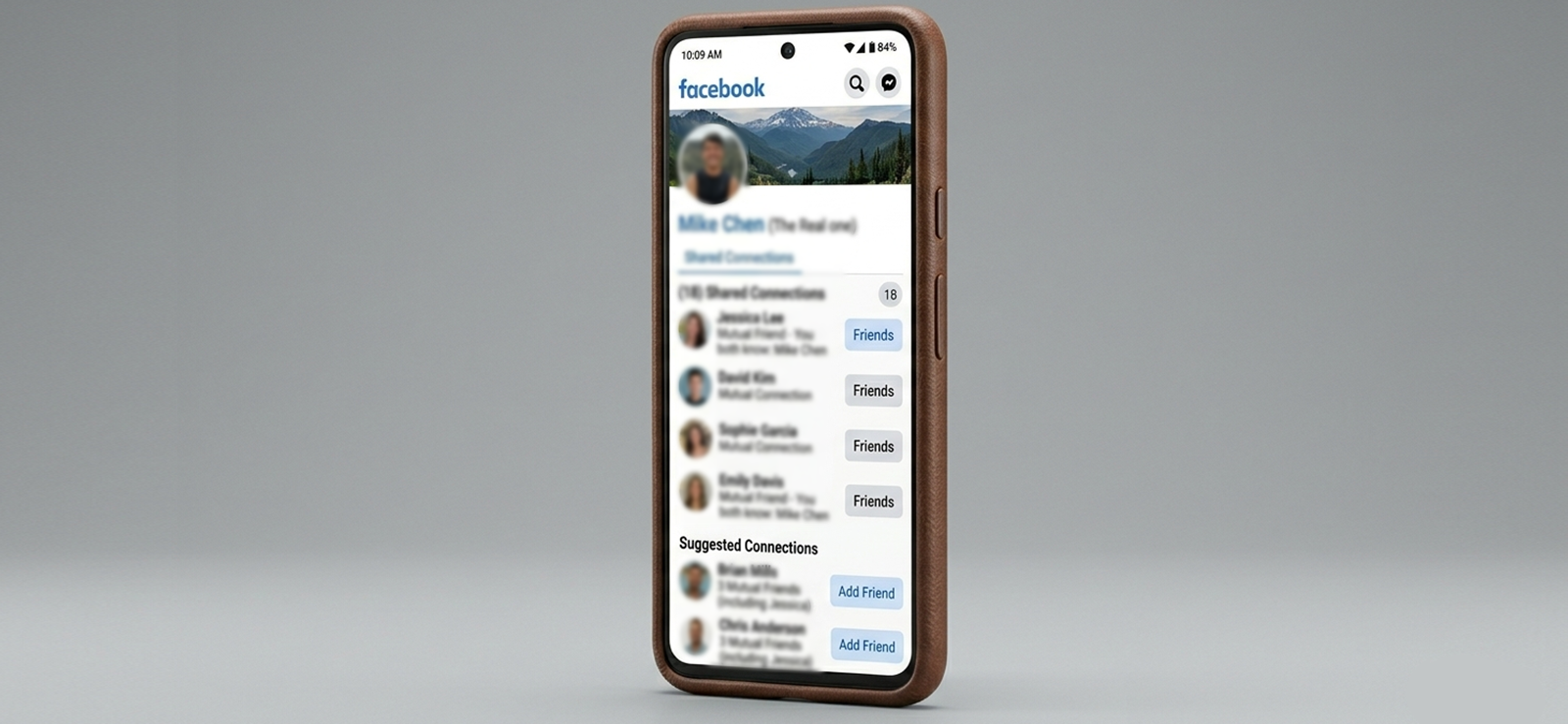
3. Look for Mutual Friends
Mutual friends can reveal a surprising amount of information. Facebook highlights shared connections between two profiles, even when a complete friends list isn’t visible. This works because Facebook’s algorithm still displays mutual connections as a way to help users discover shared networks.
To explore mutual friends:
- Go to the person’s Facebook profile.
- Click on the Friends section if visible.
- Here you can see all the friends you two have in common.
This method only works if you already share some connections with that person. If you have no overlapping network, Facebook may not show any mutual friends at all.
4. Inspect Their Engagement
When trying to figure out how to see someone’s new friends on Facebook, another useful way is by identifying someone’s Facebook friends is by observing who regularly interacts with their posts. Likes, comments, and tagged conversations come from people they are friends with. Moreover, Facebook’s engagement system highlights the most active interactions on posts, making frequent commenters easier to spot.
Here’s how to check engagement:
- Visit the person’s profile timeline.
- Open several recent posts.
- Look at who frequently likes or comments.
- Click on those profiles to see their connection with the person.
The downside is that not everyone who engages with a post is necessarily a friend. Some interactions may come from followers or public viewers. Likewise, every friend doesn’t need to engage; some do not comment or like at all, so this method isn’t foolproof.

Did You Know?
Now you can also see blocked messages on iPhone.

5. Use Browser Extensions
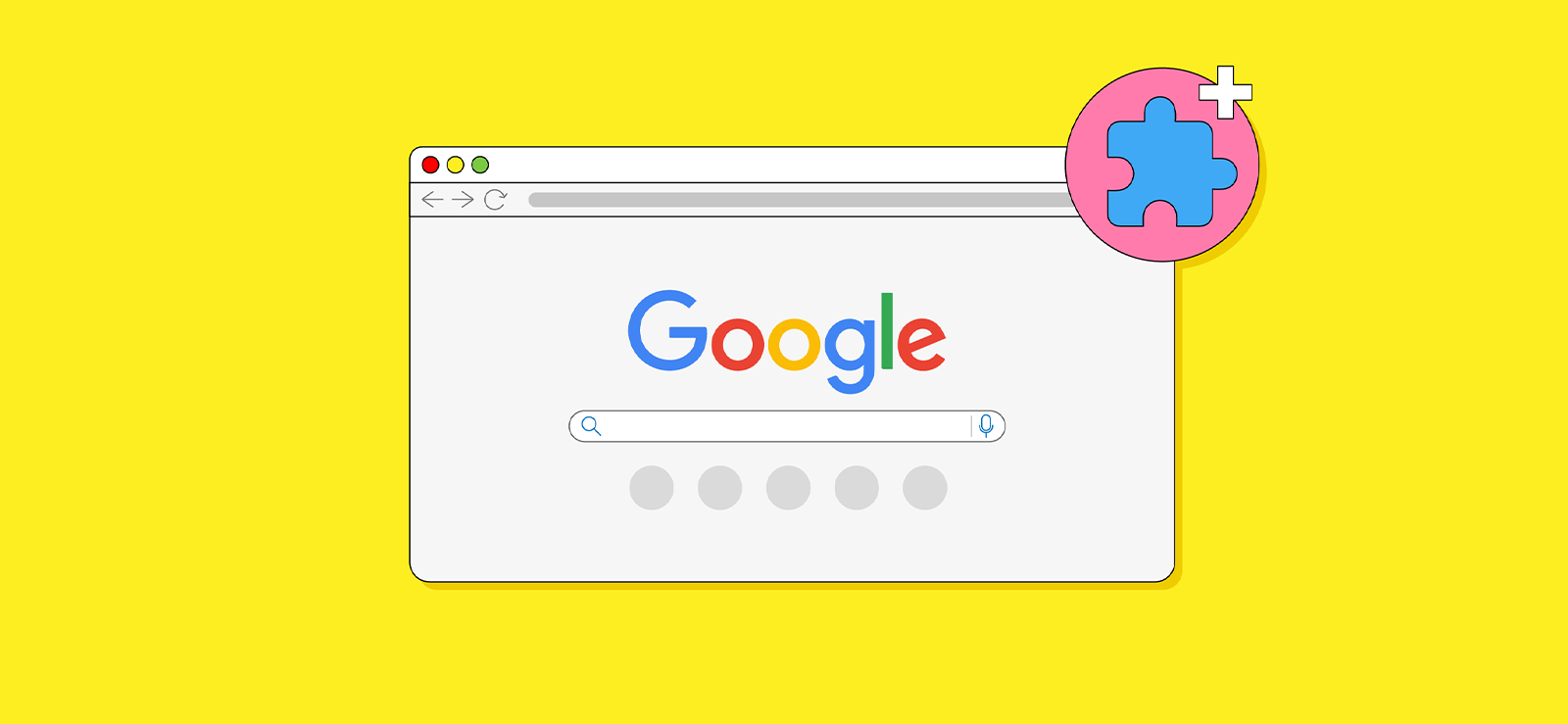
Another method involves using browser-based tools that analyze the visible activity on a Facebook profile. These tools don’t actually unlock or bypass Facebook’s privacy settings. Instead, they collect and organize publicly visible data to help identify possible friends and connections.
The way this works is fairly simple. When you open someone’s profile, the extension scans elements that are already visible on the page, such as likes, comments, reactions, tags, and shared posts. By analyzing who interacts with the person most frequently, the tool builds a list of profiles that are likely part of their friend circle.
To know how to see hidden friends on Facebook using a browser extension:
- Install a Facebook analysis extension from your browser’s extension store.
- Open Facebook and go to the person’s profile page.
- Activate the extension from your browser toolbar.
- Let the tool scan the profile and collect interaction data.
- Review the list of profiles that appear as likely connections.
The limitation of this approach is that it only works with publicly visible interactions. If someone rarely posts publicly or keeps most of their activity restricted to friends, the extension may only identify a small portion of their connections. Additionally, Facebook frequently updates its platform, which can sometimes cause these tools to stop working until they are updated.
FAQs
How to see someone’s recently added friends on Facebook?
To see someone’s recently added friends on Facebook, visit their profile and open the Friends section. If their list is visible, Facebook often shows categories such as Recently Added or displays the newest friends near the top. You can scroll through the list to identify new additions. Another clue is checking posts where they introduce or tag new friends. However, if you want real, discreet insight, you can use monitoring tools like Xnspy.
How to see someone’s new friends on Facebook if you are blocked from viewing their profile?
If someone has blocked you on Facebook, you cannot access their profile or view their friends list directly. However, visiting the profiles of shared contacts can sometimes reveal recent interactions or tagged posts that include the person who blocked you. Other than this, you can use monitoring apps like Xnspy can help you reveal complete friend lists with the help of its screen recording feature.
How to find hidden friends on Facebook if your child uses multiple Facebook accounts?
Facebook does not notify users when someone views their friends list. You can open a profile, browse the Friends section, and look through the list without triggering any alerts. The platform currently does not have a feature that tracks or reports profile visitors. However, what you can see still depends on the person’s privacy settings. If their friends list is restricted, Facebook simply hides those details instead of notifying the profile owner.
Does Facebook notify someone when you check their friends list?
Facebook does not notify users when someone views their friends list. You can open a profile, browse the Friends section, and look through the list without triggering any alerts. The platform currently does not have a feature that tracks or reports profile visitors. However, what you can see still depends on the person’s privacy settings. If their friends list is restricted, Facebook simply hides those details instead of notifying the profile owner.
How to see someone’s friendship history on Facebook?
Facebook includes a feature called the Friendship page, which shows shared activity between two people. To access it, open the profile of one friend, click the three‑dot menu, and select the option to view friendship details if available. The page may display mutual friends, tagged photos, posts, and events that both people attended. This timeline helps you understand how the connection developed over time, although the visibility of older interactions depends on privacy settings.
Leave a reply:
Your email address will not be published. Required fields are marked*
Jenny Nicole
Member since October 23, 2014
Jenny Nicole
Member since October 23, 2014
Jenny Nicole is a teen psychology and digital behavior specialist with an MSc Developmental Psychology & Psychopathology from King's College London, graduated 2017. Her work revolves around how adolescents communicate and make decisions in digital environments, particularly on social media and messaging platforms. Over the past 5 years, she has written extensively on teen smartphone behavior, online peer dynamics, the psychological impact of social media, and the need for oversight. Her work has helped parents and educators interpret not just what teens are doing online, but why they are doing it. Overall, she has not only authored over a hundred guides breaking down child psychology for parents but also regularly spoken at family safety and internet governance conferences across the UK and US.