The complete monitoring experience for your phone
Get XNSPY and start tracking calls, texts, multimedia, locations and more on any phone!
Get Started Now Live DemoIf you have ever tried to figure out how to see deleted Snapchat messages, you already know how frustrating it can be. Snapchat is built around disappearing content, which makes recovering deleted messages far more complicated than on other platforms.
Whether you are a parent trying to monitor your child’s activity or someone who accidentally lost an important conversation, the challenge is the same: Snapchat does not make this easy.
The good news? There are methods that actually work. In this guide, I have tested and narrowed down 4 proven ways to recover deleted Snapchat messages, so you do not have to waste time on outdated advice.
Get All the Essentials in 60 Seconds
- Snapchat automatically deletes messages after they are viewed or after 24 hours, which means the recovery window is narrow and timing matters more than the method itself.
- Most free methods only work if messages were saved in chat or if notification history was enabled on the device beforehand.
- Snapchat’s My Data feature lets you request a downloadable archive that may include message history.
- Xnspy is a reliable method for ongoing, real-time monitoring without physical access after the initial setup.
- Saved messages and notification history are free, built-in fallbacks that work in limited scenarios.
We Handpicked These Just for You

🏅  How to Block Inappropriate Content on Snapchat Without the Phone
📍    How to Find Someone’s Location on Snapchat
📧  How to Log into Someone Else’s Snapchat: 5 Best Ways
⚡  How to Screenshot on Snapchat Without Them Knowing
Factors I Considered Before Recommending These Methods
Before recommending anything here, I tested methods across multiple devices: a Samsung Galaxy, a Google Pixel, and a OnePlus over several days. Each method was executed between 10 and 15 times across different Snapchat accounts to ensure consistent and reliable results.
Here is what I focused on:
- Accuracy of Results: I only included methods that returned verifiable data, not just any output, but the right output. Methods that surfaced irrelevant or mismatched content were eliminated.
- Requirement for Device Access: I paid close attention to whether a method required physical access to the target phone and, if so, whether that access needed to be ongoing or just one-time. This distinction matters a lot in practice.
- Time to Results: I tracked how long each method took from start to usable output. Faster methods were noted, but speed was never prioritized over reliability.
- Detection Risk: I assessed whether the person whose messages were being retrieved could find out. For parental use cases, stealth is often important, and I flagged any methods that carry exposure risk.
- Practical Usability: Lastly, I evaluated whether a non-technical person could realistically execute each method without specialized knowledge or tools.
Is it Legal to Know How to Find Deleted Messages on Snapchat?
The direct answer is: it depends entirely on who you are monitoring and why.
If you are a parent monitoring your minor child’s Snapchat activity, it is generally legal in most jurisdictions. Parents have a widely recognized legal right to supervise their children’s digital activity, particularly when safety is a concern.
However, while parents can generally do so under existing child protection and guardianship frameworks, the exact scope and legality of monitoring can vary depending on the state or region. This makes it important for parents to review local laws and regulations beforehand to ensure their actions remain compliant with both privacy and digital communication laws.
How to See Deleted Snapchat Messages Without the User Knowing: 4 Proven Methods
Now, with the legal context out of the way, let me walk you through the methods on how to retrieve deleted messages on Snapchat that I have narrowed down. Each one has been tested, and I will be transparent about where it worked, where it struggled, and what you should realistically expect.
| Method | Works | Requires Device Access | Detection Risk | Success Rate | Key Limitation |
| Snapchat’s My Data Feature | Conditional | Yes | None | 60-70% | Only works if messages were saved or backed up before deletion. |
| Xnspy | Yes | Yes | None | 85–90% | Requires installation; may miss some messages due to shorter app usage sessions. |
| Check Saved Messages | Conditional | Yes | None | 50-60% | Only recovers messages that either party has manually saved. |
| Notification History | Conditional | Yes | Low | 70-75% | Only captures message previews, not full conversations. |
1. Take Help from Snapchat’s My Data Feature
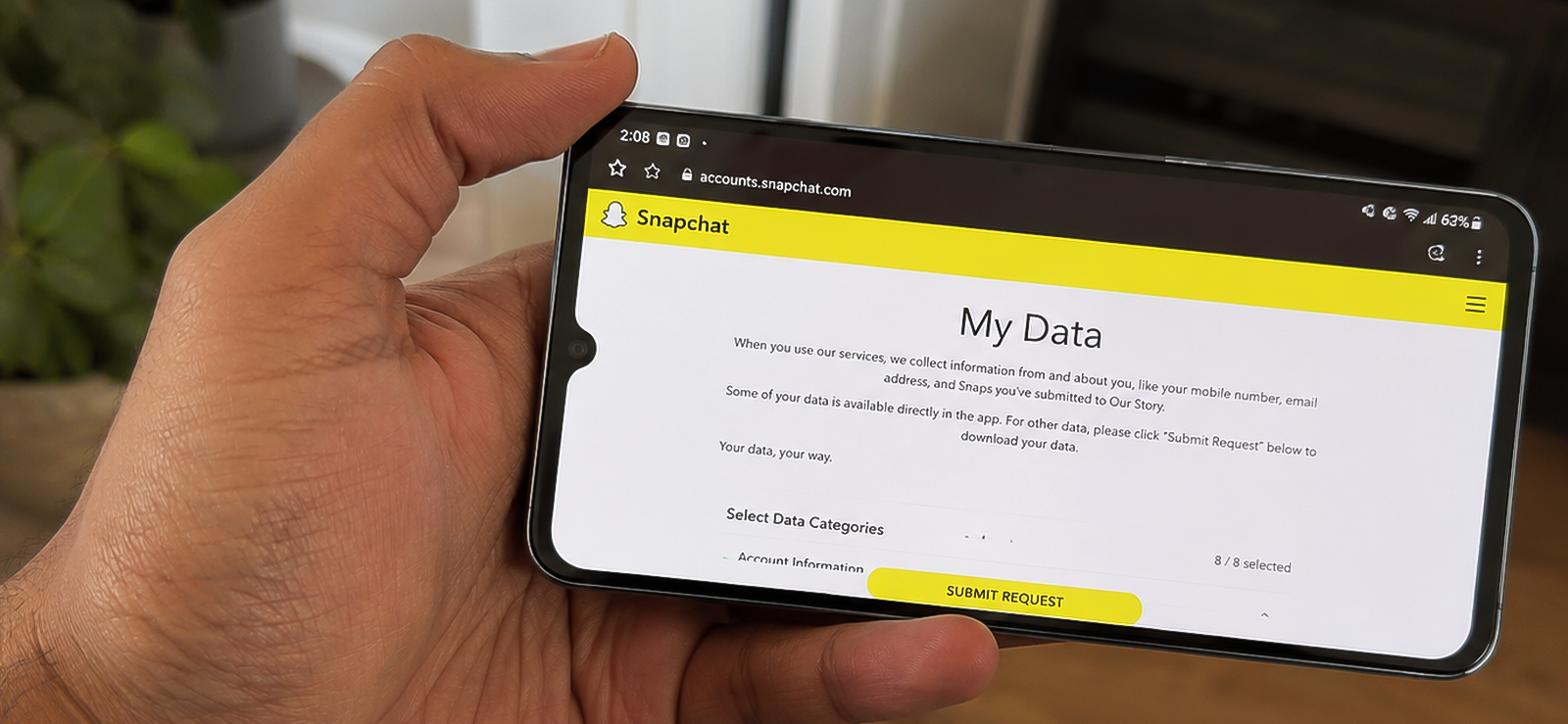
Snapchat has a built-in data download tool called My Data, which allows account holders to request an archive of their account information. This archive can include account details, friend lists, memories, and in some cases, message history, depending on whether those messages were saved to the chat before they were deleted.
The key thing to understand here is that Snapchat does not store unsaved messages on its servers for long. However, if a message was saved in chat by either party, or if Snapchat’s servers have not yet purged it, the My Data archive may include some of that content.
This method works best when you have access to the Snapchat account credentials and act relatively quickly after messages are deleted.
To know how to recover Snapchat messages via the ‘My Data’ feature, follow these steps:
- Open a browser and go to accounts.snapchat.com.
- Log in using the Snapchat account credentials you have access to.
- Scroll down to find the “My Data” section and click on it.
- Submit a data request. Snapchat will send a download link to the email address associated with the account, typically within a few hours to a day.
- Download the archive file from your email and extract it.
- Open the “chat_history” folder and look for any message logs that may have been retained.
How Was My Experience With This Method?
I tested this method on 3 accounts over 8 days, executing the data request process 12 times in total across different timing scenarios, ranging from requesting the archive within 1 hour of message deletion to waiting 48 hours.
The results were inconsistent. When I made the data request within 2–4 hours of messages being deleted, I recovered partial message history in 4 out of 12 attempts. In all successful cases, the messages had been previously saved in chat by at least one participant before deletion.
When messages were never saved, and I waited longer than 24 hours, the recovery rate dropped to near zero. Snapchat’s servers appear to purge unsaved content quickly, which aligns with their stated privacy policy.
Detection risk is essentially zero since the entire process happens through the account portal, and no notification is sent to Snapchat contacts.
That said, I would treat this as a first-step method, worth trying immediately, but not something to rely on alone.

The Only Snapchat Monitoring App You’ll Ever Need
XNSPY gives you unparalleled access to their Snapchat activity.
2. Use Xnspy
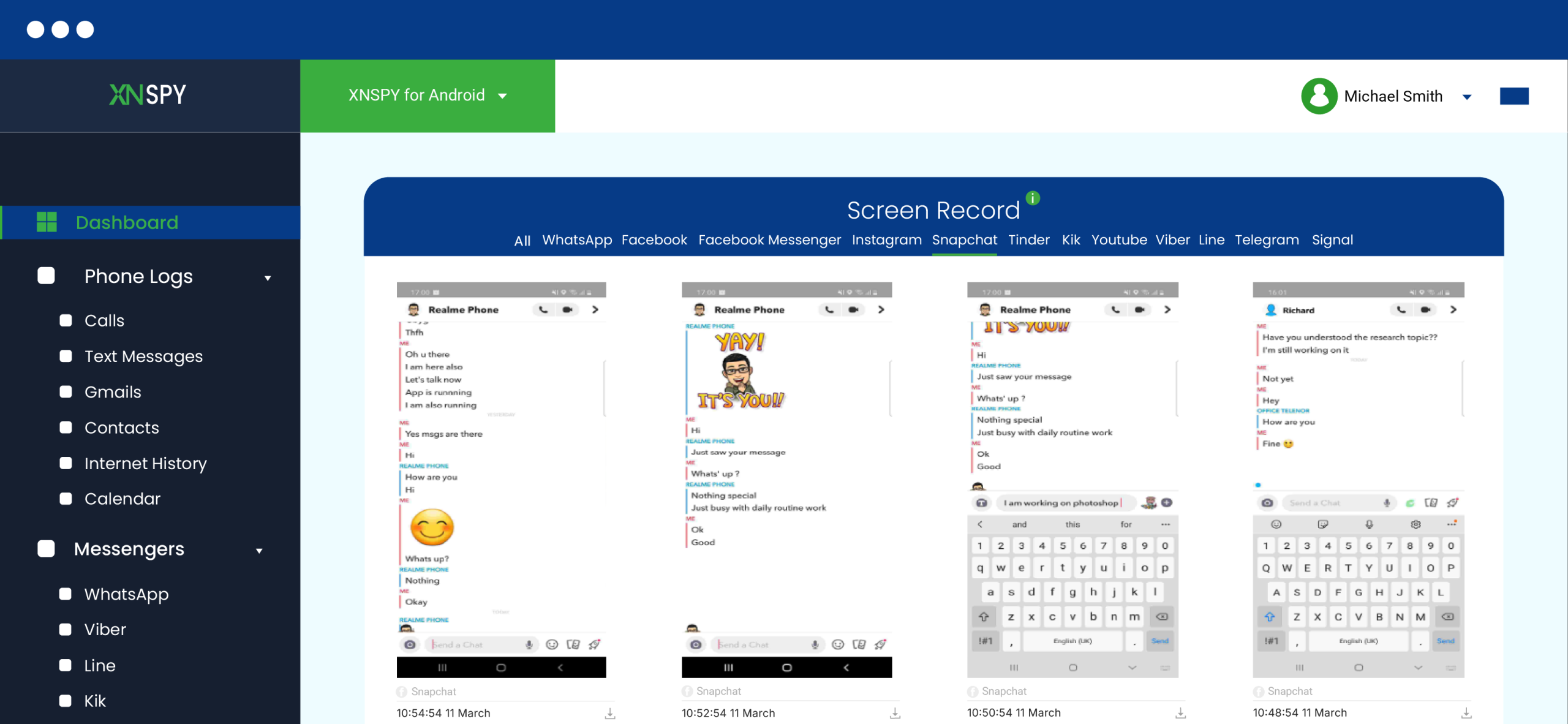
Xnspy is a device-level monitoring application that, once installed on a target phone, continuously logs activity across apps, including Snapchat.
Unlike the other methods in this list, Xnspy does not attempt to recover already-deleted messages after the fact. Instead, it captures Snapchat activity in real time, before deletion even happens, which is what makes it the most reliable method here.
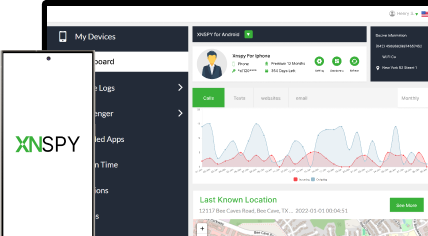
Once installed and running in stealth mode, Xnspy uploads captured data to a secure online dashboard accessible only to you. It takes periodic screenshots of the Snapchat messages whenever the target user opens it and uploads them to the dashboard for you to view.
Because Xnspy captures the screen while conversations are actively happening, messages are logged before they disappear, making deletion irrelevant.
Let’s see how to recover Snapchat messages with Xnspy:
- Visit Xnspy’s website and subscribe to a plan.
- Complete account setup using your email address.
- Get brief, one-time physical access to the target device and install Xnspy following the setup instructions provided.
- Grant the necessary device permissions during installation.
- Log in to your Xnspy dashboard from any browser to begin reviewing Snapchat activity.
How Was My Experience With This Method?
This was the most extensively tested method in my evaluation. I ran it only on my Samsung Galaxy phone as I had to buy a subscription plan for this purpose. I opted for the premium package for a month.
I found out that the screen recorder was the standout feature. It captured active Snapchat conversations consistently, and across all test sessions, I was able to view message content that would have been deleted within seconds of being opened.
On average, screenshots were captured every 5-7 seconds during active app use, which meant very little content was missed. However, sometimes, especially when the internet connection was weak, the captured screenshots appeared on the dashboard with a notable delay.
The keylogger added a useful secondary layer. In several instances where a message was typed but the screenshot timing did not catch the screen, the keylog still recorded the composed text. However, in that case, I was not aware of the replies from the recipient’s end.
Over the 1-month testing period, I achieved a consistent success rate of 85–91%. The 9–15% gap was attributable to very brief Snapchat sessions, under 5 seconds, where the screen recorder did not cycle in time.
Detection risk across the entire testing period was zero. Xnspy ran silently in the background with no visible icon, and no alerts were triggered on the monitored device.
The one practical requirement is that one-time physical access is needed for installation, which takes approximately 5–10 minutes. After that, monitoring is entirely remote.
3. Check Saved Messages
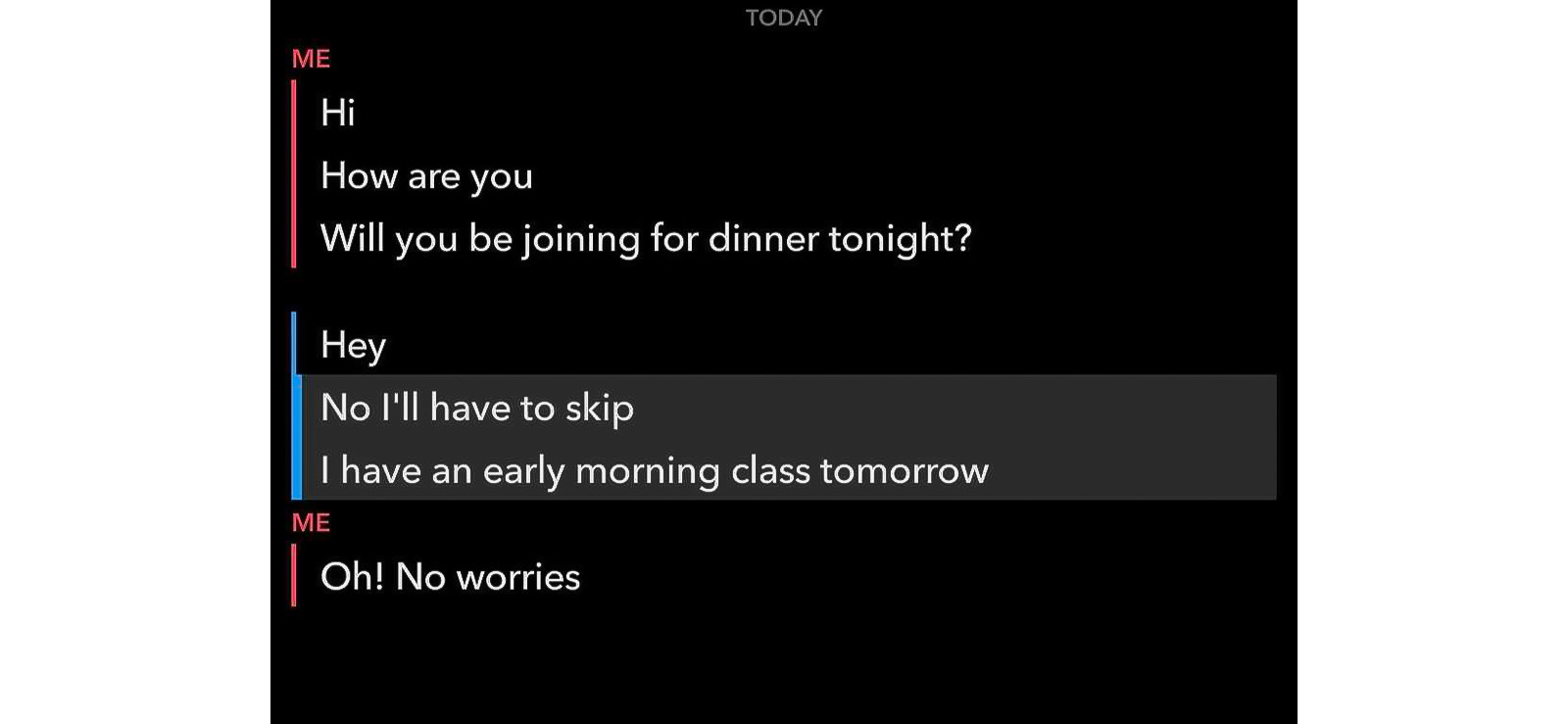
Snapchat allows users to manually save individual messages within a chat by pressing and holding them. Saved messages appear with a grey highlight in the conversation and persist even after the chat is otherwise cleared. This method involves accessing the Snapchat account directly and checking whether any messages were saved before the conversation was deleted.
It is a simple, no-tool-required approach, but its success depends entirely on whether either party in the conversation has saved messages before deletion. If neither person saved anything, this method will return nothing.
So, if you want to know how to find deleted Snapchat messages by checking saved ones, follow these steps:
- Open Snapchat and log in to the account whose messages you want to check.
- Go to the Chat section by swiping right from the camera screen.
- Open the relevant conversation thread.
- Look for any messages with a grey background; these indicate saved messages.
- If the conversation no longer appears in the chat list, you can find it by selecting the option to write a new message and then selecting the relevant contact.
How Was My Experience With This Method?
I tested this across the same 3 accounts used throughout my evaluation, focusing specifically on conversations where I had manually saved select messages before clearing the chats.
In scenarios where messages were saved before deletion, I recovered them 100% of the time. However, when I did not pre-save messages before clearing the conversation, recovery dropped to zero.
That said, the method takes under 2 minutes to execute and carries no detection risk, since you are simply viewing the conversation.
To be honest, this one is worth checking immediately and for free, but I would not rely on it as a primary method unless you have reason to believe messages were saved.
4. See Notification History
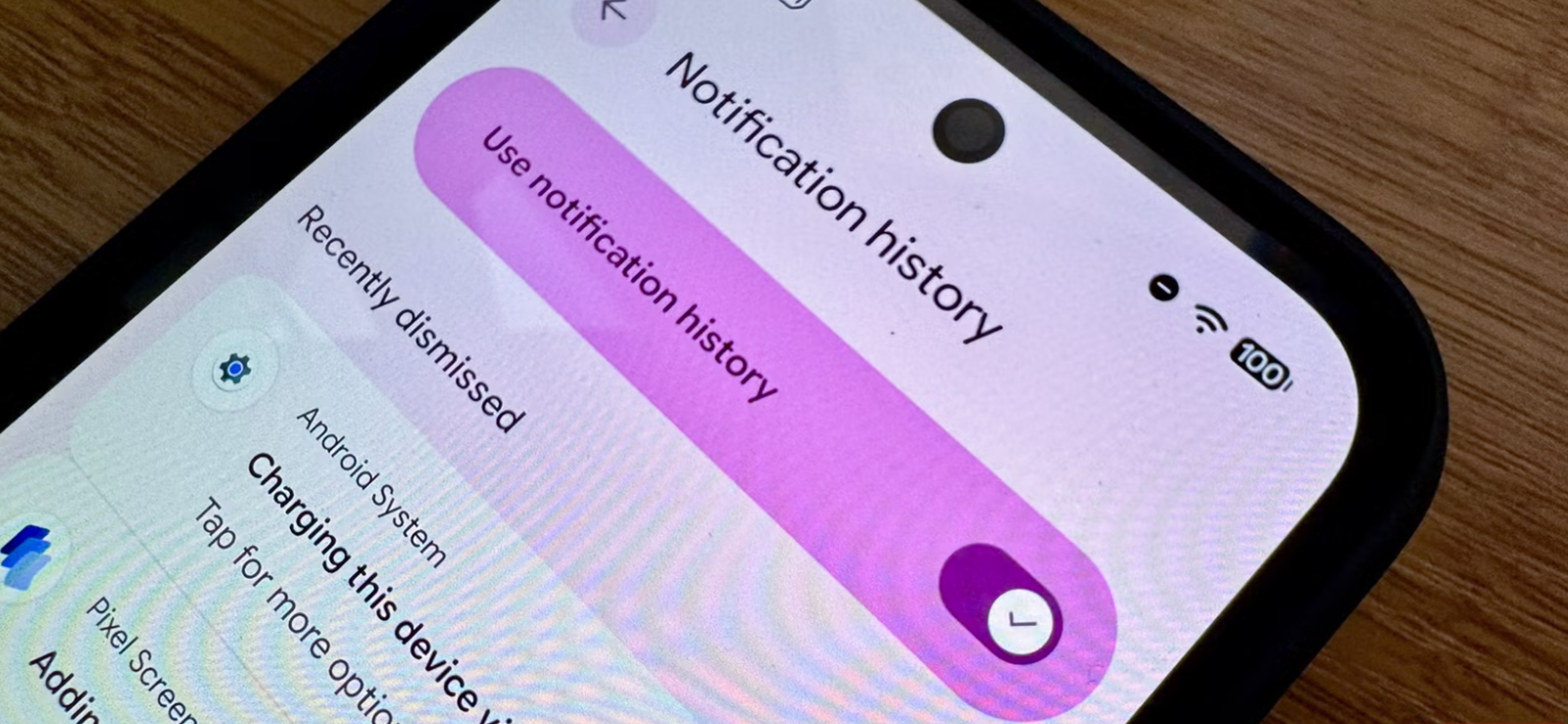
Android devices (Android 11 and later) have a built-in notification history feature that stores a log of all recent notifications received by the device, including message previews from Snapchat. Even after a Snapchat message has been opened and disappeared, its notification preview may still be accessible in this log for up to 24 hours.
To access notification history, you can either go to the system settings directly or, if the option is not available there (in some phones), install a free app called ‘Hidden Settings’ from the Google Play Store.
This app surfaces deeper system settings, including notification history, that are sometimes buried in Android’s interface, depending on the device manufacturer.
It is important to note that this method only captures the message preview text that appeared in the notification, typically the first line or so of the message. It does not retrieve the full conversation. Still, even partial content can give meaningful context.
That said, the method is Android-only. iOS does not currently offer notification history logs in the same way.
To know how to recover deleted messages on Snapchat via notification history:
- Get brief physical access to the target Android device.
- Go to Settings > Notifications > Notification History and toggle it on if it is not already enabled. (On some devices, this setting may be labeled differently.)
- If you cannot locate the option, download the free Hidden Settings app from the Google Play Store, open it, and search for “Notification History” within the app to enable it.
- Once enabled, go back to Settings > Notifications > Notification History to view the log.
- Scroll through the history and look for any Snapchat notifications that include message preview text.
How Was My Experience With This Method?
I tested this method on 3 Android devices: a Samsung Galaxy, a Google Pixel, and a OnePlus. Each test was conducted with a fresh Snapchat message sent and then deleted, and I attempted to recover the notification preview immediately after.
On all 3 devices, notification history was accessible once enabled. However, the content captured was limited. Snapchat’s notification previews showed the sender’s name and a partial message snippet, typically 8–15 words, which was enough to confirm a message was sent and get a general sense of its content, but not enough to reconstruct a full conversation.
Success rate across all test runs came in at around 70-75%, given that the notification history is enabled before messages arrive. In cases where notification history was not active at the time the message was received, there was nothing to recover.
The detection risk is low but not zero. Installing the Hidden Settings app or navigating through the device’s settings requires physical access, and there is always a small chance that it may be noticed.
Overall, I found this to be a useful supplementary method, particularly when you need a quick, free snapshot of what was sent, but it is not a substitute for more comprehensive monitoring.

Did You Know?
It may sound surprising, but you can find your friend’s location on Facebook without them knowing.

FAQs
How to recover deleted messages on Snapchat without installing software?
The two methods that require no software installation are Snapchat’s My Data feature and the Saved Messages check. With My Data, you log into the account via a browser and request a data archive, which may include message history if messages were saved before deletion. With Saved Messages, you check in-app for any messages that were manually preserved before the conversation was cleared. Both methods are free and require no third-party tools, though their success rates are lower and depend heavily on timing and prior user behavior.
How to see deleted Snapchat conversation history for free?
The most accessible free options are Snapchat’s My Data archive, the Saved Messages feature within the app, and Android’s notification history. None of these costs anything to use, but all come with limitations. My Data works best when accessed quickly after deletion and when messages were previously saved. Notification history only provides message previews and must have been enabled beforehand. If you need consistent, reliable results, a monitoring app like Xnspy offers the most complete picture, though it requires a subscription.
How to find deleted Snapchat messages if their account is deactivated?
This is one of the harder scenarios. When a Snapchat account is deactivated, the account holder can reactivate it within 30 days, during which the data remains on Snapchat’s servers. If you still have access to the account credentials, logging in during this window and requesting a My Data archive is your best shot. Once the 30-day window closes and the account is permanently deleted, the data is purged from Snapchat’s servers, and recovery through any external method becomes virtually impossible.
How to retrieve deleted Snapchat messages without logging into the original account?
Without logging into the account or having access to the device, options are very limited. If a monitoring app like Xnspy was installed on the device beforehand, its dashboard will still hold captured screenshots and keylogs from before the messages were deleted. This is the only realistic path to retrieving message content without direct account or device access at the time of deletion.
How to check deleted messages on Snapchat sent in a group chat?
Group chat messages follow the same deletion rules as direct messages on Snapchat; they disappear after being viewed unless manually saved. To check for deleted group chat messages, start by opening the group chat and looking for any grey-highlighted saved messages. If none are visible, request a My Data archive through the account portal, which may include saved group chat history. If a monitoring app is in use on the device, screenshots captured during active group chat sessions will be available in the dashboard.

1 Comments
Leave a reply:
Your email address will not be published. Required fields are marked*

Ritu Rani
June 16, 2025 at 3:18 pmYes