The complete monitoring experience for your phone
Get XNSPY and start tracking calls, texts, multimedia, locations and more on any phone!
Get Started Now Live DemoTikTok has grown from a short-video platform into a full messaging hub for millions of children, and with that shift comes a problem for parents and guardians: frequently deleted messages.
Whether it’s a conversation deleted to cover up cyberbullying, a chat that disappeared after an inappropriate interaction, the question is the same: Is there any way to get it back?
The short answer is ‘Yes,’ but only with the right approach. TikTok has no trash folder for messages and no official undelete option. But several workarounds can surface deleted conversations if you know what you’re working with and act quickly enough.
This guide covers the 4 methods I actually tested, what they returned, and where each one broke down.
A Quick Run Down of the Guide
- TikTok does not have a built-in message recovery option. There is no undo button, trash folder, or native restore feature for deleted DMs.
- Xnspy captures TikTok activity at the device level via screen recording and a keylogger, before messages are deleted in real-time.
- Third-party apps like AnyRecover scan cached local data and can recover message fragments in some cases, but success rates are inconsistent, and they cannot access TikTok’s servers directly.
- Notification History (Android only) is a proactive workaround. Once enabled, it logs the preview text of incoming TikTok messages for 24 hours, including ones later deleted.
- Checking Signed-In Devices exploits incomplete sync if the same TikTok account is logged into a second device (tablet, laptop), and sync hasn’t propagated; the deleted messages may still be visible on that device.
Can You Actually See Deleted Messages on TikTok?
TikTok stores direct messages on its own servers, not as local files on your phone. That’s why generic file-recovery tools almost never return real message content — there is no deleted SQLite database sitting on the device to scan. When a message is deleted, it is removed from the app interface on your side. Depending on whether the sender used “Delete for me” or “Unsend,” the other person may or may not still see it.
What makes deleted TikTok messages a child safety issue, specifically, is that cyberbullying, grooming, and exposure to harmful content almost always happen in private chats — and those conversations get deleted specifically to avoid detection. Research shows that 64% of young people have experienced cyberbullying, and TikTok’s direct messages are one of the primary channels where it happens. That gives parents a concrete reason to look beyond the app itself for ways to see what was sent
Your Next Favorite Blogs Await

📢  How to Block TikTok on Android: 5 Proven Methods for Parents
💬  How to Retrieve Deleted Text Messages on Android Without the Phone
✉️  How to See Deleted Messages on WhatsApp Without the Target Device
📱  How to Find Someone on Facebook With Phone Number: 5 Easy Ways
Why It Actually Helps to Know How to Find Deleted Messages on TikTok?
Knowing how to see deleted messages on TikTok is important because private chats are often where cyberbullying, harassment, and dangerous TikTok challenges take place. Since people frequently delete these messages to cover up harmful behavior, being able to recover or view deleted conversations can give you crucial insight into what is really going on.
This clarity can help victims, parents, or guardians identify risks early and take the right steps to protect themselves or others. In situations where safety is at stake, having access to deleted messages can be essential for stopping harmful actions before they escalate.
How I Put Each Method to the Test Before Recommending It
Before recommending any method in this guide, I spent time running hands-on tests across real devices in controlled conditions. Testing took place on an Android device (Samsung Galaxy) and an iOS device (iPhone 14), since some methods are platform-specific.
I set up test TikTok accounts, exchanged messages between them, and then deleted those messages at varying intervals, some within seconds of being sent, some after a few minutes, and some after making sure that the notification had already been delivered to the other device. This let me see exactly what each method could and couldn’t succeed.
I scored each method against the following criteria:
- Recovery rate: Whether the method returned any readable message content, and under what conditions.
- Timing sensitivity: How quickly you need to act after a message is deleted for the method to still work.
- Platform coverage: Whether it works on Android only, iOS only, or both.
- Ease of setup: Whether a parent without a technical background could realistically configure and use it.
- Access required: Whether the method requires physical access to the target device, the account credentials, or neither.
How to Recover Deleted TikTok Messages Without Them Knowing: 4 Proven Techniques
Here are the 4 proven methods you can use to recover deleted TikTok messages without the other person knowing.
| Method | Works on iOS? | Works on Android? | Physical Device Access Required? | Must Act Before Deletion? |
| Xnspy | Yes | Yes | Once for setup | No, captures proactively |
| Third-Party Apps | Yes | Yes | Yes | Varies |
| Notification History | No | Yes | Yes | Yes, must be on first |
| Checking Signed-In Devices | Yes | Yes | Required for other signed-in devices | Yes, before sync completes |
1. Use Xnspy
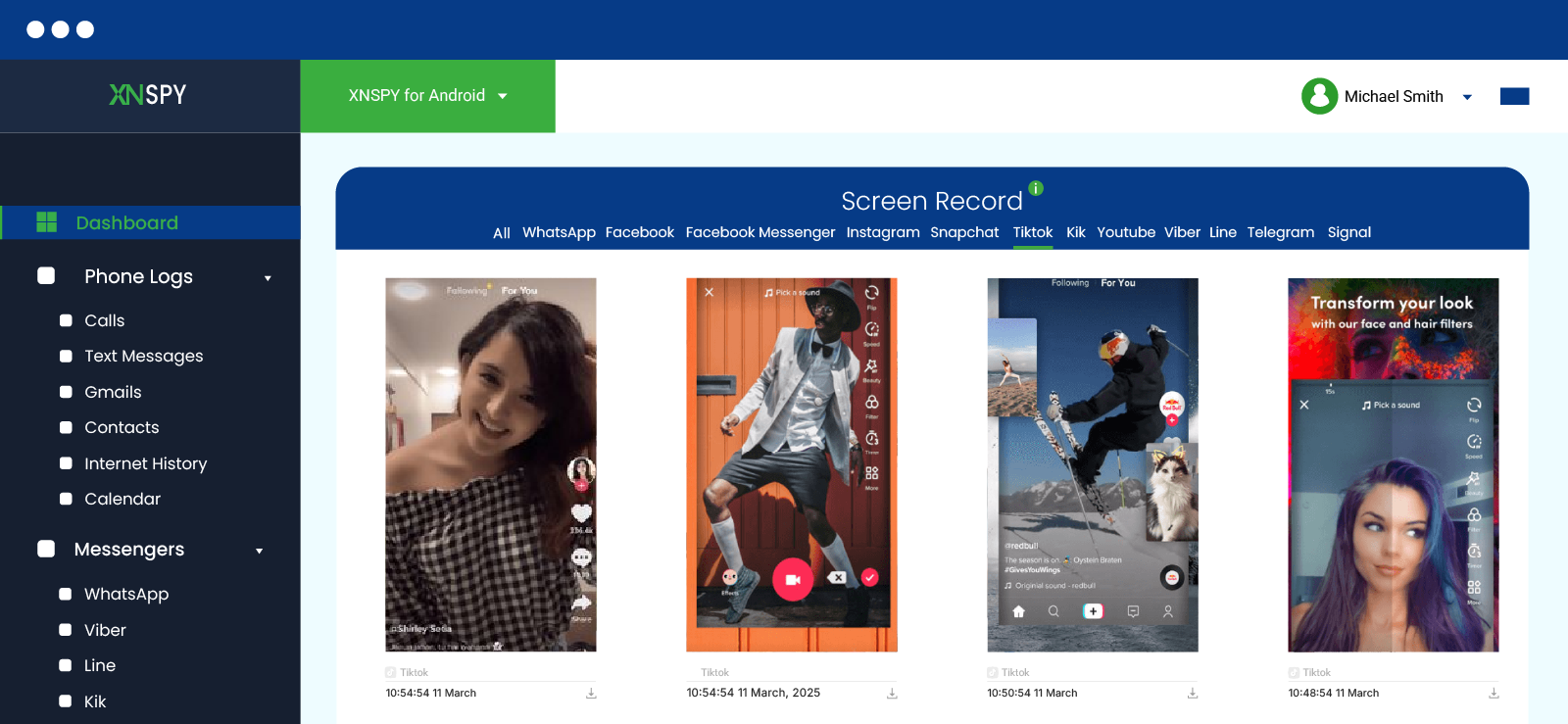
Xnspy is a mobile monitoring app that works at the device level. It captures TikTok activity as it happens, before any deletion can remove it from the record. Unlike the other methods in this guide, Xnspy doesn’t attempt to recover messages after the fact. It captures them as they are sent, received, and read, storing that data in a secure remote dashboard that parents can access at any time.
The screen recording feature takes periodic screenshots of the device screen at set intervals, including any open TikTok conversations. Along with this, the keylogger logs every keystroke typed on the device. This captures the full text of outgoing TikTok messages as they’re being composed, regardless of whether the sender deletes them before or after sending.
Here’s how to see deleted messages on TikTok without the user knowing, using Xnspy
- Purchase a subscription and complete the account setup.
- Install the app on the target device (one-time physical access required)
- Log in to your Xnspy dashboard from any browser.
- Go to Screen Recorder to review screenshots of TikTok activity.
- Open the Keylogger tab to review captured keystrokes from TikTok and other apps.
Did It Work for Me?
I installed Xnspy on the Samsung Galaxy test device and sent a series of TikTok DMs from a separate account. Some I deleted within 10 seconds of sending; some I deleted after reading; some I left. Every message I composed showed up in the keylogger, including one I deleted before sending.
The screen recorder caught open conversations during four of the five capture windows. The one that it missed was not caught because it didn’t fall within the fixed short interval of screen capture.
Xnspy is the only method in this guide that captures content before deletion, which makes it the only approach that doesn’t depend on timing, sync gaps, or luck. However, while it does capture everything in real-time, you might see it after a slight delay if your internet is unstable. Moreover, you need one-time physical access to the target device for this app to work.

Xnspy Sees What TikTok Hides
Stay aware of everything they do on TikTok.
2. Try Third-Party Data Recovery Apps
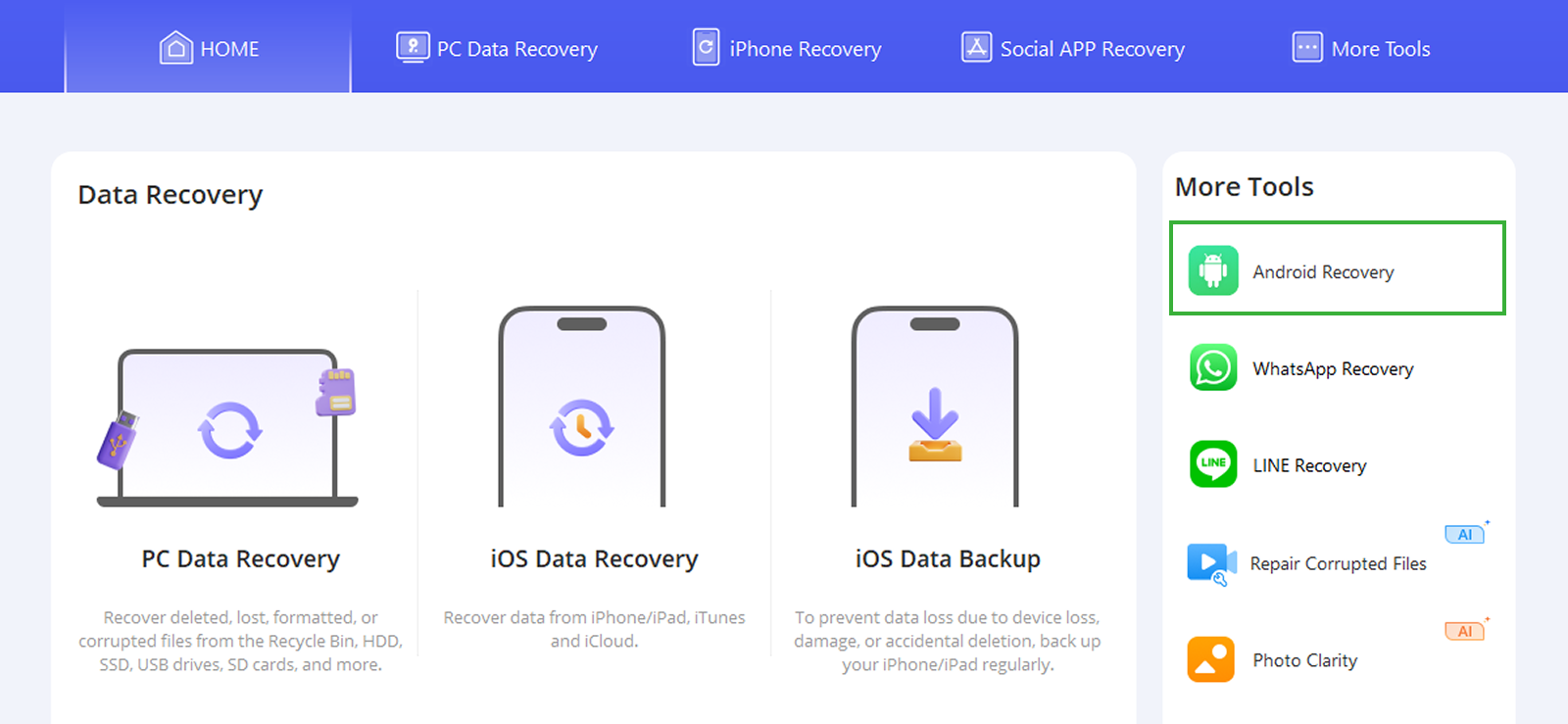
Third-party data recovery tools like AnyRecover scan a device’s cached storage and local app data for residual fragments of deleted content. The theory is that even after a message is deleted from TikTok’s interface, traces of it may remain temporarily in the device’s local cache before being overwritten.
This method is worth attempting before anything else is written to the device; the longer you wait, the more likely the cached data has been overwritten by new activity.
Here’s how to recover deleted messages on TikTok with such tools:
- Go to the AnyRecover website and download the recovery tool (desktop version required for full device scan).
- Connect the target device to your computer via USB.
- Select the data type; choose messages or social app data.
- Click Scan and wait for the results.
- Preview the recoverable content and click Recover to retrieve any TikTok message fragments found.
Did It Work for Me?
I tested AnyRecover on the Android test device roughly 20 minutes after deleting a set of TikTok messages. The scan returned some fragmented text data, but nothing I could definitively identify as TikTok message content. It recovered photos and some WhatsApp cache data more reliably. On the iPhone, the tool required an iTunes or iCloud backup to scan from, rather than direct device access.
My honest assessment is that third-party recovery tools are worth trying as a free first step if messages were recently deleted and the phone hasn’t been used heavily since. However, don’t expect a clean chat log, as you’re more likely to get fragments or nothing, depending on the timing.
3. Check Android Notification History (Android Only)
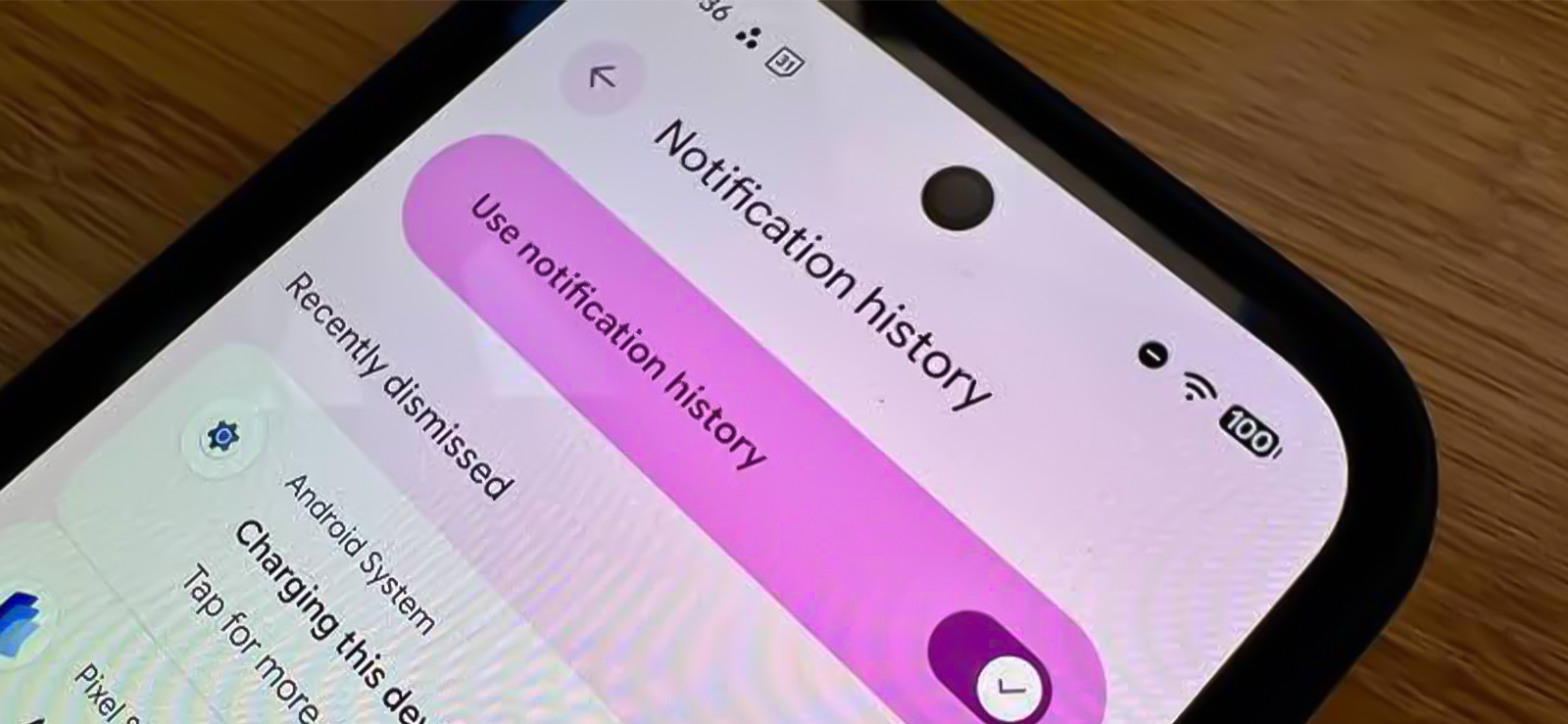
Android has a built-in system feature that logs all notifications received by the device for the previous 24 hours, including the preview text of TikTok DMs. If a message arrived as a push notification before it was deleted, the preview is often still logged in the notification history, even if the message itself has been removed from the app.
This is entirely Android-specific. iOS does not have a system-level notification history feature exposed to users or apps, so if your child is an iPhone user and you’re wondering how to recover deleted TikTok messages via notification history, this method won’t work for you.
Here’s how to use it:
- On the Android device, open Settings.
- Tap Notifications.
- Select Notification History (on Samsung, this may be under Advanced Settings → Notification History).
- Toggle Use notification history to ON if it isn’t already enabled.
- Scroll through the log and look for TikTok entries; message previews appear alongside the app icon and timestamp.
Did It Work for Me?
I enabled Notification History on the Samsung Galaxy before running my deletion tests. For messages deleted after the notification had already been delivered to the device, the preview text showed up clearly in the notification log, the sender name, and the first portion of the message content.
However, if the chat was already opened, no notification was triggered, and hence no history was saved for me to go back to.
Moreover, this method only captures the preview text visible in the notification, so for longer messages, this is typically the first 50–100 characters. Other than this, the 24-hour log rolls over, so any message older than a day will not appear. On top of all of this, the method captures received messages only; outgoing DMs do not generate notifications and will not appear in this log.

Did You Know?
Just like TikTok, you can also see deleted messages on Discord.

4. See Other Signed-In Devices for Unsynced Messages

TikTok syncs messages across all devices where the account is logged in, but that sync doesn’t always happen instantly. If a message is deleted on one device before the deletion command has had a chance to propagate to a second device, the message may still appear on that second device.
This is a narrow window, and it only works for very recent deletions where the second device hasn’t yet connected to TikTok’s servers and received the update. It’s not a reliable recovery method for older messages, but it’s free and fast.
Here’s how to find deleted TikTok messages by seeing signed-in devices:
- Find any other device where the target TikTok account is logged in: a tablet, an older phone, a laptop browser session, etc.
- Open TikTok on that device immediately; do not wait, as sync can complete quickly.
- Navigate to the inbox and open the conversation where the message was deleted.
- If the sync hasn’t propagated yet, the message will still appear in that conversation.
- Screenshot or note the content before it disappears; once TikTok syncs the deletion to this device, it will be gone here too.
Did It Work for Me?
I tested this with both Android and iPhone along with one tablet signed into the same TikTok account. I deleted a message on the primary device and immediately opened TikTok on the tablet before properly refreshing and without maintaining the connection to WiFi.
The message was still visible. Once I connected the tablet to WiFi and refreshed the inbox, it disappeared within about 25 seconds.
The same test on a fast WiFi connection with both devices online gave me no window at all, as the sync happened faster than I could switch devices. This method is situational, but it’s genuinely useful in the right circumstances, particularly when a child has deleted a message from their phone, but a family tablet is also logged into the same account and hasn’t synced yet.
FAQs
How to see deleted messages on TikTok on iPhone of another person?
iPhone users have fewer options than Android users. Notification History is Android-exclusive, so that method isn’t available. The best options for iPhone are: checking signed-in devices for unsynced messages immediately after deletion, using AnyRecover with an iCloud backup, or using Xnspy’s iCloud-based monitoring (which captures screen activity and keystrokes without requiring device installation).
How to recover deleted messages on TikTok without installing software?
Without installing any software, the two options are: (1) check Android Notification History if the device is Android and the feature was already enabled, or (2) check another signed-in device for unsynced messages immediately after deletion. Both are free and require no downloads.
How to find deleted TikTok messages if the target user has multiple accounts?
Notification History and signed-in device checks only cover one account at a time, whichever is currently active on the device. Third-party recovery tools scan at the device level regardless of which account was active, though they return inconsistent results for TikTok specifically. Xnspy is the most practical option here because the screen recorder and keylogger capture activity across all accounts used on a device, regardless of which profile is logged in at any given moment.
How to see deleted TikTok messages without having their account credentials?
Notification History requires physical access to the device but not the account login. Third-party tools also work at the device level rather than the account level, so credentials aren’t needed for a local scan. Xnspy runs from the device itself and reports to a parent dashboard without requiring the child’s TikTok credentials to function.
How to retrieve deleted messages on TikTok if the target phone is factory reset?
A factory reset wipes all local data, including cached message fragments that third-party tools would otherwise scan. The Notification History log is also wiped. If Xnspy was installed on the device before the reset, the dashboard still holds everything it captured up to the point of the reset, so a factory reset cannot remove it. That makes Xnspy the only reliable option in this scenario.


5 Comments
Leave a reply:
Your email address will not be published. Required fields are marked*

Mathis Ky
July 21, 2025 at 3:01 pmI used to think no one uses tiktok messgaes at all but recently found out my fiance had been cheating on me with multiple women through tiktok messages and I am disgusted to say the least.
Jeff L. Baird
July 21, 2025 at 3:06 pmI tried talking to the tiktok customer support but they said they do not have data that old anymore. I am so upset.
Roman
July 22, 2025 at 2:52 pmI wish the world had ended at millenials.
Noah
July 24, 2025 at 2:45 pmPlease let me know which third party apps other than AnyRecover are there? I have tried to find many free ones but all require a payment plan.
Honore Couture
July 24, 2025 at 2:51 pmNice piece of information you have shared here.